In the dynamic landscape of modern game development, balancing rapid prototyping with uncompromising performance is a perpetual challenge. While visual scripting systems like Unreal Engine’s Blueprints offer unparalleled speed in iteration and accessibility for designers, projects inevitably encounter bottlenecks where pure Blueprint logic proves insufficient. This critical juncture often necessitates a deeper dive into C++, the engine’s foundational programming language, to achieve optimal speed, efficiency, and access to advanced functionalities. The C++ Blueprint Function Library emerges as a pivotal tool in this scenario, providing a seamless bridge between the iterative power of Blueprints and the raw performance of compiled C++ code.
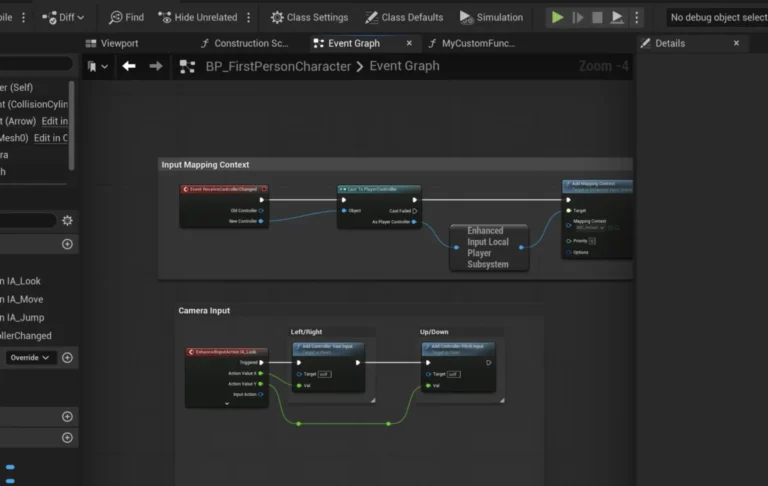
The inherent strengths of Unreal Engine 5’s Blueprint system lie in its visual, node-based interface, which empowers designers and less code-savvy developers to create complex game logic, UI elements, and interactive systems without writing a single line of traditional code. This abstraction significantly accelerates development cycles, allowing for quick experimentation and iterative design. However, as projects grow in complexity and scope, particularly those with demanding computational tasks, intricate AI, or extensive data manipulation, the interpretative nature of Blueprints can lead to performance degradation. Operations involving heavy loops, large array processing, or frequent mathematical calculations can reveal the limitations of visual scripting, often manifesting as frame rate drops or unresponsive gameplay.
Conversely, writing game logic entirely in C++ offers superior execution speed, as the code is compiled directly into machine instructions. C++ provides direct memory access, granular control over system resources, and the ability to leverage advanced programming paradigms and external libraries. This power, however, comes with a higher barrier to entry, a steeper learning curve, and a more rigorous development workflow that can slow down initial prototyping. The traditional approach of migrating an entire system from Blueprint to C++ is often a daunting task, requiring significant refactoring and a complete paradigm shift, which can be disruptive to ongoing development. Furthermore, certain advanced engine features or third-party SDKs might only expose their functionalities through C++ APIs, leaving Blueprint-only projects unable to access them directly.
The Hybrid Development Imperative: Bridging the Gap
Recognizing this fundamental dichotomy, Epic Games has consistently invested in tools that foster a hybrid development environment. The C++ Blueprint Function Library stands as a testament to this philosophy. It is a specialized, built-in Unreal Engine class designed to host static C++ functions that can be effortlessly called from within any Blueprint graph. This mechanism allows developers to encapsulate performance-critical logic, intricate algorithms, or direct engine API interactions within optimized C++ code, while still exposing these functionalities as readily available nodes in the Blueprint editor. The result is a powerful synergy: developers gain the speed and efficiency of C++ where it matters most, without sacrificing the intuitive, accessible workflow that Blueprints provide for the majority of game logic.
Historically, Unreal Engine’s evolution has seen a continuous refinement of its scripting and programming interfaces. From the days of UnrealScript in earlier iterations to the groundbreaking introduction of Blueprints alongside Unreal Engine 4, Epic Games has always aimed to democratize game development. The C++ integration, particularly through features like Blueprint Function Libraries, has matured over successive engine versions, offering increasingly robust and user-friendly methods for interoperability. This ongoing commitment ensures that developers can scale their projects from simple prototypes to AAA titles, leveraging the right tool for each specific task.
Establishing a C++ Foundation: Prerequisites and Project Configuration
To embark on integrating C++ functionality, a foundational understanding of C++ within the Unreal Engine 5 environment is essential. This includes familiarity with basic C++ syntax, object-oriented programming concepts, and how Unreal Engine structures its C++ classes and modules. A crucial prerequisite is the installation of a suitable Integrated Development Environment (IDE) capable of compiling C++ code. For Windows users, Microsoft Visual Studio (with the "Game development with C++" workload) is the industry standard. On macOS, Xcode is the primary choice, while JetBrains Rider offers a robust, cross-platform alternative favored by many for its superior code analysis and navigation features. These IDEs not only compile the code but also provide invaluable debugging tools, intelligent code completion, and project management capabilities that are indispensable for C++ development. If a project initiated as a Blueprint-only endeavor, the engine will prompt the user to install a compatible IDE upon the first attempt to create a C++ class, guiding them through the necessary setup.
Creating a C++ Blueprint Function Library: A Step-by-Step Guide
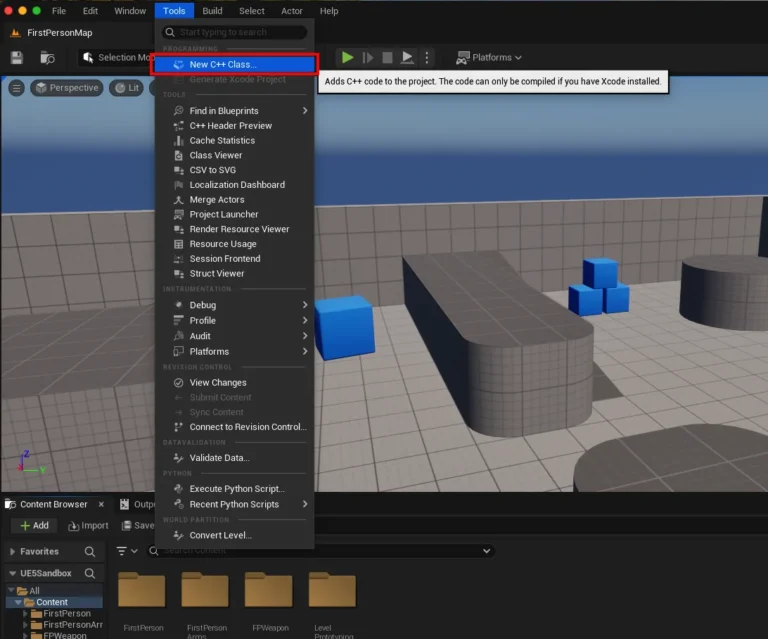
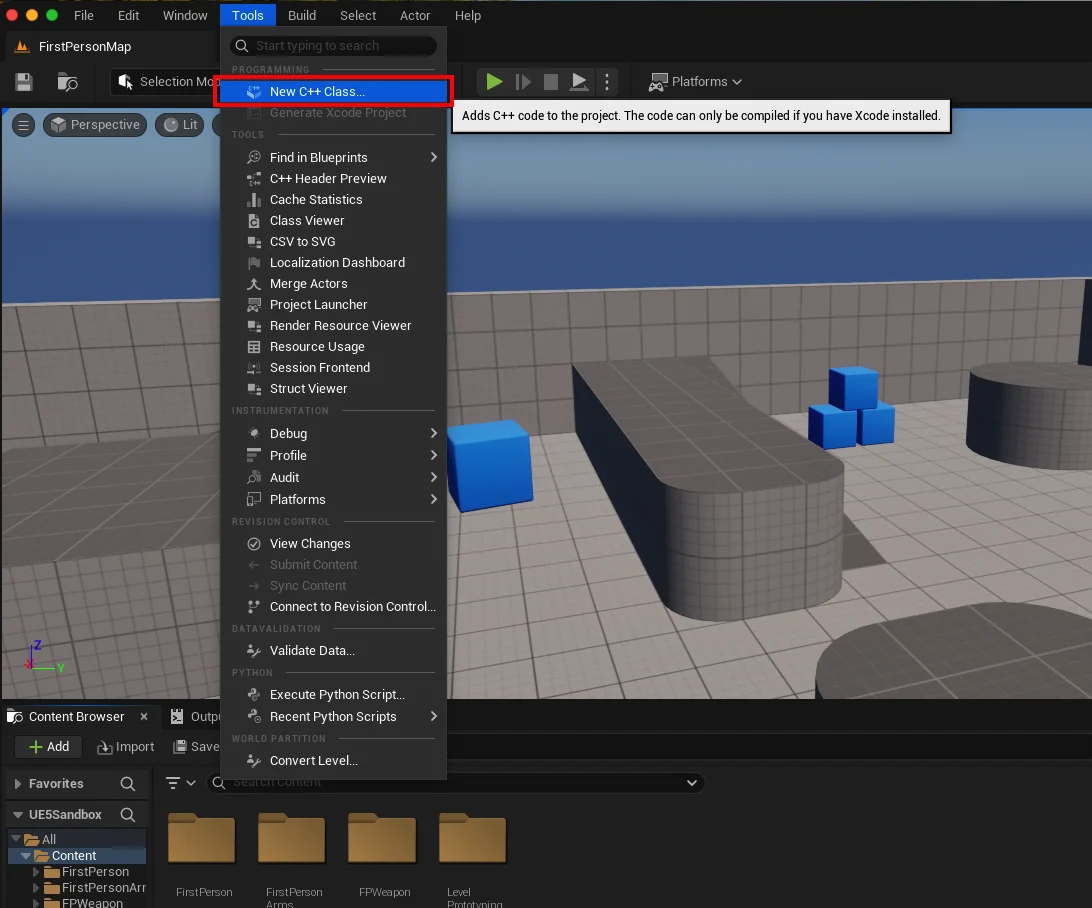
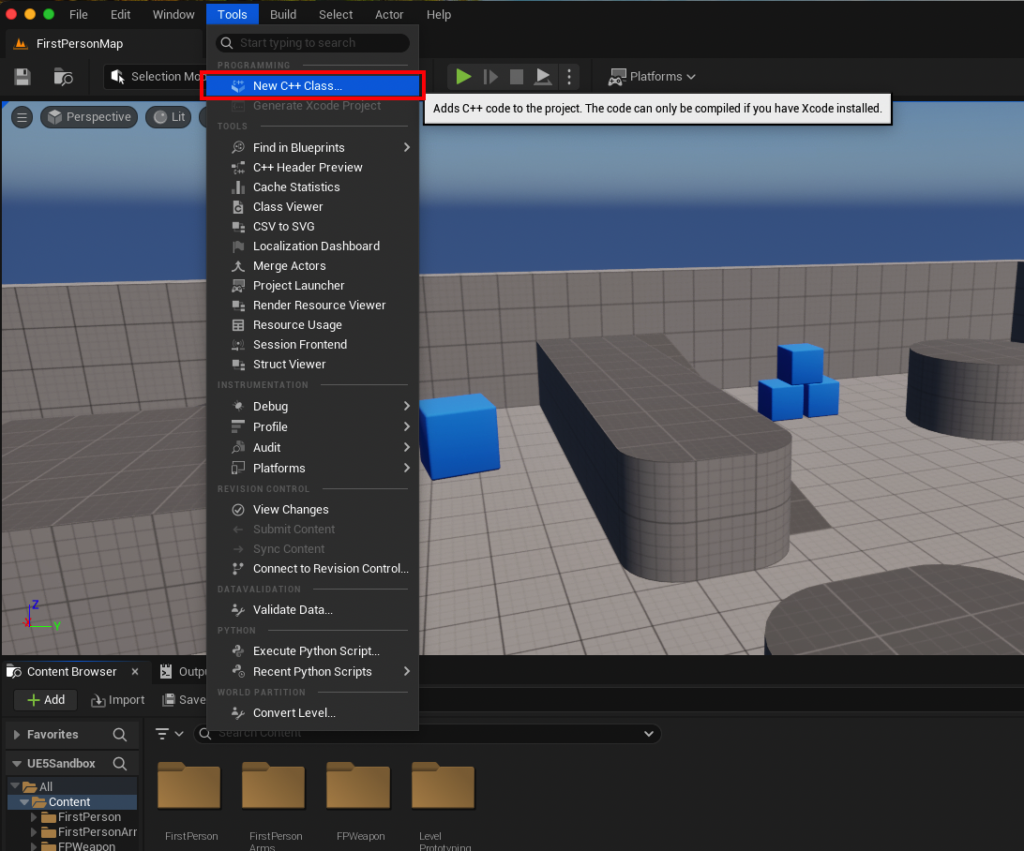
The process of establishing a C++ Blueprint Function Library begins within the Unreal Engine editor itself. The initial step is to ascertain or enable C++ capabilities within the project. This is straightforward: navigate to the "Tools" dropdown menu at the top of the editor and select "New C++ Class." If the project is already C++ enabled, this will open a class wizard. If not, the engine will guide the user through setting up the necessary C++ project files and, if required, installing an IDE.
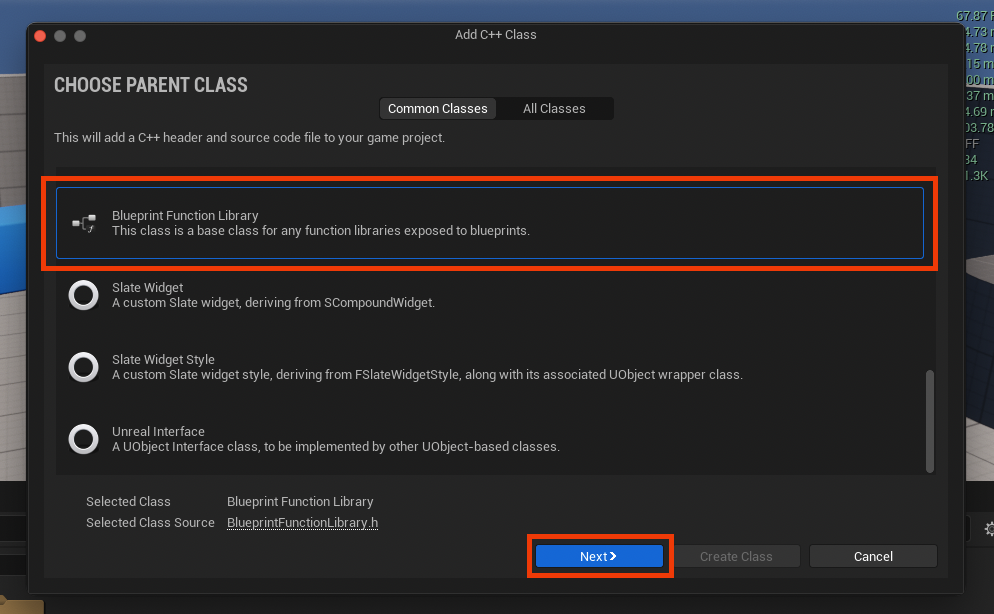
Once the "New C++ Class" dialog appears, developers are presented with a selection of "Parent Classes." This is a critical decision, as the parent class dictates the fundamental behavior and inheritance hierarchy of the new C++ class. For a Blueprint Function Library, the appropriate choice is, unsurprisingly, "Blueprint Function Library," typically found towards the bottom of the list. This specific parent class ensures that the new C++ class inherits the necessary framework to expose static functions directly to the Blueprint environment. After selecting this, clicking "Next" proceeds to the naming convention stage.
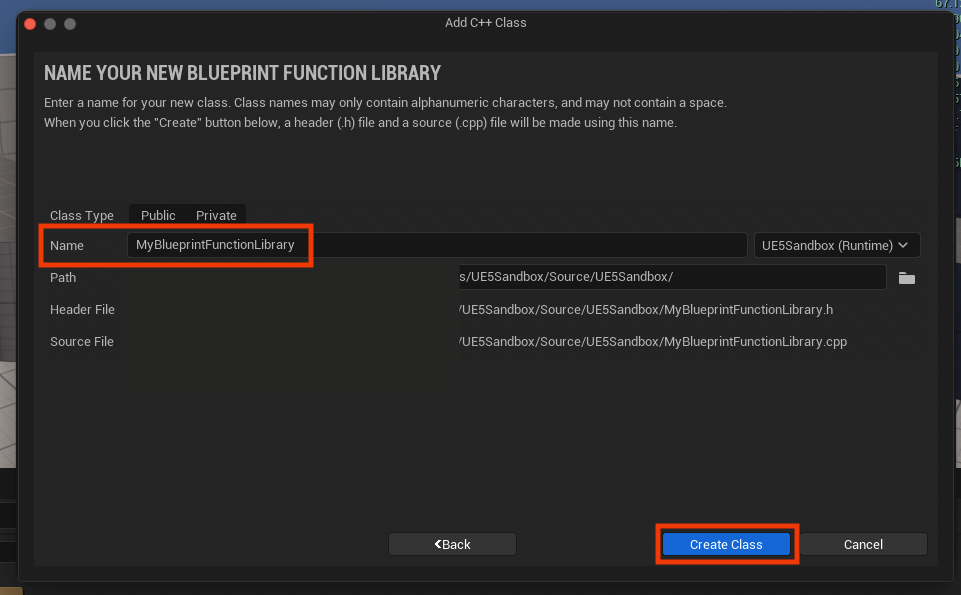
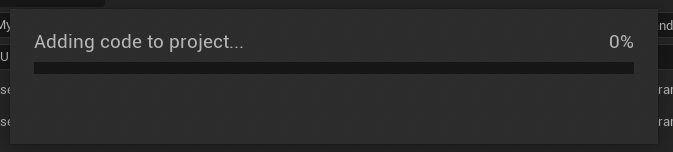
Naming the new class thoughtfully is crucial for project organization and readability. Adhering to Unreal Engine’s naming conventions, which typically involve camel case with capitalized words (e.g., MyProjectUtilityLibrary or GameSaveFunctionLibrary), is highly recommended. For this guide, MyBlueprintFunctionLibrary serves as a clear, illustrative example. Once named, clicking "Create Class" initiates the compilation process, where Unreal Engine generates the necessary .h (header) and .cpp (source) files and compiles them into the project. This compilation phase is vital; developers must wait for its completion before proceeding, as it integrates the new C++ module into the engine.
Structuring the C++ Code: Header and Source Files
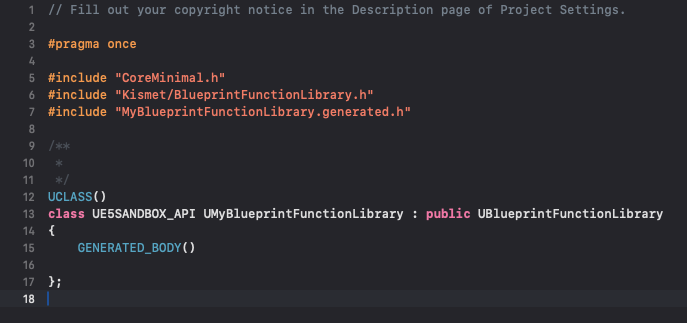
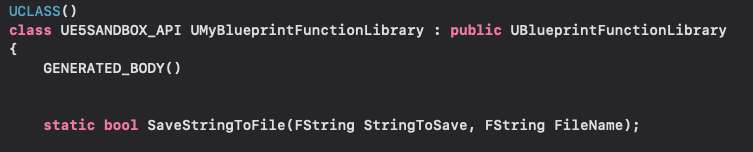
Upon successful compilation, the newly generated C++ files can be accessed through the chosen IDE. Each C++ class in Unreal Engine consists of two primary files: a header file (.h) and a source file (.cpp). The header file, MyBlueprintFunctionLibrary.h in our example, serves as the declaration interface. It outlines the class structure, its inherited members, and, most importantly, the signatures of the functions that will be exposed to Blueprints. The source file, MyBlueprintFunctionLibrary.cpp, contains the actual implementation, or definition, of these functions.
Within the header file, the critical elements for Blueprint integration are the static keyword and the UFUNCTION macro. A Blueprint Function Library is designed to provide utility functions that do not require an instance of an object to be called. This is achieved by declaring functions as static. A static function belongs to the class itself, not to any specific object of that class, making it globally accessible and callable directly from Blueprint without needing a target reference.
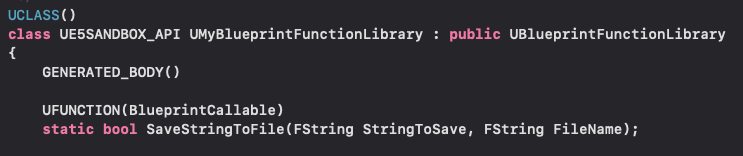
The UFUNCTION macro is the magic behind exposing C++ functions to the Blueprint editor. Placed directly above a function declaration, it signals to the Unreal Header Tool (UHT) that this function should be made visible and callable from Blueprints. Essential specifiers for UFUNCTION in this context include BlueprintCallable, which explicitly marks the function for Blueprint use, and Category, which helps organize the function within the Blueprint context menu (e.g., Category="FileIO" would place the function under a "File IO" heading, enhancing discoverability).
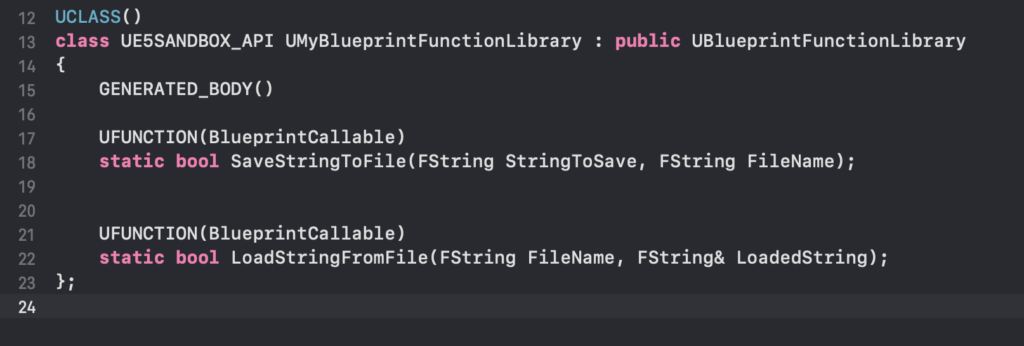
For instance, to create a basic string read/write system, the header file would include declarations like:
// MyBlueprintFunctionLibrary.h
#pragma once

#include "CoreMinimal.h"
#include "Kismet/BlueprintFunctionLibrary.h"
#include "MyBlueprintFunctionLibrary.generated.h"

UCLASS()
class UMyBlueprintFunctionLibrary : public UBlueprintFunctionLibrary

    GENERATED_BODY()

public:
    UFUNCTION(BlueprintCallable, Category = "FileIO")
    static bool SaveStringToFile(FString SaveDirectory, FString FileName, FString SaveText, bool bAllowOverwrite);

    UFUNCTION(BlueprintPure, Category = "FileIO")
    static FString LoadStringFromFile(FString LoadDirectory, FString FileName, bool& bOutSuccess, FString& OutInfoMessage);
;
Note the BlueprintPure specifier on the LoadStringFromFile function. BlueprintPure functions are typically those that do not modify the state of the game world or an object, making them suitable for execution without an execution pin in Blueprints, akin to a getter.
Implementing Functionality: The Source File
The implementation of these declared functions resides in the .cpp source file. Here, the full power of C++ and Unreal Engine’s extensive API can be leveraged. For the string read/write example, Unreal Engine provides the FFileHelper class, a robust utility for file operations.

// MyBlueprintFunctionLibrary.cpp
#include "MyBlueprintFunctionLibrary.h"
#include "Misc/FileHelper.h"
#include "HAL/PlatformFileManager.h"

bool UMyBlueprintFunctionLibrary::SaveStringToFile(FString SaveDirectory, FString FileName, FString SaveText, bool bAllowOverwrite)

    // Create full file path
    FString AbsoluteFilePath = SaveDirectory + "/" + FileName;

    // Check if file exists and overwrite is not allowed
    if (!bAllowOverwrite && FPlatformFileManager::Get().GetFileManager().FileExists(*AbsoluteFilePath))

        UE_LOG(LogTemp, Warning, TEXT("File already exists and overwrite is disallowed: %s"), *AbsoluteFilePath);
        return false;


    // Save the string to the file
    if (FFileHelper::SaveStringToFile(SaveText, *AbsoluteFilePath))

        UE_LOG(LogTemp, Log, TEXT("Successfully saved string to file: %s"), *AbsoluteFilePath);
        return true;

    else

        UE_LOG(LogTemp, Error, TEXT("Failed to save string to file: %s"), *AbsoluteFilePath);
        return false;


FString UMyBlueprintFunctionLibrary::LoadStringFromFile(FString LoadDirectory, FString FileName, bool& bOutSuccess, FString& OutInfoMessage)

    FString ResultString = TEXT("");
    FString AbsoluteFilePath = LoadDirectory + "/" + FileName;

    // Check if file exists
    if (!FPlatformFileManager::Get().GetFileManager().FileExists(*AbsoluteFilePath))

        bOutSuccess = false;
        OutInfoMessage = FString::Printf(TEXT("File does not exist: %s"), *AbsoluteFilePath);
        UE_LOG(LogTemp, Warning, TEXT("%s"), *OutInfoMessage);
        return ResultString;


    // Load the string from the file
    if (FFileHelper::LoadFileToString(ResultString, *AbsoluteFilePath))

        bOutSuccess = true;
        OutInfoMessage = FString::Printf(TEXT("Successfully loaded string from file: %s"), *AbsoluteFilePath);
        UE_LOG(LogTemp, Log, TEXT("%s"), *OutInfoMessage);
        return ResultString;

    else

        bOutSuccess = false;
        OutInfoMessage = FString::Printf(TEXT("Failed to load string from file: %s"), *AbsoluteFilePath);
        UE_LOG(LogTemp, Error, TEXT("%s"), *OutInfoMessage);
        return ResultString;
This example demonstrates how robust C++ error handling and detailed logging can be implemented, offering more control and feedback than might be easily achievable in pure Blueprint. Once the C++ code is written, the project must be recompiled through the IDE or the Unreal Editor. This crucial step integrates the new C++ functionality into the engine’s runtime, making the exposed functions available in Blueprints. After recompilation, restarting the Unreal Editor is often necessary to ensure all changes are fully recognized.
Seamless Integration into Blueprints: Empowering Designers
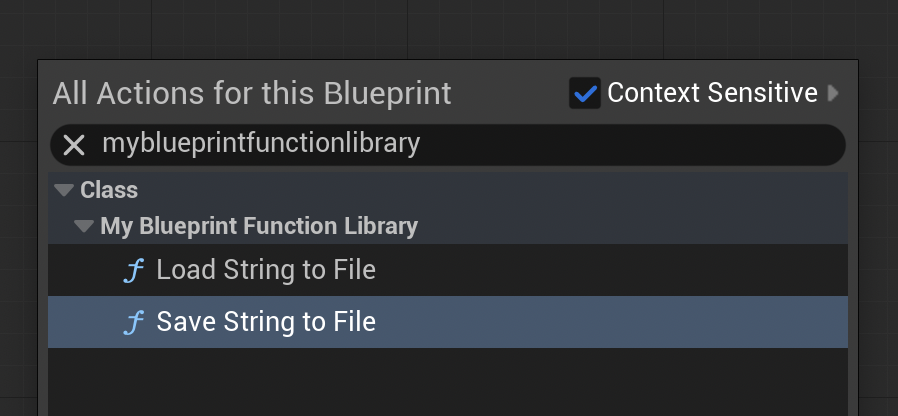
The true elegance of the C++ Blueprint Function Library lies in its seamless integration. Once the C++ functions are compiled and the editor reloaded, they become instantly accessible within any Blueprint graph. By simply right-clicking in a Blueprint editor (e.g., a Level Blueprint, an Actor Blueprint, or a Widget Blueprint) and typing the name of the function or the category specified in the UFUNCTION macro, the new C++ nodes appear in the context-sensitive action menu. For our example, searching for "FileIO" or "Save String To File" would reveal the SaveStringToFile and LoadStringFromFile nodes, complete with their defined input and output pins.
A practical demonstration illustrates this power. In a Level Blueprint, for instance, a BeginPlay event can be connected to the SaveStringToFile node. Developers can then specify a string to save (e.g., "Hello from C++ via Blueprint!") and a filename (e.g., "game_data.txt"). Upon playing the game in the editor, this C++ function, triggered by Blueprint, will execute, creating or updating the specified file in the project’s /Saved directory. Similarly, the LoadStringFromFile function can be used to retrieve data. By connecting it to a Print String node, the content of a previously saved file (e.g., "Loading Test" from loadtest.txt) can be displayed directly on the screen during gameplay, visually confirming the successful interaction between Blueprint and C++.
Broader Impact and Implications for Game Development
The strategic use of C++ Blueprint Function Libraries carries significant implications for game development projects:
-
Performance Optimization: This is arguably the most direct benefit. Performance-critical sections of code, such as pathfinding algorithms, complex physics calculations, or large data processing routines, can be offloaded to C++, ensuring optimal execution speed. This directly translates to smoother gameplay, higher frame rates, and a more responsive user experience.
-
Access to Advanced Engine Features: Many low-level engine APIs and third-party SDK functionalities are primarily exposed through C++. Blueprint Function Libraries provide a controlled gateway to these features, allowing Blueprint-centric projects to leverage advanced capabilities that would otherwise be inaccessible.
-
Enhanced Code Reusability and Modularity: By encapsulating common utility functions in a C++ Blueprint Function Library, developers promote code reusability. These static functions can be called from numerous Blueprints across different parts of a project, reducing duplication and making maintenance easier. This also fosters a more modular architecture, where core functionalities are cleanly separated.
-
Improved Team Collaboration: This hybrid approach bridges the gap between C++ programmers and Blueprint-focused designers. Programmers can develop highly optimized C++ modules, expose them through well-defined Blueprint nodes, and then allow designers to integrate and orchestrate these functionalities visually. This significantly improves workflow efficiency and reduces dependencies, as designers are not blocked waiting for C++ changes to be fully integrated into a playable state.
-
Project Scalability: As projects grow, the ability to selectively optimize critical systems in C++ while maintaining the agility of Blueprints ensures greater scalability. This allows teams to iterate quickly on gameplay concepts in Blueprint and then strategically refactor performance hotspots into C++ without a full-scale engine rewrite.
-
Security and Robustness: C++ offers finer control over memory management and system resources, which can be crucial for implementing robust and secure systems, especially for networking, anti-cheat measures, or complex data persistence.
Conclusion
The C++ Blueprint Function Library is not merely a technical feature; it represents a fundamental shift in how developers can approach game creation in Unreal Engine 5. It embodies Epic Games’ commitment to providing a versatile ecosystem where developers can choose the right tool for the job, seamlessly blending the rapid iteration of visual scripting with the raw power and efficiency of C++. By mastering the creation and integration of these libraries, developers unlock tangible performance improvements, gain access to hidden engine functionalities, and cultivate a more scalable, collaborative, and robust development pipeline. This hybrid approach is poised to define the future of professional game development, allowing creative visions to be realized with both unparalleled speed and uncompromising technical excellence.
About the Author