Itch.io, a prominent open marketplace for independent digital games, has rolled out a significant update to its desktop application, version 26.20.0, introducing a suite of highly anticipated features aimed at enhancing user experience, streamlining game management, and fostering greater interoperability within the PC gaming ecosystem. The core highlights of this update include native Steam shortcuts, a robust headless game launch mode, and the ability to link existing game folders directly to the itch.io app, collectively marking a strategic move to integrate more fluidly with prevalent gaming platforms while upholding its distinct identity.
Bridging Digital Ecosystems: The Strategic Significance of Steam Integration
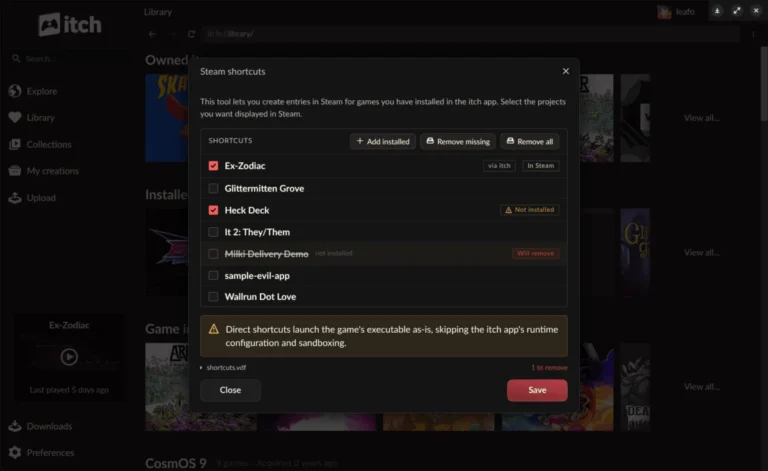
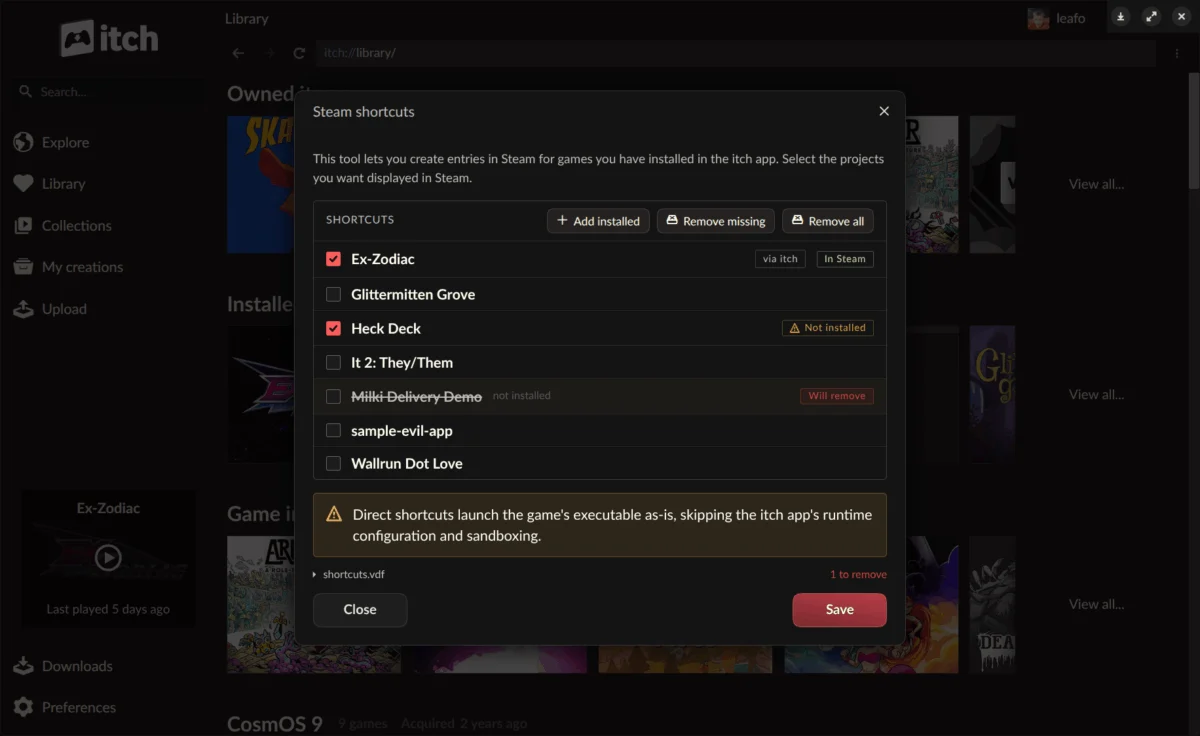
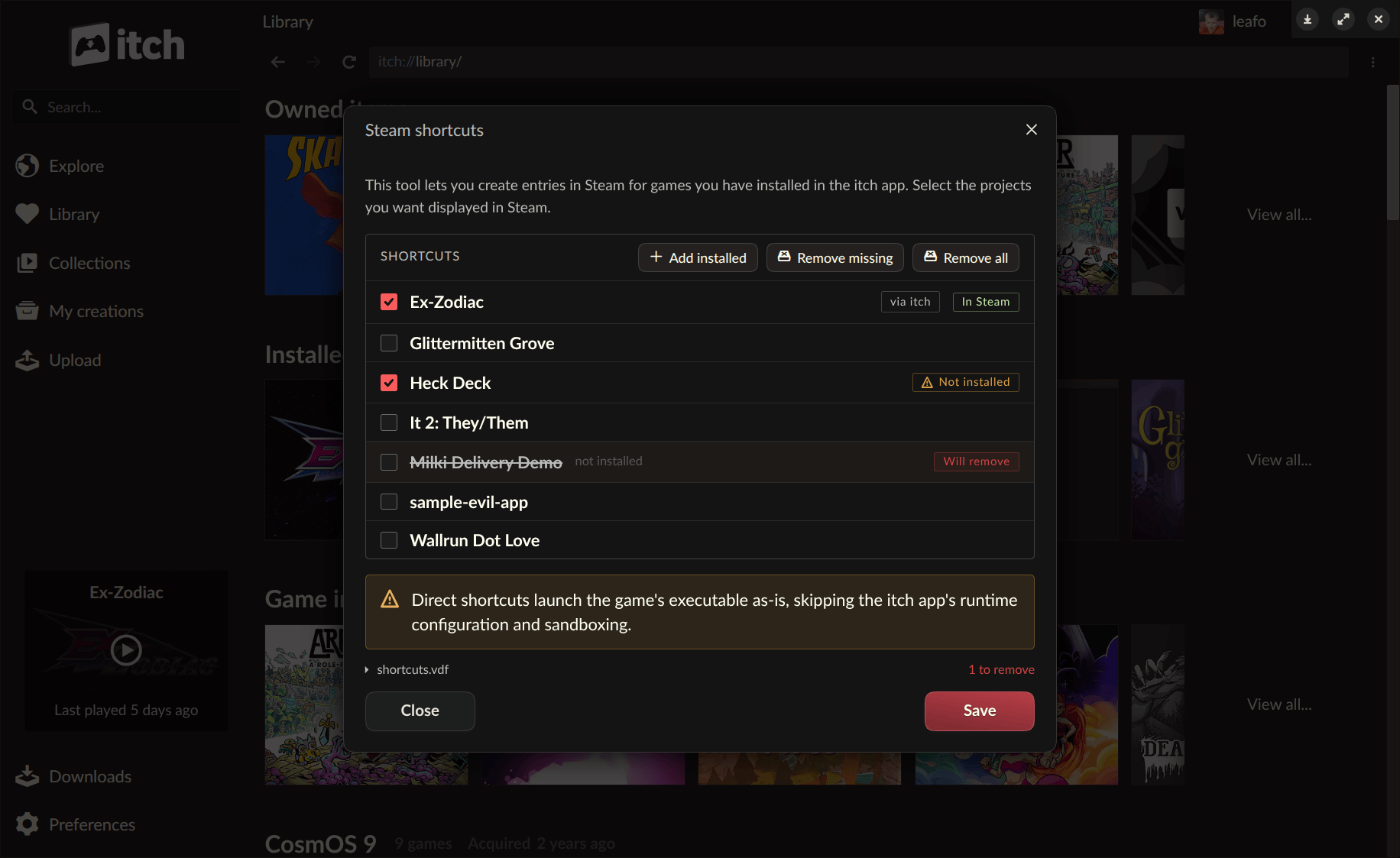
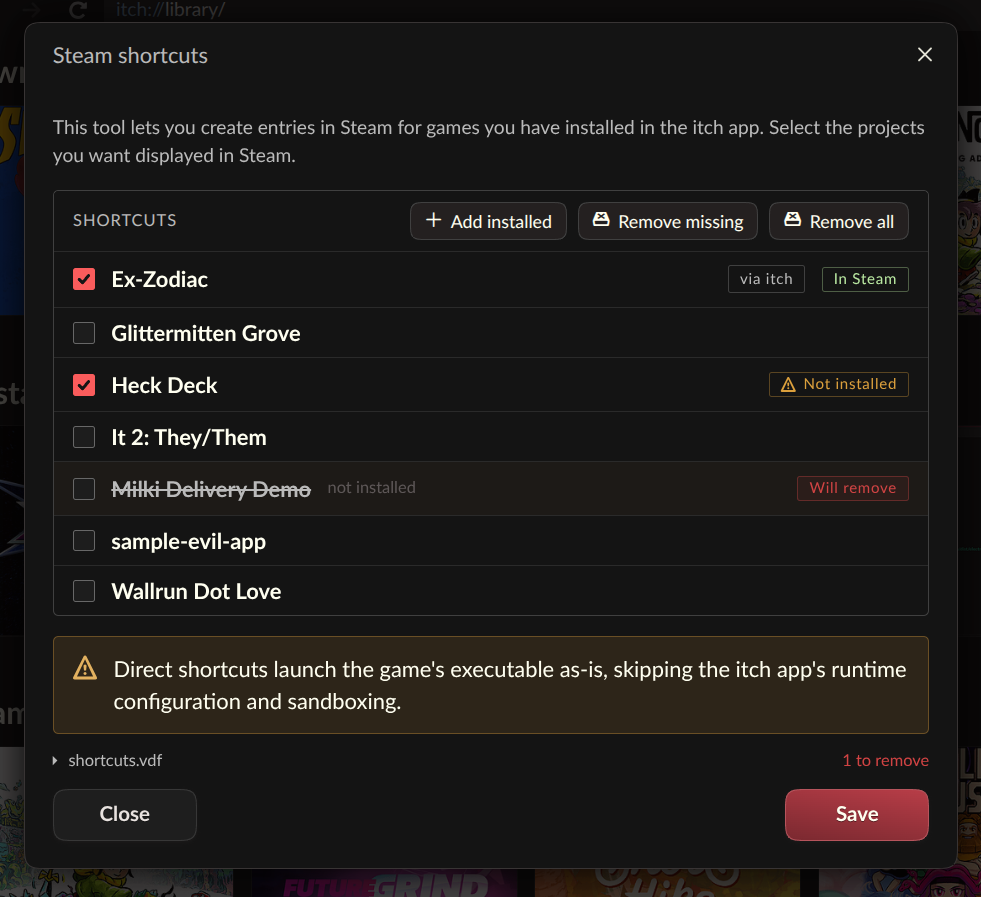
The most prominent feature of the v26.20.0 update is the introduction of Steam shortcuts, allowing users to seamlessly add games installed via the itch.io app directly into their Steam library. This functionality addresses a long-standing request from a user base deeply embedded in the Steam ecosystem, particularly those utilizing Valve’s Steam Deck handheld gaming PC or the Big Picture Mode interface on desktop. By enabling itch.io titles to appear and launch directly from Steam, the update eliminates the need for users to switch between applications, offering a unified and more convenient gaming experience.
Steam’s dominance in the PC digital distribution market, commanding an estimated 75% or more of all PC game sales, makes this integration a strategic imperative for platforms seeking broader player engagement. The rise of the Steam Deck since its launch in February 2022 has further amplified the demand for cross-platform compatibility, as users increasingly desire to consolidate their diverse game libraries onto a single, portable device. For many indie game enthusiasts, the Steam Deck represents an ideal platform for playing a wide array of titles, including the experimental and avant-garde offerings frequently found on itch.io. Prior to this update, launching itch.io games on a Steam Deck typically involved manual workarounds, such as adding non-Steam game shortcuts, which often lacked the full integration and behind-the-scenes support provided by the itch.io app.
The technical innovation underpinning this seamless integration is a new "headless runner mode" for itch.io games. This mode allows games to launch with the full backing of the itch.io app’s infrastructure – including sandboxing, prerequisite checks, per-game launch settings, play time tracking, and API key management – without requiring the graphical user interface of the itch.io application itself to be actively running. This elegant solution ensures that all the benefits and configurations set within the itch.io app are preserved, even when a game is initiated from an external launcher like Steam. Users can access the Steam Shortcuts tool conveniently from the itch.io app’s preferences page or by right-clicking on any installed game within their library. Once synchronized, all added shortcuts are automatically grouped into an "itch.io" collection within Steam, facilitating easy organization. Itch.io has categorized this as an "experimental feature," encouraging users to provide feedback and report any bugs on its GitHub issues page to refine its compatibility and functionality.
Empowering Developers and Custom Launchers: The Versatility of Headless Launching
While the immediate benefit of the headless launch mode is its utility for Steam integration, its broader implications extend far beyond Valve’s platform. The new itch-setup --run-game <gameId> [--profile-id <profileId>] command introduces a powerful, universal method for initiating installed itch.io games from any external launcher, shortcut system, or script. This command-line interface signifies a significant step towards greater platform agnosticism and developer flexibility.
This feature is a direct extension of itch.io’s long-standing commitment to open standards and developer control. It allows creators and advanced users to build custom front-ends, integrate itch.io games into bespoke gaming environments, or even automate game launches through scripts. The core technology, a new butler launch subcommand, directly interacts with the user’s existing app database, ensuring that all configured settings, such as sandboxing parameters or playtime tracking, are respected. This means a game launched headlessly functions identically to one launched directly from the itch.io app, preserving the integrity of the user’s experience and the developer’s intended runtime environment.
The official documentation provides a guide for interfacing with the itch.io app to build custom launchers, underscoring the platform’s encouragement of community-driven innovation. This approach contrasts with more closed ecosystems, where external integration is often restricted or complex. By providing robust command-line tools, itch.io positions itself as a more flexible and adaptable platform, appealing to developers and power users who value customization and control. It’s important to note, however, that not all game types are supported by the headless mode; HTML5 games, for instance, still require a browser environment and will trigger the full itch.io app launch to function correctly. This limitation is a practical consideration given the nature of web-based game execution.
Streamlining Game Management: Linking Existing Folders
Another practical enhancement introduced in v26.20.0 is the "Link existing folder" option. This feature addresses a common frustration for users who might have downloaded games from itch.io outside of the official app, perhaps through a web browser, or acquired them through alternative means. Previously, to manage such games within the itch.io app, users would often have to redownload them, a process that could be time-consuming and inefficient, especially for larger titles or those with limited bandwidth.
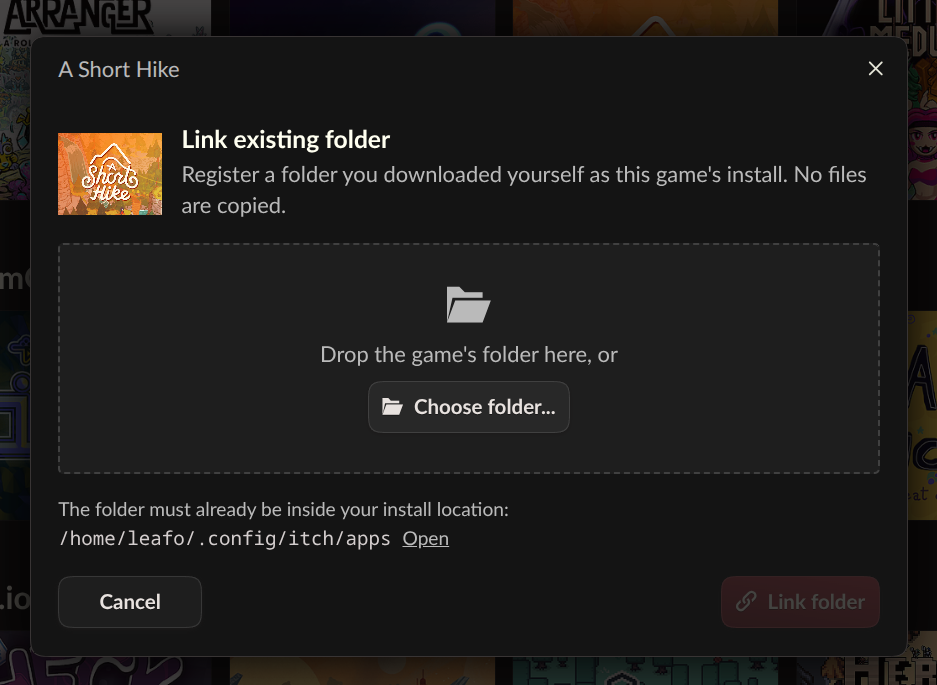
Now, users can register an externally downloaded game folder directly with the itch.io app. By opening the game’s install dialog, a new "Link existing folder…" option appears alongside the standard download choices. Once linked, the game is recognized as installed within the user’s library and can be launched and managed like any other app-installed title.
Itch.io explicitly characterizes this as an "escape hatch," designed for specific scenarios where redownloading is impractical or when a project offers downloads that the app cannot process directly, such as external download links leading to third-party hosting. The implementation is deliberately straightforward: the app takes the user’s word that the linked folder contains the correct game files, without performing extensive file verification. This trust-based approach prioritizes user convenience and flexibility, acknowledging the diverse ways players acquire and manage their game files. It empowers users to consolidate their game libraries, regardless of how the initial download occurred, and reduces redundancy in data storage and retrieval.
Broader Market Context and Industry Implications
These updates arrive at a time of dynamic shifts in the digital gaming landscape. While major platforms like Steam continue to dominate, there’s a growing appreciation for alternative distribution channels and indie-focused marketplaces like itch.io. Itch.io has cultivated a reputation as a developer-friendly platform, offering flexible revenue sharing models (including the option for developers to set their own cut, even 100%) and a vast repository of experimental, niche, and DRM-free titles.
The move towards greater interoperability, particularly with Steam, can be seen as a strategic response to market demands for convenience without compromising itch.io’s core values. By making its games more accessible within the Steam ecosystem, itch.io potentially broadens its reach to players who might otherwise overlook titles not natively available on Steam. This could translate into increased visibility and sales for indie developers publishing on the platform. It also reinforces the idea that game ownership and playability should not be confined to a single launcher or ecosystem.
Furthermore, the emphasis on headless launching and custom launcher integration aligns with a broader industry trend towards modularity and user control. As PC gaming evolves, the ability to integrate different platforms and tools seamlessly becomes increasingly valuable for both consumers and creators. Itch.io’s adoption of these features positions it as a forward-thinking platform that understands the diverse needs of its community.
Community Reception and Future Directions
Initial reactions from the itch.io community have been overwhelmingly positive, with users expressing excitement over the newfound convenience. Comments on the update announcement highlight the practical benefits, particularly for Steam Deck users. One user noted the ability to finally connect externally downloaded games to the app, making Steam Deck play "easy." Another expressed strong interest in "mobile support," particularly for the growing market of Android handhelds, a sentiment that was partially addressed by an itch.io developer hinting at a "not so secret project for Linux based handhelds," with a possibility of expanding to Android devices in the future.
However, some users reported specific technical issues with the Steam shortcuts, such as the app being unable to determine the correct Steam user for shortcut creation, indicating areas for continued refinement. Discussions also touched upon broader philosophical preferences, with some users expressing a preference for GOG integration over Steam due to its explicit DRM-free stance. This prompted a nuanced discussion about DRM-free games on Steam and the challenges of publisher support for GOG versions. These community interactions underscore the diverse expectations and technical requirements of itch.io’s user base.
The ongoing commitment to improvement is evident in itch.io’s appeal for community contributions to translations via Weblate, ensuring the app remains accessible to a global audience. The full list of changes, fixes, and security hardening measures are detailed in the release notes on GitHub, reflecting a transparent development process.
Accessing the Update
Users who already have the itch.io app installed will receive the v26.20.0 update automatically. Manual checks for updates can also be performed from the Preferences screen within the application. New users or those wishing to reinstall can download the latest version from itch.io/app.
In conclusion, the itch.io v26.20.0 update represents a significant leap forward in user convenience, platform interoperability, and flexible game management. By strategically integrating with the dominant Steam ecosystem, empowering custom launchers through headless execution, and simplifying the linking of existing game files, itch.io has reinforced its position as a vital, adaptable, and user-centric platform in the independent gaming space. These enhancements not only cater to immediate user demands but also lay groundwork for a more open and integrated future for digital game distribution.
About the Author