A recent video tutorial released by polygonrunway offers a comprehensive guide to creating detailed and realistic ground textures within Blender, leveraging the software’s powerful shader node system and readily available free textures. This tutorial, published on February 28, 2026, is categorized under "Videotutorials" within the "Education" section of BlenderNation, a prominent online platform for Blender news and resources. The instruction aims to empower users, from beginners to intermediate artists, to achieve sophisticated material creation without requiring proprietary assets.
The Art of Ground Texture Creation in 3D Environments
Ground textures form a fundamental element in the visual fidelity of any 3D scene, whether for architectural visualization, game development, or animated films. The ability to create convincing ground surfaces—be it soil, rock, grass, or pavement—significantly impacts the overall realism and immersion of a digital environment. Traditionally, achieving such detail often involved complex workflows, proprietary texture libraries, or specialized software. However, advancements in real-time rendering and the increasing accessibility of powerful procedural tools within Blender have democratized these capabilities.

The tutorial by polygonrunway specifically focuses on a "layered" approach. This technique involves combining multiple texture maps (such as diffuse color, roughness, normal maps, and displacement maps) and blending them together based on specific criteria. This allows for a much more nuanced and varied surface than a single, uniform texture could provide. For instance, a simple dirt texture might be enhanced by adding subtle variations of pebbles, dried leaves, or even patches of sparse grass, all blended seamlessly to create a believable, weathered appearance.
Leveraging Blender’s Shader Nodes for Procedural Control
At the core of this tutorial is the utilization of Blender’s node-based shader editor. This visual programming interface allows users to construct complex materials by connecting various nodes, each performing a specific function. The tutorial likely guides viewers through the process of:
- Importing and Setting Up Textures: Demonstrating how to import free texture maps downloaded from reputable sources. These maps typically include:
- Albedo/Diffuse Map: Defines the base color of the surface.
- Roughness Map: Controls how light reflects off the surface, dictating shininess or dullness.
- Normal Map: Simulates surface detail and bumps without adding extra geometry, creating the illusion of depth.
- Displacement Map (or Height Map): Can be used to actually deform the geometry of the mesh for greater realism, particularly for features like rocks or uneven terrain.
- Ambient Occlusion (AO) Map: Adds subtle shadowing in crevices and corners, enhancing the sense of depth and realism.
- Layering Techniques: Employing nodes like "Mix RGB," "Mix Shader," and "ColorRamp" to blend these different texture maps. The tutorial likely illustrates how to use procedural masks (e.g., generated noise textures, ambient occlusion, or vertex colors) to dictate where each texture layer appears. This is crucial for creating organic transitions between different ground elements.
- Procedural Generation: While the tutorial emphasizes free textures, it might also touch upon using Blender’s procedural textures (like Noise, Musgrave, or Voronoi) to add subtle variations, dirt patches, or fine details that are not present in the base texture maps. This adds an extra layer of organic complexity.
- Node Grouping and Organization: Best practices for organizing complex node setups into reusable "node groups" will likely be covered, improving workflow efficiency and making materials easier to manage and modify.
- Shader Properties: Fine-tuning parameters like metallic, specular, and subsurface scattering (if applicable) to achieve the desired material properties under various lighting conditions.
The Significance of Free Resources in Digital Art
The emphasis on "free textures" is a critical aspect of this tutorial. In the professional 3D industry, high-quality texture assets can be a significant investment. Numerous online repositories offer free PBR (Physically Based Rendering) texture sets, often released under permissive licenses like Creative Commons. These resources have become invaluable for independent artists, hobbyists, and smaller studios, democratizing access to professional-grade assets.

Sources like Textures.com, Poly Haven, Quixel Megascans (with their free tier for personal and small commercial use), and various others provide a vast library of materials that can be readily incorporated into Blender projects. The tutorial’s focus on integrating these free assets underscores the growing trend of accessible and powerful creative tools within the Blender ecosystem.
Author Background and Expertise
The tutorial is attributed to "polygonrunway," whose profile on BlenderNation indicates a background as a designer and illustrator who also teaches 3D art on their website, www.polygonrunway.com. This suggests the creator possesses both practical artistic experience and pedagogical skills, aiming to translate complex techniques into an understandable format for a wider audience. The author’s engagement with teaching 3D art implies a commitment to sharing knowledge and fostering the Blender community.
The Role of Video Tutorials in Skill Development
Video tutorials have become an indispensable tool for learning 3D software. They offer a visual and auditory demonstration of techniques that can be difficult to convey through text alone. The embedded YouTube iframe in the original article provides direct access to the tutorial, allowing viewers to follow along step-by-step. This format is particularly effective for demonstrating intricate node setups, modeling processes, and shader adjustments, enabling users to pause, rewind, and replicate the actions at their own pace.

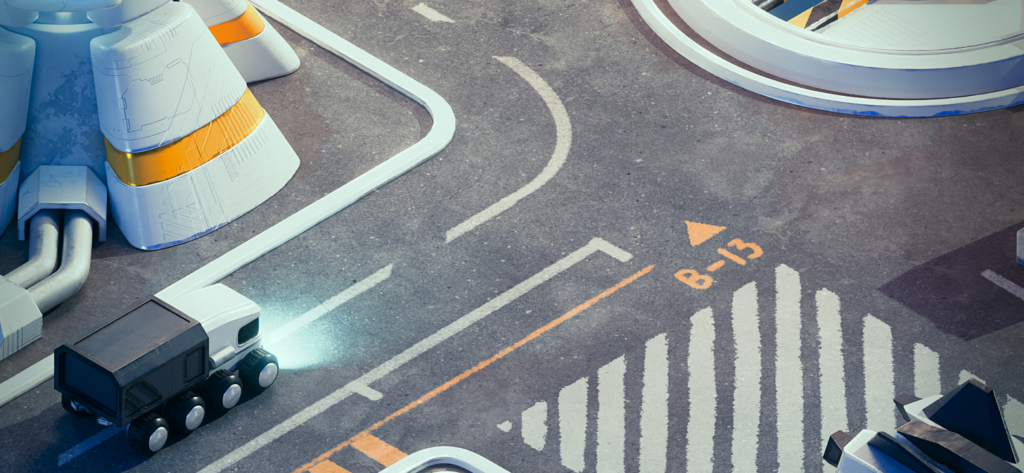
The year "2026" in the image and date suggests this is a recent release, highlighting the ongoing evolution of content creation and the continuous demand for updated tutorials as Blender itself evolves with new features and improvements.
Broader Implications for the 3D Community
The availability of such tutorials has several positive implications for the broader 3D community:
- Increased Accessibility: Artists with limited budgets can still achieve professional-looking results, lowering the barrier to entry for aspiring 3D professionals.
- Skill Enhancement: Intermediate users can learn advanced techniques to elevate the quality of their work.
- Efficiency: Efficient workflows for material creation save valuable time, allowing artists to focus on other aspects of their projects.
- Community Growth: Sharing knowledge through tutorials fosters a collaborative environment, contributing to the overall growth and innovation within the Blender community.
This particular tutorial on layered ground textures exemplifies the practical, hands-on learning opportunities that are a hallmark of the Blender ecosystem. By combining the power of Blender’s node system with readily available free resources, polygonrunway provides a valuable resource for anyone looking to enhance the realism and visual appeal of their 3D projects. The ability to create detailed, multi-layered textures is a foundational skill, and this tutorial offers a clear path to mastering it.
About the Author