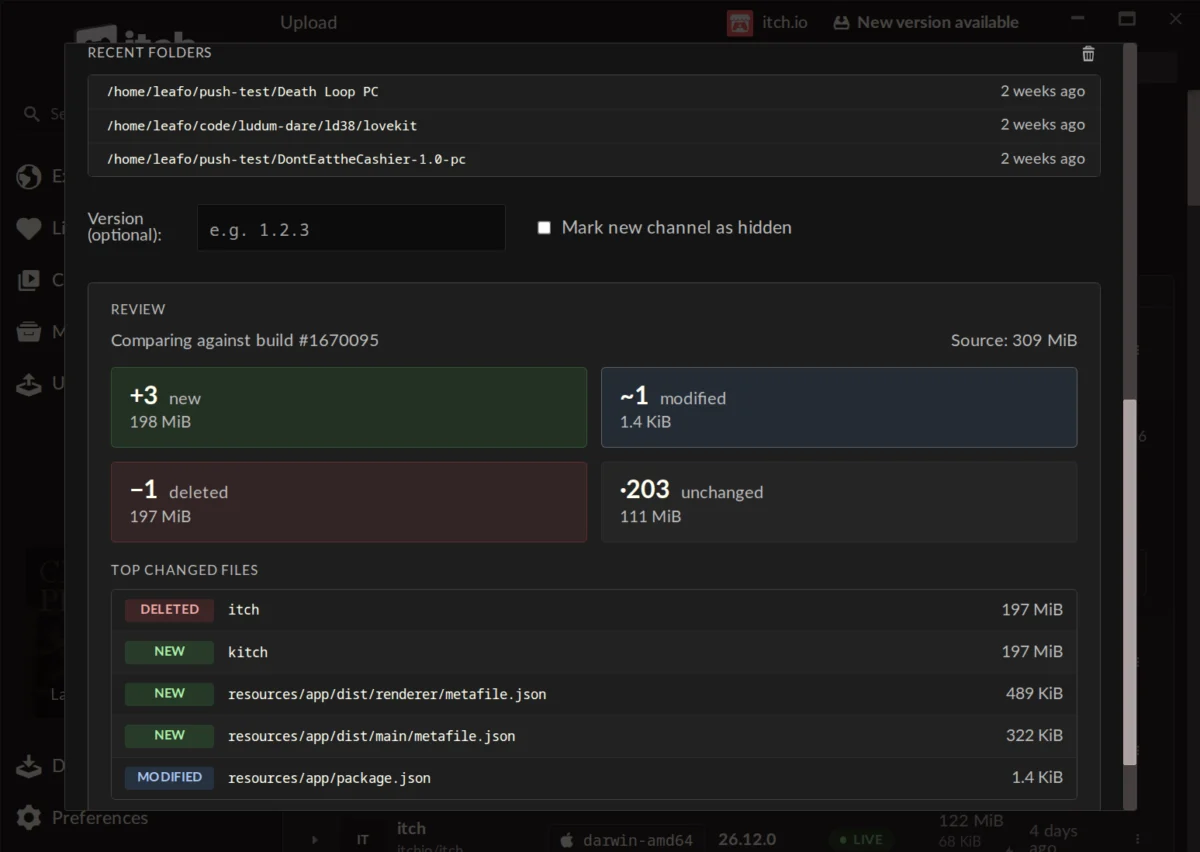
The itch.io application has recently undergone a significant transformation, introducing a major upgrade for developers by integrating its powerful command-line interface, Butler, directly into the app with a user-friendly graphical interface (GUI). This strategic enhancement marks a pivotal moment for the indie game platform, streamlining the process of uploading game builds and making advanced publishing tools accessible to a broader spectrum of creators. Developers utilizing the latest version of the itch.io app will now discover a dedicated "Upload" section, facilitating the pushing of game builds with Butler without the traditional requirement of engaging with a terminal window. This move is poised to democratize access to efficient build management, a critical function for game development and distribution in the digital age.
The Evolution of Build Management on itch.io
For years, itch.io has distinguished itself as a vibrant digital storefront and community hub for independent game developers, offering unparalleled flexibility and a developer-friendly revenue share model. Central to its technical infrastructure for publishing has been Butler, a proprietary command-line tool designed to handle the complexities of game build uploads with efficiency and precision. Butler, short for "Build Utility for Transporting and Launching Executables Remotely," revolutionized how developers updated their projects on the platform. Unlike conventional file uploads that transfer entire game packages with every revision, Butler employs a sophisticated delta-patching mechanism. This innovative approach means that after an initial full upload, subsequent updates only transmit the differences, or "patches," between the new build and the previous version. This dramatically reduces bandwidth consumption and upload times for developers, and similarly, download sizes and update durations for end-users of the itch.io app.
The genesis of Butler as a command-line tool, while highly effective, inherently catered to developers comfortable with terminal environments and scripting. Its power lay in its granular control and efficiency, allowing for precise management of channels (such as windows-beta, linux-arm64, or macos-preview), versioning, and the integrity of uploaded files. However, this technical prerequisite inadvertently created a barrier for entry for many aspiring or less technically inclined creators who preferred intuitive visual interfaces. The introduction of a direct GUI integration within the itch.io app directly addresses this longstanding challenge, extending the significant benefits of Butler to all developers on the platform, irrespective of their command-line proficiency. This marks a conscious effort by itch.io to enhance user experience and foster a more inclusive development ecosystem.
Chronology of a Strategic Enhancement
While the exact original release date of Butler as a command-line tool isn’t explicitly detailed, it has been a foundational element of itch.io’s developer toolkit for several years, with community feedback indicating its usage dating back "some years ago." The recent integration of Butler’s functionality into the itch.io desktop application represents a natural progression in the platform’s commitment to iterative improvement and user-centric design. This significant update rolled out to users of the itch.io app automatically, reflecting the platform’s robust auto-update mechanism. Developers are advised that at least version v26.12.0 of the itch.io app is required to access the newly implemented "Upload" tab and its associated features. Users can manually check for updates via the Preferences screen if their application hasn’t automatically pulled the latest version. This phased rollout ensures a smooth transition for the entire developer community, offering a seamless upgrade path to enhanced build management capabilities.
Deep Dive into the New GUI Functionality
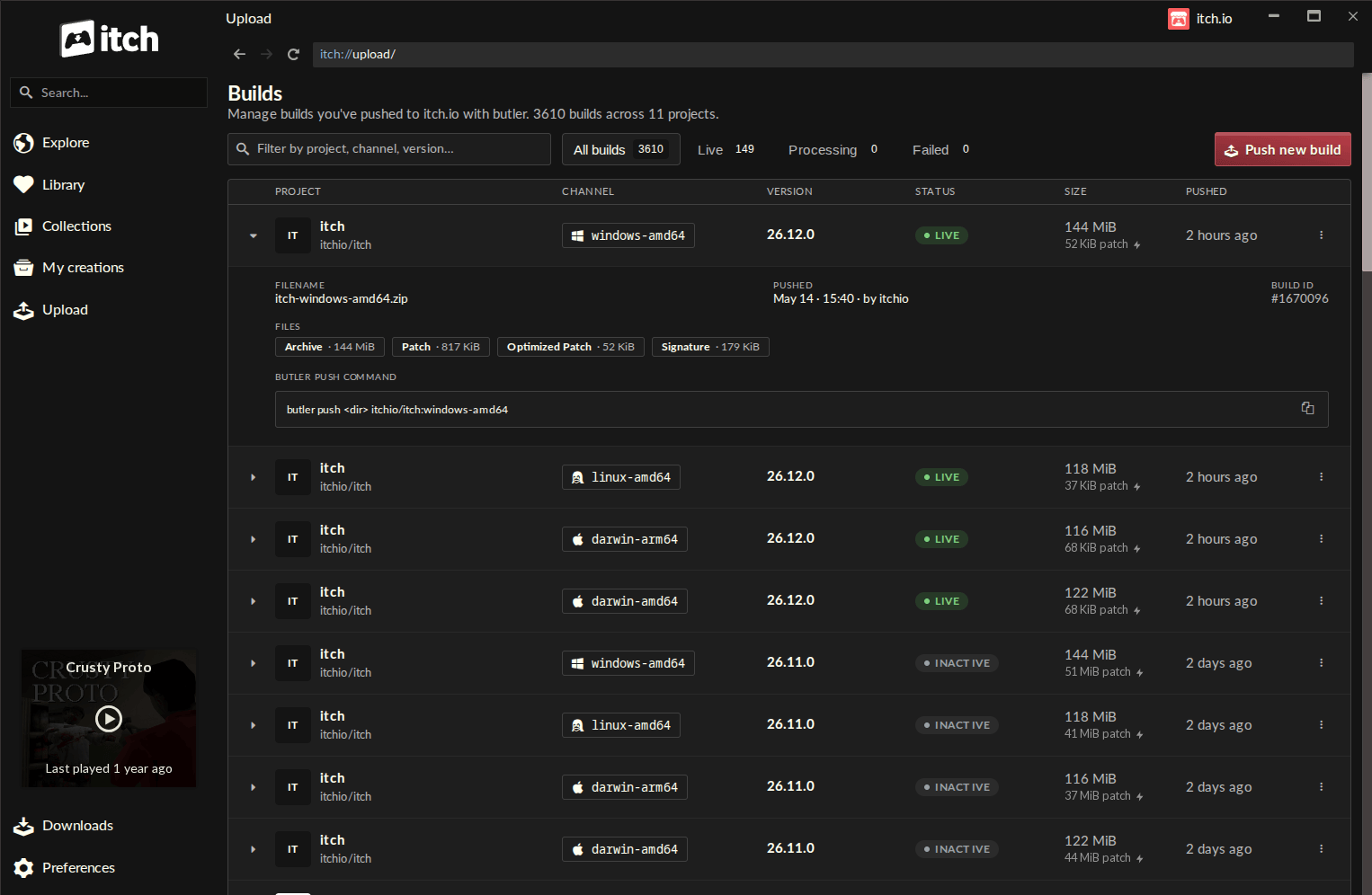
The newly introduced "Upload" section within the itch.io app leads to a comprehensive "Builds" page, designed to be the central nexus for all project build management activities. This intuitive screen provides a clear, organized overview of every build associated with any project the logged-in account has editing privileges for. Each entry in this list offers critical information at a glance: the project name, the specific channel to which the build was pushed, its version number, current status, file size, and the timestamp of its last push. This consolidated view significantly enhances transparency and control, allowing developers to monitor their release cycles and ensure proper versioning across all their projects and target platforms.
Streamlined Build Submission Process
At the heart of this upgrade is the "Push new build" functionality, accessible directly from the Builds screen. Activating this button opens a streamlined push dialog, guiding developers through the upload process with remarkable ease. The workflow is intuitive:
- Project Selection: Developers first select the specific project for which they intend to upload a build from a dropdown menu, ensuring accuracy.
- Channel Management: Users can then choose an existing channel (e.g.,
windows-stable,mac-alpha,android-test) or create a brand-new one simply by typing a desired name. This flexibility is crucial for managing different release tracks, such as development branches, public betas, or platform-specific builds. - Optional Versioning: An optional field for setting a version number allows developers to maintain rigorous version control, a best practice for software development that aids in tracking changes and communicating updates to users.
- File Input: The core of the upload process involves a simple drag-and-drop interface for a project folder or a compressed
.zipfile. This direct interaction eliminates the need for navigating complex file paths via command line. - Recent Folders List: To further enhance convenience, the dialog includes a "recent folders" list, enabling quick access to locations from which builds have been previously pushed, saving valuable time during frequent updates.
Pre-Upload Verification and Intelligent Patching
A standout feature of the new GUI is the ability to generate a detailed preview of changes before commencing an upload. This critical pre-upload verification step provides developers with an insightful breakdown of how the current build differs from the last version pushed to the selected channel. The preview displays:
- The total number of new files added.
- The number of modified files.
- The count of deleted files.
- The number of unchanged files.
- The cumulative size for each of these categories.
- A list of the largest changed files.
This comprehensive preview acts as a robust error-checking mechanism, allowing developers to immediately spot any unintended changes, verify the integrity of their build, and gain a clear understanding of the patch’s scope. This proactive insight is invaluable for preventing publishing errors and ensuring that only correct and intended updates are deployed.
Beyond the initial upload, Butler’s intelligent patching system continues to deliver significant benefits. The first push of a new channel transmits the entire build. However, all subsequent pushes to that same channel leverage Butler’s delta-patching capabilities, comparing the new build against the last one and uploading only the differences. This efficient process is mirrored on the user side: itch.io app users downloading game updates receive only these smaller patches, drastically reducing download times and bandwidth consumption for both developers and players. Post-upload, itch.io’s backend servers further optimize and re-compress the patches, ensuring they are as small and efficient as possible for distribution.
Seamless Integration and Account Management
The Butler version embedded within the itch.io app is designed for complete autonomy and convenience. It automatically updates itself, absolving developers of the responsibility to manually maintain the tool. This ensures that developers are always utilizing the most current and optimized version of Butler without any manual intervention. Furthermore, the in-app Butler leverages the credentials of the user’s currently logged-in itch.io account. This tight integration simplifies multi-account management, as the itch.io app natively supports multiple user profiles and allows for quick switching between them. This feature is particularly beneficial for studios or individual developers managing multiple projects under different accounts, providing a seamless workflow without the need for manual credential management or token handling typical of command-line operations.
Initial Developer Reception and Broader Implications
The initial reception from the developer community has been overwhelmingly positive, as evidenced by early feedback. Developers have praised the new system for its ease of use, organizational clarity, and speed compared to traditional manual webpage updates. One developer noted the "self-enforcing nature of the Compare step," highlighting how it significantly reduces the likelihood of errors, even for those new to the app. Another expressed enthusiasm for the enhanced utility of the app, contemplating moving more software projects to itch.io due to the improved workflow. This feedback underscores the successful execution of itch.io’s goal to make advanced publishing tools more accessible and user-friendly.
However, the transition also raises some technical considerations. A question regarding the conversion of existing games not originally uploaded with Butler to the new system was addressed by itch.io staff, confirming that it’s currently not possible due to specific metadata requirements computed during a Butler upload. While not an immediate feature, the platform’s openness to considering it for the future indicates a responsive approach to developer needs.
Impact and Strategic Significance
The integration of Butler’s GUI into the itch.io app represents more than just a feature update; it signifies a strategic enhancement with far-reaching implications for the indie game development ecosystem:
-
Democratization of Tools: By removing the command-line barrier, itch.io significantly lowers the entry threshold for developers. This move empowers creators who may lack technical scripting knowledge, enabling them to leverage sophisticated patching technology that was previously less accessible. This fosters greater diversity and volume of content on the platform.
-
Increased Efficiency and Productivity: For all developers, from hobbyists to established studios, the streamlined GUI process translates to faster, more reliable build uploads. The visual feedback, pre-upload previews, and automatic updates for Butler itself save valuable development time that can be redirected to creative endeavors.
-
Enhanced User Experience for Players: The core benefit of Butler’s delta-patching—smaller, faster updates—directly translates into a superior experience for players using the itch.io app. Quicker downloads and seamless updates reduce friction, encouraging players to keep their games current and engage more frequently with updated content.
-
Platform Growth and Competitiveness: In a highly competitive digital distribution landscape, ease of use for developers is a critical differentiator. By offering a robust, user-friendly publishing workflow, itch.io strengthens its appeal as a preferred platform for independent creators. This could attract more projects, further enriching its diverse catalog and reinforcing its unique position in the market.
-
Robust Version Control and Quality Assurance: The detailed "Builds" page and the pre-upload preview feature significantly enhance developers’ ability to manage versions and ensure the quality of their releases. The ability to quickly identify changes and verify build integrity before deployment is crucial for maintaining player trust and reducing post-release issues.
Looking forward, this enhancement positions itch.io to continue its trajectory as a leading platform for independent game distribution. By continuously refining its tools and responding to developer needs, itch.io not only supports its existing community but also builds a more inviting and efficient environment for the next generation of game creators. The commitment to making powerful technologies like Butler accessible through intuitive interfaces is a testament to itch.io’s understanding of its audience and its strategic vision for fostering a thriving, inclusive creative ecosystem. The platform eagerly anticipates the diverse and innovative projects that developers will now push with greater ease and confidence.
About the Author