The itch.io desktop application has received two substantial updates, versions v26.15.0 and v26.17.0, introducing a suite of highly anticipated features designed to significantly improve user experience, game management, and cross-platform compatibility. These updates, following a period of active engagement with community feedback and extensive work on internal systems, mark a pivotal moment in the app’s evolution, particularly for users navigating vast game libraries acquired through itch.io’s renowned charity bundles. A subsequent hotfix, v26.18.0, was promptly released to address a critical macOS crashing issue, underscoring the platform’s commitment to stability and user support.
A New Era for Bundle Management within the App
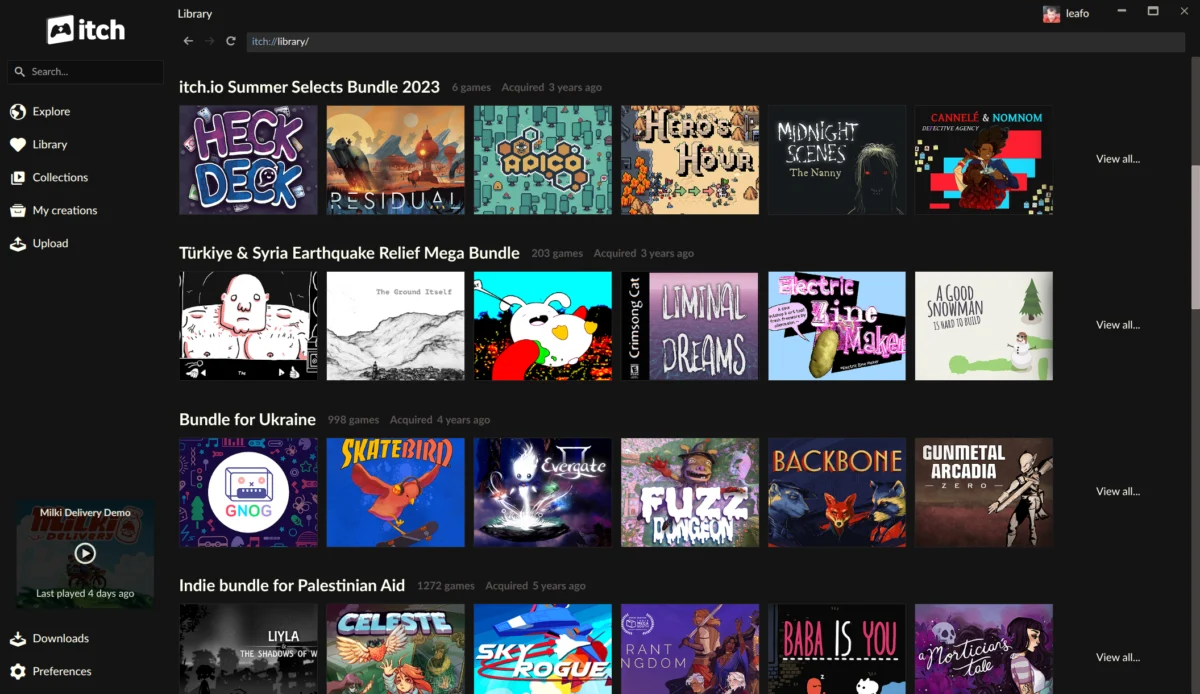
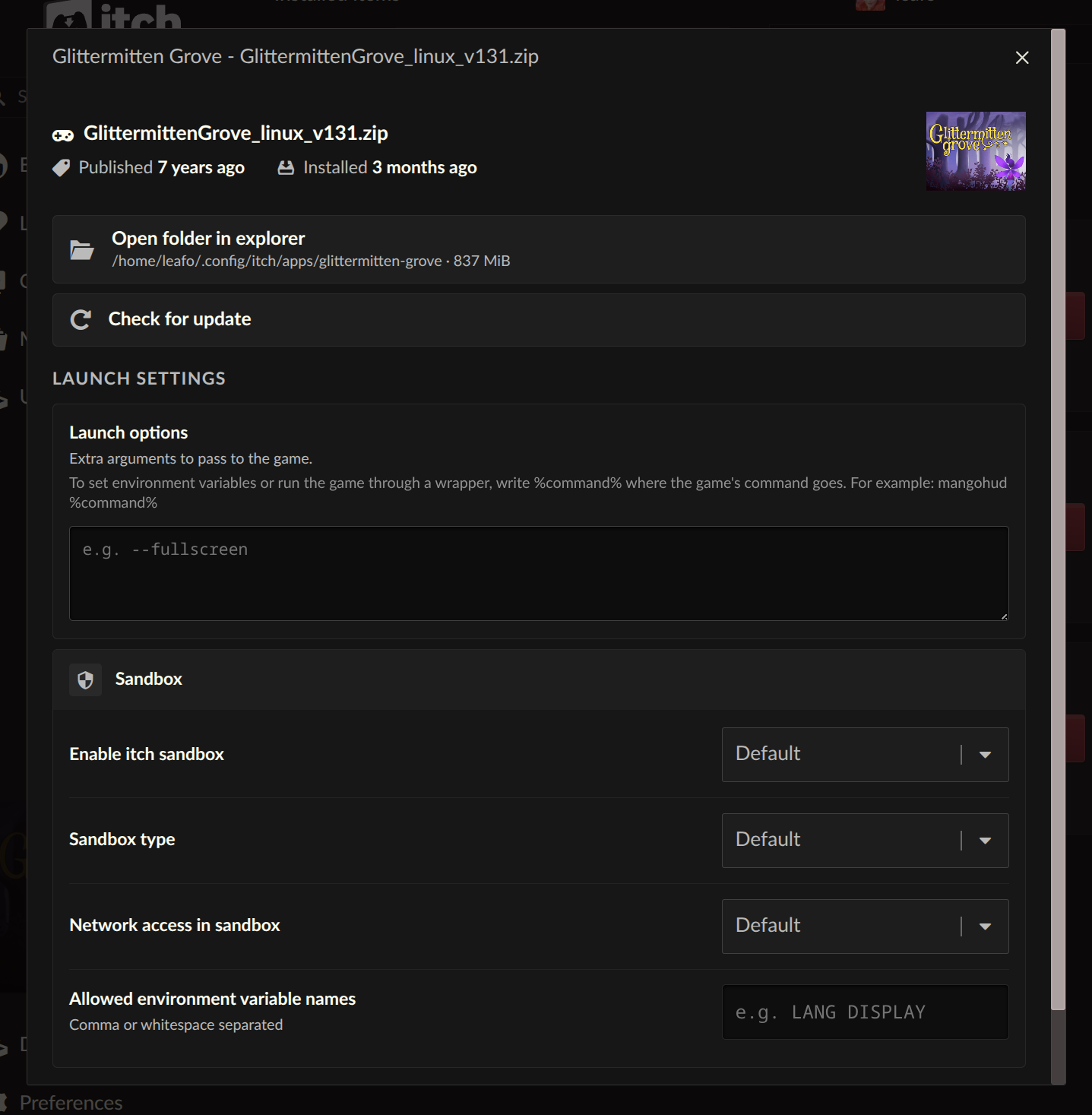
Perhaps the most impactful enhancement delivered in these updates is the complete overhaul of how bundles are integrated into the itch.io app library. Previously, the app lacked a robust system for recognizing and managing the often-colossal game bundles that have become a hallmark of the itch.io ecosystem. Users who purchased these bundles, especially the record-breaking charity initiatives, would find that individual games within them would only appear in their app library after being manually claimed one by one on the itch.io website. This process, while functional, became increasingly cumbersome given the sheer volume of titles involved in some of the platform’s most successful campaigns.
The new system fundamentally changes this dynamic. Bundles owned by a user now appear as distinct entities within their app library, each boasting its own dedicated page. These bundle pages are not mere listings; they are fully functional interfaces allowing users to browse, sort, search by title, and filter games based on platform compatibility, classification, and installation status. Crucially, games can now be installed directly from within these bundle pages, eliminating the multi-step claiming process and dramatically streamlining access to content. This represents a significant leap forward in user convenience, particularly for those who have supported major charitable endeavors through itch.io.
The Technical Undertaking Behind Massive Bundles
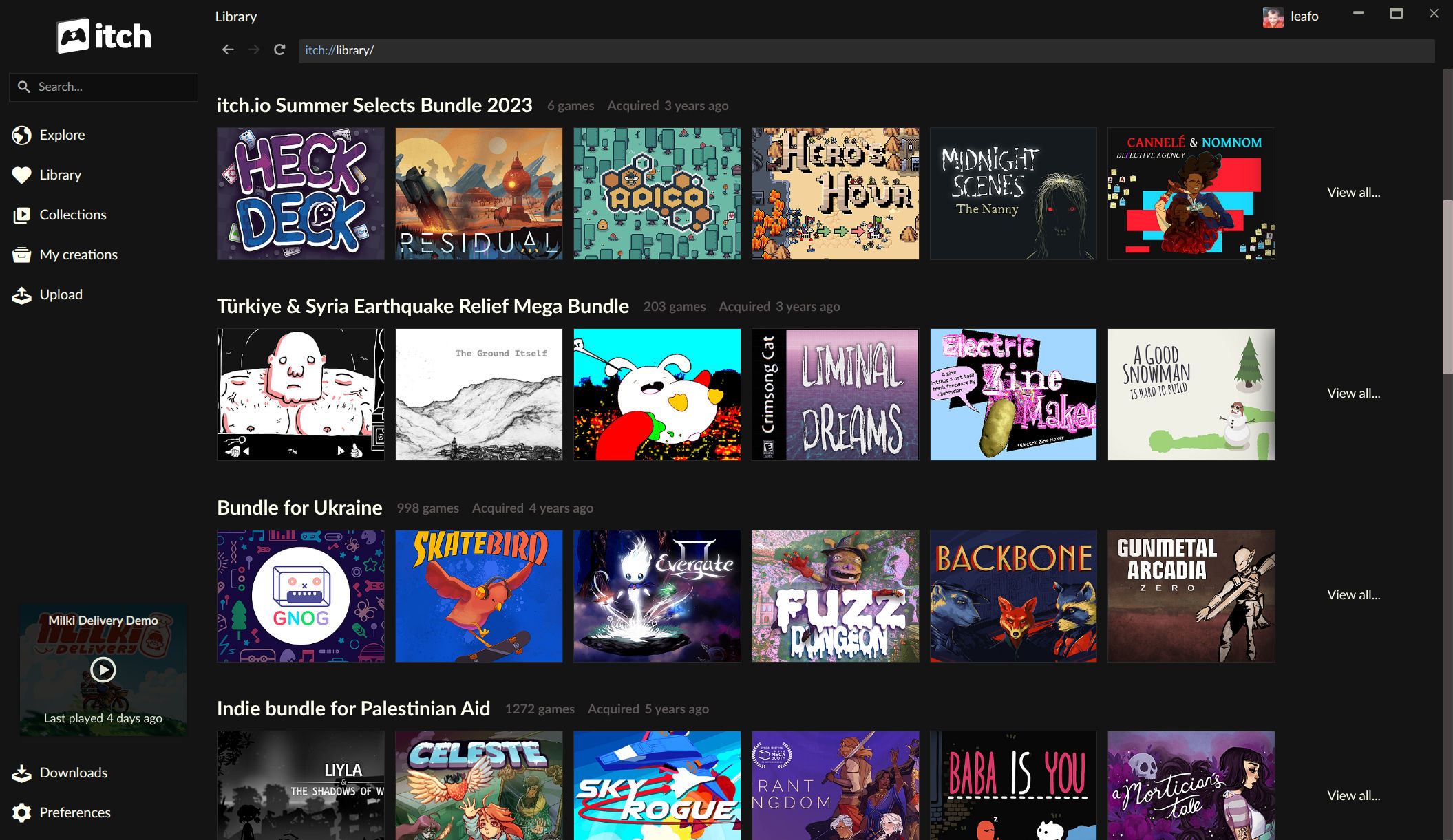
The implementation of this enhanced bundle support required considerable technical innovation from the itch.io team. The platform has, over the years, hosted bundles of unprecedented scale, presenting unique database and ownership management challenges. For instance, the "Bundle for Racial Justice and Equality," launched in June 2020, included an astounding 1,741 items and was purchased over 800,000 times, raising over $8.1 million for charity. Similarly, the "Bundle for Ukraine," launched in March 2022, featured nearly 1,000 items and garnered over 400,000 buyers, raising over $6.3 million.
Generating individual download keys for every single item for every single buyer within these bundles would have resulted in an astronomical number of database entries—potentially exceeding a billion rows for the Racial Justice bundle alone. To circumvent this, itch.io intelligently records ownership for these bundles differently: a single record signifies ownership of the entire bundle, and download keys for individual games are generated only upon a user claiming them on the website. The app’s previous architecture had no inherent "understanding" of this bundle-level ownership. The recent updates introduce this crucial logic directly into the app, enabling it to interpret and display bundle contents without requiring prior individual game claims. This sophisticated solution demonstrates itch.io’s engineering prowess in scaling its platform to accommodate community-driven initiatives of immense magnitude. For players who might have felt overwhelmed by the sheer volume of content in these bundles, the app now provides an intuitive and accessible portal to explore their extensive collections.
Beyond player benefits, itch.io also recently revamped its bundle hosting tools for developers, indicating a holistic approach to improving the bundle experience from both creator and consumer perspectives. This dual focus ensures that bundles remain a vibrant and effective mechanism for both charity and content promotion on the platform.
Advanced Control: Per-Game Launch Settings and Command Patterns
Another significant addition for advanced users and developers is the introduction of per-game "Launch settings." Accessible from each installed game’s manage dialog, this new area provides granular control over how games are launched. Users can now configure sandbox restrictions, network access, and environment variables on a game-by-game basis.
Sandbox restrictions offer a layer of security, allowing users to limit what a game can access on their system, a feature particularly valuable for indie titles from various sources. Network access controls can be used to restrict or permit internet connectivity for specific games, addressing privacy concerns or specific testing scenarios. Environment variables provide a powerful way to inject custom settings into a game’s runtime environment, useful for tweaking performance, enabling hidden features, or troubleshooting.
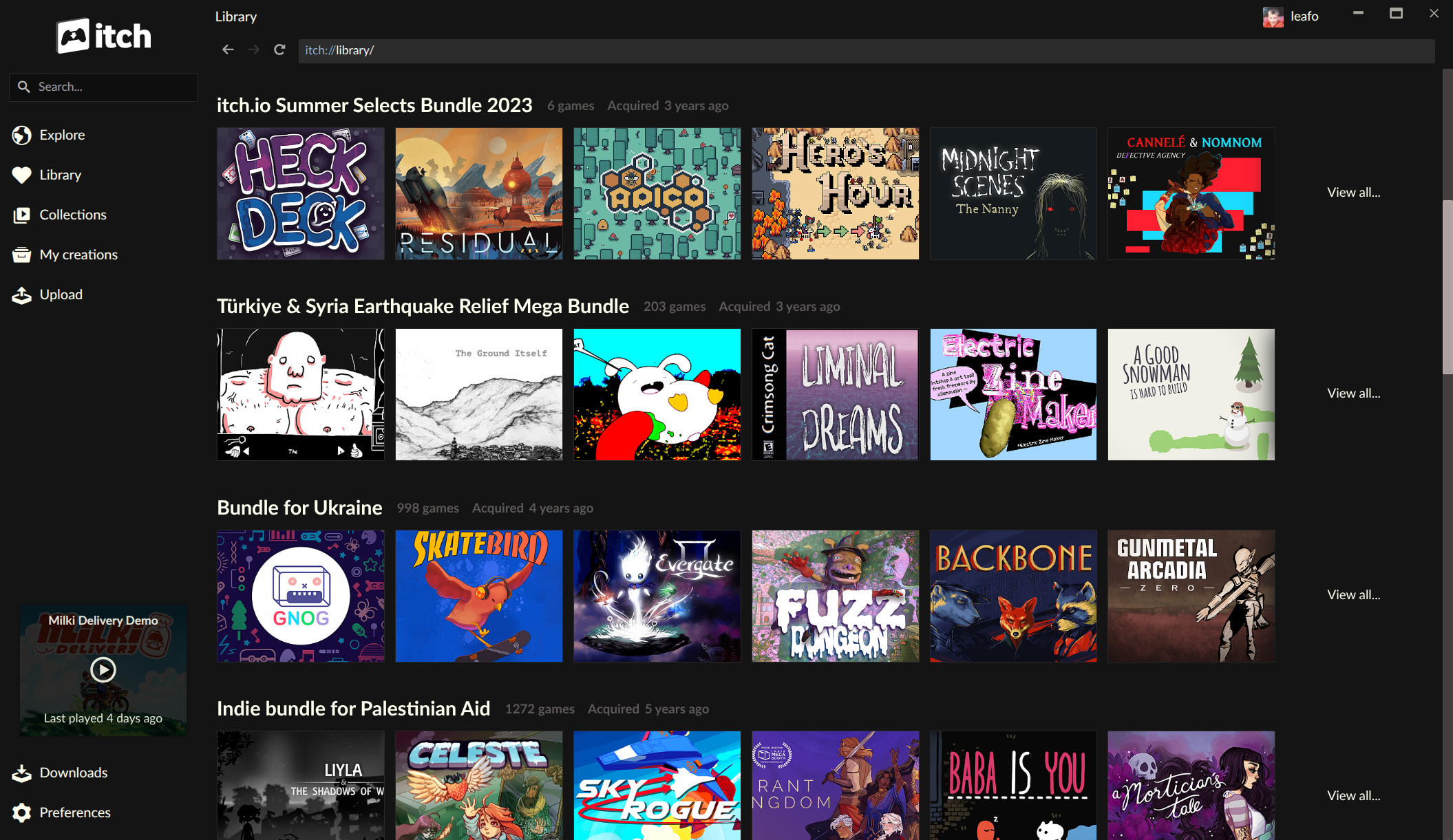
A long-standing request from the community, the new "Command pattern" option for launch arguments, is also a highlight. This feature allows users to provide plain arguments to pass directly to the game executable or, more powerfully, to wrap the game launch within another command. This opens up a wealth of possibilities for customization and compatibility. For example, Linux users can now easily configure a Windows game to launch through a compatibility layer like Wine or Proton (e.g., wine %command% or proton run %command%), or specify additional parameters for graphics APIs or debugging tools. Developers can use this to test different runtime configurations without modifying the game files themselves. This level of customization empowers users to optimize their gaming experience, troubleshoot issues, and run titles across a wider range of hardware and software configurations.
Breaking Down Platform Barriers: Installing Untagged Downloads
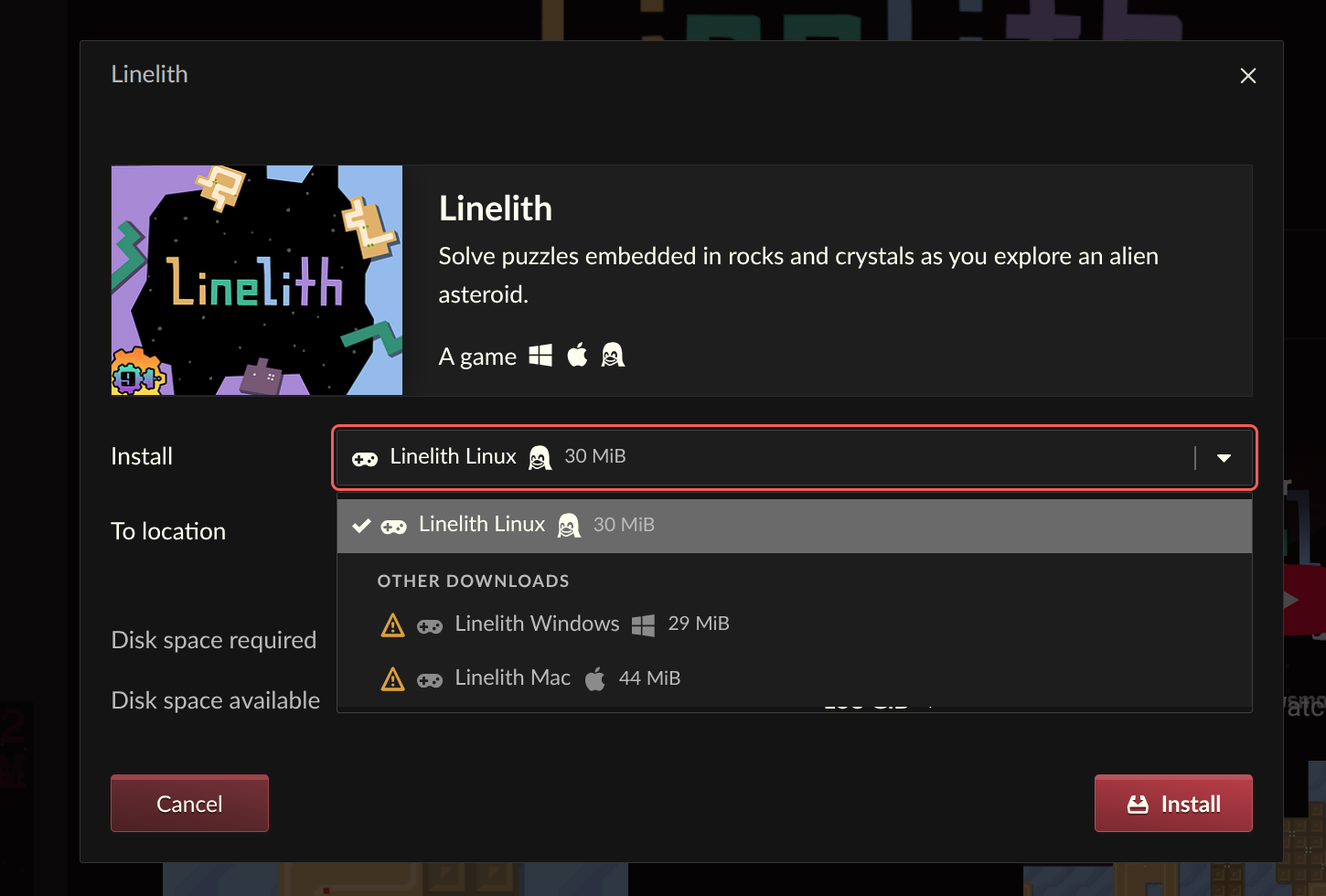
In a move that significantly enhances cross-platform flexibility, the itch.io app now allows users to reveal and install downloads that are not explicitly tagged for their operating system. Previously, if a developer did not mark an upload for a specific platform, or if a user wished to run a game intended for a different OS via a compatibility layer, that download would not be readily available within the app.
This update changes that, providing a "Show unsupported options" feature within the install dialog. This means a Linux user can now easily download a Windows build to run through Wine or Proton, or a macOS user might grab a Windows version for emulation. This feature is particularly pertinent in the current landscape of PC gaming, where compatibility layers like Proton on Linux (especially with the advent of the Steam Deck) and virtualization/translation layers on macOS (like Whisky or Crossover for running Windows apps on Apple Silicon) are becoming increasingly common. By allowing users to access untagged builds, itch.io acknowledges and supports these evolving methods of game consumption, offering greater freedom and choice to its diverse user base. It also reduces the burden on developers to meticulously tag every possible platform variant, as users now have the tools to experiment with compatibility on their own terms.
Refined Discovery: A New Sidebar Search Experience
The sidebar search functionality within the itch.io app has also undergone a significant revamp, with the old autocomplete-driven search being replaced by a more focused approach. The previous search, which relied on the itch.io API’s autocomplete feature, often presented results in a confusing order, making it challenging for users to effectively find what they were looking for, particularly for discovery purposes.
The updated design reflects a clear philosophy: autocomplete is best suited for quickly locating items a user already owns or has in their immediate library. For broader searches, game discovery, or exploring new content, the full search experience on the itch.io website remains the optimal tool. The new sidebar search streamlines the process for navigating one’s existing library, while gently guiding users to the more comprehensive web-based search for expansive discovery. This intelligent partitioning of search functionality aims to improve overall user flow, ensuring that users find what they need efficiently, whether it’s an installed game or a new title to explore on the platform.
Library Page Updates and Ongoing Refinements
While specific details on "Library page updates" were not extensively elaborated in the initial announcement beyond the bundle integration, it is evident that a continuous effort is being made to enhance the overall library experience. This could encompass subtle UI/UX improvements, performance optimizations, or preparations for future features that further empower users to manage their ever-growing collections of indie games.
Addressing Early Feedback: The macOS Hotfix
The rapid pace of development and deployment sometimes comes with unforeseen challenges, as evidenced by the immediate feedback regarding a critical crashing issue on macOS following the initial updates. In response, itch.io swiftly released a hotfix, v26.18.0. This prompt action highlights the development team’s commitment to stability and user satisfaction. Users experiencing persistent crash loops on macOS were advised that reinstallation from the official setup program at https://itch.io/app might be necessary to fully resolve the issue, ensuring a smooth transition to the updated application. This quick turnaround in addressing critical bugs is a testament to itch.io’s responsive development cycle and direct engagement with its user community.
Looking Ahead: Implications for the itch.io Ecosystem
These recent updates solidify itch.io’s position as a robust and user-centric platform for indie games. By addressing long-standing requests, particularly around bundle management and launch customization, itch.io continues to empower its community of players and developers. The enhanced bundle support is particularly significant, as it unlocks the full potential of previously purchased massive bundles, making thousands of games more accessible than ever before. This could lead to increased engagement with games that might have otherwise remained undiscovered within unwieldy collections.
The advanced launch settings and platform flexibility cater to a more technically adept user base, but also provide crucial tools for a wider audience exploring cross-platform gaming solutions. As the gaming landscape evolves, with more players utilizing compatibility layers and custom configurations, itch.io’s app is now better equipped to support these diverse needs.
The updates underscore itch.io’s iterative development philosophy, driven by direct community feedback and a transparent development process, with full changelogs readily available on GitHub for v26.15.0 and v26.17.0. Users can download the latest version of the itch.io app from https://itch.io/app, or rely on its self-updating mechanism if already installed. With these comprehensive improvements, the itch.io app continues to evolve as an essential hub for discovering, managing, and playing a vast and diverse catalog of independent games.
About the Author