The popular indie game distribution platform itch.io has rolled out two significant updates for its desktop application, versions v26.15.0 and v26.17.0, introducing a suite of highly anticipated features aimed at enhancing user experience, particularly around library management and game customization. These updates were swiftly followed by a critical hotfix, v26.18.0, to address a crashing issue reported by macOS users, underscoring the platform’s commitment to responsive development and user stability. The core enhancements focus on integrating bundles directly into the user’s library, providing granular per-game launch settings, enabling the installation of downloads not explicitly tagged for a user’s operating system, and refining the in-app search functionality. This comprehensive overhaul signals itch.io’s ongoing efforts to mature its desktop client into a robust and intuitive portal for its unique ecosystem of independent games.
A Deep Dive into Itch.io’s Desktop Application Evolution
Itch.io, founded in 2013 by Leaf Corcoran, has carved out a distinctive niche in the digital storefront landscape by championing independent game developers and fostering a vibrant community-driven platform. Unlike mainstream digital distributors, itch.io is renowned for its flexible monetization options, developer-friendly revenue sharing, and a vast, diverse catalog that often includes experimental titles, game jams, and a strong emphasis on DRM-free content. The itch.io desktop app serves as a centralized hub for users to manage their extensive game libraries, install and launch games, and stay updated on new releases and community activities. For many users, particularly those who participate in large-scale charity bundles, the app is crucial for navigating potentially vast collections of games. The recent updates directly address long-standing user requests and technical complexities, reinforcing the app’s role as an indispensable component of the itch.io experience. The development team has actively monitored its public issues tracker on GitHub, systematically tackling the most commonly reported problems and feature requests, leading to these significant quality-of-life improvements.
Revolutionizing Bundle Management within the Library
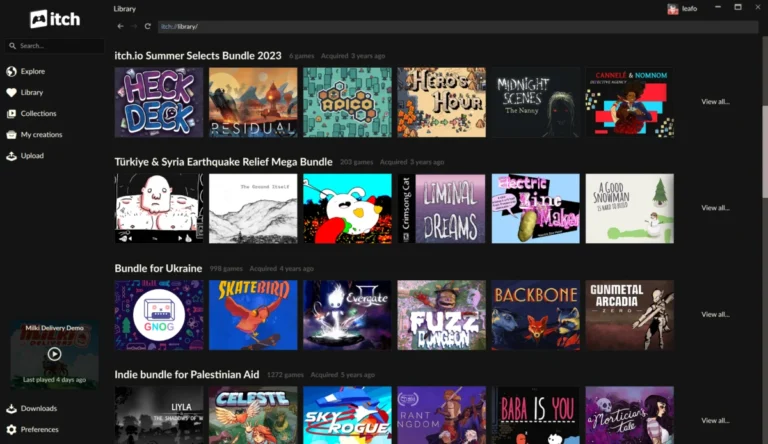
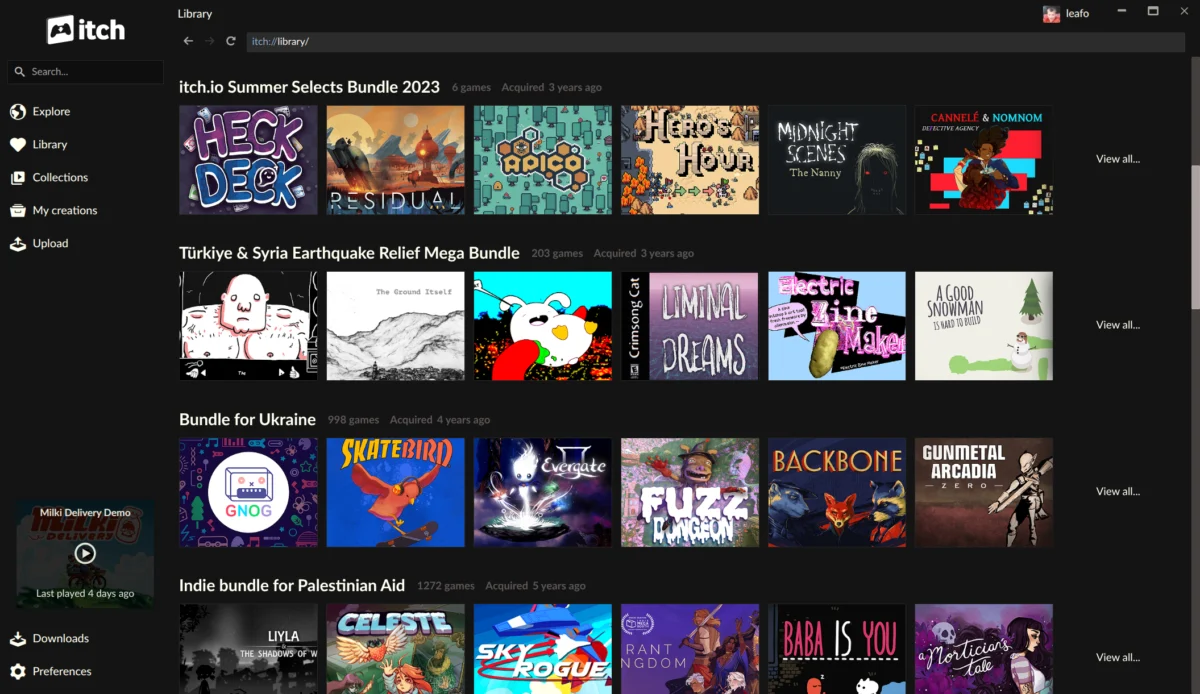
One of the most transformative features introduced in these updates is the seamless integration of owned bundles directly into the user’s library. Previously, despite purchasing massive bundles, games within them would not automatically appear in the app until individually claimed on the itch.io website. This often created a disjointed experience, especially for users of some of the platform’s most successful charitable initiatives.
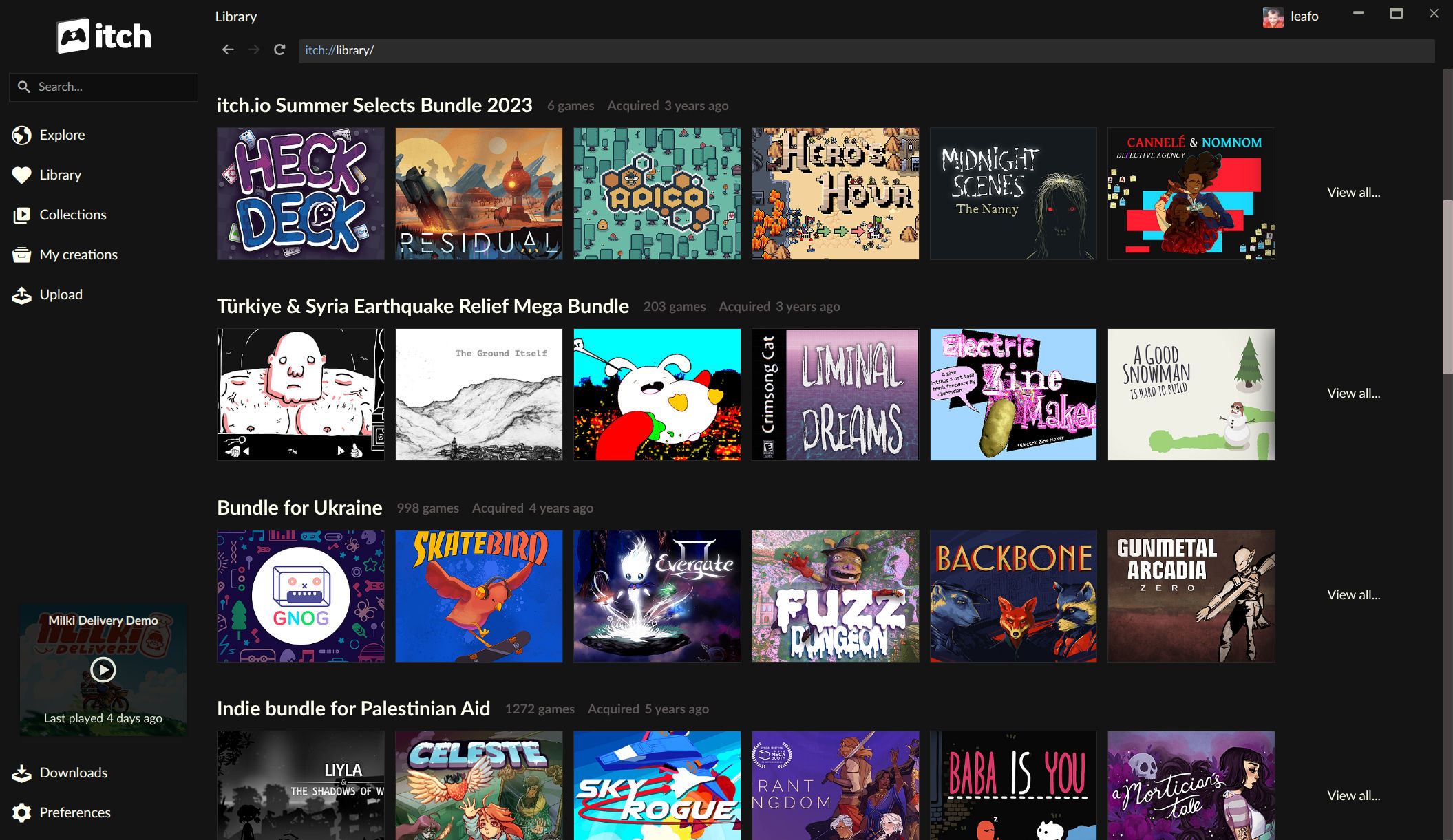
The scale of these bundles presented unique technical challenges for itch.io’s backend infrastructure. For instance, the "Bundle for Racial Justice and Equality," launched in June 2020, was an unprecedented success, containing 1,741 items and purchased over 800,000 times. Similarly, the "Bundle for Ukraine," released in March 2022, featured nearly 1,000 items and garnered over 400,000 buyers. If itch.io were to generate an individual download key for every item for every buyer, it would have resulted in an astronomical number of database entries—over a billion rows for the Racial Justice bundle alone. To circumvent this, ownership for these monumental bundles was recorded differently: a single record covered the entire bundle, with individual game download keys only generated upon claiming. The app, prior to these updates, lacked the inherent understanding of this "bundle ownership" model, necessitating the manual claiming process on the website.
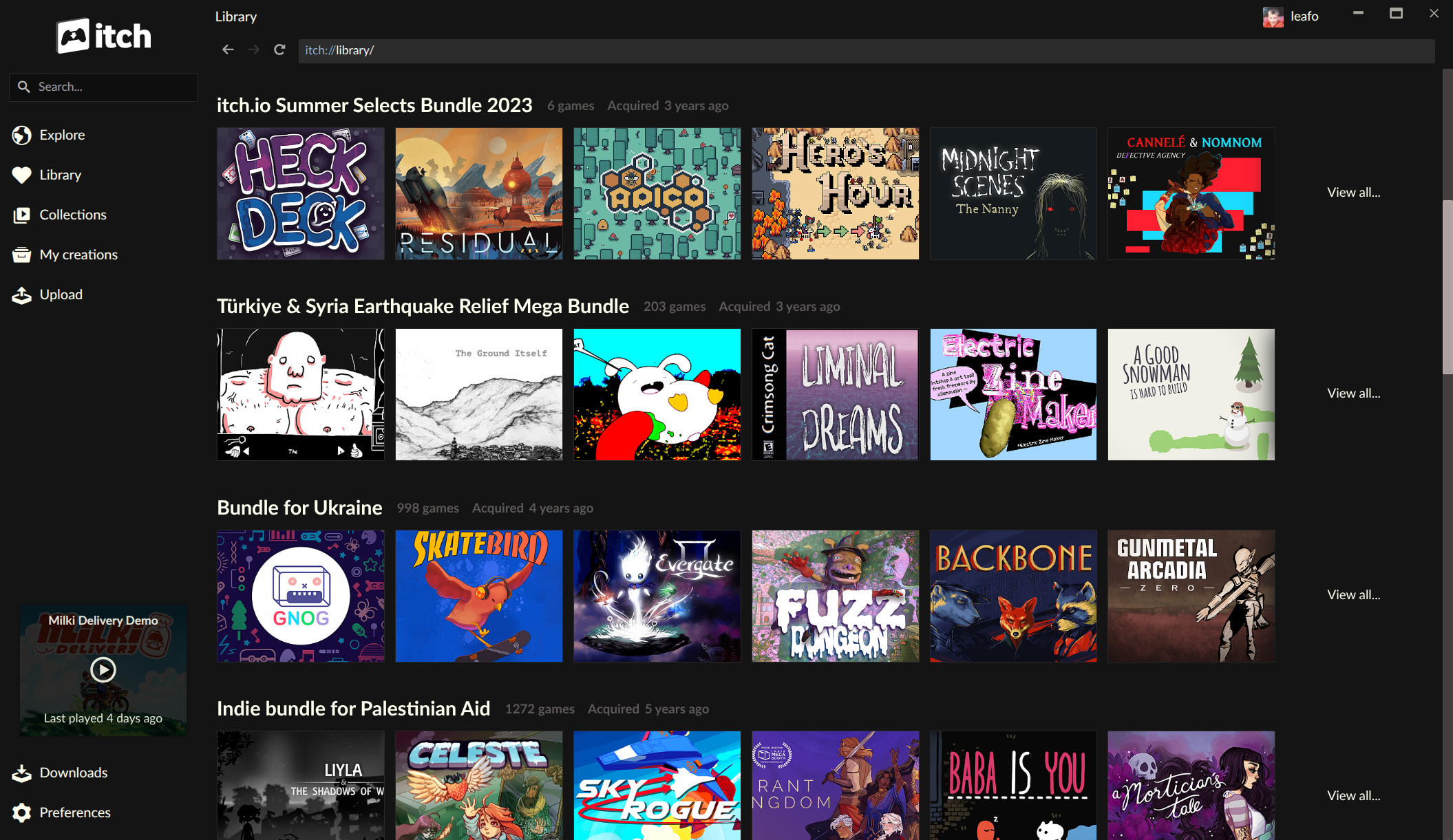
With the new updates, the itch.io app now natively comprehends bundle ownership. This means that bundles users own now appear as "first-class" entries in their library, each boasting its own dedicated page. These bundle pages offer robust management features, allowing users to sort, search by title, and filter games by platform, classification, and installation status. Crucially, games can now be installed directly from within the bundle page, eliminating the cumbersome step of navigating to the website to claim each title. This enhancement significantly streamlines the process of exploring and playing content from even the most expansive bundles, making hundreds, or even thousands, of games more accessible than ever before. For users who invested in these large collections but struggled with discoverability and management, this feature alone represents a monumental improvement in user experience. The developers have also recently revamped their bundle hosting tools, suggesting a broader strategic focus on improving the bundle ecosystem for both creators and consumers.
Empowering Users with Advanced Per-Game Launch Settings
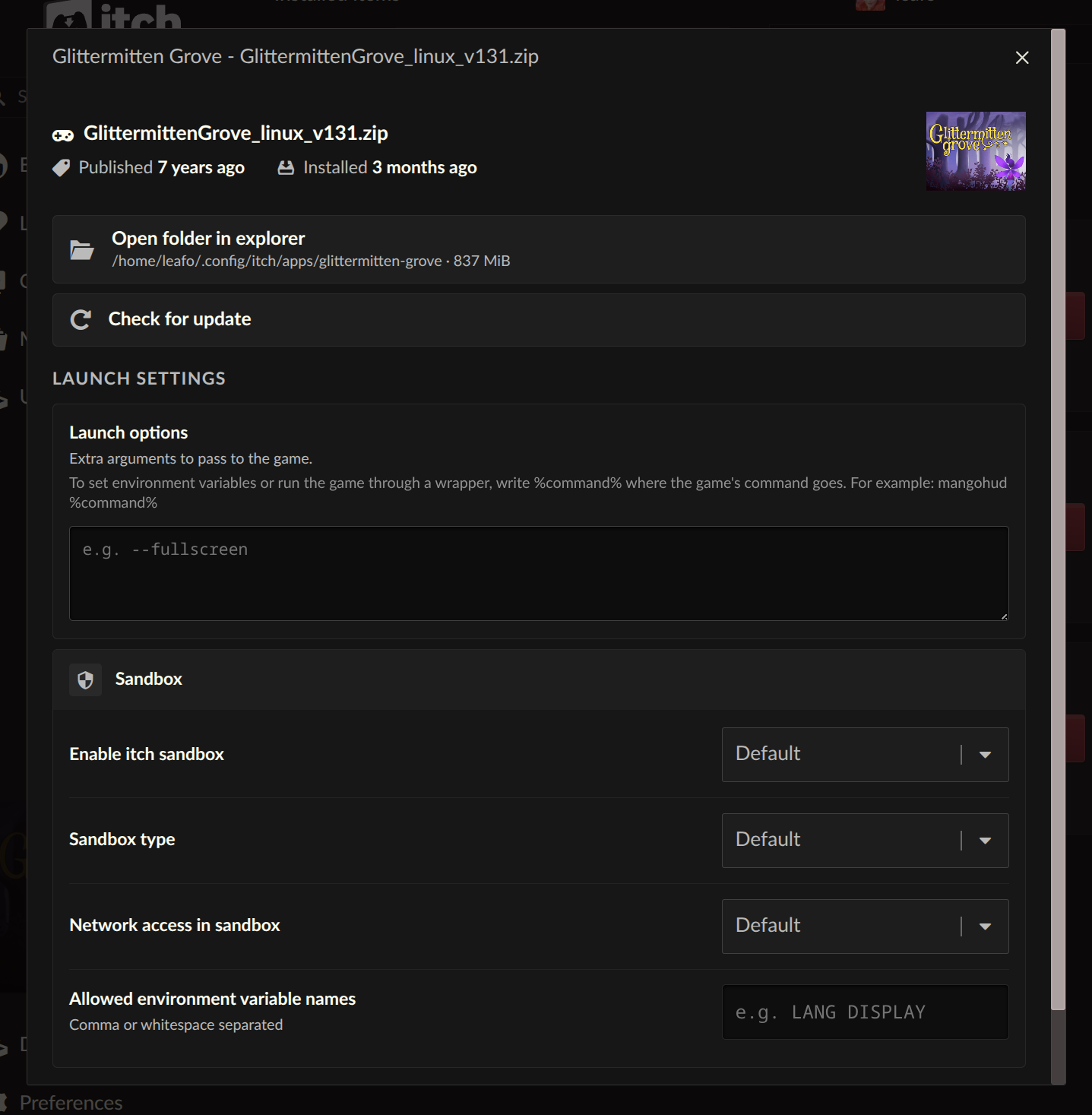
Another highly anticipated addition is the introduction of "Launch settings" for each installed game, accessible directly from the game’s manage dialog. This feature provides users with an unprecedented level of control over how their games are executed, catering to both security-conscious individuals and power users who demand greater customization.
From this dedicated settings area, users can now configure crucial parameters on a per-game basis, including sandbox restrictions, network access, and environment variables. Sandbox restrictions allow users to limit a game’s access to system resources, enhancing security and privacy by isolating potentially untrusted applications. Network access controls provide the ability to restrict or permit a game’s internet connectivity, which can be useful for offline play or preventing unwanted data transmissions. Environment variables, on the other hand, offer a powerful way to pass specific configuration values to a game’s executable, a feature particularly valued by developers and advanced users for debugging or fine-tuning performance.
Adding to this, a new "Command pattern" option for launch arguments has been implemented, addressing a long-standing request from the community. Users can now provide plain arguments to be passed directly to the game’s executable, or, more flexibly, utilize a %command% pattern to wrap the game’s launch within another command. This functionality is immensely beneficial for integrating compatibility layers, debugging tools, or custom launchers. For instance, Linux users can easily configure a Windows game to launch via Wine or Proton with specific arguments, or developers can wrap their game’s executable with a profiler or debugger without altering the game’s core files. This level of granular control positions the itch.io app as a more versatile and adaptable platform for a wider range of gaming and development workflows.
Breaking Down Platform Barriers: Installing Untagged Downloads
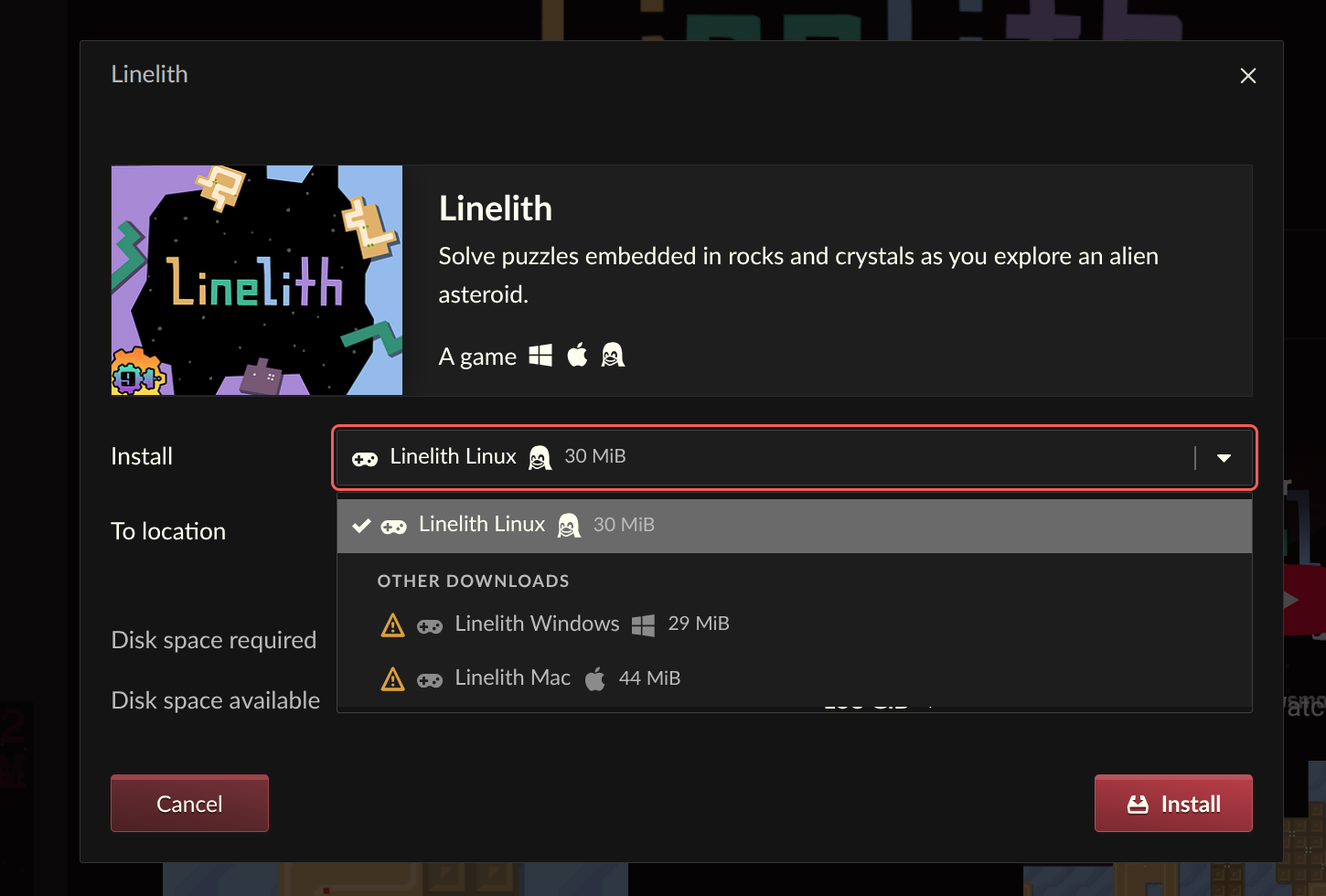
In a move that significantly enhances flexibility and user autonomy, the itch.io app now allows users to reveal and install downloads that are not explicitly tagged for their current operating system. Previously, if a developer neglected to tag their upload for a specific OS, or if a user wished to install a version intended for a different platform (e.g., a Windows build on Linux for compatibility layers), the app would obscure these options.
This update directly addresses a common frustration for users, particularly those on Linux who frequently rely on compatibility layers like Wine or Proton to run Windows-native games. With this new capability, users can now access and install any available build from the install dialog, regardless of its platform tag. This is particularly useful in scenarios where a developer might have uploaded a universal build but only tagged it for Windows, or where a Linux user specifically wants to experiment with a Windows version rather than a potentially less stable or feature-complete native Linux port. By providing this option, itch.io is empowering its users to make informed choices about how they access and play their games, fostering greater interoperability and reducing barriers caused by platform-specific tagging omissions. The visual interface for this feature clearly indicates which downloads are not tagged for the user’s platform, ensuring transparency while still offering the option to proceed with installation.
Refined Navigation: A New Sidebar Search Experience
The sidebar search functionality within the itch.io app has also undergone a significant revamp. The previous iteration, which relied heavily on the platform’s API’s autocomplete feature, often presented search results in a confusing order, making it challenging for users to effectively locate desired items, especially for broader discovery.
Recognizing that autocomplete is most effective for retrieving items users already know they possess or are specifically looking for within their owned library, the itch.io team has redesigned the sidebar search. The new implementation streamlines the process: for general discovery and broader searches, the app now intelligently directs users to the full site’s search experience. This leverages the more powerful and comprehensive search capabilities of the main itch.io website, which is optimized for broad catalog exploration and filtering. Concurrently, for items users already own or have interacted with, the autocomplete feature remains efficient and relevant. This dual approach ensures that users can quickly find items within their personal library while also providing a clear pathway for discovering new content across the expansive itch.io catalog, thereby improving overall navigation and content accessibility within the app.
Chronology of Updates and Community Response
The core feature enhancements were delivered across two distinct application updates: v26.15.0 and v26.17.0. These releases were the culmination of extensive development work, directly addressing feedback gathered from the itch.io issues tracker. The rapid deployment of these updates highlights the development team’s agile approach to improving the user experience.
Immediately following these releases, reports emerged from macOS users encountering application crashes. In a swift and decisive response, itch.io released a hotfix, v26.18.0. This prompt action underscores the platform’s dedication to maintaining a stable and reliable application environment. For users stuck in a crash loop on macOS, the official guidance was to reinstall the app from the setup program available on itch.io/app to ensure the hotfix was properly applied and to reset any corrupted installation states. This quick turnaround on critical bug fixes is a testament to itch.io’s commitment to its user base.
Initial reactions from the community have been largely positive, particularly regarding the bundle management and untagged download features. Users have expressed relief at no longer needing to manually claim games from large bundles and appreciation for the increased flexibility in installing various game builds. While some users reported minor issues, such as certain bundles not appearing in the library (which could be a localized bug requiring further investigation), the overarching sentiment indicates that these updates are significant steps forward for the itch.io desktop application.
Broader Implications for the Itch.io Ecosystem
These comprehensive updates to the itch.io desktop app carry significant implications for users, developers, and the platform as a whole. For the millions of users who have purchased large charity bundles, the new bundle management system transforms what was once a cumbersome collection into an easily navigable and fully integrated library. This increased accessibility can lead to higher engagement with games that might have previously gone unplayed due to the friction of the claiming process.
For developers, while the immediate benefits are primarily on the consumer side, these improvements indirectly enhance the visibility and playability of their games, especially those contributed to bundles. A more efficient and enjoyable app experience encourages users to explore their libraries more deeply, potentially leading to more play time and discovery for smaller, independent titles. The advanced launch settings also empower developers and power users with better tools for testing, debugging, and distributing games that require specific configurations or compatibility layers.
Strategically, these updates reinforce itch.io’s position as a robust and user-centric platform in a competitive digital marketplace. By investing in the desktop client and addressing long-standing user feedback, itch.io demonstrates its commitment to providing a superior experience for its unique community. The ability to handle the technical complexities of massive bundle ownership within the app showcases significant engineering prowess and strengthens the platform’s unique selling proposition. As the digital games landscape continues to evolve, itch.io’s focus on empowering users and developers through continuous improvement of its core tools ensures its continued relevance and growth as a vital hub for independent games.
The itch.io app is designed to update itself automatically upon launch. Users can also obtain the latest version directly from https://itch.io/app. Comprehensive changelogs detailing all fixes and new features are available on GitHub for both v26.15.0 and v26.17.0, providing full transparency into the development process. These updates mark a significant milestone in the evolution of the itch.io desktop client, promising a more streamlined, powerful, and enjoyable experience for its dedicated user base.
About the Author