The itch.io desktop application has undergone significant enhancements with the recent rollout of versions v26.15.0 and v26.17.0, introducing a suite of features designed to dramatically improve user experience, particularly concerning library management and game customization. These updates, which directly respond to long-standing requests and issues tracked on the platform’s GitHub repository, mark a pivotal moment for the app, transforming how users interact with their game collections. Among the most impactful changes are the full integration of game bundles into the user library, sophisticated per-game launch settings, and the newfound ability to install downloads not explicitly tagged for a user’s operating system. Immediately following these releases, a critical hotfix, v26.18.0, was deployed to resolve a pervasive MacOS crashing issue, ensuring stability for a segment of the user base.
Addressing Critical Issues: The MacOS Hotfix
Prior to the full adoption of the new features, a critical issue emerged, affecting users on the MacOS platform. The initial updates, while bringing substantial improvements, inadvertently introduced a crashing bug that rendered the application unusable for some Mac users. In a swift response, itch.io developers deployed a hotfix, version v26.18.0, specifically engineered to mitigate this instability. This prompt action underscores the development team’s commitment to application reliability and user satisfaction. Users who experienced a persistent crash loop were advised to reinstall the application from the official setup program available on itch.io/app to ensure a clean and stable installation of the patched version. This rapid deployment of a stability patch highlights an agile development process focused on maintaining a functional and reliable user experience.
Transforming Library Management: Comprehensive Bundle Integration
One of the most anticipated and impactful features introduced in these updates is the seamless integration of game bundles directly into the user’s library. Previously, itch.io’s unique approach to handling massive bundles posed a significant challenge for the desktop application. itch.io has a history of hosting exceptionally large and successful philanthropic bundles, such as the "Bundle for Racial Justice and Equality" and the "Bundle for Ukraine." The "Bundle for Racial Justice and Equality," released in June 2020, was an unprecedented collection featuring 1,741 items, purchased over 800,000 times, and raising an astonishing $8.1 million for civil rights and racial justice organizations. Similarly, the "Bundle for Ukraine," launched in March 2022, gathered nearly 1,000 items, attracted over 400,000 buyers, and generated $6.4 million for humanitarian aid in Ukraine.
The sheer scale of these initiatives presented a unique technical hurdle for the platform. Generating individual download keys for every single item for every buyer would have resulted in an astronomical number of database entries—potentially exceeding a billion rows for the Racial Justice bundle alone. To circumvent this, itch.io implemented a system where ownership for these colossal bundles is recorded as a single entity. Download keys for individual games within these bundles were only created upon explicit claiming by the user on the website, a process that could be cumbersome for users with hundreds or thousands of games in their collection.
The itch.io app previously lacked a direct understanding of this nuanced bundle ownership model. Consequently, games acquired through these large bundles would not appear in the desktop application until each one was individually claimed via the itch.io website. This often led to a fragmented user experience, making it difficult for players to discover and access the vast libraries they had acquired through these charitable endeavors.
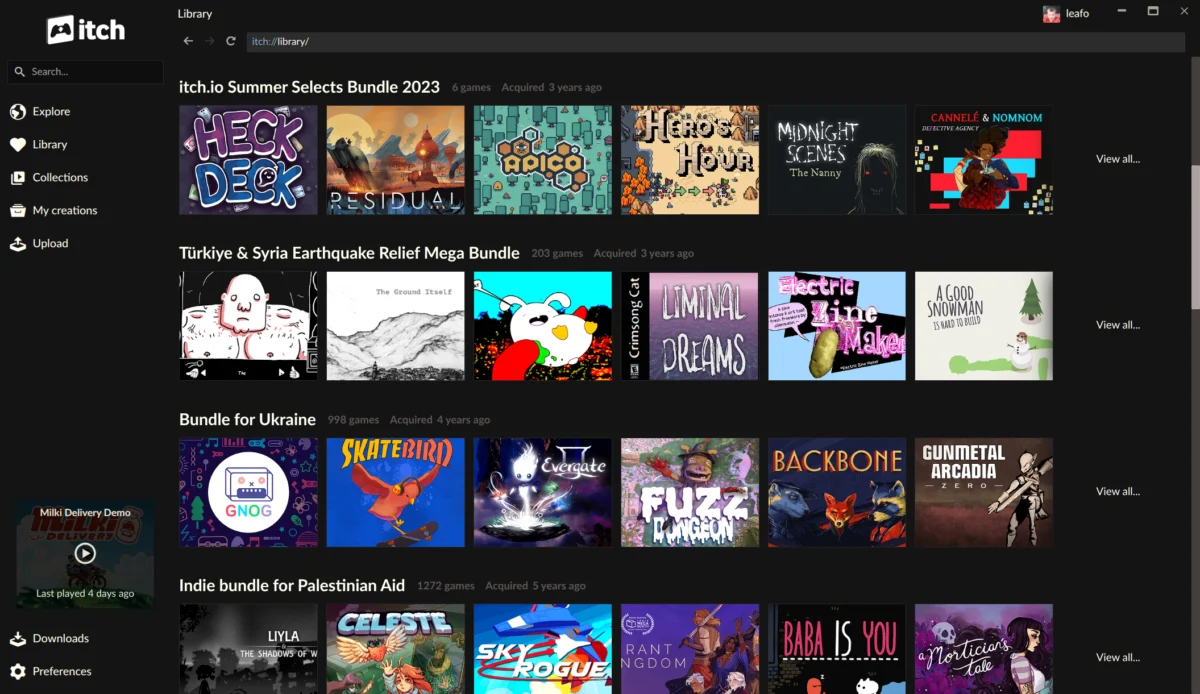
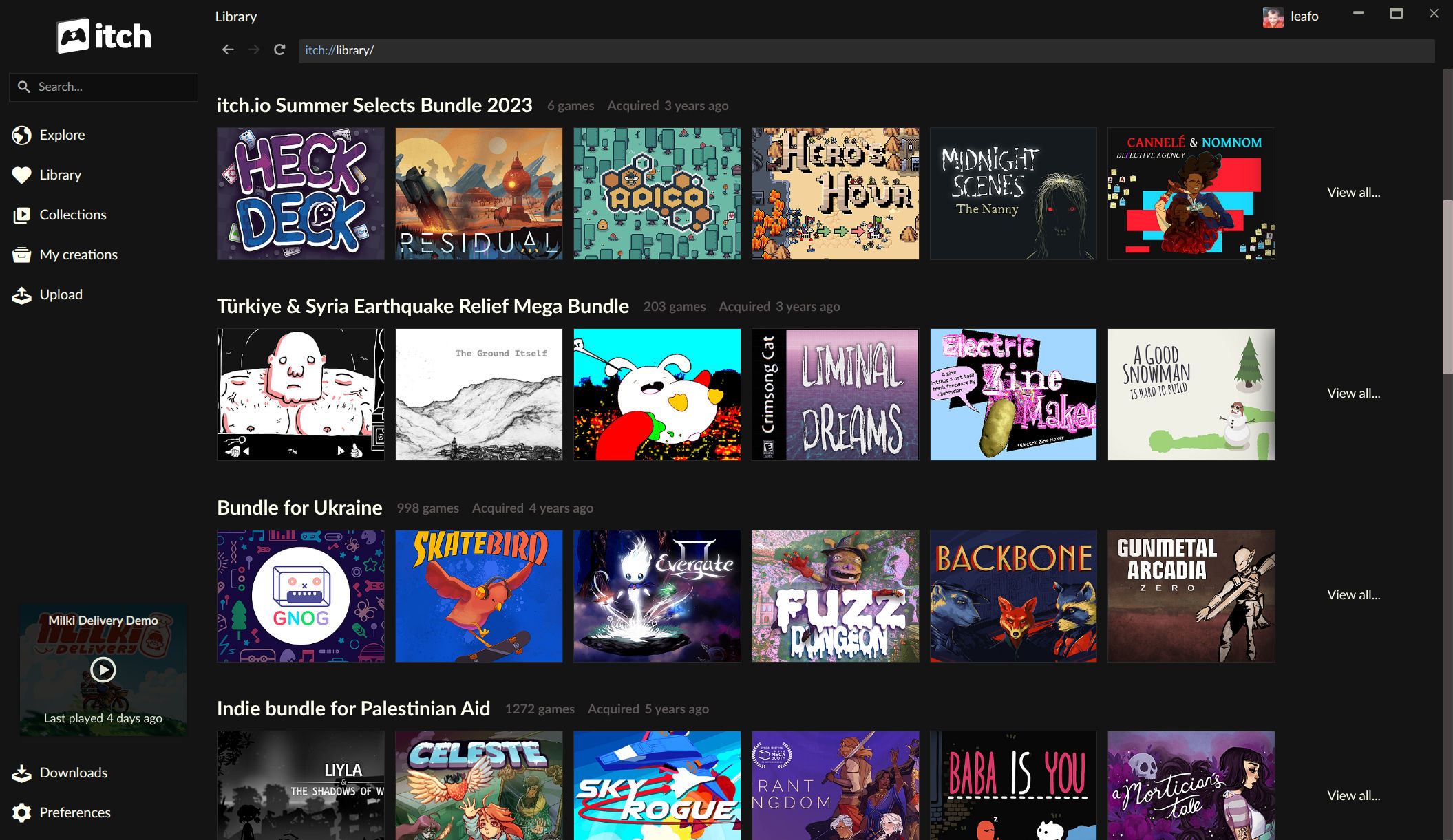
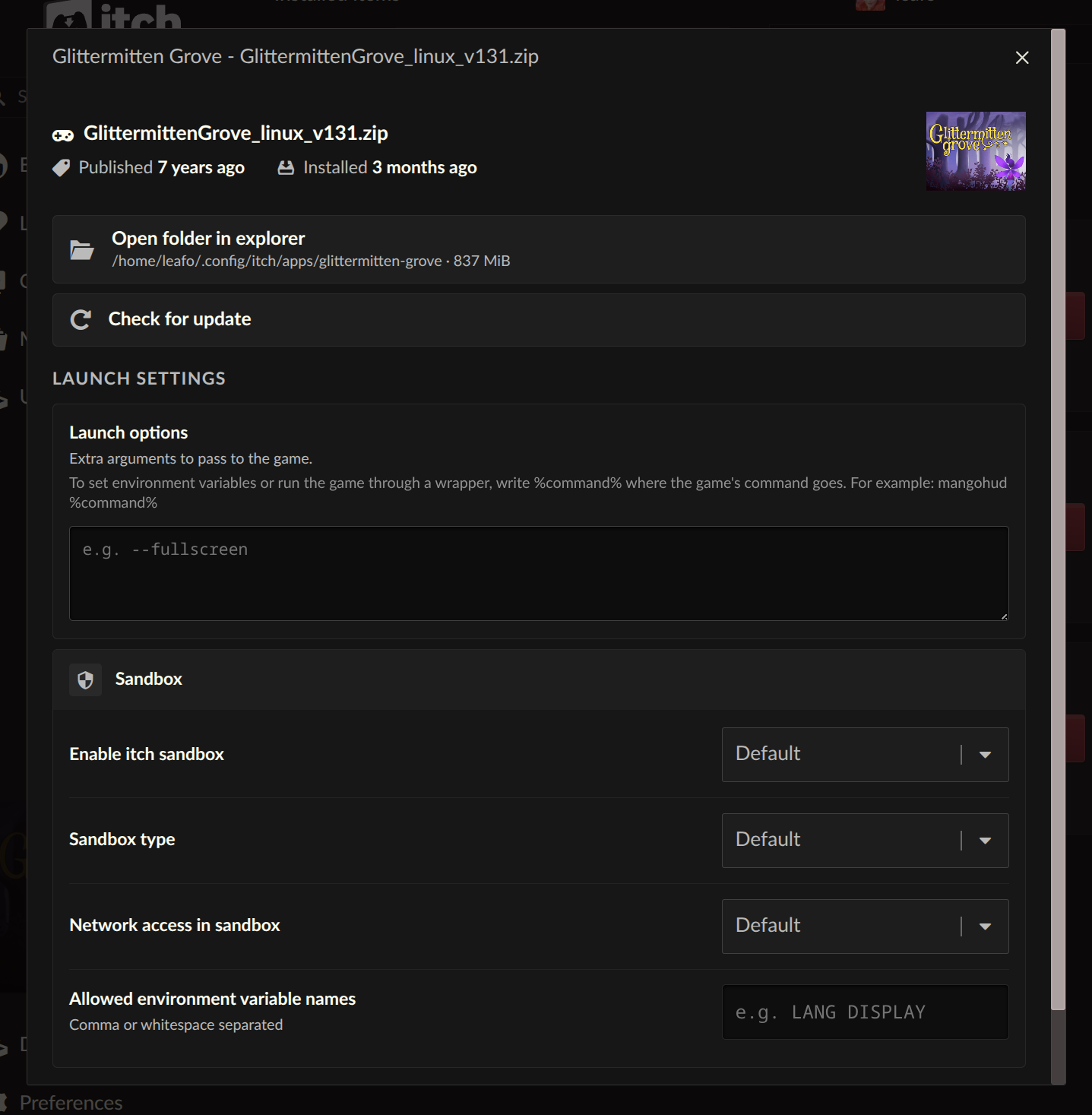
With the latest updates, the app now directly interprets and displays bundle ownership. Bundles users own are now prominently featured in their library, each boasting its own dedicated page. These bundle pages are equipped with robust organizational tools, allowing users to sort, search by title, and filter games by platform, classification, and installation status. Crucially, games can now be installed directly from within these bundle pages, eliminating the need for manual claiming on the website. This represents a monumental leap in accessibility and convenience, especially for those who have supported itch.io’s large-scale philanthropic efforts but found it challenging to navigate their extensive collections. An inferred statement from the itch.io development team might emphasize their commitment to making user libraries as manageable and accessible as possible, acknowledging the feedback from users who struggled with game discovery in their vast bundle acquisitions. The improved integration not only benefits players but also indirectly supports developers by making their games more discoverable and playable within these massive collections. Furthermore, itch.io recently revamped its bundle hosting tools, providing developers with more robust options for organizing and presenting their own curated bundles, further solidifying the platform’s commitment to this unique distribution model.
Empowering Players: Advanced Launch Settings
Beyond library organization, the updates introduce a new level of control over individual games through the "Launch settings" area, accessible from each installed game’s manage dialog. This feature empowers users to fine-tune various aspects of a game’s execution environment on a per-game basis, addressing a significant demand for greater customization. Players can now configure sandbox restrictions, manage network access permissions, and set specific environment variables for each title.
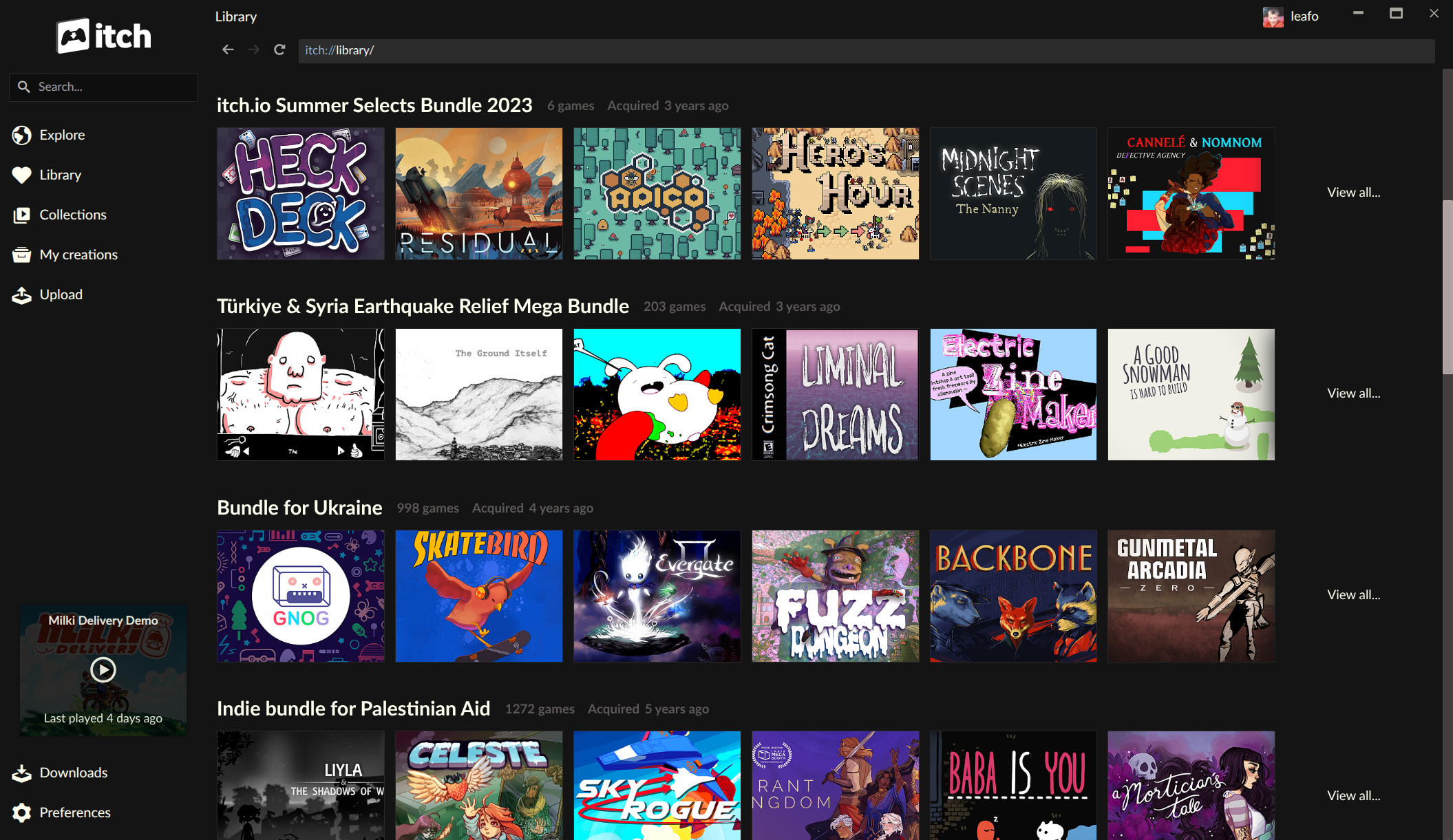
A particularly significant addition is the "Command pattern" option for launch arguments. This highly requested feature provides unparalleled flexibility. Users can input plain arguments to pass directly to a game’s executable, or, more powerfully, utilize a %command% pattern. This pattern allows users to wrap the game’s launch within another command, effectively enabling the integration of external tools. This is a game-changer for a variety of use cases:
- Compatibility Layers: Linux users can seamlessly integrate Wine, Proton, or other compatibility layers to run Windows-native games, specifying the exact command structure needed for optimal performance. This is particularly relevant given the rise of devices like the Steam Deck, which heavily rely on such technologies.
- Debugging Tools: Developers or tech-savvy users can easily launch games with debugging tools attached, facilitating troubleshooting or performance analysis without altering the core game files or system-wide settings.
- Modding Frameworks: Certain complex game mods or launchers require specific command-line parameters or need to be initiated by an external program. The "Command pattern" simplifies this process, allowing users to manage their modded experiences directly through the itch.io app.
- Accessibility Tools: Users requiring specialized accessibility software can configure their games to launch with these tools, ensuring a tailored experience.
This feature reflects a growing trend in PC gaming towards greater user control over the game execution environment, acknowledging the diverse setups and needs of the modern player base. It moves itch.io closer to offering the kind of granular control often found in more advanced game launchers and operating system environments.
Breaking Down Barriers: Platform-Agnostic Downloads
Another crucial improvement focuses on platform flexibility, allowing users to install game downloads not explicitly tagged for their operating system. Previously, the itch.io app would only display and allow installation of builds that were correctly tagged by the developer for the user’s specific platform (e.g., Windows builds for Windows users, Linux builds for Linux users). While this ensured a smooth, native experience, it inadvertently created barriers for users who wished to experiment with compatibility layers or access specific versions of games.
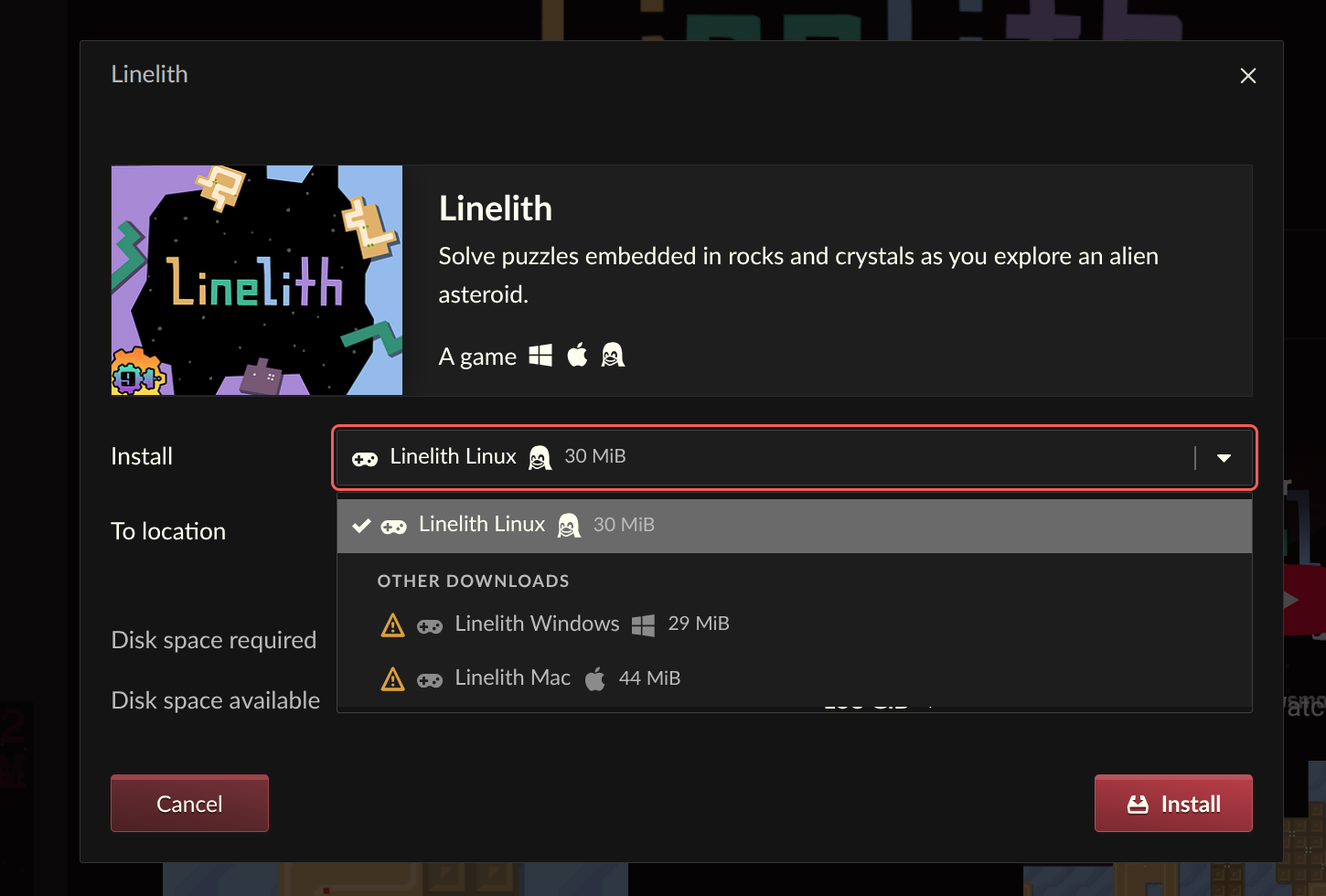
The updated install dialog now includes an option to "reveal" and install downloads that aren’t tagged for the user’s current platform. This means if a developer uploaded a Windows build but forgot to tag it, or if a Linux user wants to download a Windows version of a game to run through Wine or Proton, they can now do so directly from the app. This feature significantly enhances the utility of the itch.io app for users on non-Windows platforms, particularly the growing Linux gaming community and Steam Deck owners who frequently rely on compatibility layers. It empowers users to make their own choices about how they play their games, fostering a more open and adaptable gaming ecosystem. This move aligns with itch.io’s broader philosophy of supporting independent creators and diverse player bases, further breaking down barriers to game accessibility.
Refining Discovery: The New Sidebar Search
The sidebar search functionality within the itch.io app has also received a complete overhaul, aimed at improving the clarity and effectiveness of in-app content discovery. The previous search mechanism relied on the platform’s API for autocomplete suggestions, which, while functional, often presented search results in a confusing order, making it difficult for users to accurately locate specific items. The autocomplete primarily worked best for items users already owned or were familiar with, struggling with broader discovery.
The new sidebar search replaces this system with a more streamlined approach. While the details of the new implementation were not fully elaborated in the original announcement, the rationale behind the change is clear: for broader, exploratory searches, the system now intelligently directs users towards the full search experience available on the itch.io website. This ensures that comprehensive search queries leverage the full power of the platform’s web-based search engine, which is optimized for discovery across the entire itch.io catalog. For in-app searches, the focus is likely narrowed to owned content or installed games, providing a more intuitive and relevant experience for managing one’s personal library. This strategic separation of search functionalities aims to optimize the user experience, providing quick access to owned items while directing exploratory searches to a more capable, dedicated web interface. The visual representation provided in the original update shows a cleaner, more focused search bar, indicating a move towards simplicity and efficiency.
Behind the Scenes: A Commitment to Community Feedback
These substantial updates are a direct result of itch.io’s commitment to its community and its iterative development process. The changelogs for v26.15.0 and v26.17.0 on GitHub detail numerous bug fixes and minor improvements alongside these major features, all stemming from active engagement with the platform’s issues tracker. This transparency and responsiveness to user feedback are hallmarks of the itch.io development philosophy. The development team explicitly stated that they "dug through our issues tracker and addressed some of the most commonly requested problems and requests," underscoring a user-centric approach that prioritizes community needs in shaping the evolution of the application. This sustained effort to refine the app based on real-world user experiences demonstrates itch.io’s dedication to providing a robust and evolving platform for independent games.
Broader Implications for the itch.io Ecosystem
The cumulative effect of these updates is a significantly more capable and user-friendly itch.io desktop application. The enhanced bundle support will undoubtedly lead to higher engagement with the vast libraries acquired through charitable bundles, benefiting both players who now have easier access to their games and developers whose titles might have previously been overlooked within these massive collections. The advanced launch settings empower a segment of the user base seeking greater control and flexibility, particularly those in the Linux gaming community or users who rely on specific tools and configurations. The ability to install untagged downloads further democratizes access, reducing friction for cross-platform play and experimentation.
These improvements solidify itch.io’s position as a distinctive and player-centric platform in the digital distribution landscape. By addressing core technical challenges and responding directly to community feedback, itch.io continues to build an ecosystem that values independence, flexibility, and user empowerment. This continuous refinement not only enhances the daily experience for existing users but also makes the platform more appealing to new players and developers looking for an alternative to mainstream digital storefronts. The ongoing development of the itch.io app reflects a healthy and responsive platform that is actively evolving to meet the complex and diverse needs of its community.
The itch.io application is available for download at https://itch.io/app. Existing installations are designed to update automatically, ensuring users always have access to the latest features and bug fixes. For those interested in the granular details of these developments, the full changelogs for v26.15.0 and v26.17.0 are publicly accessible on GitHub.
About the Author