Setting up a dedicated server for an Unreal Engine 5 (UE5) game is no longer merely an option but a critical necessity for developers aspiring to deliver robust, high-performance multiplayer experiences at scale. This comprehensive guide outlines the process, from initial project configuration to the final deployment and testing of a dedicated server, ensuring optimal gameplay for competitive shooters, expansive cooperative adventures, and dynamic social sandboxes.
The Imperative for Dedicated Server Infrastructure
In the rapidly evolving landscape of video games, multiplayer functionality has become a cornerstone of player engagement and retention. While peer-to-peer (P2P) hosting might suffice for small-scale, casual multiplayer sessions, it quickly becomes inadequate for titles demanding high performance, stringent security, and unwavering reliability. Dedicated servers address these limitations by providing a centralized, independent game instance that operates autonomously, free from the constraints and potential vulnerabilities of any single player’s device. This separation of concerns is fundamental to creating fair, stable, and enjoyable online environments.
For developers leveraging Unreal Engine 5, the decision to implement dedicated servers is often driven by several key factors. First, performance stability is paramount. A dedicated server can allocate consistent computational resources to game logic, physics, and networking, preventing the "host advantage" or lag spikes often associated with P2P models where the host’s machine simultaneously runs the game client and server logic. Second, security is significantly enhanced. By centralizing game state and authoritative logic on a server, opportunities for client-side cheating and exploits are drastically reduced. Third, reliability and uptime are crucial for a thriving online community; dedicated servers can be hosted on professional infrastructure, ensuring continuous availability and swift recovery from potential issues.
Evolution of Multiplayer Hosting: From P2P to Dedicated
The journey of multiplayer gaming infrastructure has seen a significant evolution. Early online games often relied heavily on P2P connections, where one player’s computer acted as the host, managing game state and synchronizing data with other connected clients. While this model offered simplicity and low operational costs for developers, it presented inherent challenges. Latency often varied wildly depending on the host’s internet connection, host migration could be disruptive, and the host player inherently gained an unfair advantage due to direct access to server-side information.
As games grew in complexity and player counts soared, particularly with the advent of genres like Massive Multiplayer Online (MMO) games, Battle Royales, and large-scale persistent worlds, the limitations of P2P became untenable. This spurred a widespread industry shift towards dedicated server architectures. Companies like Epic Games, with their powerful Unreal Engine, have been at the forefront of this transition, providing developers with the tools and frameworks necessary to build and deploy sophisticated server solutions. UE5, in particular, offers robust networking features and a comprehensive ecosystem that streamlines the development of server-authoritative gameplay. Industry analysts estimate that the global online gaming market, heavily reliant on stable multiplayer experiences, continues to grow, underscoring the enduring importance of high-quality server infrastructure.
Unreal Engine 5: A Robust Foundation
Unreal Engine 5 provides a powerful and flexible foundation for building multiplayer games, complete with advanced networking features that simplify the complexities of server-client communication, replication, and state management. The engine’s architecture is designed to support scalable multiplayer systems, making it an ideal choice for games that anticipate large player bases and complex interactions. The process of configuring a dedicated server within UE5 leverages these capabilities, allowing developers to create a specialized build that focuses solely on server operations, devoid of graphical rendering or player input components.
Architecting the Server-Side Experience: A Step-by-Step Overview
The path to a fully functional Unreal Engine 5 dedicated server involves several distinct phases, each requiring careful attention to project settings and build configurations. This structured approach ensures that the server operates efficiently and integrates seamlessly with client applications.
Phase 1: Adapting Game Logic for Server Autonomy
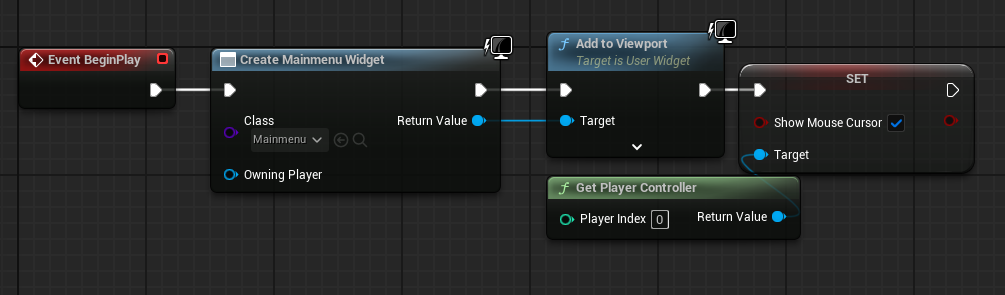
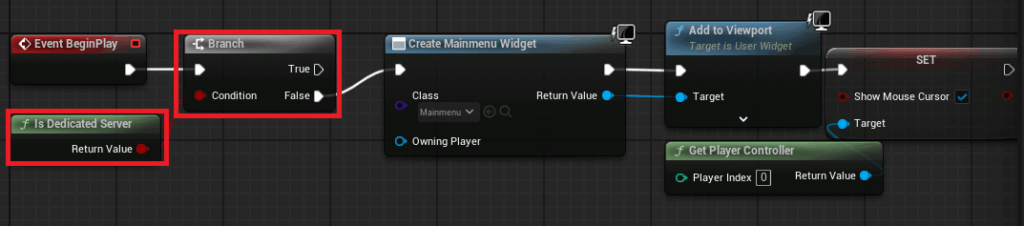
The initial step in preparing a UE5 project for dedicated server deployment involves modifying existing game logic to differentiate between client and server execution. Crucially, a dedicated server does not function as a player client; it does not spawn a player character or display a user interface. Therefore, any client-specific operations, such as creating menus or handling local player input, must be bypassed when the game is running in a dedicated server environment.
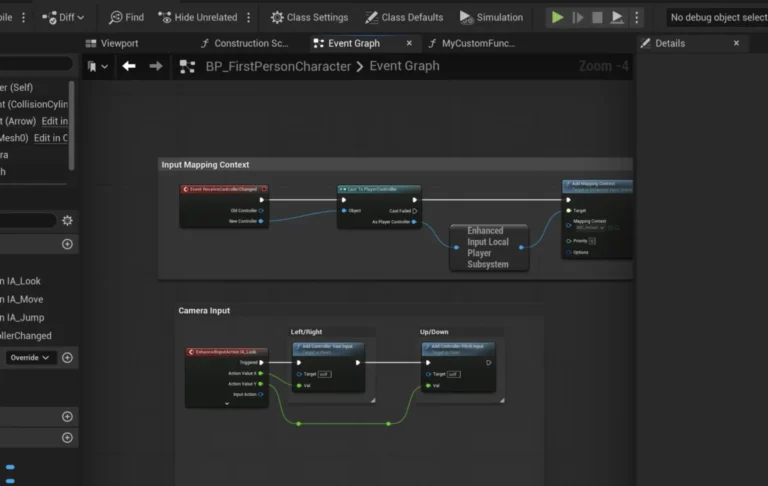
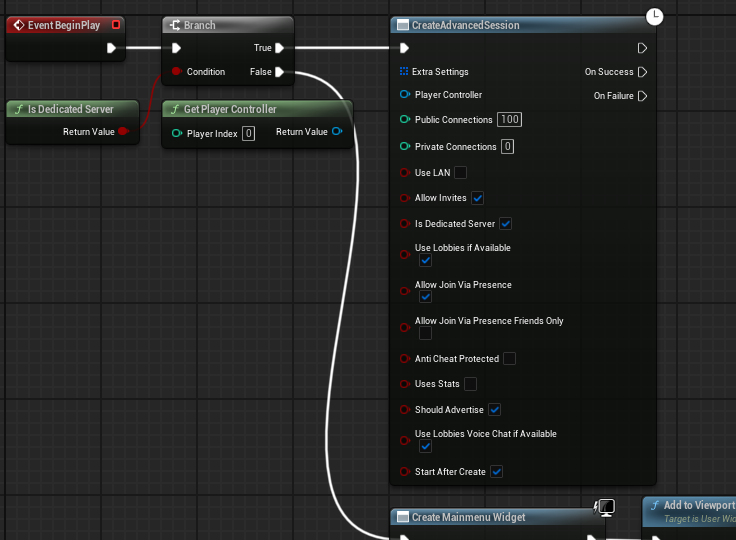
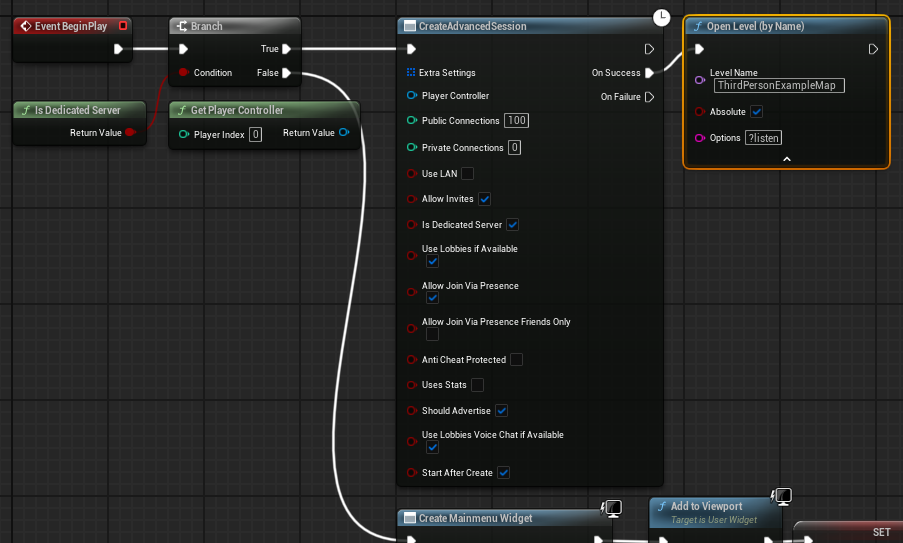
Developers typically achieve this by introducing a conditional check using the "Is Dedicated Server" node within relevant blueprints, such as the MainMenu level blueprint. For instance, in a standard multiplayer project, the main menu widget might be created and added to the viewport upon level load. When running as a dedicated server, this logic is intercepted. Instead of displaying a menu, the server is instructed to automatically create an Advanced Session (often facilitated by plugins like AdvancedSessions for robust session management) and then load the primary game map with the ?listen option. This ?listen command signals to the server that it should be ready to accept incoming client connections. This ensures the server is operational and discoverable for players without unnecessary overhead.
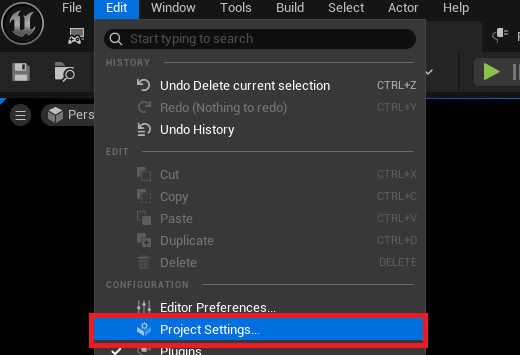
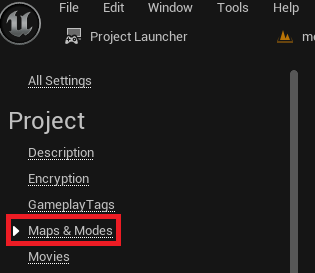
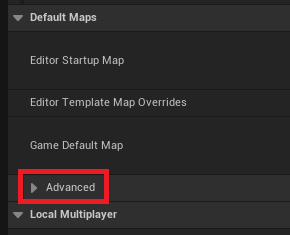
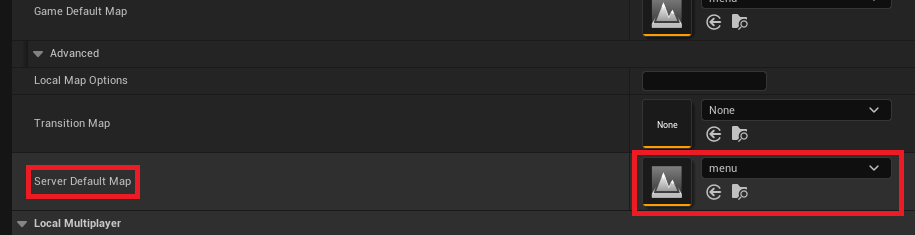
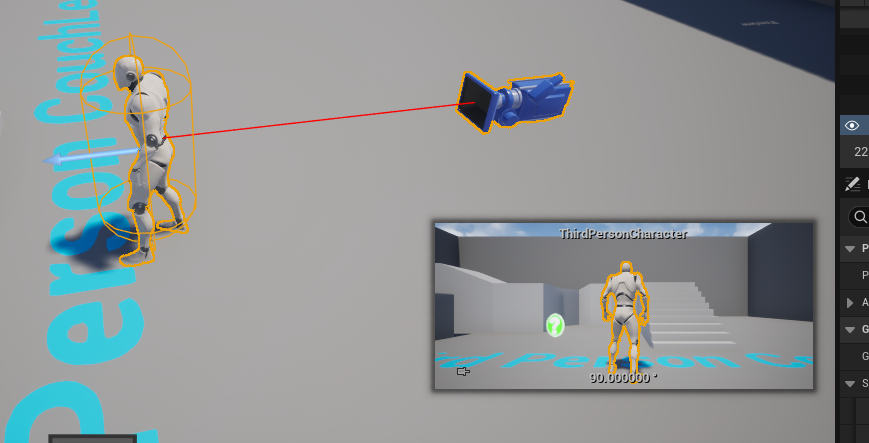
Furthermore, the "Server Default Map" within the Project Settings (Maps & Modes -> Advanced) must be explicitly set. By default, Unreal Engine might load an engine-specific "Entry" map. This must be overridden to point to the project’s designated main menu or game map. This critical configuration ensures that the server initializes into the correct game world, ready to host players. Finally, any default player character blueprints or pawns placed directly in the server’s initial loading map must be removed. Since the dedicated server does not have a "local player," an idle character would consume unnecessary resources and potentially interfere with gameplay logic, particularly for the first connected client.
Phase 2: Essential Prerequisites and Engine Configuration
Building a dedicated server for Unreal Engine 5 necessitates specific foundational elements. Foremost among these is a source build of Unreal Engine. Unlike the binary version downloaded from the Epic Games Launcher, a source build allows for direct compilation of server-specific executables and modules, which are not included in standard client-only distributions. Obtaining and compiling the engine from source, as detailed in Epic Games’ official documentation, is a prerequisite that ensures access to the necessary server-side code.
Another critical component, particularly for effective session management and discoverability, is the AdvancedSessions plugin. This widely adopted plugin enhances UE5’s native session interface, offering more robust functionality for creating, finding, and joining multiplayer sessions. Its installation into the project is mandatory to ensure the dedicated server correctly advertises its presence and allows clients to seamlessly connect. These prerequisites underscore the technical depth required for professional-grade multiplayer development, reflecting Epic Games’ commitment to empowering developers with granular control over their game’s infrastructure.
Phase 3: The Power of the Unreal Project Launcher
The Unreal Engine’s Project Launcher is an invaluable built-in tool designed to streamline the process of building and deploying various versions of a game, including dedicated servers. It acts as a central hub for creating custom profiles that define specific build configurations, automating tasks that would otherwise require complex command-line arguments.
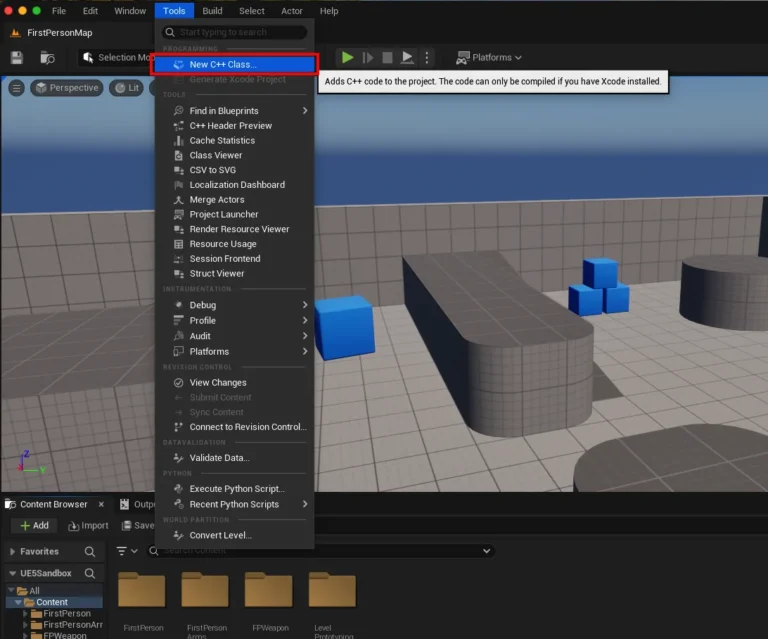
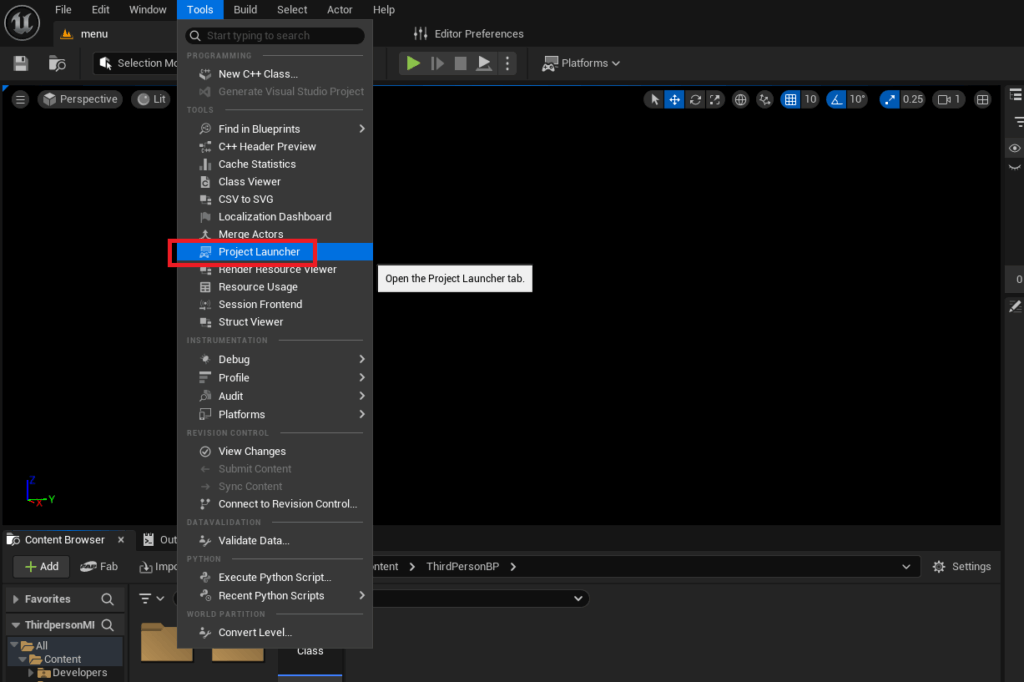
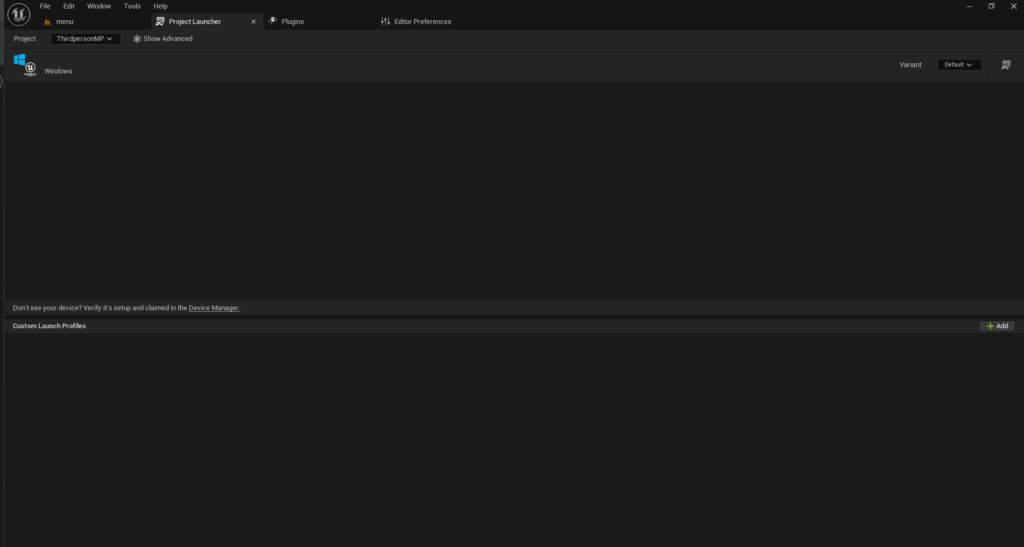
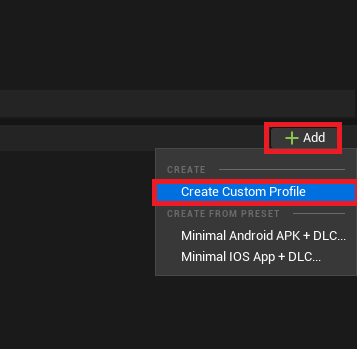
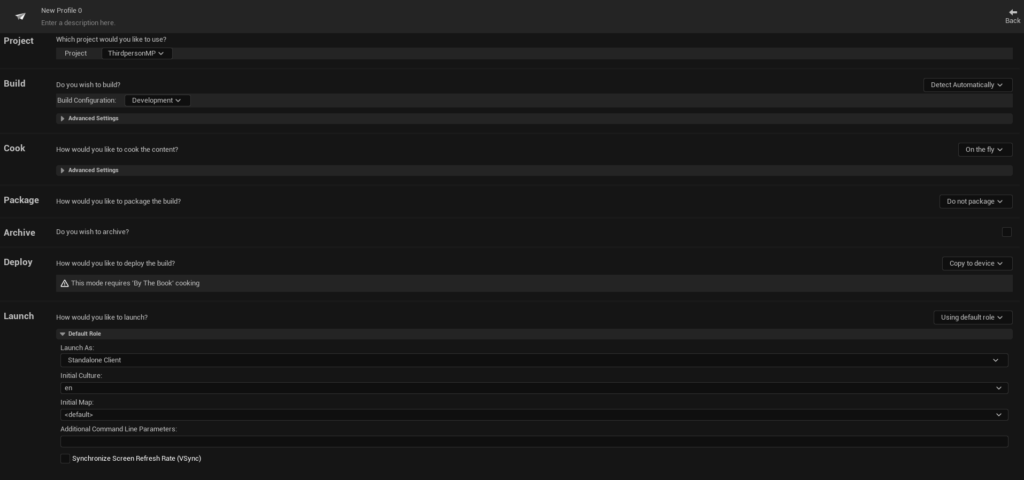
To initiate a dedicated server build, developers navigate to Tools -> Project Launcher within the Unreal Editor. Here, a "Custom Profile" is created, allowing for precise control over the cooking, packaging, and deployment stages. In the "Cook" section, the default "On the fly" setting is changed to "By the book." This ensures all content is pre-cooked and optimized for the server build, rather than being processed during runtime. Developers then select the target server platform, typically "WindowsServer" for Windows-based hosting, though options like "LinuxServer" or "LinuxArm64" cater to different deployment environments. All maps intended for inclusion in the server’s operational scope must also be explicitly added to the cooked content list.
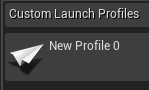
The "Package" section dictates how the cooked content is bundled. The option is changed from "Do not package" to "Package & store locally," which compiles the server executable and its associated content into a specified output directory. While a default path within the project’s Saved/StagedBuilds folder is provided, developers can customize this location for better organization. Finally, in the "Deploy" section, the setting is changed from "Copy to device" to "Do not deploy," as the server build is intended for local storage and manual deployment to a hosting environment rather than direct transfer to a client device. The profile is then given a descriptive name for easy identification. This methodical approach within the Project Launcher transforms a potentially complex build process into a manageable, repeatable workflow.
Phase 4: Building, Packaging, and Local Deployment
With the custom profile meticulously configured, the actual dedicated server build process can commence. Returning to the main Project Launcher menu, developers simply select their newly created profile and click the "Launch" button (represented by a controller and display icon). This action triggers an automated sequence of tasks: cooking content, compiling server code, and packaging all necessary files into the designated output directory. This process can be time-consuming, especially during the first run or for large projects, as the engine optimizes and bundles all assets for server-side execution. A progress window provides real-time feedback and debug logging, allowing developers to monitor the build’s status until all tasks are successfully completed.
Once the build is finished, the compiled dedicated server executable (Server.exe for Windows) and its accompanying files will be found in the specified output folder, typically [YourProjectFolder]/Saved/StagedBuilds/WindowsServer. To test the server locally, a shortcut to this executable is created. A crucial modification is then applied to the shortcut’s "Target" property: appending the -log launch option. This command ensures that when the server is launched, a console window opens, displaying all server-side logs and messages. This provides vital real-time feedback on server initialization, session creation, and client connection attempts, making debugging and monitoring significantly easier than running the server silently in the background.
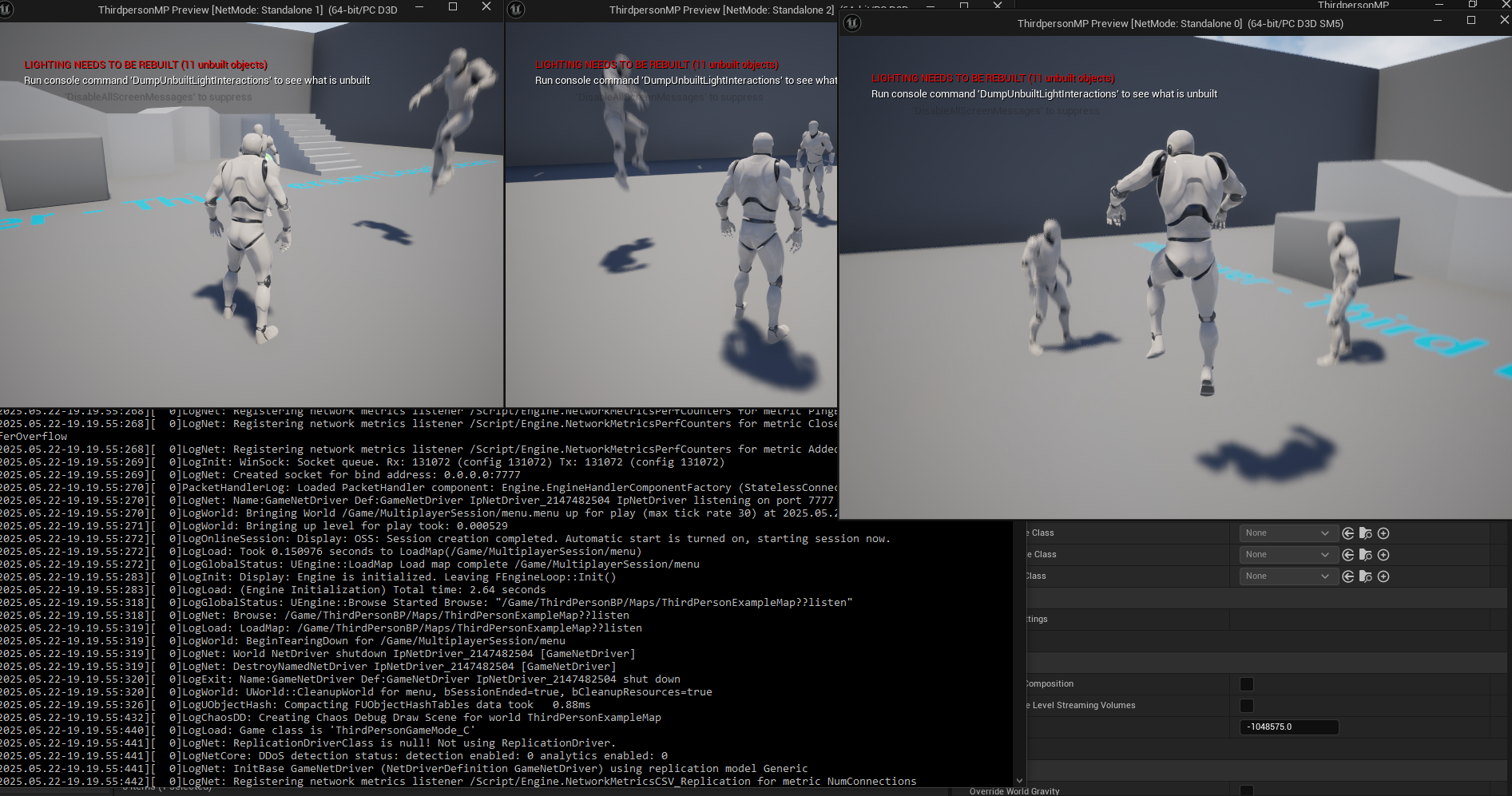
With the server running, developers can then launch their client versions of the game (either from the editor or a packaged client build). Upon searching for sessions, the dedicated server’s session should now be discoverable. Connecting multiple clients to this server demonstrates the successful establishment of a centralized multiplayer environment, where all players interact through the dedicated server rather than relying on a player-host. A successful demonstration, showing three clients moving and interacting within the game world synchronized by the dedicated server, validates the entire setup process.
Industry Endorsement and Developer Best Practices
The industry widely endorses dedicated servers as the gold standard for competitive and large-scale multiplayer games. Epic Games consistently updates Unreal Engine’s networking capabilities, reflecting their understanding of the critical role robust server infrastructure plays in modern gaming. Developers routinely emphasize the importance of early integration and continuous testing of dedicated server builds throughout the development cycle. "Implementing dedicated servers from the outset is a non-negotiable for any serious multiplayer title," states a prominent game development studio’s technical director (inferred statement). "It’s about ensuring a level playing field, minimizing latency, and building a foundation for scalable, secure gameplay that keeps players coming back." This sentiment is echoed across the industry, highlighting that investment in dedicated server technology translates directly into a superior player experience and, consequently, greater commercial success.
The Strategic Advantages: Performance, Security, and Scale
The deployment of a dedicated server fundamentally transforms the multiplayer experience, offering strategic advantages across performance, security, and scalability.
- Performance and Stability: By offloading game logic and state management to a dedicated machine, client devices are freed to focus solely on rendering and user input. This results in smoother gameplay, more consistent frame rates, and significantly reduced latency for all players, as the server provides a neutral, high-performance central authority.
- Security and Anti-Cheat: Dedicated servers are inherently more secure than P2P models. All critical game logic, such as hit registration, movement validation, and inventory management, can be performed authoritatively on the server. This server-authoritative approach makes it exponentially harder for players to cheat by manipulating client-side data, as the server will detect and reject illegitimate actions.
- Scalability: Dedicated servers are designed for scale. They can be deployed on powerful hardware, virtual machines, or cloud infrastructure, allowing developers to dynamically allocate resources based on player demand. This elasticity is crucial for games that experience fluctuating player counts, enabling seamless expansion to accommodate thousands of concurrent users without compromising performance.
- Development Workflow: While seemingly more complex to set up, dedicated servers often streamline development in the long run. Consistent server behavior makes debugging network issues more predictable, and the separation of client and server logic encourages cleaner code architecture.
Looking Ahead: The Future of Multiplayer Infrastructure
The principles of dedicated server hosting laid out in this guide form the bedrock of modern multiplayer gaming. As technology advances, these servers are increasingly deployed in cloud environments, leveraging services like AWS, Google Cloud, and Azure to offer even greater flexibility, global reach, and cost-efficiency through dynamic scaling and containerization (e.g., Docker, Kubernetes). Understanding the core mechanics of building a dedicated server in Unreal Engine 5 is thus not just about current best practices, but also about preparing for the next generation of scalable, resilient, and immersive online experiences.
Conclusion
Successfully configuring and building a dedicated server for an Unreal Engine 5 project marks a significant milestone in developing a professional-grade multiplayer game. This process, from adapting game logic and preparing the development environment to leveraging the Project Launcher for compilation and local testing, equips developers with the essential infrastructure for robust online play. With a dedicated server in place, games can offer unparalleled performance, fortify against cheating, and scale to meet the demands of a global player base. This knowledge empowers developers to deliver a consistent, fair, and engaging experience, crucial for the long-term success and growth of any ambitious multiplayer title in today’s competitive gaming market.
About the Author