In the dynamic landscape of modern game development, balancing rapid prototyping with uncompromised performance remains a perpetual challenge. Unreal Engine 5, a leading platform in interactive media, offers developers two primary avenues for logic implementation: visual scripting via Blueprints and traditional compiled code with C++. While Blueprints are lauded for their accessibility, speed of iteration, and designer-friendly interface, they often encounter performance bottlenecks when tasked with computationally intensive operations. Conversely, C++ provides unparalleled speed, efficiency, and direct access to engine internals, but typically demands a more rigid project structure and a steeper learning curve for non-programmers. A significant advancement addressing this dichotomy is the strategic integration of C++ Blueprint Function Libraries, a powerful feature that allows developers to leverage the raw power of C++ seamlessly within their existing Blueprint ecosystems, thereby optimizing critical code paths and unlocking advanced functionalities.
The Evolving Landscape of Game Development in Unreal Engine
The journey of Unreal Engine has consistently focused on empowering creators with versatile tools. Blueprints emerged as a revolutionary visual scripting system, allowing designers and artists to build complex gameplay mechanics without writing a single line of code. This democratized game development, accelerating prototyping cycles and fostering cross-disciplinary collaboration. However, as projects grow in scope and complexity, and as performance demands become more stringent for high-fidelity experiences, the interpretive nature of Blueprints can lead to performance limitations. Scenarios involving extensive mathematical calculations, intricate AI decision-making loops, or real-time data processing often push Blueprint graphs to their operational limits, resulting in noticeable framerate drops or sluggish responsiveness.
Historically, addressing these performance hurdles often necessitated a complete migration of affected logic from Blueprint to C++, which could be a time-consuming and disruptive process, especially for projects with deeply embedded Blueprint systems. This also created a distinct separation between codebases, requiring careful management of interfaces and potential re-architecting. Epic Games, recognizing this inherent tension, has continuously invested in features that enhance the interoperability between C++ and Blueprints. The introduction of UFUNCTION, UPROPERTY, and other reflection system macros laid the groundwork for C++ classes and variables to be exposed to the Blueprint editor. The C++ Blueprint Function Library represents a refined evolution of this philosophy, offering a dedicated and highly efficient mechanism for bridging this gap.
The Strategic Imperative for Optimization: When Blueprints Reach Their Limits
Developers frequently encounter situations where Blueprint code, initially efficient for high-level logic, begins to impede performance. This typically occurs in critical game loops, such as tick functions that execute every frame, or in complex systems like character movement, inventory management with large datasets, or procedural content generation. For instance, a Blueprint graph calculating inverse kinematics for a character’s animation might introduce noticeable latency if not optimized. Similarly, processing large arrays of objects, performing complex sorting algorithms, or interacting with external APIs can become prohibitively slow when implemented purely in Blueprint.
Industry observations and internal testing at various studios have consistently demonstrated that moving computationally intensive operations from Blueprint to C++ can yield performance improvements ranging from several times to even orders of magnitude. This is due to C++ being a compiled language that executes directly on the CPU, unlike Blueprints which are interpreted at runtime. When Blueprint code is running too slowly and has been optimized through conventional Blueprint techniques (such as reducing node complexity, using native events, or offloading work to asynchronous tasks), the C++ Blueprint Function Library emerges as the next logical step. It allows developers to selectively offload these performance-critical segments to C++, gaining the efficiency benefits without abandoning the visual clarity and rapid iteration of Blueprint for the rest of their project logic. Moreover, C++ grants access to a vast array of features and low-level engine functionalities that simply do not have direct Blueprint node equivalents, from custom data structures to specific operating system interactions or integrations with third-party native libraries.
C++ Blueprint Function Libraries: A Technical Deep Dive into Seamless Integration
At its core, a C++ Blueprint Function Library is a specialized Unreal Engine class designed to host a collection of static C++ functions that can be called directly from Blueprints. This class inherits from UBlueprintFunctionLibrary, a base class provided by Unreal Engine specifically for this purpose. The "static" nature of these functions is crucial; it means they do not require an instance of a particular object to be called. Instead, they can be invoked globally, much like utility functions. This design principle makes them ideal for stateless operations, mathematical helpers, file I/O, or any functionality that doesn’t need to operate on a specific game object.
The magic behind exposing these C++ functions to Blueprints lies in Unreal Engine’s reflection system, orchestrated by the Unreal Header Tool (UHT). When a C++ project is compiled, UHT scans header files for specific macros that instruct it on how to make C++ elements accessible within the editor. For Blueprint Function Libraries, the UFUNCTION() macro is paramount. This macro, typically decorated with specifiers like BlueprintCallable and Category, signals to the UHT that the subsequent C++ function should be exposed as a callable node in the Blueprint editor. The BlueprintCallable specifier ensures that the function can be invoked from any Blueprint, while the Category specifier organizes the function within the Blueprint editor’s context menu, improving discoverability for designers. Without these macros, the C++ compiler would process the code, but the Unreal Editor would remain unaware of its existence, preventing its use in visual scripts.
Consider the example of file input/output (I/O) operations. While Blueprints offer some basic save/load functionality, C++ provides much finer-grained control and access to the FFileHelper library, a robust utility within Unreal Engine for handling file system interactions. Implementing complex file formats, encryption, or high-performance logging is significantly more straightforward and efficient in C++. By encapsulating these C++ file I/O operations within a Blueprint Function Library, developers can expose simple, high-level Blueprint nodes like "Save String to File" or "Load String from File." These nodes then internally call the optimized C++ implementation, allowing designers to interact with sophisticated file operations using familiar visual scripting, without ever touching C++ code.
Implementation Pathway: A Step-by-Step Guide for Developers
The process of creating and utilizing a C++ Blueprint Function Library in Unreal Engine 5 is designed to be streamlined, yet requires a foundational understanding of C++ within the engine’s ecosystem. The journey begins by ensuring the project is configured for C++ development.

-
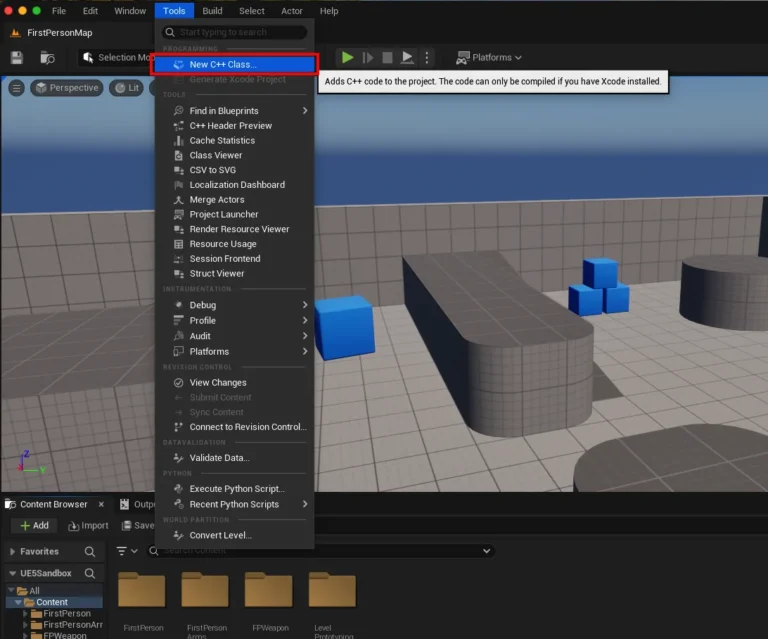
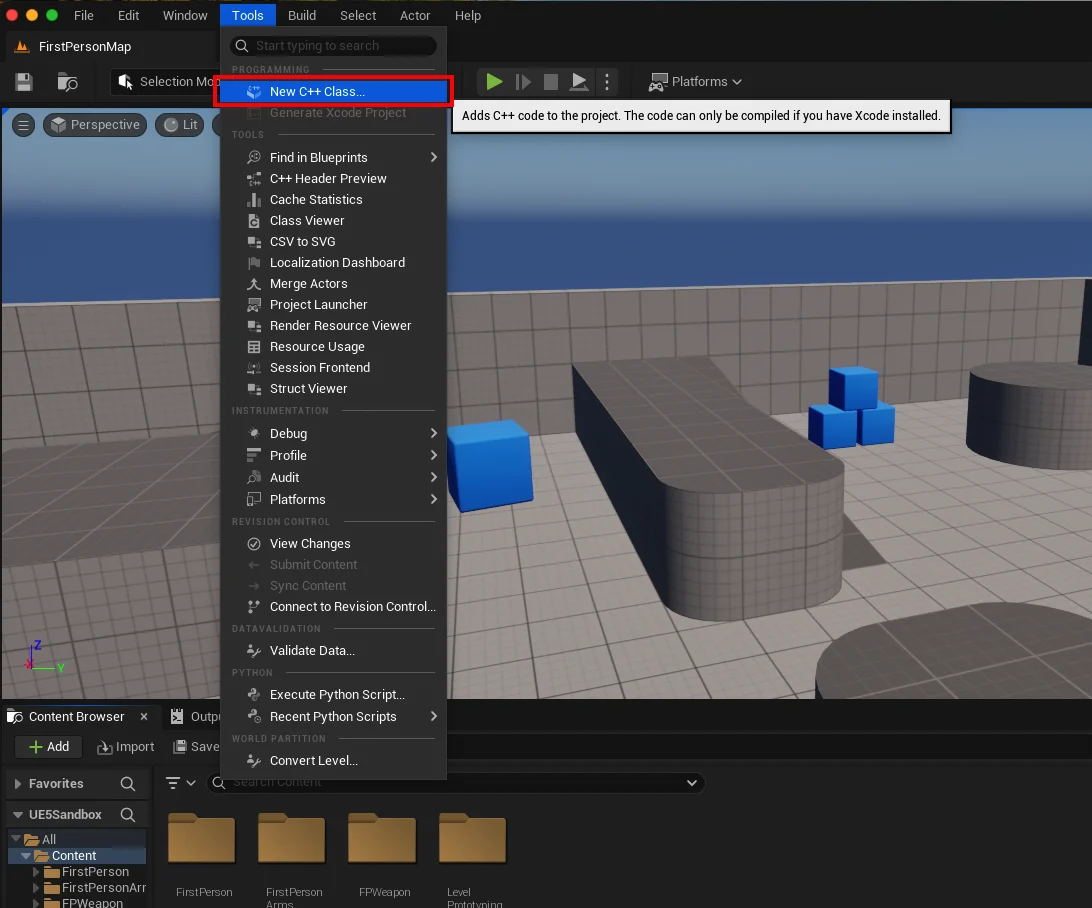
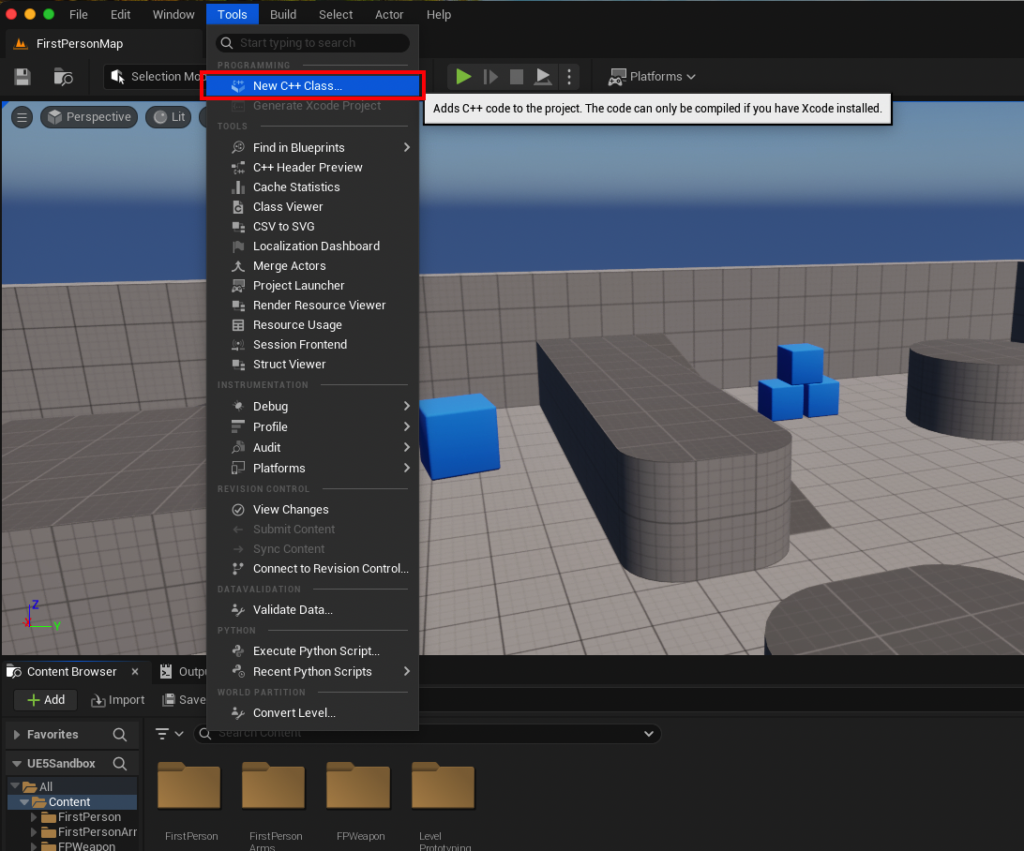
Project Setup and IDE Configuration: The initial step involves verifying if an existing Blueprint-only project is C++ enabled. This can be easily checked by navigating to the "Tools" dropdown menu in the Unreal Editor and looking for the "New C++ Class" option. If the project is not C++ enabled or if a compatible Integrated Development Environment (IDE) is not installed, the engine will prompt the user to install one. For Windows users, Visual Studio is the standard, while macOS developers typically rely on Xcode. Linux users often opt for Visual Studio Code with the appropriate Unreal Engine extensions. These IDEs are essential for compiling the C++ code into the project.
-
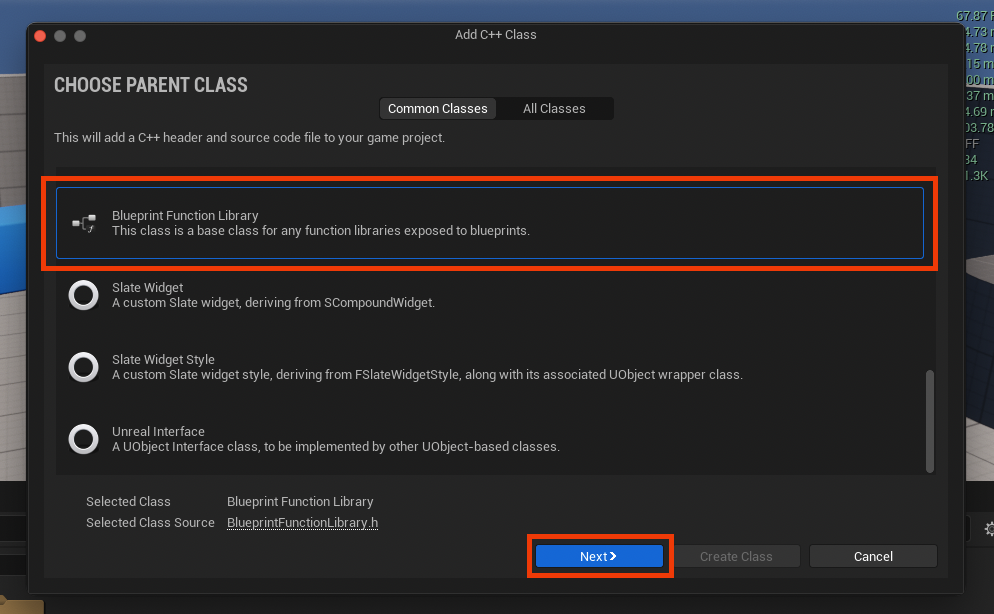
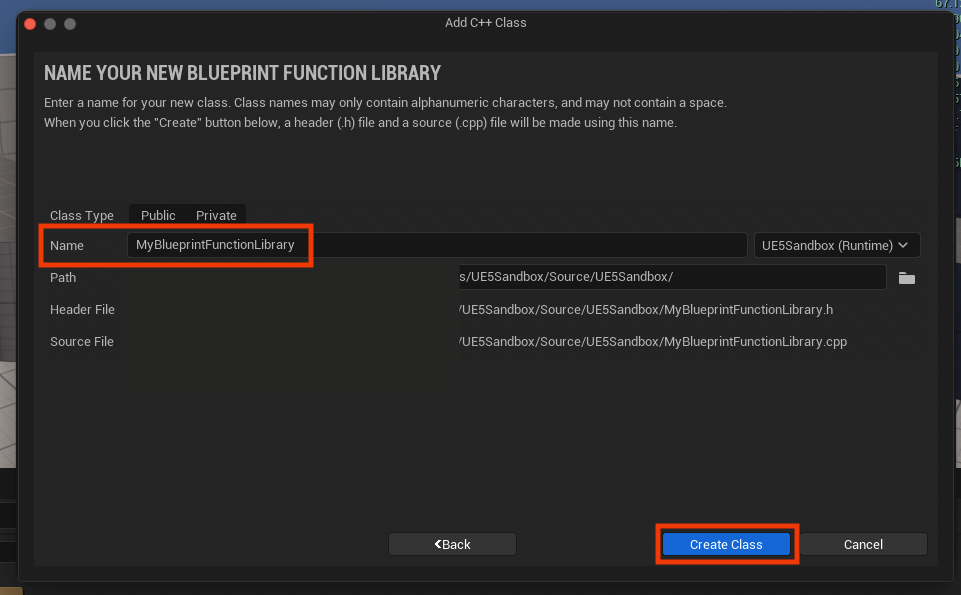
Creating the Blueprint Function Library Class: Once the IDE is ready, selecting "New C++ Class" opens a dialog box prompting for a parent class. Developers must scroll down and choose "Blueprint Function Library" from the list. This selection is crucial as it automatically sets up the necessary inheritance from
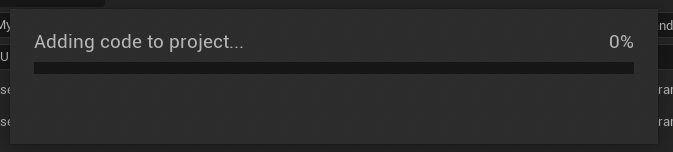
UBlueprintFunctionLibrary, providing the foundational structure for the new class. The next step involves naming the class. Following Unreal Engine’s naming conventions, a clear, descriptive name with PascalCase (e.g.,MyProjectUtilityLibrary,SaveLoadFunctions) is recommended for maintainability and discoverability. Upon clicking "Create Class," the engine compiles the new C++ files, generating a.h(header) file and a.cpp(source) file for the class. This compilation process integrates the new C++ class into the Unreal Engine build system.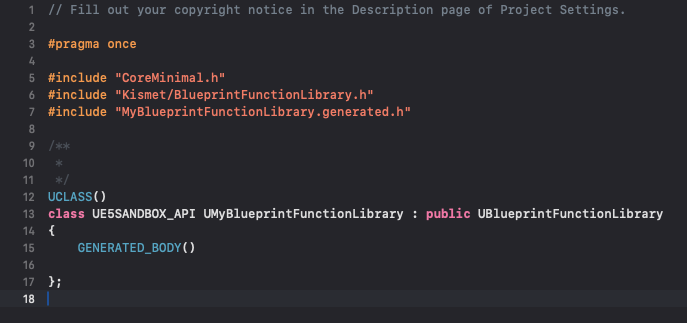
-
Integrating C++ Functions: With the class created, developers then open their chosen IDE to modify the generated
.hand.cppfiles.-
Header File (
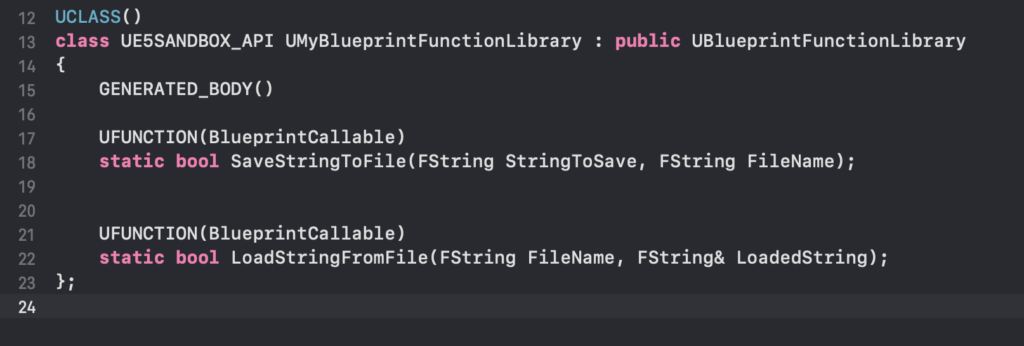
.h): Within the header file, function declarations are added. Each function intended for Blueprint exposure must be declared asstaticand prefixed with theUFUNCTION()macro. For enhanced usability, specifiers likeBlueprintCallableandCategoryare typically added, for example: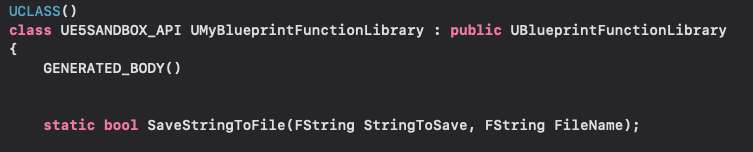
UCLASS()
class MYPROJECT_API UMyBlueprintFunctionLibrary : public UBlueprintFunctionLibrary

    GENERATED_BODY()
public:
    UFUNCTION(BlueprintCallable, Category = "File Operations")
    static bool SaveStringToFile(const FString& InString, const FString& Filename);

    UFUNCTION(BlueprintPure, BlueprintCallable, Category = "File Operations")
    static FString LoadStringFromFile(const FString& Filename);
;
The
BlueprintPurespecifier, used forLoadStringFromFile, indicates that the function does not modify the state of the object and can be called without execution pins, behaving like a getter. -
Source File (
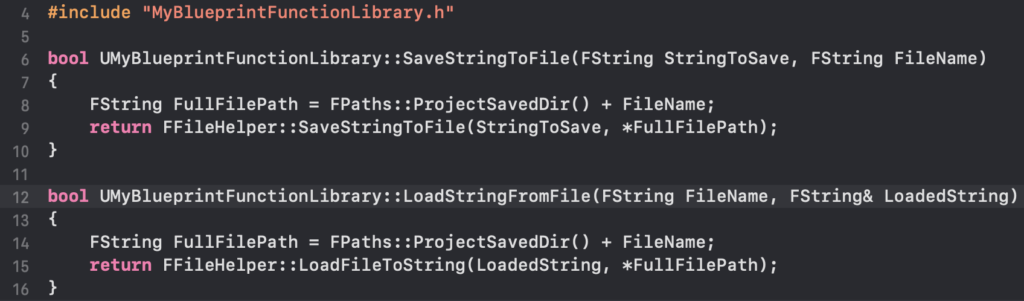
.cpp): The.cppfile contains the actual C++ implementation of these declared functions. For the string read/write example, theFFileHelperclass from Unreal Engine’s core library is leveraged. This class provides convenient static methods for common file operations. For instance,FFileHelper::SaveStringToFileandFFileHelper::LoadFileToStringcan be used to perform the desired functionality with robust error handling.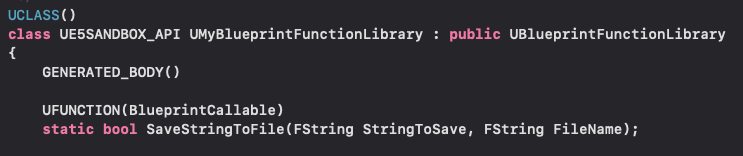
#include "MyBlueprintFunctionLibrary.h"
#include "Misc/FileHelper.h"
#include "HAL/PlatformFileManager.h"

bool UMyBlueprintFunctionLibrary::SaveStringToFile(const FString& InString, const FString& Filename)

    FString SaveDirectory = FPaths::ProjectSavedDir(); // Or FPaths::ProjectDir(), etc.
    FString AbsoluteFilePath = SaveDirectory + Filename;
    return FFileHelper::SaveStringToFile(InString, *AbsoluteFilePath);


FString UMyBlueprintFunctionLibrary::LoadStringFromFile(const FString& Filename)

    FString ResultString;
    FString LoadDirectory = FPaths::ProjectSavedDir();
    FString AbsoluteFilePath = LoadDirectory + Filename;
    FFileHelper::LoadFileToString(ResultString, *AbsoluteFilePath);
    return ResultString;
After implementing the functions, the project must be compiled from the IDE, and the Unreal Editor relaunched for the changes to take effect.
-
Real-World Application and Demonstrable Impact
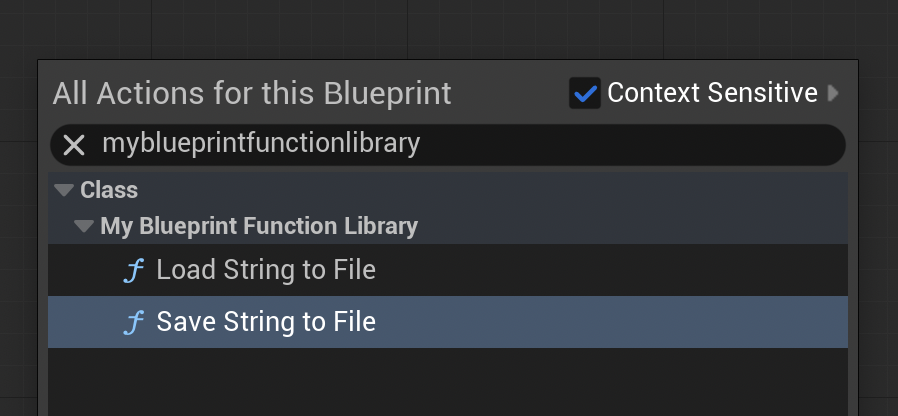
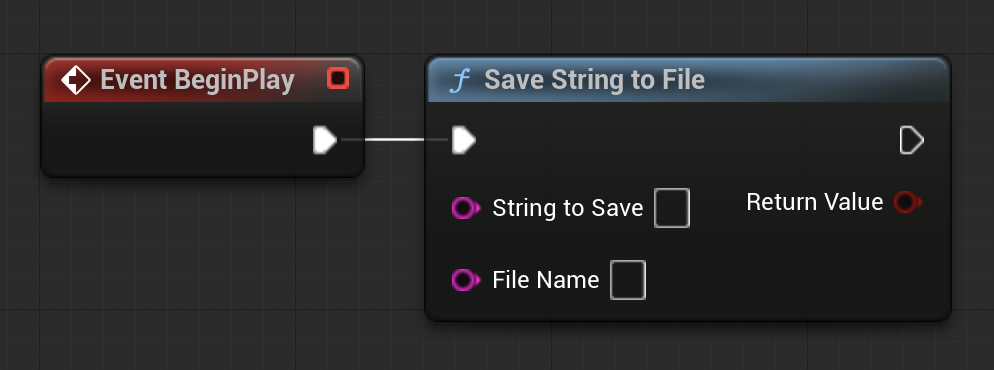
Upon successful compilation and editor relaunch, the newly created C++ functions become immediately accessible within any Blueprint editor. By right-clicking on the Blueprint graph and typing the name of the function library or the specific function (e.g., "Save String To File"), the C++ nodes appear as native Blueprint nodes, complete with input and output pins. This seamless integration ensures that designers can utilize powerful C++ backends without needing to understand the underlying code.
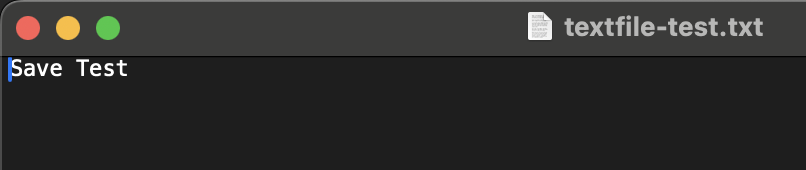
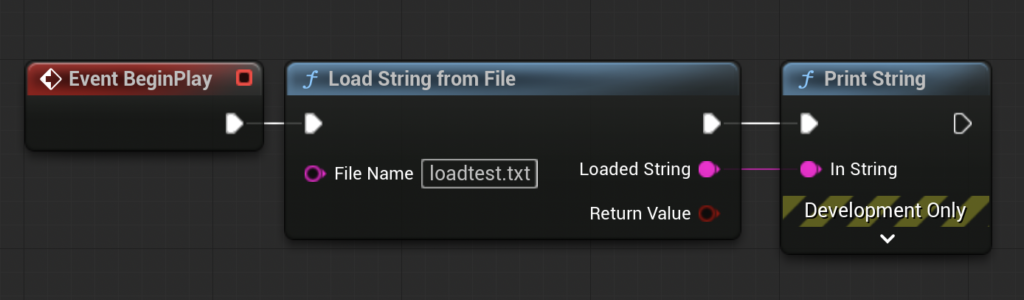
The practical demonstration provided by the original guide vividly illustrates this capability. By hooking the "Save String to File" function to a BeginPlay event in a Level Blueprint, developers can easily save a specified string (e.g., "Save Test") to a file (e.g., "textfile-test.txt") within the project’s /Saved folder. Subsequent verification confirms the file’s creation and content. Similarly, the "Load String from File" function, when connected to a "Print String" node, effectively reads a pre-populated file (e.g., "loadtest.txt" containing "Loading Test") and displays its content on screen during gameplay. This simple yet powerful example highlights not only the speed benefits of C++ but also its capacity to handle robust file system operations, which might otherwise be complex or even impossible to implement purely in Blueprint without third-party plugins.
Broader Implications and Strategic Advantages for Game Development
The adoption of C++ Blueprint Function Libraries carries significant strategic advantages for game development teams:
-
Enhanced Team Collaboration: This feature fosters a more harmonious workflow between C++ programmers and Blueprint-centric designers and artists. Programmers can develop, optimize, and rigorously test core functionalities in C++, then expose them as easy-to-use Blueprint nodes. Designers can then integrate these high-performance modules into their gameplay logic without needing C++ expertise, ensuring both efficiency and creative freedom. This modular approach reduces friction and improves iteration times across the development pipeline.
-
Superior Performance and Scalability: By offloading performance-critical computations to C++, projects can maintain high framerates and responsiveness, even with complex systems. This directly impacts the player experience and allows games to scale to larger, more detailed worlds and more sophisticated mechanics without compromising performance. It enables developers to push the boundaries of what’s possible within Unreal Engine.
-
Robustness and Maintainability: C++ code, being compiled, often leads to more robust and less error-prone implementations for complex algorithms. Encapsulating critical logic in C++ functions within a library provides a stable, well-defined interface for Blueprint users. This improves overall code quality and makes future maintenance and debugging more manageable, as the core logic is centralized and optimized.
-
Access to Advanced Engine Features and External Libraries: As previously noted, C++ provides direct access to the entirety of the Unreal Engine API and allows seamless integration with external C/C++ libraries. Blueprint Function Libraries serve as the gateway to expose these advanced functionalities – be it custom physics, complex networking protocols, or specialized data compression algorithms – directly into the visual scripting environment, vastly extending Blueprint’s capabilities.

-
Optimized Resource Utilization: Efficient C++ code reduces CPU cycles and memory footprint, which is crucial for delivering high-performance games across various target platforms, including consoles and mobile devices where resources are often constrained.
Conclusion: A Hybrid Future for Unreal Engine Development
The C++ Blueprint Function Library in Unreal Engine 5 is more than just a technical feature; it represents a philosophical commitment to hybrid development, acknowledging the strengths of both visual scripting and traditional programming. It empowers developers to strategically blend the rapid iteration of Blueprints with the raw performance and deep control of C++, creating a development workflow that is both efficient and flexible. By understanding and implementing these function libraries, developers can effectively mitigate Blueprint performance bottlenecks, unlock previously inaccessible C++ functionalities, and build more robust, scalable, and high-performance games. This integration is a cornerstone of modern Unreal Engine development, solidifying its position as a versatile platform capable of meeting the diverse demands of contemporary game creation. As the industry continues to push graphical fidelity and gameplay complexity, the ability to seamlessly transition between C++ and Blueprint will remain an indispensable tool for achieving ambitious creative visions.
About the Author