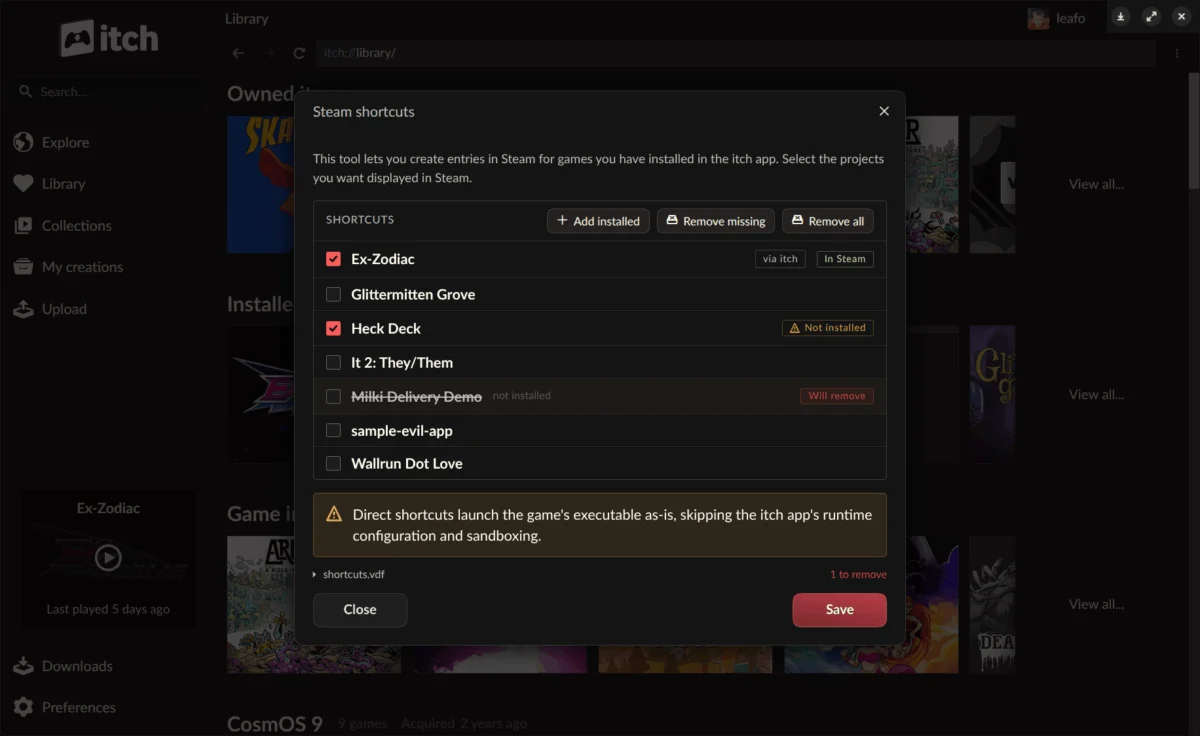
The independent game storefront itch.io has rolled out a significant update to its desktop application, version 26.20.0, introducing a suite of highly anticipated features designed to enhance user experience, improve platform interoperability, and streamline game management. Headlining the update are robust Steam shortcut capabilities, a revolutionary headless game launch mode, and the practical ability to link existing game folders directly into the app’s library. These advancements mark a strategic evolution for itch.io, positioning it more centrally within the diverse gaming ecosystems players navigate daily.
Itch.io’s Evolving Ecosystem: A Background
Since its inception in 2013, itch.io has cultivated a unique niche in the digital distribution landscape, distinguishing itself as a haven for independent game developers and a platform championing creative freedom and fair revenue sharing. Unlike larger, more corporate storefronts, itch.io has fostered a community-driven environment, often associated with experimental games, game jams, and a strong emphasis on DRM-free content. Its commitment to empowering creators, offering flexible pricing models, and providing robust tools like butler (its command-line utility for game uploads and updates) has solidified its reputation among the indie development community.
However, the modern gaming landscape is characterized by its fragmentation. Players often juggle libraries across multiple platforms—Steam, Epic Games Store, GOG, and various console ecosystems. For itch.io users, particularly those with extensive Steam libraries or using hardware like the Steam Deck, managing games across these disparate environments could be cumbersome. The demand for greater interoperability has been a recurring theme within the community, reflecting a broader industry trend towards reducing friction for players who increasingly seek a unified access point for their diverse game collections. This new update, therefore, represents a direct response to these long-standing user requests, signaling itch.io’s commitment to evolving its user experience while staying true to its indie roots.
Bridging Worlds: Seamless Steam Integration
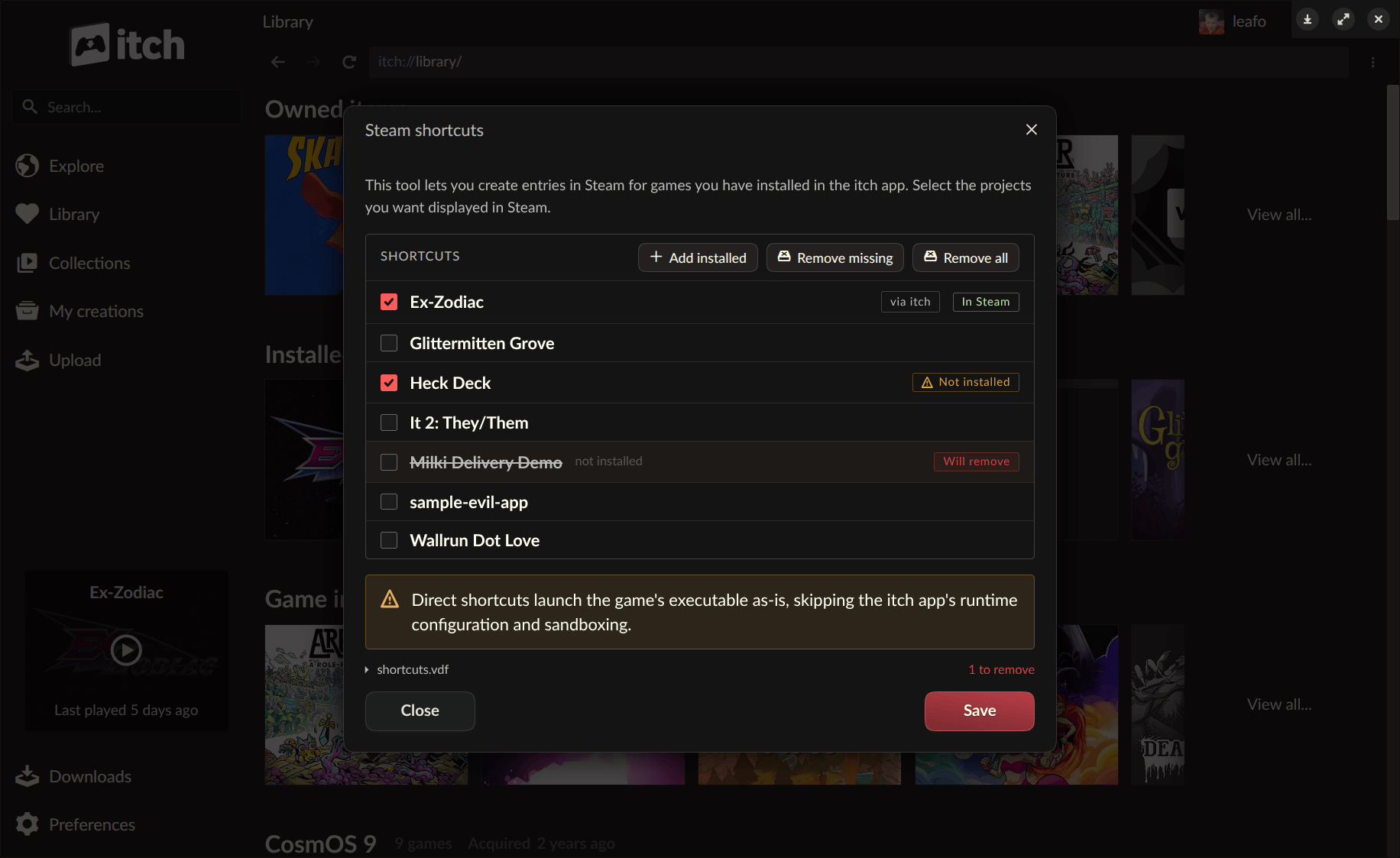
The most prominent feature in version 26.20.0 is the introduction of Steam shortcuts, a functionality that allows users to add games installed through the itch.io app directly to their Steam library. This integration is particularly impactful for players deeply entrenched in the Steam ecosystem, especially those utilizing Valve’s popular Steam Deck handheld PC or navigating their PC gaming experience through Steam’s Big Picture mode. By allowing itch.io titles to appear and launch from within Steam, users can now enjoy a more cohesive gaming experience without the need to switch between applications.
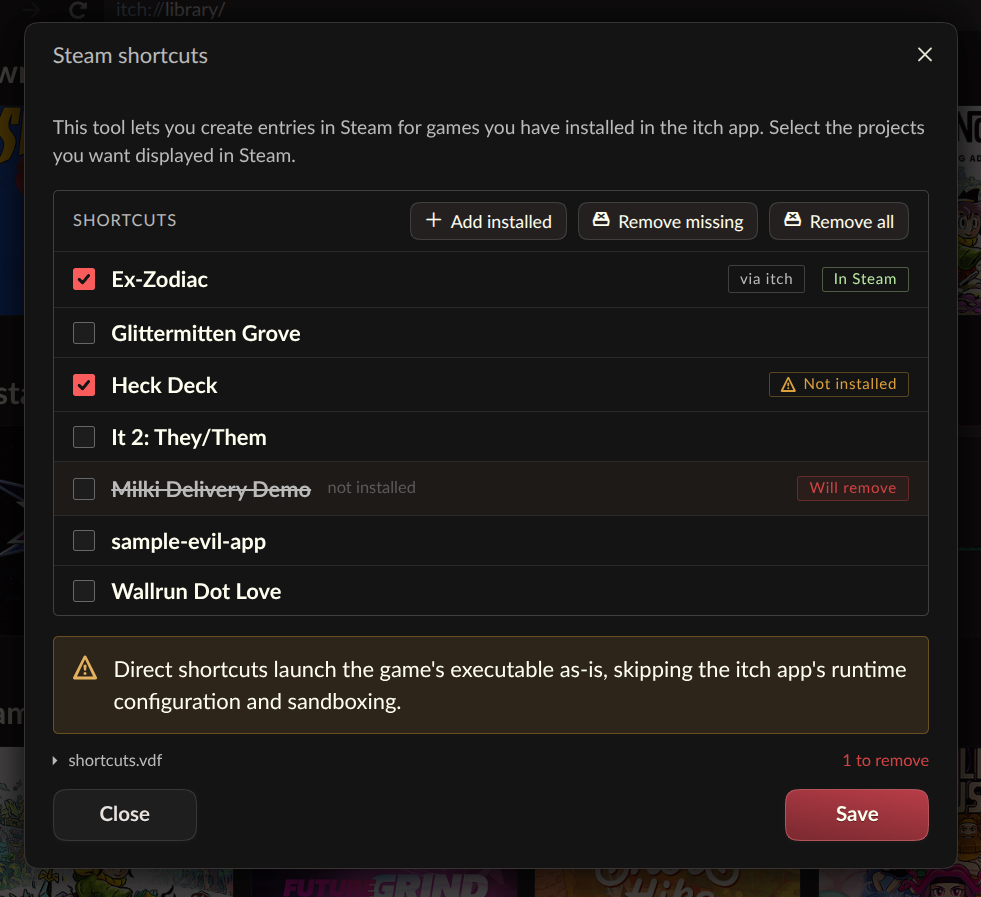
The process of adding these shortcuts is designed for user convenience. Players can access the Steam Shortcuts tool directly from the itch.io app’s preferences page, or by right-clicking on any installed game within their itch.io library and selecting the "Steam Shortcuts" option. Upon synchronization, all itch.io games are automatically organized into a dedicated "itch.io" collection within the Steam client, ensuring easy identification and management. This automatic categorization is a thoughtful touch, preventing a deluge of new titles from cluttering existing Steam libraries and maintaining a clean, organized interface.
While a significant step forward, itch.io has candidly labeled this feature as "somewhat experimental." This transparency encourages the community to actively participate in its refinement by reporting any bugs or compatibility issues encountered. This iterative approach is characteristic of itch.io’s development philosophy, often relying on user feedback to perfect new functionalities. To maximize compatibility, users are provided with options to configure each shortcut with two distinct launch modes. While the specific technical details of these modes are not exhaustively detailed, it can be inferred that these options likely cater to various game configurations—perhaps one mode for direct executable launch and another for scenarios requiring additional parameters or a specific compatibility layer managed by the itch.io app itself. This flexibility aims to ensure that the vast and often idiosyncratic nature of indie game builds can be accommodated.
The implications of this Steam integration are manifold. For users, it offers unparalleled convenience, making indie gems from itch.io as accessible as AAA titles in their Steam library. For developers, it potentially increases the discoverability and playability of their games, as players are more likely to engage with titles that are seamlessly integrated into their primary gaming platform. Given the burgeoning popularity of the Steam Deck, which has sold millions of units since its launch, enabling direct access to itch.io’s diverse catalog through Steam significantly broadens the potential audience for indie creators. This move acknowledges the reality of modern gaming habits, where cross-platform accessibility is increasingly paramount.
Technical Innovation: The Headless Launch Mode
Underpinning the new Steam shortcut functionality, and arguably the most significant technical advancement in this update, is the introduction of a "headless" launch mode for itch.io games. This innovative feature allows installed games to be executed with the full backing of the itch.io app’s support systems, but critically, without the graphical user interface (GUI) of the app needing to be actively running. This was a prerequisite for the seamless Steam integration, as Steam’s launcher expects to directly invoke game executables rather than requiring an intermediate application to be fully loaded.
The headless launch mode is activated via a simple command-line interface: itch-setup --run-game <gameId> [--profile-id <profileId>]. This command takes the unique identifier of an installed game and, optionally, a specific profile ID, to initiate the game directly. While developed out of necessity for Steam, itch.io emphasizes that this capability is not exclusive to Valve’s platform. Any external launcher, custom shortcut system, or script can leverage this command to integrate itch.io games, opening up a wealth of possibilities for power users, developers creating custom front-ends, or even educational institutions managing game libraries.
The sophistication of the headless mode lies in its ability to maintain the integrity and functionality of the full itch.io app experience. When a game is launched in this manner, it still fully respects all configurations and settings established within the app. This includes critical features such as sandboxing for security, the detection and installation of prerequisites (like DirectX or Visual C++ runtimes), per-game launch settings customized by the user, accurate play time tracking, and the secure passing of API keys to games that require them. This ensures a consistent and controlled environment for game execution, regardless of whether the full app GUI is visible.
Technically, this functionality is powered by a new butler launch subcommand, which directly interacts with the user’s existing itch.io app database to retrieve settings and initiate the game. This approach leverages itch.io’s robust butler toolchain, which is already central to how developers upload and update their games, and how the app manages installations. The new mode effectively extends butler‘s capabilities to direct game execution.
It’s important to note that not all types of games are fully supported by the headless launch mode. Specifically, HTML5 games, which inherently require a web browser for execution, will still necessitate the full itch.io app to launch and manage the browser instance. This limitation is a practical one, dictated by the underlying technology of HTML5 games, and does not detract from the broader utility of the headless mode for native applications. To further assist those interested in building custom integrations, itch.io has provided comprehensive documentation, including a guide for interfacing with the itch app to create bespoke launchers, accessible at https://itch.io/docs/butler/launcher-integration.html. This commitment to open documentation underscores itch.io’s developer-friendly philosophy and encourages broader adoption of its ecosystem.
Streamlining Library Management: Linking Existing Folders
Beyond platform interoperability, the v26.20.0 update also introduces a practical quality-of-life improvement for managing game libraries: the ability to link an existing game folder to a title within the itch.io app. This feature addresses a common scenario where users might have downloaded a game from itch.io outside of the official application—perhaps directly from a browser, through a bundle, or via an external link provided by a developer. Previously, to integrate such a game into their itch.io app library, users would often have to re-download the entire title through the app, leading to unnecessary data consumption and time expenditure.
With the new "Link existing folder…" option, users can now simply point the itch.io app to a pre-existing game directory. This option is conveniently located within a game’s install dialog, appearing alongside the traditional download choices. Once linked, the game seamlessly integrates into the user’s library, appearing as "installed" and becoming fully launchable just like any game downloaded directly through the app. This functionality is particularly valuable for large game files where re-downloading is impractical, or for projects that distribute their games via external links or non-standard archives that the app might not natively process for installation.
Itch.io describes this feature as an "escape hatch," emphasizing its deliberate simplicity. The app, in this instance, takes the user’s word regarding the contents of the linked folder; no extensive file verification or integrity checks are performed. This design choice prioritizes user convenience and flexibility, acknowledging that users who choose this option are typically confident in the integrity of their existing game files. While this means the app won’t automatically detect if a linked folder contains corrupted or incomplete data, it provides a powerful tool for integrating diverse acquisition methods into a unified library experience. It represents another step in itch.io’s ongoing effort to make its platform as adaptable and user-friendly as possible, accommodating the varied ways players acquire and manage their indie game collections.
Community Engagement and Future Outlook
The release of version 26.20.0 builds upon a consistent stream of updates, including recent improvements in versions 26.15 and 26.17, indicating a robust and active development cycle for the itch.io app. These updates collectively enhance the launcher’s utility for managing small, experimental, and unique games—the very heart of itch.io’s catalog.
Initial community reactions, as seen in comments following the announcement, have been largely positive. Users have expressed excitement over the Steam integration, recognizing its potential to simplify their gaming routines. However, the comments also reflect the diverse aspirations of the itch.io community, with some users suggesting further integrations with platforms like GOG (for those who prioritize DRM-free gaming) or requesting enhanced mobile support for the growing segment of Android handheld gamers. Specific technical queries, such as better Wine version management for Linux users or updates for the Mac version of the app, also highlight the active engagement and varied needs within the user base. Itch.io’s commitment to inviting bug reports for the experimental Steam shortcuts further underscores this collaborative development approach.
From an industry perspective, itch.io’s embrace of interoperability is a smart strategic move. In an increasingly competitive digital storefront landscape, platforms that offer flexibility and reduce friction for users tend to gain significant traction. By making it easier for players to integrate itch.io games into their existing Steam workflows, the platform not only enhances its user experience but also broadens its appeal to a demographic that might otherwise overlook indie titles on a separate launcher. This could lead to increased discoverability and sales for developers, reinforcing itch.io’s vital role in the indie game ecosystem.
The update can be acquired directly from https://itch.io/app. Existing users will find that their application automatically updates, or they can manually check for updates via the Preferences screen. The comprehensive list of changes, fixes, and security enhancements are detailed in the official release notes on GitHub. Furthermore, itch.io continues to rely on its community for localization efforts, inviting users to contribute translations for the app via Weblate. This collaborative spirit remains a cornerstone of itch.io’s identity and development process.
In conclusion, itch.io’s v26.20.0 update is more than just a collection of new features; it represents a strategic evolution towards a more interconnected and user-centric indie gaming future. By directly addressing long-standing community requests and embracing cross-platform compatibility, itch.io reinforces its position as a dynamic and responsive platform dedicated to empowering both creators and players in the vibrant world of independent games. The implications are clear: a more convenient experience for players, broader reach for developers, and a stronger, more integrated itch.io ecosystem poised for continued growth.
About the Author