The landscape of modern game development, particularly within the powerful Unreal Engine 5 (UE5) ecosystem, is profoundly shaped by the efficiency and accessibility offered through visual scripting. At the heart of this paradigm lies the function, a fundamental programming concept meticulously implemented within UE5’s Blueprint visual scripting system. These self-contained blocks of code are not merely convenient; they represent a critical architectural element that enables developers, from solo indie creators to large studio teams, to construct complex game logic with unparalleled clarity, reusability, and maintainability. This deep dive explores the intrinsic value, practical application, and broader implications of Blueprint Functions, providing a robust understanding for anyone navigating the intricacies of UE5 development.
The Evolution and Importance of Visual Scripting in Game Development
The journey of game development has seen a continuous quest for more intuitive and efficient methods of crafting interactive experiences. Historically, game logic was almost exclusively written in compiled languages like C++. While powerful, this approach often presented steep learning curves, prolonged iteration times, and a significant barrier to entry for non-programmers. Epic Games, recognizing this challenge, spearheaded the development of Unreal Engine’s Blueprint visual scripting system, a groundbreaking innovation that democratized game development. Blueprints, introduced as early as Unreal Engine 3, have evolved significantly, reaching their pinnacle in UE5 as a robust, fully-featured alternative to traditional coding for a vast majority of gameplay systems.
Blueprint Functions stand as a cornerstone of this visual scripting philosophy. They encapsulate specific pieces of logic, allowing developers to define a sequence of actions, calculations, or behaviors once, and then invoke that sequence from various points within a Blueprint actor or even across different Blueprints through appropriate interfaces. This modular approach directly addresses common development pain points such as redundant code, debugging complexities, and difficulties in collaboration. The ability to abstract intricate operations into a single, named function node dramatically cleans up visual graphs, making them more readable and manageable, especially in projects scaled to triple-A complexity.
Deconstructing the Function: Core Concepts and Practical Benefits
Fundamentally, a Blueprint Function operates on the principle of encapsulation. It is a discrete unit of code designed to perform a specific task. Unlike an event, which typically reacts to external triggers (like "Begin Play" or a user input), a function is explicitly "called" or "run" when its logic is required. This distinction is crucial for understanding proper Blueprint architecture. A key characteristic that elevates functions beyond simple code blocks is their capacity to accept "input parameters" and return "output parameters." These parameters act as conduits, allowing data to flow into the function for processing and then allowing the results of that processing to be passed back out.
Consider a common scenario in game development: calculating damage. Without functions, every instance where damage needs to be calculated (e.g., player hit by enemy, enemy hit by projectile, environmental damage) would require duplicating the same complex logic: checking for armor, applying resistances, calculating critical hits, etc. This redundancy is not only inefficient but also a breeding ground for bugs. If a change is needed—say, a new armor type is introduced—the developer would have to manually update every single damage calculation instance, increasing the likelihood of errors and consuming valuable development time.
This is precisely where Blueprint Functions shine. A single CalculateDamage function can be created, taking inputs like BaseDamage (float), DamageType (enum), and TargetActor (actor reference). Inside this function, all the necessary calculations are performed. Finally, it returns an ActualDamageDealt (float) output. Now, every time damage needs to be calculated, developers simply "call" this CalculateDamage function, providing the necessary inputs. If the damage calculation logic ever changes, only the CalculateDamage function needs to be updated, and those changes automatically propagate to every location where the function is called. This single point of truth vastly improves code maintainability, reduces debugging cycles, and ensures consistency across the entire project.
The Workflow of Function Creation in Unreal Engine 5
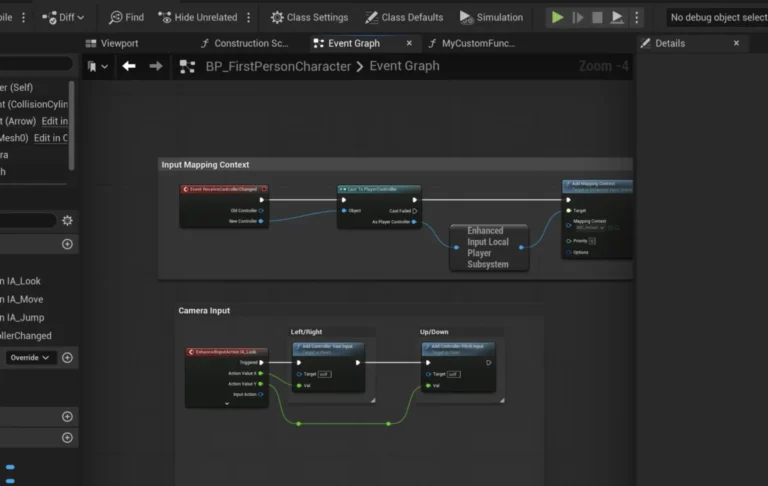
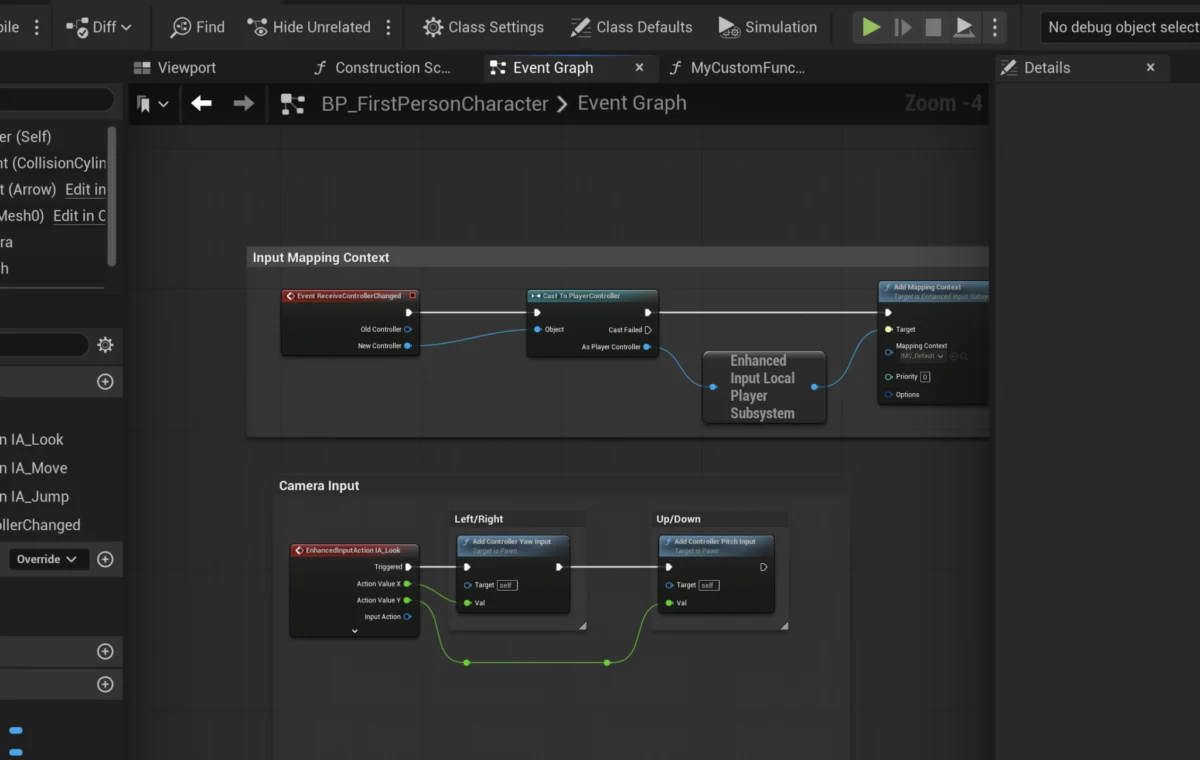
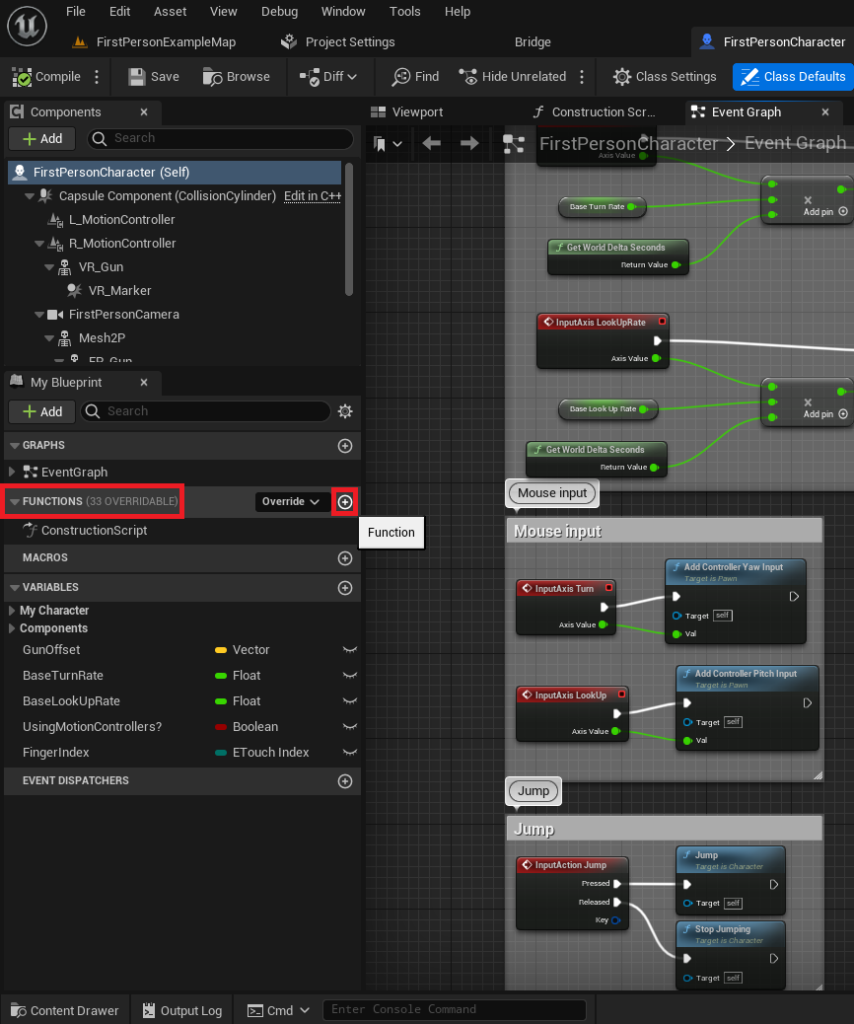
The process of implementing Blueprint Functions within the Unreal Editor is designed to be intuitive, even for those new to programming concepts. It begins within a specific Blueprint actor, such as the FirstPersonCharacter Blueprint found in Epic’s standard First Person Shooter template. Within the Blueprint editor, a dedicated "Functions" section on the left-hand side serves as the repository for all functions belonging to that particular Blueprint.
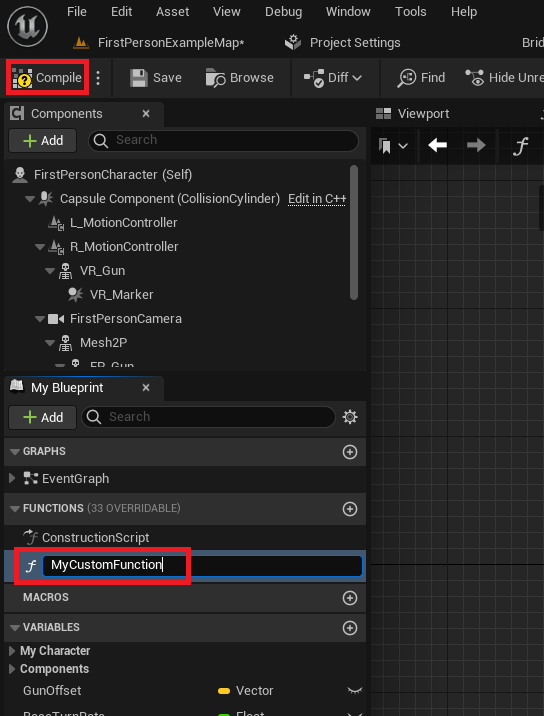
To initiate a new function, a developer simply clicks a "plus" icon next to the Functions section. This action creates a new, empty function graph, prompting the user to assign a descriptive and clear name. Adhering to consistent naming conventions is paramount for project organization and team collaboration, preventing confusion as projects grow in scope. Once named and compiled, the function is ready for logic implementation.
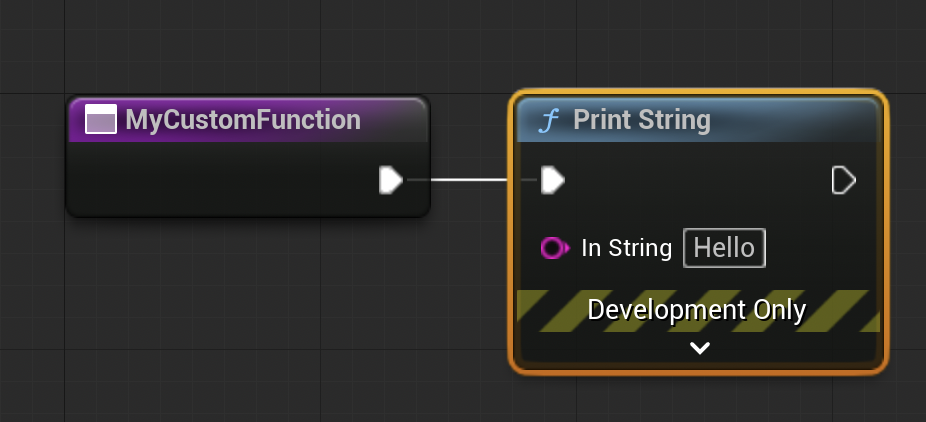
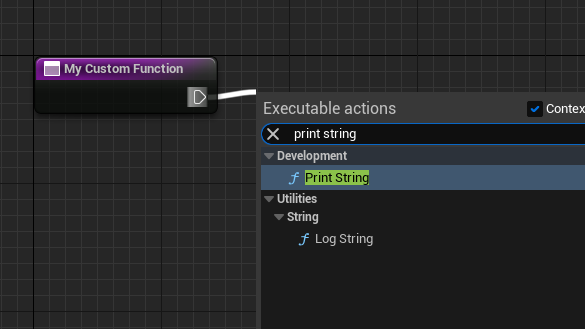
Initially, a function might contain a simple action, such as printing a string to the screen for debugging purposes. This involves dragging an "exec pin" (a white arrow indicating execution flow) from the function’s entry node and selecting a Print String node from the contextual menu. This establishes a sequential flow: when the function is called, the Print String node will execute.
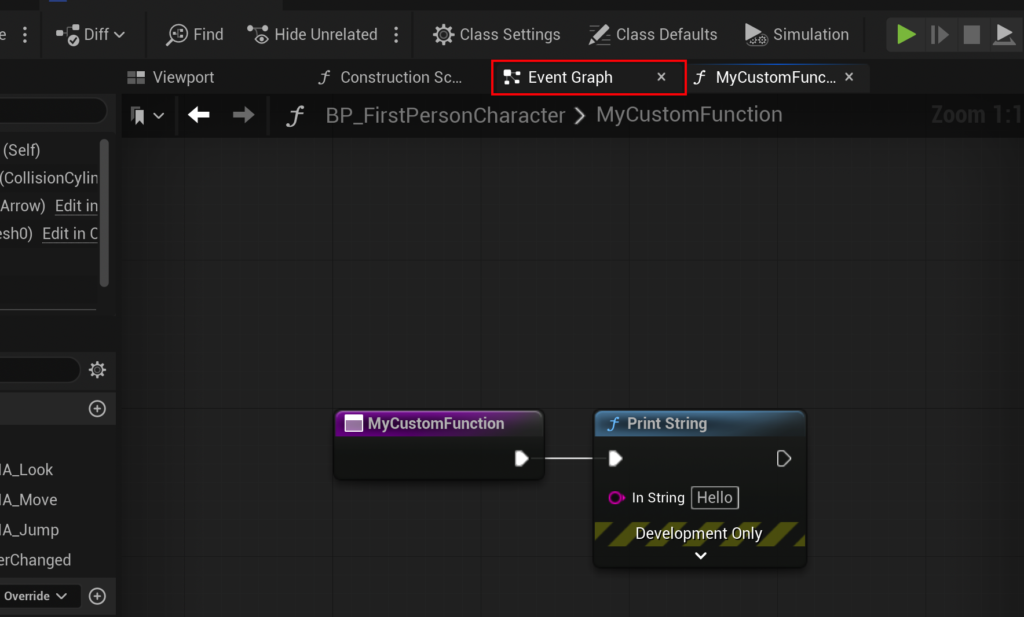
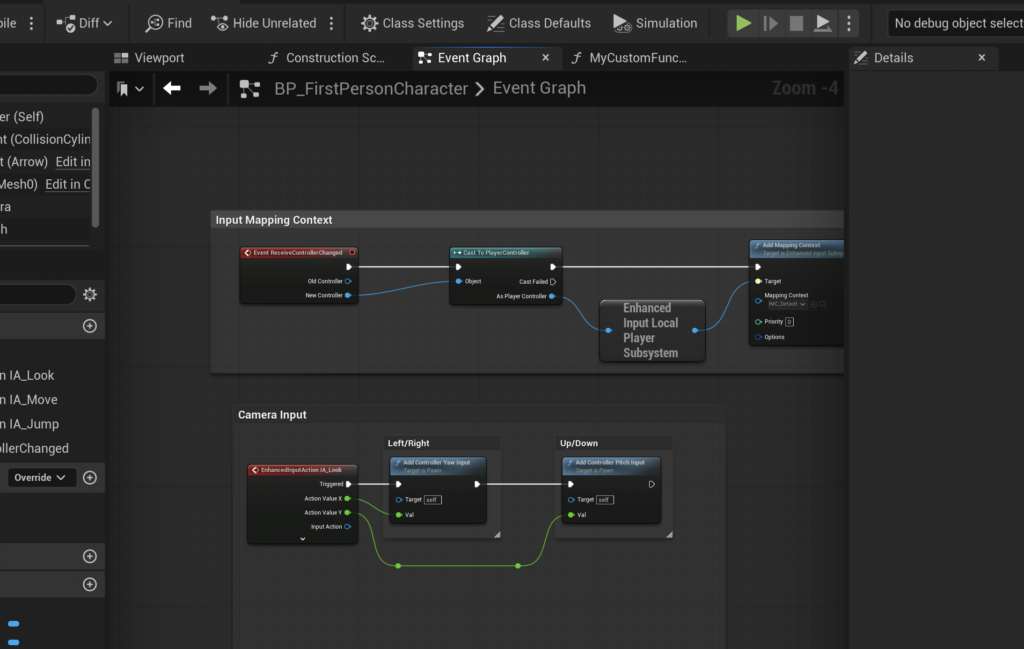
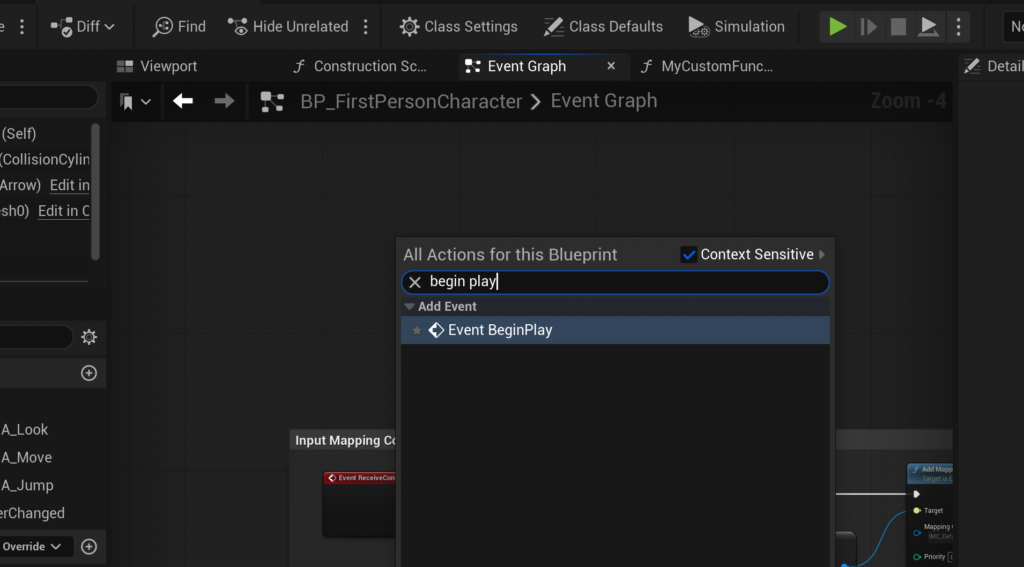
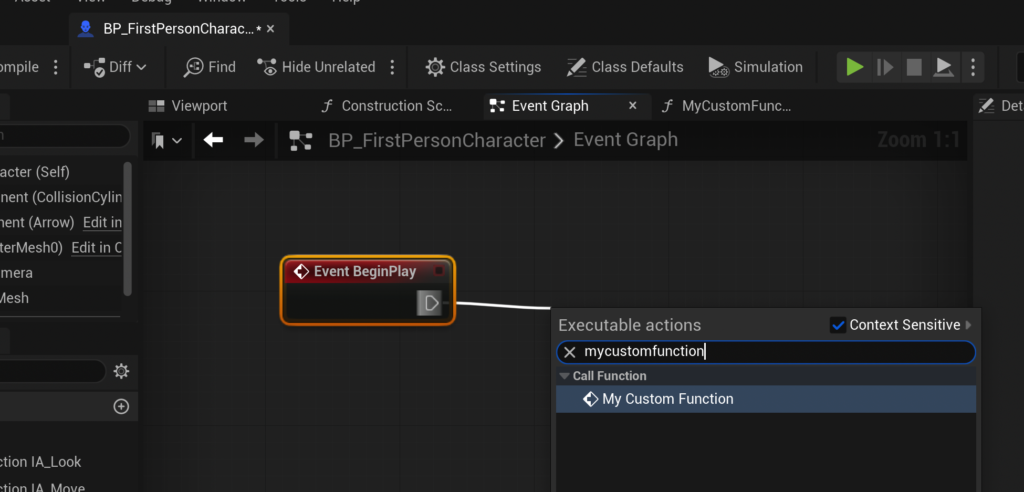
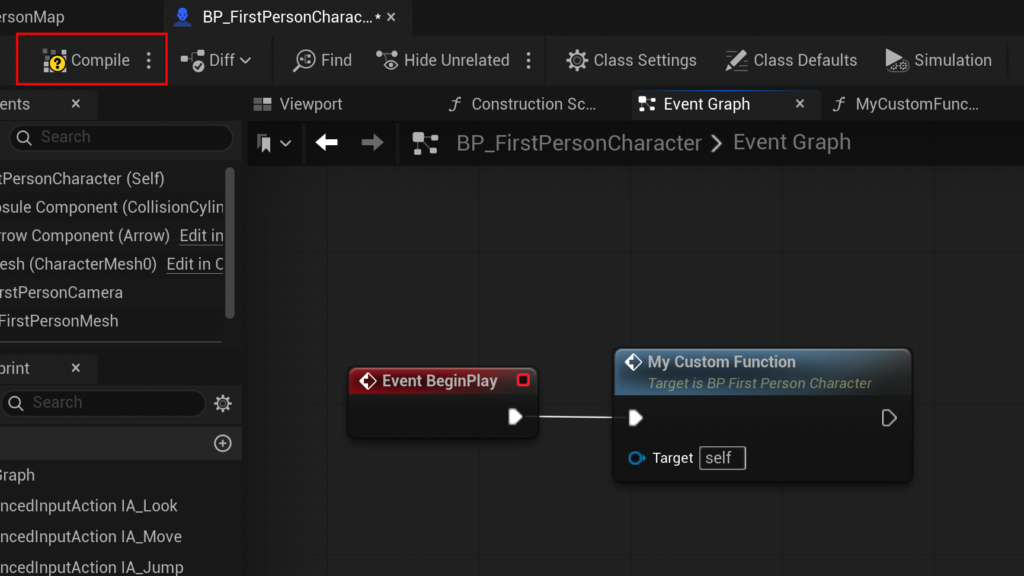
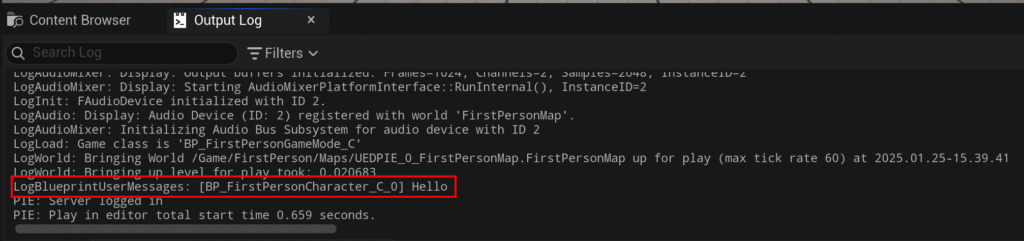
To test this basic functionality, the function needs to be "called." A common starting point is the Event Begin Play, an event node present in the Blueprint Event Graph that automatically triggers when the actor is spawned into the game world. By dragging an exec pin from Event Begin Play and searching for the newly created function, a "call function" node is generated and connected. Compiling and saving the Blueprint, then running the game, will demonstrate the function’s execution by displaying the specified string in the output log. This fundamental loop of creation, implementation, and testing forms the bedrock of Blueprint development.
Advanced Functionality: Parameters and Return Values
The true power of Blueprint Functions is unlocked through the use of input and output parameters. These allow functions to be highly flexible and dynamic, performing operations on varying data without needing to be rewritten for each specific case.
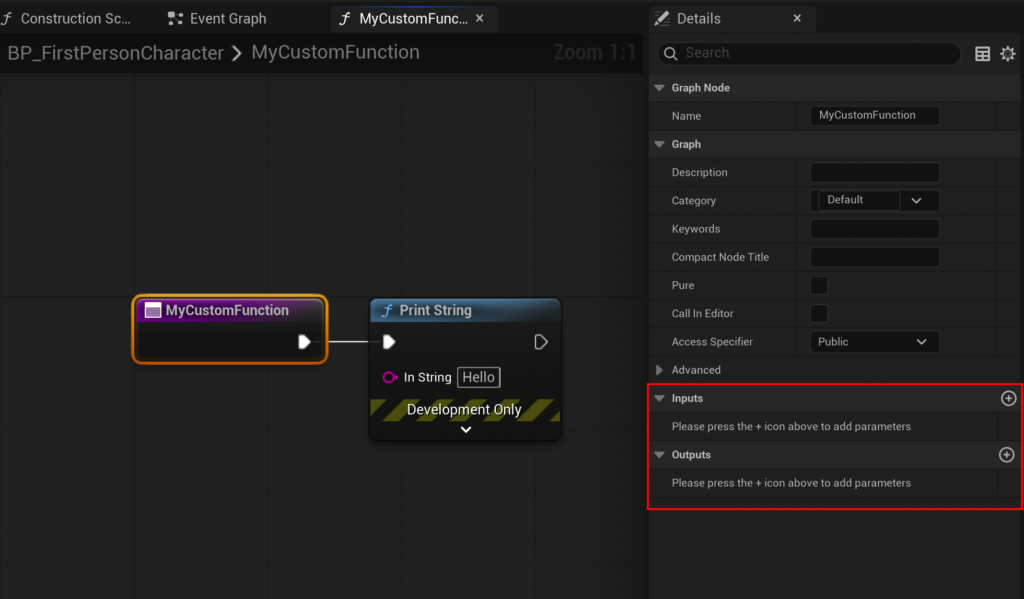
When a function node (often represented as a purple node in the graph editor) is selected, its "Details" panel reveals dedicated sections for "Inputs" and "Outputs." Adding a new input parameter involves clicking the "plus" icon in the Input section, then defining its name and data type (e.g., Float, Integer, Boolean, Vector, or even custom object references). For our CalculateDamage example, an input parameter named Damage of type Float would be created. This Damage parameter then appears as a green pin on the function’s entry node within its graph, allowing its value to be accessed and used in calculations.
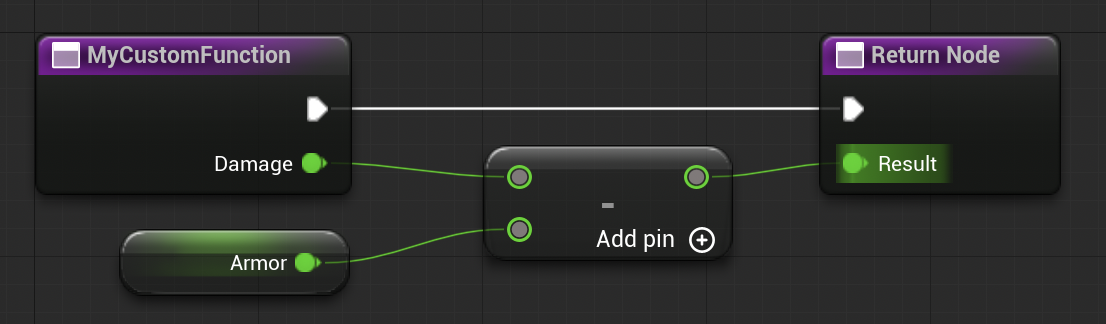
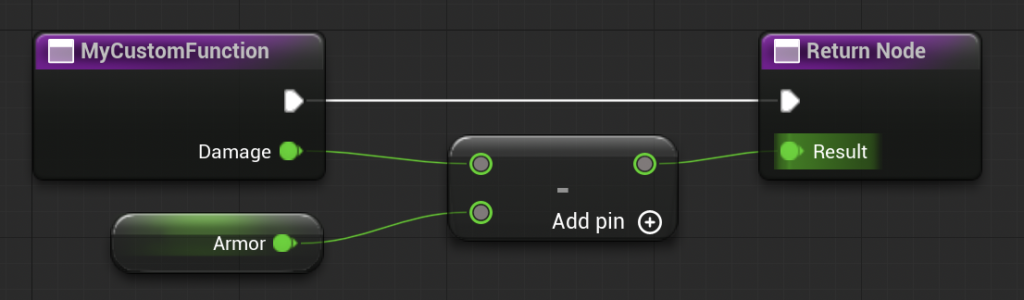
To perform the damage calculation, nodes like a Float - Float (subtraction) node can be introduced. The Damage input would feed into the top pin of the subtraction node. The value to be subtracted, representing armor, could be "promoted to variable" directly from the bottom pin of the subtraction node. This creates a new variable, say Armor, which can be set to a default value (e.g., 15.0). The resulting output of the subtraction node is the calculated damage.
Crucially, to make this calculated value accessible outside the function, it must be "returned." Similar to inputs, output parameters are added via the "Outputs" section in the function’s details panel. An output parameter named Result of type Float would be appropriate for CalculateDamage. Upon creation, a "Return Node" automatically appears in the function graph, featuring a Result pin. Connecting the output of the subtraction node to this Result pin effectively sends the calculated value out of the function.
Back in the Event Graph, where the function is called, the CalculateDamage node will now display the Damage input pin and the Result output pin. A developer can then feed a numerical value (e.g., 20.0) into the Damage input and connect the Result output to another Print String node for verification. With Damage at 20.0 and Armor at 15.0, the output log would display "5," confirming the successful calculation and return of the processed value.
Limitations and Considerations: Functions vs. Events
While Blueprint Functions are incredibly versatile, they do have specific limitations that differentiate them from other Blueprint constructs, notably Custom Events. A primary distinction is that functions are inherently synchronous and cannot contain nodes that introduce delays or asynchronous operations. For instance, a Delay node, which pauses execution for a specified duration, cannot be placed within a Blueprint Function. If a piece of logic requires such asynchronous behavior, it must be implemented using Custom Events or other event-driven mechanisms. This design choice ensures that functions are predictable, execute entirely within a single frame, and do not introduce complex temporal dependencies that could lead to unexpected behavior.
Another subtle but important point is scope. A function created within a specific Blueprint actor is generally scoped to that actor, meaning it can only be called from within that same Blueprint. For logic that needs to be globally accessible or shared across many different types of Blueprints, more advanced concepts like Blueprint Function Libraries or Blueprint Interfaces come into play, offering mechanisms for broader reusability.
Broader Implications for Game Development
The systematic adoption of Blueprint Functions carries significant implications for the efficiency, quality, and scalability of game development projects:
- Enhanced Code Readability and Maintainability: By breaking down complex operations into smaller, named functions, Blueprint graphs become less sprawling and easier to understand. This clarity is invaluable for long-term project maintenance and for new team members joining an existing project.
- Reduced Debugging Time: Isolated functions are easier to test and debug. If an issue arises with damage calculation, a developer knows exactly which function to inspect, rather than sifting through vast, undifferentiated graphs.
- Improved Collaboration: In team environments, functions allow multiple developers to work on different aspects of gameplay logic simultaneously without stepping on each other’s toes. One programmer can refine the
CalculateDamagefunction while another implements a new weapon that calls it. - Faster Prototyping and Iteration: The reusability of functions accelerates the prototyping phase. Common gameplay elements can be quickly assembled from existing function libraries, allowing designers and developers to rapidly test new ideas.
- Consistency and Reliability: Functions enforce a single source of truth for specific logic. This consistency reduces the chance of subtle bugs arising from variations in duplicated code segments.
- Performance Optimization: While Blueprints are generally slower than C++, well-structured Blueprints utilizing functions can be optimized more effectively. Epic Games continues to improve Blueprint compilation and execution performance, making them viable for even performance-critical gameplay elements.
The prevalence of Unreal Engine in the gaming industry, powering titles from massive open-world epics to intricate indie gems, underscores the importance of mastering its core features. Statistics from Epic Games consistently highlight the growing adoption of UE5, with millions of developers worldwide leveraging its tools. Blueprint Functions are not merely a feature; they are an essential skill set for anyone aspiring to build robust, scalable, and professional-grade interactive experiences within this powerful engine.
Conclusion
Blueprint Functions in Unreal Engine 5 represent a cornerstone of efficient and accessible game development. By enabling developers to encapsulate, reuse, and manage complex logic with unparalleled ease, they are instrumental in fostering cleaner, more maintainable, and collaborative projects. From simple utility tasks like printing debug messages to sophisticated gameplay mechanics such as dynamic damage calculation, functions provide the modularity necessary to construct intricate virtual worlds. As Unreal Engine continues to evolve, the fundamental principles and practical applications of Blueprint Functions will remain indispensable tools for creators striving to bring their imaginative visions to life, solidifying their position as a bedrock of modern interactive experiences.
About the Author