Game developers aiming to support robust and scalable multiplayer gameplay in their Unreal Engine 5 (UE5) projects now have access to a crucial resource detailing the setup and configuration of dedicated servers. This comprehensive guide addresses the fundamental requirements for building high-performance, secure, and reliable online gaming experiences, moving beyond the limitations of peer-to-peer hosting. Whether designing competitive shooters, cooperative survival adventures, or expansive social sandboxes, a dedicated server architecture ensures players connect to a centralized, independent game instance, significantly enhancing performance and stability.
The Strategic Imperative of Dedicated Servers in Modern Gaming
In the rapidly evolving landscape of online gaming, the choice of server architecture is a pivotal decision impacting game quality and player retention. For many multiplayer titles, particularly those with aspirations for large player counts, competitive integrity, or persistent worlds, dedicated servers represent the industry standard. Unlike listen servers, where one player’s machine hosts the game, a dedicated server runs independently on a remote machine, solely focused on processing game logic and managing player connections. This architectural distinction is critical for mitigating common multiplayer issues such as host advantage, latency inconsistencies, and susceptibility to cheating.
The growing demand for high-fidelity, responsive online experiences underscores the necessity of robust backend infrastructure. Developers leveraging Unreal Engine 5, known for its cutting-edge graphics and sophisticated toolset, face the challenge of matching visual prowess with equally powerful networking solutions. A dedicated server eliminates the reliance on individual player hardware, providing a consistent, authoritative source for game state. This translates directly into fairer gameplay, reduced desynchronization, and a smoother experience for all connected clients, regardless of their internet connection quality relative to a peer host. Industry data consistently shows that games with stable, low-latency multiplayer environments command higher player engagement and longer lifespans.
Prerequisites: Laying the Foundation for Server Development
The initial phase of dedicated server deployment in Unreal Engine 5 mandates specific prerequisites to ensure a successful build. Developers must begin with a fully functional multiplayer UE5 project. For those without a pre-existing project, supplemental guides, such as CouchLearn’s "Multiplayer Sessions in Unreal Engine 5," are recommended to establish the foundational networking elements.
Crucially, the server build process necessitates a source build of Unreal Engine, rather than a version downloaded directly from the Epic Games Launcher. This requirement stems from the need to access server-specific build targets and configurations not available in the pre-compiled launcher version. Epic Games provides detailed documentation for building the engine from source, a process that grants developers greater control over the engine’s compilation and allows for specialized server configurations. Furthermore, the guide emphasizes the indispensable role of the AdvancedSessions plugin, which is essential for ensuring the dedicated server correctly registers and displays in the session browser, enabling players to discover and join games seamlessly. Without this plugin, server discovery functionality may be severely hampered, hindering player access.
Automating Server Initialization: Streamlining Session Management
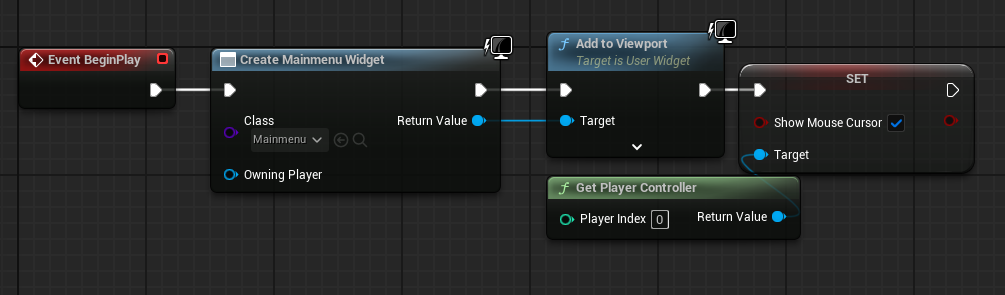
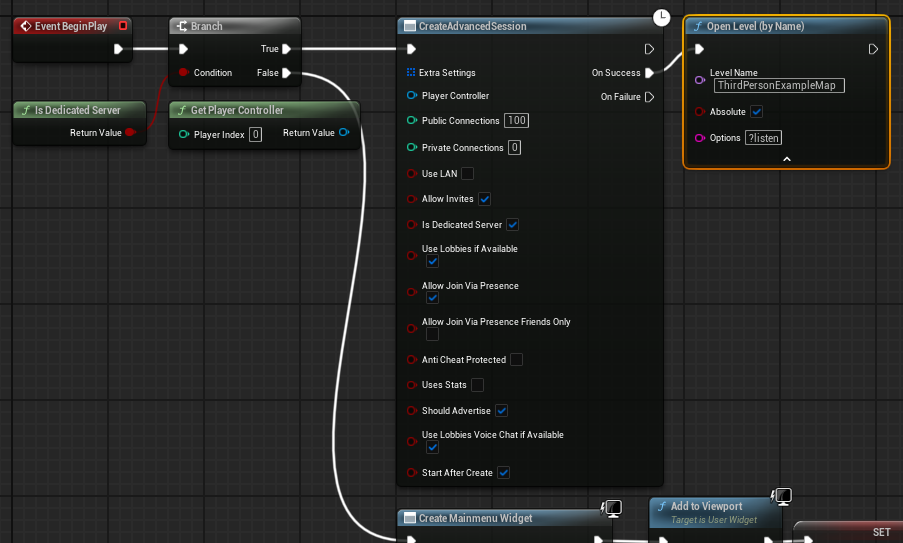
A key modification detailed in the guide involves configuring the server to automatically create a game session and load the appropriate map upon launch. This eliminates the need for manual intervention or a graphical user interface (GUI) on the server-side, which is typically absent from dedicated server deployments. In standard client builds, a main menu widget is commonly used to initiate sessions. However, for a dedicated server, this interface is redundant and should be bypassed.
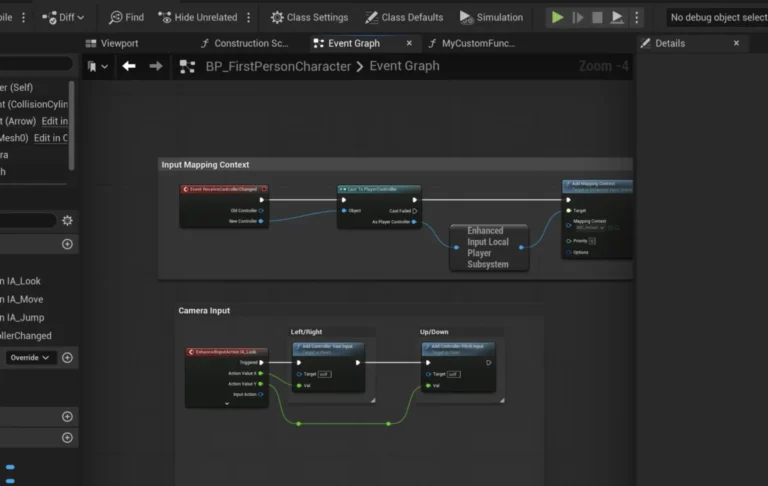
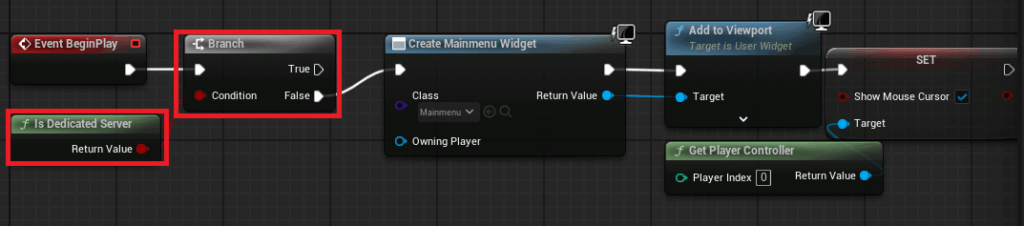
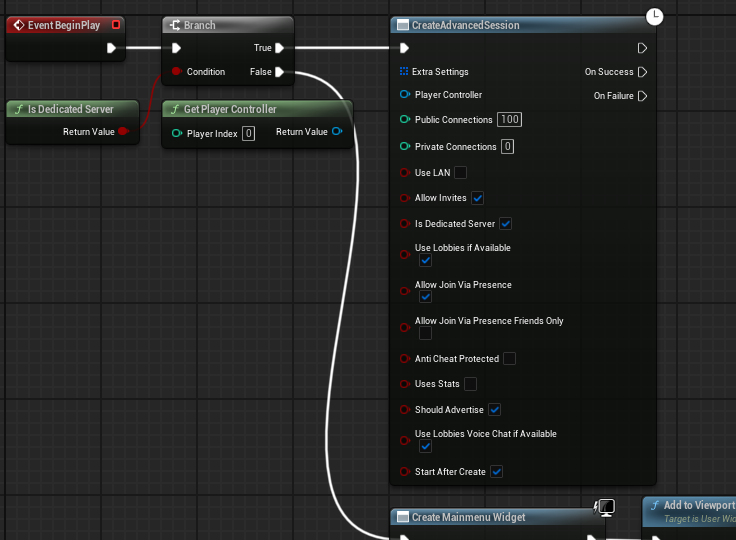
The prescribed method involves adjusting the MainMenu level blueprint. A conditional check, utilizing an "Is Dedicated Server" node, is implemented before any widget creation logic. If the platform is identified as a dedicated server, the system bypasses the menu entirely. Instead, it proceeds directly to a "Create Advanced Session" node, configured with the desired game settings. Upon successful session creation, the server then loads the designated game level using the ?listen option. This command-line argument is vital as it instructs the server to listen for incoming client connections, effectively opening the game world for players to join. This automated sequence ensures the server is operational and ready to accept players from the moment it starts.
Configuring the Default Server Map: Guiding the Game World
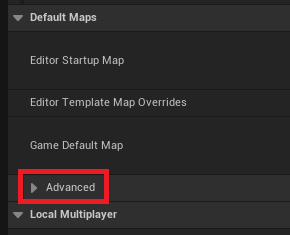
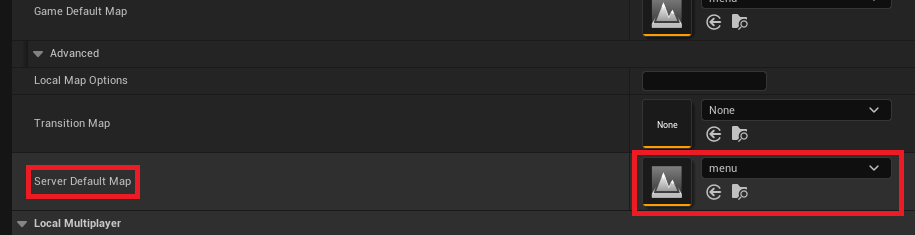
By default, an Unreal Engine server might attempt to load an internal engine map (e.g., "Entry"), which is unsuitable for hosting gameplay. The guide outlines the critical step of explicitly defining the "Server Default Map" within the Project Settings. This ensures that the dedicated server initializes with the correct game environment.
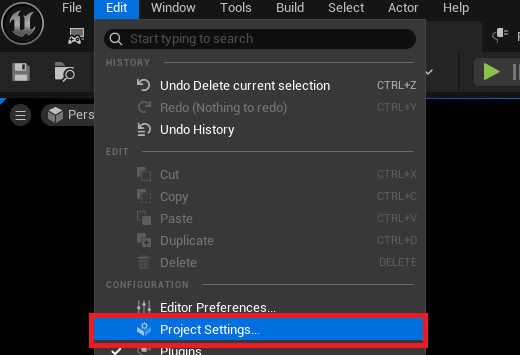
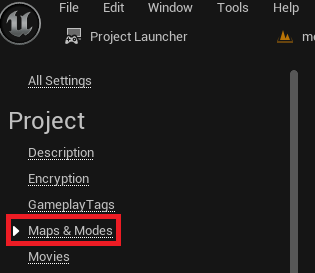
Accessing the Project Settings through the Unreal Editor’s "Edit" menu, developers navigate to the "Maps & Modes" section. Within the "Default Maps" subsection, an advanced dropdown option reveals the "Server Default Map" setting. Here, the appropriate game level (e.g., the primary gameplay map or a specific lobby map) is selected. This configuration is paramount for directing the server to the intended starting point of the game world, preventing it from loading an empty or incorrect environment that players cannot interact with. This meticulous map selection process is fundamental to the server’s operational readiness.
Optimizing for Server-Only Operations: Eliminating Redundancy
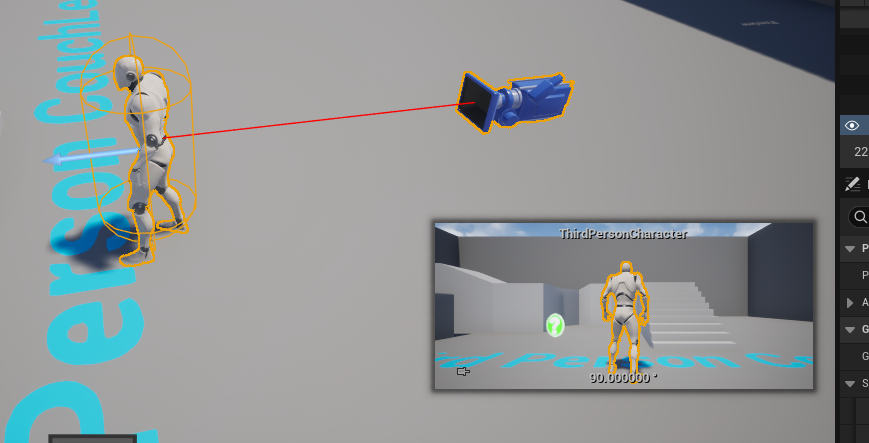
A dedicated server’s purpose is to manage the game world and network traffic, not to simulate a player character. Therefore, any default player character blueprints present in the level, which would typically be controlled by the first connected client or the host in a listen server setup, become redundant and potentially problematic on a dedicated server.
The guide advises developers to remove these default character spawns from the game levels intended for dedicated server hosting. This optimization prevents unnecessary resource allocation and ensures that the server’s processing power is solely dedicated to core game logic, physics, and networking, without the overhead of rendering or simulating an unplayed character. By stripping away client-side visual and control components, the server operates more efficiently, contributing to overall performance and stability. This focused approach aligns with the principle of a lean, authoritative server instance.

The Project Launcher: Orchestrating the Server Build
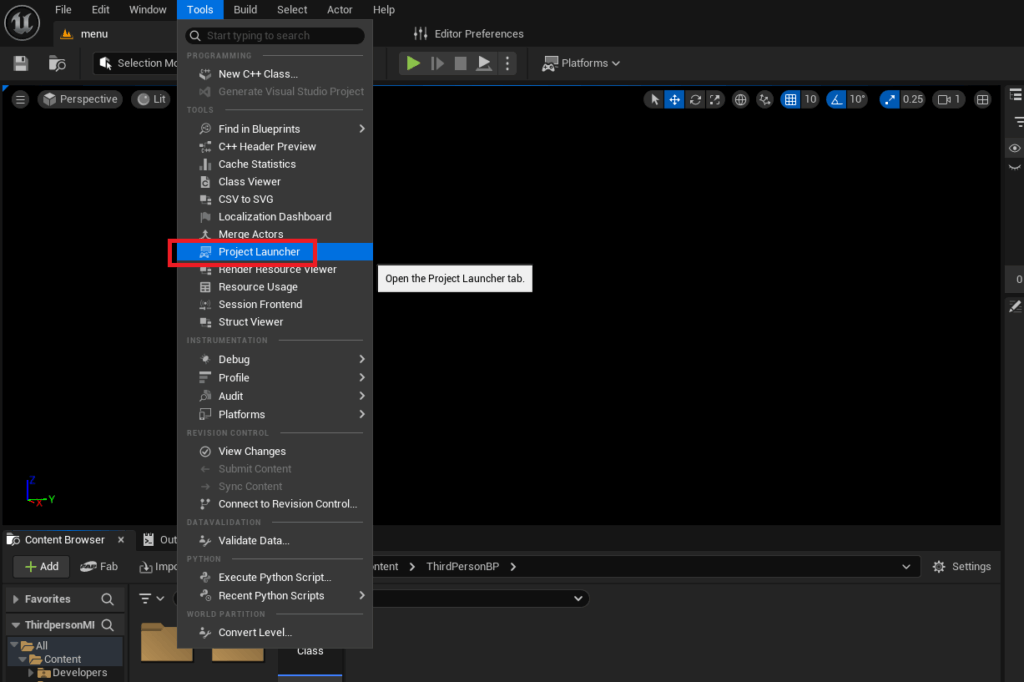
Unreal Engine’s Project Launcher is an indispensable built-in tool that streamlines the process of packaging and deploying game builds, including dedicated servers. This utility allows developers to create custom profiles, specifying unique build configurations for various platforms and deployment scenarios.
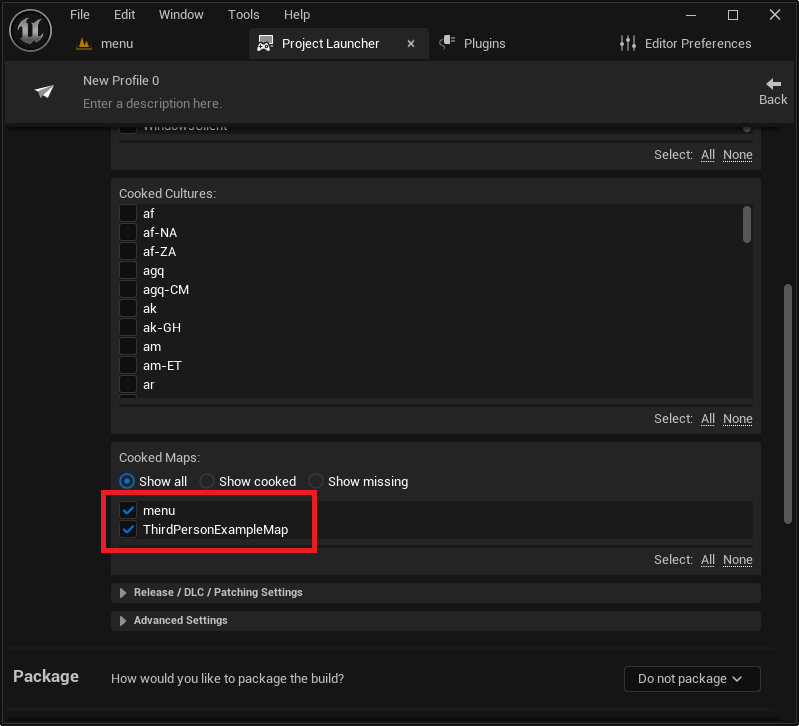
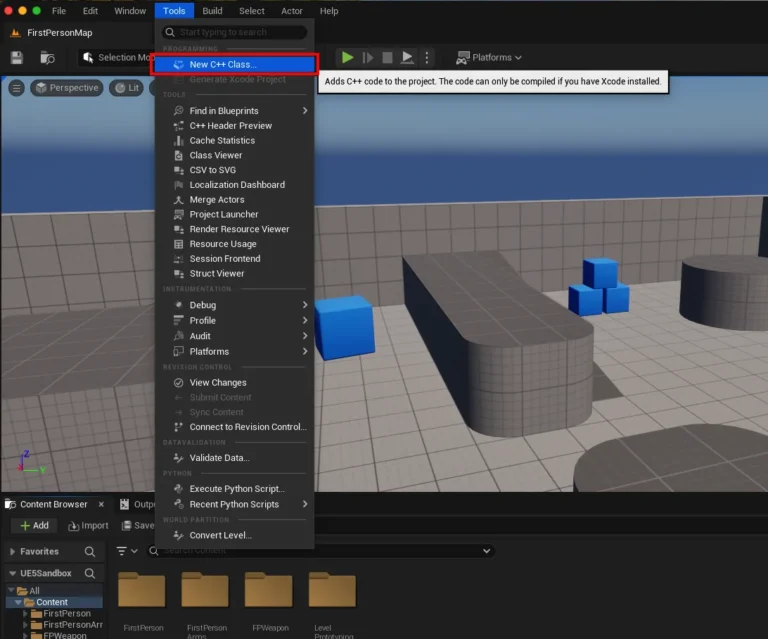
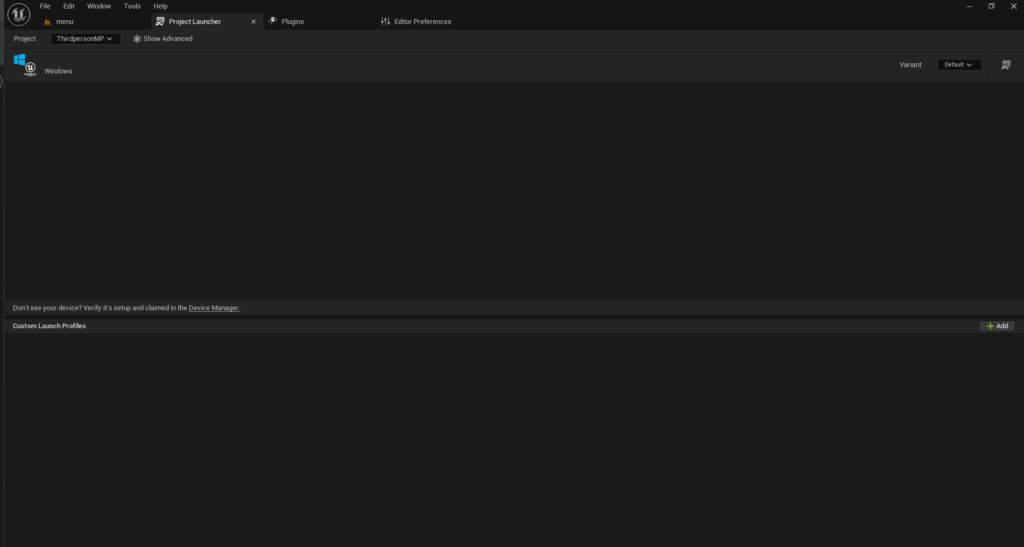
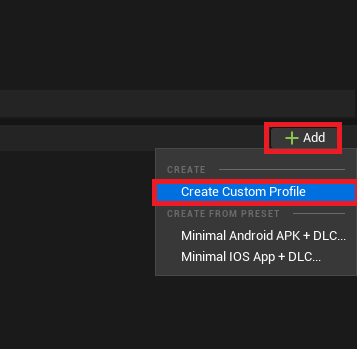
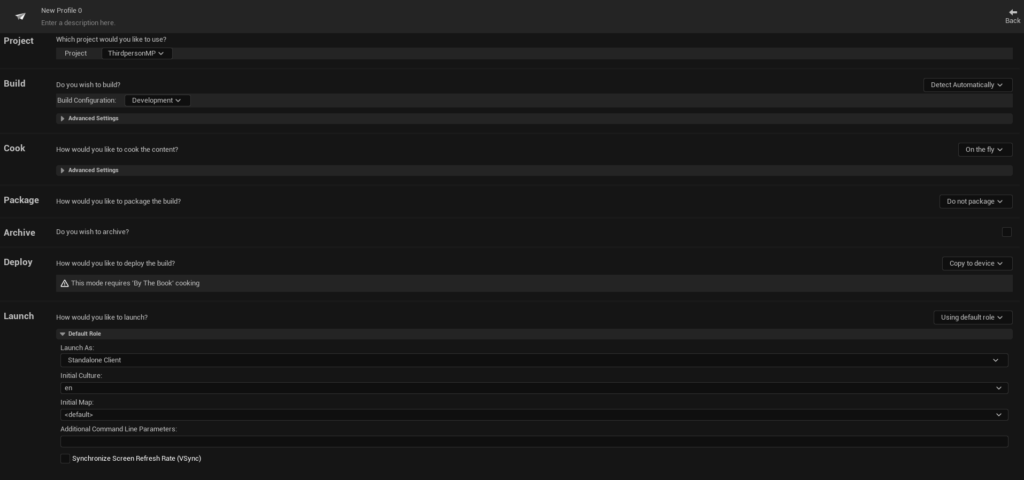
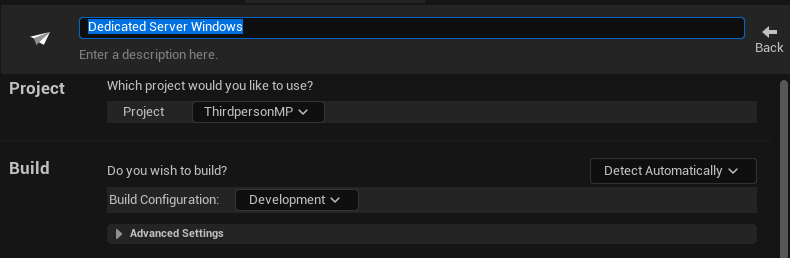
To initiate a dedicated server build, developers access the Project Launcher via the "Tools" menu in the Unreal Editor. Upon opening, a new custom profile must be created. Within this profile, several critical settings are configured:
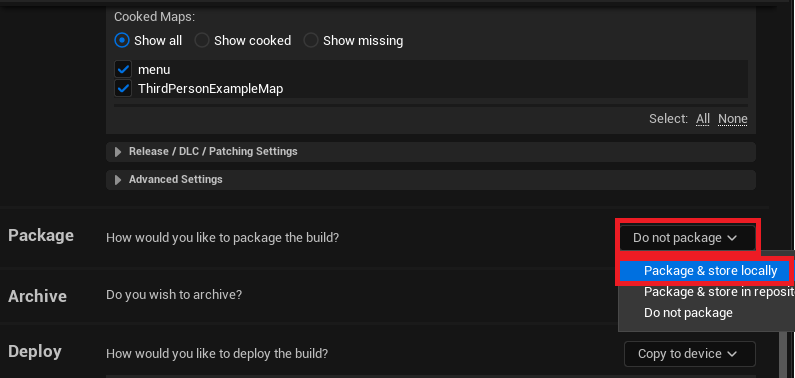
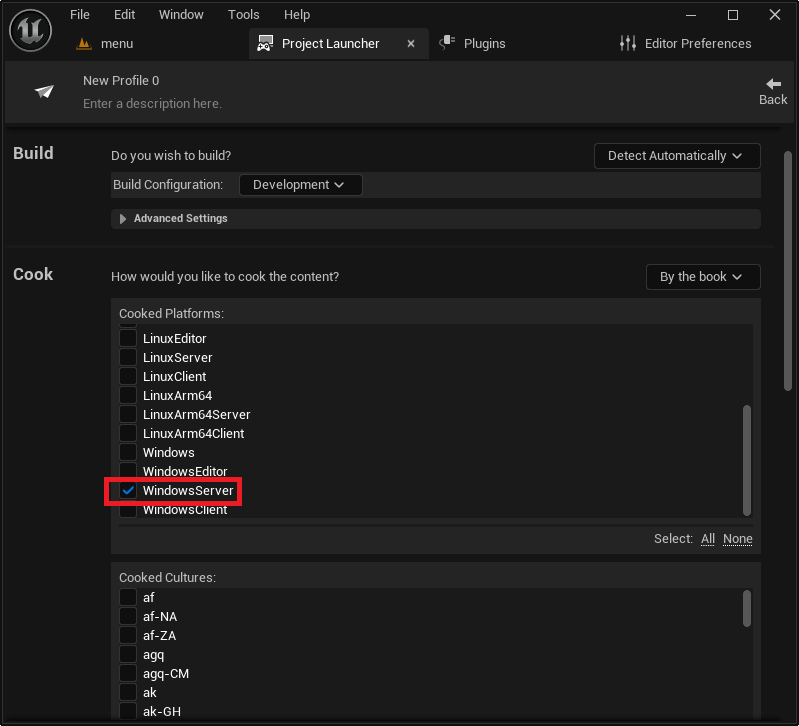
- Cook Section: The "Cook" option is changed from "On the fly" to "By the book." This ensures that all game content is pre-processed and prepared for the target platform during the build, rather than being cooked at runtime.
- Cooked Platforms: Developers select the specific server platform, such as "WindowsServer" for Windows-based hosting, "LinuxServer" for x86/64 Linux environments, or "LinuxArm64" for ARM-based Linux servers. This choice dictates the architecture of the resulting server executable.
- Maps to Cook: All maps intended to be available on the server must be explicitly added to this list. This ensures that the server build includes all necessary level assets for gameplay transitions and different game modes.
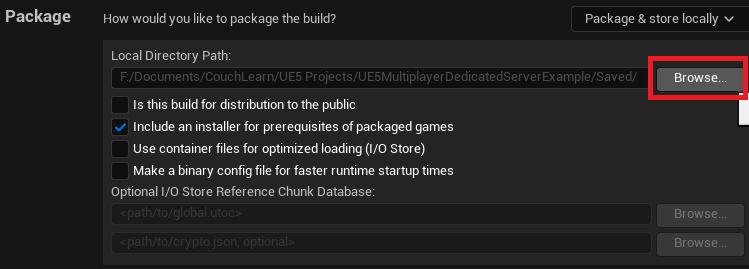
- Package Section: The "Package" option is set to "Package & store locally." This directs the Project Launcher to compile all cooked content and engine dependencies into a deployable package, storing it in a specified local directory, typically within the project’s
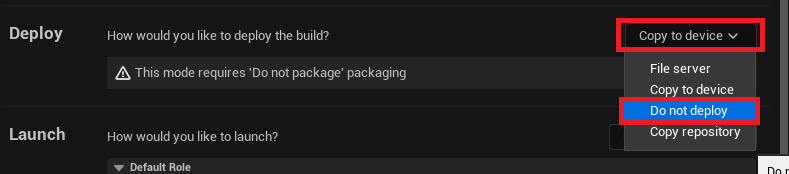
Saved/StagedBuildsfolder. - Deploy Section: The "Deploy" option is changed to "Do not deploy," as the goal is to build the server files locally for subsequent manual deployment or further automation.
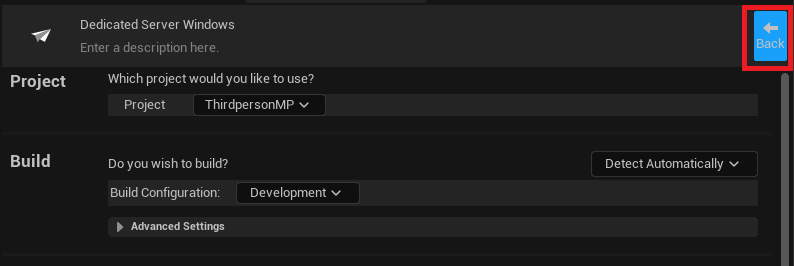
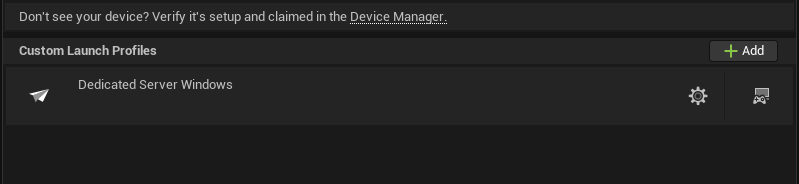
Finally, the profile is given a descriptive name, such as "DedicatedServerBuild," for easy identification.
Building and Testing: Bringing the Server to Life
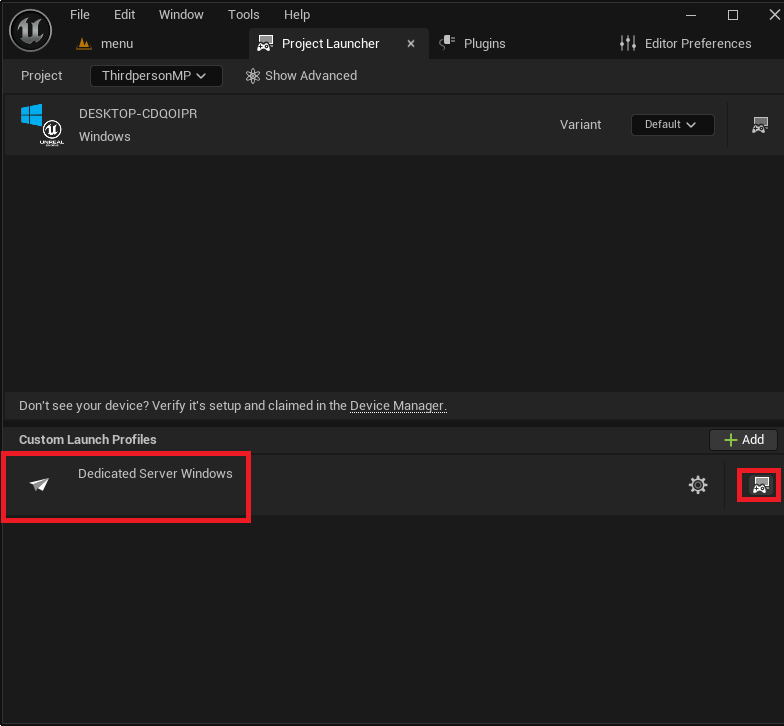
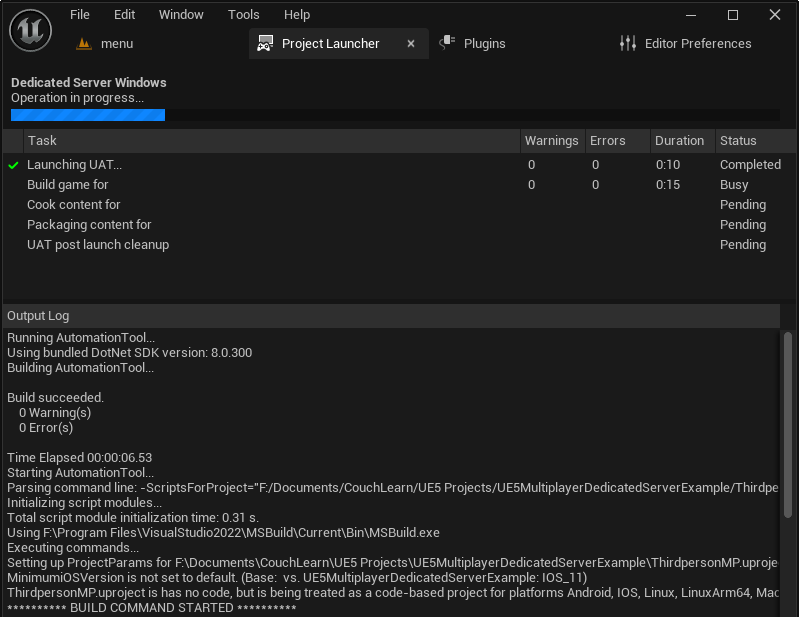
Once the custom profile is meticulously configured, the actual server build process can commence. From the main Project Launcher menu, developers select their newly created profile and initiate the build by clicking the "Launch" button. The Project Launcher then displays a progress log, detailing the various stages of compilation, content cooking, and packaging. This process, particularly during the first run, can be time-consuming, requiring patience as the engine generates all necessary files for the dedicated server.
Upon successful completion, the compiled dedicated server files are located in the designated output directory, typically YourProject/Saved/StagedBuilds/WindowsServer (or the chosen platform). Within this folder, the server executable (e.g., YourGameServer.exe) will be present.
For local testing and debugging, it is recommended to create a shortcut to the server executable. By accessing the shortcut’s properties and appending the -log launch option to the end of the "Target" field, developers can ensure the server launches with a visible console window. This window displays real-time logging messages, providing crucial insights into the server’s initialization, session creation, and any potential errors, making monitoring and troubleshooting significantly easier. Once launched, the server will begin its initialization sequence, create a game session, and await client connections.
Demonstration and Implications for the Future of Multiplayer Gaming
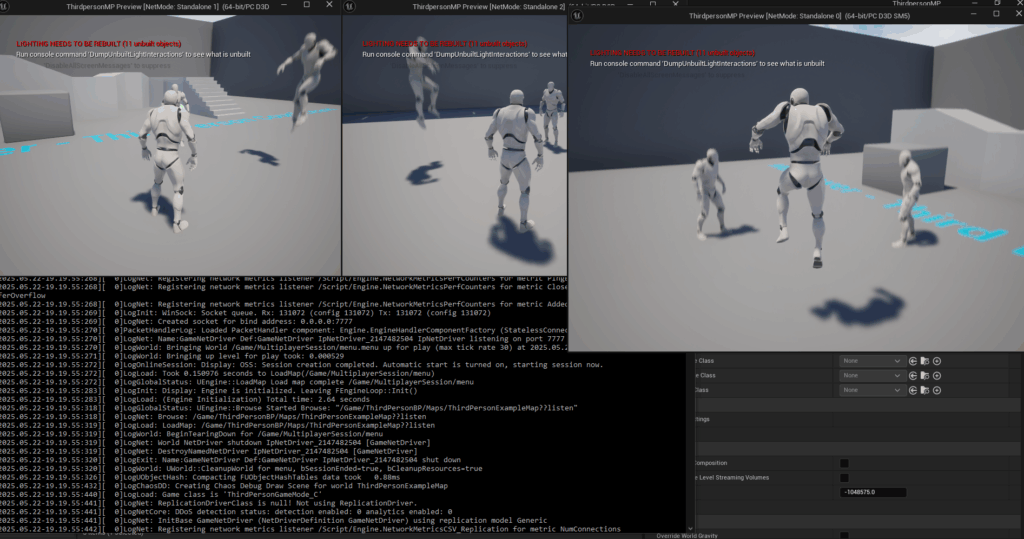
The culmination of these steps is a fully functional dedicated server. As demonstrated in the guide, multiple client instances, whether running in the editor or as packaged game clients, can successfully connect to the server’s created session. This setup allows players to interact within the game world, with all game logic and state managed authoritatively by the dedicated server, free from the constraints and vulnerabilities of peer-to-peer hosting. The visual proof of three clients seamlessly playing on a dedicated server underscores the tangible benefits of this deployment model: consistent performance, synchronized gameplay, and a foundation for scalable online experiences.
The provision of such a detailed and accessible guide by CouchLearn has significant implications for the Unreal Engine development community. It democratizes access to advanced server infrastructure knowledge, enabling independent developers and smaller studios to implement professional-grade multiplayer solutions without needing extensive prior experience in server engineering. This empowers creators to build more ambitious and stable online games, ultimately enriching the player experience across the board.
By demystifying the complex process of dedicated server setup, the guide contributes to raising the overall quality standard of multiplayer titles built with Unreal Engine 5. It addresses a critical technical hurdle, allowing developers to focus more on creative gameplay design, confident that their networking backend is robust and reliable. As the gaming industry continues its trajectory towards increasingly complex and persistent online worlds, the ability to efficiently deploy and manage dedicated servers will remain a cornerstone of successful game development. This knowledge empowers developers to deliver consistent, high-performing, and fair multiplayer experiences, securing a competitive edge in a demanding market.
About the Author