The integration of fundamental game mechanics, such as the double jump, has historically presented varying levels of complexity for developers, often requiring intricate coding or deep engine knowledge. However, the latest iterations of game engines are progressively simplifying these processes, a trend exemplified by Unreal Engine 5 (UE5) and its remarkably straightforward approach to implementing this ubiquitous platforming feature. A recent guide highlighted how UE5 enables developers to integrate a double jump with minimal effort, followed by intermediate animation refinements that significantly enhance player experience and visual feedback.
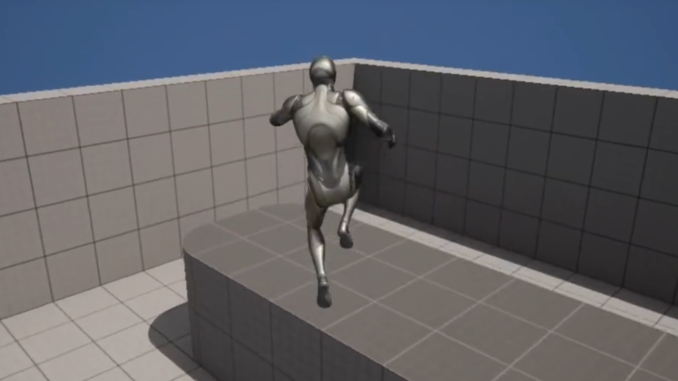
The double jump, a mechanic allowing a character to execute a second jump mid-air, has been a cornerstone of game design across numerous genres for decades. Its origins can be traced back to seminal titles like Konami’s Castlevania: Symphony of the Night (1997), which popularized its use as a core movement ability, and Nintendo’s Super Mario World 2: Yoshi’s Island (1995), which featured a flutter jump that served a similar strategic purpose. The mechanic quickly proliferated, becoming a staple in platformers, action-adventure games, and even some first-person shooters, providing players with enhanced mobility, opening up new level design possibilities, and adding a layer of strategic depth to movement puzzles. Iconic series such as Crash Bandicoot, Kirby, and Banjo-Kazooie have all leveraged the double jump to craft intricate platforming challenges and rewarding exploration. Its enduring appeal lies in its ability to empower players, offering a sense of control and agility that fundamentally alters gameplay dynamics.
Unreal Engine 5, Epic Games’ flagship development platform, is at the forefront of democratizing game creation. Renowned for its cutting-edge graphics capabilities—powered by technologies like Nanite for virtualized geometry and Lumen for dynamic global illumination—UE5 also places a strong emphasis on developer usability. Its robust Blueprint visual scripting system, in particular, allows for the creation of complex game logic without writing a single line of code, making it highly accessible for both seasoned professionals and aspiring new developers. This commitment to accessibility is evident in the process of adding a double jump, which leverages existing character components within the engine.
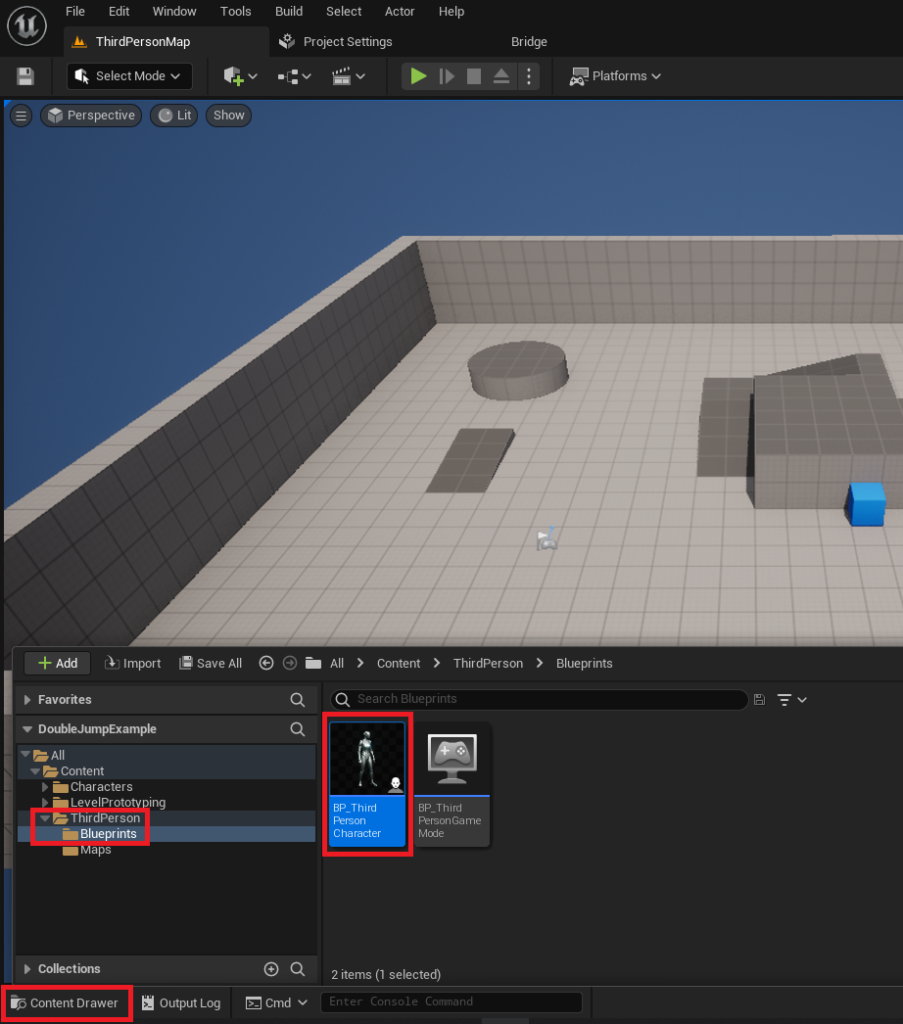
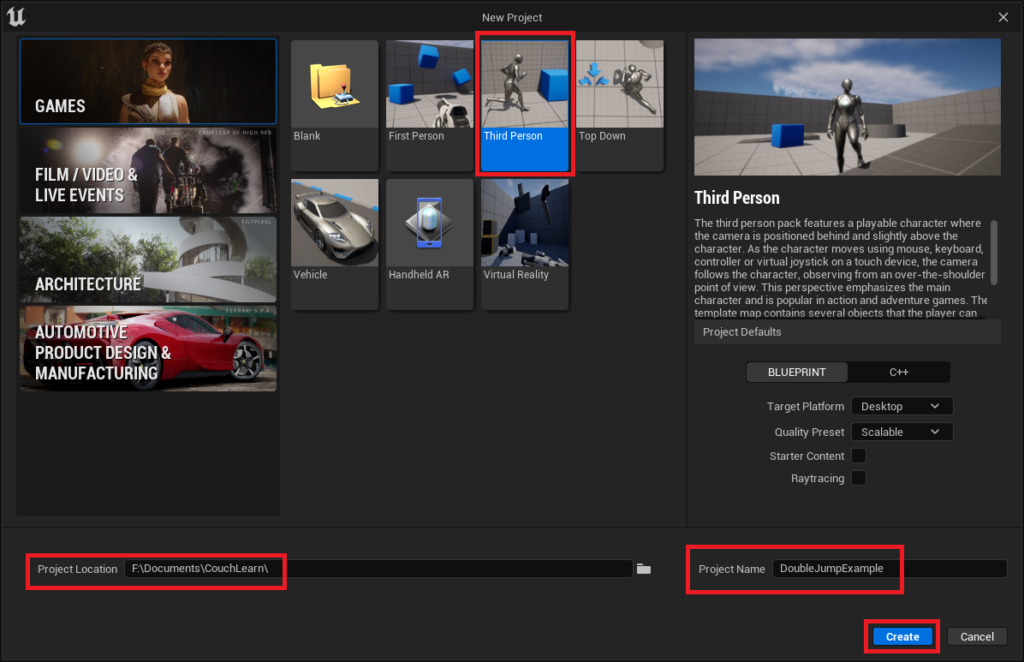
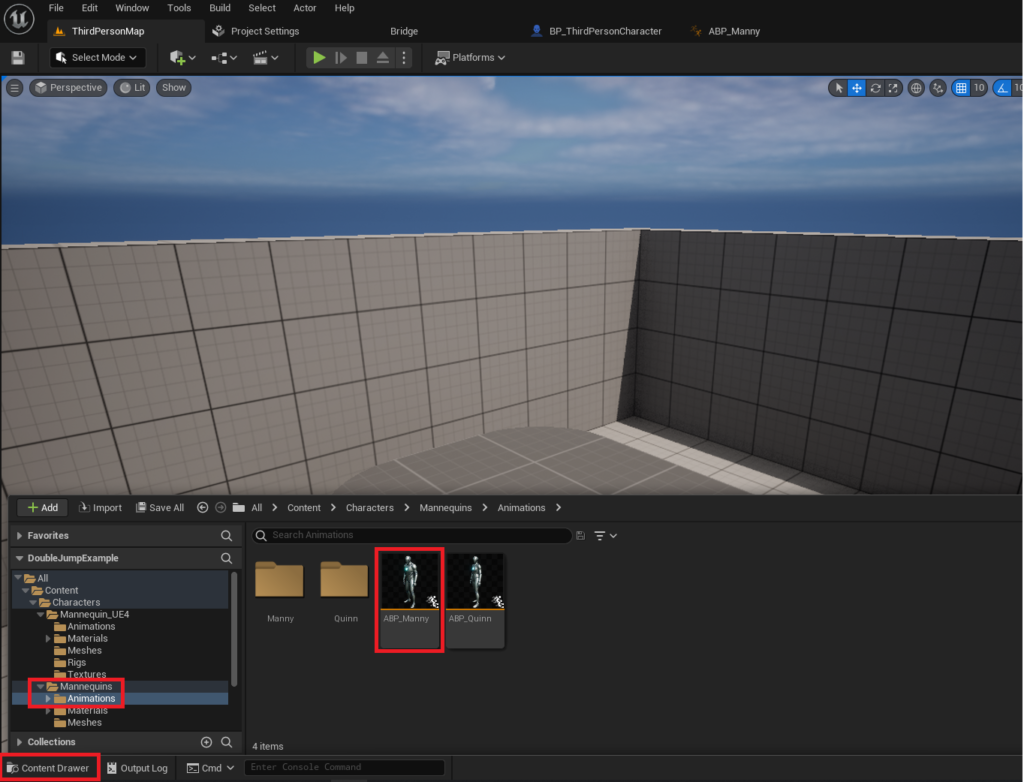
The initial implementation of the double jump in UE5 is remarkably simple, requiring only a minor adjustment within the Character Blueprint. For developers starting a new project, the standard Third Person template, readily available in the New Project window, provides a foundational setup. This template includes a pre-configured character blueprint (typically named BP_ThirdPersonCharacter) which serves as the central hub for character-specific logic and properties. The process begins by locating and opening this blueprint asset, usually found within the Content/ThirdPerson/Blueprints directory via the Content Drawer.
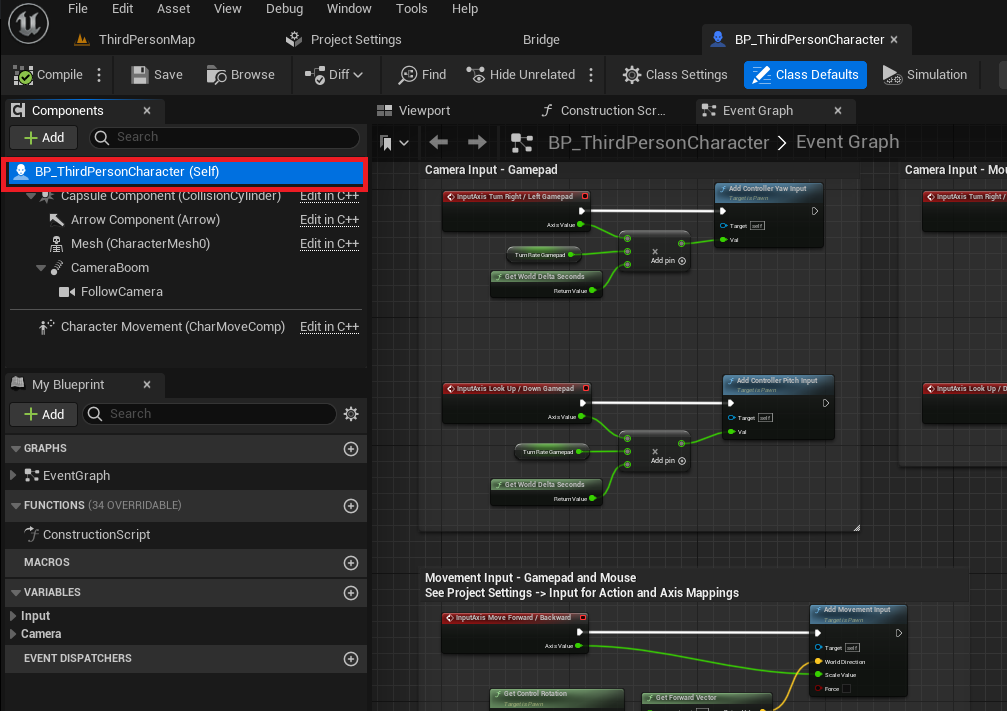
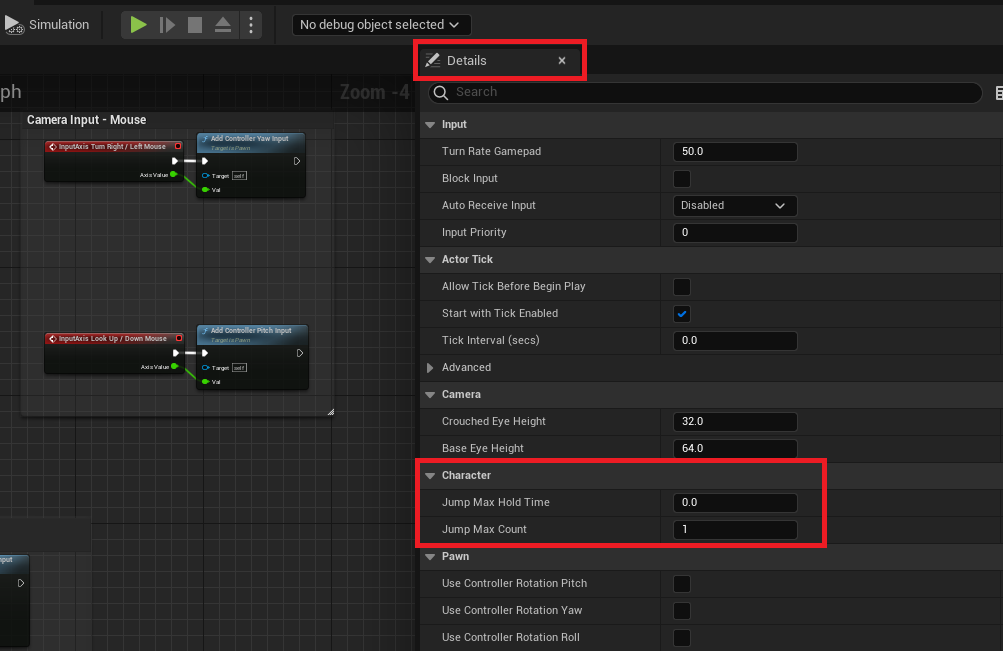
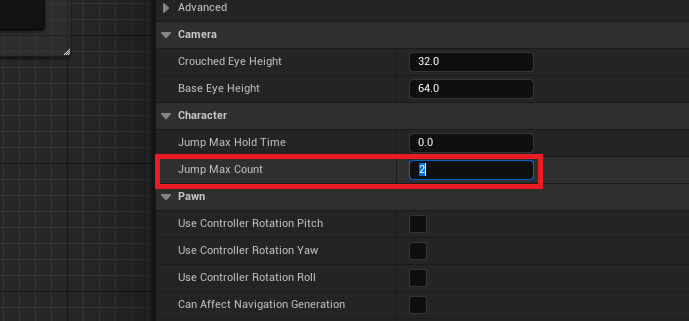
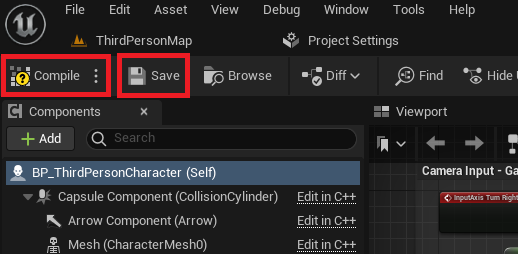
Once the Character Blueprint is open, the critical step involves navigating to the ‘Details’ panel, a context-sensitive window that displays properties of the selected component or node. By selecting the root of the blueprint—often labeled BP_ThirdPersonCharacter (Self)—developers can access a wide array of character parameters. Within this panel, under the ‘Character’ category, lies a property named Jump Max Count. By default, this value is set to ‘1’, allowing for a single jump. Modifying this value to ‘2’ instantly enables the double jump functionality. The system is designed with scalability in mind; should a game concept require triple jumps or even more, the Jump Max Count can be adjusted accordingly. After making this change, it is imperative to compile and save the blueprint to ensure the modifications are applied to the project. This streamlined approach underscores UE5’s design philosophy: to provide powerful tools that are intuitive enough for rapid prototyping and efficient development.
While this initial modification grants the character the ability to perform a double jump, the default animation behavior often presents a less-than-ideal visual experience. In many scenarios, the jump animation might only play once, failing to provide visual feedback for the second, mid-air leap. This discrepancy can diminish the perceived fluidity and responsiveness of the character, impacting player satisfaction. Addressing this requires an intermediate step involving the animation blueprint, a specialized asset that controls a character’s animation states and transitions.
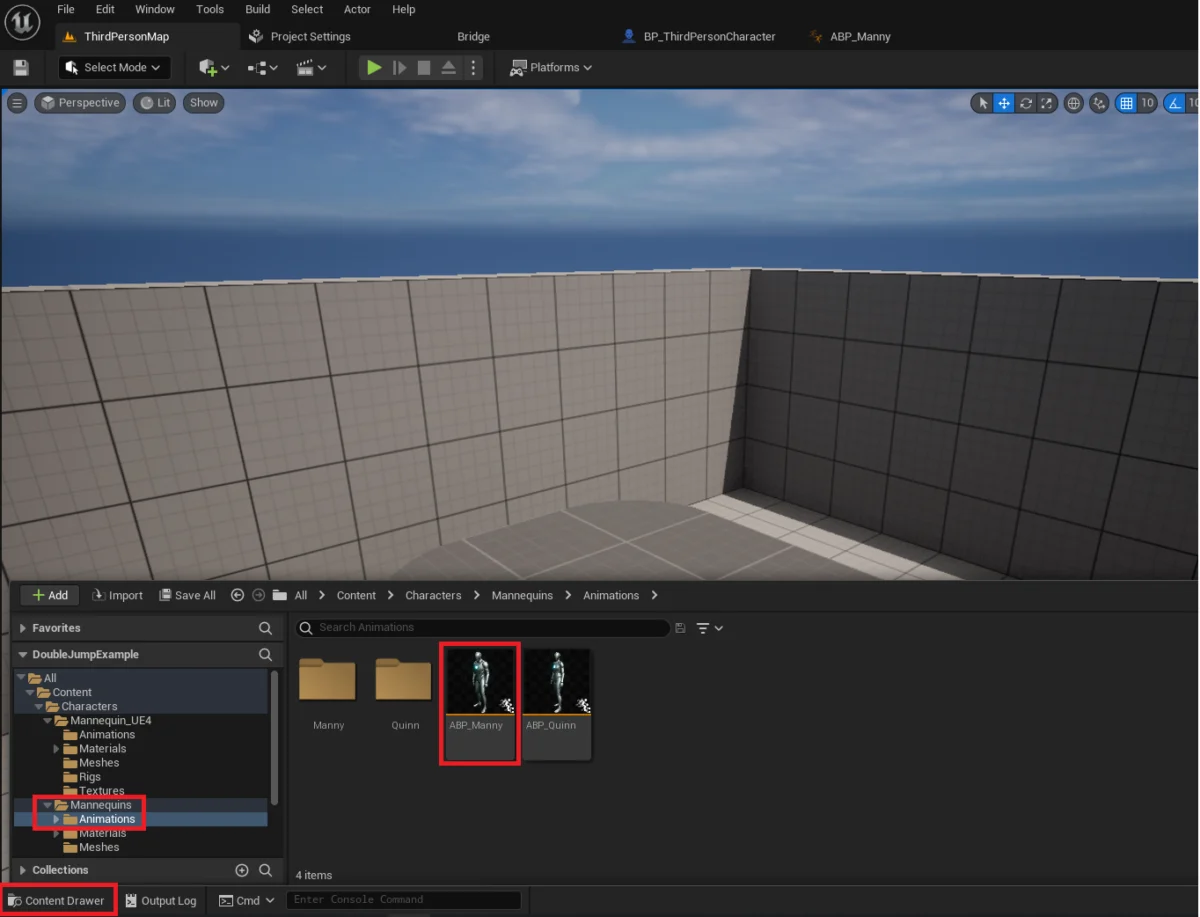
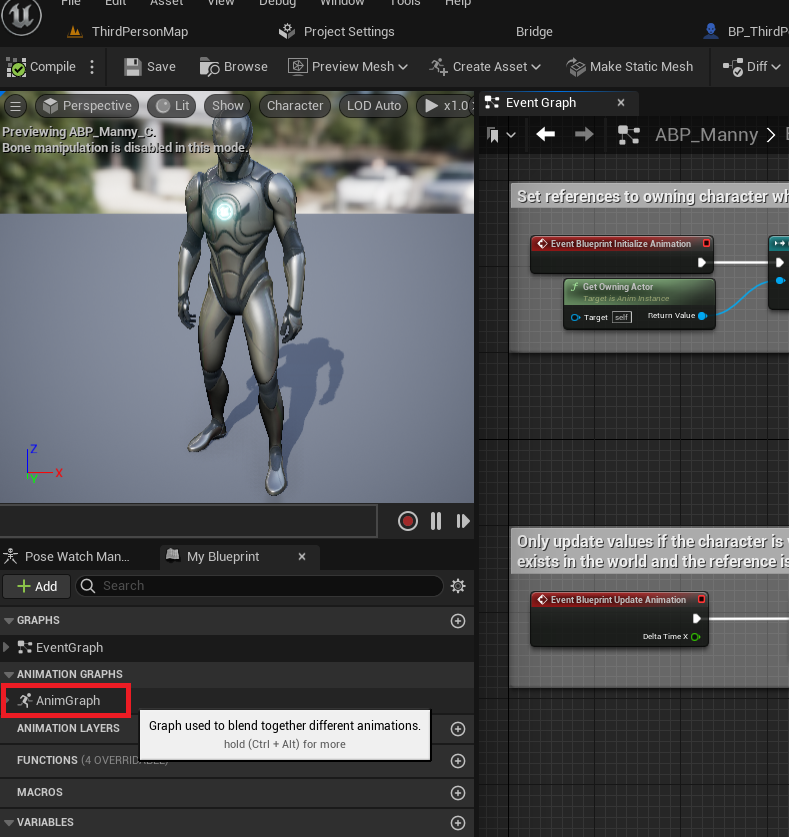
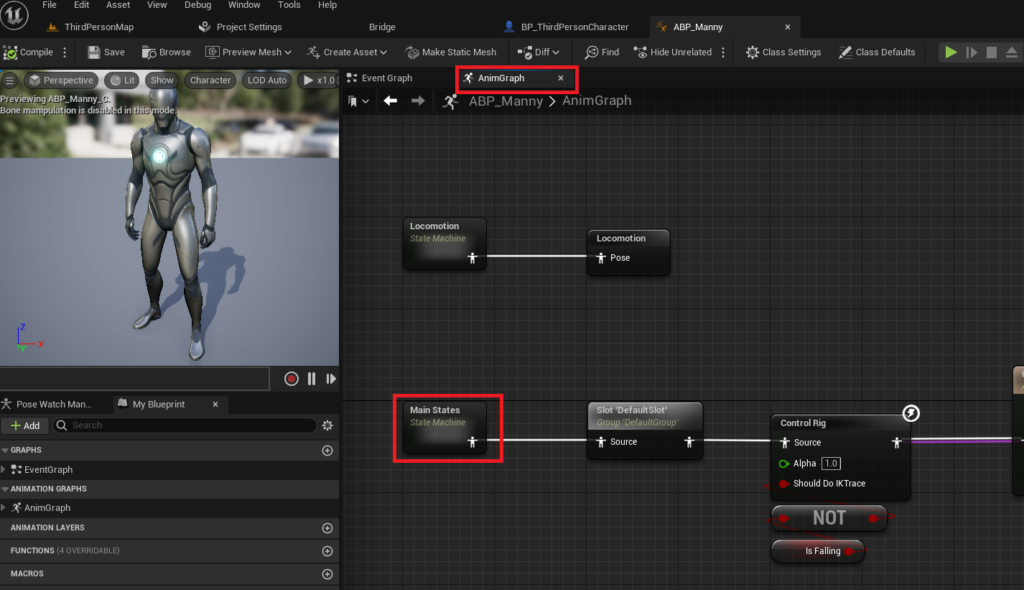
The ABP_Manny animation blueprint, typically located in the Content/Characters/Mannequins/Animations folder for the default template, governs the character’s movement animations. Within this blueprint, the AnimGraph houses the animation logic, including state machines that manage transitions between different animation states (e.g., Idle, Run, Jump, Fall). The Main States state machine is particularly relevant, as it defines how the character transitions between core movement animations. To ensure the double jump visually registers, a new transition must be established from the Fall Loop state back to the Jump state. This transition effectively tells the animation system to re-trigger the jump animation when a double jump is executed while the character is in a falling state.
Creating this transition involves drawing a connection from the Fall Loop state to the Jump state within the Main States state machine. Once the transition is visually established, opening its editor allows for the definition of the conditions under which this transition should occur. Here, blueprint nodes are utilized to determine if a character is currently performing an additional jump. Typically, this involves checking the Is Falling boolean variable (which would be true if the character is in the air) and comparing the character’s Jump Count (the number of jumps already performed) against the Jump Max Count set earlier. The logic would dictate that if the character is falling and has performed more than one jump but less than the maximum allowed, the transition to the Jump animation state should be activated. This ensures that every subsequent jump, up to the Jump Max Count, plays the appropriate animation, providing crucial visual cues to the player and enhancing the overall game feel. Compiling and saving the animation blueprint after these changes finalizes the improved double jump experience.
The implications of such accessible development tools extend beyond mere convenience. Industry analysts frequently point to the ease of implementing foundational mechanics as a key factor in fostering innovation and lowering the barrier to entry for aspiring game developers. Data from developer surveys consistently indicates that streamlined workflows and intuitive interfaces are highly valued, directly impacting development timelines and project scope. Epic Games’ investment in the Blueprint system, allowing non-programmers to contribute significantly to game logic, has been widely lauded by the development community. This approach empowers smaller indie studios and individual creators to rapidly prototype ideas and bring their visions to life without the need for extensive coding teams, leveling the playing field against larger, more resourced studios.
Furthermore, the emphasis on robust animation pipelines, even for seemingly simple mechanics, reflects a broader industry trend towards heightened player immersion and responsiveness. A character’s movement, particularly jumping, is a primary form of interaction with the game world. When these movements are accompanied by fluid and accurate animations, the player’s perception of control and engagement significantly improves. This attention to detail, facilitated by engines like UE5, ensures that the foundational elements of gameplay are not just functional but also aesthetically pleasing and highly responsive, contributing to a more polished final product. The availability of comprehensive documentation and community-driven tutorials further accelerates learning, making complex tasks more approachable.
In conclusion, Unreal Engine 5’s design philosophy significantly simplifies the integration of a double jump mechanic, a versatile and beloved feature in gaming history. From a swift adjustment in the Character Blueprint to a more nuanced but equally manageable refinement within the animation blueprint, UE5 provides the tools necessary to implement this core mechanic effectively and elegantly. This accessibility not only empowers a broader spectrum of developers but also contributes to the creation of more polished and engaging player experiences. The ongoing evolution of game engines, prioritizing user-friendliness alongside advanced capabilities, continues to shape the future of game development, promising a landscape where creativity is less constrained by technical hurdles. As developers continue to explore and innovate, the foundational principles demonstrated by features like the double jump in UE5 serve as a testament to the engine’s commitment to empowering creators worldwide.
About the Author