The advent of Unreal Engine 5 (UE5) continues to redefine the landscape of game development, offering developers robust tools and unparalleled flexibility. Among its core features, Blueprint Functions stand out as a fundamental concept, empowering creators to build complex, scalable, and maintainable interactive experiences. This essential programming construct facilitates the organization of logic into self-contained, reusable blocks of code, significantly streamlining the development workflow for projects of all sizes.
At its core, a Blueprint Function in Unreal Engine 5 represents a self-contained sequence of visual scripting nodes designed to perform a specific task. Unlike events, which are typically triggered by external occurrences or time-based conditions, functions are executed on demand, allowing for direct control over when and how their encapsulated logic runs. They are pivotal for promoting code reusability, reducing redundancy, and enhancing the overall clarity and manageability of a project’s Blueprints. This modular approach is not merely a convenience but a critical practice in modern game development, where projects can quickly grow in scope and complexity. By isolating specific functionalities into functions, developers can create, test, and debug individual components more efficiently, fostering a more robust and less error-prone development environment. Furthermore, functions can accept input parameters and return output values, providing a flexible interface for interaction with other parts of the Blueprint graph, thereby extending their utility and adaptability across diverse gameplay scenarios.
The evolution of visual scripting in game engines marks a significant chapter in democratizing game development. Before the widespread adoption of tools like Unreal Engine’s Blueprints, creating interactive logic often necessitated deep knowledge of traditional programming languages such as C++. While powerful, this approach presented a steep learning curve for designers, artists, and smaller teams lacking dedicated programming resources. Epic Games recognized this barrier and, with the introduction of Unreal Engine 3’s Kismet, laid the groundwork for visual scripting. Blueprints, introduced more formally with Unreal Engine 4, represented a massive leap forward, offering a node-based interface that allowed developers to construct game logic visually. This paradigm shift empowered a broader range of creators to contribute directly to the interactive elements of a game, fostering greater collaboration and accelerating prototyping. Unreal Engine 5 has continued to refine this system, emphasizing efficiency, performance, and developer experience. The robust implementation of Blueprint Functions within UE5 underscores Epic Games’ commitment to providing tools that are both powerful for seasoned programmers and accessible for those with less coding experience, thereby expanding the potential for innovation across the industry.
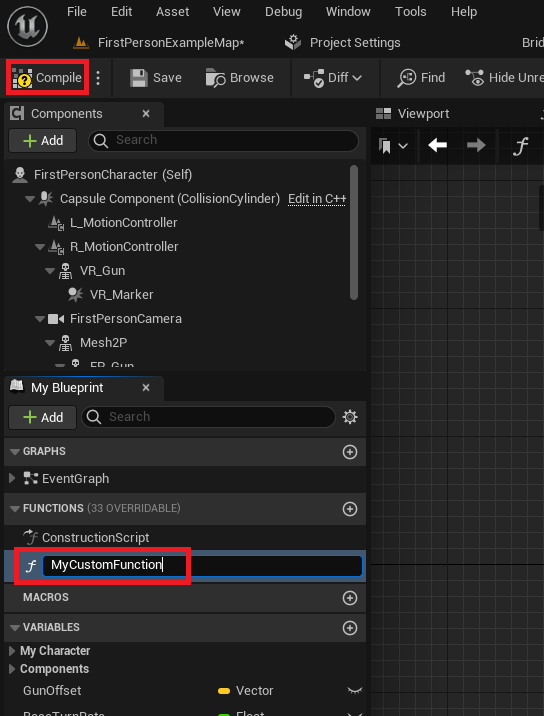
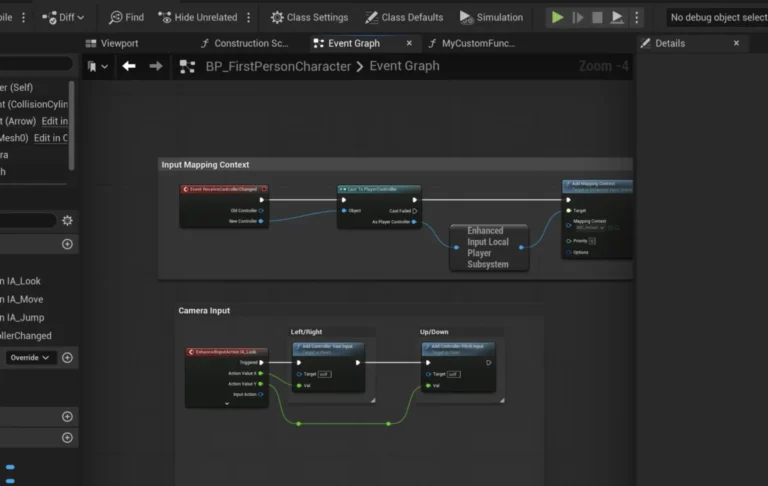
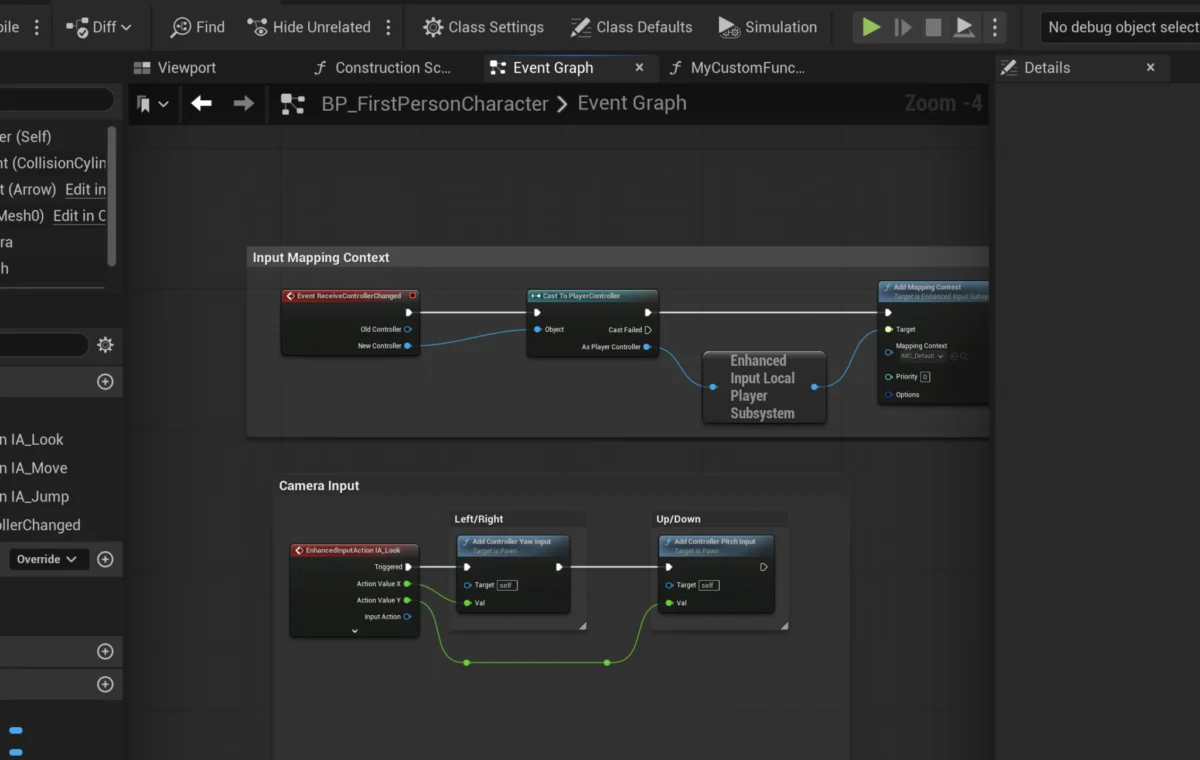
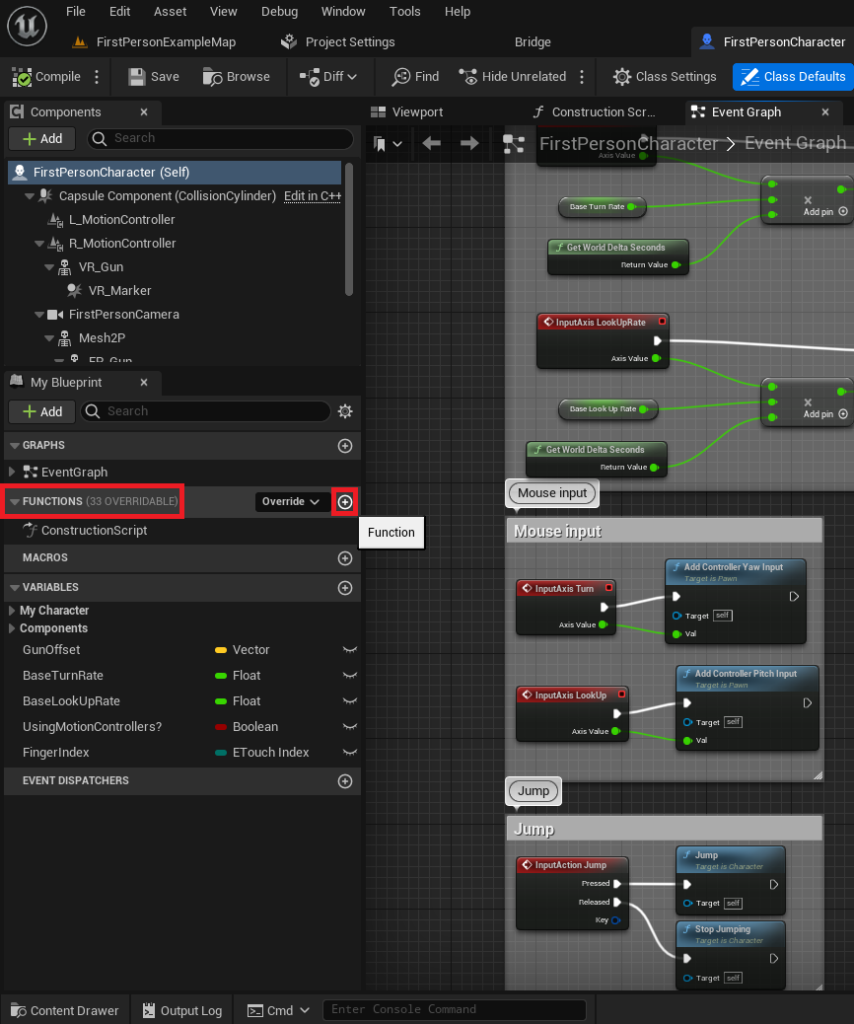
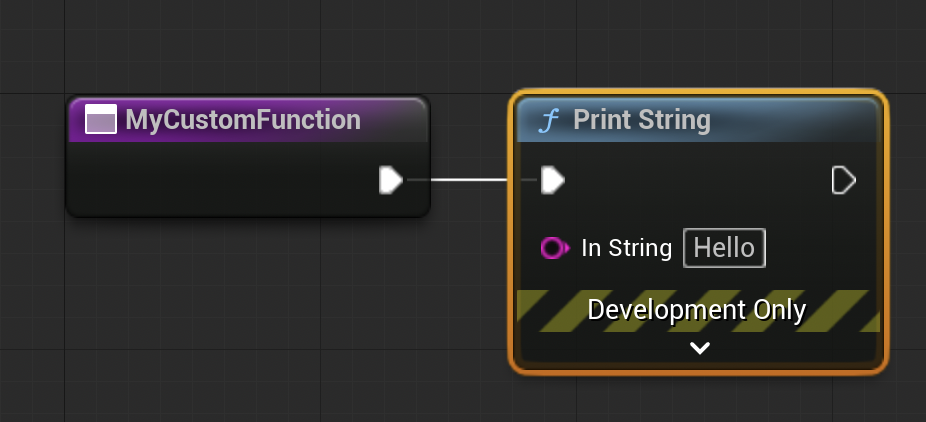
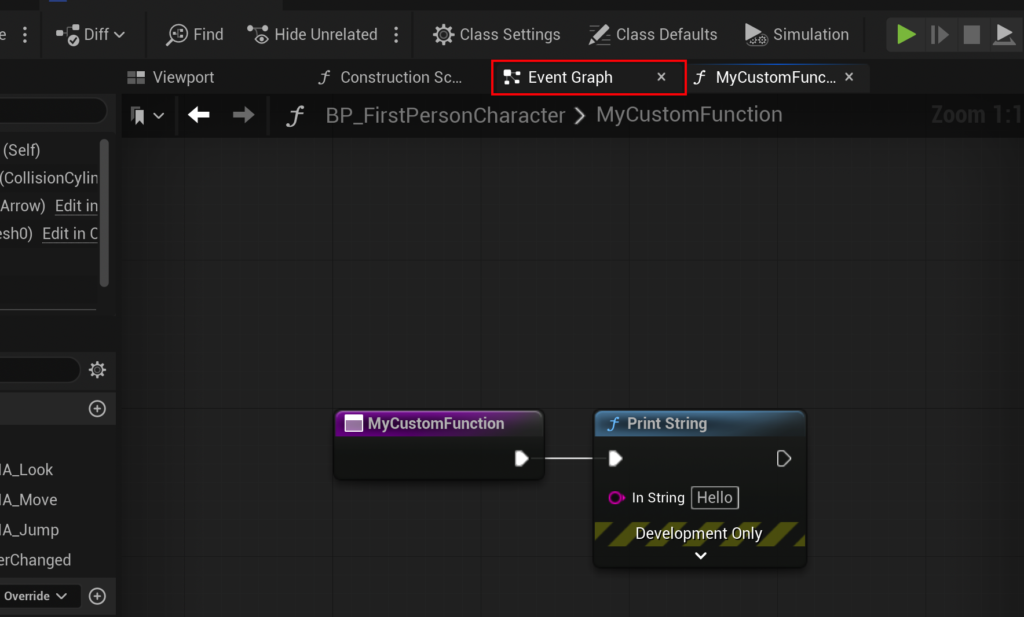
The practical application of Blueprint Functions begins with their creation and integration into an actor’s logic. Consider, for instance, a common scenario in game development where a specific visual output, like printing a message to the screen, is required for debugging or immediate feedback. Instead of duplicating the "Print String" node across various Event Graphs, a function can encapsulate this action. To initiate this process, a developer typically opens the Blueprint Actor where the function is desired – for example, the FirstPersonCharacter Blueprint from a standard First Person Shooter template. Within the Blueprint editor, a dedicated "Functions" section is visible, serving as the repository for all functions pertinent to that specific Blueprint. A new function is instantiated by selecting the add button within this section, prompting the developer to assign a clear and descriptive name, a crucial step for maintaining project clarity and long-term maintainability. Upon naming and compiling, the function becomes an active component, ready for logic implementation.
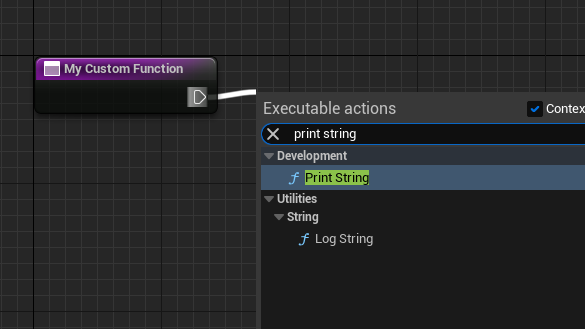
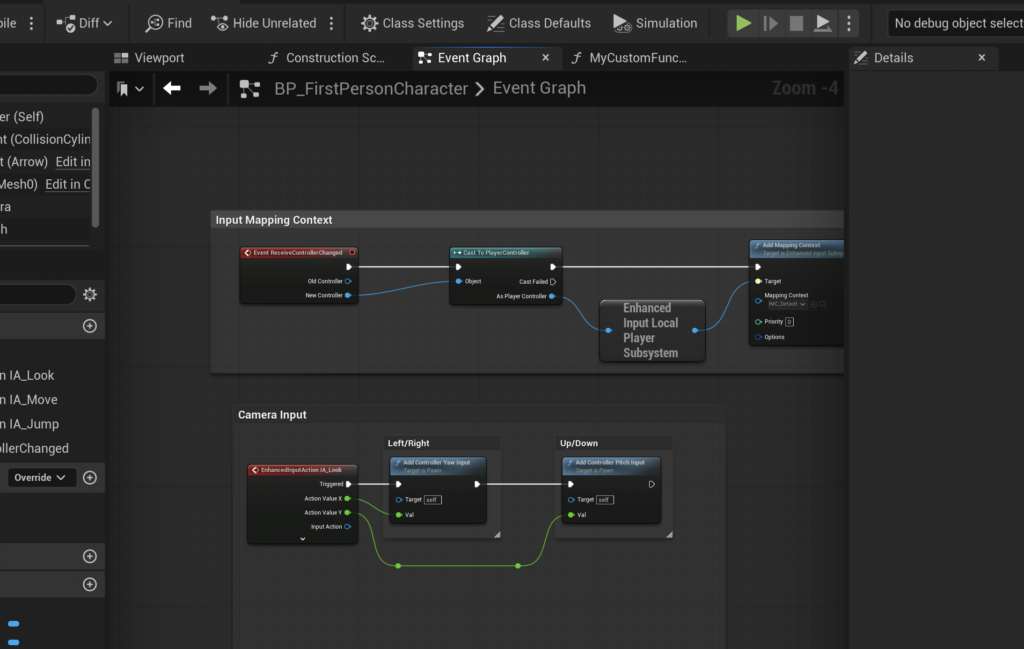
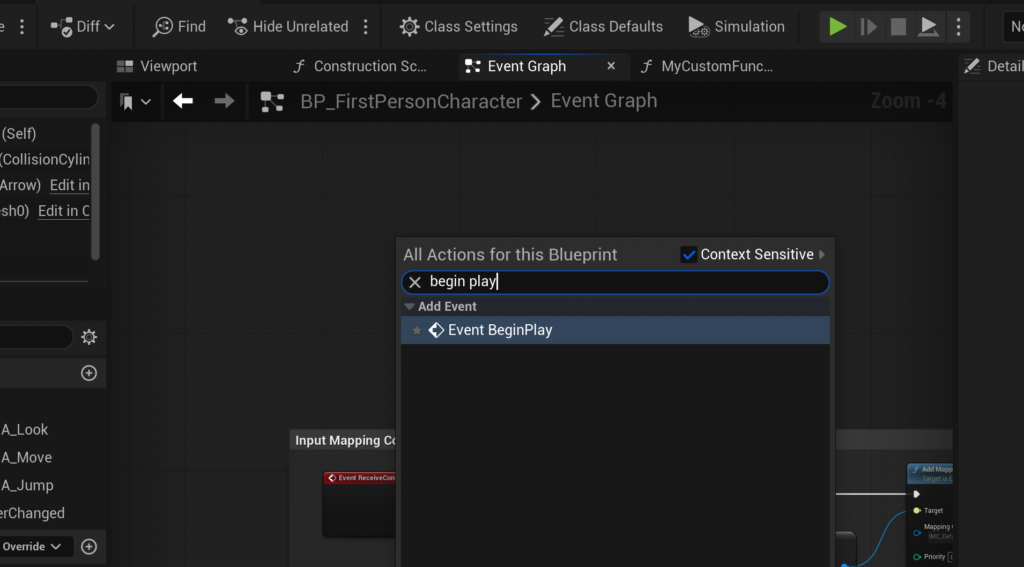
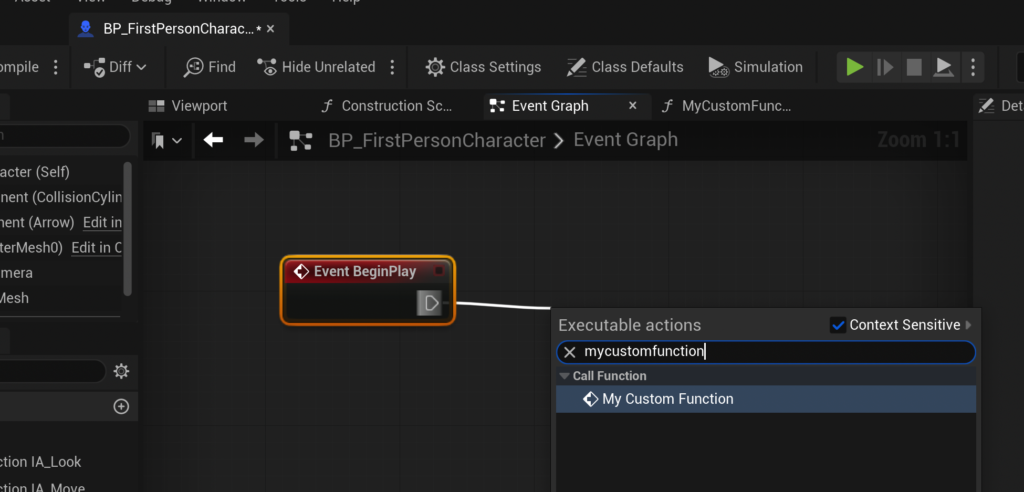
Once the function is established, its core functionality is built by connecting nodes within its dedicated graph. For a simple "Print String" example, the process involves dragging an execution pin from the function’s entry node onto the graph background, then searching for and selecting the "Print String" node from the contextual menu. This action automatically connects the nodes, ensuring that when the function is called, the "Print String" operation is executed. The term "calling" a function is industry standard, signifying the execution of its contained logic. To test this, developers often link the function call to an "Event Begin Play" node in the main Event Graph. "Event Begin Play" is a foundational event in Unreal Engine, triggering its connected logic when an actor is spawned into the game world. By connecting the newly created function to "Event Begin Play" and compiling the Blueprint, the game can be launched, and the specified string, such as "hello," will appear in the output log, confirming the function’s successful execution. This initial exercise demonstrates the fundamental principles of function creation and execution, setting the stage for more complex applications.
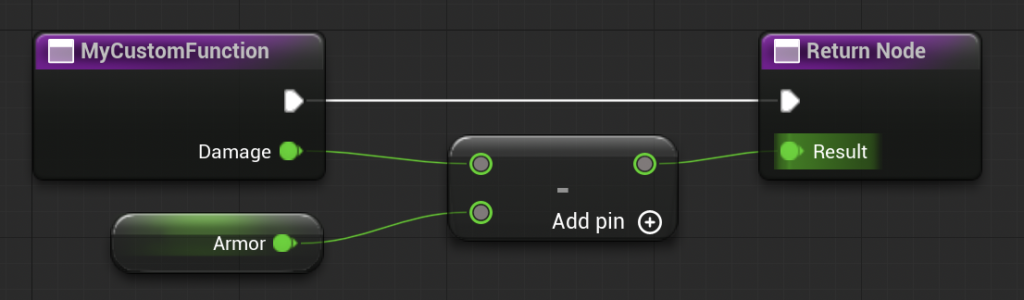
Building upon basic functionality, Blueprint Functions truly shine when handling complex calculations and data manipulation through input and output parameters. A prime example is the CalculateDamage function, which illustrates how functions can process data to yield specific results. This function might take an initial "Damage" value as an input, subtract a character’s "Armor" value, and then return the "Resulting Damage" as an output. The creation of such a function begins by selecting the function’s entry node within its graph, which exposes the "Inputs" and "Outputs" sections in the Details panel. New input parameters, such as a "Damage" variable of type Float, can be added. Similarly, an "Armor" variable can be introduced, perhaps as a Float with a default value (e.g., 15), to represent the character’s defensive capability.
The core logic of the CalculateDamage function involves a simple subtraction: the input "Damage" minus the "Armor" value. This calculation is performed using a "Subtract" node connected directly to the "Damage" input. Crucially, the outcome of this subtraction needs to be "returned" out of the function so that other parts of the Blueprint can utilize the calculated value. An output parameter, named "Result" and also of type Float, is added to the function. This automatically generates a "Return Node" in the function graph, allowing the calculated value from the "Subtract" node to be connected to the "Result" output pin. This complete setup transforms the function into a powerful, reusable calculator. When called in the Event Graph, the CalculateDamage function now appears as a node with clearly defined input pins for "Damage" and an output pin for "Result." To validate its functionality, a developer might input a "Damage" value of 20, compile the Blueprint, and connect the "Result" output to a "Print String" node. Upon execution, the output log would display "5," accurately reflecting the calculation (20 – 15 = 5), thereby confirming the successful implementation of input, processing, and output within a Blueprint Function. It is important to note that certain nodes, such as "Delay" nodes, are not supported within Blueprint Functions due to their execution model. For asynchronous operations or those requiring delays, Custom Events are the recommended alternative, offering similar modularity but with broader support for time-dependent logic.
Industry experts widely acknowledge the profound benefits of leveraging Blueprint Functions in game development. According to a 2023 survey by the Game Developers Conference (GDC), a significant majority of Unreal Engine developers cited code modularity and reusability as top priorities for efficient project management. Functions directly address these needs, leading to cleaner, more organized Blueprints that are easier to understand, debug, and expand upon. Epic Games itself, through various documentation and developer streams, consistently advocates for the strategic use of functions to maintain project health, especially in large-scale productions involving multiple team members. For instance, a complex combat system might involve numerous damage calculations, status effect applications, and health updates. Without functions, each instance of these operations would require redundant nodes, creating sprawling, unmanageable graphs. By encapsulating these operations into dedicated functions like ApplyStatusEffect or CalculateCriticalHit, developers can simply "call" these functions wherever needed, promoting consistency and dramatically reducing the time spent on debugging and refactoring. This approach not only boosts individual developer productivity but also fosters better team collaboration, as shared functions provide standardized logic that all team members can understand and utilize without needing to delve into complex, duplicated node networks.
The broader implications of robust Blueprint Functionality extend beyond mere code organization. It empowers game designers, who may not possess deep programming expertise, to directly implement complex gameplay mechanics. This accessibility reduces bottlenecks between design and implementation teams, allowing for faster iteration cycles and more creative freedom. Moreover, well-structured functions contribute to improved performance by minimizing the overall complexity of the Blueprint graph, which can have a subtle yet positive impact on runtime efficiency. In the context of large, ambitious titles, the scalability offered by functions is invaluable. As games grow, the ability to compartmentalize logic ensures that new features can be integrated without destabilizing existing systems. Debugging also becomes significantly more efficient; an issue within a CalculateDamage function, for example, can be isolated and resolved in one place, with the fix propagating instantly to all calls of that function throughout the project. This contrasts sharply with fixing identical logic replicated across dozens of different locations, a process prone to human error and time-consuming. Ultimately, Blueprint Functions are a cornerstone of modern development practices within Unreal Engine 5, enabling teams to build more sophisticated, stable, and engaging interactive experiences with greater efficiency and less friction.
In conclusion, Blueprint Functions represent an indispensable toolset for anyone developing in Unreal Engine 5. From encapsulating simple print statements for debugging to orchestrating intricate gameplay calculations with dynamic inputs and outputs, these self-contained units of logic are fundamental to building robust, maintainable, and scalable projects. Their emphasis on reusability and organization not only streamlines development workflows but also fosters a more collaborative environment, bridging the gap between programming and design. As the demands on game development continue to grow, mastering Blueprint Functions is not just a beneficial skill but a critical competency for unlocking the full potential of Unreal Engine 5 and bringing ambitious creative visions to life.
About the Author