The sophisticated landscape of modern game development, particularly within powerful engines like Unreal Engine 5 (UE5), increasingly relies on extensibility and community-driven innovation. While UE5 offers a robust suite of tools and a highly visual scripting system known as Blueprints, many of its most advanced features and performance-critical functionalities remain exclusively accessible through C++ programming. This inherent architectural design creates a natural demand for plugins, which serve as crucial bridges, empowering developers to integrate C++ capabilities directly into their Blueprint workflows and expand the engine’s core functionality. This report delves into the mechanisms of installing these vital plugins, examining both the official Unreal Marketplace route and the more advanced, manual integration methods, alongside the broader implications for the development ecosystem.
The Indispensable Role of Plugins in Unreal Engine 5 Development
Unreal Engine 5 stands as a testament to cutting-edge game development technology, offering unparalleled visual fidelity, advanced physics simulations, and complex interactive possibilities. However, even with its state-of-the-art features, the engine presents a fundamental dichotomy: the accessibility of Blueprints versus the raw power of C++. Blueprints, Epic Games’ visual scripting system, allows designers and developers to create intricate game logic without writing a single line of code, significantly lowering the barrier to entry. Yet, for tasks requiring high performance optimization, deep engine integration, or access to specific system-level APIs, C++ remains the gold standard.
This is precisely where plugins become indispensable. They are modular additions that extend UE5’s capabilities, often exposing C++ functionalities as Blueprint nodes, thereby making advanced features available to a wider range of developers. These enhancements can range from sophisticated networking solutions and advanced UI frameworks to custom physics interactions, AI behaviors, and specialized editor tools. The rapid evolution of the Unreal Engine, coupled with the diverse needs of its global developer base, necessitates a dynamic and robust plugin ecosystem to maintain its position at the forefront of interactive entertainment creation.
Navigating the Official Channel: Unreal Marketplace Plugins
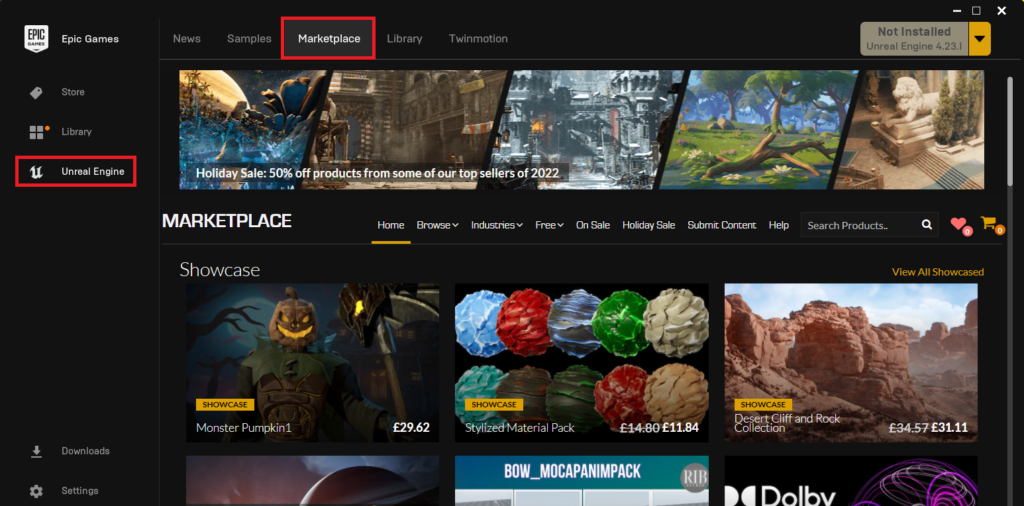
For the majority of developers seeking to enhance their Unreal Engine projects, the Epic Games Launcher serves as the primary gateway to a vast repository of resources, including the Unreal Marketplace. This official platform is curated by Epic Games and hosts a wide array of assets, tools, and, crucially, code plugins. The process of acquiring and integrating these plugins is streamlined, designed for convenience and a degree of inherent trust.
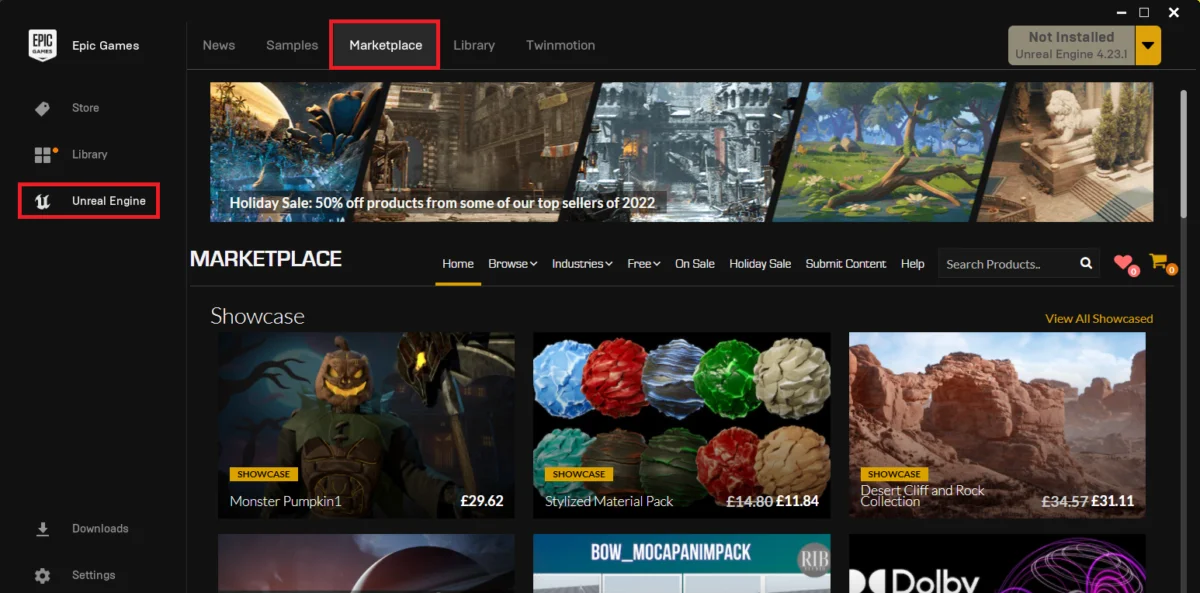
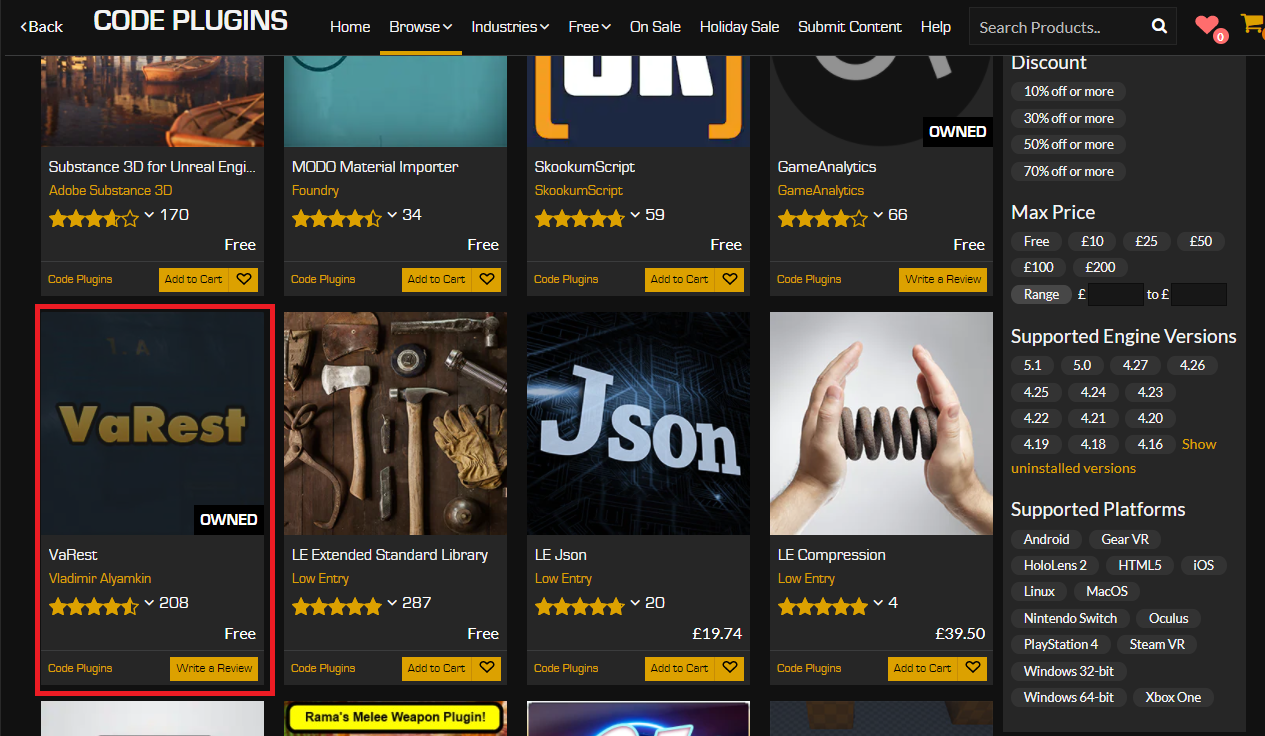
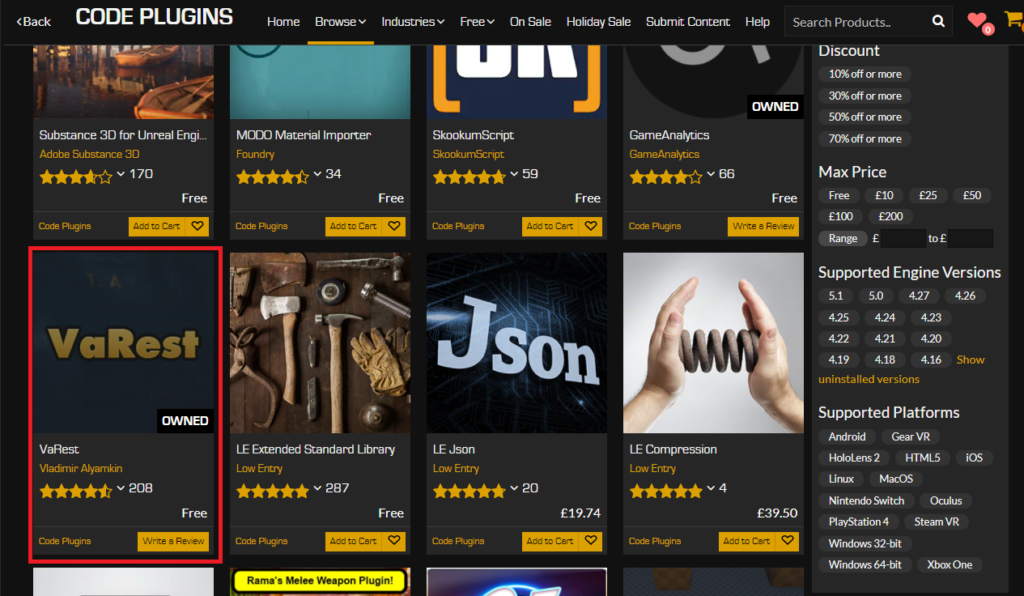
The initial step in this process involves launching the Epic Games Launcher, a central hub for managing Unreal Engine installations, projects, and marketplace content. Within the launcher, developers navigate to the dedicated Unreal Marketplace section. This digital storefront is meticulously organized, allowing users to browse various categories. For code-centric enhancements, the "Code Plugins" section is the designated destination. This categorization ensures that developers can efficiently locate additions specifically designed to extend the engine’s programmatic capabilities, rather than just visual assets or content packs.

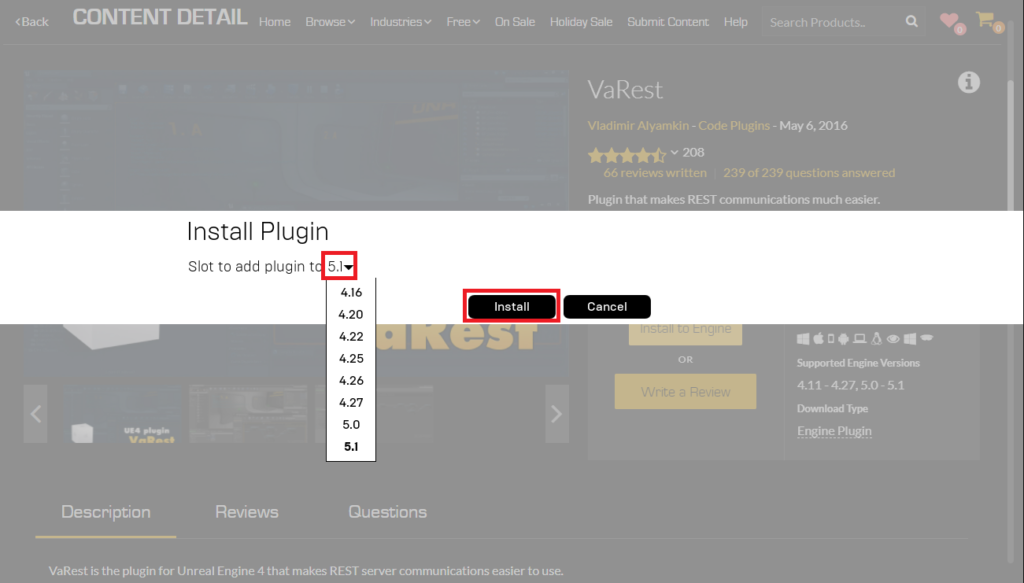
Upon identifying a desired plugin, such as the widely utilized VaRest network plugin — often chosen for its robust capabilities in handling RESTful API requests within Unreal Engine projects — developers proceed to acquire it. The acquisition process mirrors that of any digital storefront: adding the plugin to a cart and completing the purchase. It is noteworthy that even free plugins necessitate this "purchase" step, albeit without any financial transaction, ensuring proper license assignment and tracking within the Epic Games ecosystem. This systematic approach ensures that all users adhere to the licensing terms associated with each plugin, whether commercial or freely distributed.
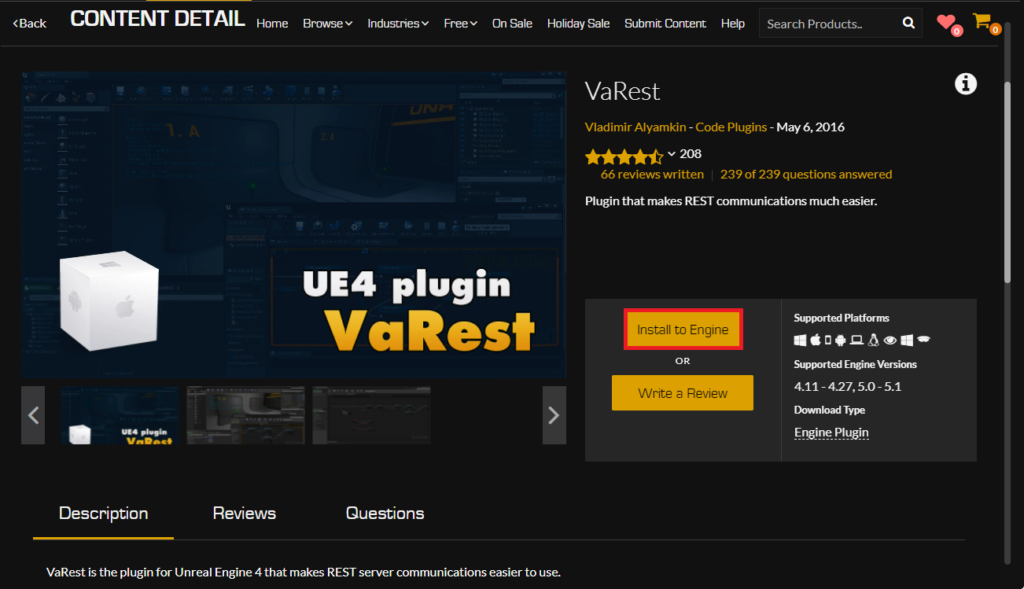
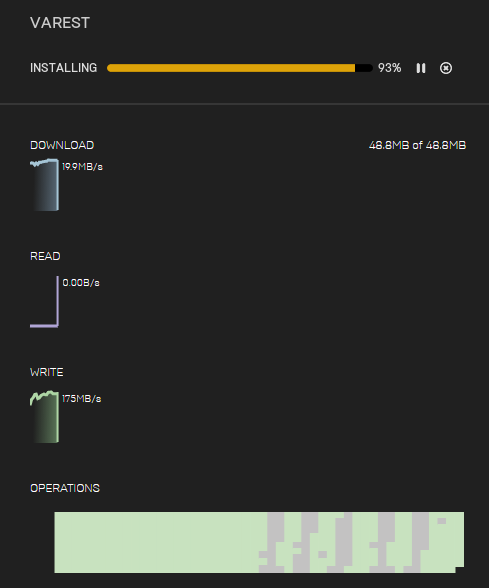
Once acquired, the plugin must be installed to the Unreal Engine itself, rather than directly to a specific project. This distinction is critical, as many marketplace plugins are designed to be engine-level extensions, available across multiple projects utilizing the same engine version. Developers are prompted to select the specific Unreal Engine version to which the plugin should be installed, a crucial compatibility check given the continuous updates and iterations of the engine. The installation progress is then monitored via the launcher’s downloads tab, providing transparency and feedback to the user.
Activating Marketplace Plugins Within a Project
The installation of a plugin to the engine does not automatically activate it within every project. This design choice is deliberate and serves several practical purposes, primarily to prevent unnecessary code compilation and reduce project executable sizes. By default, new plugins are disabled, requiring explicit activation within each Unreal Engine project that intends to utilize them. This granular control allows developers to maintain lean projects, only incorporating the functionalities they genuinely require.
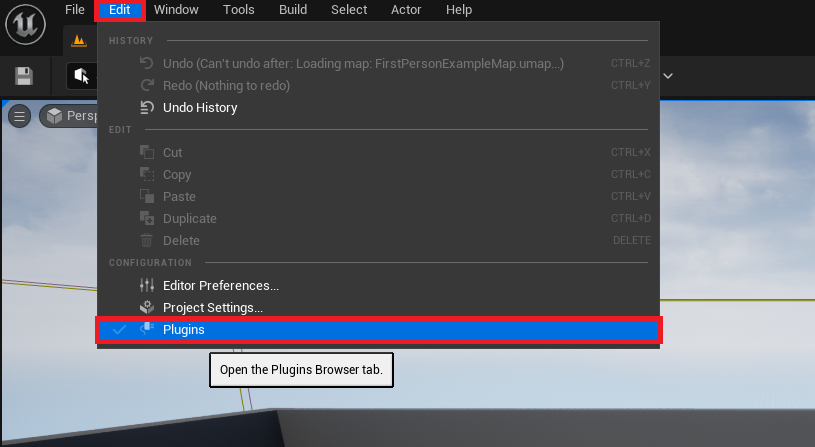
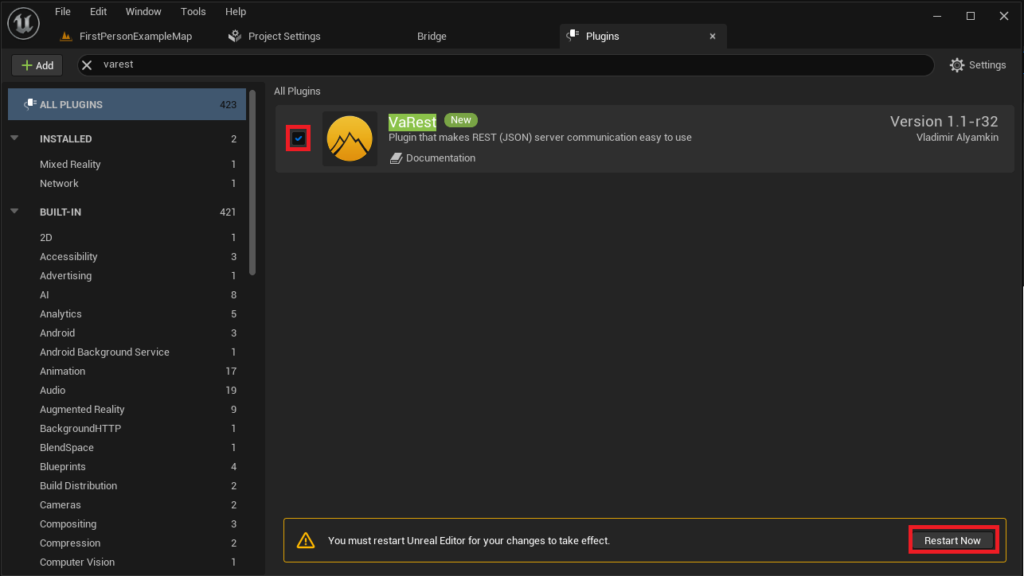
To enable a newly installed plugin, developers must access the Unreal Engine editor for their specific project. Within the editor’s interface, the path is consistently found under the "Edit" menu, followed by "Plugins." This action opens the Plugins manager, a comprehensive interface listing all available plugins, both engine-native and user-installed.
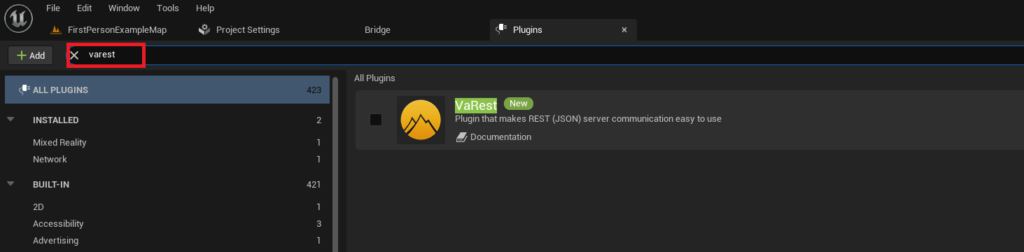
Within the Plugins manager, a search bar facilitates the rapid location of the desired plugin. Typing the plugin’s name, such as "VaRest," filters the extensive list, presenting its details. The final step involves toggling a checkbox next to the plugin’s entry to enable it. Following this action, the Unreal Engine editor typically prompts for a restart. This restart is not merely a formality; it is essential for the engine to properly compile and integrate the new plugin’s code and functionalities into the project, making its Blueprint nodes and C++ classes available for use. Upon successful restart, the plugin’s features become fully accessible, ready to be leveraged in game development.
The Advanced Route: Manual Plugin Installation and Associated Considerations
While the Unreal Marketplace offers a secure and streamlined experience, a significant portion of the developer community relies on plugins obtained from other sources. These "manually installed" plugins often originate from open-source initiatives, individual developers sharing their work on forums, or proprietary solutions developed for specific needs. This method offers greater flexibility but demands a higher degree of caution and technical proficiency.
Disclaimer and Due Diligence: The foremost consideration when contemplating manual plugin installation is security and compatibility. Unlike marketplace assets, which undergo a vetting process, manually sourced plugins lack this inherent oversight. Developers are explicitly advised to exercise extreme caution, downloading files and code only from demonstrably trusted sources. The risks associated with untrusted code range from system instability and project corruption to, in severe cases, the introduction of malicious software. Furthermore, ensuring the plugin’s compatibility with the specific version of Unreal Engine 5 installed is paramount; mismatched versions can lead to compilation errors, crashes, or unpredictable behavior. Industry best practices strongly recommend backing up projects before integrating any third-party code.
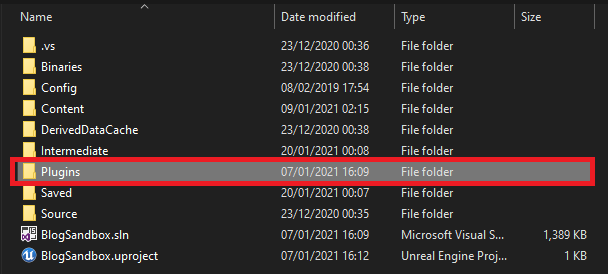
The Manual Installation Process: The practical steps for manual installation begin with ensuring the target Unreal Engine project directory contains a "Plugins" folder. If this folder does not exist, it must be manually created at the root level of the project. This "Plugins" folder serves as the designated repository for all project-specific, manually installed plugins, distinguishing them from engine-level installations.
Following this, the downloaded plugin’s entire folder structure is copied into this newly created or existing "Plugins" directory. For instance, if utilizing a plugin like Rama’s Victory BP Plugin, its corresponding folder (e.g., "VictoryPlugin") would be placed here. This folder typically contains all the necessary files for the plugin to function, including source code, binaries, and descriptor files. The integrity of this folder structure is crucial for the engine to recognize and correctly process the plugin.
Enabling Manually Installed Plugins: Similar to marketplace plugins, manually installed plugins are not automatically enabled. The rationale remains identical: to optimize project performance and executable size. The activation procedure mirrors that of marketplace plugins. Within the Unreal Engine editor, developers navigate to "Edit" then "Plugins." The Plugins manager will display the newly copied plugin. Using the search functionality helps quickly locate it. Finally, enabling the plugin by checking its box and restarting the editor integrates its functionalities into the project. This restart allows the engine to recompile necessary modules and expose the plugin’s features for use in both C++ and Blueprints.
Broader Impact and Implications of the Plugin Ecosystem
The prevalence and utility of plugins within Unreal Engine 5 underscore several critical aspects of contemporary game development:
- Accelerated Development Cycles: Plugins significantly reduce development time by providing pre-built solutions for common challenges. Instead of re-inventing the wheel, developers can integrate tested functionalities, freeing up resources for core game design and innovation.
- Democratization of Advanced Features: By exposing C++ capabilities through Blueprint nodes, plugins make complex engine functionalities accessible to designers and artists who may lack extensive programming experience. This fosters greater collaboration and expands the creative potential within development teams.
- Fostering a Vibrant Community: The plugin ecosystem thrives on community contributions. Developers sharing their solutions, whether commercially or open-source, enrich the engine for everyone. This collaborative spirit is a cornerstone of Unreal Engine’s success.
- Economic Impact: The Unreal Marketplace has become a significant economy, supporting independent developers and studios who create and sell high-quality plugins and assets. This creates a symbiotic relationship where Epic Games provides the platform, and the community enhances its value, driving further adoption.
- Specialization and Niche Solutions: Plugins allow for highly specialized functionalities that Epic Games might not integrate into the core engine due to broader applicability concerns. This enables developers to tackle unique challenges, from specific hardware integrations to niche gameplay mechanics.
- Security and Maintenance Challenges: While beneficial, the reliance on third-party plugins introduces potential vulnerabilities. Compatibility issues arising from engine updates, abandoned plugins, or security flaws in external code can pose significant maintenance challenges for projects. This necessitates careful selection, ongoing monitoring, and robust project management strategies.
Conclusion
The extensibility afforded by plugins is not merely a convenience but a foundational pillar of the Unreal Engine 5 ecosystem. By bridging the gap between high-level visual scripting and low-level C++ power, plugins empower developers to push the boundaries of interactive experiences. Whether acquired through the secure and streamlined Unreal Marketplace or integrated manually with appropriate due diligence, these modular additions are crucial for enhancing productivity, fostering innovation, and tailoring the engine to specific project needs. As Unreal Engine continues its rapid evolution, the dynamic and ever-expanding plugin ecosystem will undoubtedly remain a cornerstone of its success, enabling developers worldwide to transform their creative visions into reality. The ongoing challenge for the industry lies in balancing the immense benefits of this extensibility with the critical need for security, compatibility, and sustainable maintenance practices.
About the Author