The world of 3D digital art is in constant evolution, with software developers and independent creators alike pushing the boundaries of what’s possible. Within the robust ecosystem of Blender, a free and open-source 3D creation suite, the management and application of textures have long been a critical, yet sometimes complex, aspect of the workflow. Addressing this challenge head-on, the Ucupaint add-on has emerged as a significant advancement, offering a streamlined and intuitive approach to texture layer management for both Eevee and Cycles renderers. Developed over several years, Ucupaint is not merely a superficial enhancement; it integrates seamlessly into existing shader node setups, providing a powerful yet accessible toolkit for artists seeking to elevate their texturing capabilities.
The Genesis and Evolution of Ucupaint
The development of Ucupaint is a testament to the dedication of its creators and the vibrant Blender community. While the provided information notes its "development for years," this suggests a period of iterative refinement, bug fixing, and feature expansion, a common trajectory for successful Blender add-ons. Such a lengthy development cycle typically involves extensive alpha and beta testing phases, allowing for community feedback to shape the final product. This organic growth is characteristic of many tools that gain widespread adoption within the open-source software sphere. The add-on’s longevity in development implies a commitment to addressing the nuanced needs of 3D artists, moving beyond basic functionality to offer a comprehensive solution.
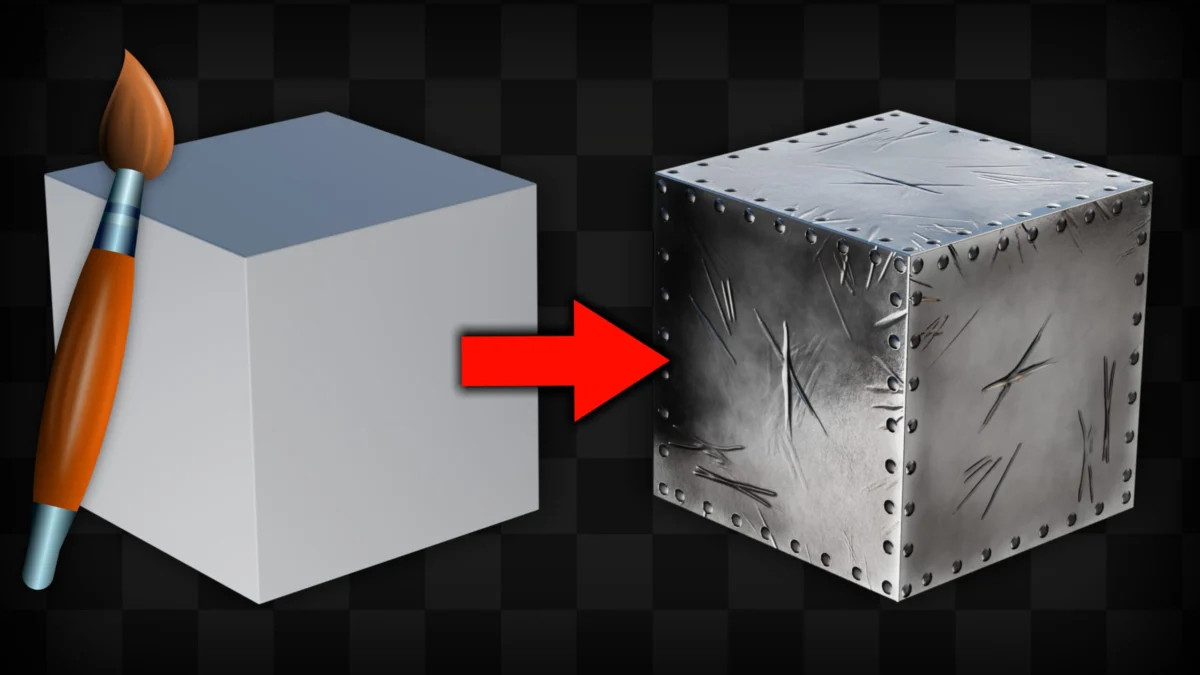
The core innovation of Ucupaint lies in its ability to manage texture layers in a manner analogous to 2D image editing software, a paradigm shift for many Blender users accustomed to direct manipulation within the shader editor. This approach simplifies complex material creation by allowing artists to stack, blend, and modify textures with greater ease and control. The add-on’s compatibility with both Eevee, Blender’s real-time rendering engine, and Cycles, its physically-based ray-tracing engine, is a crucial advantage. This ensures that artists can maintain a consistent texturing workflow regardless of their chosen rendering path, eliminating the need for separate texture setups for different renderers.
Key Features and Functionality
Ucupaint’s design prioritizes user-friendliness without sacrificing depth. Its "easy-to-use features" are a direct response to the often-steep learning curve associated with advanced material creation in 3D software. By abstracting some of the more intricate node connections, Ucupaint allows artists to focus on the artistic aspects of texturing – color, detail, and material properties – rather than getting bogged down in technical complexities.
The add-on’s integration into the "usual shader nodes workflow" is a critical design element. This means that Ucupaint doesn’t force users into an entirely new workflow or a proprietary system. Instead, it acts as an intelligent layer that complements and enhances the existing Blender shader editor. This interoperability ensures that Ucupaint can be adopted incrementally, with artists gradually incorporating its features as they become more comfortable. The add-on likely generates and manipulates the necessary shader nodes behind the scenes, presenting a more abstract and intuitive interface to the user.
While specific features are not detailed in the provided text, common functionalities in such advanced texture management add-ons include:
- Layer Stacking and Blending Modes: The ability to stack multiple textures and apply various blending modes (e.g., multiply, screen, overlay) to achieve complex material effects.
- Masking Capabilities: Tools to define areas where textures are applied, allowing for precise control over material distribution. This could include procedural masks, painted masks, or masks derived from other textures.
- Procedural Texture Generation: Integration with Blender’s procedural texture nodes or its own internal procedural generators to create intricate patterns and details.
- Brush-Based Painting: Direct painting of textures onto the 3D model, with layers being managed within the Ucupaint interface. This offers a more tactile and intuitive approach than solely relying on node-based workflows.
- Material Property Control: The ability to link texture layers to specific material properties such as diffuse color, roughness, metallic, normal maps, and more.
- Baking Capabilities: Potentially offering tools to bake complex layer stacks into simpler texture maps for optimized performance or export to other applications.
Ryan King Art’s Tutorial: A Gateway to Mastery
The release of a tutorial by Ryan King Art, a known 3D artist and YouTuber, specifically focusing on Ucupaint, is a significant event for the Blender community. Tutorials of this nature are invaluable for democratizing access to powerful tools. By providing a step-by-step explanation, Ryan King Art aims to demystify Ucupaint, making it accessible to beginners and intermediate users alike.

Ryan King Art’s YouTube channel, YouTube.com/RyanKingArt, has likely become a go-to resource for Blender users seeking practical advice and project-based learning. His approach, as indicated by the tutorial title "Ucupaint for Beginners! (Free Blender Texture Painting Addon) ??", suggests a focus on ease of understanding and practical application. Such tutorials often cover:
- Installation and Setup: Guiding users through the process of installing and configuring the add-on.
- Interface Overview: Familiarizing viewers with Ucupaint’s user interface and its various panels and options.
- Core Workflows: Demonstrating fundamental tasks such as creating new texture layers, applying brushes, adjusting layer properties, and blending textures.
- Practical Examples: Walking through the creation of specific materials, showcasing how Ucupaint can be used to achieve realistic or stylized results.
- Tips and Tricks: Sharing expert advice to help users optimize their workflow and overcome common challenges.
The availability of such a tutorial, especially for a free add-on, directly contributes to its adoption rate and the overall skill enhancement of the Blender user base.
The Impact of Ucupaint on the 3D Art Landscape
The implications of Ucupaint extend beyond individual artists. For game development studios, architectural visualization firms, and freelance artists, efficient and powerful texturing tools are paramount. Ucupaint has the potential to:
- Accelerate Production Times: By simplifying complex texturing tasks, artists can achieve high-quality results more quickly, leading to faster project completion. This is particularly impactful in time-sensitive industries like game development.
- Enhance Visual Fidelity: The advanced layering and blending capabilities can lead to more nuanced and realistic materials, elevating the overall visual quality of 3D projects. This can result in more immersive gaming experiences or more compelling architectural visualizations.
- Lower the Barrier to Entry: For aspiring 3D artists, the intuitive nature of Ucupaint, coupled with accessible tutorials, can make complex material creation less daunting. This fosters a more inclusive environment for new talent.
- Promote Creative Exploration: With a more streamlined workflow, artists are freed up to experiment with more intricate and unique material designs, pushing creative boundaries.
Context within the Blender Ecosystem
Blender’s open-source nature has fostered a thriving ecosystem of add-ons that extend its core functionality. Ucupaint joins a growing list of tools that address specific artistic and technical needs, from sculpting and animation to rendering and compositing. The development and widespread adoption of add-ons like Ucupaint are crucial for Blender’s continued growth and its ability to compete with proprietary 3D software packages.
The fact that Ucupaint is available for both Eevee and Cycles also reflects a broader trend in 3D software development towards unified workflows that can accommodate different rendering pipelines. As real-time rendering technologies like Eevee continue to improve, the distinction between real-time and offline rendering is becoming increasingly blurred, making tools that bridge this gap highly valuable.
Future Outlook and Community Engagement
The ongoing development of Ucupaint, as suggested by its years in the making, implies a commitment to future updates and improvements. As the Blender software itself evolves, add-ons like Ucupaint will need to adapt to remain compatible and leverage new features. Community feedback, often channeled through forums, bug trackers, and social media, will undoubtedly play a vital role in shaping the future direction of Ucupaint.
The success of Ucupaint will likely be measured not only by its technical capabilities but also by the strength of its community. A robust community can provide invaluable support, share best practices, and contribute to the add-on’s continued growth through bug reporting and feature requests. Ryan King Art’s tutorial serves as a crucial catalyst for this community engagement, providing a starting point for many artists to explore and contribute to the Ucupaint project.
In conclusion, Ucupaint represents a significant step forward in Blender’s texture management capabilities. By offering a user-friendly, layer-based approach that seamlessly integrates with existing workflows, it empowers artists of all skill levels to create more sophisticated and visually compelling materials. The ongoing efforts of developers and the support of community educators like Ryan King Art ensure that Ucupaint is poised to become an indispensable tool for 3D artists worldwide.
About the Author