Unreal Engine 5 (UE5) has significantly advanced real-time rendering capabilities, and at the forefront of this revolution is the MetaHuman character library. These highly realistic digital humans are freely available to developers, offering an unprecedented level of fidelity and animation readiness for integration into various projects. This guide outlines the precise steps for leveraging the MetaHuman library within a UE5 environment, detailing the process from initial access to final project integration.
The Dawn of Digital Realism: Unveiling MetaHumans and Unreal Engine 5

Unreal Engine 5, Epic Games’ latest iteration of its powerful real-time 3D creation tool, has set a new standard for graphical fidelity and development efficiency. Launched with groundbreaking technologies like Nanite for virtualized micropolygon geometry and Lumen for dynamic global illumination, UE5 empowers creators to achieve photorealistic visuals with unprecedented ease. Complementing these advancements is the MetaHuman project, a meticulously crafted library of digital human characters designed to seamlessly integrate into the UE5 ecosystem.
MetaHumans are not merely static 3D models; they represent a paradigm shift in character creation. Developed by Epic Games in collaboration with 3Lateral and Quixel, these digital humans are built upon a foundation of advanced photogrammetry, intricate facial and body rigging, and sophisticated animation controls. Each MetaHuman is a fully rigged, ready-to-animate character, complete with multiple levels of detail (LODs), hair and skin shaders, and performance-capture ready facial blends. The underlying technology meticulously captures the nuances of human appearance and motion, from subtle facial expressions to detailed skin pores, making them indistinguishable from real actors in many contexts. This level of detail, previously requiring months of dedicated work by highly specialized artists, is now accessible to a broad spectrum of developers. The strategic decision by Epic Games to make these high-fidelity assets freely available underscores a commitment to democratizing advanced content creation, enabling studios of all sizes, and even individual developers, to produce visually stunning projects without prohibitive costs or extensive character art pipelines.
A Chronology of Innovation: From Concept to Creator
The journey of MetaHumans began long before their public release, rooted in Epic Games’ ongoing pursuit of photorealism and accessible creation tools. The MetaHuman Project was officially unveiled in February 2021, initially as an Early Access program, showcasing its remarkable capabilities and hinting at a future where hyper-realistic digital characters would be commonplace. This initial reveal generated significant excitement across the game development, film, and animation industries, demonstrating characters that could pass for real individuals.
Following the successful Early Access phase, Epic Games continued to refine the technology, culminating in the full integration of MetaHumans with the official release of Unreal Engine 5 in April 2022. This milestone marked a pivotal moment, as developers worldwide gained direct access to the MetaHuman library through the Quixel Bridge application, an integral part of the Unreal Engine workflow. The Quixel acquisition by Epic Games in 2019 was a strategic move, integrating Quixel’s vast Megascans library of photogrammetry assets and expertise directly into the Unreal ecosystem. The MetaHuman library is a natural extension of this strategy, providing not just environmental assets but also high-quality character models.
Further enhancing the MetaHuman ecosystem is the MetaHuman Creator, a cloud-streamed application that allows users to design unique digital humans from scratch or by blending existing MetaHumans. While the MetaHuman library provides pre-configured characters, the Creator tool, currently in early access, represents the ultimate vision: giving creators unprecedented control over every aspect of their digital character, from facial features and hair to body type and clothing. This progressive rollout illustrates a deliberate strategy to provide both ready-to-use solutions and powerful customization tools, catering to diverse development needs and skill levels. The continuous evolution of MetaHuman technology, supported by ongoing updates to Unreal Engine 5, signifies Epic Games’ long-term investment in pushing the boundaries of real-time digital human creation.
Accessing the MetaHuman Library: A Step-by-Step Guide for Developers
Integrating a MetaHuman character into an Unreal Engine 5 project is a streamlined process facilitated by the integrated Quixel Bridge. This section provides a detailed, step-by-step walkthrough, ensuring developers can efficiently bring these high-fidelity assets into their creative endeavors.
Initiating Quixel Bridge Integration

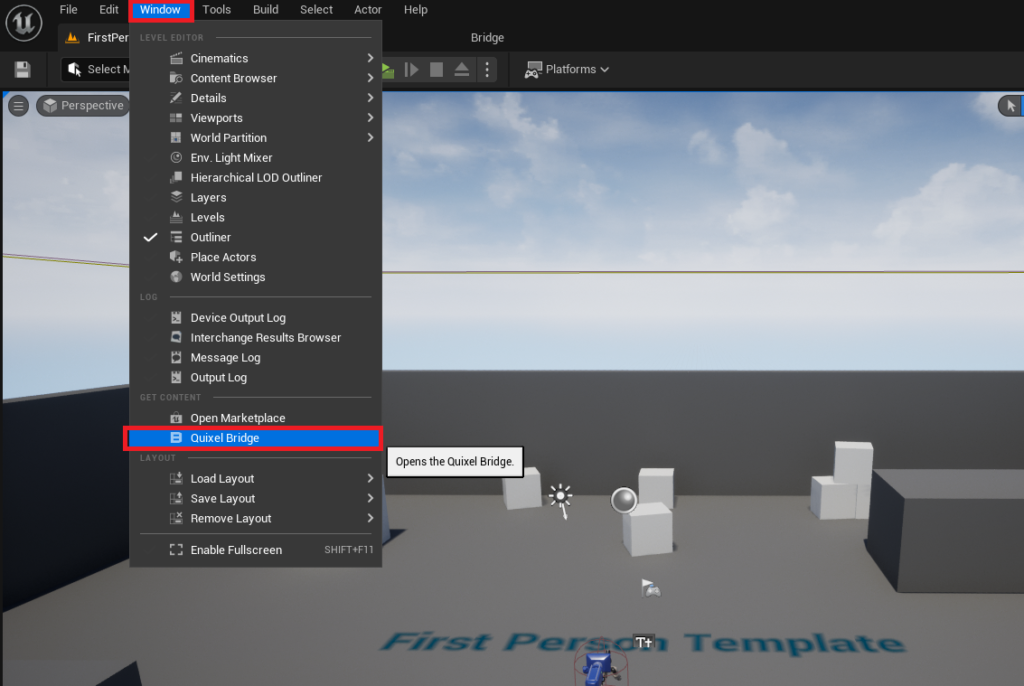
The first step in accessing the MetaHuman library is to launch Quixel Bridge directly within the Unreal Engine 5 editor. This integration streamlines the asset management workflow, allowing developers to browse, download, and import high-quality assets without leaving their development environment. To begin, navigate to the Window tab in the Unreal Engine editor’s top menu bar. From the dropdown menu, select Quixel Bridge. This action will open the Quixel Bridge panel, typically as a dockable window within the editor interface. This immediate access underscores the tight integration between Epic’s various tools and resources, centralizing the discovery and utilization of vast content libraries.
- Detailed Step: Open the Unreal Engine 5 editor. Locate the "Window" menu in the top toolbar. Click on "Window" to reveal a dropdown list of panels and tools. Select "Quixel Bridge" from this list. The Quixel Bridge window will then open, either as a floating window or docked to a side panel, depending on your editor layout preferences. This is the gateway to both the extensive Quixel Megascans library and the MetaHuman collection.
Navigating the MetaHuman Repository
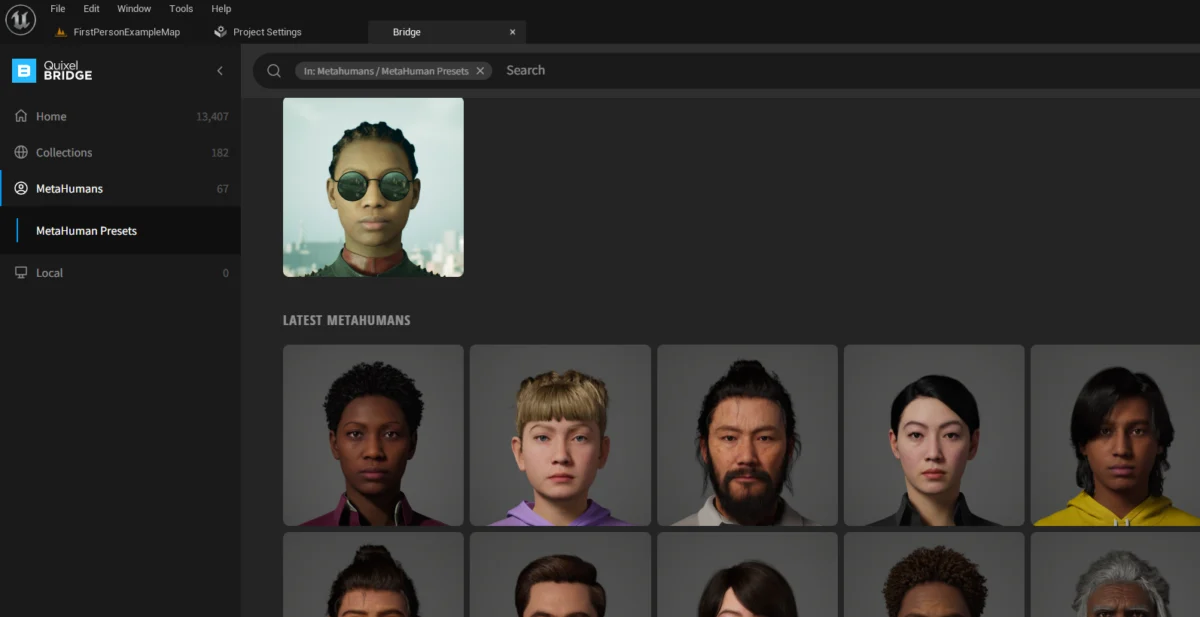
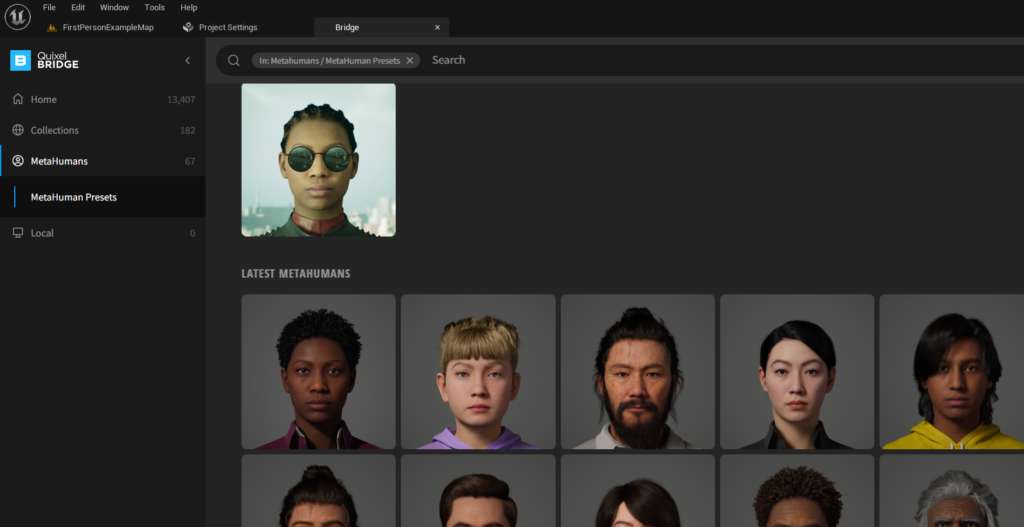
Once Quixel Bridge has successfully loaded within the Unreal Engine editor, the next action is to direct the interface to the MetaHuman specific content. The Quixel Bridge serves as a unified portal for various asset types, including environmental scans, 3D models, surfaces, and character assets. To isolate the MetaHuman library, locate the dedicated MetaHumans tab within the Quixel Bridge window. Clicking this tab will filter the displayed content, presenting a curated selection of pre-configured MetaHuman characters. Each character in this library is a testament to the technology’s capability, showcasing diverse appearances, ages, and styles, all rendered with exceptional detail. Developers can browse this collection, evaluating characters based on their project’s aesthetic requirements and narrative needs. The breadth of available characters provides a strong starting point for many projects, reducing the need for custom character design in the initial stages.
- Detailed Step: Within the open Quixel Bridge window, look for a series of tabs or categories, usually positioned along the left-hand side or top of the window. One of these tabs will be labeled "MetaHumans." Click on this "MetaHumans" tab. The main content area of the Quixel Bridge window will then refresh to display a grid of available MetaHuman avatars, each presented with a thumbnail image. This view allows for visual selection and previewing of the characters.
Authentication and Asset Acquisition
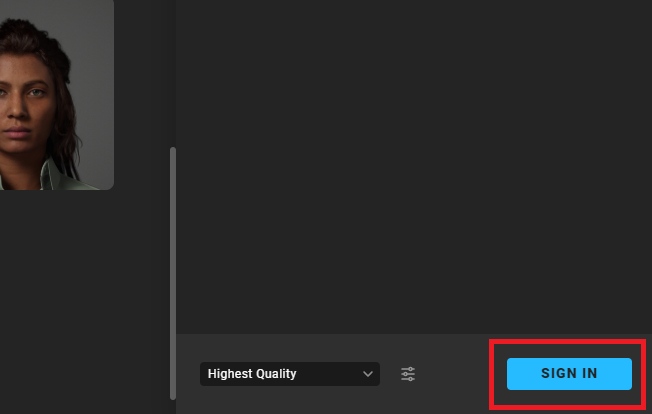
Before any MetaHuman character can be downloaded and added to a project, authentication is required to confirm access rights. While MetaHumans are free to use, they are linked to an Epic Games account, which manages licensing and asset distribution. To proceed, developers must select a MetaHuman avatar from the displayed grid. Upon selection, details about the chosen character will appear, and a Sign In button will become visible, typically located in the bottom right corner of the Quixel Bridge window. Clicking this button will initiate the login process, prompting the developer to authenticate with their Epic Games account credentials. This ensures proper licensing and tracking of asset usage, while also providing seamless access to the entire Quixel Megascans and MetaHuman libraries, a benefit tied to the Unreal Engine ecosystem.
- Detailed Step: From the grid of MetaHuman avatars, click on the thumbnail of the character you wish to download. This will highlight the character and display additional information or options. Observe the bottom right section of the Quixel Bridge window; a button labeled "Sign In" will be present. Click this "Sign In" button. A new window or browser tab will open, prompting you to enter your Epic Games account username and password. Complete the login process. Once successfully logged in, the "Sign In" button will be replaced by "Download" and "Add" options.
Once successfully authenticated, the "Sign In" button will transition to a Download button. Clicking "Download" will initiate the transfer of the selected MetaHuman’s high-resolution assets to the local machine. This process can take some time, depending on internet speed and the complexity of the MetaHuman, as these characters comprise numerous textures, meshes, and rigging data. After the download is complete, the "Download" button will change to an Add button. Clicking "Add" will import all necessary MetaHuman assets directly into the currently open Unreal Engine 5 project. This action automatically handles the complex process of integrating the character’s numerous components, setting up materials, textures, and the skeletal rig within the project’s content structure.
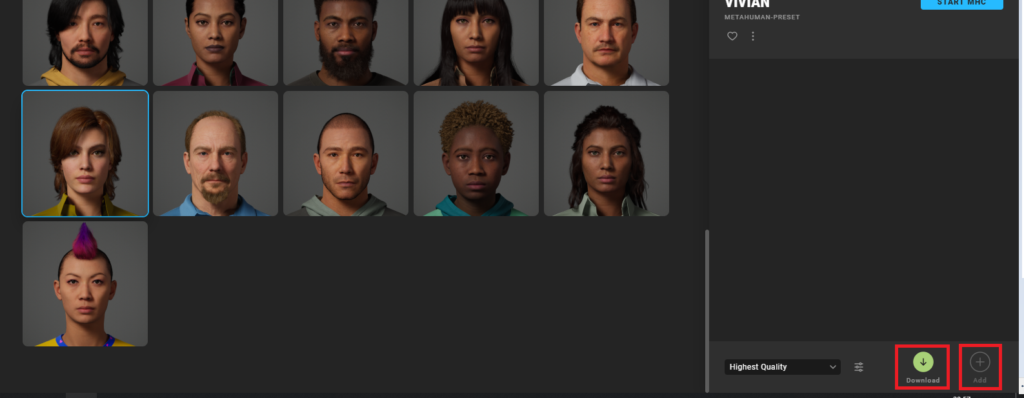
- Detailed Step: After successful login, the selected MetaHuman’s detail panel will now show a "Download" button. Click "Download" to begin downloading the MetaHuman’s asset files to your local system. Monitor the download progress bar. Once the download is complete, the "Download" button will transform into an "Add" button. Click "Add" to import the MetaHuman and its associated files directly into your open Unreal Engine 5 project.
Project Integration and Configuration
The integration of MetaHumans into an Unreal Engine project is a sophisticated process that often requires specific engine configurations to ensure optimal performance and visual fidelity. Upon adding a MetaHuman, Unreal Engine 5 will perform an initial assessment of the project’s settings and installed plugins. It is common for notifications to appear in the bottom left corner of the editor, indicating missing plugins or project settings essential for MetaHuman functionality. These prompts are critical for enabling features such as strand-based hair rendering, advanced subsurface scattering, and specific post-processing effects that contribute to the MetaHuman’s lifelike appearance.
When these notifications appear, developers should press "Enable Missing". This action allows the editor to automatically activate the necessary plugins and adjust relevant project settings to fully support MetaHuman assets. These changes often involve enabling specific rendering features, adjusting scalability settings, and ensuring compatibility with the MetaHuman’s complex material pipeline. After enabling these settings, the editor will typically prompt for a restart to apply the changes effectively. Pressing **"Restart
About the Author