The independent gaming platform itch.io has unveiled a significant update to its desktop application, version 26.20.0, introducing a suite of highly anticipated features designed to enhance user experience and foster greater interoperability within the PC gaming ecosystem. The update, released recently, addresses longstanding community requests by integrating Steam shortcuts, enabling headless game launches, and providing the ability to link existing game folders directly to the itch app. These enhancements signify itch.io’s continued commitment to streamlining access to its vast catalog of indie titles and empowering users with more flexible management options.
Streamlining Access: Itch.io Games Now Integrate with Steam
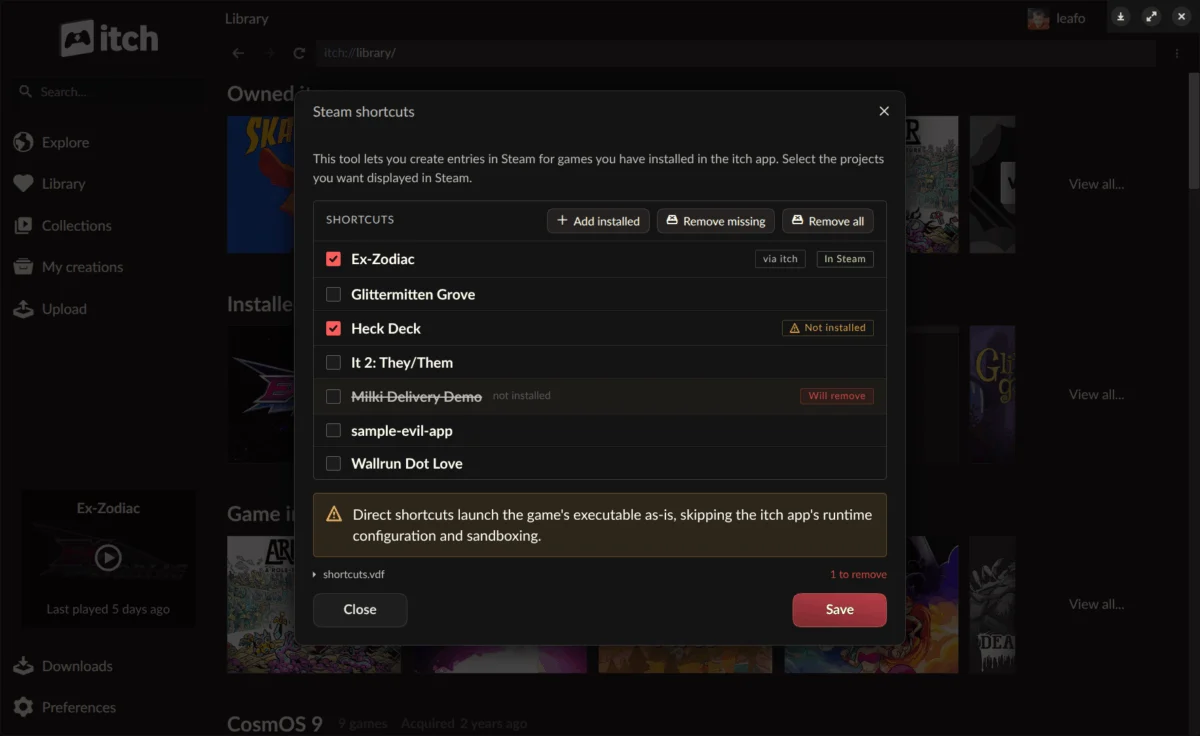
One of the most impactful features introduced in v26.20.0 is the direct integration with Steam, allowing users to add games installed via the itch app to their Steam library. This functionality is particularly beneficial for players deeply embedded in the Steam ecosystem, especially those utilizing devices like the Steam Deck or navigating their libraries through Steam’s Big Picture mode. Historically, managing games across multiple launchers has presented a fragmented experience, requiring users to switch applications to access their full gaming collection. The new Steam Shortcuts feature bridges this gap, enabling itch.io titles to appear and launch directly from Steam, thereby creating a more unified and convenient gaming environment.
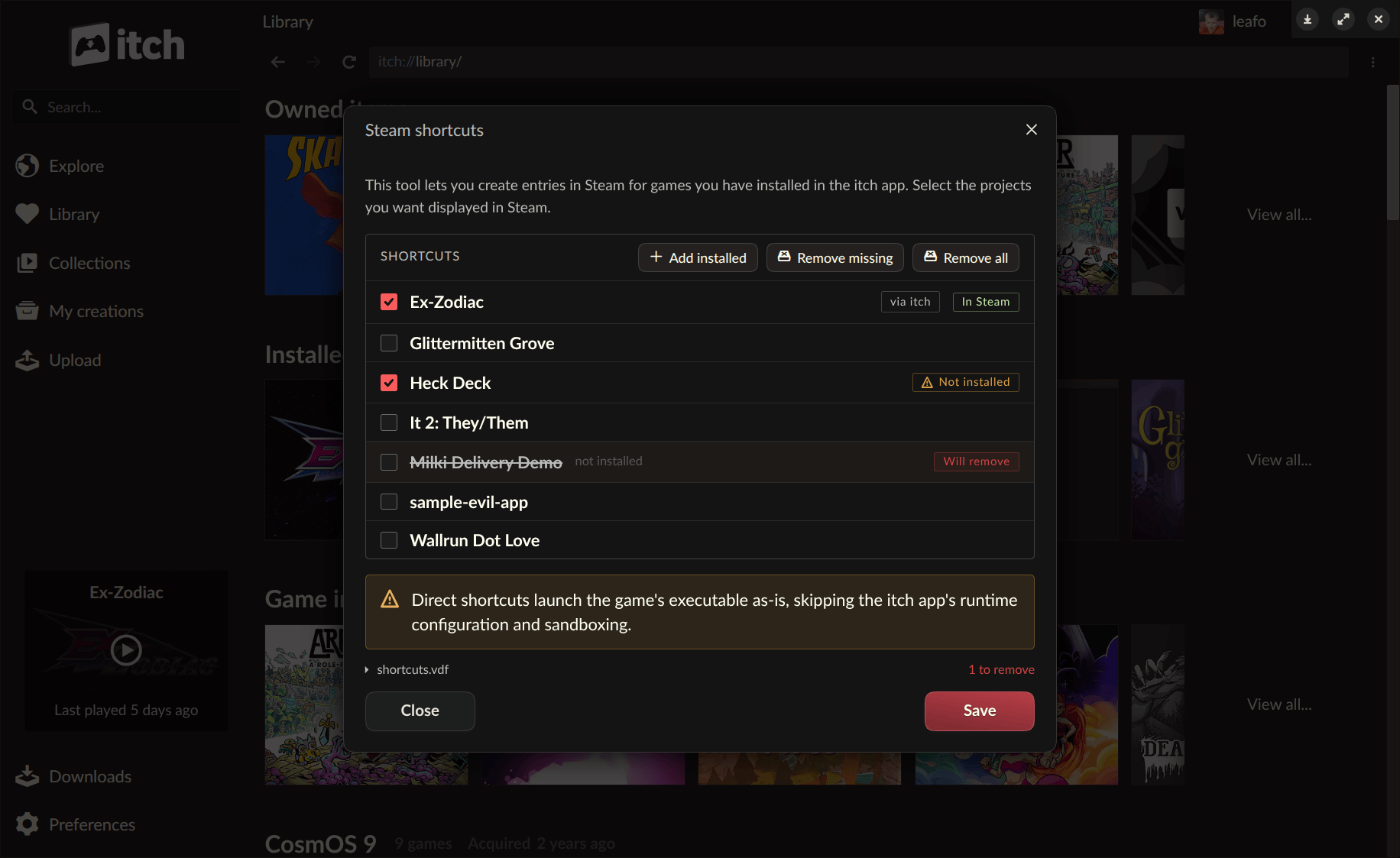
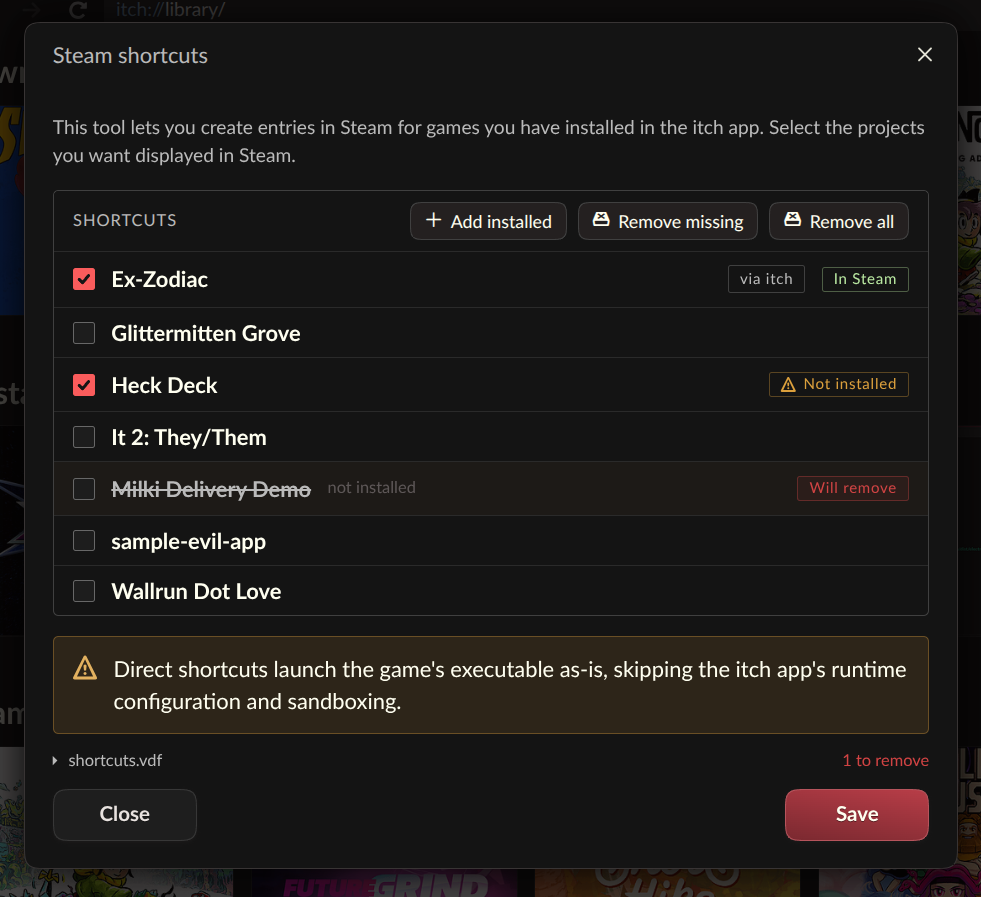
The implementation of Steam shortcuts relies on a newly developed "headless runner mode" for itch games. This innovative mode allows games to launch with the full backing and support of the itch app’s underlying functionalities—such as sandboxing, prerequisite checks, per-game launch settings, and play time tracking—without the need for the full itch desktop application to be actively running in the foreground. This seamless background operation ensures that all user configurations and platform-specific features are maintained, even when launching through an external client. Users can locate the Steam Shortcuts tool within the itch app’s preferences page or by right-clicking on any installed game in their library and selecting the "Steam Shortcuts" option. Upon synchronization, all added itch.io games are automatically organized into a dedicated "itch.io" collection within Steam, facilitating easy identification and management.
Given the technical complexity and the nature of integrating with an external platform, itch.io has categorized this feature as somewhat experimental. The development team has actively encouraged users to test the functionality and report any bugs or issues encountered via the GitHub issues page. To maximize compatibility, each shortcut can be configured with two different launch modes, though specific details on these modes were not extensively elaborated in the initial announcement. This flexibility likely allows for adaptation to various game types and system configurations, aiming to ensure a robust launch experience across a diverse range of titles available on itch.io. The integration marks a significant step towards greater interoperability, potentially expanding the visibility and accessibility of indie games hosted on itch.io to Steam’s immense global user base, which boasts over 132 million monthly active users as of early 2024.
Empowering Developers and Custom Launchers: The Headless Launch Mode
While primarily developed to support the Steam Shortcuts functionality, the new headless launch mode extends far beyond this specific integration, offering a powerful tool for broader application. This mode allows installed itch.io games to be started with a simple command-line instruction: itch-setup --run-game <gameId> [--profile-id <profileId>]. This command initiates a game without requiring the full graphical user interface of the itch app to be active.
The implications of this headless capability are substantial for developers, third-party launcher creators, and advanced users. Any custom launcher, shortcut system, or script can now leverage this command to seamlessly integrate and launch itch.io games. This significantly lowers the barrier for other platforms and tools to add native itch.io support, fostering a more open and connected PC gaming ecosystem. Itch.io has even provided a dedicated guide for interfacing with the itch app to build custom launchers, underscoring its commitment to enabling such integrations.
Crucially, a headless launch does not diminish the protective and configurative functionalities inherent to the itch app. All settings meticulously configured by the user, including game sandboxing, resolution of prerequisites, specific per-game launch settings, accurate play time tracking, and the secure passing of API keys to the game, function identically as if the game were launched from within the full application. Under the hood, this is achieved through a new butler launch subcommand, which directly interacts with the user’s existing app database, with itch-setup serving as the initial locator for the installation and settings. This architecture ensures that the benefits of the itch app’s robust backend are accessible even when the frontend is not in use.
However, it is important to note that not every type of game fully supports the headless launch mode. Specifically, HTML5-based games, which inherently require a web browser to run, will still necessitate the full itch app to launch in order to provide the necessary browser environment. Despite this minor limitation, the introduction of headless launching represents a significant leap in flexibility and extensibility for the itch.io platform, aligning with its reputation as a developer-friendly and open-minded hub for independent game creation. This move could inspire more widespread adoption of itch.io titles by users who prefer highly customized or consolidated gaming setups.
Enhanced User Flexibility: Linking Existing Game Folders
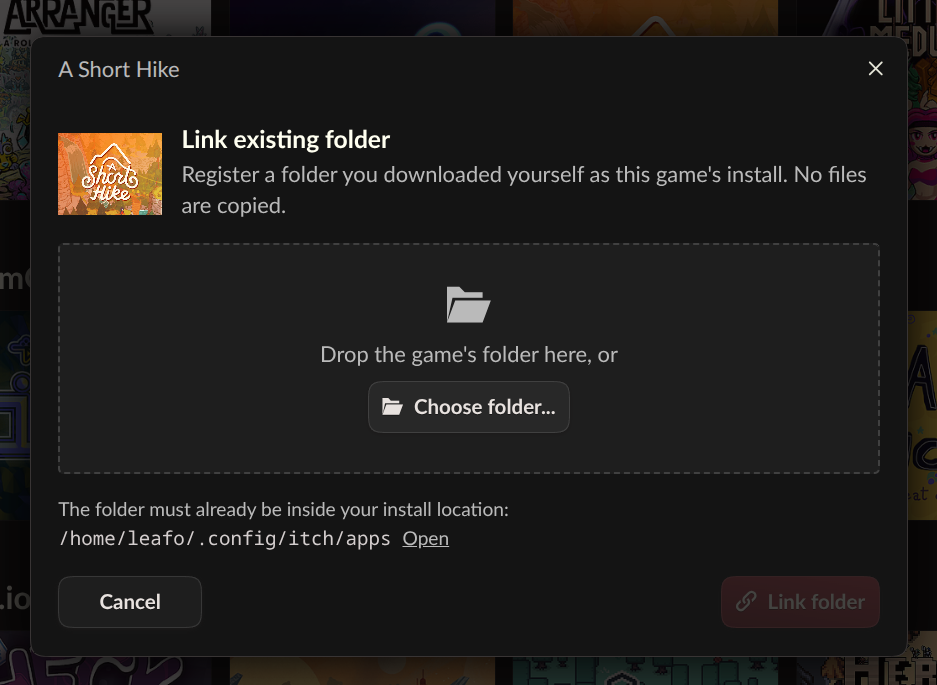
Beyond inter-platform integration, itch.io has also introduced a practical feature aimed at improving game management for users who acquire games outside the official app. The new "Link existing folder…" option allows users to register a game folder they may have downloaded from itch.io directly through a web browser, or via an external download link, with the itch app. This eliminates the need to re-download the entire game through the app, saving bandwidth, time, and storage space.
This feature is particularly valuable in scenarios where a direct re-download is impractical due to slow internet connections, large file sizes, or when a project only offers an external download link that the itch app cannot process automatically. By selecting the "Link existing folder…" option within a game’s install dialog, users can point the app to the location of their pre-downloaded game files. Once linked, the game seamlessly appears in the user’s itch.io library as an installed title and can be launched and managed like any other game installed directly through the app.
Itch.io describes this functionality as an "escape hatch," deliberately designed to be simple and straightforward. It’s important for users to understand that the app does not perform file verification when linking a folder; it essentially takes the user’s word that the specified folder contains the correct game files. This approach prioritizes user flexibility and addresses niche but important use cases without adding unnecessary complexity or overhead. While it places the responsibility of ensuring file integrity on the user, it provides a much-needed solution for those who manage their game files manually or face specific download challenges. This pragmatic addition reflects itch.io’s understanding of its diverse user base and their varying technical needs and preferences, further solidifying the app’s utility as a comprehensive game management tool for independent titles.
Background and Chronology of Itch.io’s App Development
Itch.io has long been recognized as a cornerstone of the independent game development community. Since its inception in 2013, the platform has cultivated a reputation for its open nature, developer-friendly revenue sharing models, and a vast, eclectic catalog that spans experimental art games to polished commercial releases. The itch.io desktop application, while not as widely discussed as its storefront counterpart, has been a continuously evolving component of the platform’s ecosystem, providing a centralized hub for managing and playing games.
The development trajectory of the itch app has consistently been driven by community feedback. Many of the features introduced in v26.20.0, particularly Steam shortcuts and the ability to link existing folders, have been recurring requests from users over several years. This iterative approach, where user pain points and suggestions directly influence development priorities, is a hallmark of itch.io’s philosophy. Previous updates, such as v26.15 and v26.17, have similarly focused on incremental improvements and bug fixes, demonstrating a steady commitment to refining the app’s core functionalities and user experience.
The timing of this particular update also aligns with broader trends in the PC gaming market. The burgeoning popularity of handheld PC gaming devices, most notably Valve’s Steam Deck, has created a significant demand for unified game libraries and seamless cross-platform functionality. With millions of Steam Decks sold since its launch, a feature that allows itch.io games to integrate directly into the Steam experience addresses a crucial need for a growing segment of PC gamers who prioritize portability and convenience. By responding to these market shifts and long-standing community desires, itch.io positions its app as a forward-thinking and user-centric solution for indie game enthusiasts.
Official Responses and Community Reception
The release of itch app v26.20.0 has been met with generally enthusiastic feedback from the community. User comments on the official announcement post highlight the immediate value of these new features. One user exclaimed, "This is amazing! So many times I’d try to install a game but couldn’t because it was only available on an external site so now instead of making a new I can connect the folder to the game and have Steam Deck play it easily!! Fantastic update, team!" This sentiment underscores the practical benefits of the folder linking feature and its utility for Steam Deck users. Another comment simply stated, "Steam integration helps us all! Great work!" reflecting broad approval for the cross-platform functionality.
While the reception has been largely positive, the experimental nature of the Steam Shortcuts has also led to some early feedback. A few users reported issues, such as the app being unable to "determine what user to make the shortcuts for," indicating areas for further refinement. The itch.io team has actively encouraged reporting such bugs on GitHub, demonstrating their commitment to addressing issues and improving stability.
Beyond the immediate features, the update also sparked discussions about future possibilities. In response to a query about mobile support for Android handhelds, a developer from itch.io, leafo, hinted at an ongoing "not so secret project for Linux based handhelds," with potential expansion to Android devices in the future. This suggests a continued strategic focus on expanding itch.io’s reach to new form factors and catering to the evolving landscape of portable gaming, reinforcing the platform’s dedication to innovation.
A minor discussion also emerged regarding DRM-free gaming, with one user expressing a preference for GOG integration over Steam due to DRM concerns. Other community members clarified that many Steam titles are indeed DRM-free, and the integration primarily focuses on convenience rather than enforcing DRM. This dialogue, while tangential to the main features, illustrates the diverse preferences and values within the gaming community that itch.io navigates.
Broader Impact and Future Implications
The release of itch app v26.20.0 carries significant implications for both users and the independent gaming landscape. For users, the update dramatically enhances the convenience and flexibility of managing their itch.io game libraries. The ability to launch games directly from Steam, especially for Steam Deck owners, transforms the user experience from a fragmented one into a cohesive, integrated environment. The headless launch mode, while perhaps more technical, offers unparalleled customization options for power users and opens doors for sophisticated third-party tools to interact with itch.io’s ecosystem. Meanwhile, linking existing folders addresses a common practical challenge, streamlining game acquisition and management for a broad spectrum of users.
For independent game developers, these updates offer increased visibility and potential reach. By making itch.io games more accessible within the Steam environment, developers whose titles are hosted on itch.io could see a wider audience discover and engage with their work. This could translate into increased downloads, purchases, and overall exposure for the vibrant indie scene that itch.io champions. The platform’s commitment to improving its app also signals a stable and evolving environment for developers to publish their games, reinforcing its position as a reliable and innovative distribution channel.
In the broader context of the PC gaming launcher ecosystem, itch.io’s move toward greater interoperability is noteworthy. Instead of attempting to compete directly with giants like Steam, itch.io is strategically positioning itself as a complementary platform, offering integration that enhances the overall user experience. This approach benefits users by reducing friction and benefits the indie gaming sector by making its diverse offerings more readily available across different platforms. The emphasis on open-source contributions, evidenced by the availability of release notes on GitHub and the use of Weblate for translations, further solidifies itch.io’s community-driven ethos.
Looking ahead, the commitment to developing for Linux-based handhelds hints at itch.io’s ambition to remain at the forefront of evolving gaming hardware and user preferences. As the lines between traditional desktop gaming and portable PC gaming continue to blur, such proactive development ensures that itch.io remains relevant and accessible to a growing audience. Ultimately, version 26.20.0 represents a substantial step forward for the itch.io app, delivering on long-standing user demands and paving the way for a more integrated, flexible, and accessible future for independent gaming.
About the Author