In the dynamic and demanding landscape of modern game development, the convergence of high performance and rapid prototyping is paramount. Unreal Engine 5 (UE5), a leading platform in the industry, offers developers a robust solution to achieve this balance through the strategic implementation of C++ Blueprint Function Libraries. This powerful integration addresses critical challenges faced by development teams, particularly when existing Blueprint code encounters performance bottlenecks or requires access to C++ specific features not natively exposed to the visual scripting environment.
The Performance Imperative: Addressing Blueprint Limitations
While Unreal Engine’s Blueprint visual scripting system is celebrated for its accessibility, rapid iteration capabilities, and empowerment of designers, it inherently carries performance considerations. Blueprint scripts, being interpreted or semi-compiled, typically execute slower than native C++ code. For many gameplay mechanics, user interface elements, and simple logic flows, this performance difference is negligible. However, in computationally intensive scenarios—such as complex mathematical calculations, large-scale data processing, intricate AI behaviors, or frequent disk I/O operations—Blueprint’s execution speed can become a significant bottleneck, impacting frame rates and overall game responsiveness.
Historically, optimizing slow Blueprint code often necessitated a complete project restructuring, rewriting entire systems in C++. This approach, while effective for performance, could be time-consuming, disrupt established workflows, and create a disconnect between design and programming teams. Furthermore, certain advanced C++ features, including direct memory manipulation, complex data structures, multi-threading paradigms, or integration with external system-level libraries, lack direct Blueprint equivalents, limiting the scope of purely Blueprint-based projects. The C++ Blueprint Function Library emerges as a sophisticated bridge, offering the unparalleled speed and efficiency of C++ code while ensuring seamless integration with existing Blueprint assets and workflows.
A Hybrid Development Paradigm: The Genesis of Integration
The evolution of Unreal Engine has consistently aimed to empower developers with flexible tools, acknowledging the diverse skill sets within a game development team. From the early days of Kismet, Unreal Engine’s original visual scripting system, to the sophisticated Blueprint system introduced in Unreal Engine 4, Epic Games has fostered an environment where designers can directly implement gameplay logic without deep programming knowledge. Concurrently, C++ has always remained the engine’s foundational language, providing the ultimate control and performance necessary for AAA titles.
Epic Games’ philosophy revolves around a hybrid development model, where C++ forms the robust core and Blueprint extends functionality and accelerates content creation. The introduction and refinement of features like UFUNCTION macros and BlueprintCallable specifiers allowed C++ functions to be exposed to Blueprint graphs. The UBlueprintFunctionLibrary class represents a significant refinement of this integration strategy, offering a dedicated, structured container for C++ functions that can be invoked from any Blueprint. This dedicated class simplifies the process, ensuring that C++ logic can be encapsulated and presented as easily consumable nodes within the visual scripting environment, without requiring direct object references or complex class hierarchies in Blueprint. This approach was further solidified in UE5, as the engine continued its focus on performance and developer efficiency, making such hybrid solutions more critical than ever for demanding projects.
Understanding the C++ Blueprint Function Library
At its core, a C++ Blueprint Function Library is a specialized Unreal Engine class designed to host static C++ functions that are exposed to the Blueprint visual scripting system. The term "static" is crucial here, as it means these functions can be called directly without needing an instance of a specific object. This makes them universally accessible, much like utility functions in traditional programming libraries.
The process leverages Unreal Engine’s reflection system, where specific macros like UFUNCTION(BlueprintCallable) are used in the C++ header file to mark functions for Blueprint visibility. When the engine compiles the C++ code, it generates the necessary metadata for the Blueprint editor to recognize these functions as callable nodes. This mechanism not only grants Blueprints access to high-performance C++ logic but also allows developers to integrate bespoke functionalities, complex algorithms, or platform-specific API calls that would otherwise be impossible or impractical within Blueprint alone. The library acts as a centralized repository for reusable C++ code, promoting cleaner project architecture and reducing redundancy across various Blueprint assets.
Implementation Pathway: A Step-by-Step Overview for Developers
The journey to integrate C++ Blueprint Function Libraries begins with ensuring the development environment is correctly configured. Developers must possess a basic understanding of C++ within the Unreal Engine context and have a suitable Integrated Development Environment (IDE) installed. Popular choices include Visual Studio for Windows, XCode for macOS, or Rider for cross-platform development. If an IDE is not present, Unreal Engine typically prompts the user for installation upon attempting to create a C++ class.
-
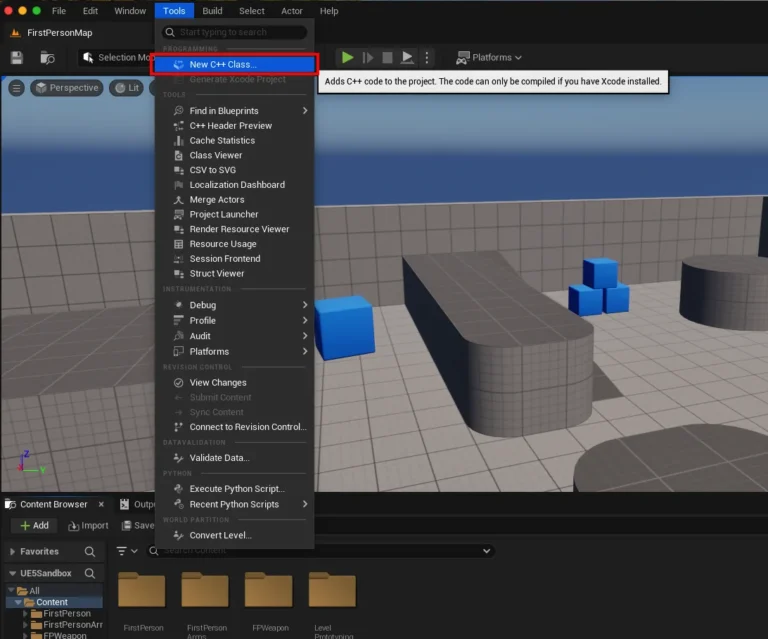
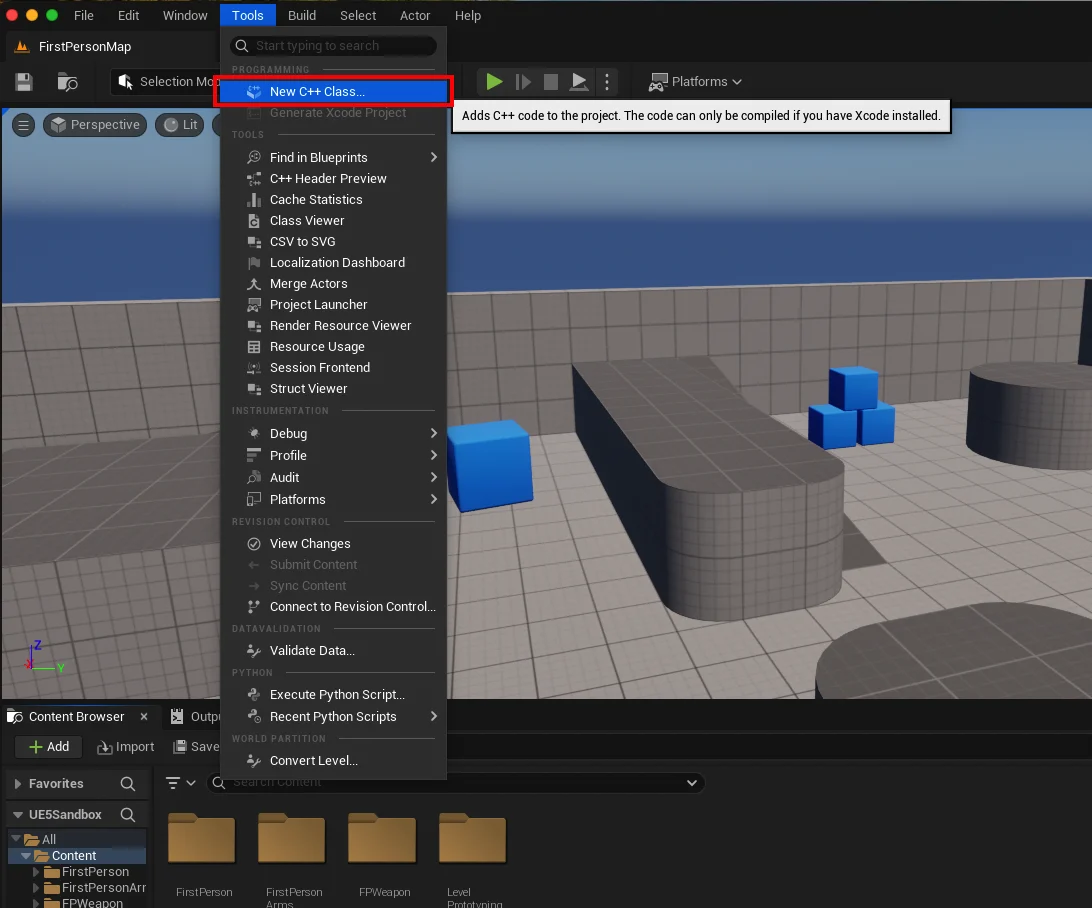
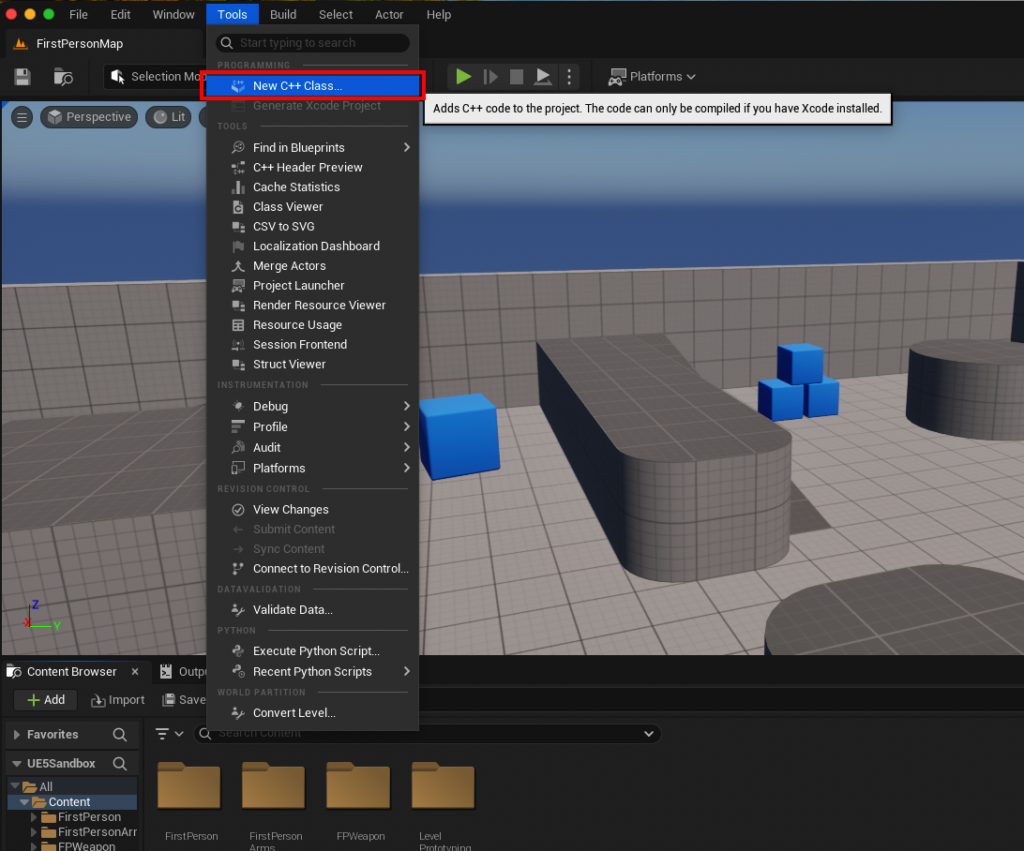
Project Assessment: The first step involves verifying if the existing Unreal Engine project is C++ enabled. This is easily done by navigating to the "Tools" dropdown menu in the Unreal Editor and selecting "New C++ Class." If the option is available and proceeds, the project is ready. If not, the engine will guide the user through the necessary setup, which often involves installing a compatible IDE. For instance, on a macOS machine, XCode would be the required installation.

-
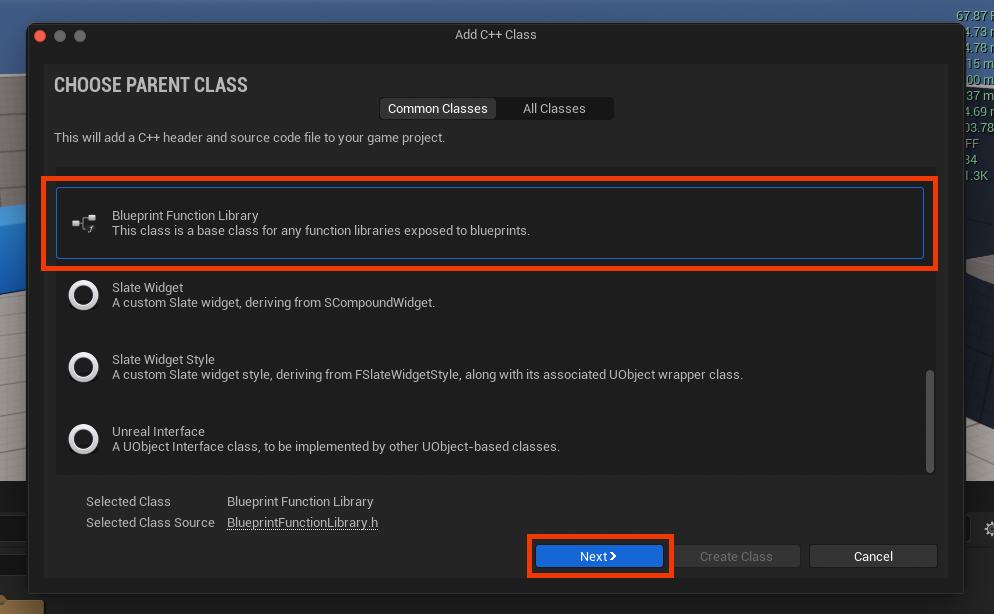
Creating the Blueprint Function Library Class: Within the "New C++ Class" dialog, developers are prompted to choose a "Parent Class." Scrolling through the options, "Blueprint Function Library" should be selected. This choice designates the new C++ class specifically for housing Blueprint-callable static functions. After selecting, clicking "Next" moves to the naming convention.
-
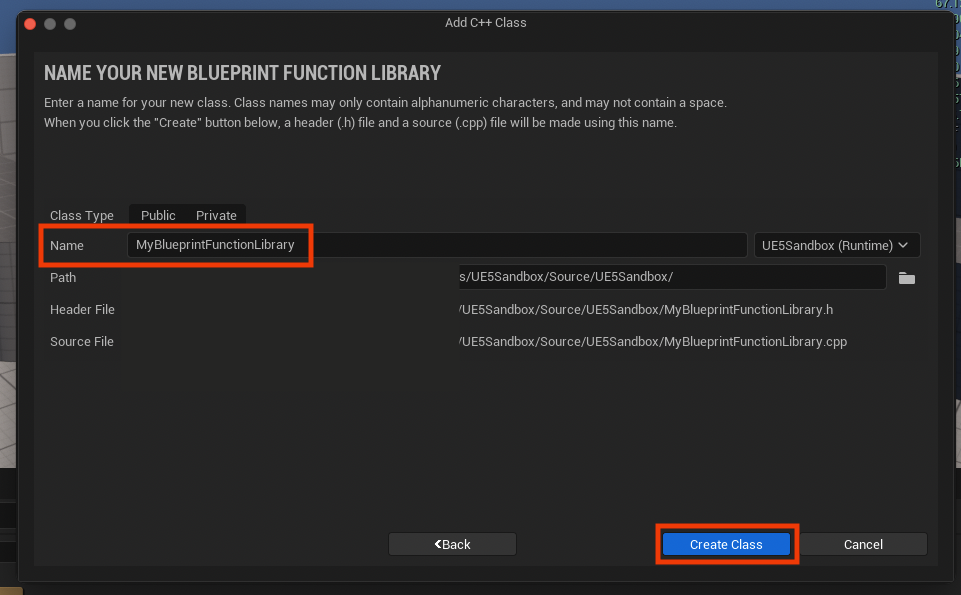
Naming and Compilation: A clear and descriptive name for the new library is recommended, adhering to Unreal Engine’s naming conventions (e.g.,
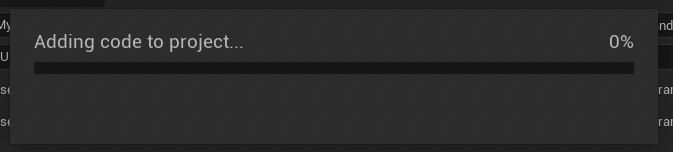
MyBlueprintFunctionLibrary,GameUtilityLibrary). Upon naming the class and clicking "Create Class," Unreal Engine compiles the new C++ files. This compilation process integrates the new class into the project structure, generating both a.h(header) and a.cpp(source) file. Developers must wait for this compilation to complete before proceeding, as these files are the foundation for the custom C++ logic.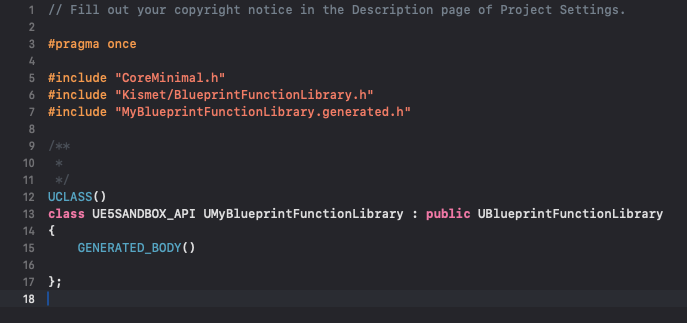
-
Defining Functions in the IDE: Once compiled, the IDE opens, revealing the newly created
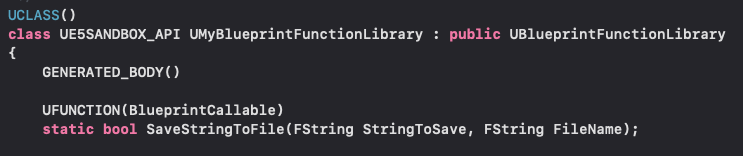
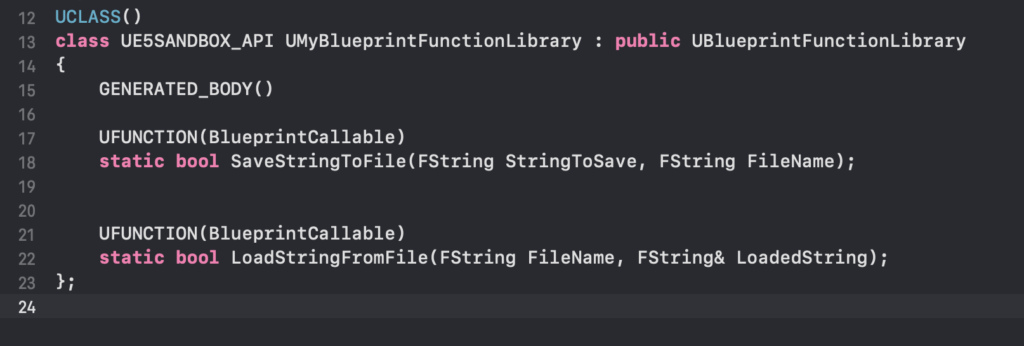
.hand.cppfiles. The header file (.h) is where function declarations are made. For a function to be accessible in Blueprint, it must be declared asstaticand prefixed with theUFUNCTION(BlueprintCallable)macro. Thestatickeyword ensures the function can be called without an object instance, andBlueprintCallableexplicitly tells the Unreal Engine reflection system to expose it to the Blueprint editor.
For example, a simple read and write system for strings might involve two functions:// MyBlueprintFunctionLibrary.h #pragma once #include "CoreMinimal.h" #include "Kismet/BlueprintFunctionLibrary.h" #include "MyBlueprintFunctionLibrary.generated.h" UCLASS() class UMyBlueprintFunctionLibrary : public UBlueprintFunctionLibrary GENERATED_BODY() public: UFUNCTION(BlueprintCallable, Category = "File I/O") static bool SaveStringToFile(const FString& InString, const FString& FileName); UFUNCTION(BlueprintCallable, Category = "File I/O") static bool LoadStringFromFile(FString& OutString, const FString& FileName); ;The
Categoryspecifier withinUFUNCTIONhelps organize the node within the Blueprint editor’s context menu.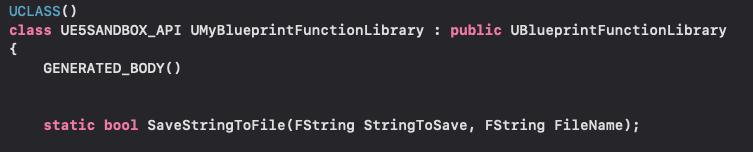
-
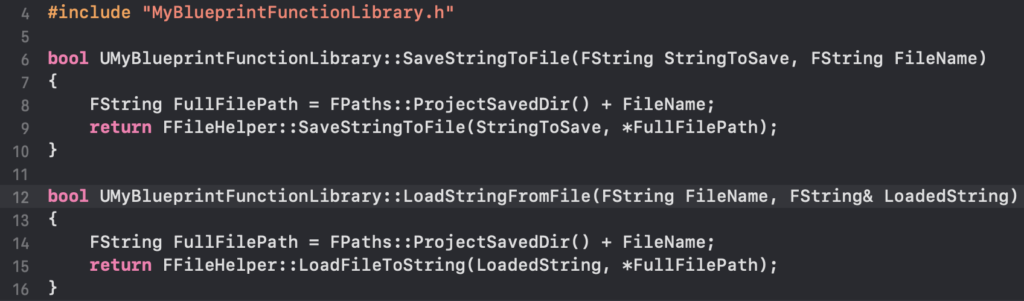
Implementing Function Logic: The
.cppfile is where the actual C++ code for these functions resides. For the file I/O example, Unreal Engine’sFFileHelperclass provides convenient static methods for reading and writing strings to files. This demonstrates how a complex, low-level operation can be encapsulated within C++ and then exposed simply to Blueprint.// MyBlueprintFunctionLibrary.cpp #include "MyBlueprintFunctionLibrary.h" #include "Misc/FileHelper.h" #include "HAL/PlatformFileManager.h" bool UMyBlueprintFunctionLibrary::SaveStringToFile(const FString& InString, const FString& FileName) FString ProjectDir = FPaths::ProjectSavedDir(); // Or other desired path FString FullPath = ProjectDir + FileName; return FFileHelper::SaveStringToFile(InString, *FullPath); bool UMyBlueprintFunctionLibrary::LoadStringFromFile(FString& OutString, const FString& FileName) FString ProjectDir = FPaths::ProjectSavedDir(); // Or other desired path FString FullPath = ProjectDir + FileName; return FFileHelper::LoadFileToString(OutString, *FullPath);After implementing the functions, the project must be recompiled. This crucial step updates the Unreal Editor’s reflection data, making the new C++ functions available as Blueprint nodes.
Real-World Application and Demonstrative Impact
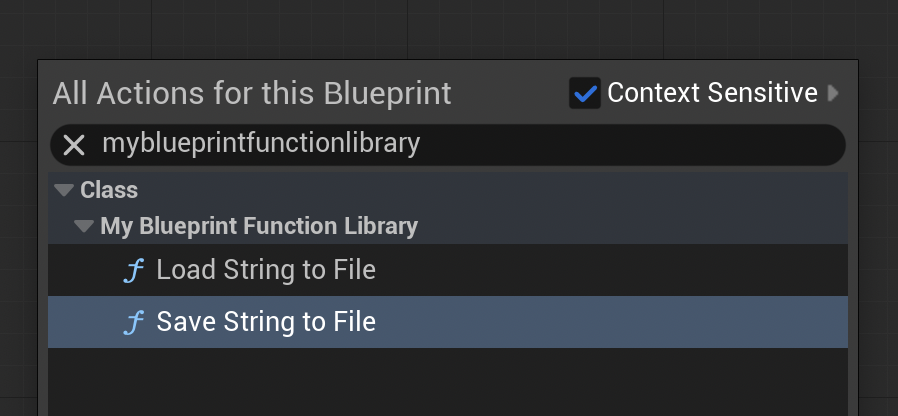
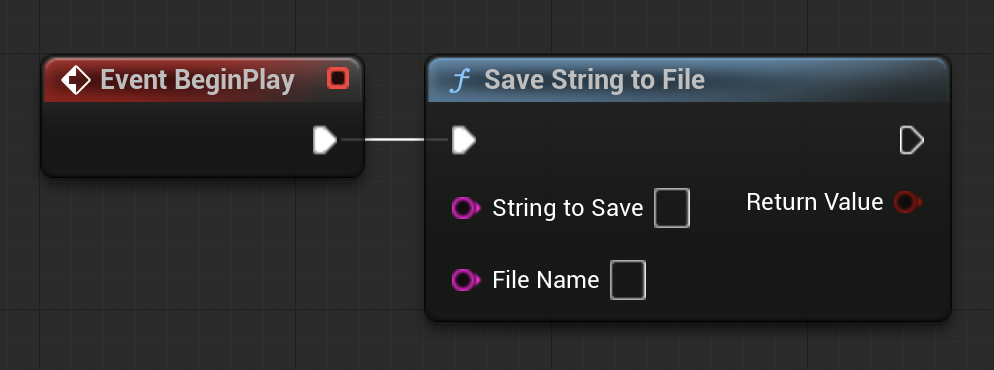
Upon successful compilation and editor relaunch, the power of the C++ Blueprint Function Library becomes immediately apparent. Opening any Blueprint editor—be it a Level Blueprint, an Actor Blueprint, or a Widget Blueprint—developers can now search for the name of their custom library or the specific function names. The SaveStringToFile and LoadStringFromFile functions, for instance, will appear as standard Blueprint nodes, complete with their defined input and output pins.
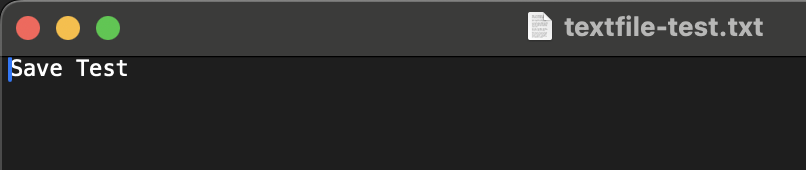
To illustrate their utility, a developer might integrate SaveStringToFile into a BeginPlay event in the Level Blueprint. By connecting a string variable containing "Save Test" and specifying "textfile-test.txt" as the file name, running the game in the editor would execute this C++ function. Post-execution, navigating to the project’s /Saved folder would reveal textfile-test.txt containing the "Save Test" string, demonstrating successful C++ execution triggered by Blueprint.
Conversely, to test LoadStringFromFile, a developer could manually create loadtest.txt in the /Saved folder and populate it with "Loading Test." Then, in the Level Blueprint, LoadStringFromFile would be connected to a Print String node. Upon playing the project, the string "Loading Test" would appear on screen, confirming the C++ function’s ability to read external data and pass it back into the Blueprint environment. These demonstrations underscore the seamless flow of data and logic between the two paradigms, showcasing how C++ can handle the heavy lifting while Blueprint manages the high-level game flow.
Strategic Implications for Game Development Teams
The adoption of C++ Blueprint Function Libraries carries significant strategic implications for game development studios:
- Efficiency and Iteration: By offloading performance-critical logic to C++, developers can maintain high iteration speeds in Blueprint for gameplay adjustments while ensuring the underlying systems perform optimally. This reduces the need for time-consuming C++ recompiles for minor tweaks.
- Team Collaboration: This hybrid approach fosters better collaboration between programmers and designers. Programmers can focus on creating robust, optimized, and extensible C++ systems, encapsulating complex logic into simple Blueprint-callable functions. Designers, in turn, can then leverage these powerful tools within their familiar Blueprint environment, implementing gameplay without needing to delve into C++ code. This clear separation of concerns streamlines workflows and minimizes communication overhead.
- Optimization and Scalability: For large-scale projects or games targeting multiple platforms with varying hardware capabilities, performance optimization is non-negotiable. C++ Blueprint Function Libraries provide a vital avenue to optimize specific parts of the codebase without abandoning the productivity benefits of Blueprint entirely. This leads to more scalable solutions that can handle increased complexity and larger data sets.
- Feature Expansion and System Access: Beyond performance, these libraries grant Blueprint projects access to a broader range of functionalities. This includes operating system-specific calls, integration with external third-party libraries (e.g., networking SDKs, analytics tools), complex mathematical libraries, or custom data structures not efficiently represented in Blueprint. This expands the creative and technical possibilities for game developers.
- Reduced Technical Debt: Relying solely on Blueprint for all logic, especially complex systems, can lead to "Blueprint spaghetti"—unwieldy and hard-to-maintain graphs. By refactoring such logic into C++ Blueprint Function Libraries, projects can significantly reduce technical debt, resulting in cleaner, more performant, and more manageable codebases.
Industry Perspective and Future Outlook
Industry experts and leading game studios consistently highlight the value of Unreal Engine’s hybrid development model. Developers at Epic Games themselves emphasize that C++ provides the engine’s core power and flexibility, while Blueprint offers unparalleled speed for prototyping and content creation. The UBlueprintFunctionLibrary class is a prime example of Epic’s commitment to bridging these two worlds effectively. Many AAA titles and successful indie games leverage this approach, with C++ handling core engine systems, physics, rendering, and complex gameplay mechanics, while Blueprint manages specific character behaviors, UI logic, quest systems, and level scripting.
The trend in game engine development continues towards providing increasingly sophisticated tools that balance power with ease of use. C++ Blueprint Function Libraries are expected to remain a cornerstone of this philosophy within Unreal Engine 5 and future iterations. As games become more graphically intensive, computationally demanding, and feature-rich, the ability to seamlessly integrate high-performance C++ code into visual scripting environments will only grow in importance. Future advancements might focus on even more streamlined workflows for exposing C++ to Blueprint, potentially through improved tooling or enhanced reflection capabilities, further empowering developers to create groundbreaking interactive experiences.
Conclusion

The C++ Blueprint Function Library in Unreal Engine 5 stands as a testament to intelligent engine design, effectively addressing the inherent trade-offs between performance and productivity. By providing a clear, structured pathway to integrate optimized C++ code directly into the Blueprint visual scripting environment, it empowers developers to overcome performance bottlenecks, access a wider array of system-level functionalities, and streamline their development workflows. This capability not only results in more robust and efficient games but also fosters a more collaborative and effective development process, solidifying Unreal Engine 5’s position as a versatile and powerful platform for game creation.
About the Author