
Unreal Engine 5 (UE5) developers are increasingly leveraging dedicated server architectures to meet the escalating demands of scalable, secure, and high-performance multiplayer gaming. This critical shift, exemplified by recent guides detailing the setup process, underscores the industry’s commitment to delivering robust online experiences, from competitive esports to expansive social simulations. As the digital landscape of gaming continues its rapid expansion, the ability to host reliable and authoritative game instances has become not merely an advantage but a fundamental requirement for titles aiming for broad player engagement and longevity.
The journey from a single-player concept to a thriving multiplayer ecosystem often hinges on the underlying network infrastructure. Historically, many smaller-scale multiplayer games relied on a "listen server" model, where one player’s machine simultaneously runs the game client and hosts the server logic. While cost-effective and simpler for initial development, this peer-to-peer (P2P) approach presents inherent limitations. Performance can be bottlenecked by the host’s internet connection and hardware, leading to inconsistent latency for other players. Furthermore, P2P models are notoriously vulnerable to cheating, as clients have more direct control over the game state, and host migration issues can disrupt sessions entirely. For games aiming to support more than a handful of players, or those where competitive integrity is paramount, these drawbacks become critical impediments.
This is precisely where dedicated servers emerge as the superior solution. A dedicated server is a standalone computer running only the game’s server-side logic, independent of any player’s client. It doesn’t render graphics, doesn’t spawn a player character for itself, and its sole purpose is to maintain the authoritative state of the game world. This centralization offers unparalleled benefits: consistent performance, reduced latency variations, robust anti-cheat measures through server-side validation, and the capacity to host persistent game worlds. For genres ranging from massive multiplayer online (MMO) games and battle royales to competitive first-person shooters and cooperative survival experiences, dedicated servers are the backbone of a fair and fluid player experience. The growing mainstream appeal of online multiplayer, evidenced by titles like Fortnite, Apex Legends, and Valorant—all of which heavily depend on dedicated server infrastructure—has cemented this approach as an industry standard.
Epic Games, the creator of Unreal Engine 5, has continuously invested in providing developers with the tools necessary to build these sophisticated online experiences. UE5’s networking features are designed to support complex multiplayer scenarios, and the engine’s Project Launcher stands out as a pivotal tool for orchestrating the build and packaging process for dedicated servers. This integrated utility simplifies what could otherwise be a convoluted pipeline, allowing developers to configure and compile server executables tailored for various platforms, including Windows and Linux, directly from the editor.
The process of establishing a dedicated server for an Unreal Engine 5 project can be broken down into several critical phases, each requiring meticulous attention to detail. This systematic approach ensures that the server operates efficiently and integrates seamlessly with the game’s client-side logic.
Phase 1: Project Foundation and Prerequisites
The initial phase necessitates a robust foundation: a functional multiplayer Unreal Engine 5 project and a specific version of the engine itself. Unlike projects built directly from the Epic Games Launcher, dedicated servers often require a "source build" of Unreal Engine. This is a version compiled from Epic’s source code, available on platforms like GitHub, which grants developers greater control and access to engine-level configurations necessary for server-specific functionalities. This distinction is crucial because the Epic Games Launcher version is primarily optimized for client-side development and lacks certain server-specific binaries. Developers must first follow Epic’s documentation to build a source version of the engine before proceeding.
Furthermore, a solid multiplayer project, typically one that already manages player sessions, is a prerequisite. For many, this involves leveraging Epic’s online subsystem or integrating third-party solutions. A commonly recommended component, as highlighted in various development circles, is the "AdvancedSessions" plugin. This plugin, available from sources like vreue4.com, extends Unreal Engine’s native session management capabilities, providing enhanced functionality for session browsing, creation, and joining, which is critical for dedicated servers to correctly advertise their presence to clients. Without it, servers might function but remain invisible to players attempting to find and connect to sessions.
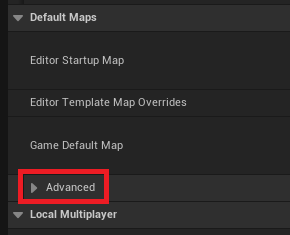
Phase 2: Core Game Logic Adaptation for Server Autonomy
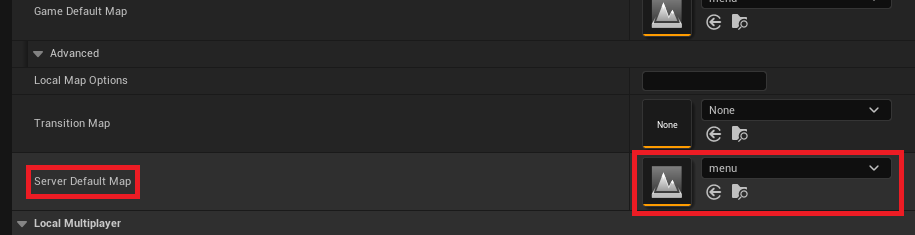
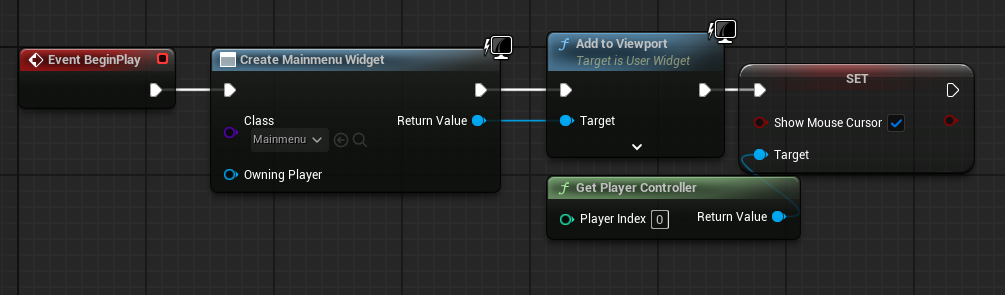
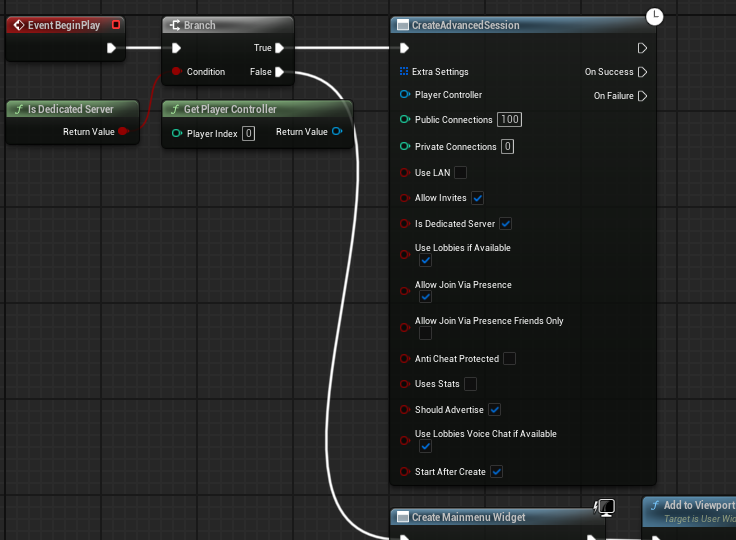
Once the foundational elements are in place, the next step involves adapting the game’s core logic to suit the dedicated server environment. A primary consideration is the server’s startup behavior. Unlike a client, a dedicated server should not display a main menu or wait for player input to initiate a session. Instead, it needs to automatically create a game session and load the appropriate game map upon launch.
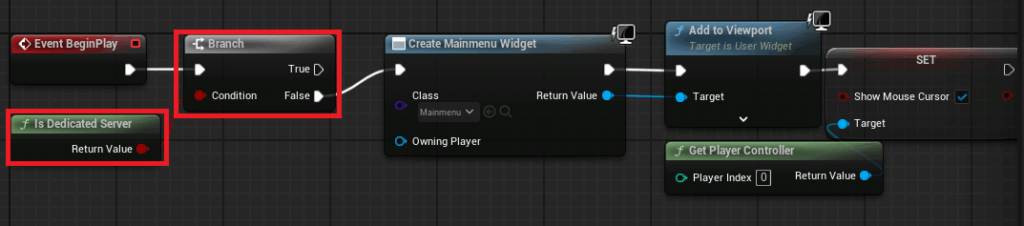
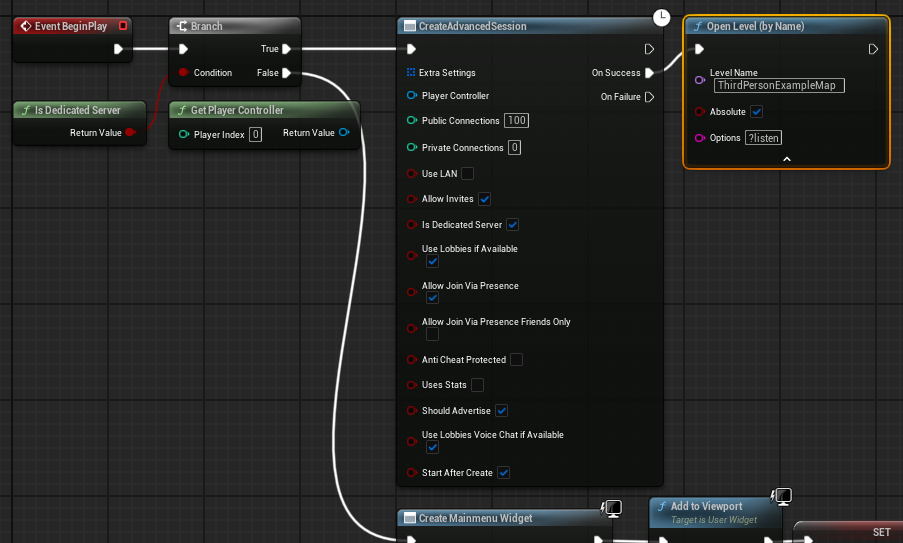
This is achieved by implementing a conditional check within the main menu level blueprint. Utilizing an "Is Dedicated Server" node, developers can branch the execution flow: if the platform is a dedicated server, the menu widget creation is bypassed. Instead, the server directly invokes a "Create Advanced Session" node (assuming the AdvancedSessions plugin is in use), configuring the session with desired settings such such as max players and visibility. Upon successful session creation, the server then loads the designated game level, appending the "?listen" option to the map name. This command-line argument instructs the engine instance to open the map as a listen server, ready to accept incoming client connections, thereby making the server an active host for gameplay.
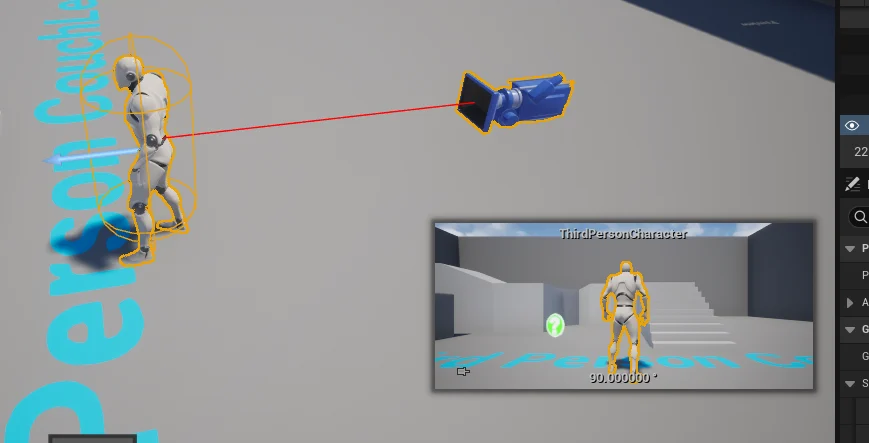
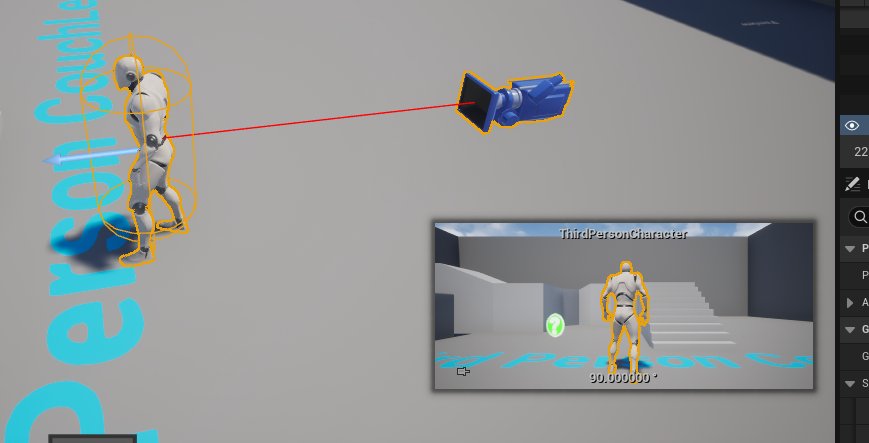
Another vital adjustment involves the default character spawning logic. In a dedicated server environment, there is no need for a player character to be spawned for the server host itself. Leaving a default character in the level would result in an unoccupied, idle character consuming resources and potentially causing unforeseen game logic issues. Developers must ensure that any default character blueprints placed directly within the level are removed or modified to only spawn for actual connected players, preventing an unwanted presence in the authoritative game world.
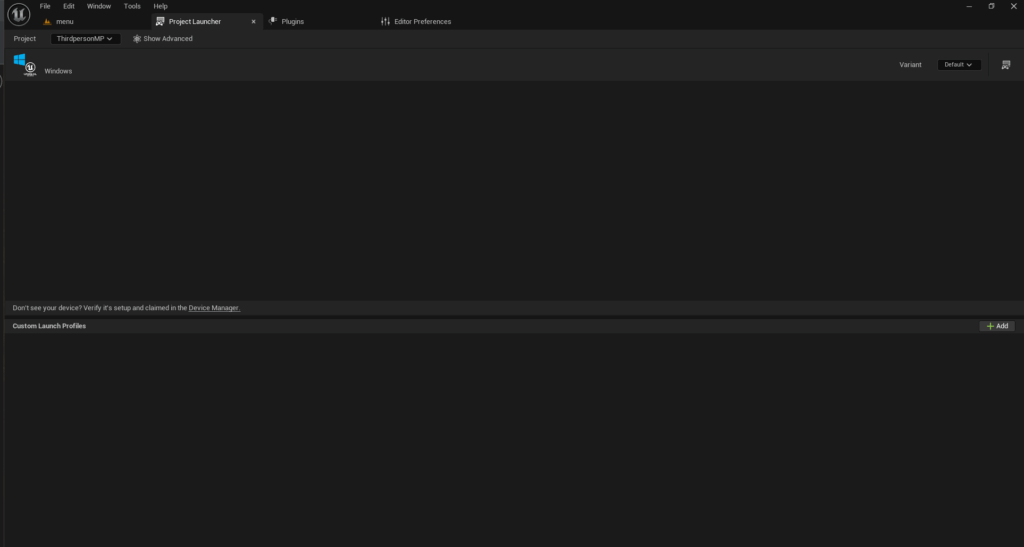
Phase 3: The Project Launcher – Building the Server Executable
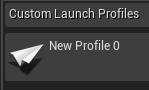
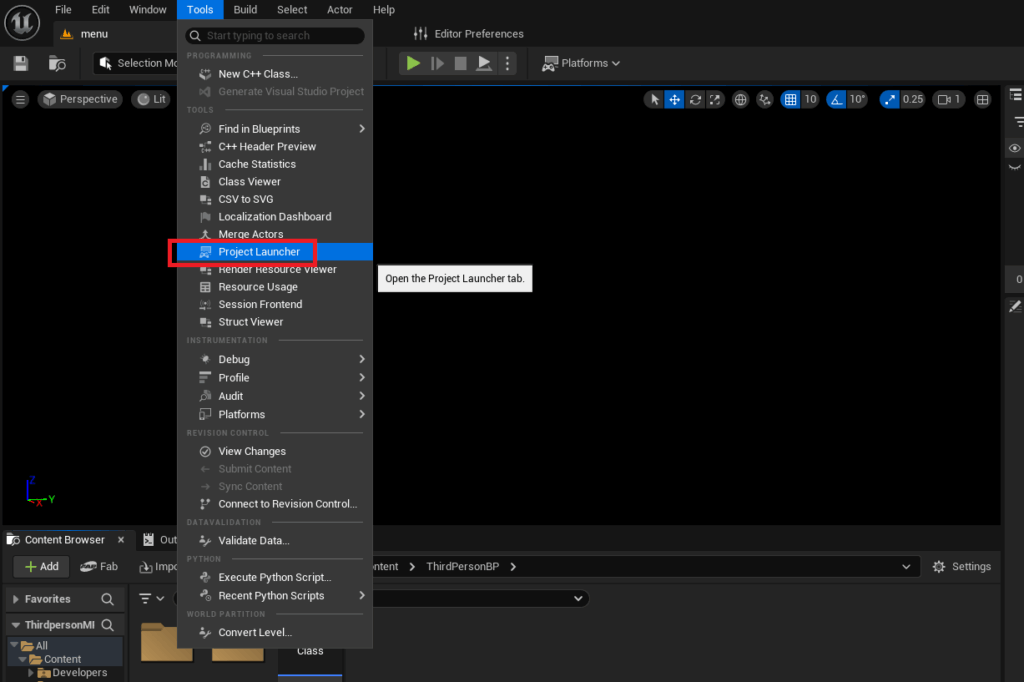
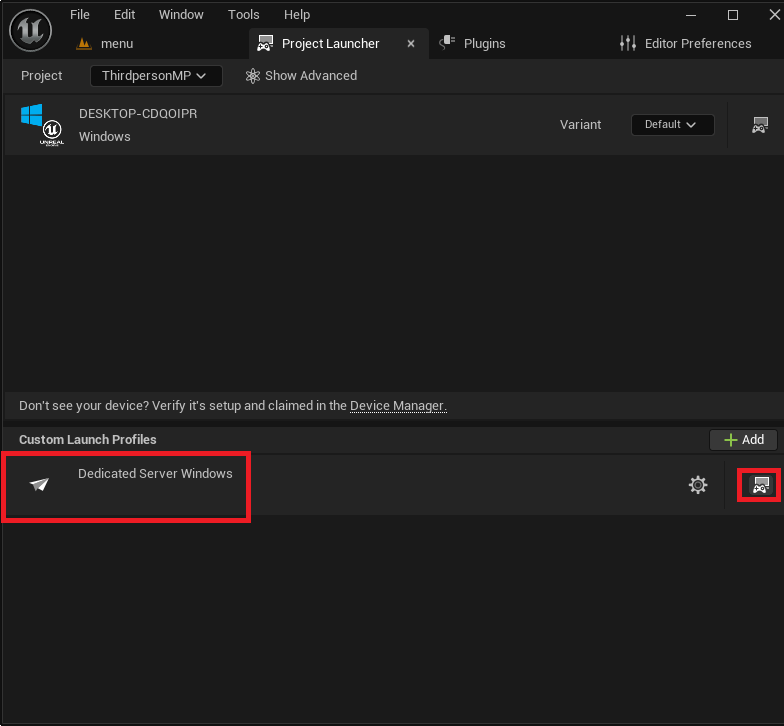
With the project configured, the Unreal Engine’s "Project Launcher" becomes the central tool for building the dedicated server executable. Accessible via the "Tools" menu, the Project Launcher allows developers to create custom profiles that define specific build configurations.
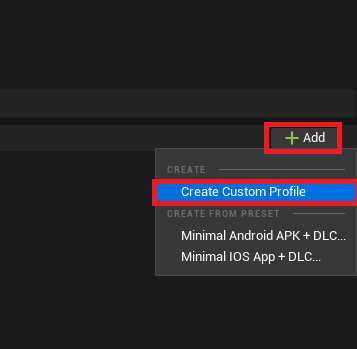
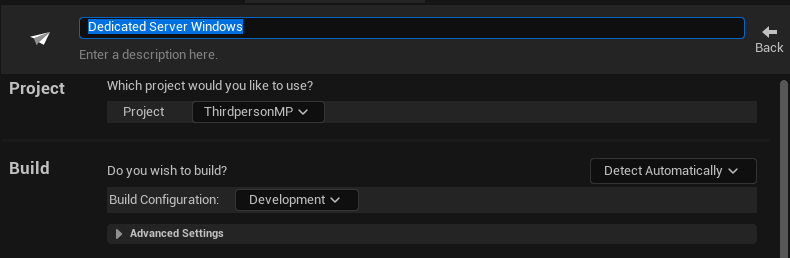
The process begins by creating a new custom profile within the Project Launcher. Key settings within this profile are:
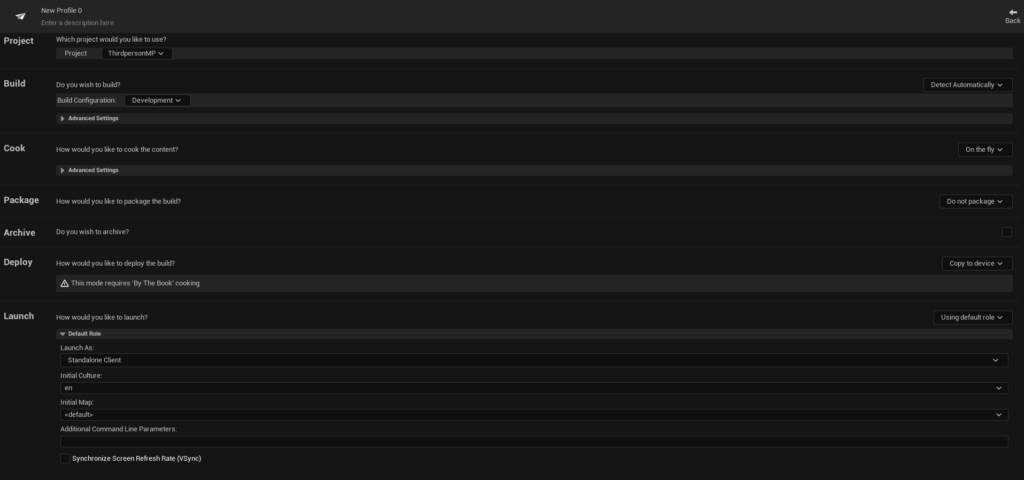
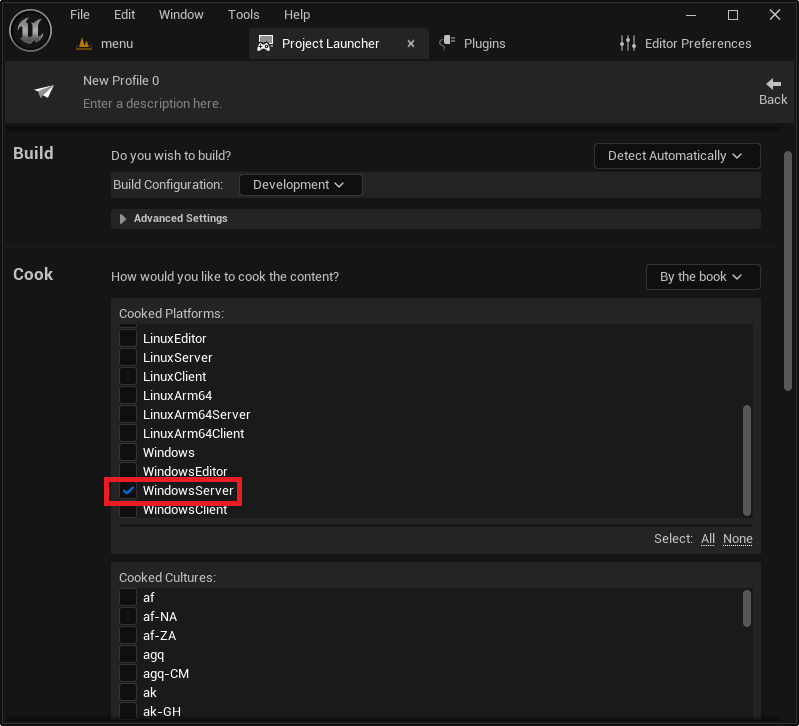
- Cook Section: The "Cook" option must be changed from "On the fly" to "By the book." "By the book" cooking pre-cooks all content, ensuring that the server executable is self-contained and optimized for deployment, rather than processing assets dynamically at runtime.
- Cooked Platforms: Developers must explicitly select the target server platform. For Windows-based hosting, "WindowsServer" is chosen. For Linux deployments, "LinuxServer" (for x86/64 architectures) or "LinuxArm64" (for ARM-based servers) are available, catering to the diverse hosting environments developers might utilize, from traditional data centers to specialized cloud instances.
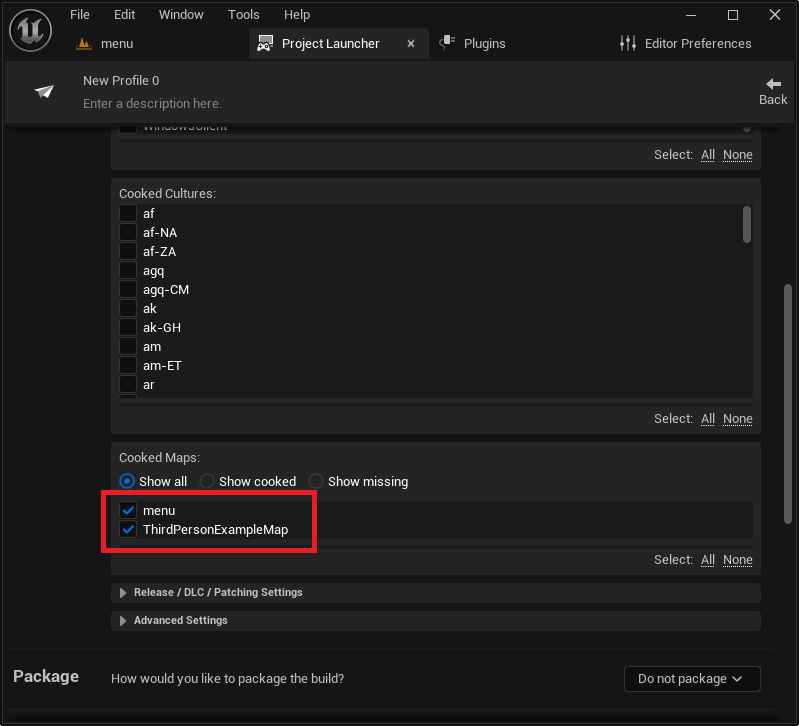
- Maps to Cook: All maps intended to be used by the server, including the default server map and any gameplay levels, must be explicitly added to the "Maps to Cook" list. This ensures all necessary map data is packaged with the server.
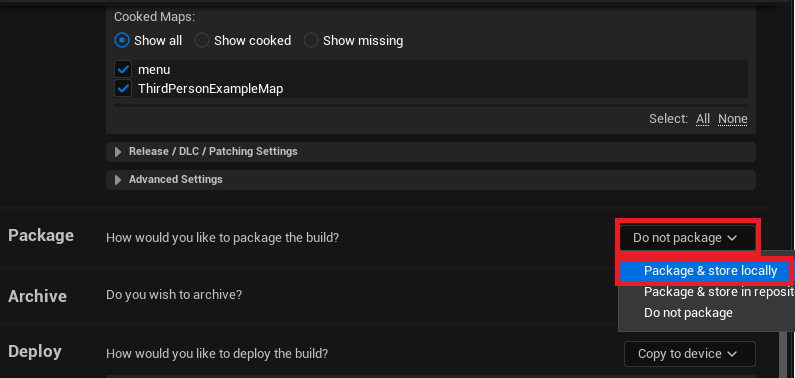
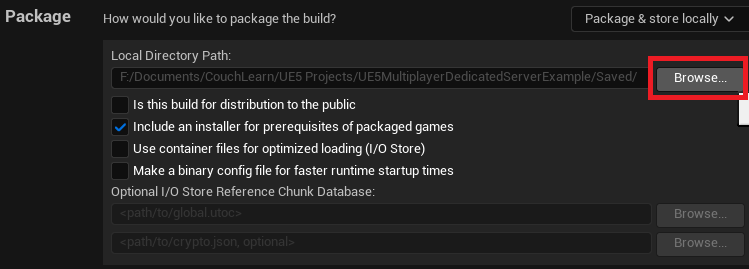
- Package Section: The "Package" option is set to "Package & store locally," directing the engine to compile and save the server build to a specified local directory. While a default path within the project’s
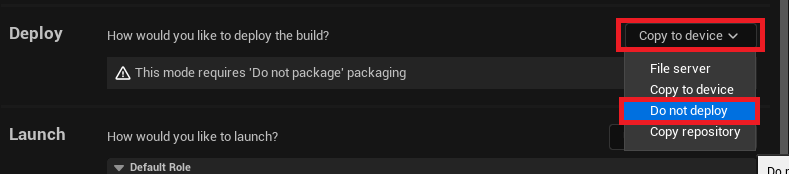
Saved/StagedBuildsfolder is provided, developers can customize this output location. - Deploy Section: The "Deploy" option should be set to "Do not deploy" as the intention is to package the server locally for manual deployment or further integration into a continuous integration/continuous deployment (CI/CD) pipeline.
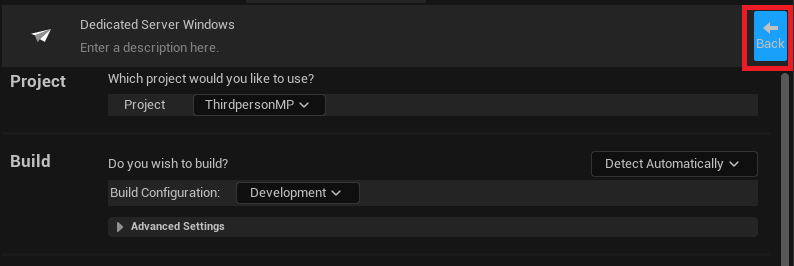
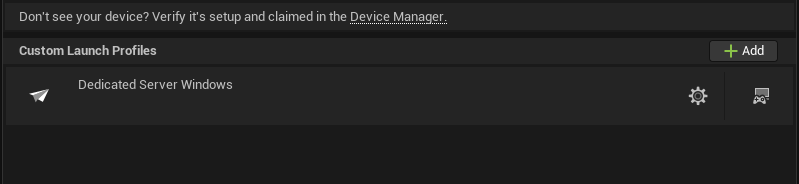
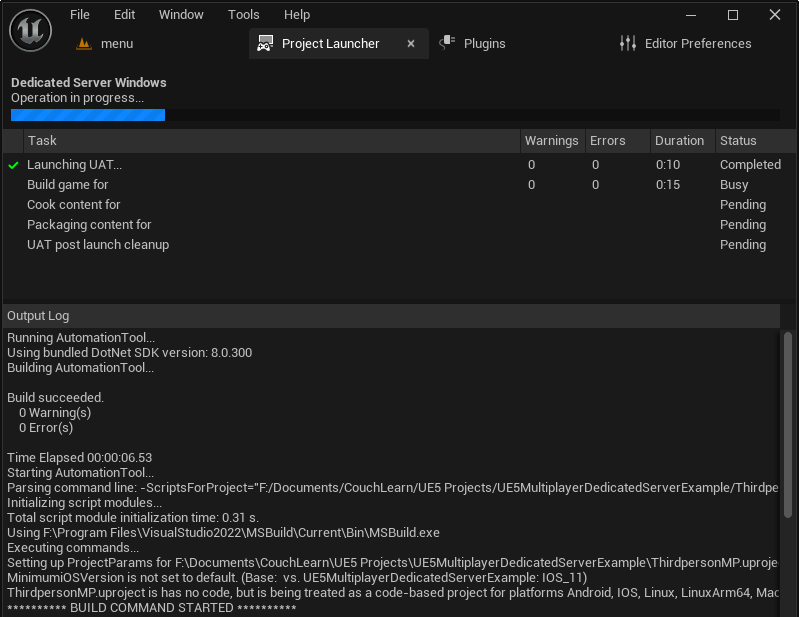
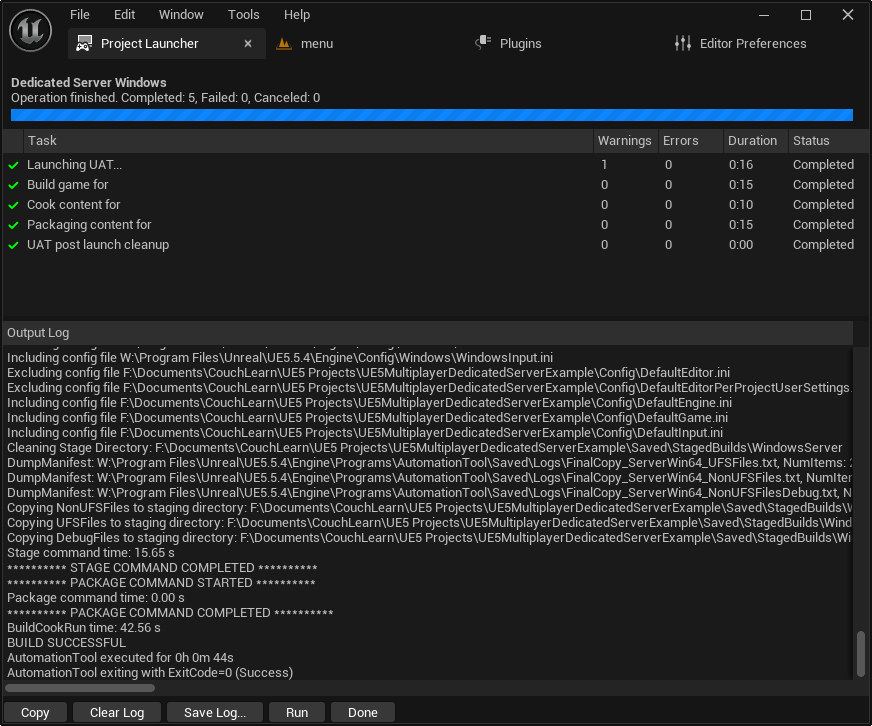
Finally, assigning a descriptive name to the custom profile, such as "MyGame Dedicated Server," helps in easy identification and management. Once configured, simply pressing the "Launch" button (represented by a controller and display icon) initiates the build process. This can be a time-consuming operation, especially for the first build, as the engine compiles all necessary assets and code for the server. Developers are advised to allow this process to complete fully without interruption.

Phase 4: Deployment, Testing, and Monitoring
Upon successful completion of the build, the dedicated server executable will be located in the specified output directory, typically within [YourProjectFolder]/Saved/StagedBuilds/[PlatformName], e.g., WindowsServer. The primary executable will be named [YourGameName]Server.exe.
To facilitate testing and monitoring, it’s highly recommended to create a shortcut to this server executable. By right-clicking the shortcut and accessing its properties, developers can append the –log argument to the "Target" field. This crucial command-line option ensures that when the server is launched, it opens a console window that displays real-time logging messages, including session creation, client connections, and any debug output. This provides invaluable visibility into the server’s operations, making it significantly easier to diagnose issues compared to running the server silently in the background.
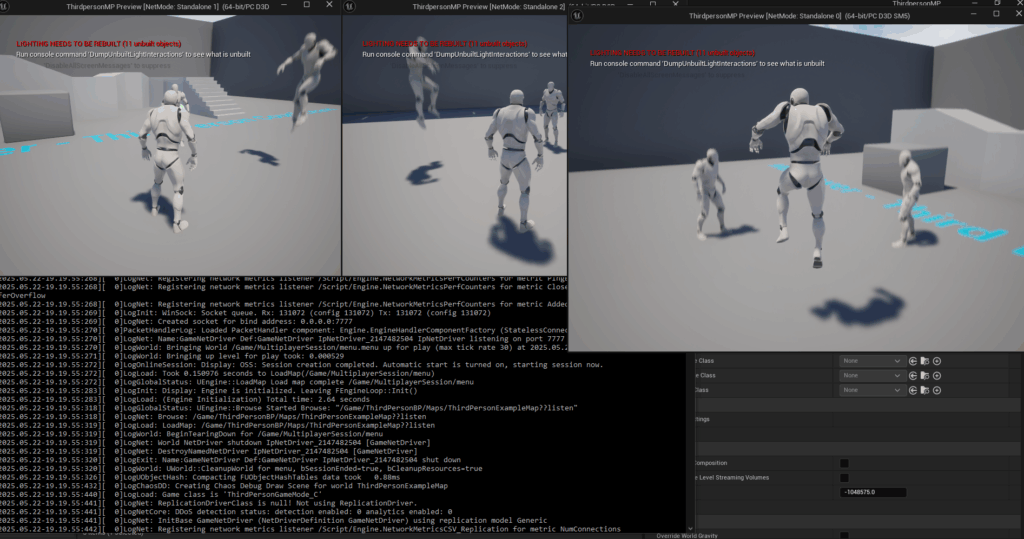
With the server running and displaying its log, clients can then launch their game and connect to the newly created session. The AdvancedSessions plugin, if used, would enable the client to discover and join the session seamlessly. A successful connection signifies that the dedicated server is operational, maintaining the game state, and facilitating multiplayer interactions independently of any player’s machine. The demonstration of multiple clients connecting and interacting on a dedicated server, all visible and synchronized, vividly illustrates the power and necessity of this architecture for modern multiplayer titles.
Technical Deep Dive and Performance Considerations
Dedicated servers are not merely passive hosts; they are the authoritative arbiters of the game world. They manage critical game logic, including physics calculations, hit detection, and player movement validation. This server-authoritative model is fundamental to preventing many forms of cheating and ensuring a fair play environment. By processing actions on the server and then replicating the validated state to all connected clients, discrepancies are minimized, and a consistent experience is delivered.
Performance of a dedicated server is paramount. Unlike a client that prioritizes rendering, a server prioritizes computational throughput and network I/O. Optimal server performance depends on robust hardware (CPU, RAM, fast storage) and a high-bandwidth, low-latency internet connection. The choice of hosting environment—whether on-premise hardware, virtual private servers (VPS), or advanced cloud gaming solutions like AWS GameLift or Azure PlayFab—directly impacts scalability and cost. Cloud solutions offer elastic scaling, allowing developers to provision servers on demand based on player traffic, a crucial capability for games with fluctuating player counts.
Industry Implications and Developer Empowerment
The increasing ease of setting up dedicated servers in engines like Unreal Engine 5 has profound implications for the game development industry. For independent developers, it democratizes access to professional-grade multiplayer infrastructure, enabling them to compete with larger studios in delivering high-quality online experiences without necessarily building complex server-side systems from scratch. This lowers the barrier to entry for ambitious multiplayer projects, fostering innovation and diversity in the market.
For players, the widespread adoption of dedicated servers translates directly into a superior gaming experience: reduced lag, fairer gameplay, and more stable connections. As player expectations for online multiplayer continue to rise, the provision of dedicated servers has become a baseline requirement for success. Games that fail to offer this level of stability and fairness risk alienating their player base.
Looking ahead, the evolution of dedicated server technology continues. Serverless architectures and hybrid solutions that combine the benefits of dedicated servers with the flexibility of cloud functions are emerging. However, the core principle of a centralized, authoritative game instance remains fundamental. Unreal Engine 5, with its comprehensive tools and ongoing development, positions itself as a powerhouse for developers seeking to navigate this complex but rewarding landscape of online multiplayer gaming.
In conclusion, the ability to build and configure a dedicated server for an Unreal Engine 5 game is a cornerstone of modern multiplayer development. From preparing the project with a source build and essential plugins to meticulously configuring build profiles in the Project Launcher and ensuring proper server-side logic, each step contributes to a robust and scalable online experience. This knowledge empowers developers to create games that not only perform well but also deliver a consistent, secure, and enjoyable experience to players globally, solidifying their titles within the competitive and ever-evolving multiplayer gaming market.
About the Author








