
The imperative for intelligent NPCs in modern gaming stems from player expectations for immersive and dynamic virtual environments. From bustling city simulations to perilous combat zones, AI agents that can fluidly navigate complex terrains, react intelligently to their surroundings, and contribute meaningfully to gameplay are no longer a luxury but a standard. Early game AI often relied on simpler waypoint systems or grid-based pathfinding, which, while functional, lacked the organic fluidity and adaptability required for complex 3D worlds. The advent of navigation meshes, or NavMeshes, revolutionized game AI by providing a highly optimized, polygon-based representation of traversable space, allowing AI characters to find optimal paths efficiently while avoiding obstacles. Unreal Engine 5’s implementation of NavMesh builds upon decades of advancements in pathfinding algorithms, offering developers a powerful, yet accessible, solution.
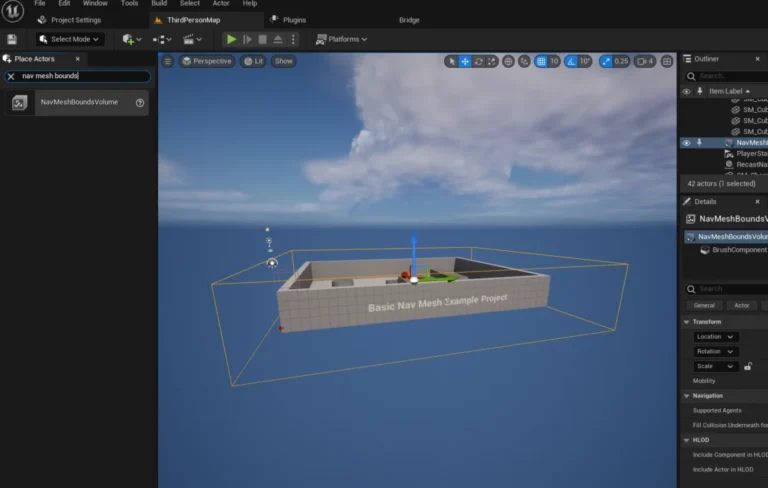
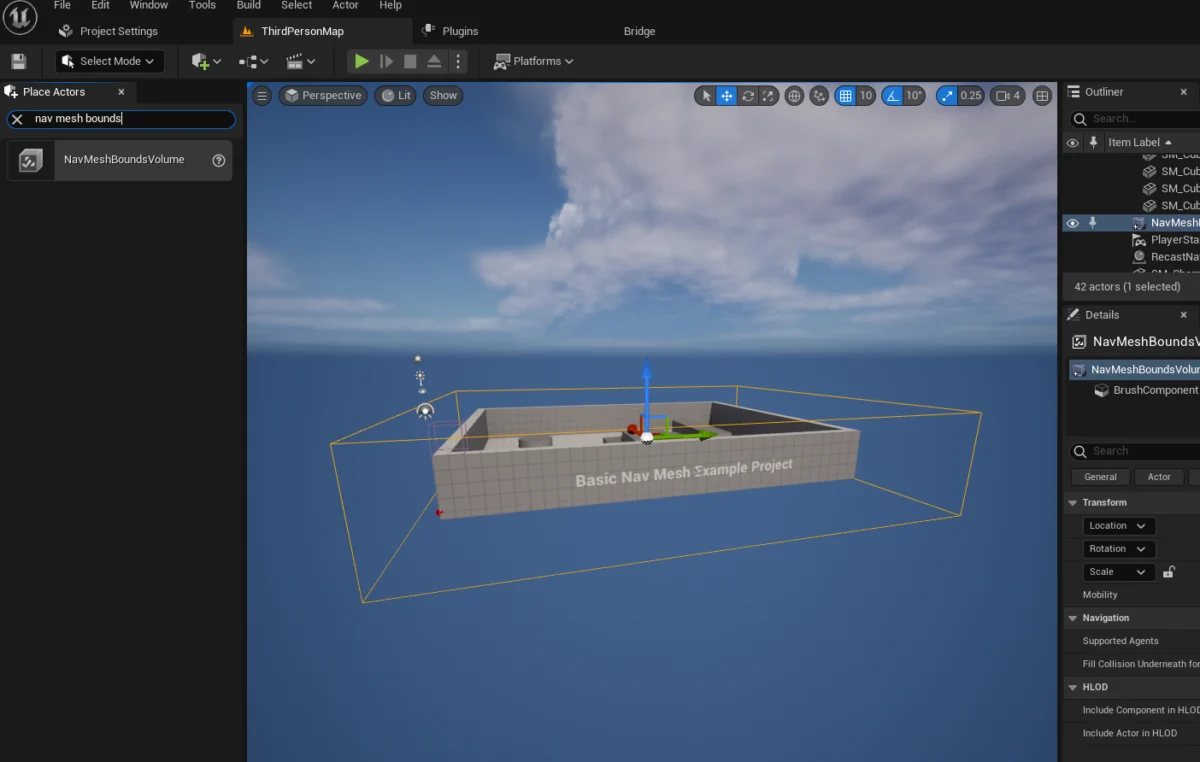
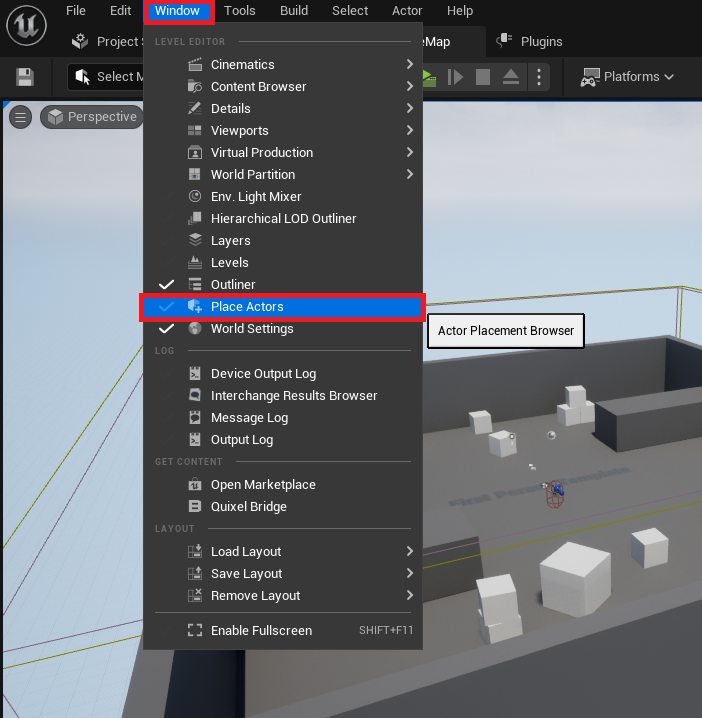
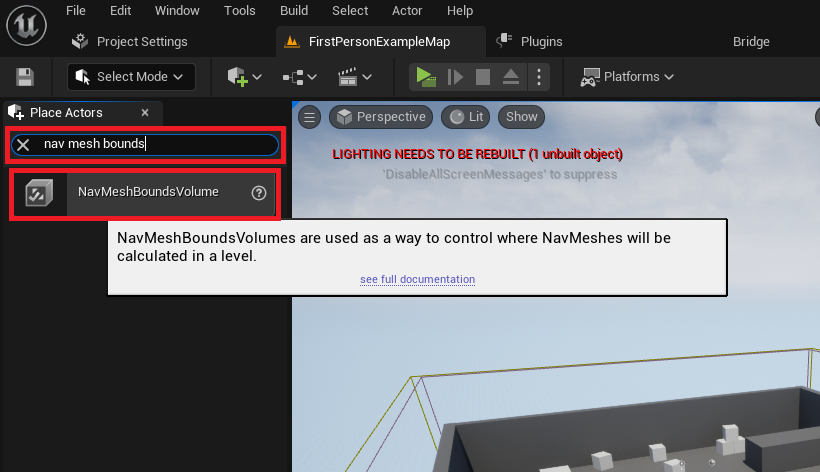
The foundational component for AI navigation in Unreal Engine 5 is the NavMeshBoundsVolume. This specialized volume defines the specific areas within a game level where AI characters are permitted to traverse. Its proper placement and scaling are paramount, as it directly dictates the navigable surface that the engine will generate. To initiate this process, developers first access the ‘Place Actors’ window, typically found under the ‘Window’ menu in the Unreal Engine 5 editor. This window serves as a central hub for spawning various fundamental objects and volumes into a level, streamlining the initial construction phase. Within the ‘Modes’ panel, under the ‘Volumes’ category, the NavMeshBoundsVolume can be located and subsequently dragged into the active scene. This chronological step ensures that the very foundation for AI movement is laid before any character-specific AI logic is implemented.
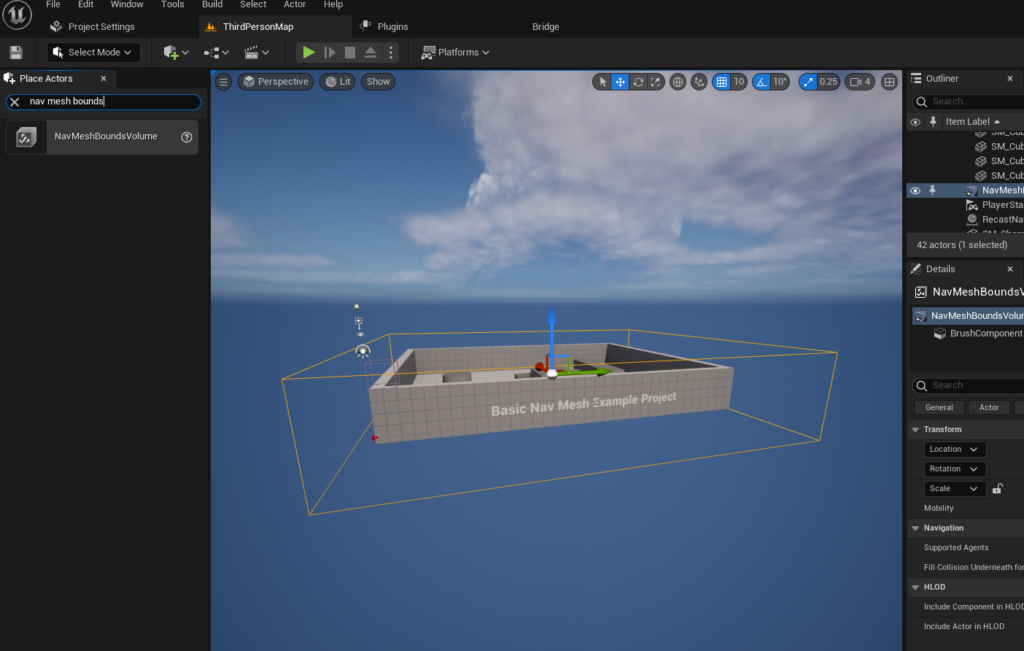
Once the NavMeshBoundsVolume is introduced into the level, the next critical step involves meticulously scaling and positioning it to encompass the entirety of the area intended for AI navigation. This volume acts as a boundary box, within which the engine computes the navigable mesh. The dimensions of this volume are entirely at the developer’s discretion, ranging from compact zones for localized AI behavior to expansive regions covering entire open-world environments. It is crucial to understand that the size of the NavMeshBoundsVolume directly correlates with the computation time required for mesh generation; larger volumes with intricate geometry will naturally demand more processing power and time. For scenarios demanding dynamic changes to the environment or extremely large worlds, Unreal Engine offers dynamic NavMesh generation capabilities, allowing the mesh to update in real-time in response to environmental alterations, thus maintaining performance without sacrificing navigational accuracy. Industry best practices often recommend starting with a conservative volume and expanding it as needed, ensuring that only necessary areas are included, thereby optimizing generation times and runtime performance.
Following the precise placement and scaling of the NavMeshBoundsVolume, developers must visually confirm the correct generation of the navigation mesh. This crucial debugging step is performed by simply pressing the ‘P’ key on the keyboard, which toggles a debug visualization of the NavMesh directly within the editor viewport. A successfully generated NavMesh will appear as a vibrant green overlay on all traversable surfaces within the bounds of the volume, clearly indicating the paths available to AI characters. Any areas not covered by this green mesh, such as steep inclines, gaps, or obstacles, will be visually distinct, prompting developers to adjust the volume, level geometry, or navigation system settings to resolve potential pathfinding impediments. This visual feedback loop is indispensable for identifying and rectifying issues early in the development cycle, ensuring that AI agents do not encounter unforeseen impassable terrain or illogical movement patterns.
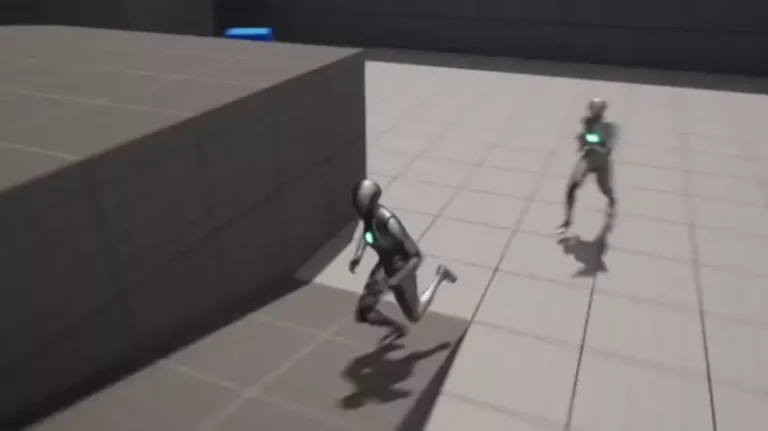
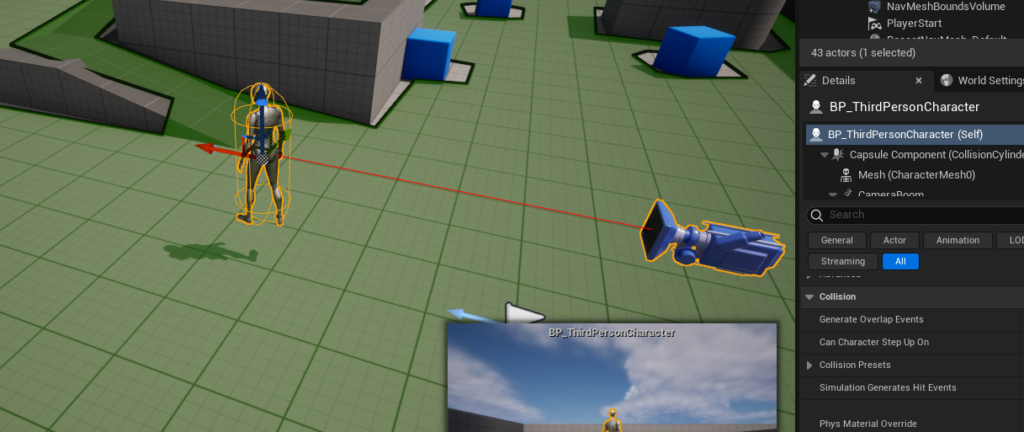
With the NavMesh correctly established, attention shifts to configuring the AI character itself. For illustrative purposes, this guide often utilizes the third-person template provided by Unreal Engine 5, which includes a pre-animated character blueprint. This allows developers to immediately test AI navigation with a visually responsive and animated agent. The first step in this phase involves dragging an instance of the chosen character blueprint, typically found within the ‘Third Person / Blueprints’ folder if the project was created using the corresponding template, directly into the level viewport. This places the character into the game world, ready for its AI logic to be applied.
The core of the AI character’s movement logic resides within its Blueprint editor, Unreal Engine’s visual scripting system. Here, the Begin Play event serves as the entry point for executing initial AI instructions. Upon the game starting, this event triggers a sequence of nodes designed to direct the AI character. The AI MoveTo node is central to this sequence, acting as the primary command for moving the AI character to a specified destination. This node is a high-level function that leverages the underlying NavMesh to calculate an optimal path, handle collision avoidance, and smoothly guide the character. It requires specific inputs: the Pawn (the AI character itself), the Destination (the target location), and an optional Controller.
To provide the AI MoveTo node with a dynamic destination, the GetRandomReachablePointInRadius node is employed. This node is instrumental in creating organic and unpredictable AI movement, allowing characters to roam within a defined area rather than moving to fixed waypoints. It takes two primary inputs: an Origin point and a Radius. The Origin specifies the center around which random points will be searched, while the Radius defines the maximum distance from the origin within which a reachable point can be found on the NavMesh. The output of this node, a yellow vector pin representing the randomly selected destination, is then directly connected to the Destination pin of the AI MoveTo node. This linkage ensures that the AI character is always directed towards a valid, traversable location within its designated roaming zone.
To anchor the GetRandomReachablePointInRadius node’s search to the AI character’s current position, a Get Actor Location node is connected to its Origin yellow vector pin. This configuration ensures that the random movement is calculated relative to the AI character’s real-time position in the world, facilitating continuous, localized roaming. The Radius parameter on the GetRandomReachablePointInRadius node is then set to a desired value, such as 2000 units, dictating the maximum distance the AI will consider for its next random destination. This value is critical for controlling the scope of the AI’s roaming behavior; a smaller radius will result in more confined movements, while a larger radius will allow for broader exploration within the NavMesh.
Finally, to complete the AI character’s blueprint logic, a Reference to Self node is created and connected to the blue Pawn pin of the AI MoveTo node. This explicitly tells the AI MoveTo node which character instance should execute the movement command. To ensure continuous navigation rather than a single movement, a Delay node is introduced. This node is connected to the On Success output pin of the AI MoveTo node. Upon successful arrival at a destination, the Delay node pauses execution for a specified duration, simulating a moment of "thought" or "idle time" for the AI. After the delay, the execution flow is looped back to the beginning of the AI MoveTo node, prompting the AI to find a new random destination and repeat the process. This cyclical arrangement creates an autonomously roaming AI character that continuously navigates the level using the generated NavMesh.
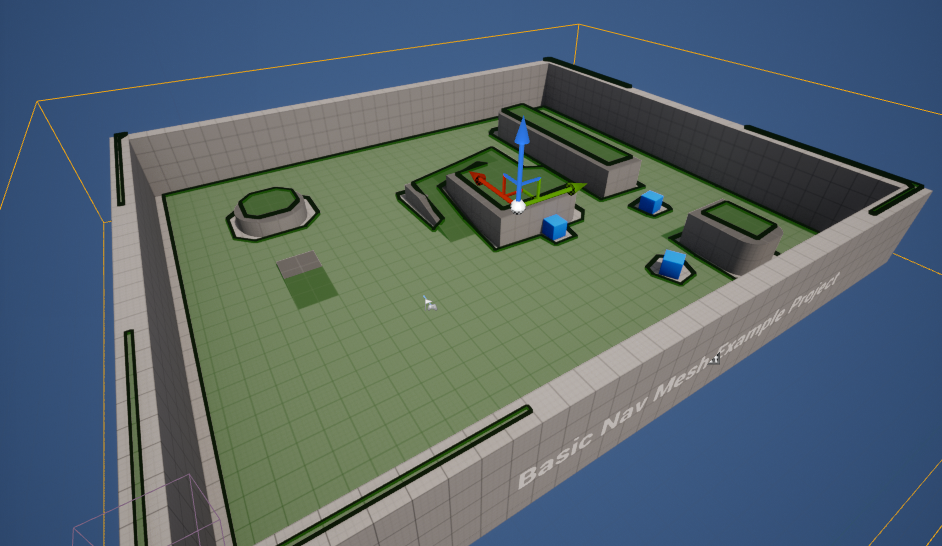
Optimizing AI navigation is crucial for maintaining game performance, especially in complex environments with numerous AI agents. The scalability of Unreal Engine 5’s NavMesh system allows developers to tailor its behavior for diverse environments, from tightly constrained indoor levels to vast open worlds. Key navigation system settings, accessible within the project settings, offer granular control over how the NavMesh is generated. Parameters such as Agent Radius and Agent Height define the collision capsule of the AI agents, influencing what pathways are considered traversable. Cell Size and Cell Height control the granularity of the NavMesh polygons; smaller values create a more detailed mesh capable of navigating tighter spaces, but at the cost of increased generation time and memory footprint. Developers must balance these settings to achieve optimal fidelity and performance for their specific game’s requirements. Debugging tools, such as the ‘P’ key visualization, are invaluable for identifying common NavMesh issues, like gaps in the mesh or areas incorrectly marked as impassable.
Beyond basic movement, the foundation laid by NavMesh and simple AI MoveTo logic serves as a springboard for vastly more sophisticated AI behaviors. Unreal Engine 5 provides an extensive suite of AI tools, including AI Controllers and Behavior Trees, which allow developers to orchestrate complex decision-making processes. AI Controllers are dedicated actors that possess the logic for controlling a Pawn, enabling more advanced functionalities such as perception, target acquisition, and tactical maneuvering. Behavior Trees, a hierarchical system, enable the creation of intricate AI logic by breaking down complex behaviors into smaller, manageable tasks. By integrating NavMesh with these advanced tools, developers can create AI that not only moves intelligently but also reacts dynamically to player actions, engages in combat, solves puzzles, and contributes to a richer, more believable game world. This layered approach enhances player immersion and gameplay depth, transforming simple wanderers into compelling adversaries or loyal companions. The continuous evolution of AI in game development, including emerging trends in machine learning-driven behaviors, will likely continue to build upon these robust foundational systems, underscoring the enduring relevance of efficient pathfinding and navigation.
In conclusion, Unreal Engine 5 empowers developers with highly effective and accessible tools for implementing artificial intelligence, fundamentally transforming how NPCs interact with virtual environments. By mastering the setup of the NavMesh system and configuring basic character movement blueprints, developers gain the essential building blocks for creating dynamic and believable AI. The methodical process, from defining traversable areas with the NavMeshBoundsVolume to orchestrating continuous random movement via the AI MoveTo and GetRandomReachablePointInRadius nodes, illustrates a streamlined workflow that prioritizes both performance and flexibility. This foundational knowledge not only facilitates the creation of atmospheric and gameplay-enhancing characters but also serves as a critical prerequisite for venturing into more advanced AI systems like Behavior Trees and Environmental Query Systems. As the demand for sophisticated in-game AI continues to grow, Unreal Engine 5 stands ready to equip developers with the comprehensive toolkit needed to meet these evolving challenges, ensuring that virtual worlds are populated with intelligent, responsive, and engaging inhabitants.
About the Author