The popular independent game marketplace itch.io has rolled out a series of significant updates to its desktop application, introducing versions v26.15.0 and v26.17.0, swiftly followed by a critical hotfix, v26.18.0, to address a macOS crashing issue. These updates represent a concerted effort by the itch.io development team to address long-standing community requests and enhance the user experience, particularly concerning library management, game launch customization, and platform compatibility. The core of these improvements centers on making bundles a first-class citizen within the app’s library, introducing granular per-game launch settings, enabling the installation of downloads not explicitly tagged for a user’s platform, and refining the in-app search functionality. Users are encouraged to ensure their app is updated, with a potential reinstallation from the setup program at itch.io/app recommended for those experiencing persistent macOS crash loops.
A New Era for Bundle Management in the Itch.io Library
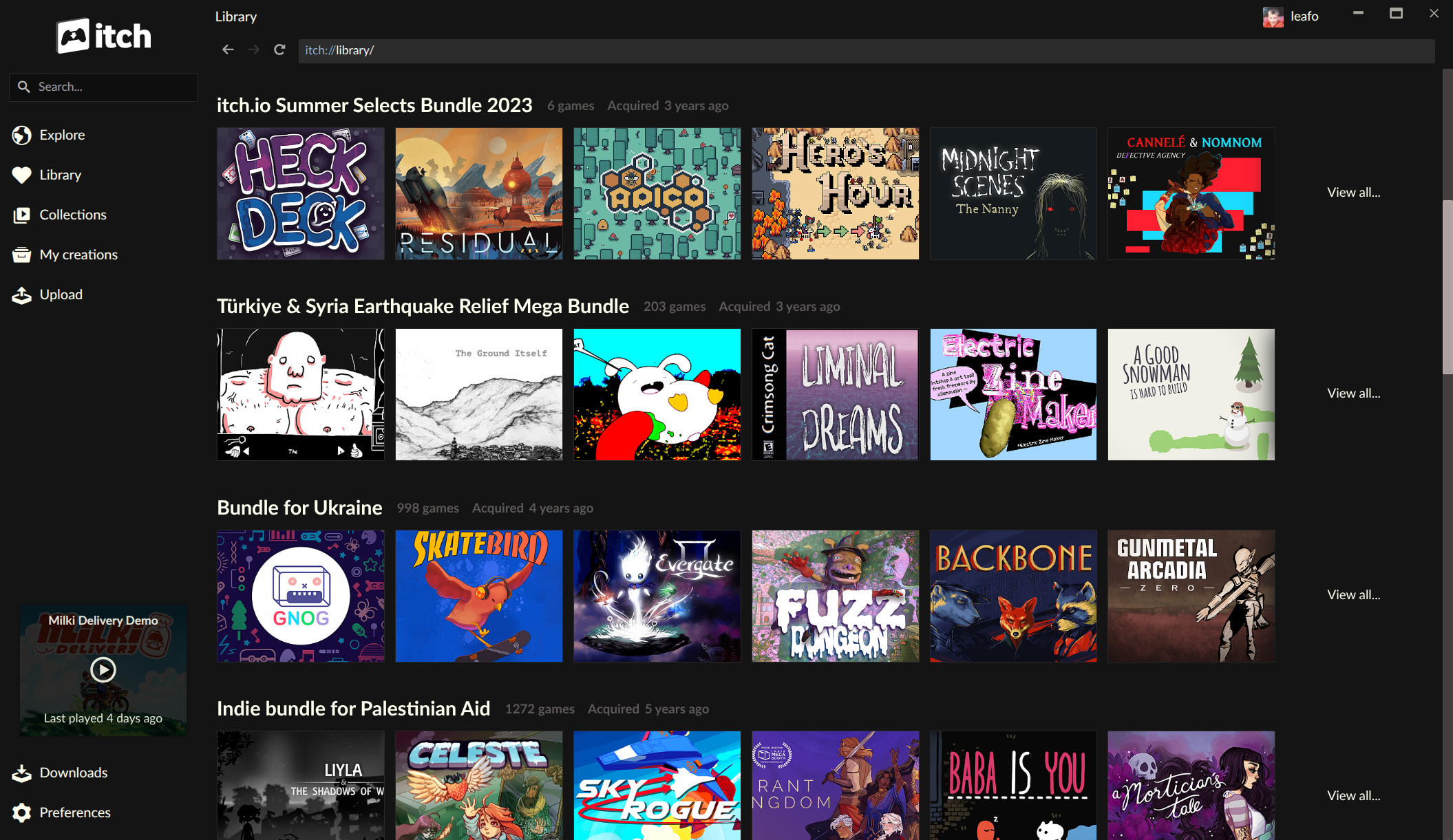
One of the most anticipated and impactful features in this update is the complete overhaul of how bundles are integrated into the itch.io app library. Previously, despite itch.io being renowned for hosting massive charitable and curated game bundles, the app’s understanding of bundle ownership was somewhat limited. Games acquired through these bundles would not automatically appear in a user’s app library until each individual title was manually "claimed" on the itch.io website. This often created a cumbersome discovery and installation process, especially for users who had purchased bundles containing hundreds or even thousands of games.
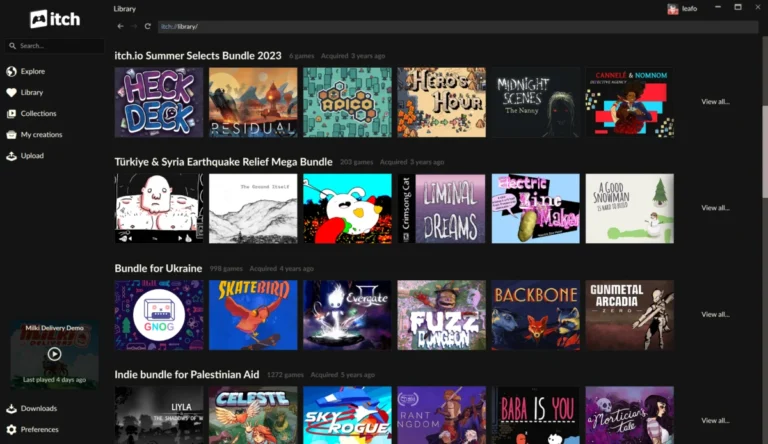
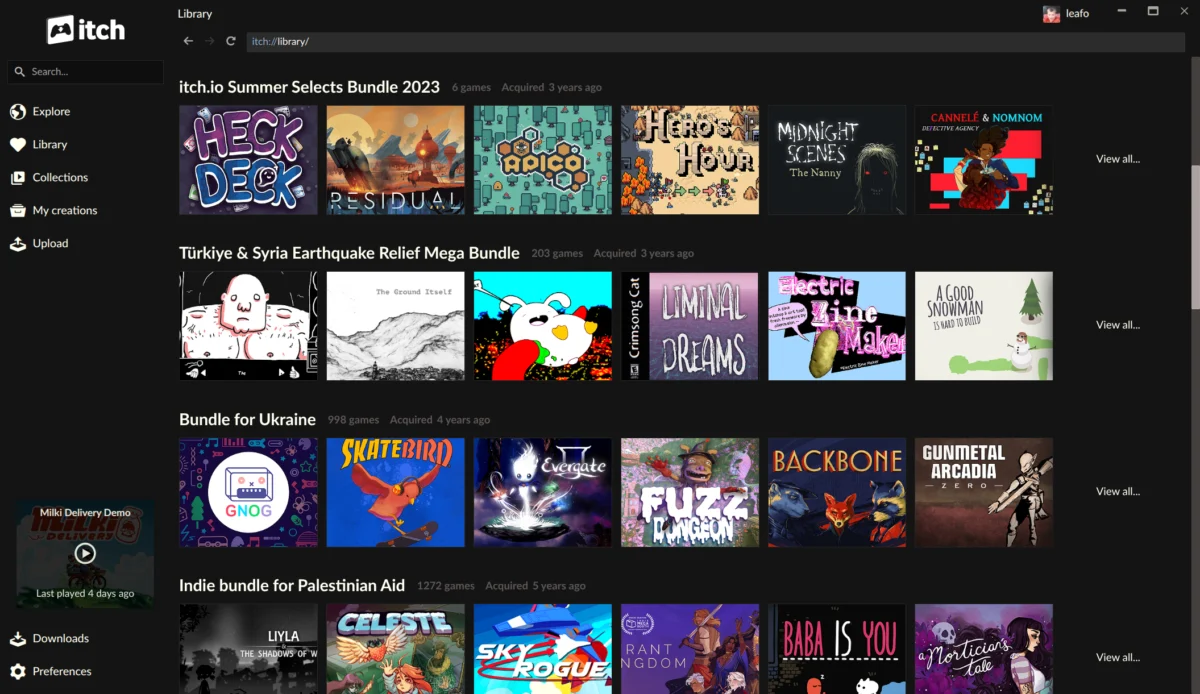
The updated app now natively recognizes bundle ownership, elevating bundles to "first-class" items within the user’s digital collection. Each bundle now boasts its own dedicated page within the library, meticulously listing every game included. This new bundle page is not merely a static list; it offers robust organizational tools, including sorting capabilities, a search bar to find specific titles within the bundle, and comprehensive filters based on platform, classification (e.g., genre, type), and installation status. Crucially, games can now be installed directly from the bundle page, eliminating the prior necessity of navigating to the website for individual claims.
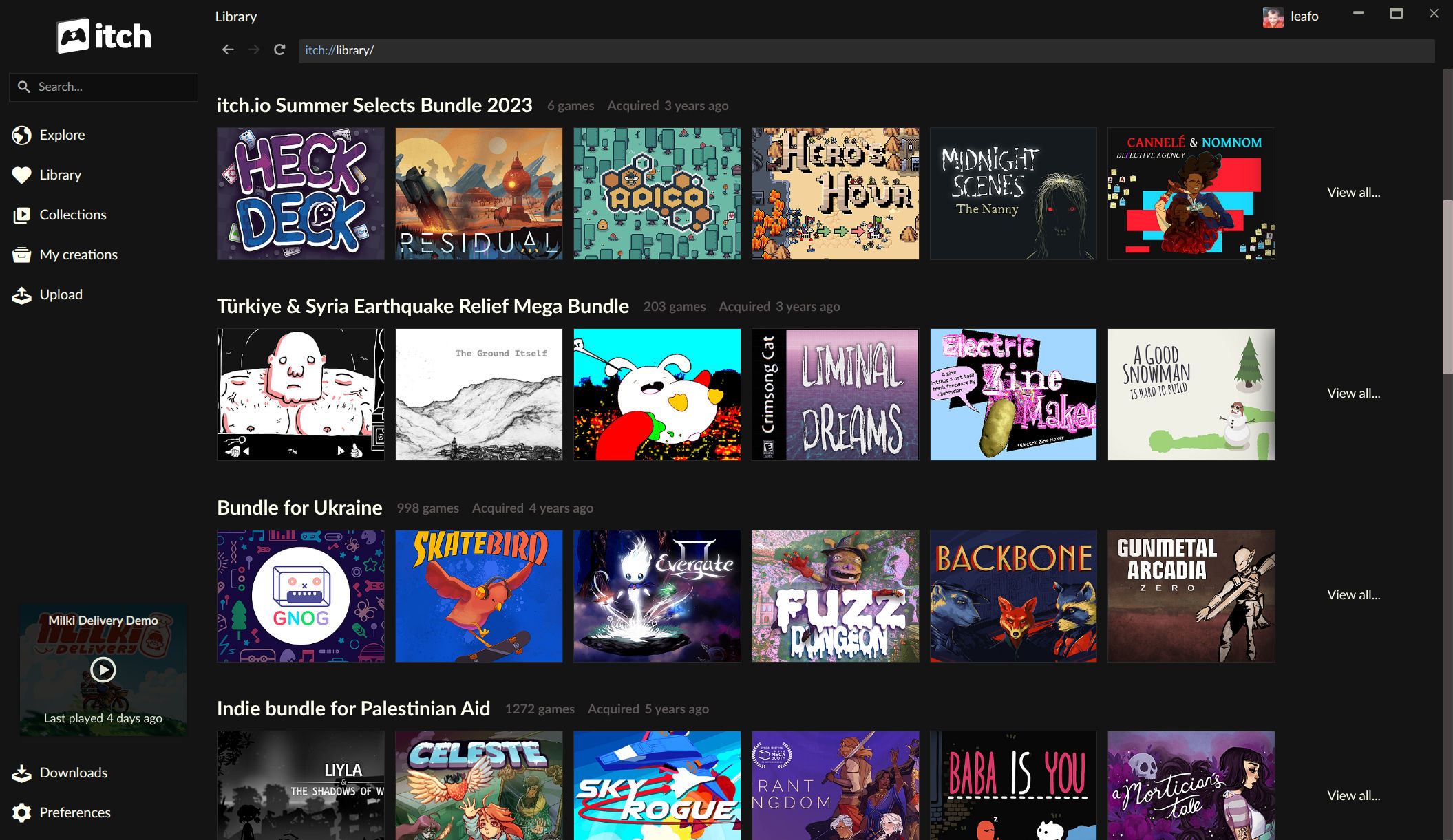
This enhancement is particularly significant given itch.io’s history with large-scale bundles. The "Bundle for Racial Justice and Equality," for instance, featured an astounding 1,741 items and was purchased over 800,000 times, raising over $8.1 million for charity. Similarly, the "Bundle for Ukraine" included nearly 1,000 items and attracted over 400,000 buyers, raising over $6.3 million. The sheer scale of these initiatives presented unique technical challenges for itch.io’s backend infrastructure. Generating an individual download key for every single item for every buyer across such massive bundles would have resulted in an unmanageable database footprint—potentially over a billion rows for the Racial Justice bundle alone. To circumvent this, itch.io intelligently recorded ownership at the bundle level, creating individual game download keys only upon user claim. The app’s new direct understanding of bundle ownership elegantly bridges this technical necessity with an intuitive user experience, allowing effortless browsing and installation from even the most expansive collections. For users who have previously found it challenging to navigate their vast bundle acquisitions, this update offers a streamlined path to game discovery and play. Complementing these user-facing improvements, itch.io recently revamped its bundle hosting tools for developers, creating a more cohesive and powerful ecosystem for both creators and consumers of curated game collections.
Unprecedented Control with Per-Game Launch Settings
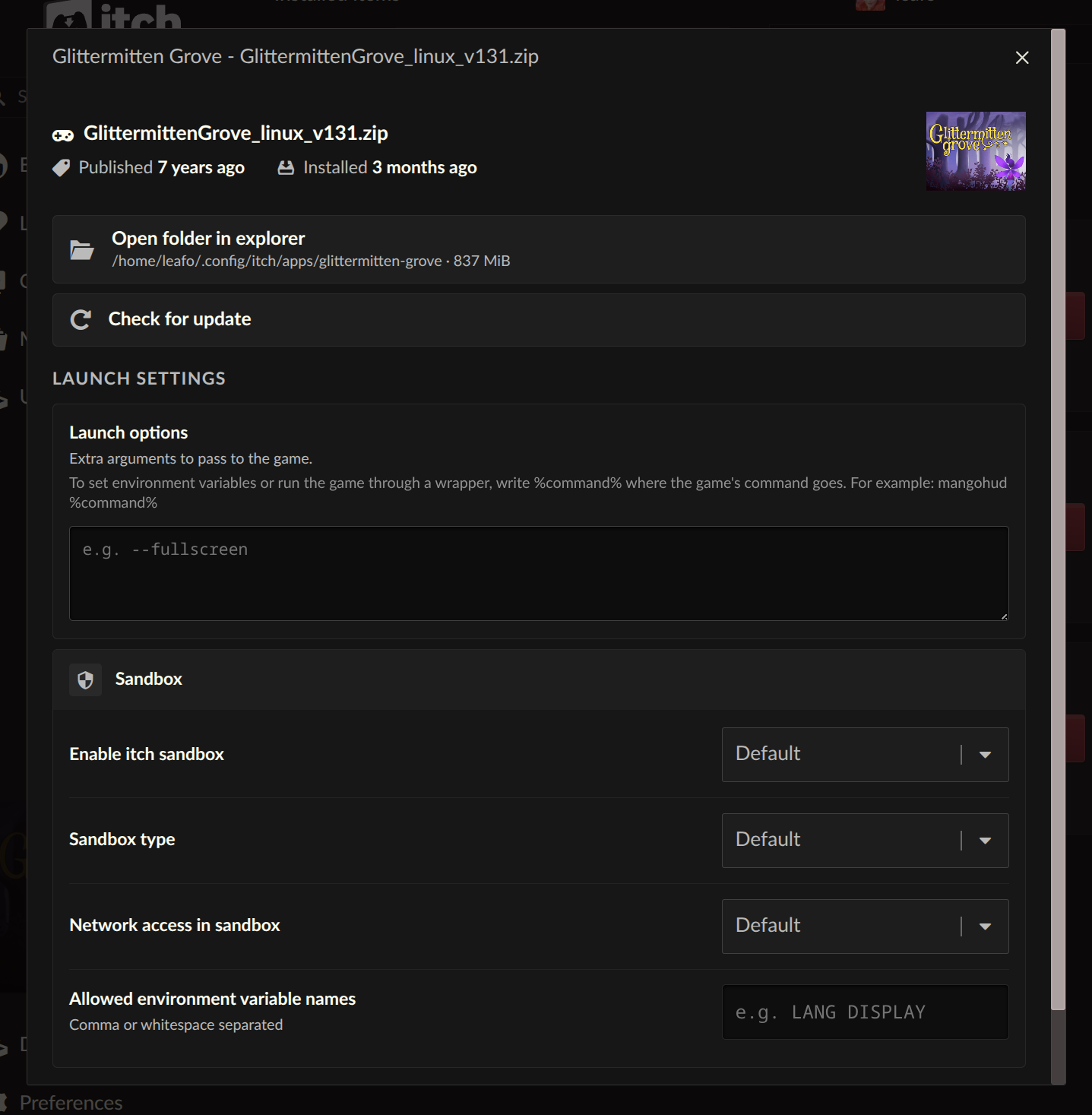
Beyond library organization, the latest updates introduce a suite of powerful customization options for launching games. Each installed game now features a dedicated "Launch settings" area, accessible from its manage dialog. This new section empowers users with granular control over various aspects of a game’s execution environment.
Among the key configurable parameters are sandbox restrictions, network access, and environment variables. Sandbox restrictions allow users to define the level of isolation for a game, potentially enhancing security or troubleshooting compatibility issues by limiting a game’s access to system resources. Network access controls provide the ability to enable or disable internet connectivity on a per-game basis, a useful feature for games that do not require online functions or for users concerned about data privacy. Furthermore, the ability to set environment variables offers a degree of flexibility traditionally found in more advanced system configurations, allowing users to tailor runtime conditions for specific games, which can be invaluable for modding, debugging, or ensuring compatibility with unique hardware setups.
A particularly long-standing request from the community, the new "Command pattern" option for launch arguments, has also been implemented. This feature moves beyond simple argument passing, allowing users to define a pattern that wraps the game’s launch command within another command. This opens up a world of possibilities for power users and developers. For instance, a user on Linux could seamlessly integrate compatibility layers like Wine or Proton by wrapping a Windows game’s executable with the appropriate compatibility tool command. Similarly, this feature can be utilized to launch games through debugging tools, performance monitoring utilities, or even custom script wrappers designed to automate specific pre-launch tasks. This level of control significantly enhances the app’s utility for technical users and those seeking to optimize their gaming experience across diverse operating systems and configurations.
Breaking Down Platform Barriers: Installing Untagged Downloads
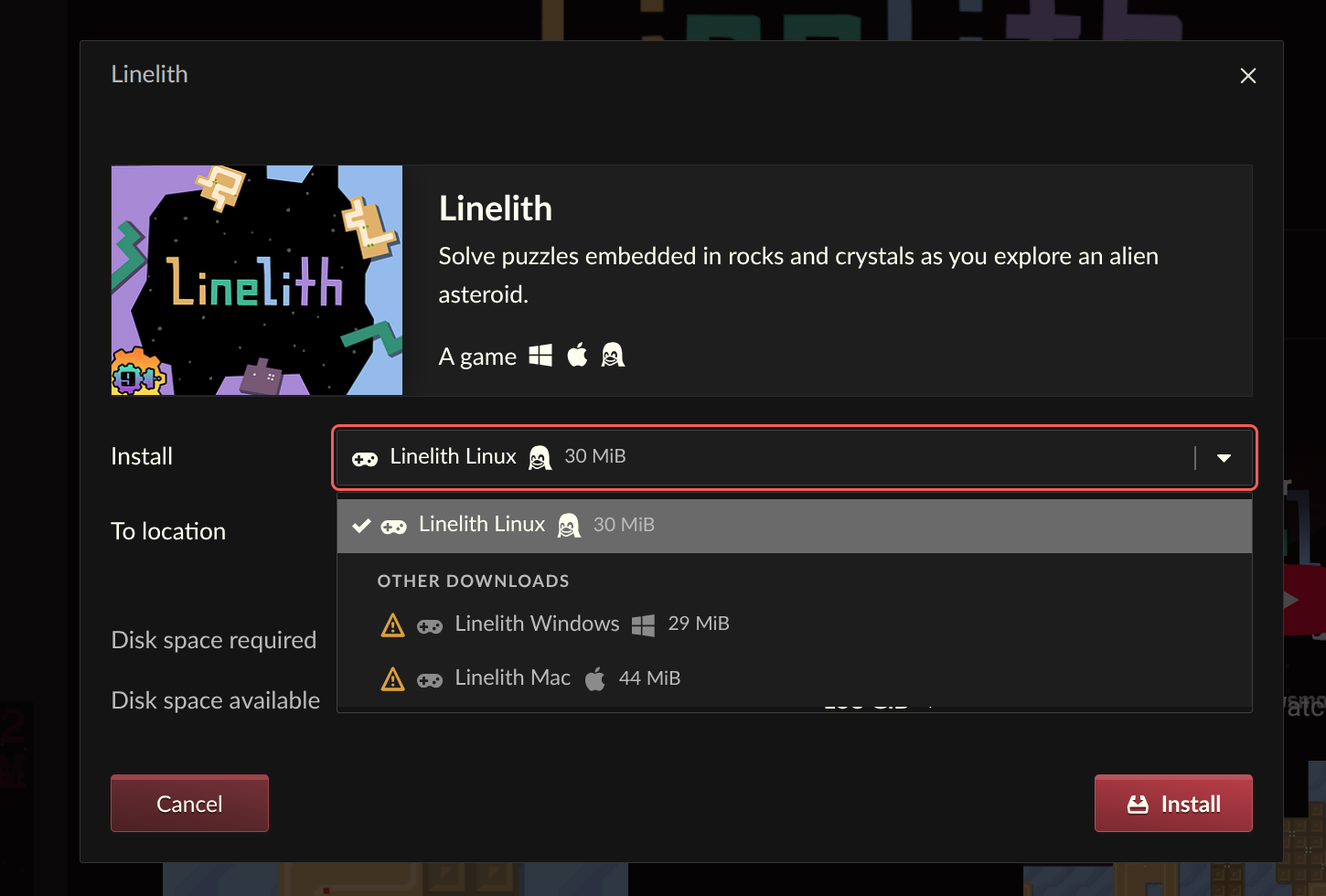
In a move that significantly broadens game accessibility, the itch.io app now allows users to reveal and install downloads that are not explicitly tagged for their operating system. Previously, if a developer omitted a platform tag for an upload—whether by oversight, focusing on a primary platform, or providing a niche build—users on other platforms might not see the download option within the app.
The updated install dialog now includes an option to show "unsupported" downloads, making these previously hidden files visible and installable. This feature is a boon for users who employ compatibility layers or virtual machines. For example, a Linux user wishing to play a Windows-only title can now easily download the Windows build through the itch.io app and run it via Wine, Proton, or a virtual machine, without needing to resort to manual downloads from the website. This capability reduces friction for cross-platform gaming and empowers users to experiment with different versions or builds of games, irrespective of the developer’s explicit platform tagging. It reflects itch.io’s commitment to user agency and maximizing the utility of its diverse game catalog, acknowledging that platform boundaries are increasingly fluid in modern computing environments.
Refined Discovery: The New Sidebar Search Experience
The app’s sidebar search functionality has also undergone a significant revision, aimed at providing a more intuitive and effective discovery experience. The previous search implementation relied heavily on the platform’s API for autocomplete suggestions, which, while convenient for finding items already in one’s immediate library, often presented results in a confusing order for broader discovery. This made it challenging for users to effectively locate new games or explore the vast catalog beyond their owned titles.
The revamped sidebar search adopts a more streamlined approach. While still offering quick access to owned content, it now intelligently directs broader search queries to the main itch.io website’s full search experience. This strategic change leverages the comprehensive indexing and advanced filtering capabilities of the website’s search engine, ensuring that users receive more relevant and organized results when looking for new content. The developers noted that autocomplete is best suited for items a user already possesses, while a full site search is superior for exploratory discovery. This update enhances overall user experience by ensuring that the right search tool is used for the right purpose, improving navigation and content discovery within the app.
Development Chronology and Responsive Hotfix
The journey to these enhanced features involved a multi-stage development process, culminating in two primary updates: v26.15.0 and v26.17.0. These iterations incorporated numerous fixes and improvements derived from the itch.io issues tracker, directly addressing "most commonly requested problems and requests" from the community. The development team’s commitment to user feedback is evident in the proactive nature of these releases.
A testament to their responsiveness, a critical hotfix, v26.18.0, was swiftly deployed following reports of a crashing issue affecting macOS users. This rapid response underscores the development team’s dedication to maintaining application stability and ensuring a smooth experience for all users. For those macOS users who encountered the crash loop, the recommendation to reinstall the app from the setup program at itch.io/app is a practical step to resolve persistent issues and benefit from the latest stable version. This iterative development and quick problem-solving are characteristic of itch.io’s open and community-focused approach, often seen in the open-source nature of its desktop client, allowing for transparent issue tracking and community contributions.
Broader Implications and Industry Context
These comprehensive updates significantly strengthen the itch.io desktop application, positioning it as an even more robust and user-friendly platform for independent games. In an increasingly competitive digital storefront landscape dominated by giants like Steam and Epic Games, itch.io has carved out a unique niche by prioritizing direct developer support, flexible publishing tools, and a strong community focus. The enhancements to bundle management directly reinforce itch.io’s distinctive role in facilitating charitable bundles, making these impactful initiatives more accessible and manageable for the hundreds of thousands of users who support them.
The introduction of advanced launch settings and the ability to install untagged downloads are particularly noteworthy for power users, developers, and those interested in game preservation. These features provide a level of control and flexibility that is often absent in more locked-down platforms, aligning with the indie ethos of experimentation and customization. By empowering users to tailor their game environments and bypass rigid platform tagging, itch.io further distinguishes itself as a platform that respects user choice and technical prowess.
The improved search functionality, while seemingly a minor tweak, contributes to the overall discoverability of the platform’s vast and eclectic catalog, a crucial factor for both user engagement and developer visibility. A smoother, more intuitive user interface encourages deeper exploration and greater retention, benefiting the entire ecosystem.
In conclusion, the latest series of updates to the itch.io app represent a substantial leap forward in user experience and functionality. By addressing core community requests, tackling technical challenges related to large-scale bundles, and providing advanced customization options, itch.io continues to solidify its position as a vital and innovative hub for independent game development and consumption. Users are encouraged to update their applications to experience these significant improvements firsthand, further integrating their diverse game libraries into a seamless, powerful, and user-centric platform. The full changelogs for v26.15.0 and v26.17.0 are available on GitHub for those interested in the detailed technical evolution of the application.
About the Author