The double jump, a fundamental mechanic in numerous iconic video games, has long been a hallmark of dynamic platforming and action-adventure titles, empowering players with enhanced aerial control and strategic movement options. From the gothic corridors of Castlevania: Symphony of the Night to the vibrant landscapes of Crash Bandicoot and the whimsical worlds of the Kirby series and Banjo-Kazooie, this ability has consistently enriched gameplay, demanding precision and timing for obstacle traversal and combat maneuvers. The prevalence of the double jump underscores its enduring appeal and critical role in modern game design, making its efficient implementation a valuable skill for developers. Fortunately, Unreal Engine 5 (UE5), Epic Games’s cutting-edge real-time 3D creation tool, streamlines the integration of this complex feature, offering a surprisingly straightforward path for even novice developers. A recent guide details this process, not only outlining the basic steps for enabling a double jump but also providing intermediate-level animation improvements that significantly enhance player experience and game fidelity.
The Enduring Legacy of the Double Jump in Gaming
The double jump is more than just a movement option; it is a design paradigm that has shaped entire genres. Its introduction in early platformers revolutionized level design, allowing for more intricate layouts, hidden areas, and demanding sequences that tested players’ mastery of movement. Data from game design studies often point to player agency and fluid control as key factors in game enjoyment, and the double jump directly contributes to both. It provides an immediate, tactile sense of empowerment, transforming vertical traversal from a simple ascent into a multi-stage challenge. For instance, in 2D platformers, the double jump can enable longer horizontal gaps to be cleared or provide a crucial second chance to correct a misjudged initial leap. In 3D environments, it adds a layer of depth to exploration and combat, allowing players to reach elevated platforms or evade attacks with greater agility. This widespread adoption across diverse franchises—from the precise acrobatics of Ninja Gaiden to the expansive exploration in many open-world action RPGs—speaks volumes about its versatility and impact. Its continued presence in contemporary titles, often alongside more advanced parkour or traversal mechanics, demonstrates its foundational importance in the lexicon of interactive entertainment.
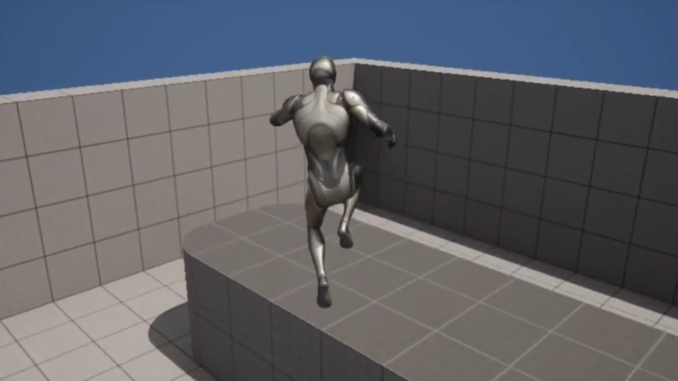
Unreal Engine 5: Simplifying Complex Mechanics
Unreal Engine 5 has positioned itself as a powerhouse for game development, known for its photorealistic rendering capabilities, robust toolset, and increasing accessibility. One of its core philosophies revolves around empowering developers to bring their visions to life with greater efficiency. The process of implementing a double jump, which in older engines or custom frameworks might have required intricate coding and meticulous physics adjustments, is remarkably simplified within UE5’s architecture. This ease of implementation is a testament to Epic Games’s continuous efforts to refine the engine’s character movement component, offering a high degree of customizability through intuitive blueprint visual scripting. This approach lowers the barrier to entry for aspiring game developers, enabling them to focus more on creative design and less on the minutiae of low-level programming. For established studios, it accelerates prototyping and iteration, allowing designers to quickly test and refine core mechanics.
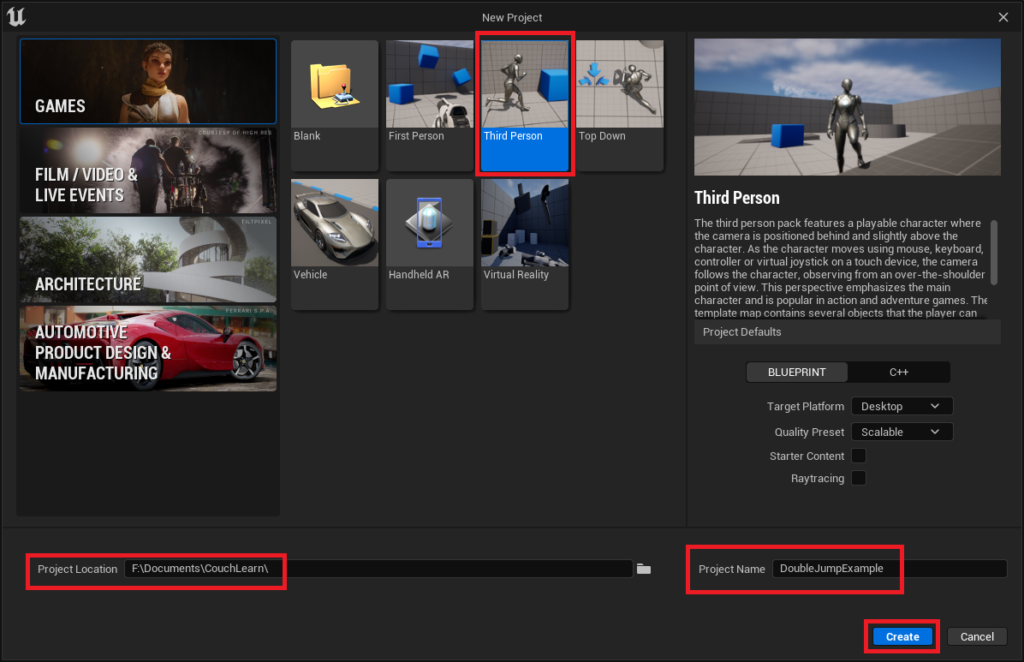
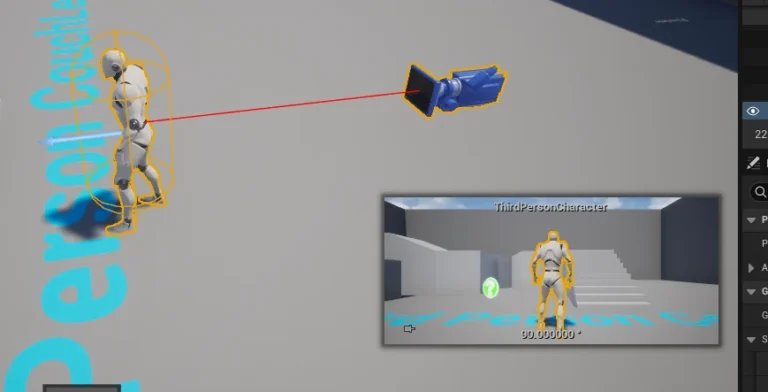
The guide in question focuses on leveraging the Unreal Engine 5 Third Person template, a common starting point for many projects, to illustrate the double jump implementation. This choice ensures that the instructions are accessible to a broad audience, from absolute beginners to seasoned professionals looking for quick integration methods. Developers who already possess a customized Character blueprint can seamlessly integrate the double jump functionality by skipping the initial project setup phases.
Step-by-Step Implementation: A Chronological Overview
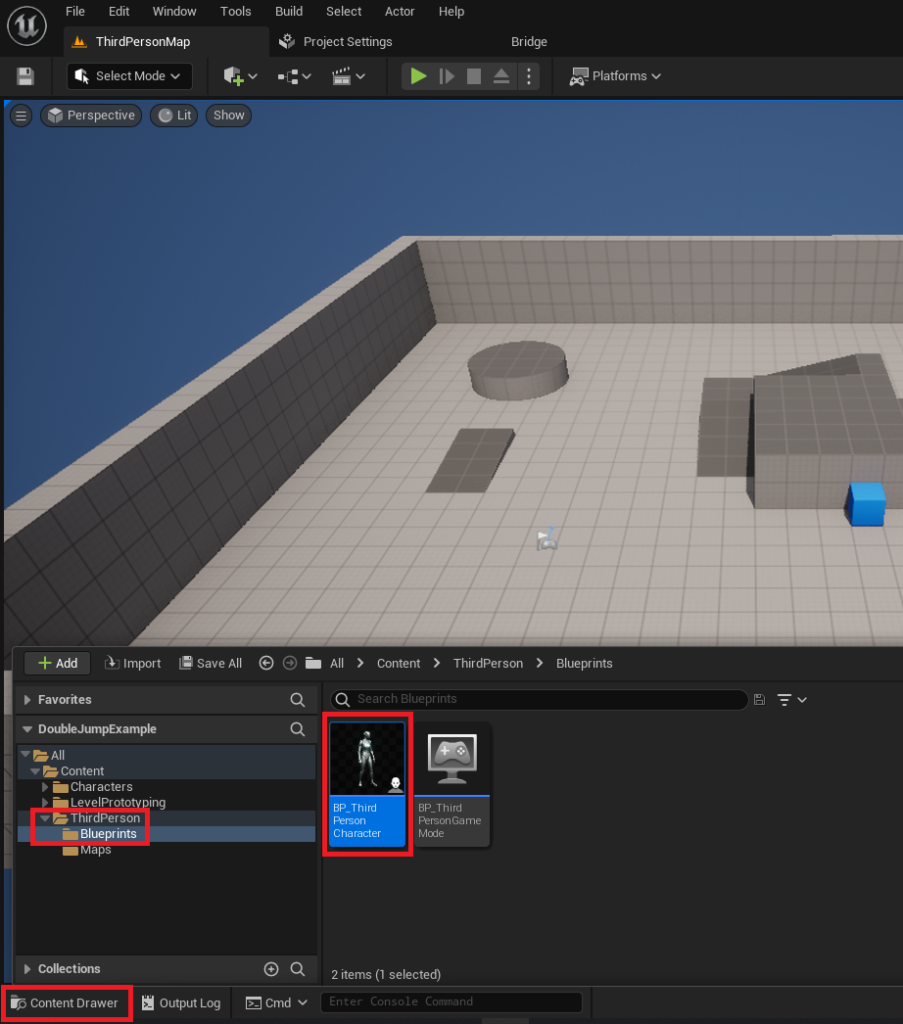
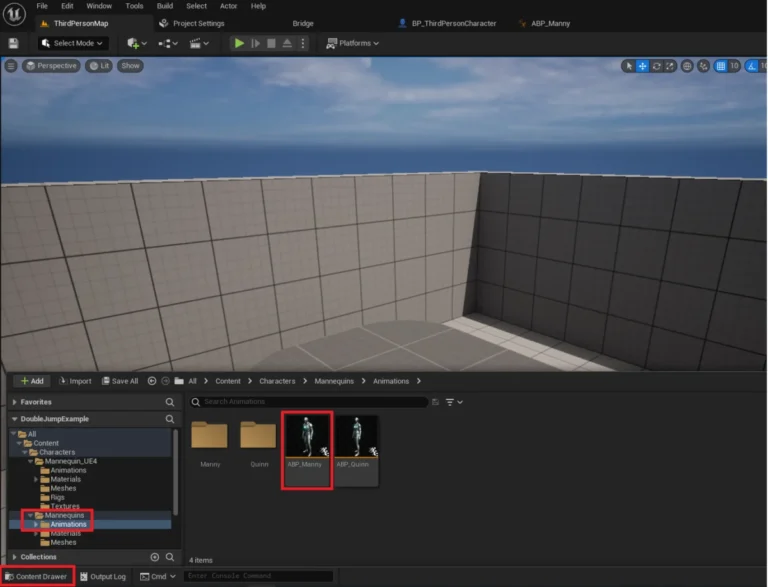
The process begins with the foundational step of creating a new project using the Third Person template within Unreal Engine 5. This involves selecting the "Third Person" template, specifying a project location, and assigning a project name before initiating the creation process. Once the Unreal Engine editor loads the new project, the next crucial action is to locate the BP_ThirdPersonCharacter object. This blueprint, typically found within the Content/ThirdPerson/Blueprints folder via the Content Drawer, represents the default player character and serves as the primary target for modifications.
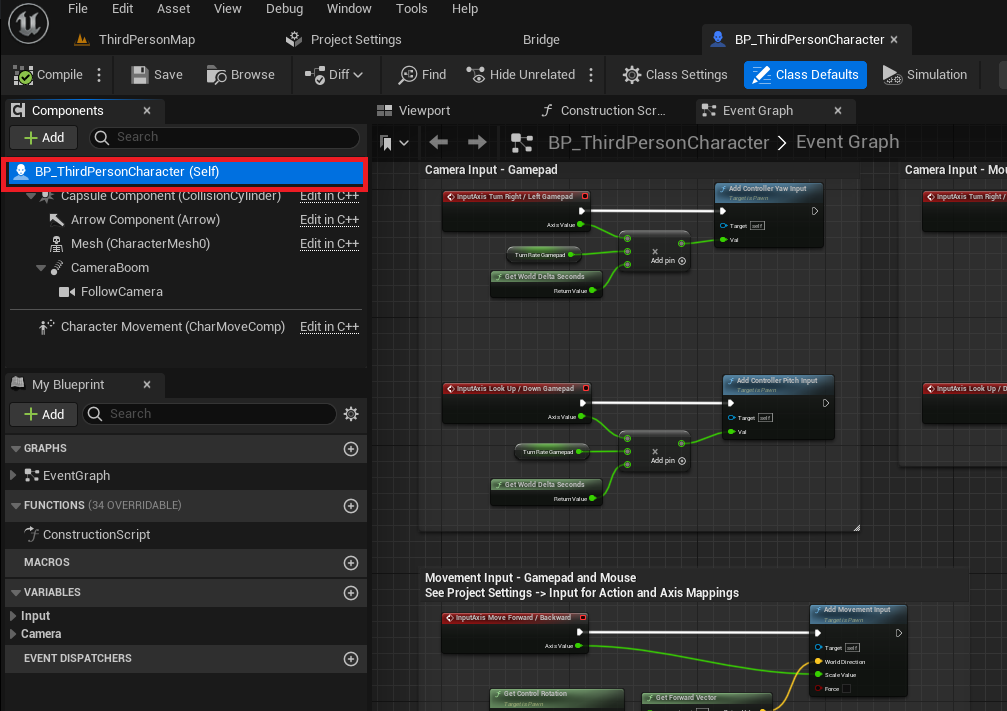
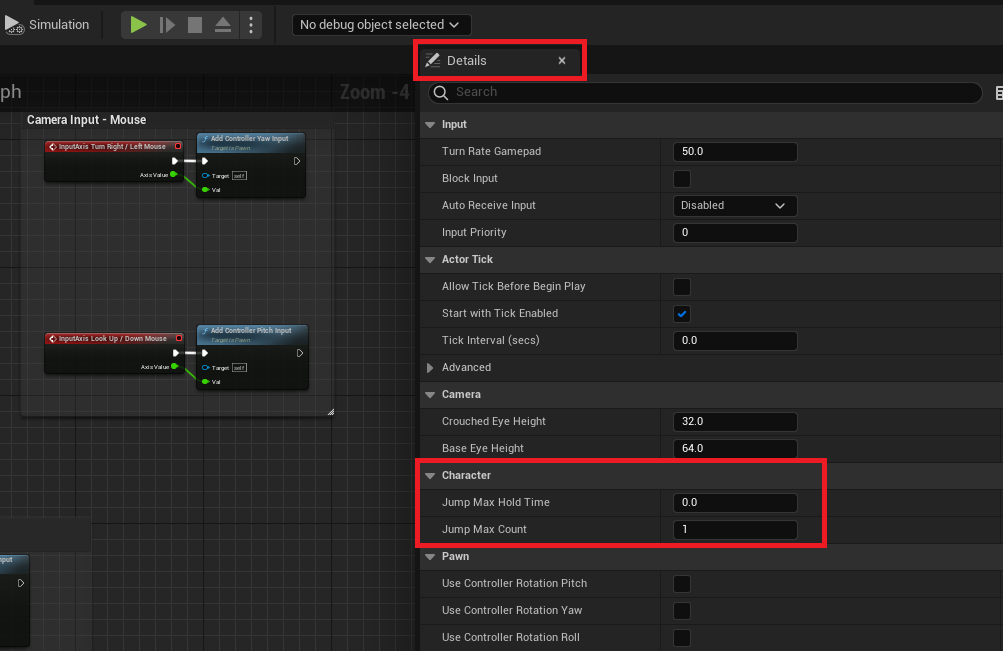
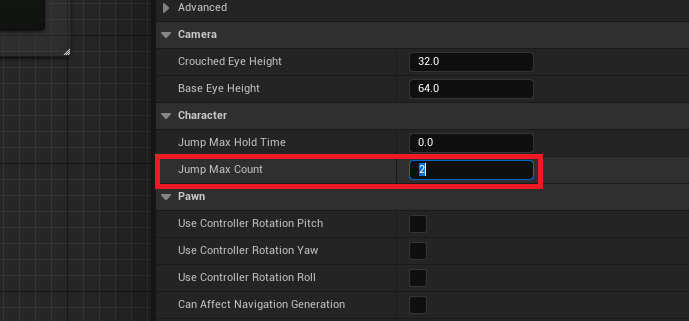
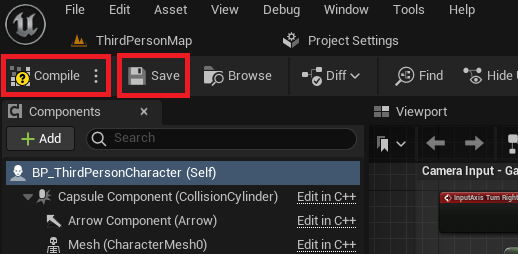
Upon opening the BP_ThirdPersonCharacter blueprint, the first programmatic adjustment involves interacting with the Character Movement Component. Within the blueprint editor, selecting the BP_ThirdPersonCharacter (Self) element, which highlights the character’s core properties, reveals the "Details" tab on the right-hand side. This panel contains a wealth of configurable parameters for the character. The key parameter for enabling the double jump is Jump Max Count, located under the "Character" section. By default, this value is set to 1, allowing for a single jump. The guide instructs developers to change this value to 2 to enable the double jump. Should a project necessitate more than two jumps, such as a triple jump or an even more acrobatic traversal system, this value can be adjusted accordingly. Following this modification, it is imperative to click the "Compile" and "Save" buttons in the top-left corner of the blueprint editor to apply and preserve the changes.
Initial Results and the Need for Animation Refinement
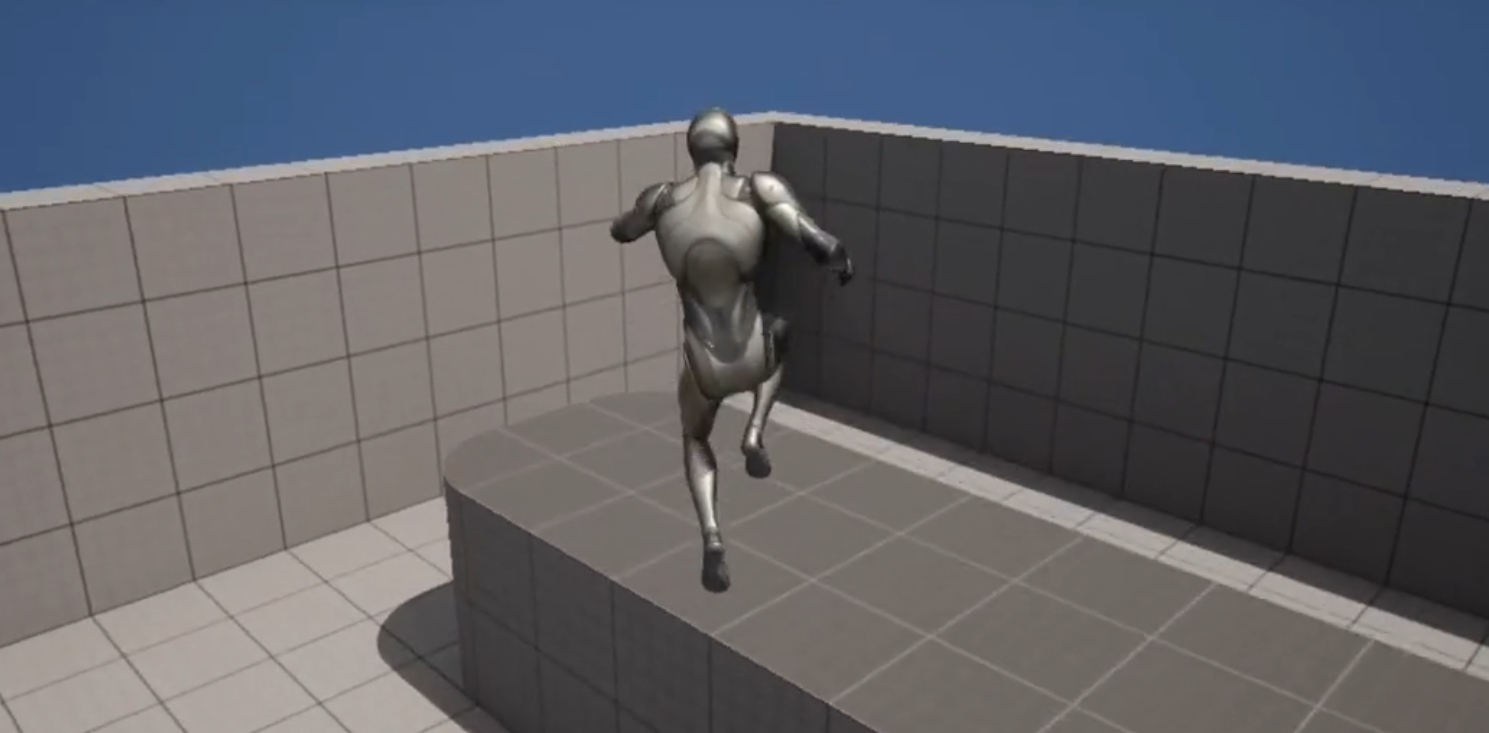
Immediately after these basic adjustments, the character within the Unreal Engine environment gains the ability to double jump. A demonstration video accompanying the guide clearly illustrates the character executing a second jump mid-air. However, a significant observation from this initial implementation is the animation behavior: the jump animation typically plays only once. When the second jump is initiated, the character model might remain in the "fall" animation state or simply snap awkwardly, lacking the visual feedback necessary to convey a distinct second aerial maneuver. This visual disconnect, while not affecting the mechanical functionality, can significantly detract from the player’s experience. Smooth, responsive animations are paramount for creating a believable and engaging character, directly influencing the perceived quality and polish of a game. Player psychology studies often confirm that clear visual and auditory feedback for actions is crucial for player satisfaction and understanding of game mechanics. Without proper animation, the double jump feels less like an intentional, powerful move and more like an abrupt interruption of a fall.
Elevating Experience: Intermediate Animation Improvements
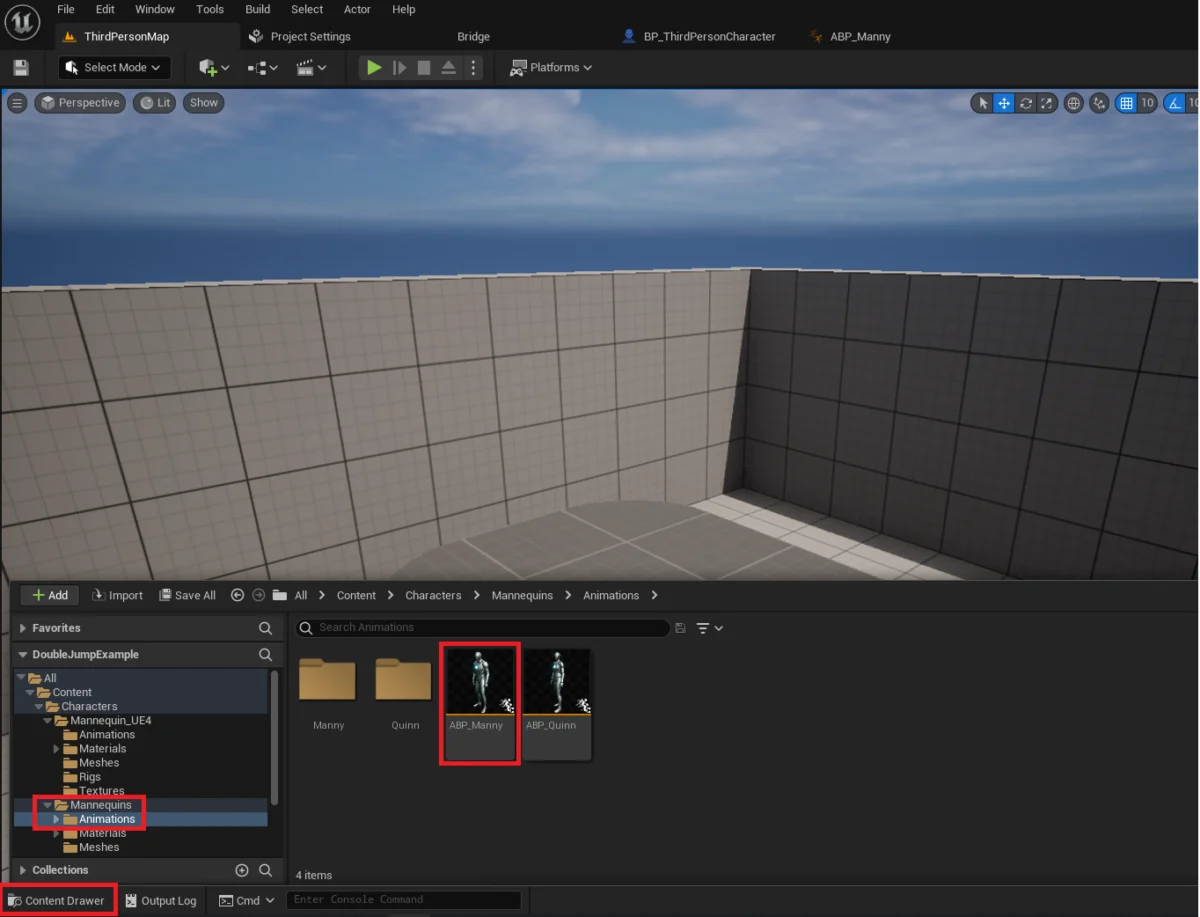
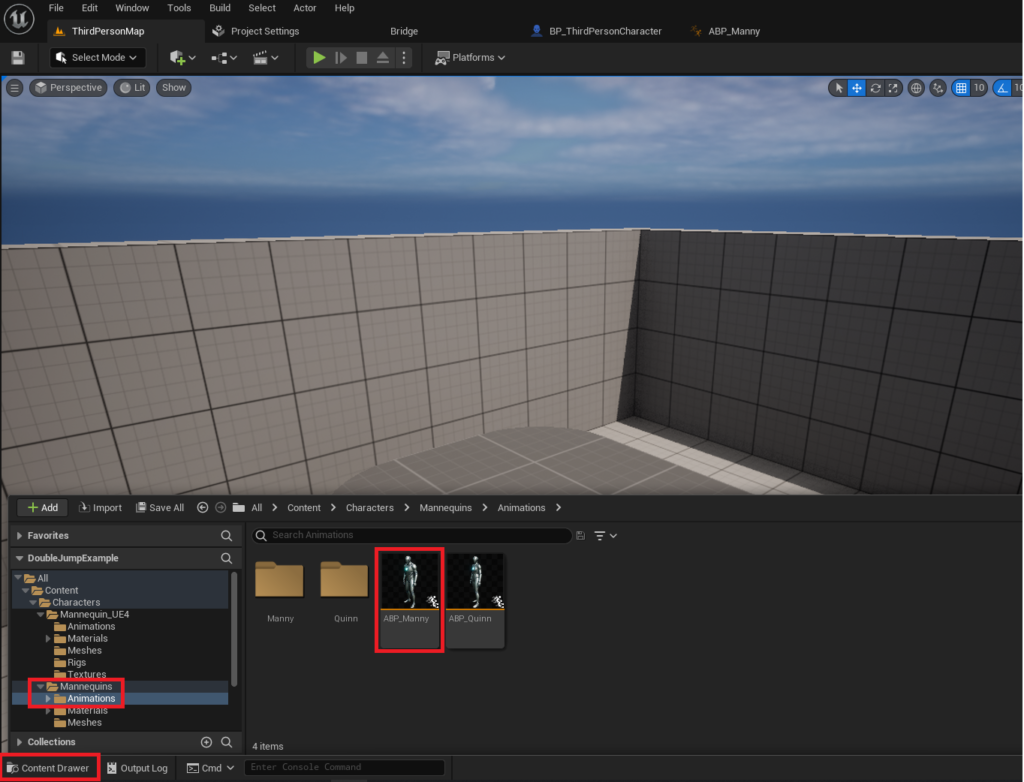
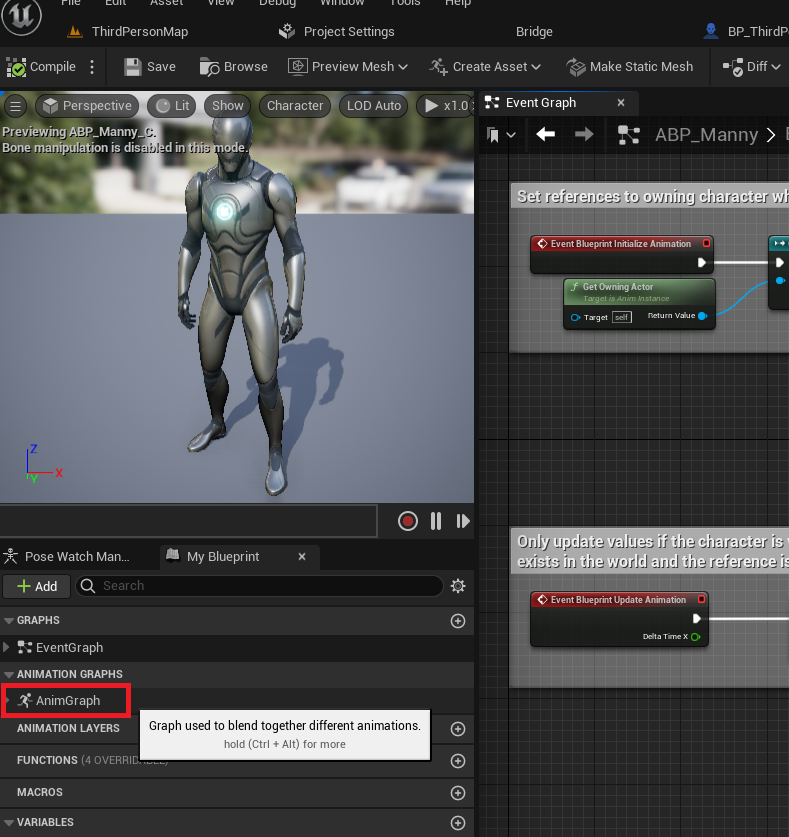
To address the animation disparity and enhance the visual fidelity of the double jump, the guide introduces a series of intermediate-level animation improvements. This phase begins by accessing the Animation Blueprint, specifically the ABP_Manny object, located within the Content/Characters/Mannequins/Animations folder. The Animation Blueprint (AnimBP) is a sophisticated tool within UE5 that dictates how a character’s skeletal mesh is animated based on various game states and parameters.
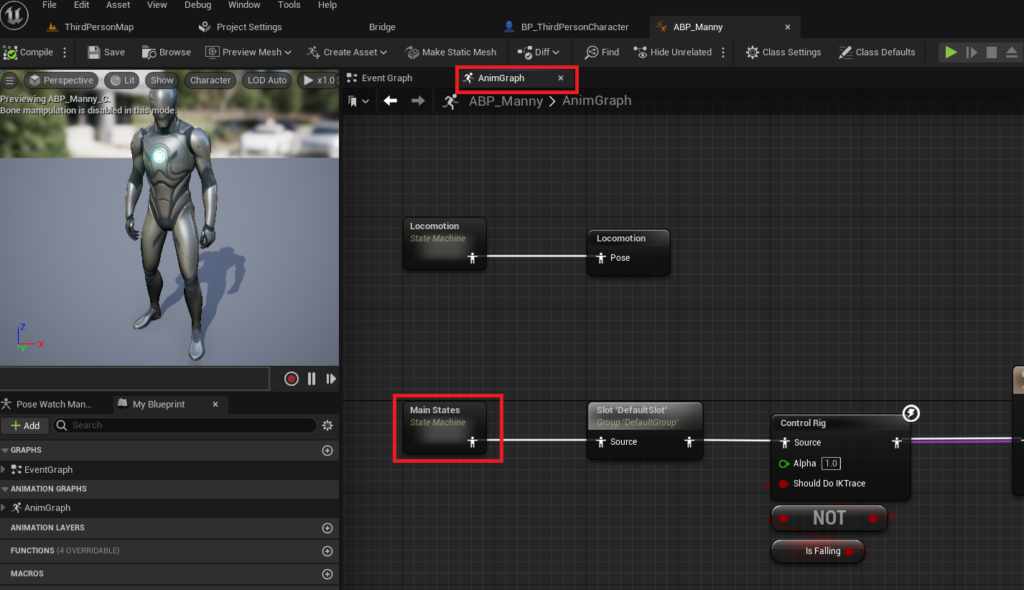
Once ABP_Manny is opened, developers navigate to the "AnimGraph" within the editor’s left panel. The AnimGraph is where the logic for blending and transitioning between different animation states is constructed. Within the AnimGraph, the "Main States" state machine is the primary focus. State machines are critical for managing complex animation sequences, allowing for defined transitions between different character actions (e.g., Idle, Run, Jump, Fall).
The core of the animation fix involves establishing a new transition within the "Main States" state machine. The guide instructs dragging a connection from the "Fall Loop" state to the "Jump" state. This action creates a new transition rule, symbolized by an arrow, which allows the animation system to move from a falling animation directly back into a jumping animation. This is critical because when a character double jumps, they are typically already in a falling state from their initial jump.
Clicking on the newly created transition icon opens the transition editor, a dedicated space for defining the conditions under which this animation transition should occur. Here, a specific blueprint node setup is required. These nodes are designed to check if the character is currently capable of executing another jump while airborne. The logic typically involves checking the character’s current Jump Count against the Jump Max Count and evaluating if the character is currently in the air (not Is Falling). When these conditions are met, the transition back to the jumping animation is triggered. This ensures that each instance of a jump, whether it’s the first or a subsequent aerial jump, visually registers as a distinct upward thrust, providing the player with immediate and clear feedback.
The Advanced Animated Double Jump: A Polished Experience
Upon completing these animation improvements, the character’s double jump is transformed. The advanced animated double jump now features a fluid and visually consistent animation sequence. The video demonstration of this enhanced version showcases a character that not only performs a second jump but also executes a complete and distinct jump animation for each aerial maneuver. This visual coherence significantly improves the player’s perception of control and the overall polish of the game. The character’s animation now provides intuitive feedback, making the double jump feel more impactful and responsive. This level of detail, while seemingly minor, collectively contributes to a more immersive and satisfying gameplay experience, distinguishing a basic implementation from a professionally refined one.
Broader Implications for Game Development
The simplicity with which a core mechanic like the double jump can be implemented and refined in Unreal Engine 5 has significant implications for the broader game development landscape. For independent developers and small teams, it means faster iteration times and the ability to allocate resources to more complex, unique game features. The readily available tools and clear documentation provided by Epic Games, along with community-driven guides, democratize access to high-quality game development.
Furthermore, the emphasis on animation fidelity, even for a seemingly straightforward mechanic, highlights a critical aspect of modern game design: player experience is paramount. A mechanically sound game can still fall short if its visual and auditory feedback is lacking. By guiding developers through both the functional and aesthetic aspects of feature implementation, Unreal Engine 5 fosters a holistic approach to game creation. The ability to quickly prototype, test, and polish core gameplay loops directly impacts a project’s viability and ultimate success in a competitive market. This accessibility ensures that creative ideas are not stifled by technical hurdles, allowing developers to focus on innovation and crafting memorable interactive experiences.
In conclusion, Unreal Engine 5 provides a powerful yet accessible platform for implementing classic game mechanics like the double jump. The detailed guide offers a clear pathway from basic functionality to polished animation, demonstrating how a few simple adjustments can significantly elevate the player experience. Developers are encouraged to not only implement the core mechanic but also invest time in the animation refinements, as these "intermediate difficulty" steps truly differentiate a functional game from a truly engaging one. This approach, facilitated by robust engine features and comprehensive resources, empowers creators to build dynamic and visually compelling interactive worlds.
About the Author