Unreal Engine 5 (UE5) continues to solidify its position as a leading development platform, and a key component enabling its versatility and power for developers of all skill levels is the robust implementation of Blueprint Functions. These self-contained blocks of visual code represent a fundamental shift towards more modular, reusable, and efficient programming practices within the engine’s acclaimed Blueprint visual scripting system. As game development projects grow in complexity and scope, the ability to encapsulate specific logic into functions becomes not just a convenience but a critical factor in project maintainability, scalability, and collaborative efficiency.
The concept of a function, at its core, is universally recognized in programming paradigms. It refers to a self-contained unit of code designed to perform a specific task, which can then be invoked or "called" from various points within a larger program. Unreal Engine 5’s Blueprint system translates this foundational principle into a highly intuitive visual format, allowing developers to create intricate game logic without writing a single line of traditional code. Blueprint Functions empower users to build complex systems by breaking them down into manageable, logical segments, thereby significantly streamlining development workflows. This approach not only aids in debugging and optimization but also democratizes game development, making sophisticated mechanics accessible to a broader audience, including designers and artists who may not possess deep programming expertise.
The Evolution of Visual Scripting in Unreal Engine
The journey towards the sophisticated Blueprint Functions seen today in Unreal Engine 5 is rooted in a long history of Epic Games’ commitment to accessible development tools. The precursor to Blueprints, Kismet, first appeared in Unreal Engine 3, offering a basic visual scripting interface for level designers. While revolutionary for its time, Kismet had limitations in terms of reusability and complex data handling. The significant leap occurred with Unreal Engine 4, which introduced Blueprints as a fully-fledged visual scripting language, capable of handling almost any logic traditionally reserved for C++ code. This innovation was lauded by the development community for drastically lowering the barrier to entry for game creation.
With the advent of Unreal Engine 5, Blueprints, and consequently Blueprint Functions, have seen further refinements, enhancing performance, editor usability, and integration with the engine’s cutting-edge features like Nanite and Lumen. Epic Games’ philosophy has consistently been to empower creators, and the continuous evolution of Blueprints underscores this commitment, providing tools that allow for rapid prototyping, robust gameplay implementation, and streamlined iteration cycles. Industry reports indicate a significant adoption rate of UE5, with Blueprints being a primary driver for many teams due to their speed and flexibility, especially in early development stages. Data from Epic Games’ own developer surveys often highlights the ease of use and visual clarity of Blueprints as key advantages cited by their user base.
Defining and Implementing Blueprint Functions
Blueprint Functions are defined as discrete logical units that can be instantiated and executed multiple times across a Blueprint actor’s Event Graph. A fundamental characteristic that distinguishes them is their capacity for both input and output parameters, enabling them to receive data, process it, and then return a result. This flexibility is paramount for creating versatile and generalized pieces of logic. Consider, for example, a common requirement in game development: calculating damage. Instead of duplicating complex damage calculation logic across every enemy, weapon, or environmental hazard Blueprint, a developer can centralize this logic within a single CalculateDamage function. This function would accept input parameters such as BaseDamage and TargetArmor, perform the necessary calculations, and then output the FinalDamage value. This centralization means any changes or updates to the damage formula need only be applied in one place, significantly reducing the potential for errors and accelerating the update process across an entire project.
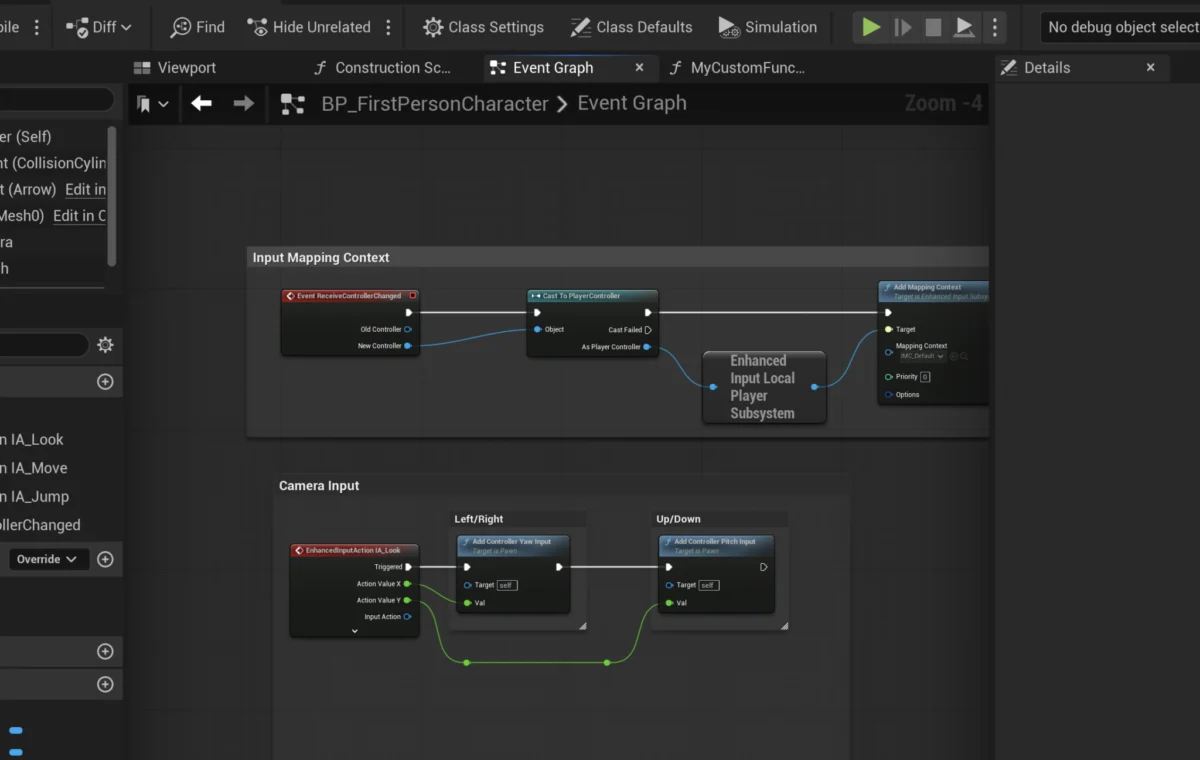
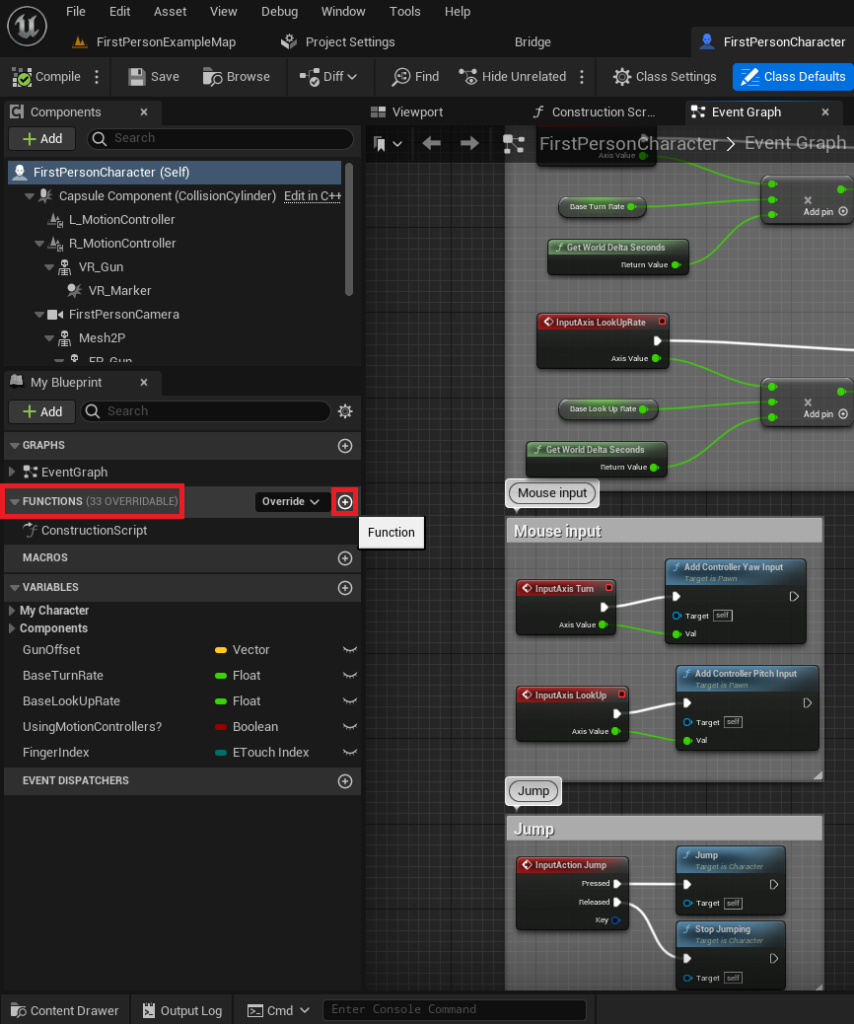
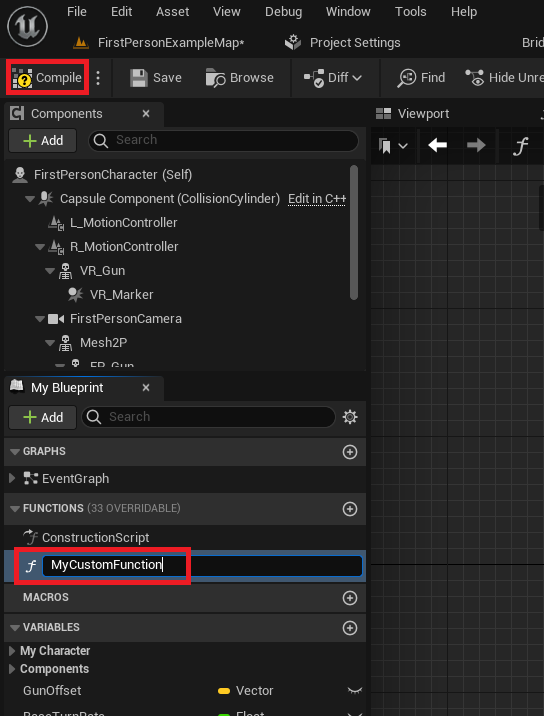
The process of creating a Blueprint Function within Unreal Engine 5 is designed for clarity and ease of use. Developers typically begin by opening the relevant Blueprint actor – for instance, the FirstPersonCharacter Blueprint from a template project. Within the Blueprint editor, a dedicated "Functions" section on the left-hand panel serves as the repository for all functions specific to that actor. A simple click on the "Add Function" button initiates the creation process. Best practices in professional development dictate the use of clear, descriptive naming conventions for functions, enhancing readability and maintainability, especially in larger projects involving multiple contributors. Upon naming and compiling, the function is integrated into the Blueprint, ready for logic implementation.
Adding Core Functionality: From Simple Prints to Complex Calculations
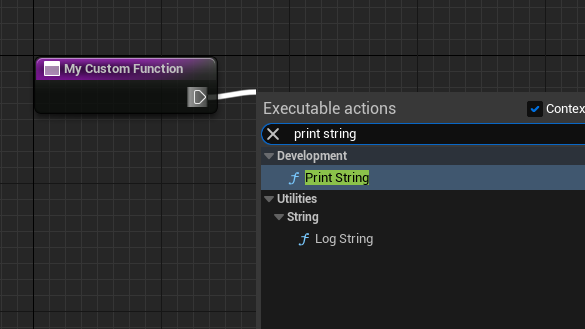
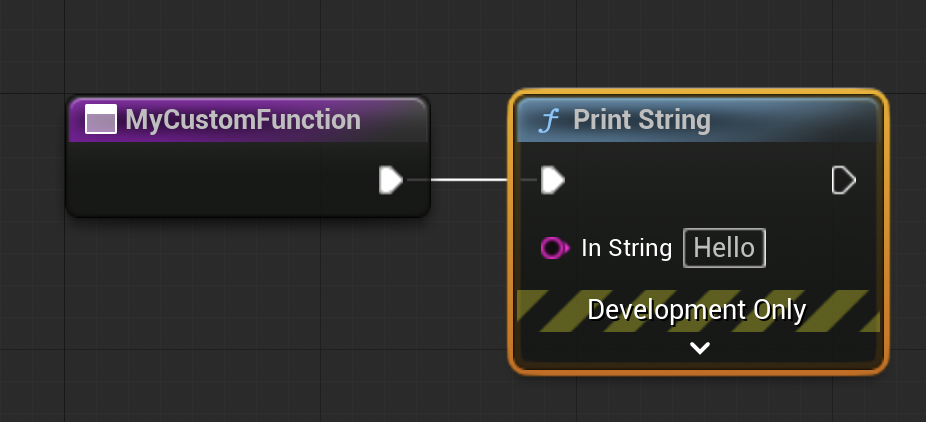
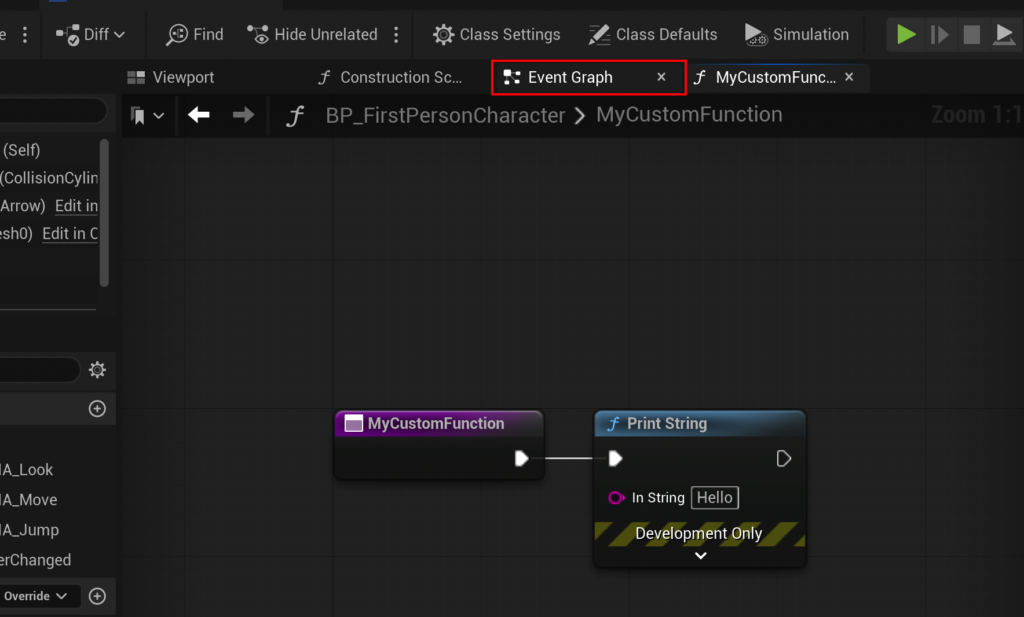
Initially, a newly created function is an empty canvas. The first step in adding functionality involves connecting nodes. The "exec pin" (a white, sideways triangle) on the function’s entry node signifies the flow of execution, allowing developers to link sequential operations. A simple introductory example often involves connecting this exec pin to a Print String node, which, when the function is called, will output a specified text string to the game’s output log. This basic demonstration quickly illustrates the execution flow and the function’s immediate utility. The terminology "calling" or "running" a function is interchangeable, both referring to the act of invoking its encapsulated logic.
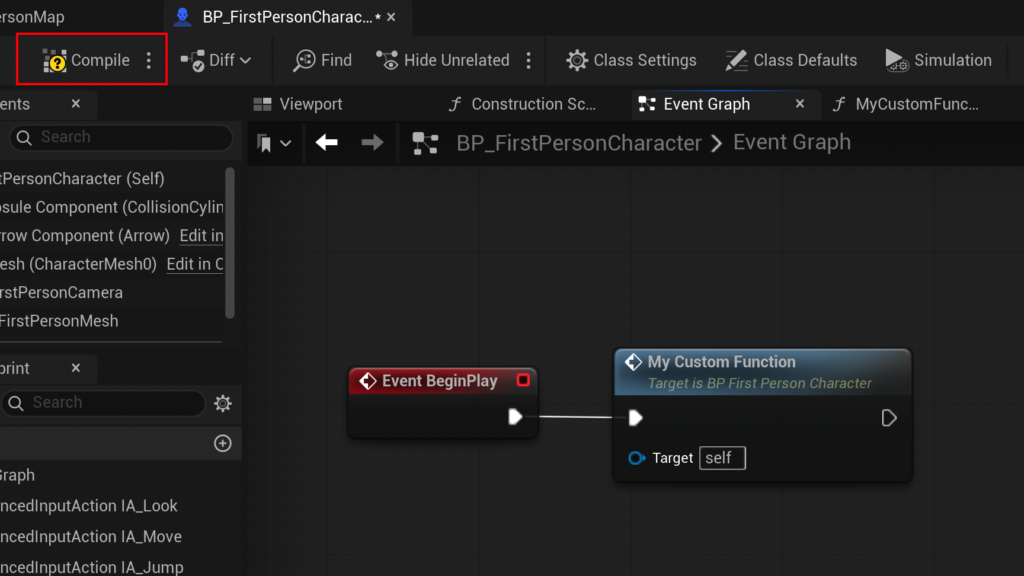
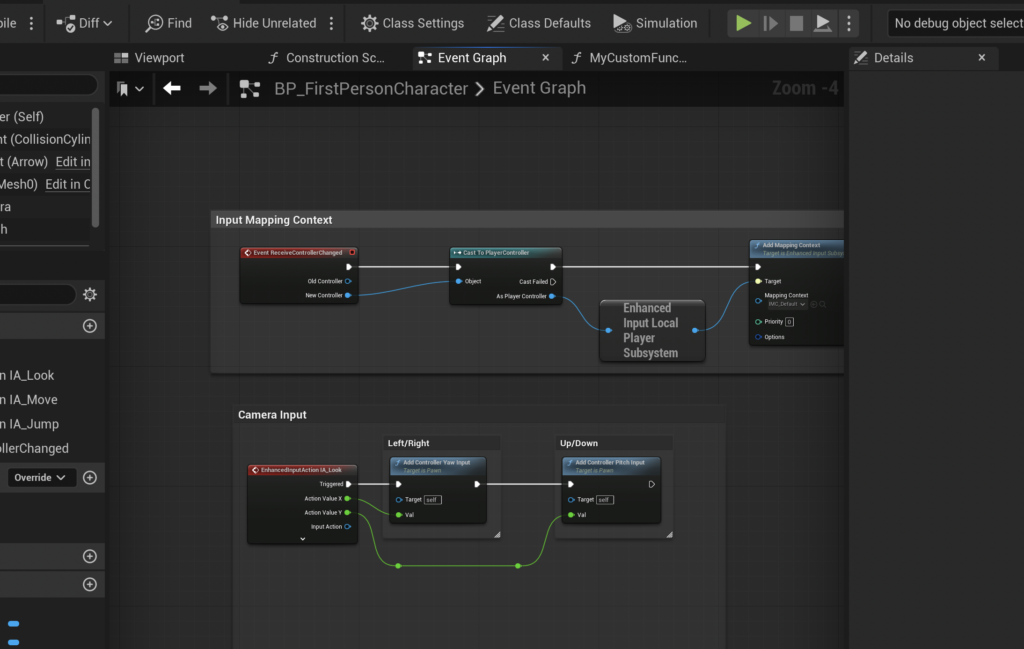
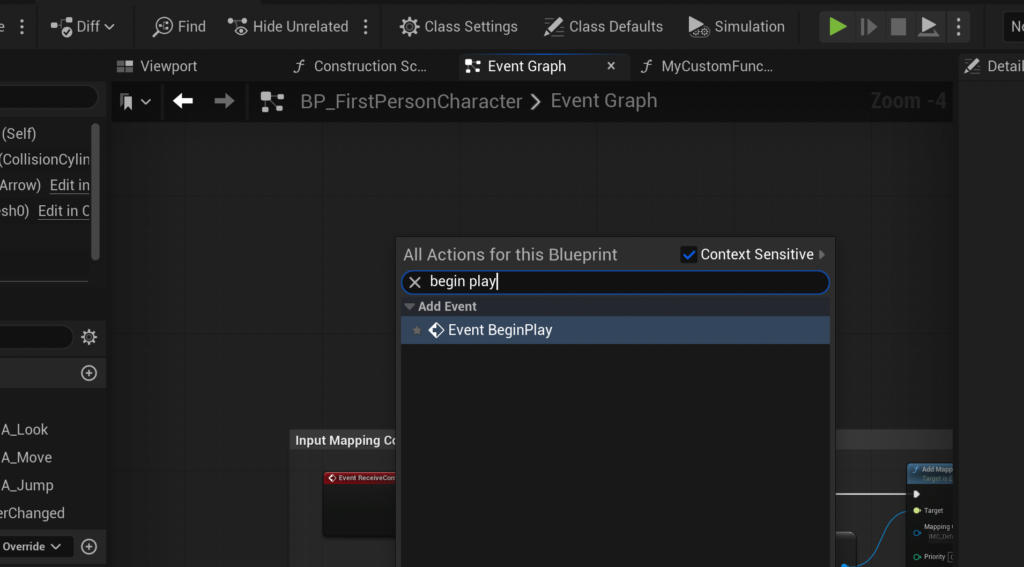
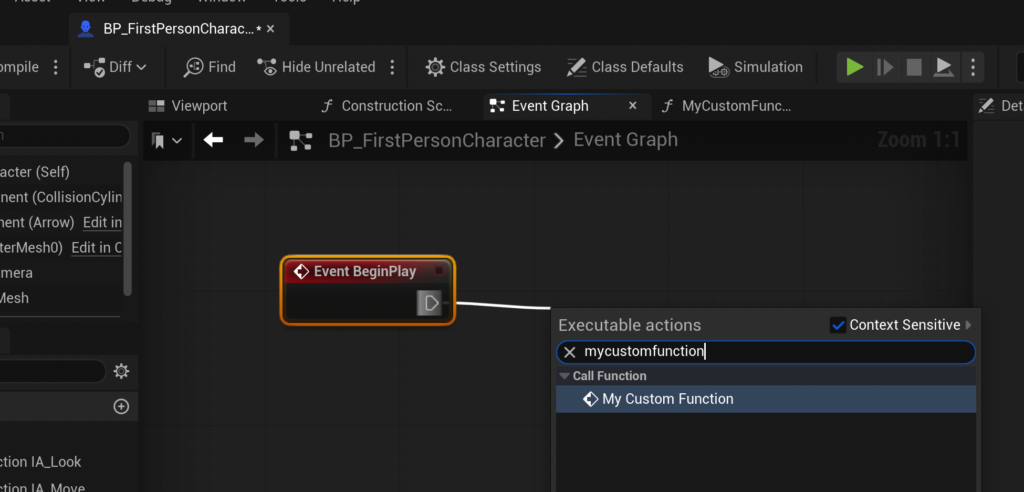
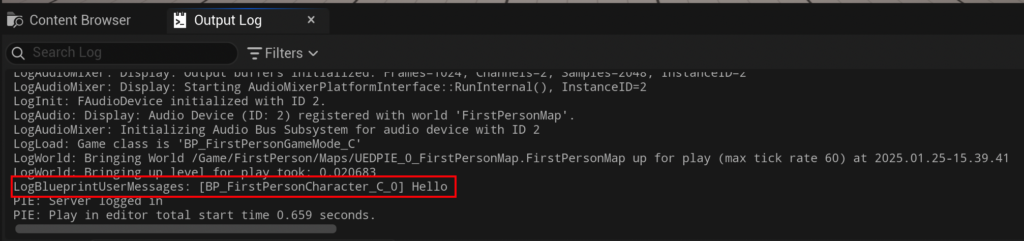
To integrate a function into the game’s broader logic, it must be "called" from an Event Graph. Events, unlike functions, are typically triggered by specific occurrences within the game world (e.g., Event Begin Play, Event Tick, On Component Hit). An Event Begin Play node, for example, is automatically triggered when an actor enters the game world. By connecting the Event Begin Play‘s exec pin to an instance of the newly created function, the function’s logic will execute at the start of the game. This straightforward connection, followed by compilation and saving, allows developers to immediately observe the function’s output, such as the "hello" message in the output log, confirming its successful integration.
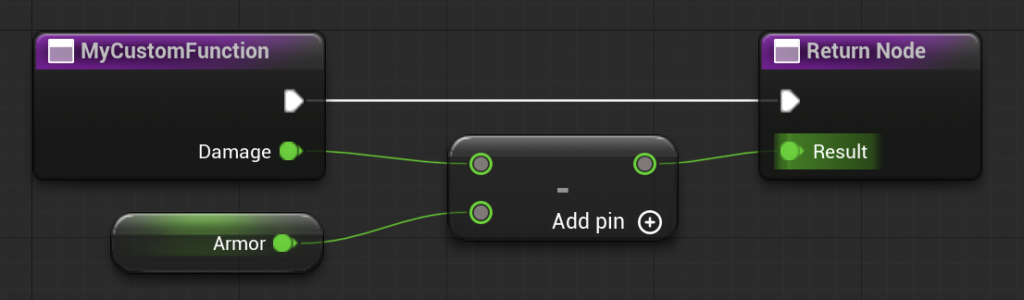
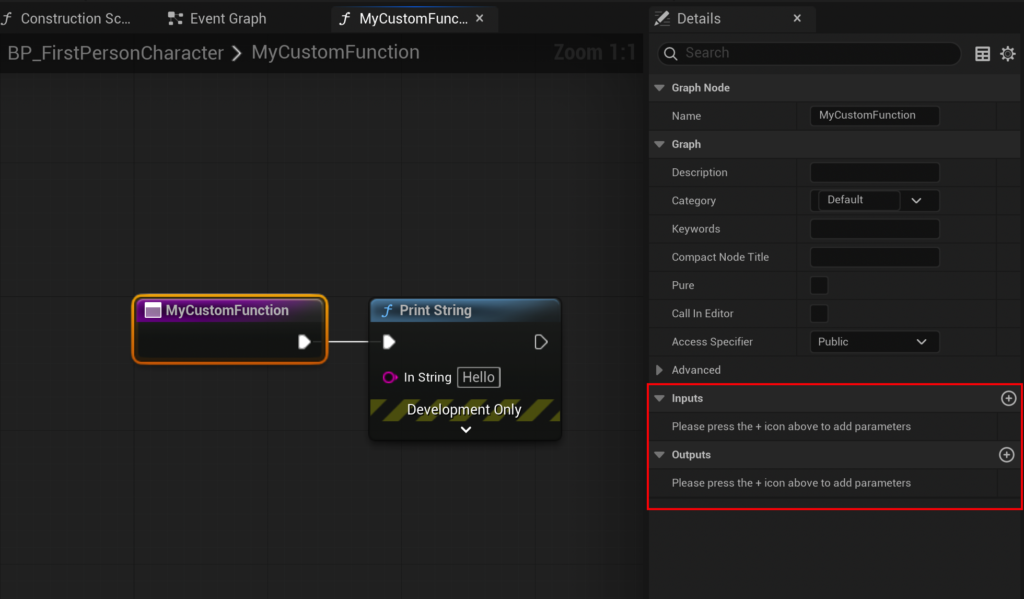
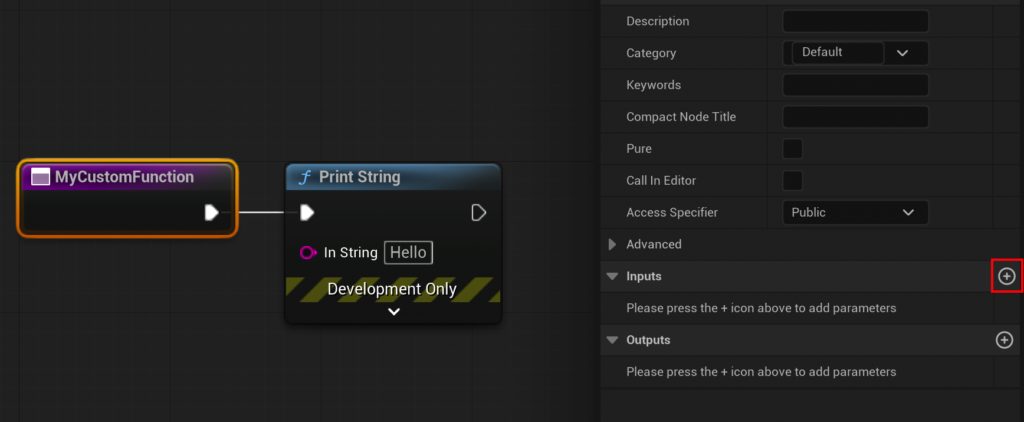
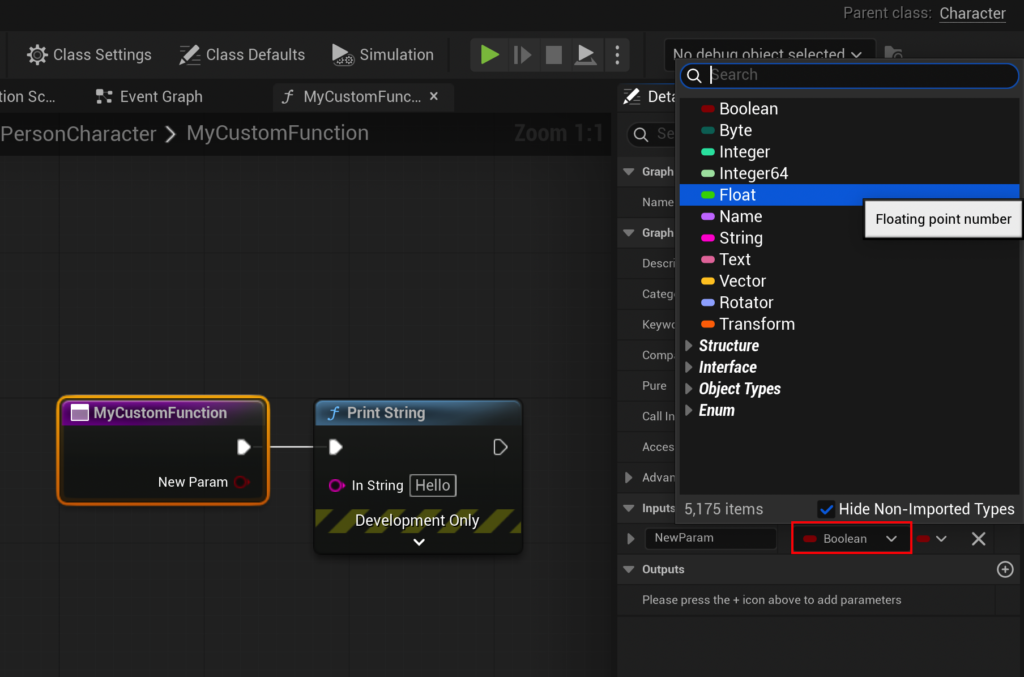
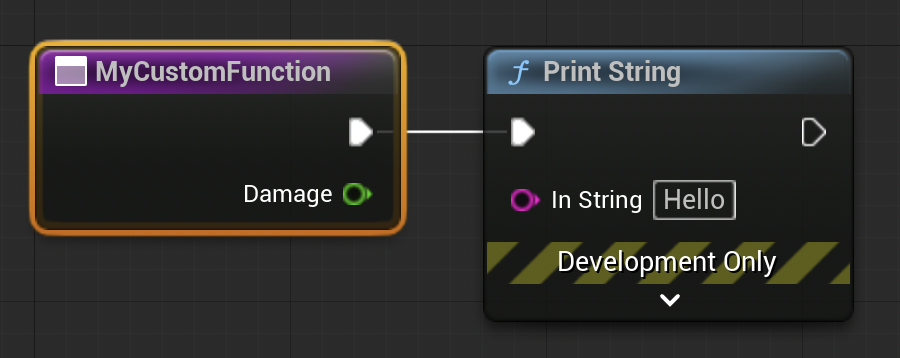
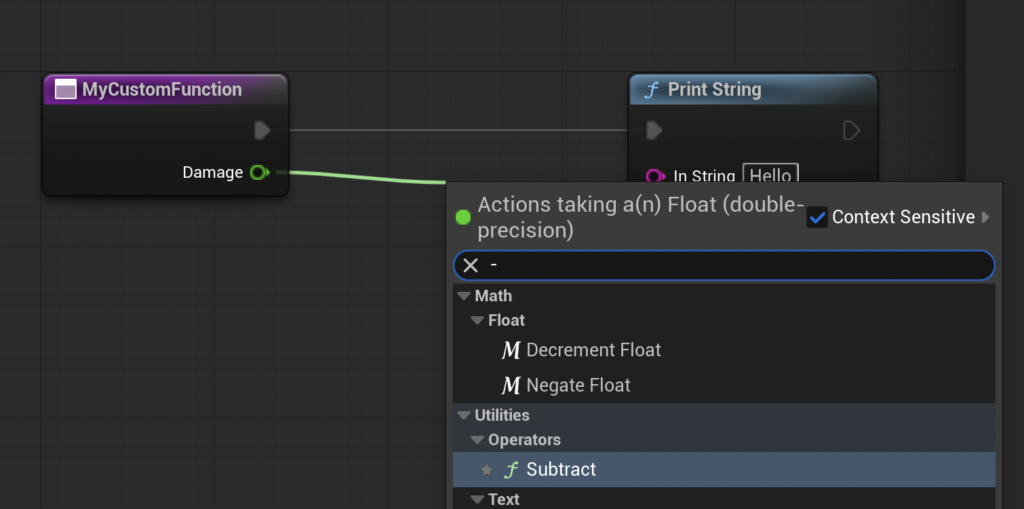
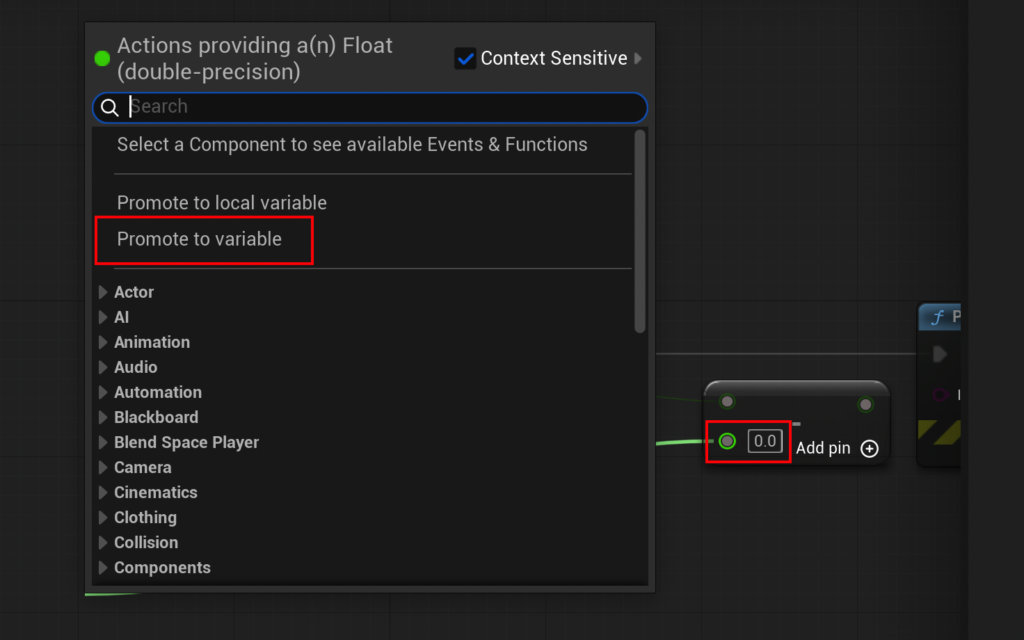
Moving beyond simple debug prints, Blueprint Functions truly shine when handling complex data manipulation. The CalculateDamage example highlights the power of input and output parameters. By selecting the function’s entry node, developers gain access to the "Details" panel, which allows for the addition of new input variables. For a damage calculation, a Float type input variable named Damage would be appropriate. Within the function’s graph, this Damage input can then be connected to a Subtract node. To introduce an Armor value, developers can "promote" one of the Subtract node’s input pins to a new Float variable, aptly named Armor, and assign it a default value (e.g., 15). The Print String node can then be connected to the result of this subtraction, demonstrating the immediate calculation.
Returning Values: Completing the Data Flow
A crucial aspect of powerful functions is their ability to return values. While printing to the log is useful for debugging, real-world game logic requires functions to pass processed data back to the calling graph. This is achieved by adding output parameters. Similar to input parameters, output variables are configured via the function’s "Details" panel. Creating a Float output variable named Result automatically generates a "Return Node" within the function’s graph. The calculated value (e.g., the result of Damage - Armor) is then connected to this Result pin on the Return Node.

Once an output parameter is defined and connected, the function node in the Event Graph will dynamically update, displaying a new output pin corresponding to the Result. This output can then be channeled into other nodes, such as a Print String for verification, or used as input for further calculations. For instance, by setting the Damage input to 20 and the Armor variable within the function to 15, calling the CalculateDamage function would yield a Result of 5, which can then be printed to the output log. This complete cycle of input, processing, and output demonstrates the full utility of Blueprint Functions in creating modular and reusable gameplay systems.
It is important to note a specific limitation of Blueprint Functions: they do not support Delay nodes. This design choice ensures that functions execute synchronously and predictably, making them suitable for pure data processing and immediate logic. For scenarios requiring asynchronous operations or time-based delays, Unreal Engine provides Custom Events, which offer similar modularity but accommodate such time-dependent logic. This distinction is vital for developers to choose the appropriate tool for their specific needs, further emphasizing the depth of Unreal Engine’s visual scripting capabilities.
Broader Impact and Implications for Modern Game Development
The strategic importance of Blueprint Functions extends far beyond individual logic blocks; they fundamentally influence how game development teams operate and how projects evolve.
- Enhanced Maintainability and Scalability: As games grow larger, the codebase (or Blueprint graph) inevitably becomes more complex. Functions allow developers to logically segment this complexity. A well-defined function can be tested independently, modified without affecting unrelated parts of the system, and easily understood by new team members. This drastically reduces technical debt and improves long-term project viability.
- Improved Collaboration: In multidisciplinary teams, Blueprint Functions act as a common language. Designers can create high-level gameplay loops by calling functions implemented by technical artists or other designers, without needing to understand the intricate internal workings of each function. This fosters a more collaborative environment, allowing different specialists to contribute effectively.
- Faster Prototyping and Iteration: The ability to quickly encapsulate and reuse logic means developers can rapidly prototype new gameplay mechanics. Instead of rewriting or copy-pasting code, they can assemble new systems using existing function building blocks, accelerating the iteration process and enabling faster feedback loops.
- Reduced Debugging Time: When an issue arises, isolating the problem becomes significantly easier if the logic is compartmentalized into functions. Developers can quickly pinpoint which specific function is misbehaving, rather than sifting through sprawling, monolithic graphs.
- Performance Considerations: While Blueprints are generally optimized, excessively large and convoluted graphs can impact performance. Functions, by encouraging cleaner and more organized logic, indirectly contribute to better runtime efficiency by reducing redundant nodes and improving the overall structure of execution flow.
In conclusion, Blueprint Functions in Unreal Engine 5 are far more than just a programming convenience; they are an indispensable architectural element that underpins efficient, scalable, and collaborative game development. By embracing modularity, reusability, and clear data flow through input and output parameters, these visual scripting constructs empower developers to build complex, immersive experiences with greater ease and precision. As the demand for high-quality interactive content continues to surge, the mastery of tools like Blueprint Functions will remain a critical skill for any developer navigating the dynamic landscape of game creation within Unreal Engine 5.
About the Author