
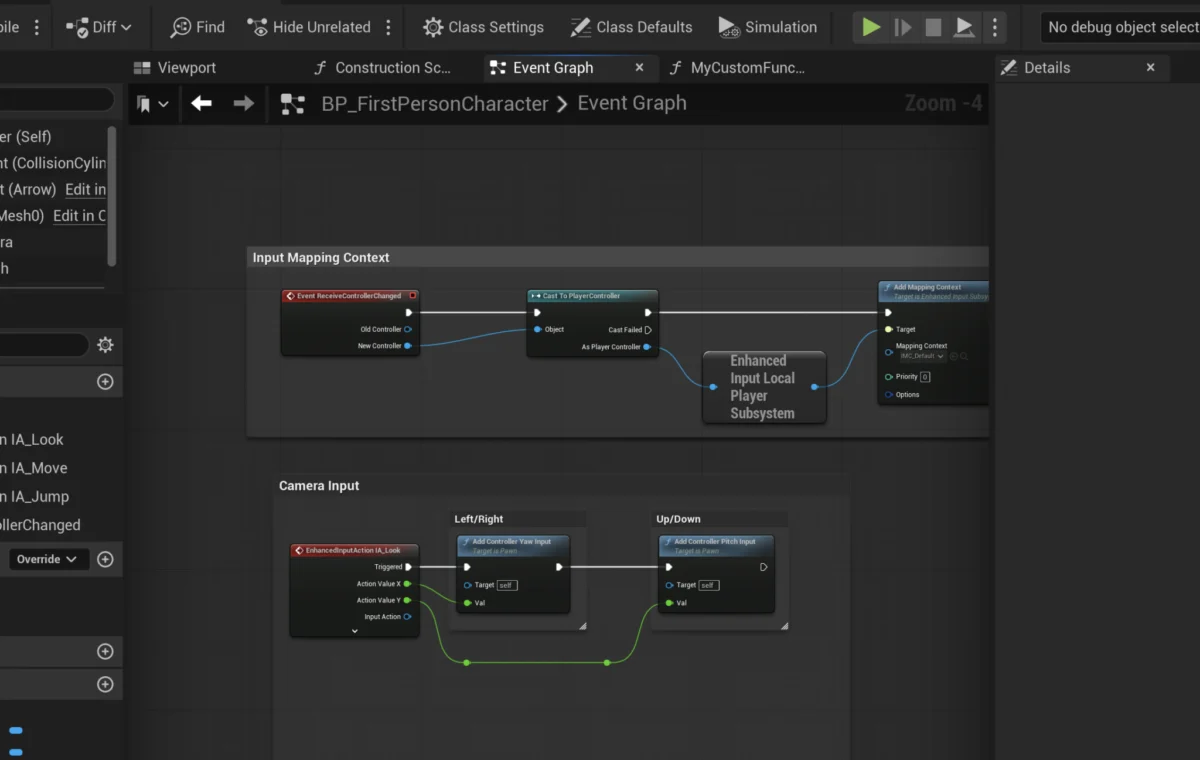
The landscape of interactive media and game development is continually shaped by advancements in engine technology, with Unreal Engine 5 (UE5) standing at the forefront. A fundamental component enabling developers to harness this power efficiently is the Blueprint Function. These self-contained blocks of logic are not merely technical constructs but represent a critical paradigm shift towards modularity, reusability, and enhanced collaboration within complex development pipelines. Their widespread adoption underscores their importance in accelerating project timelines, simplifying debugging processes, and democratizing access to sophisticated game creation.
The Evolution of Scripting in Game Development
The journey of game development has seen a significant evolution in how logic is implemented. Early game engines primarily relied on developers writing extensive lines of code, often in C++ or other low-level languages, which demanded deep programming expertise. While powerful, this approach could be slow, prone to errors, and create bottlenecks, especially for non-programmers like designers and artists who needed to rapidly prototype ideas.
The advent of visual scripting systems emerged as a solution to bridge this gap. Epic Games, recognizing the potential for increased efficiency and broader accessibility, began to heavily invest in its visual scripting solution, Blueprints, with Unreal Engine 4. This system allowed developers to create gameplay mechanics and logic by connecting nodes in a graph-based interface, visually representing the flow of execution and data. With the release of Unreal Engine 5, Blueprints have been further refined and integrated, solidifying their position as a cornerstone of modern game development within the engine. This strategic emphasis by Epic Games aligns with a broader industry trend towards empowering diverse development teams to contribute meaningfully to a project’s technical foundation, fostering innovation and accelerating content creation cycles.
Deconstructing Blueprint Functions: Core Principles
At its heart, a function in programming is a sequence of instructions designed to perform a specific task, which can be executed from various points within a larger program. Blueprint Functions translate this core programming concept into a visually intuitive format. They are self-contained pieces of logic that can be created once and then called (or "run") from multiple locations within a Blueprint actor. A defining characteristic of Blueprint Functions is their capacity to handle both input and output parameters, providing immense flexibility and enabling dynamic data processing.
Consider a common scenario in game development: calculating damage. Without functions, a developer might have to write the same damage calculation logic repeatedly across different event graphs or Blueprint sections, leading to code duplication. If the damage calculation formula needed an update, every instance would have to be manually modified, a time-consuming and error-prone process. By encapsulating this logic within a function named, for instance, CalculateDamage, developers can call this single function wherever damage needs to be computed. Any subsequent changes to the damage formula only require modification within the CalculateDamage function itself, instantly updating all instances where it is used. This exemplifies the power of modularity and maintainability that functions provide.
It is crucial to note that, typically, a Blueprint Function is created for and contained within a specific Blueprint actor or object. This local scope ensures that the logic is relevant to that particular entity, maintaining a clean and organized project structure. While more advanced techniques like Blueprint Function Libraries exist for globally accessible functions, the fundamental unit remains actor-specific for most common use cases.
Practical Implementation: A Foundational Approach
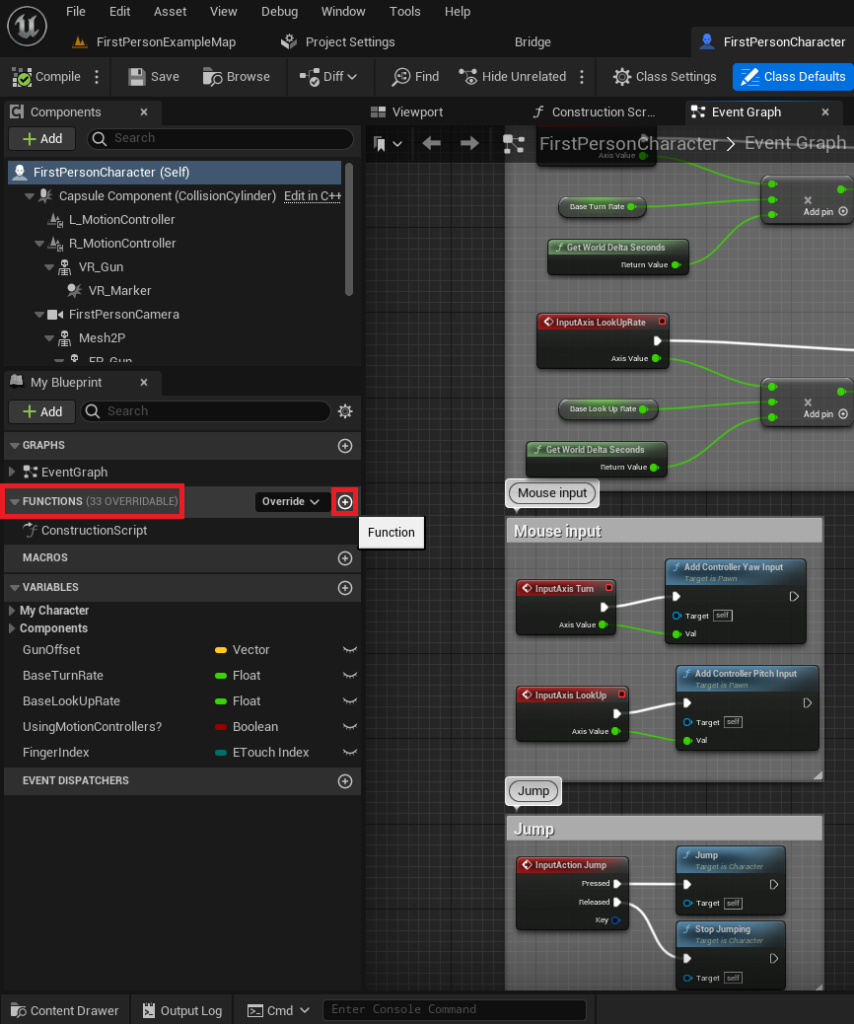
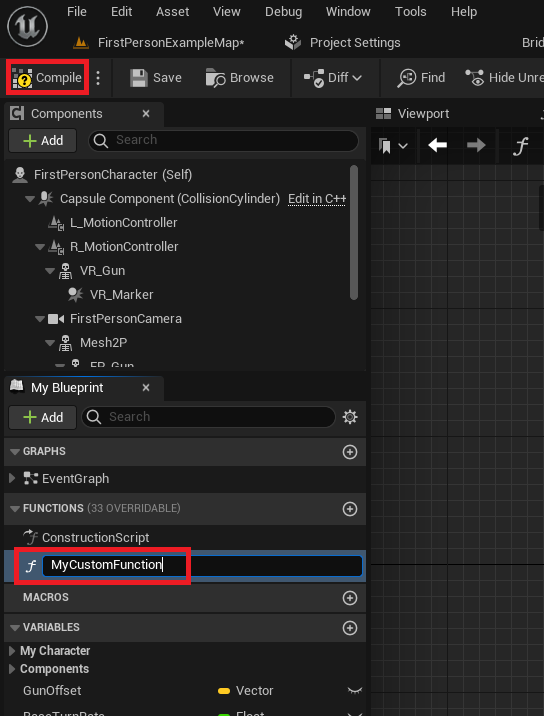
The process of implementing Blueprint Functions in Unreal Engine 5 is designed to be straightforward, emphasizing ease of use. Developers typically begin by opening the Blueprint actor they wish to enhance. For instance, in a First-Person Shooter template, this might be the FirstPersonCharacter Blueprint. Within the Blueprint editor, a dedicated "Functions" section on the left-hand side serves as the central repository for all functions pertaining to that specific Blueprint. A simple click on a "plus" icon within this section initiates the creation of a new function.
Naming conventions are critical here. Industry best practices advocate for clear, descriptive names (e.g., CalculateDamage, ApplyBuff, PlayerJump) to ensure project readability and maintainability, especially in collaborative environments or large-scale projects where many developers might be interacting with the same Blueprints. Once named, compiling the Blueprint integrates the new function, making it ready for use.
Adding Basic Functionality: The "Print String" Example
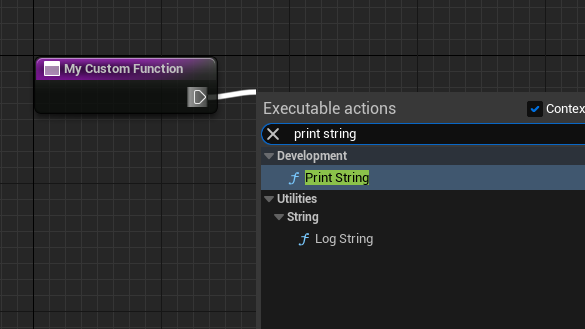
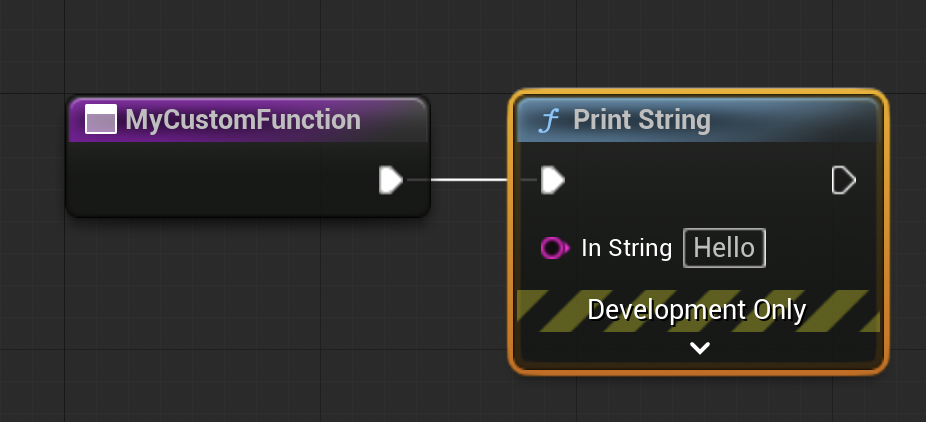
Initially, a newly created function is an empty canvas. To imbue it with purpose, developers add nodes representing specific actions or calculations. A foundational example involves making a function print a simple string to the screen, often used for debugging or testing. The execution flow within Blueprints is managed by "exec pins," typically represented as white triangles. By dragging from an exec pin of the function’s entry node and releasing the mouse, a context-sensitive menu appears, allowing developers to search for and add various Blueprint nodes. Selecting "Print String" automatically connects it, establishing a sequential execution path: when the function runs, it will first execute the Print String node. This simple demonstration highlights how sequential logic is constructed visually within a Blueprint Function. The terminology of "calling" or "running" a function is interchangeable, both referring to the act of initiating its encapsulated logic.
Triggering Functions: Events and Execution Flow
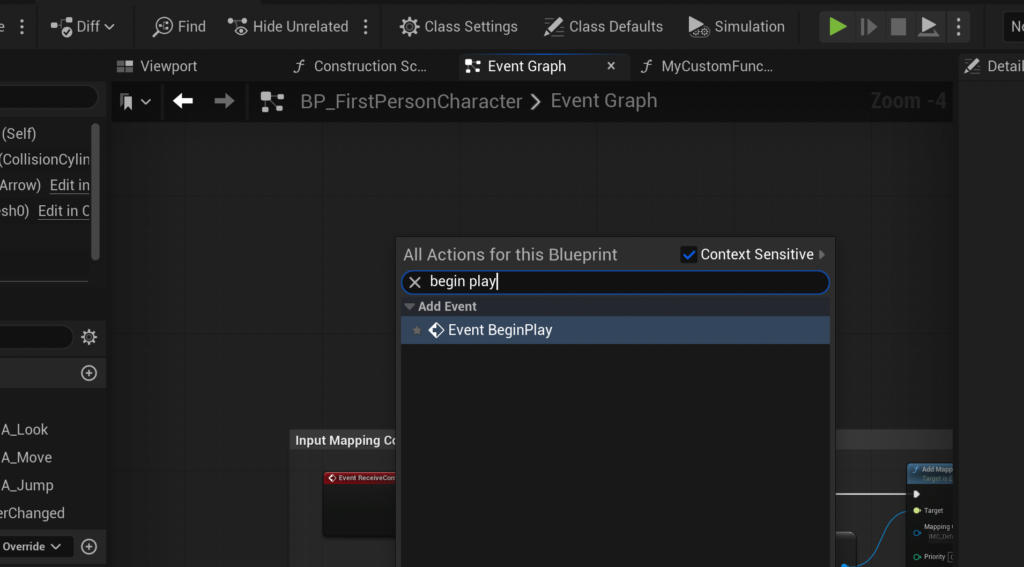
For a function to execute, it must be "called" by another part of the Blueprint’s logic. One of the most common ways to trigger functions is through "Events." Events are distinct from functions in that they cannot return values and can handle certain asynchronous operations (like delays) that functions typically cannot. A prime example is the Event Begin Play, which is automatically triggered when an actor is spawned into the game world or when the game starts if the actor is already placed in the level.
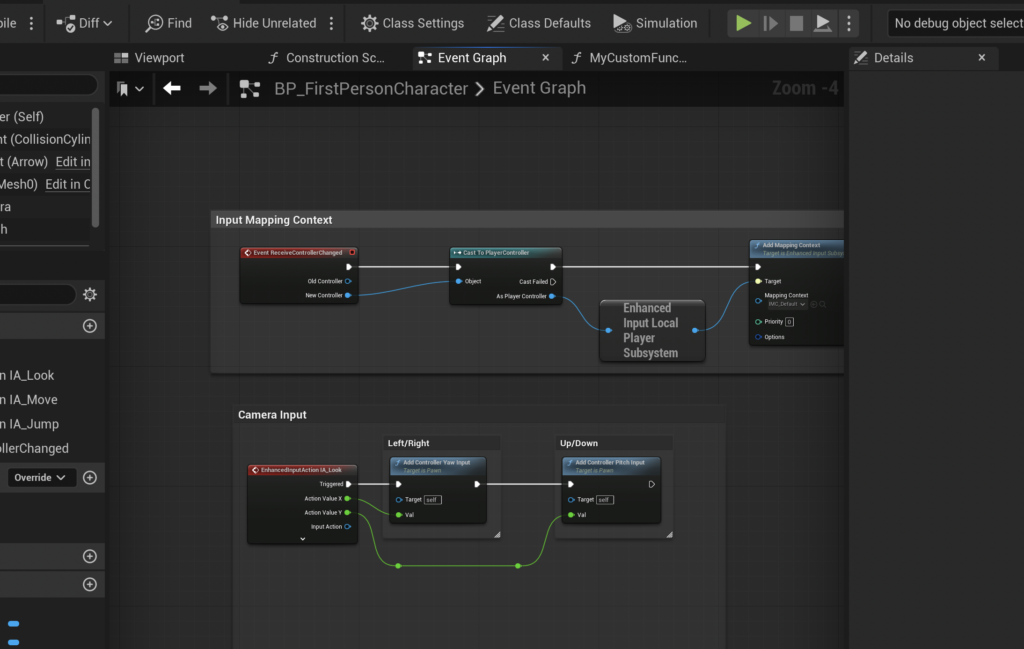
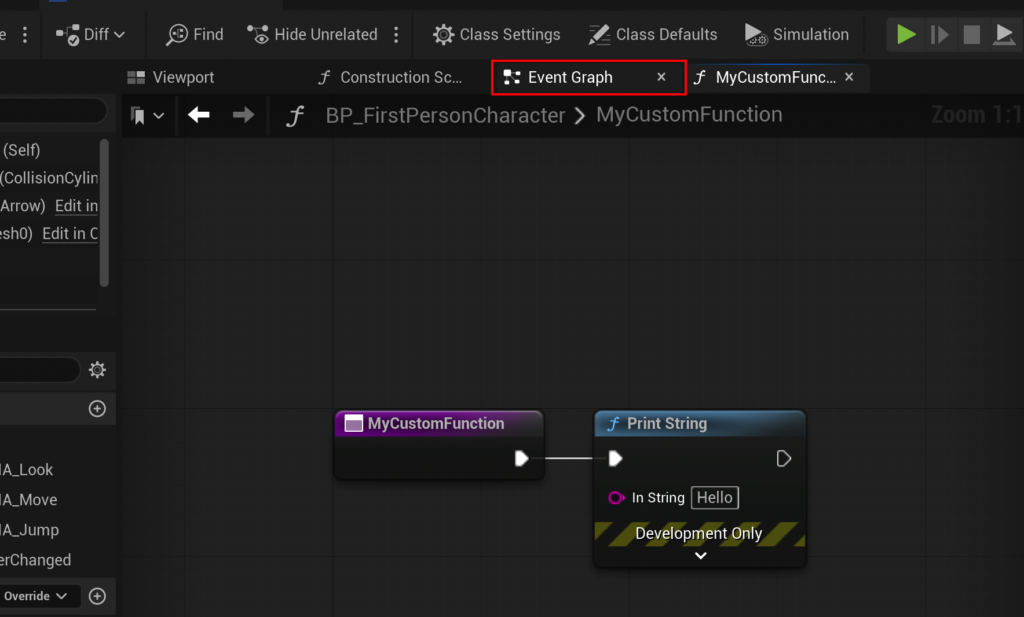
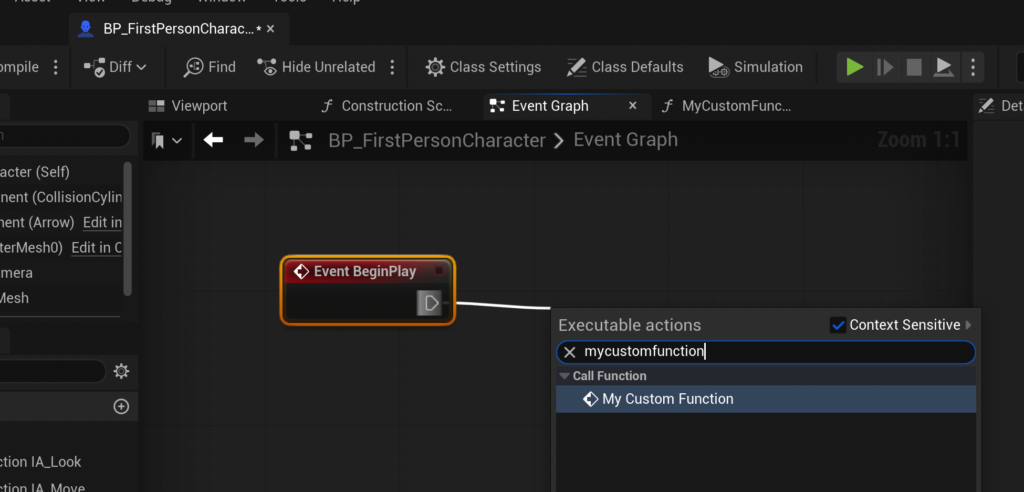
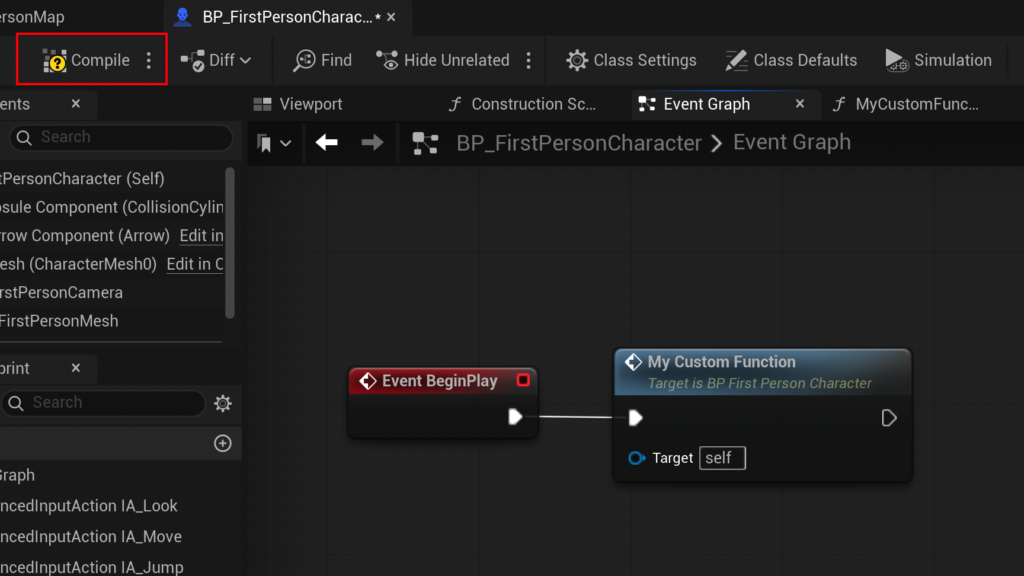
To test a newly created function, developers navigate to the Blueprint’s Event Graph. Here, they can right-click to create an Event Begin Play node. From this event’s exec pin, they can then drag and search for their custom function, e.g., MyCustomFunction. Connecting the Event Begin Play to MyCustomFunction ensures that the function’s logic will execute as soon as the game starts. The final crucial step is always to "Compile" and "Save" the Blueprint, applying all changes and making them active within the project. This setup demonstrates a complete, albeit simple, execution pipeline, from event trigger to function execution and output.
Advanced Functionality: Input, Output, and Data Processing
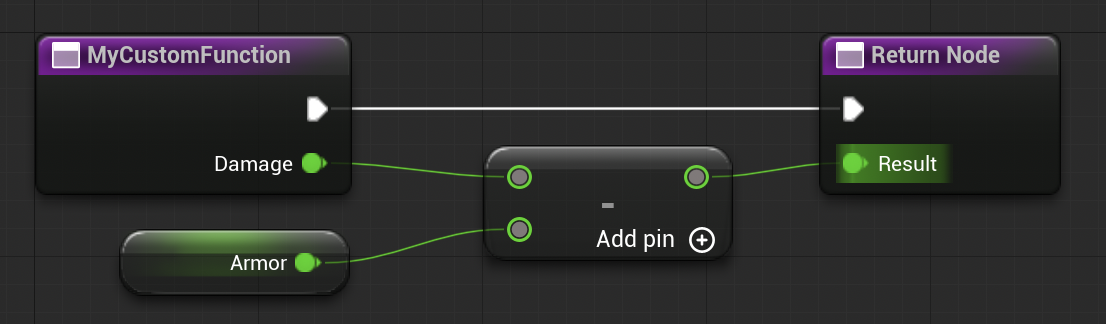
The true power of Blueprint Functions becomes apparent with the integration of input and output parameters, enabling dynamic data manipulation. Revisiting the CalculateDamage example, the goal is to input a base damage value, factor in the character’s armor, and then output the final, mitigated damage.
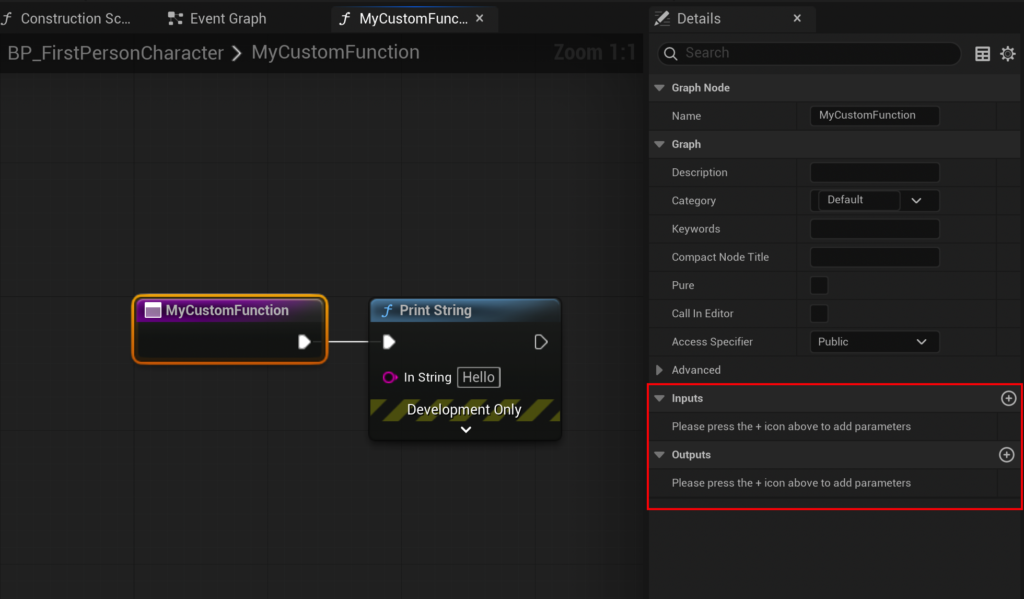
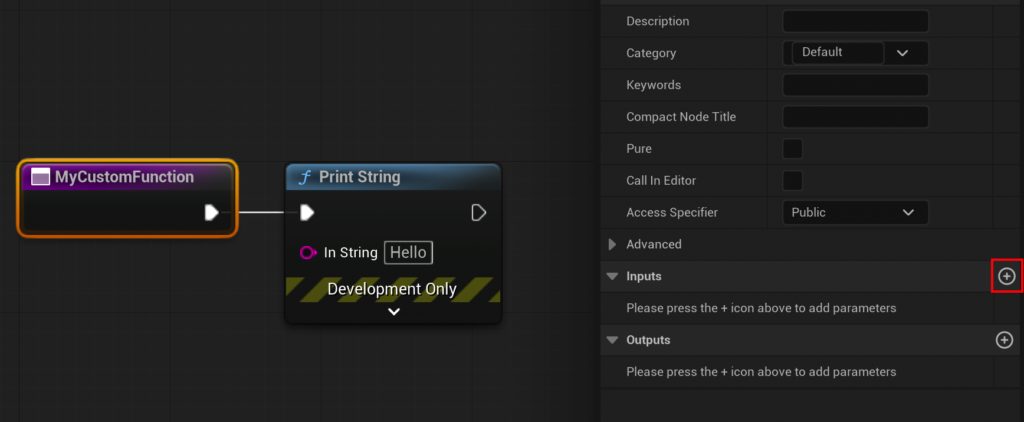
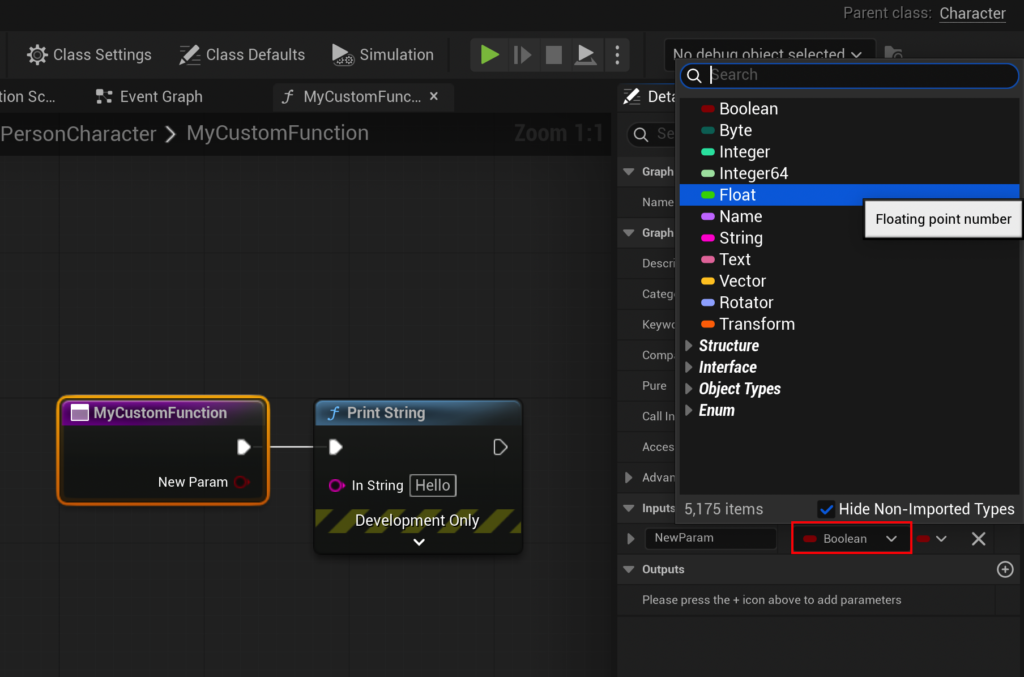
To achieve this, developers first select the function’s entry node within its graph. The "Details" panel on the right side of the editor reveals sections for "Input" and "Output." By adding a new input parameter, developers can define its type (e.g., Float for numerical values) and assign a clear name, such as "Damage." This parameter then appears as a pin on the function’s entry node, allowing external data to be fed into the function.
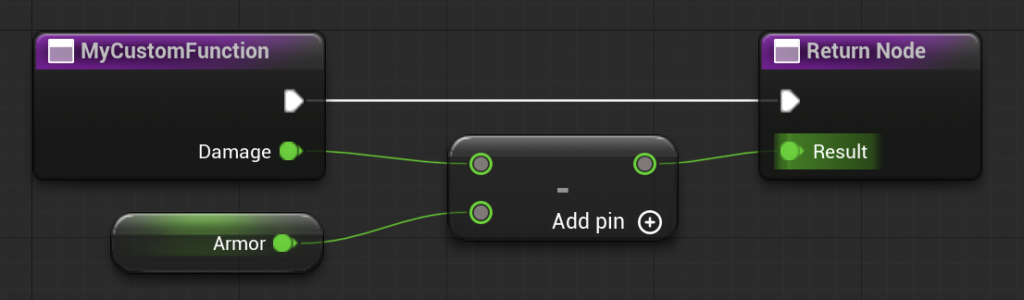
Within the function’s graph, the input "Damage" value can then be used in calculations. For the CalculateDamage function, a common operation would be subtraction. By dragging from the "Damage" input pin and searching for a "Subtract" node, developers can connect the damage value to this operation. To represent the character’s armor, the second input to the subtraction node can be "promoted to a variable," creating a new variable named "Armor." This Armor variable, residing within the function’s scope, can then be assigned a default value (e.g., 15). The sequential connection of these nodes means that the incoming Damage will have the Armor value subtracted from it.
An important technical note for developers: Blueprint Functions are inherently synchronous. This means they execute all their logic in a single frame and do not support nodes that introduce delays (e.g., Delay, Set Timer by Event). For logic requiring temporal pauses or asynchronous execution, Unreal Engine recommends using Custom Events in conjunction with event graphs, which offer greater flexibility in managing execution flow over time.
Returning Values: Communicating Results
Once calculations are performed, the function needs a mechanism to communicate its result back to the calling graph. This is achieved through "return values" or "output parameters." Similar to adding input parameters, developers add an output parameter in the "Details" panel, specifying its type (e.g., Float) and name (e.g., "Result"). Unreal Engine automatically generates a "Return Node" within the function’s graph. The calculated value (in the CalculateDamage example, the output of the subtraction node) is then connected to the "Result" pin of this Return Node. This completes the function’s logic: it takes input, processes it, and provides a specific output.
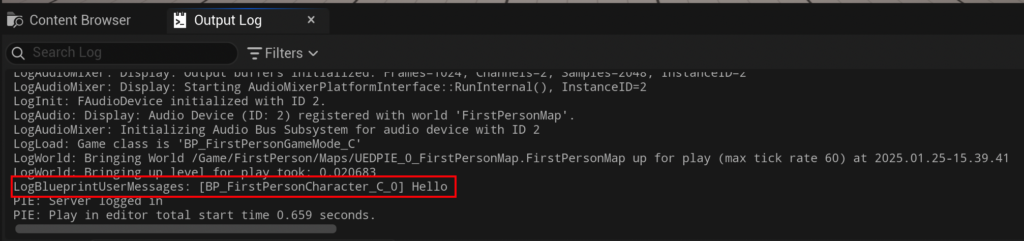
Back in the Event Graph, where MyCustomFunction (now CalculateDamage) is called, the function node will now display the "Damage" input pin and the "Result" output pin. Developers can set the input damage (e.g., to 20.0) and then connect the "Result" output pin to another node, such as a "Print String" node, to display the calculated value in the output log. For an input of 20 and an armor value of 15, the output log would display "5," demonstrating the successful calculation and return of the mitigated damage.
Broader Impact and Implications for Modern Game Development
The comprehensive utility of Blueprint Functions extends far beyond simple calculations and debugging messages. Their impact on modern game development workflows is profound:
-
Democratization of Development: Blueprint Functions, and visual scripting in general, significantly lower the barrier to entry for game development. Designers, artists, and even project managers can understand, modify, and contribute to gameplay logic without needing deep coding expertise. This fosters a more inclusive and collaborative environment.
-
Improved Workflow Efficiency and Rapid Prototyping: The visual nature of Blueprints allows for much faster iteration times. Developers can quickly prototype new mechanics, test ideas, and refine gameplay loops, drastically reducing the time from concept to playable feature. Functions centralize logic, making it easier to swap out or adjust entire systems.
-
Enhanced Team Collaboration and Maintainability: By breaking down complex systems into modular functions, teams can work on different aspects of a project simultaneously with less conflict. The self-contained nature of functions means that changes in one part of the logic are less likely to inadvertently break unrelated systems. Standardized functions also improve code readability and facilitate peer reviews, even for non-programmers.

-
Scalability for Large-Scale Projects: As games grow in complexity, managing sprawling networks of interdependent nodes becomes challenging. Functions provide a vital organizational layer, abstracting intricate logic into digestible units. This modularity is essential for managing the technical debt that can accumulate in large projects and ensures that the codebase remains manageable over its lifecycle. Major titles like Fortnite, Valorant, and numerous other AAA and indie games extensively leverage Blueprints, including functions, for their core gameplay mechanics and systems, demonstrating their robustness and scalability.
-
Bridging the Gap with C++: While powerful, Blueprints are not intended to replace C++ entirely. Blueprint Functions seamlessly integrate with C++ code, allowing developers to expose C++ functions to the Blueprint graph and vice-versa. This hybrid approach enables performance-critical or highly complex systems to be implemented in C++ while designers and gameplay programmers can build upon them using the rapid iteration capabilities of Blueprints. This interoperability maximizes both performance and development velocity.
Conclusion
Blueprint Functions are far more than a mere feature; they are an indispensable tool in the Unreal Engine 5 ecosystem, embodying Epic Games’ commitment to empowering developers. By enabling the creation of reusable, modular, and easily manageable blocks of logic, they streamline development workflows, enhance collaboration across multidisciplinary teams, and fundamentally contribute to the scalability and maintainability of projects. From simple debugging to complex damage calculations, the principles demonstrated in creating and utilizing Blueprint Functions lay a robust foundation for building ambitious and polished interactive experiences. As the demands on game development continue to grow, the strategic application of Blueprint Functions will remain a critical differentiator for studios aiming for efficiency, innovation, and long-term project success.
About the Author








