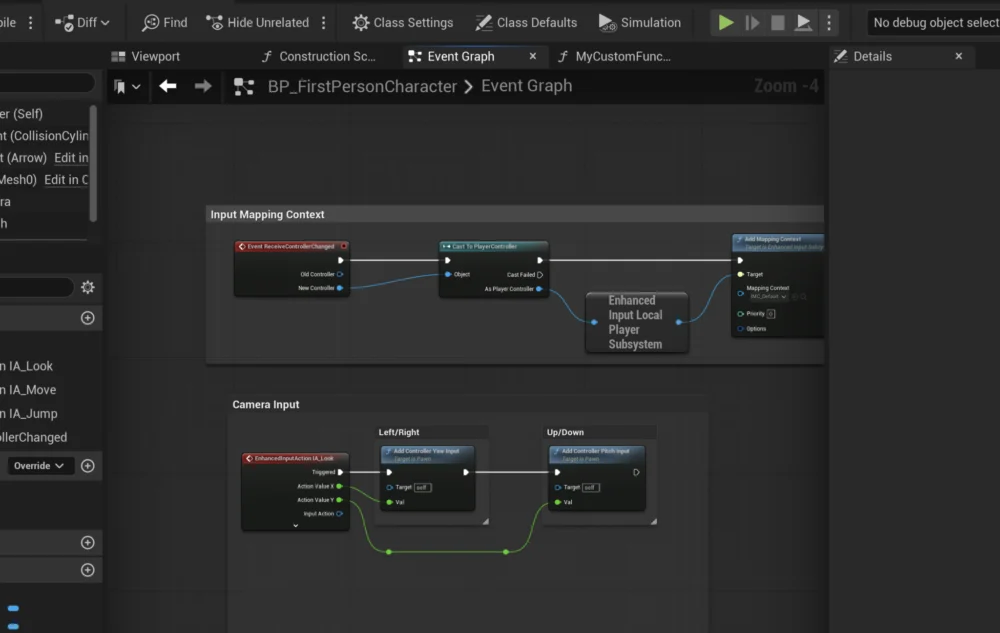
Blueprint Functions stand as a cornerstone of Unreal Engine 5’s robust visual scripting system, providing developers with an indispensable tool for structuring, optimizing, and maintaining complex game logic. These self-contained blocks of code encapsulate specific tasks, enabling their execution from various points within a Blueprint actor, thereby significantly reducing redundancy and improving project scalability. This guide delves into the fundamental principles, practical applications, and broader implications of leveraging Blueprint Functions effectively in modern game development.
The Foundation of Modular Development: Understanding Functions
At its core, a function in programming is a named sequence of instructions designed to perform a specific task. In Unreal Engine 5’s Blueprint visual scripting, a "Blueprint Function" translates this concept into a node-based interface. These functions are isolated pieces of logic that can accept input parameters, process data, and optionally return output parameters. This encapsulation is vital for creating clean, readable, and highly reusable code.
Consider a common scenario in game development: calculating damage. Without functions, a developer might implement the same damage calculation logic every time an enemy hits the player, a trap inflicts harm, or an environmental hazard causes damage. This leads to duplicate code, making it difficult to debug and update. If the damage formula changes, every instance of that logic would need manual modification, introducing potential errors and consuming valuable development time. By contrast, a single CalculateDamage function can be created. This function would take parameters such as raw damage value and perhaps the target’s armor rating, perform the necessary calculations, and then output the final damage dealt. Any changes to the damage formula would only require modification within this single CalculateDamage function, propagating the update across all calling instances automatically. This paradigm shift from repetitive scripting to modular function calls represents a significant leap in development efficiency and code maintainability.
Evolution of Visual Scripting in Unreal Engine: A Historical Context
The concept of visual scripting in Unreal Engine has a rich history, evolving significantly to meet the demands of increasingly complex game development. Before Blueprint, Unreal Engine 3 utilized a system called Kismet. Kismet allowed designers to script gameplay events, cinematics, and interactive elements using a flow-graph interface, similar in principle to Blueprint but less integrated and robust. While revolutionary for its time, Kismet had limitations in terms of scalability and direct interaction with underlying C++ code.
With the advent of Unreal Engine 4, Epic Games introduced Blueprint, a complete overhaul of their visual scripting solution. Blueprint was designed from the ground up to be a powerful, feature-rich alternative to C++ for many common gameplay tasks, offering near-native performance through code generation. It allowed for the creation of new classes, complex logic, and deep integration with all aspects of the engine. Unreal Engine 5 has further refined Blueprint, enhancing performance, editor usability, and debugging capabilities, cementing its status as a core component of the engine’s development ecosystem. This continuous evolution underscores Epic Games’ commitment to democratizing game development, empowering designers, artists, and non-programmers to contribute significantly to game logic without needing extensive C++ knowledge. Blueprint Functions are a direct beneficiary of this lineage, providing a structured approach within this visual programming environment.
Crafting Reusable Logic: A Step-by-Step Overview
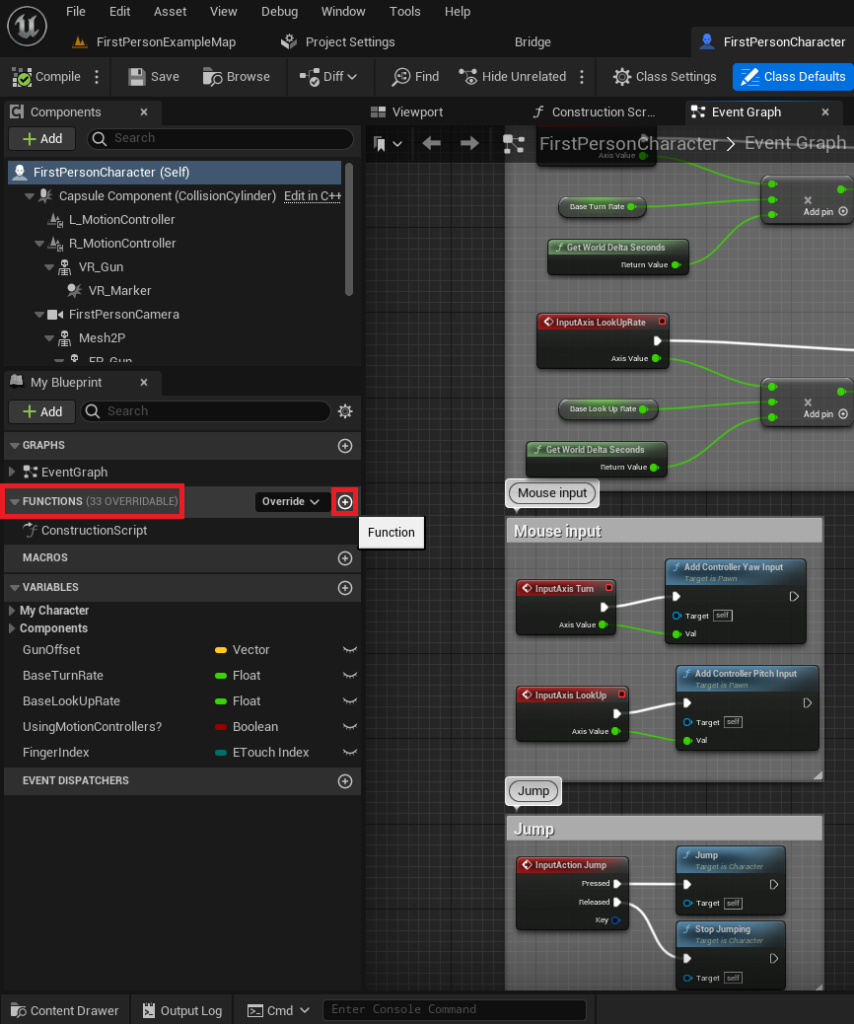
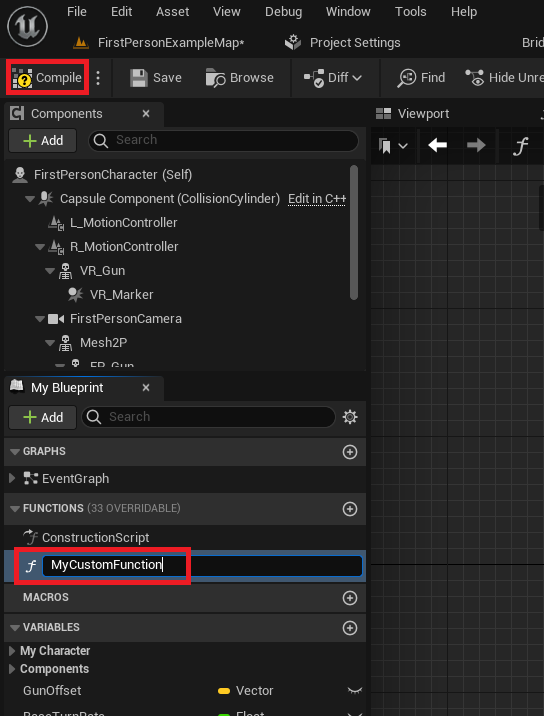
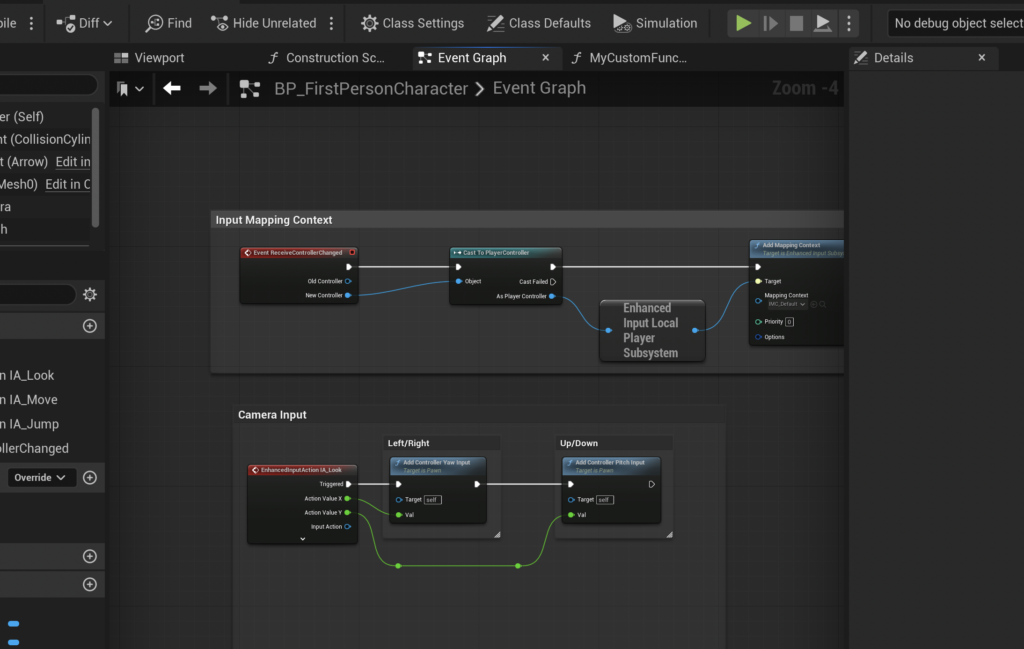
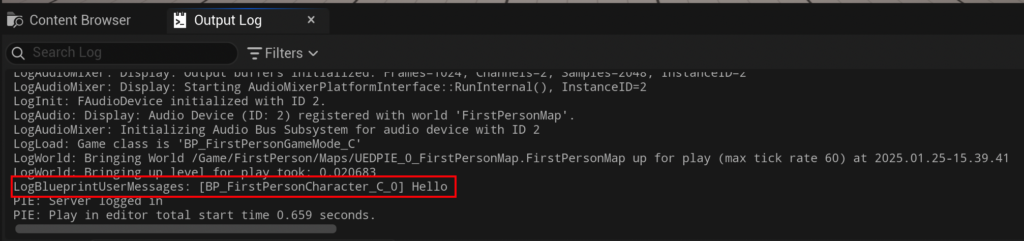
Implementing Blueprint Functions in Unreal Engine 5 follows a clear, logical sequence designed for intuitive use. The process typically begins within a specific Blueprint Actor, where functions are stored and managed. For instance, in a FirstPersonCharacter Blueprint from a standard template, the "Functions" section on the left-hand side of the Blueprint editor serves as the central repository.
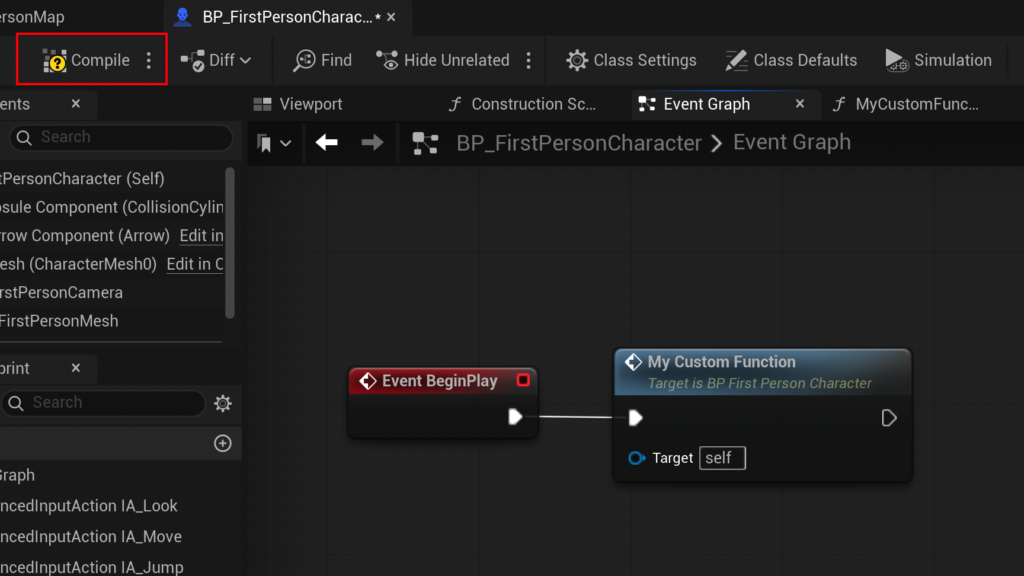
To initiate the creation of a new function, developers simply click the designated "Add Function" button (often represented by a plus symbol). Upon creation, assigning a descriptive and clear name is paramount. Adhering to strong naming conventions (e.g., CalculateDamage, ApplyBuff, PlayerJump) is not merely a stylistic choice but a critical practice for maintaining project clarity, especially in large-scale productions involving multiple team members. Confusing or vague function names can significantly hinder debugging and collaboration efforts, leading to increased development time and potential errors. After naming, compiling the Blueprint integrates the new function into the actor, making it ready for internal logic construction.
Anatomy of a Blueprint Function: Inputs, Outputs, and Execution Flow
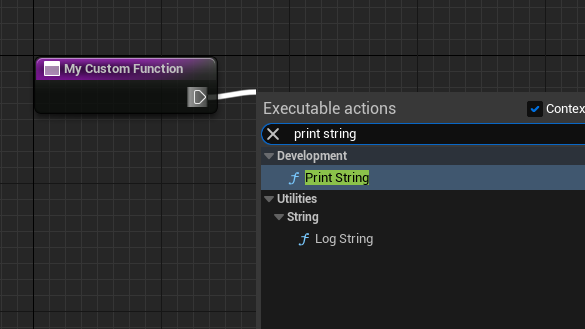
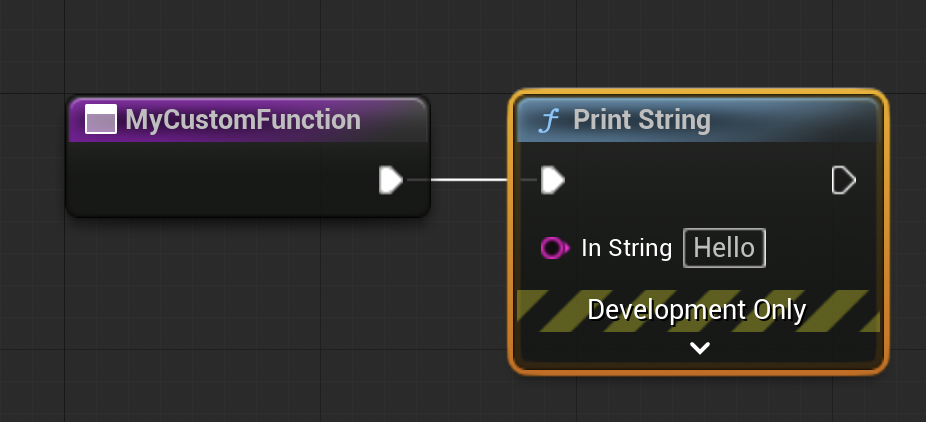
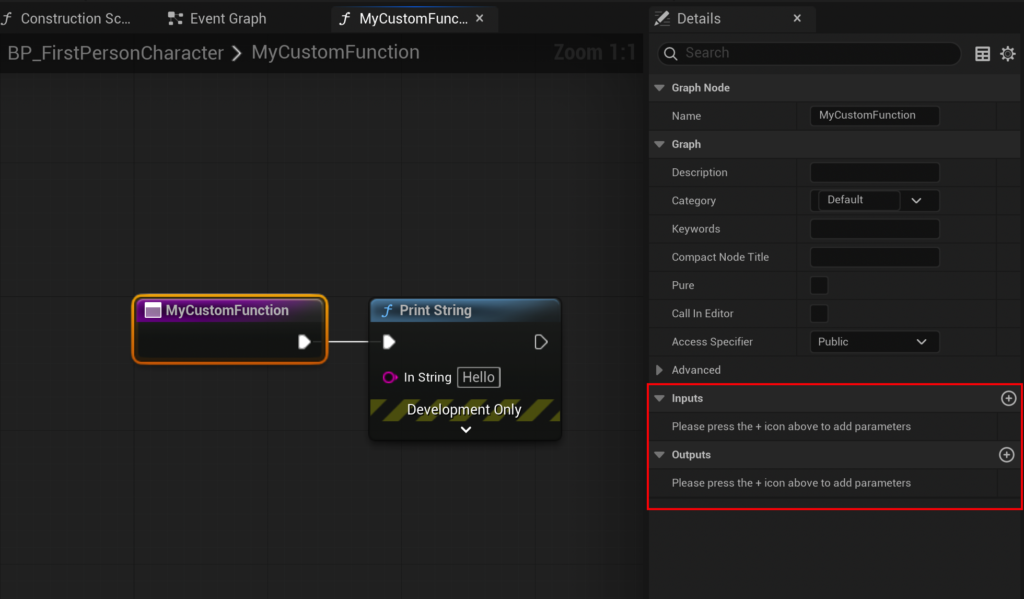
Once a function is created, its utility is defined by the logic it contains and how it interacts with the rest of the Blueprint graph. Blueprint Functions utilize "exec pins" (white sideways triangles) to define the sequential flow of operations. Connecting one exec pin to another dictates the order in which nodes are executed, much like statements in traditional programming.
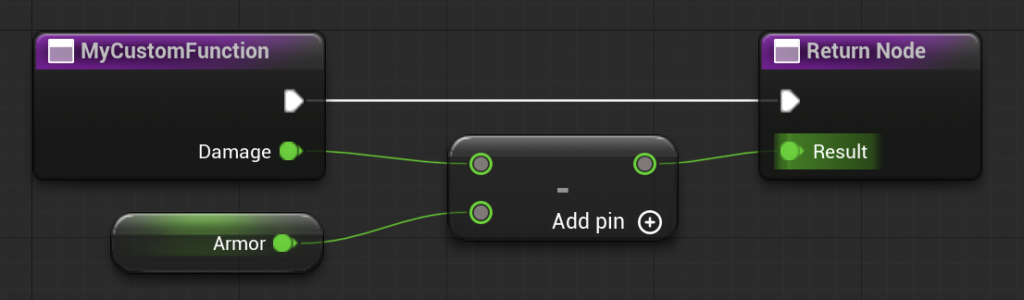
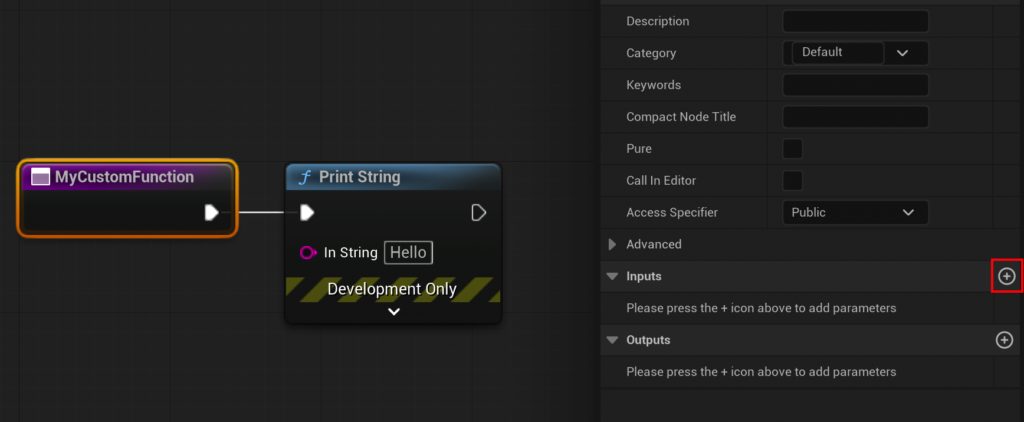
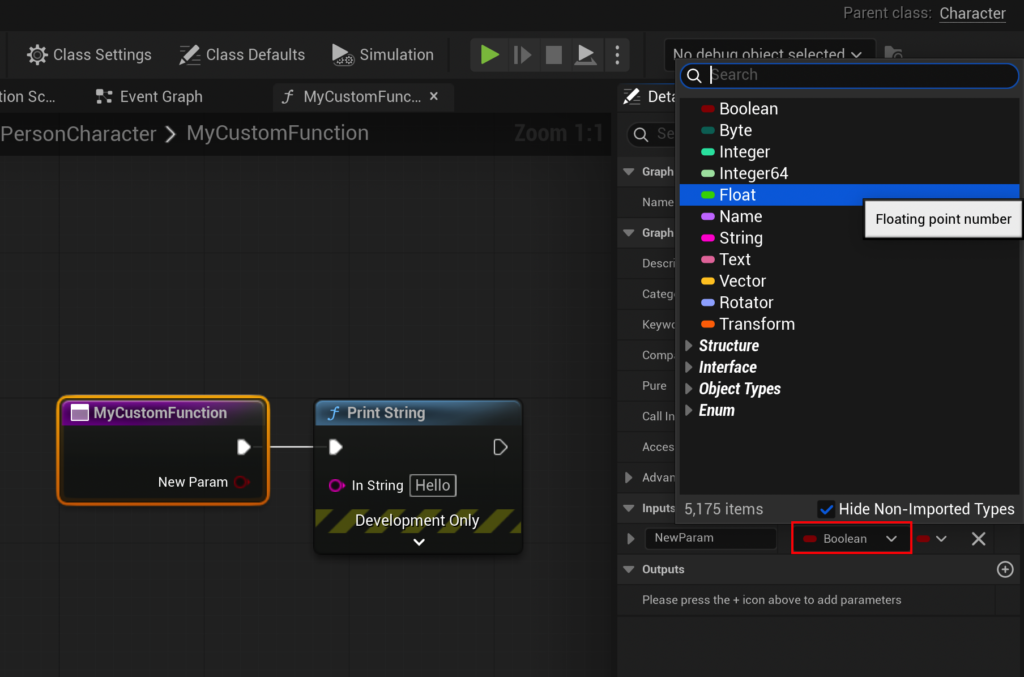
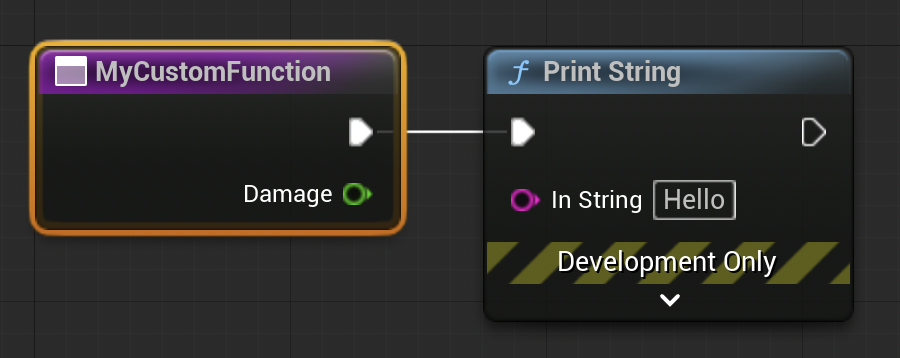
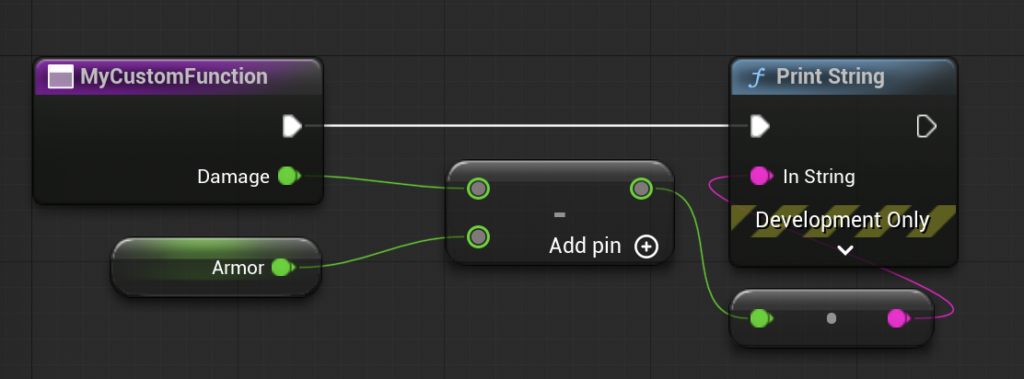
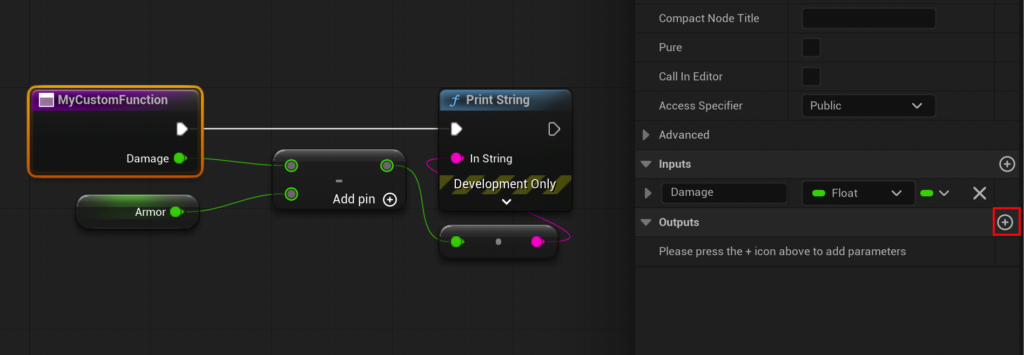
For a function to be truly flexible and reusable, it must often receive data to operate on and provide results back. This is where input and output parameters become crucial. By selecting the function’s entry node within its graph, developers can access the "Details" panel, which offers sections to add "Input" and "Output" variables. For example, in the CalculateDamage function, an "Input" parameter named Damage could be added, configured as a Float data type. This allows any part of the Blueprint that "calls" (or runs) this function to pass a specific damage value into it.
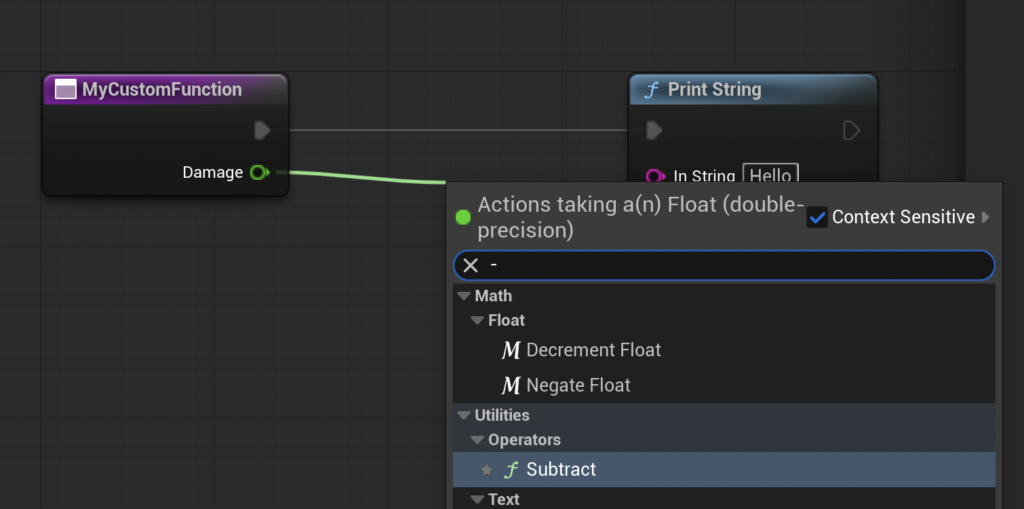
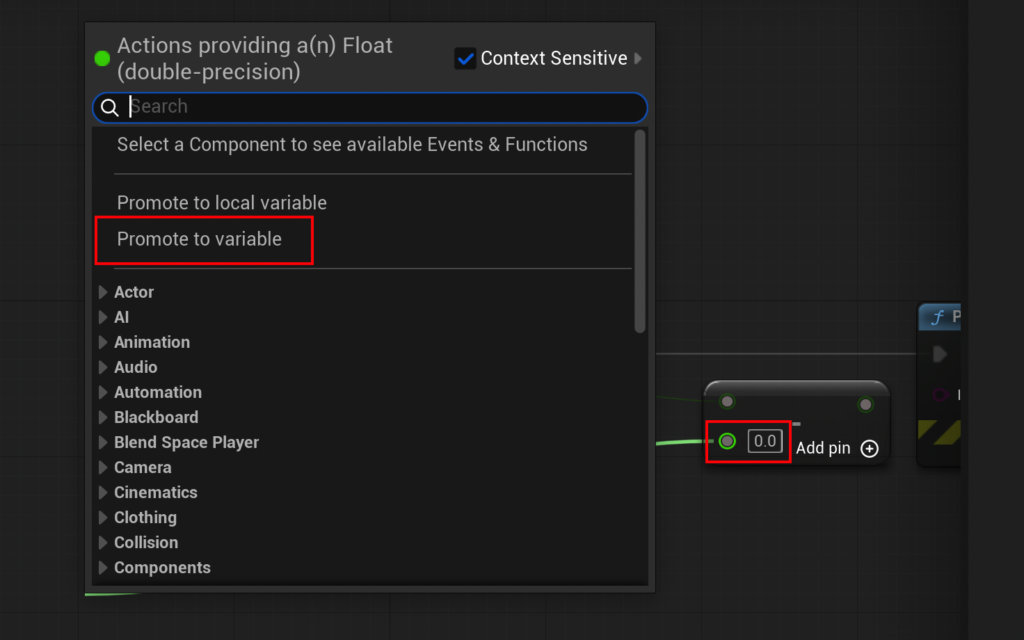
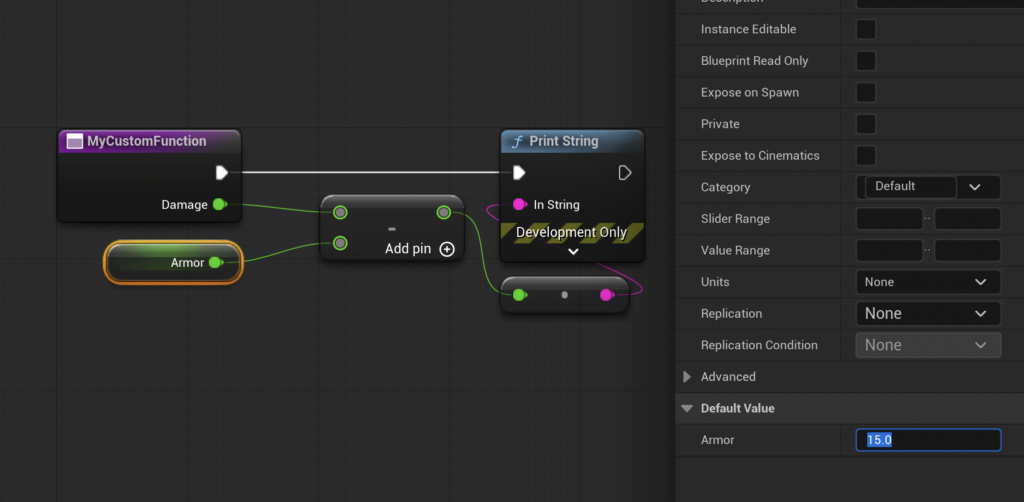
Within the function’s graph, this Damage input can then be connected to other nodes. To simulate damage reduction by armor, a "Subtract Float" node would be introduced. The Damage input would feed into the top pin of the subtract node. For the armor value, a new variable, Armor, could be created directly from the second input pin of the subtract node by using the "Promote to variable" option. This Armor variable, also a Float, would then be set to a specific value (e.g., 15.0) in its details panel. This setup allows the function to dynamically calculate damage based on the provided input and the actor’s internal armor value.
The result of this calculation, the final damage after armor reduction, needs to be communicated back to the calling graph. This is achieved through an "Output" parameter. By adding an output parameter, typically named Result and typed as a Float, a "Return Node" is automatically generated within the function graph. The output of the "Subtract Float" node is then connected to the Result pin of this Return Node. This completes the data flow: raw Damage enters, Armor is subtracted, and the calculated Result exits the function. This structured input-processing-output model is what makes Blueprint Functions incredibly powerful for creating modular and easily manageable game logic.
Functions vs. Events: A Critical Distinction for Game Logic
While both Blueprint Functions and Blueprint Events are fundamental components of visual scripting in Unreal Engine, they serve distinct purposes and have key operational differences that developers must understand. The most significant distinction lies in their execution model: Functions are synchronous, while Events can be asynchronous.
A Blueprint Function is designed to execute its logic entirely and immediately, returning a value (if any) before the next node in the calling graph proceeds. This synchronous nature means that functions cannot contain nodes that introduce delays or await external operations, such as Delay nodes, Timeline nodes, or certain asynchronous I/O operations. These limitations ensure that a function’s execution is predictable and completes within a single frame or a very short, continuous execution path. This makes functions ideal for pure calculations, immediate state changes, or atomic operations where a result is expected without any waiting periods.
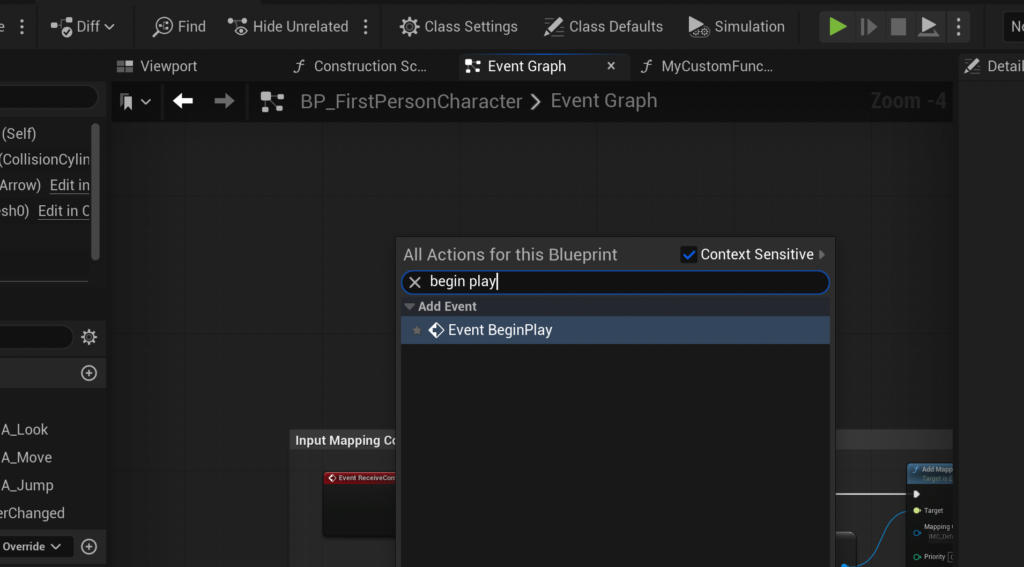
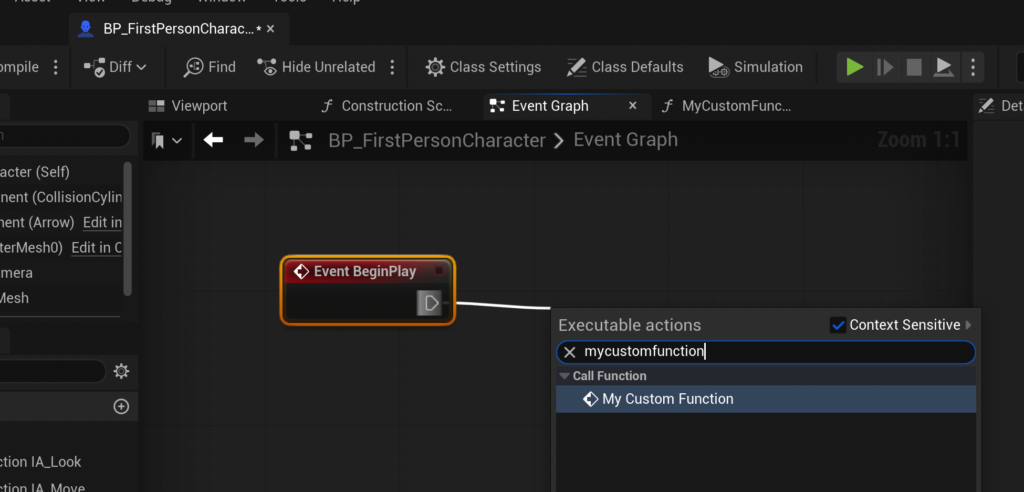
Conversely, Blueprint Events, such as Event Begin Play, Event Tick, or Custom Events, are asynchronous. They are designed to respond to triggers, time-based conditions, or external inputs. Events can indeed incorporate Delay nodes, allowing for sequences of actions that unfold over time, or they can wait for external conditions to be met. For instance, an Event Begin Play might initiate a sequence that waits 5 seconds before triggering a sound effect, a task impossible within a standard function. When a piece of logic requires time-dependent operations or needs to respond to non-immediate triggers, a Custom Event is the appropriate choice. Developers can define Custom Events with input parameters, similar to functions, but they do not have return values and can pause their execution with Delay nodes. This clear separation ensures that developers use the right tool for the right job, optimizing both performance and logical clarity.

The Strategic Advantages of Adopting Blueprint Functions
The systematic integration of Blueprint Functions into development workflows offers a multitude of strategic advantages that extend beyond mere code organization:
Enhanced Code Readability and Organization
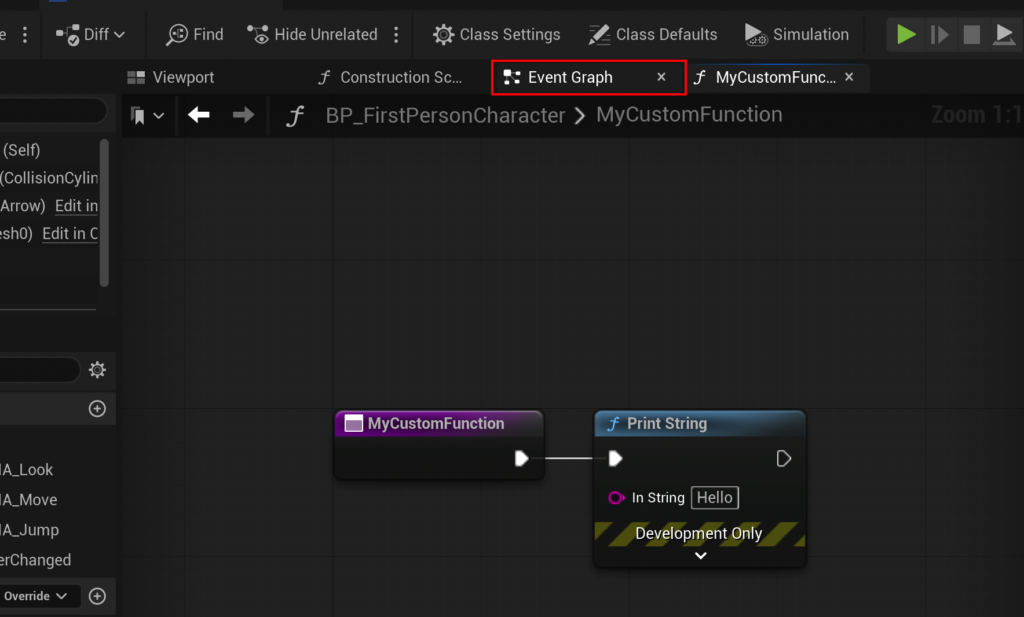
Breaking down complex gameplay mechanics into smaller, named functions significantly improves the readability of Blueprints. Instead of navigating sprawling graphs with hundreds of nodes, developers can read a concise event graph that calls several well-named functions, each responsible for a specific sub-task. This modularity acts as a self-documenting mechanism, making it easier for new team members to understand existing logic and for veteran developers to revisit older code without extensive re-learning.
Accelerated Development and Iteration
The "write once, use many times" principle is the cornerstone of functions. Once a function like CalculateDamage is perfected, it can be invoked wherever damage needs to be computed, eliminating the need to recreate or copy-paste node networks. This reusability drastically speeds up development cycles, especially in projects with recurring mechanics. Rapid iteration is also fostered, as changes or improvements to a core piece of logic only need to be implemented in one place, instantly updating all instances where that function is called.
Streamlined Debugging and Maintenance
When a bug arises in a complex system, isolating the problem area can be a time-consuming challenge. With functions, the scope of potential issues is narrowed. If a damage calculation is incorrect, the developer immediately knows to investigate the CalculateDamage function, rather than sifting through multiple, identical damage calculation graphs. This isolation makes debugging more efficient and reduces the risk of introducing new bugs during maintenance, as changes are localized.
Facilitating Team Collaboration
Blueprint Functions are powerful enablers of team collaboration. In a multi-disciplinary development environment, programmers can create foundational functions for complex calculations or core system interactions, which designers can then easily integrate into their gameplay Blueprints without needing to understand the intricate internal logic. This abstraction allows team members to work concurrently on different aspects of the game without conflicts, fostering a more harmonious and productive development pipeline.
Scalability for Complex Projects
Modern games, whether AAA blockbusters or ambitious indie titles, often involve intricate systems and vast amounts of interconnected logic. Without modular tools like functions, Blueprints can quickly become unmanageable "spaghetti code." Functions provide the necessary structure to build scalable systems. As a project grows, new features can be built by composing existing functions, rather than starting from scratch, ensuring that the codebase remains robust and adaptable. Industry experts, including technical directors at Epic Games, frequently emphasize that well-structured Blueprints with extensive use of functions are critical for maintaining project health and avoiding technical debt in large productions.
Industry Perspectives on Blueprint’s Impact
The strategic importance of Blueprint Functions is widely acknowledged across the game development industry. Epic Games, as the steward of Unreal Engine, consistently highlights Blueprint’s role in democratizing game creation, making sophisticated tools accessible to a broader audience. In various GDC (Game Developers Conference) talks and official documentation, Epic’s engineers often showcase how their internal teams leverage functions to build complex systems with efficiency.
Developers, from solo indie creators to large studio teams, credit Blueprint functions with significantly accelerating their workflows. Indie developers, often working with limited resources, find that functions allow them to punch above their weight, creating rich, interactive experiences without the overhead of extensive C++ programming. AAA studios, while often relying on a strong C++ codebase, use Blueprint functions for rapid prototyping, level-specific scripting, and empowering designers to implement and iterate on gameplay mechanics without requiring constant programmer intervention. This hybrid approach, combining the performance of C++ with the agility of Blueprint functions, is a common best practice in the industry. The emphasis on reusability and clear interfaces that functions provide fosters a more collaborative and efficient development environment, a sentiment echoed in numerous post-mortems and developer interviews.

Conclusion
Blueprint Functions are far more than just a convenience; they are an essential architectural element within Unreal Engine 5 that empowers developers to build games with unparalleled efficiency, clarity, and scalability. By encapsulating logic, enabling reusability, and streamlining complex processes, functions transform the development landscape, making it easier to create, maintain, and expand upon intricate game systems. From the foundational concept of separating logic to the advanced implementation of input and output parameters, mastering Blueprint Functions is a critical step for any developer aiming to craft robust, high-quality interactive experiences in Unreal Engine 5. As games continue to grow in complexity and scope, the principles of modularity and efficient code organization, expertly facilitated by Blueprint Functions, will remain paramount for success in the dynamic world of game development.
About the Author