
Game developers utilizing Unreal Engine 5 are increasingly adopting C++ Blueprint Function Libraries as a critical tool to navigate performance bottlenecks and unlock advanced engine capabilities within their projects. This hybrid development approach allows teams to retain the rapid prototyping and visual scripting advantages of Blueprints while harnessing the raw speed and power of C++ for computationally intensive tasks and specialized functionalities. The integration represents a significant step in optimizing development workflows and ensuring project scalability, from independent studios to AAA enterprises.
The Evolving Landscape of Game Development in Unreal Engine 5
Unreal Engine 5 has solidified its position as a leading game development platform, largely due to its powerful visual scripting system, Blueprints. Blueprints offer an intuitive, node-based interface that empowers designers, artists, and even non-programmers to create complex game logic without writing a single line of code. This accessibility fosters rapid iteration, quick prototyping, and a collaborative environment where creative ideas can be swiftly translated into interactive experiences.
However, as projects grow in scope and complexity, the inherent limitations of Blueprint scripting often become apparent. While excellent for many tasks, Blueprints can introduce performance overhead, particularly for operations requiring intensive computation, frequent data manipulation, or tight loops. This is because Blueprint scripts are interpreted at runtime, a process that is generally slower than compiled C++ code. Furthermore, certain low-level C++ features, advanced engine functionalities, or external library integrations simply do not have direct Blueprint equivalents, leaving developers with a functional gap.
For years, developers faced a stark choice: build primarily with Blueprints for speed of development but risk performance ceilings, or commit to a full C++ codebase for maximum performance and control, often at the cost of longer development cycles and a steeper learning curve for non-programmers. The C++ Blueprint Function Library emerges as a sophisticated bridge, offering a pragmatic solution to this long-standing dilemma.
Bridging the Gap: The Role of C++ Blueprint Function Libraries
A C++ Blueprint Function Library in Unreal Engine 5 is a specialized built-in class designed to allow functions written in C++ to be seamlessly exposed and called directly within Blueprint graphs. This means that performance-critical Blueprint nodes, or sequences of nodes that are proving inefficient, can be refactored and rewritten in C++ without requiring a complete overhaul of the existing Blueprint architecture. The C++ code, once compiled, executes with native efficiency, offering substantial performance improvements.
Industry analysis suggests that for CPU-bound operations, C++ implementations can yield performance gains ranging from 2x to 10x or even more compared to their Blueprint counterparts, depending on the complexity and nature of the task. This is particularly crucial for systems like AI pathfinding, complex physics calculations, intricate inventory management, or large-scale data processing, where milliseconds saved can significantly impact the overall user experience and frame rate.
Beyond performance, these libraries provide direct access to the full spectrum of C++ features available within Unreal Engine, as well as external libraries. This opens up possibilities for integrating specialized algorithms, leveraging advanced memory management techniques, or interacting with operating system-level functionalities that are simply beyond the scope of Blueprints. For instance, developers can implement custom file I/O systems, networking protocols, advanced mathematical libraries, or intricate data structures directly in C++ and expose them as simple, callable nodes within Blueprint.
Implementation: A Strategic Approach to Integration
The process of integrating C++ Blueprint Function Libraries is structured and aims for developer efficiency. It begins by ensuring the Unreal Engine project is configured to support C++ development, a common initial setup for many serious projects. If a project is Blueprint-only, the engine gracefully guides the developer through the necessary steps, which typically involve installing a suitable Integrated Development Environment (IDE) such as Visual Studio for Windows or Xcode for macOS. These IDEs are essential for compiling the C++ code into the project’s executable.
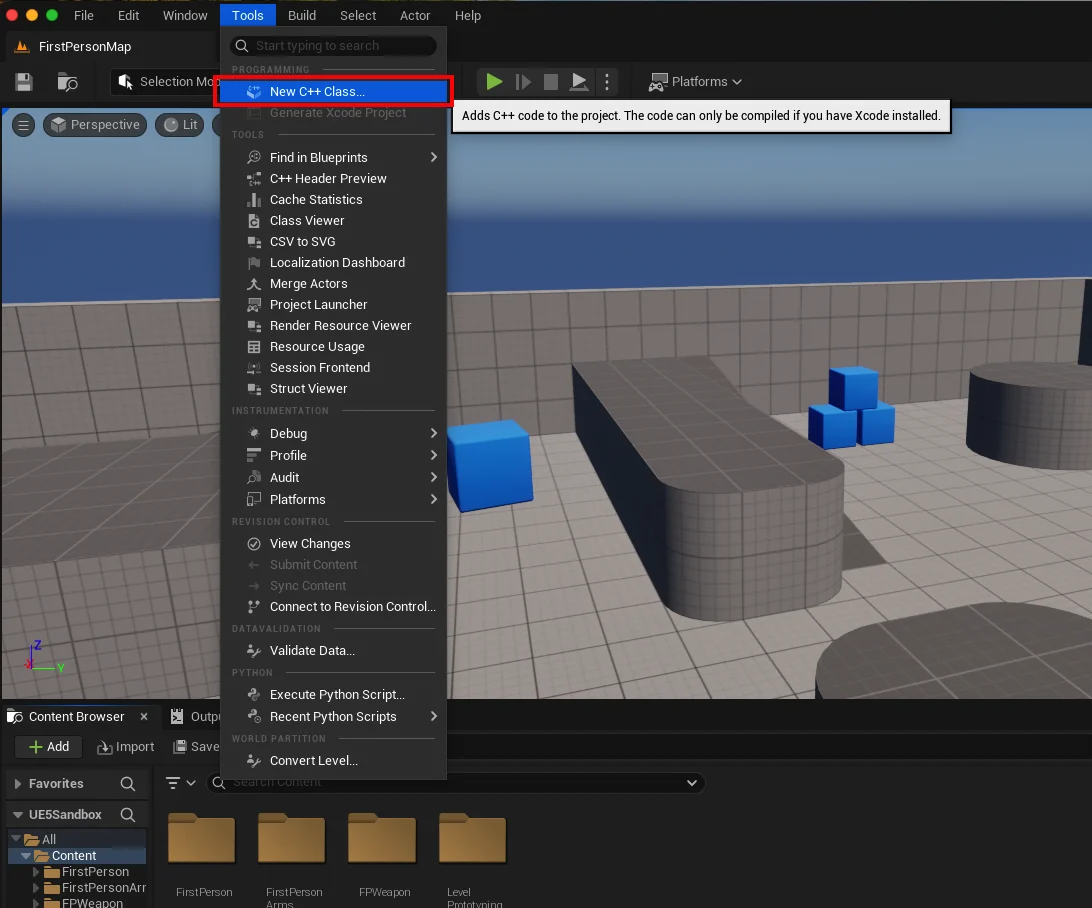
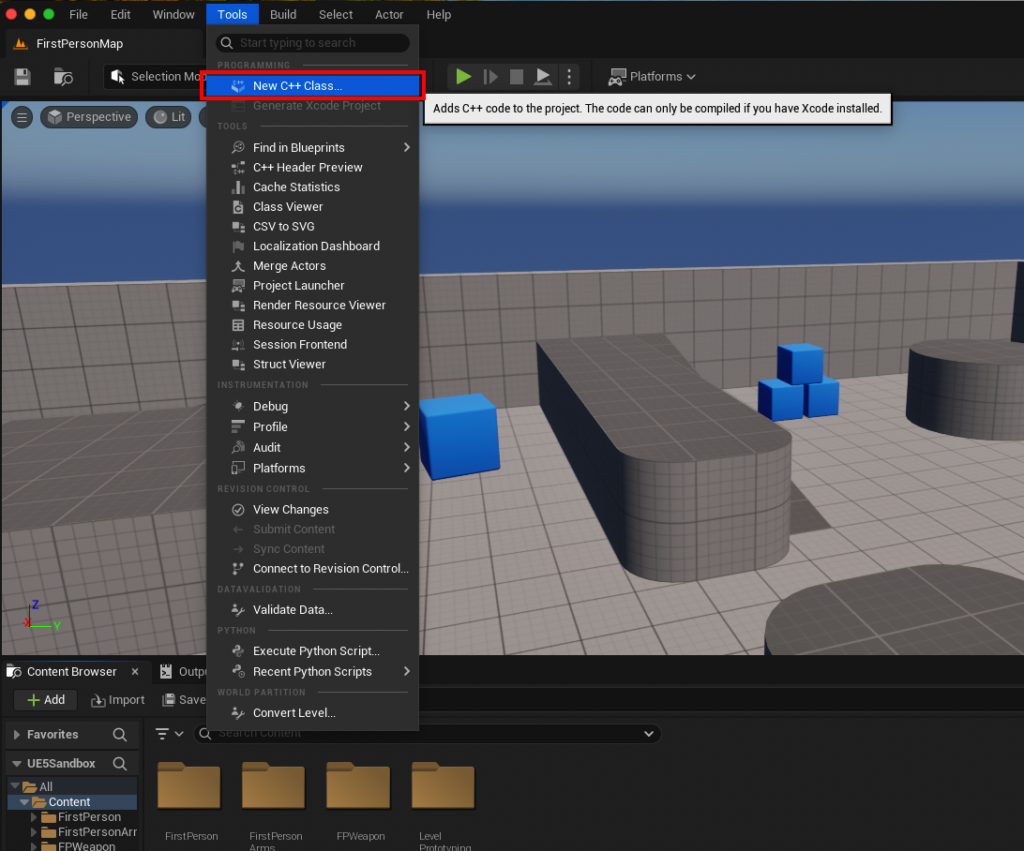
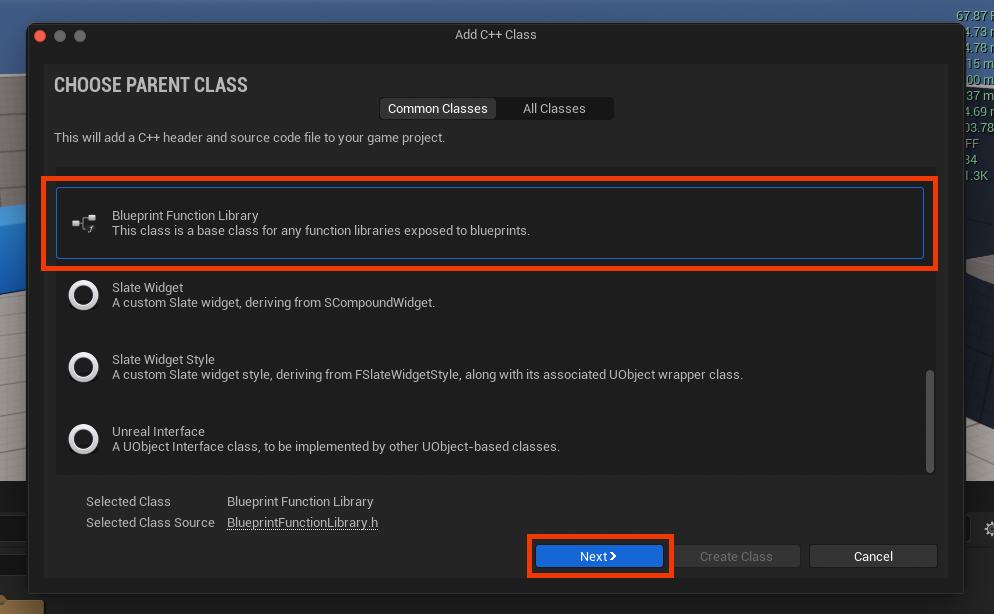
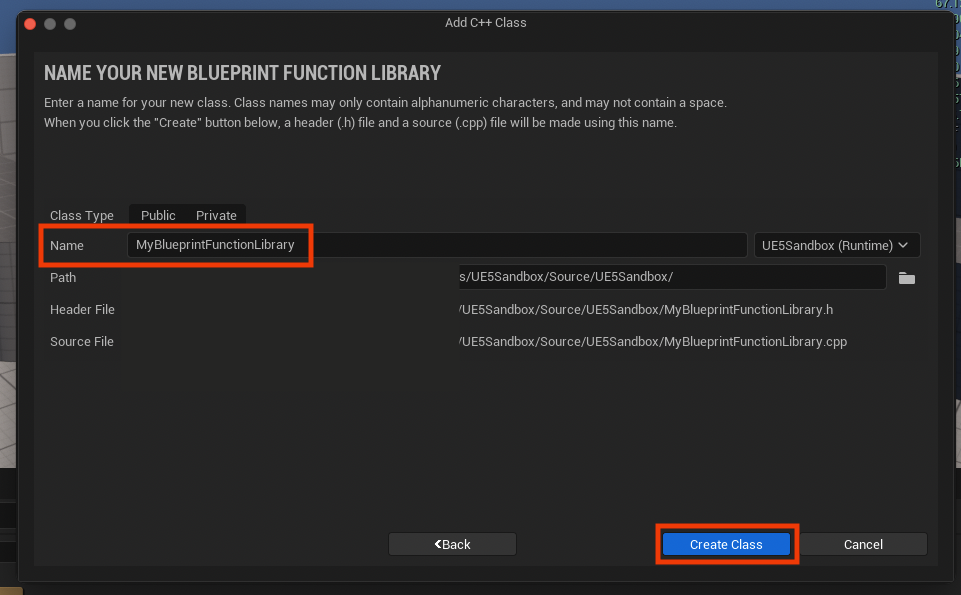
Once the development environment is ready, creating a C++ Blueprint Function Library is straightforward within the Unreal Editor. Developers navigate to the "Tools" menu and select "New C++ Class." A crucial step here is choosing "Blueprint Function Library" as the "Parent Class." This selection is fundamental as it configures the new C++ class with the necessary inheritance and boilerplate code to ensure its functions can be properly exposed to the Blueprint system. Naming conventions, such as using PascalCase (e.g., MyBlueprintFunctionLibrary), are recommended to maintain consistency with Unreal Engine’s established practices.
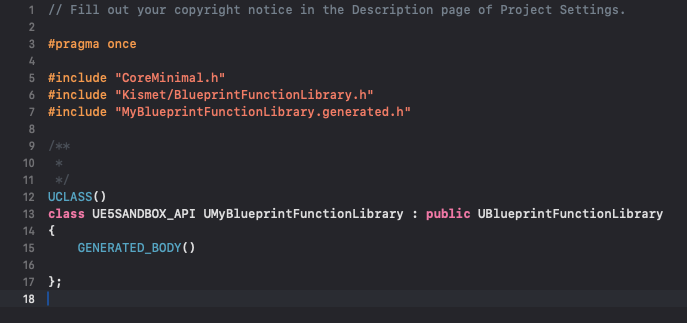
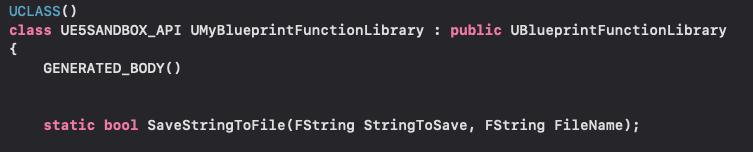
Upon creation, the engine compiles the new C++ files, generating a .h header file for declarations and a .cpp source file for implementation. Within the header file, developers define their C++ functions. Two key elements are paramount for Blueprint interoperability:

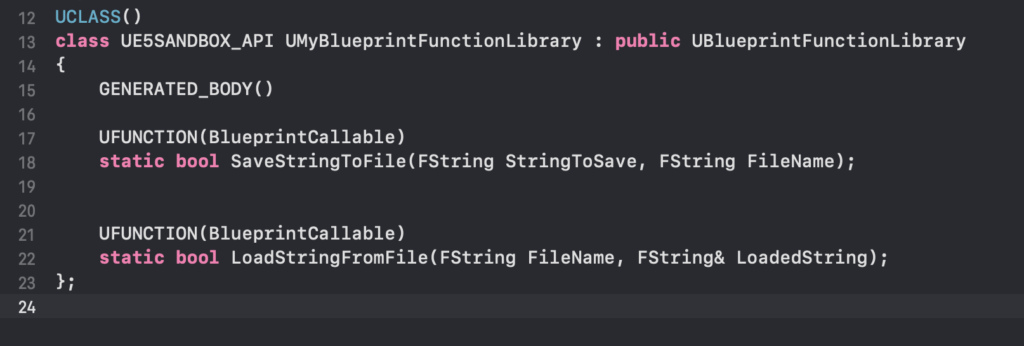
statickeyword: Declaring a function asstaticmakes it accessible without requiring an instance of the class. In the context of a Blueprint Function Library, this means the function can be called directly from any Blueprint graph without needing to get a reference to an object. This simplifies its use significantly.UFUNCTIONmacro: This specialized Unreal Engine macro is placed directly above the function declaration. It serves as a directive to the Unreal Header Tool (UHT) during compilation, signaling that this particular C++ function should be exposed to the Blueprint editor. The macro also allows for various specifiers to control how the function appears and behaves in Blueprints (e.g.,BlueprintCallable,Category,DisplayName).
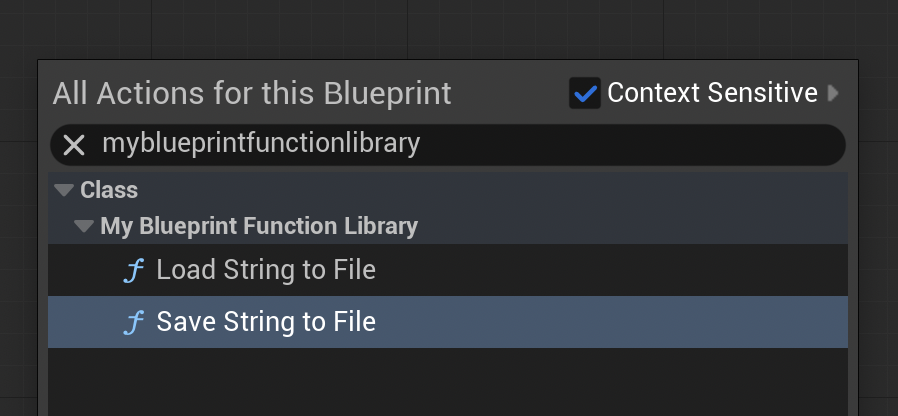
For example, a common practical application is to create robust file handling utilities. The provided demonstration illustrates this by implementing functions to save and load strings to and from files. These functions leverage Unreal Engine’s FFileHelper library, which provides efficient and platform-agnostic file operations. By encapsulating such functionality in C++, developers gain precise control over error handling, file paths, and data formats, all while presenting a simple, high-level interface to Blueprint users.
Workflow and Developer Empowerment
The integration of these C++ functions into Blueprints is remarkably seamless. After compiling the C++ project, the newly defined functions appear as callable nodes within the Blueprint editor’s context menu. Developers can simply search for the function by name (e.g., "Save String to File") and drag it onto their graph, just like any native Blueprint node. The Blueprint system automatically handles type conversions where possible, further streamlining the interaction.
This workflow empowers different roles within a development team. Programmers can focus on writing high-performance, robust C++ libraries that encapsulate complex logic or performance-critical operations. Designers and content creators can then consume these functions through Blueprints, allowing them to rapidly build and iterate on game mechanics, UI elements, and interactive systems without needing to delve into C++ code. This division of labor fosters efficiency, minimizes bottlenecks, and allows each team member to work within their preferred environment.
Demonstrated Impact: File I/O Efficiency
The practical demonstration of saving and loading strings to files highlights the immediate benefits. A Save String to File function, implemented in C++, can take a string and a file path as input, efficiently writing the content to disk. Conversely, a Load String from File function can read content from a specified file, returning it as an Unreal Engine string.
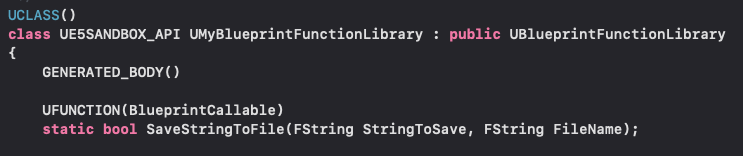
In a test scenario, a "BeginPlay" event in a level Blueprint was configured to call the C++ Save String to File function, writing "Save Test" to "textfile-test.txt" in the project’s /Saved folder. Upon execution, the file was created with the specified content, demonstrating successful integration. For the loading counterpart, a "loadtest.txt" file pre-populated with "Loading Test" was used. The C++ Load String from File function was called, its output connected to a "Print String" node, which then successfully displayed "Loading Test" on the screen during gameplay. This confirms the bidirectional communication and the power of the C++ functions to interact with the game environment through Blueprints.
Future Implications and Industry Outlook
The widespread adoption of C++ Blueprint Function Libraries is indicative of a broader trend in game development: the necessity for flexible, hybrid development models. As games become more graphically intensive, simulation-heavy, and feature-rich, the demand for optimized code paths will only increase. This approach allows studios to push the boundaries of what’s possible within Unreal Engine 5, delivering more ambitious and polished experiences without sacrificing the agility that Blueprints provide.
For aspiring and seasoned developers alike, mastering the art of creating and utilizing these libraries is becoming an essential skill. It signifies a mature understanding of Unreal Engine’s architecture and the strategic application of its diverse tools. Epic Games’ continued investment in features that enhance Blueprint-C++ interoperability underscores its commitment to providing developers with powerful, adaptable solutions for the challenges of modern game creation. The C++ Blueprint Function Library stands as a testament to this philosophy, enabling developers to achieve tangible performance improvements and unlock hidden functionality, ultimately paving the way for more efficient and innovative projects.
About the Author








