The journey of game design and development is an intricate tapestry woven with threads of creativity, technical prowess, and relentless problem-solving. It is a process that tests the limits of knowledge, skills, and patience, often pushing even seasoned developers to their breaking point. The sheer scope of transforming a conceptual idea into an interactive, immersive experience can be profoundly overwhelming, frequently exceeding initial expectations. However, the remarkable advancements in modern technology have introduced an array of sophisticated game design tools and equipment that not only streamline the complex workflow but also serve as indispensable instruments for crafting captivating virtual worlds. The strategic selection and mastery of these tools are paramount to ensuring efficiency, fostering innovation, and ultimately nurturing ambitious creative visions.
This comprehensive guide aims to demystify the essential landscape of game design resources, offering insights into beginner-friendly options, delineating the differences between digital and physical methodologies, detailing necessary hardware and software, and providing a strategic roadmap for upgrading one’s game design toolkit.
The Evolving Landscape of Game Development: A Brief Chronology
The history of game development tools mirrors the exponential growth of the industry itself. In its nascent stages, game creation was largely a domain of highly specialized programmers who crafted experiences through command-line interfaces and custom-built engines. Early developers, often working with limited hardware capabilities, relied heavily on low-level programming languages like Assembly, directly manipulating system resources. The advent of graphical user interfaces (GUIs) in the late 1980s and early 1990s began to democratize the process, introducing visual development environments that abstracted away some of the underlying complexities.
The 2000s witnessed a significant shift with the emergence of powerful, accessible game engines such as Unity and Unreal Engine, which provided comprehensive toolsets for everything from asset creation and scripting to physics simulation and rendering. These engines, initially catering to professional studios, gradually lowered their barriers to entry, making sophisticated development capabilities available to independent creators and smaller teams. Concurrently, the rise of digital distribution platforms like Steam and mobile app stores fueled a boom in indie game development, further emphasizing the need for efficient, user-friendly tools that could empower a broader spectrum of creators. Today, the industry continues to evolve rapidly, with artificial intelligence, cloud computing, and advanced virtual/augmented reality technologies influencing the next generation of development tools.
Democratizing Creation: Top Game Design Tools for Beginners
For those embarking on the challenging yet rewarding path of game development, the initial foray into complex professional-grade tools can be daunting, often leading to frustration and discouragement. Establishing a solid foundational understanding is crucial, and this is best achieved through simplicity and accessibility. Beginner-friendly game design tools are specifically designed to facilitate experimentation and learning without overwhelming new users with excessive complexity or demanding deep programming expertise.
-
Conceptualization and Brainstorming: Before diving into digital execution, the initial spark of an idea often takes shape through brainstorming. Traditional sketchbooks and pens remain invaluable for rapid ideation, layout planning, and character design. For digital alternatives, applications like Adobe Fresco and Procreate offer intuitive interfaces for sketching, storyboarding, and creating concept art on tablets, mimicking the tactile feel of traditional media while leveraging digital advantages like layers and easy revisions. These tools are crucial for visualizing game mechanics, level layouts, and character designs early in the process.
-
Prototyping Game Logic and Mechanics: Understanding how game objects interact, how physics behave, and the fundamental rules governing gameplay is vital. Beginners can effectively explore these concepts using visual scripting engines that minimize the need for extensive coding. GameMaker Studio, with its drag-and-drop functionality and event-based programming, allows aspiring developers to quickly prototype 2D games. Construct 3 offers similar browser-based accessibility, focusing on logic through events and actions. Godot Engine, a free and open-source option, is gaining significant traction among indies due to its lightweight nature, robust features, and Python-like scripting language (GDScript), providing an excellent bridge from visual scripting to more traditional coding. These platforms enable new developers to grasp core game logic without getting bogged down by intricate programming syntax.
-
User Interface (UI) Design: The player’s interaction with a game is heavily influenced by its UI. For visualizing and designing intuitive player experiences, tools like Adobe XD and Figma are excellent starting points for newcomers. They allow for the creation of interactive prototypes, menu flows, and HUD elements, enabling developers to test the user journey and gather feedback on usability long before any code is written. Understanding UI/UX principles is increasingly critical for player retention and engagement.
-
Asset Management and Integration: Creating every single asset from scratch can be an immense undertaking, especially for beginners. Leveraging ready-made resources significantly accelerates the development process and allows new developers to focus on core game mechanics. Platforms like OpenGameArt.org and Kenney.nl offer extensive libraries of free-to-use sprites, 3D models, sound effects, and music. These resources are invaluable for prototyping and even for complete indie projects, reducing the initial creative and technical burden.
The Synergy of Digital and Physical Tools in Game Design
The ongoing discussion surrounding the efficacy of digital versus physical game design tools often hinges on personal preference and budget constraints. However, rather than viewing them as mutually exclusive, modern game development increasingly emphasizes the integration of both. Each category offers distinct advantages, and a skilled developer understands how to leverage their respective strengths.
-
Digital Tools: These encompass a broad spectrum, including advanced software engines (Unity, Unreal), specialized design applications (Photoshop, Blender), digital drawing tablets, and cloud-based collaboration platforms. Their primary benefits lie in unparalleled ease of modification, immense flexibility, and remarkable speed. Iterative design cycles, complex simulations, and high-fidelity rendering are often only feasible with digital solutions. Cloud tools further enhance collaboration among distributed teams, facilitating real-time feedback and version control. The ability to undo, duplicate, and share work digitally streamlines the entire production pipeline.
-
Physical Tools: This category includes traditional sketchbooks, pens, markers, whiteboards, physical prototyping kits (e.g., card stock, dice, tokens), and even LEGOs. While seemingly old-fashioned, physical tools excel at fostering raw creativity, encouraging tactile learning, and facilitating rapid, low-fidelity prototyping. Whiteboards are indispensable for team brainstorming sessions, flow charting, and quickly sketching out ideas. Physical prototypes, especially for board games or early game concepts, allow for immediate playtesting and identification of core mechanic flaws without the overhead of digital development. The tangible nature of physical tools can often lead to unexpected creative breakthroughs and a deeper understanding of spatial relationships and player interaction. Integrating physical prototyping into a digital workflow can significantly save time and resources by validating core ideas before committing to costly digital asset creation.

Building the Foundation: Essential Game Design Equipment
Beyond the software and conceptual tools, a robust hardware setup is indispensable for any game developer, regardless of experience level. While the beginner phase may allow for some compromises, acquiring the right game design equipment is critical for sustained progress, enabling longer development cycles, higher-quality outputs, and smoother, more efficient workflows. The demands of modern game engines and asset creation software necessitate capable machines.
For established developers, an optimal setup typically includes:
- High-Performance Computer: A powerful multi-core CPU (e.g., Intel Core i7/i9 or AMD Ryzen 7/9) for complex compilations and simulations, ample RAM (32GB minimum, 64GB recommended) for handling large assets and multiple applications, and a dedicated high-end GPU (NVIDIA RTX or AMD Radeon RX series) for rendering, 3D modeling, and real-time engine performance.
- High-Resolution Monitors: Dual monitors, preferably 4K, significantly improve productivity by allowing multiple applications (engine, code editor, art software) to be open simultaneously.
- Ergonomic Peripherals: A high-precision gaming mouse, a mechanical keyboard for comfortable typing, and an ergonomic chair are crucial for long development sessions to prevent strain and injury.
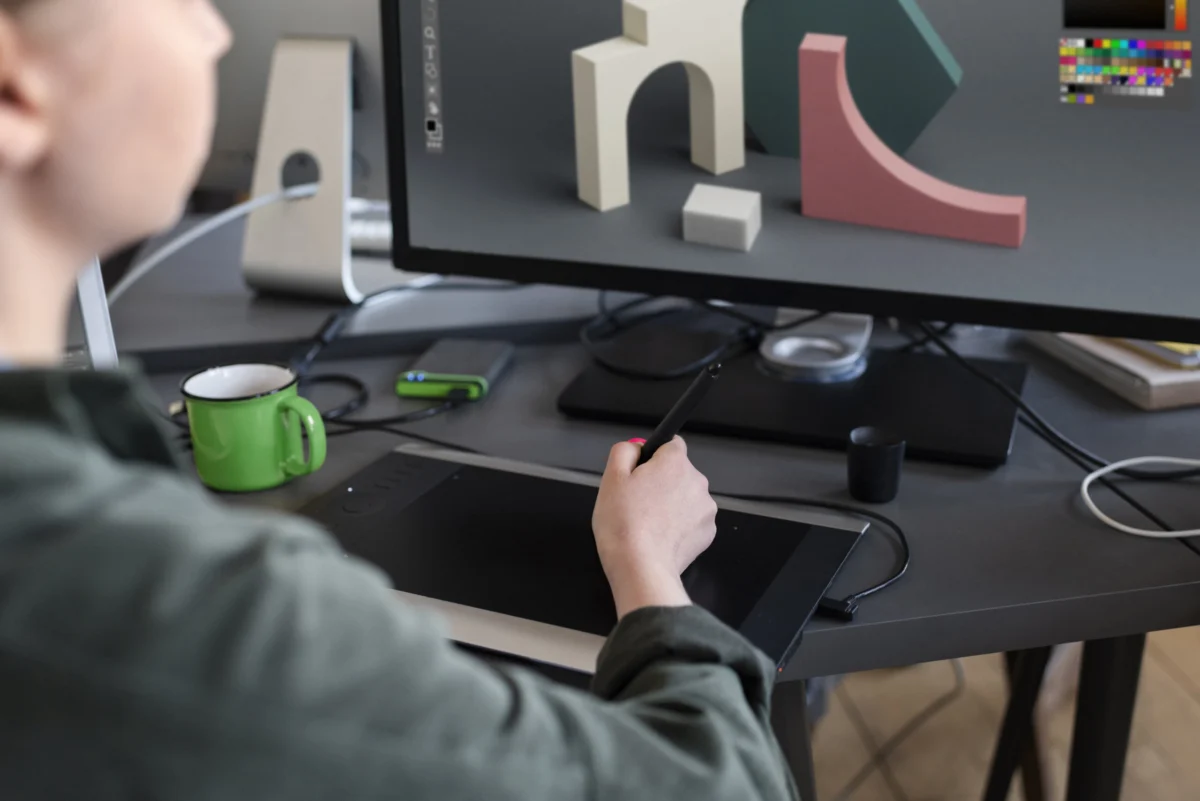
- Digital Drawing Tablet: Essential for concept art, texture painting, and UI design (e.g., Wacom Intuos/Cintiq, Huion, XP-Pen).
- High-Speed Storage: NVMe SSDs for the operating system and active projects drastically reduce load times and improve overall system responsiveness.
- Reliable Internet Connection: For downloading assets, collaborating, and accessing cloud services.
However, recognizing that beginners may face financial constraints, several affordable yet capable alternatives exist to kickstart one’s journey without breaking the bank:
- Mid-Range Gaming Laptop or Desktop: A laptop with an Intel Core i5/Ryzen 5 processor, 16GB RAM, and a GTX 1660/RTX 3050 GPU can handle many beginner-level projects and 2D development effectively. Used or refurbished options can offer significant savings.
- Single Full HD Monitor: While dual monitors are ideal, a single 1080p monitor is perfectly functional for starting out.
- Standard Peripherals: Any comfortable mouse and keyboard will suffice. Investing in an ergonomic setup can come later.
- Entry-Level Drawing Tablet: Brands like Huion and XP-Pen offer excellent budget-friendly drawing tablets that provide essential functionality without the premium price tag of professional Wacom models.
- SATA SSD: While not as fast as NVMe, a 500GB or 1TB SATA SSD for projects will still offer a significant speed boost over traditional HDDs.
- Cloud Storage Solutions: Utilize free tiers of services like Google Drive or Dropbox for basic file sharing and backup.
The key for beginners is to maximize the utility of available resources and affordable alternatives. Making tangible progress without the undue stress of significant financial strain is paramount to fostering long-term engagement and skill development.
Mastering the Digital Canvas: Must-Have Software for Game Creation
Proficiency with a diverse array of software is a hallmark of a well-rounded game developer, whether a novice or an industry veteran. Mastering multiple applications across different disciplines—from visual arts to programming—allows creators to conceptualize, produce, and refine every facet of a game, translating abstract ideas into concrete digital realities.
Below are some of the most relevant and widely adopted software options essential for modern game creation, categorized by their primary function:
-
Game Engines:
- Unity: A highly versatile, cross-platform engine renowned for its ease of use, extensive asset store, and strong community support. It’s excellent for 2D and 3D games across various genres and platforms (PC, console, mobile, VR/AR). Its C# scripting environment is widely adopted.
- Unreal Engine: Known for its cutting-edge graphics capabilities, advanced rendering, and robust toolset. It excels in photorealistic 3D games, particularly AAA titles. Its Blueprint visual scripting system makes it accessible for non-programmers, alongside its C++ programming API.
- Godot Engine: As mentioned, a free, open-source engine offering a comprehensive suite for 2D and 3D game development. Its lightweight nature and dedicated 2D workflow make it a strong contender for indie developers.
-
3D Modeling and Sculpting:
- Blender: A powerful, free, and open-source 3D creation suite that covers modeling, sculpting, rigging, animation, rendering, and compositing. Its capabilities rival commercial software, making it an essential tool for indie developers and small studios.
- Autodesk Maya / 3ds Max: Industry-standard commercial software used extensively in AAA game development and film for complex 3D modeling, animation, and rigging. While powerful, they come with a steep learning curve and subscription costs.
- ZBrush: A digital sculpting tool known for its organic modeling capabilities, allowing artists to create highly detailed characters, creatures, and environmental elements with a natural, artistic workflow.
-
2D Art and Texture Creation:
- Adobe Photoshop: The industry standard for image manipulation, digital painting, and texture creation. Its extensive features make it indispensable for creating sprites, UI elements, concept art, and detailed textures.
- Clip Studio Paint: A popular choice for digital painting, comic creation, and illustration, known for its superior brush engine and drawing tools, often favored by concept artists and character designers.
- Substance Painter / Designer (Adobe Substance 3D Collection): Revolutionary tools for creating physically-based rendering (PBR) textures. Painter allows artists to texture 3D models directly, while Designer enables procedural texture generation, significantly speeding up asset creation workflows.
-
Audio Production:
- Audacity: A free and open-source audio editor for basic sound recording, editing, and mixing. Ideal for indie developers to create and refine sound effects.
- Reaper / Ableton Live / FL Studio: Professional Digital Audio Workstations (DAWs) for composing music, creating intricate soundscapes, and advanced audio mixing. While more complex, they offer unparalleled control over game audio.
-
Version Control Systems:
- Git / GitHub / GitLab: Essential for collaborative development and managing code changes. Version control systems track every modification, allowing teams to work concurrently and revert to previous states if necessary. Learning Git is a fundamental skill for any developer.
-
Project Management Tools:
- Trello / Jira / Asana: Cloud-based platforms for organizing tasks, tracking progress, and facilitating communication within development teams. They help manage sprints, assign responsibilities, and keep projects on schedule.
Strategic Evolution: Upgrading Your Game Design Toolkit
While the mantra "work with what you have" holds significant value, it should not imply stagnation. As a game developer’s skills mature and project ambitions expand, their game design tools must evolve in tandem. Strategic upgrades to one’s toolkit are not merely about acquiring the latest gadgets but about intelligently enhancing efficiency, elevating the quality of output, and expanding the scope of achievable projects. Each tool possesses a unique purpose and strength, and the developer’s role is to critically evaluate and select upgrades that genuinely support their evolving creative vision, rather than accumulating unnecessary expenses for status.
Consider the following checklist when contemplating an upgrade:
- Identify Bottlenecks: What aspects of your current workflow are slow, cumbersome, or creatively limiting? Is your computer struggling to render complex scenes? Are your software tools lacking specific functionalities you now require?
- Align with Project Scope: Are you transitioning from 2D pixel art to detailed 3D environments? Moving from solo development to a small team? Your tools should scale with your project’s technical and collaborative demands.
- Skill Growth and Specialization: As you develop expertise in areas like advanced animation, procedural generation, or multiplayer networking, you will naturally require more specialized and powerful software and hardware that support these complex tasks.
- Return on Investment (ROI): Evaluate how a new tool or piece of equipment will improve your productivity, save time, or enable new creative possibilities. A significant investment should demonstrably contribute to better outcomes or expanded capabilities. For instance, a more powerful GPU might drastically cut render times, allowing for more iterations. A subscription to a professional modeling suite might unlock advanced features crucial for a specific art style.
- Community and Industry Standards: While not always mandatory, adopting tools widely used in the industry can ease collaboration, provide access to vast online resources, and make your skills more marketable.
Upgrading should be a deliberate, phased process, reflecting a developer’s growth and the increasing complexity of their undertakings. It’s about making informed choices that provide a tangible benefit to the creative and technical process.
Final Thoughts: Cultivating Skill and Choosing Your Arsenal
The foundation of a successful game rests on the symbiotic relationship between skilled game developers and the appropriate game design tools. Neither can truly thrive in isolation; exceptional talent amplifies the capabilities of robust tools, and powerful tools empower even burgeoning talent to realize ambitious visions. For individuals aspiring to become professional game developers, understanding the educational pathways, such as game design schools offering specialized courses or degrees, is a crucial first step.
However, for those already equipped with foundational knowledge, this guide serves as a practical compass for navigating the vast array of available resources. Remember that the journey of acquisition and mastery is not a race. Begin with beginner-friendly tools to establish a strong base, and gradually invest in more advanced options as your skills deepen and your projects demand greater sophistication.
Knowing where to commence this intricate journey is often half the battle. We sincerely hope that this comprehensive guide on game design tools provides clarity and better prepares you for the exciting, challenging, and ultimately rewarding next phase of your game development odyssey. The right tools, coupled with unwavering dedication, are your allies in shaping the interactive entertainment experiences of tomorrow.
About the Author