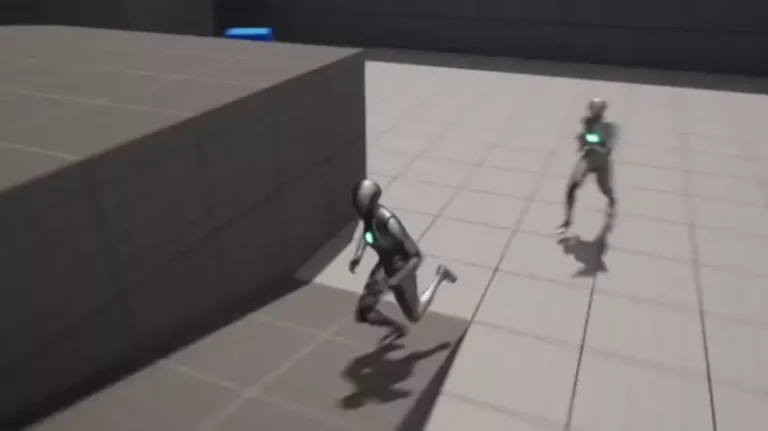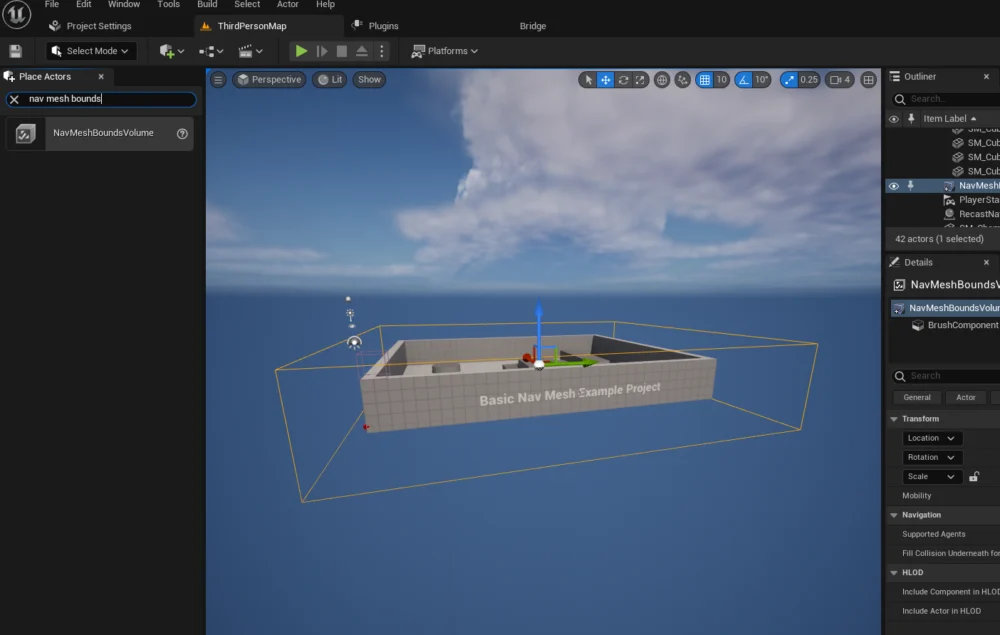
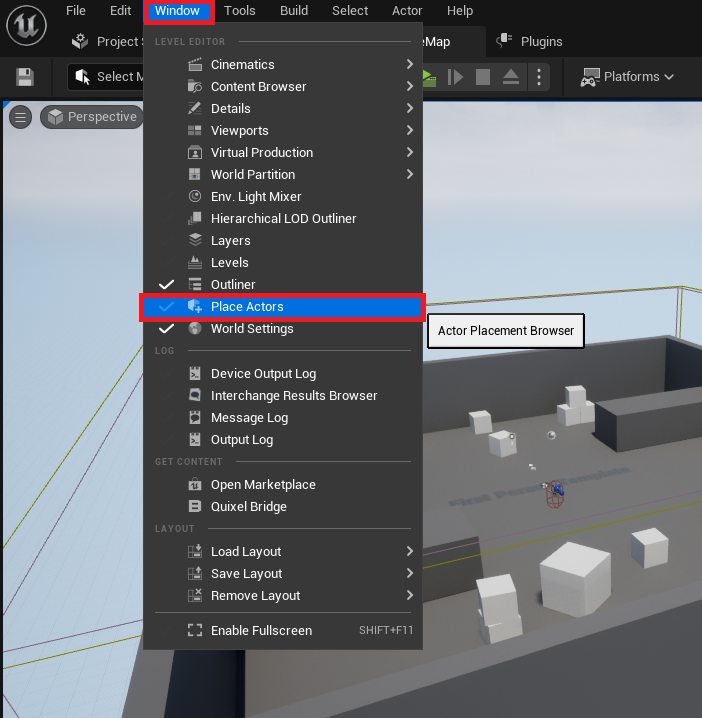
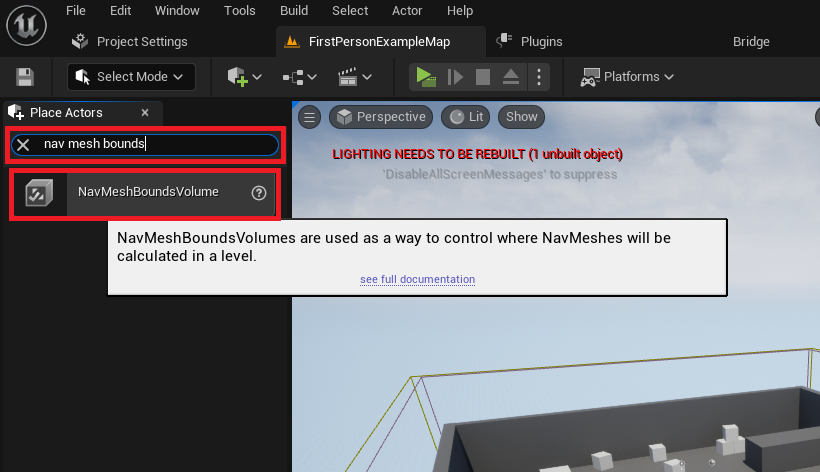
The cornerstone of AI navigation within Unreal Engine 5 is the NavMesh, an automatically generated mesh that delineates walkable surfaces for AI agents. This sophisticated system allows characters to pathfind efficiently around obstacles, traverse varying terrain, and interact logically with the game world. To initiate the NavMesh generation process, developers must first access the ‘Place Actors’ window within the Unreal Engine 5 editor. This window, accessible via the ‘Window’ menu, serves as the primary interface for spawning fundamental objects and volumetric components directly into the active level. It centralizes a vast library of assets, from primitive shapes to specialized volumes designed for engine functionalities.

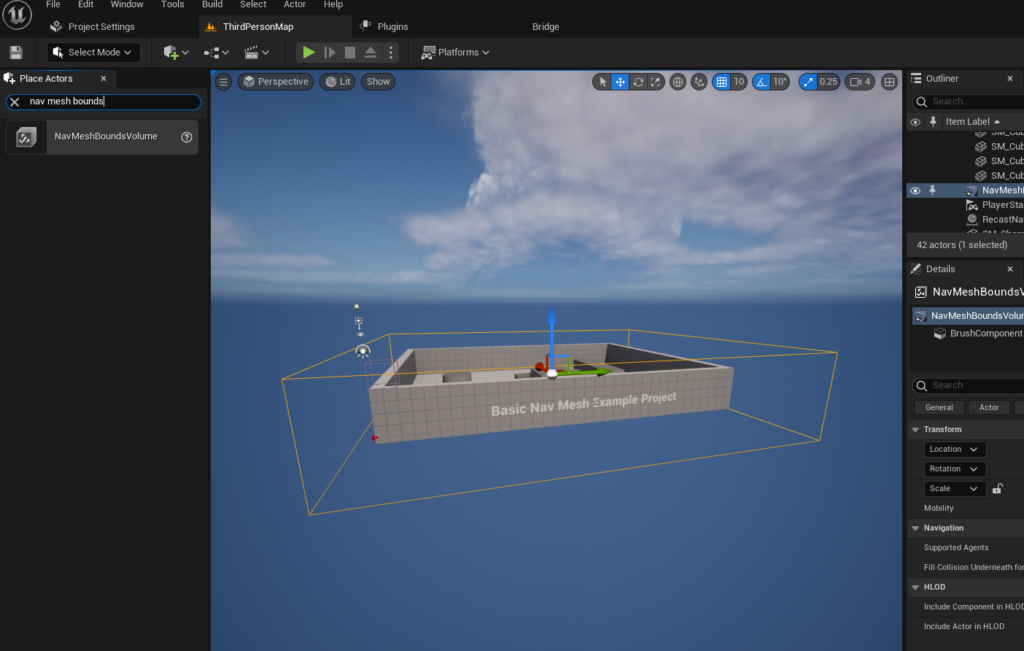
Once the ‘Place Actors’ window is open, the next crucial step involves introducing a ‘NavMeshBoundsVolume’ actor into the level. This specialized volume is located within the ‘Modes’ panel, under the ‘Volumes’ category. The NavMeshBoundsVolume acts as a declarative boundary, signaling to the Unreal Engine’s navigation system the specific areas where a navigation mesh should be computed. Its presence is indispensable; without it, the engine would have no spatial context for generating pathfinding data. The selection and placement of this volume are straightforward, typically involving a drag-and-drop operation from the ‘Place Actors’ window directly into the 3D viewport of the level editor.
Following its insertion, the ‘NavMeshBoundsVolume’ requires careful scaling and positioning to precisely encompass the desired navigable areas within the game level. This spatial definition is paramount, as the AI characters will only be able to traverse surfaces that fall within the bounds of this volume and are deemed walkable by the engine’s internal algorithms. Developers have the flexibility to adjust the volume’s dimensions to be as expansive or as confined as their level design dictates. A critical consideration here is the performance impact: larger NavMeshes naturally demand more processing power and time for generation, particularly if they are statically pre-computed. However, Unreal Engine also supports dynamic NavMesh generation, a feature that allows the navigation mesh to update in real-time as the level geometry changes, offering significant flexibility for procedurally generated or destructible environments. This dynamic capability, while more resource-intensive at runtime, offers unparalleled adaptability for complex game scenarios, a topic that experienced developers often explore to optimize for specific game mechanics.
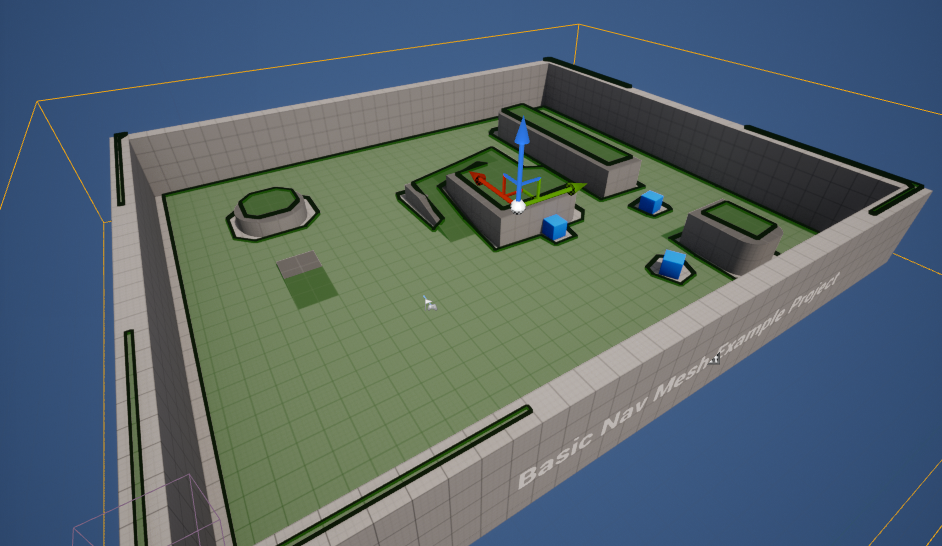
To confirm the successful setup and accurate generation of the NavMesh, Unreal Engine provides a convenient debug visualization. By simply pressing the ‘P’ key on the keyboard, developers can toggle a visual overlay that highlights the generated navigation mesh in the level, typically rendered as a green, translucent surface. This immediate feedback is invaluable for identifying areas where the NavMesh might be incomplete, incorrectly generated, or failing to cover intended walkable surfaces. Common issues, such as gaps in the mesh, unwalkable slopes, or missing areas due to incorrect volume placement or scale, become immediately apparent through this visualization, allowing for prompt corrective action. This diagnostic tool is a testament to Unreal Engine’s developer-centric design, streamlining the iterative process of AI setup.
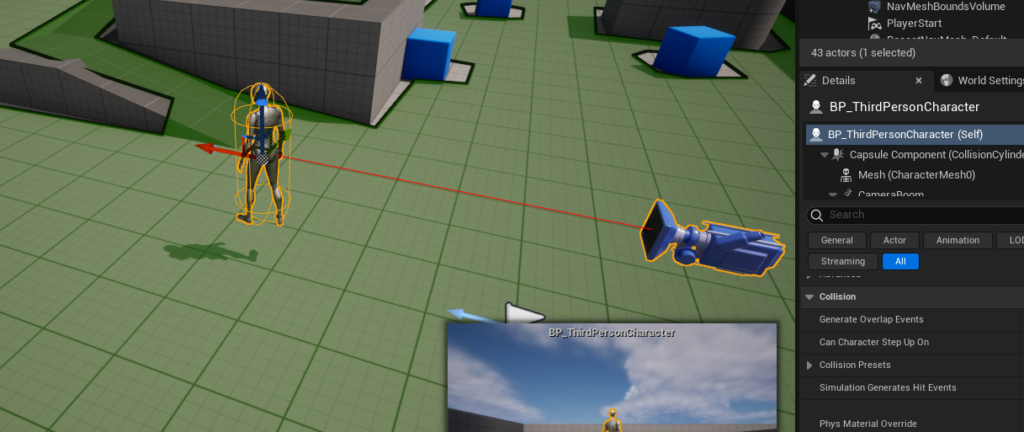
With the foundational NavMesh established, the focus shifts to equipping an AI character with the ability to leverage this navigation data for autonomous movement. For demonstration purposes, the Unreal Engine 5 ‘Third Person Template’ often serves as an ideal starting point, providing a pre-configured animated character blueprint. This template not only offers a visual representation of an agent but also includes a basic character controller, which can be extended for AI functionalities. The initial step involves dragging an instance of this character blueprint, typically found in the ‘Third Person / Blueprints’ folder within the Content Drawer, directly into the game level. This places the character actor into the world, making it ready for AI scripting.
The core of the AI character’s movement logic resides within its Blueprint editor, Unreal Engine’s powerful visual scripting system. This system allows developers to create complex gameplay mechanics without writing a single line of C++ code, making AI development more accessible to a broader range of creators. To enable autonomous navigation, a ‘Begin Play’ event node is first added to the character’s event graph. This node serves as the entry point for logic that should execute immediately when the game starts or when the actor is spawned into the world. Connected directly to the ‘Begin Play’ event is the ‘AI MoveTo’ node, which is the central command for instructing an AI pawn to move to a specified destination. This node queries the navigation system, utilizing the NavMesh to calculate the optimal path and then directs the character along it.
To provide a dynamic and seemingly intelligent destination for the AI character, the ‘AI MoveTo’ node is paired with a ‘GetRandomReachablePointInRadius’ node. This node is a critical component for creating wandering or patrol behaviors, as it intelligently queries the NavMesh for a valid, walkable point within a specified radial distance from a given origin. The yellow vector output pin of the ‘GetRandomReachablePointInRadius’ node is connected to the ‘Destination’ input pin of the ‘AI MoveTo’ node, ensuring that the AI character is always directed to a valid, reachable location. This approach prevents AI agents from attempting to move to unreachable points, which could lead to glitches or broken behavior.
The ‘Origin’ for the ‘GetRandomReachablePointInRadius’ node is dynamically supplied by a ‘Get Actor Location’ node. This connection ensures that the random reachable point is calculated relative to the AI character’s current position, facilitating a localized wandering behavior. Without this dynamic origin, the character might attempt to find points relative to a fixed world coordinate, potentially leading to unrealistic or repetitive movement patterns. Furthermore, the ‘Radius’ parameter of the ‘GetRandomReachablePointInRadius’ node is a crucial setting that defines the maximum distance from the ‘Origin’ within which the random destination point will be sought. For instance, setting this value to ‘2000’ units (Unreal units, typically centimeters) allows the AI character to roam within a 20-meter radius around its current position, offering a significant degree of freedom for exploration while keeping the movement localized.
To correctly associate the AI navigation command with the specific character, a ‘Reference to Self’ node is connected to the ‘Pawn’ input pin of the ‘AI MoveTo’ node. This ‘Reference to Self’ node simply provides a reference to the current character Blueprint instance, informing the ‘AI MoveTo’ node which actor it needs to command. This explicit self-referencing is a common practice in Blueprint scripting, ensuring that the logic correctly targets the intended actor.
Finally, to create continuous, autonomous movement rather than a single destination command, a ‘Delay’ node is introduced and connected to the ‘On Success’ execution pin of the ‘AI MoveTo’ node. The ‘Delay’ node pauses the execution flow for a specified duration, allowing the character to reach its destination before a new command is issued. Upon completion of this delay, the execution flow is looped back to the ‘AI MoveTo’ node, effectively creating a perpetual cycle where the AI character continually finds a new random reachable point and moves towards it. This simple loop forms the basis for many passive AI behaviors, such as patrolling guards or ambient civilian movement, adding life and activity to the game world.
The integration of these components—the accurately generated NavMesh and the intelligently scripted AI character Blueprint—culminates in a fully functional, autonomous AI agent. Upon pressing ‘Play’ in the editor, the character will immediately begin moving towards random locations within the confines of the NavMesh, demonstrating a fundamental yet powerful form of artificial intelligence. This foundational setup serves as a springboard for more complex AI behaviors, such as perception systems, behavior trees, and state machines, which can build upon this basic navigation capability to create highly sophisticated and engaging NPCs.
The implications of such accessible AI development tools within Unreal Engine 5 are far-reaching. For independent developers and small studios, it significantly lowers the barrier to entry for creating rich, dynamic worlds populated with believable agents. For AAA studios, it streamlines the prototyping and iteration process, allowing designers to quickly test and refine AI behaviors before handing them off for more complex C++ implementations. Industry experts frequently highlight Epic Games’ continuous commitment to democratizing game development, and the intuitive NavMesh and Blueprint AI systems are prime examples of this philosophy in action. The ability to visualize the NavMesh and debug AI behavior directly in the editor further accelerates development cycles, reducing the time spent on troubleshooting and increasing creative output.
Looking ahead, the evolution of AI in gaming, bolstered by engines like Unreal Engine 5, continues to push boundaries. While basic NavMesh and ‘AI MoveTo’ provide essential groundwork, the future promises even more adaptive and learning AI, potentially integrating machine learning models to create NPCs that evolve their behavior based on player interactions or environmental changes. The modular nature of Unreal Engine’s AI framework ensures that developers can incrementally build upon these basic principles, integrating advanced perception systems, complex decision-making processes, and intricate behavioral patterns to create truly groundbreaking AI experiences. The initial setup of NavMesh and basic AI movement in Unreal Engine 5, therefore, is not just a technical step but a gateway to limitless creative possibilities in interactive entertainment.
About the Author