
In the dynamic landscape of modern game development, Unreal Engine 5 stands as a powerhouse, offering developers a robust suite of tools for creating immersive experiences. Central to its flexibility is the dual-pronged approach of visual scripting with Blueprints and high-performance coding with C++. While Blueprints excel in rapid prototyping and designer-friendly iteration, complex operations or performance-critical sections often demand the raw efficiency of C++. This is where C++ Blueprint Function Libraries emerge as a pivotal integration mechanism, enabling developers to harness the speed and advanced capabilities of C++ directly within their existing Blueprint frameworks, thereby addressing common performance bottlenecks and unlocking previously inaccessible engine functionalities.
The Blueprint-C++ Synergy: A Development Imperative
Unreal Engine’s architecture is built upon a hybrid development philosophy, acknowledging the distinct advantages of both visual scripting and traditional code. Blueprints provide an intuitive, node-based interface that empowers designers and non-programmers to implement game logic, iterate quickly, and visualize execution flow without delving into complex syntax. This significantly accelerates development cycles, particularly in the early stages of a project. However, this accessibility comes with inherent trade-offs. Blueprint execution, being interpreted rather than compiled, introduces a performance overhead that can become noticeable in computationally intensive scenarios. For instance, algorithms involving extensive mathematical calculations, large-scale data processing, or frequent iterations can cause performance degradation when implemented purely in Blueprint.
Conversely, C++ offers unparalleled performance, direct memory management, and access to the deepest layers of the Unreal Engine API and underlying hardware. It compiles directly into machine code, executing with maximum efficiency. Furthermore, C++ provides access to a vast ecosystem of external libraries and system-level functionalities that may not have direct Blueprint equivalents. The challenge traditionally lies in bridging these two paradigms without requiring a complete architectural overhaul of a Blueprint-heavy project. Restructuring an entire game from Blueprint to C++ is often a monumental, time-consuming, and error-prone undertaking, making a seamless integration solution highly desirable. The C++ Blueprint Function Library directly addresses this critical need, offering a pragmatic pathway to integrate optimized C++ code into existing Blueprint logic.
Addressing Performance Bottlenecks and Unlocking Advanced Functionality
The primary motivation for adopting C++ Blueprint Function Libraries often stems from performance requirements. As a game project grows in complexity, specific Blueprint graphs, particularly those involved in frequent updates (e.g., tick events, collision responses, AI decision-making loops), can become performance hotspots. While individual Blueprint nodes are generally efficient, the cumulative effect of many nodes, especially those involving complex data manipulations or large arrays, can lead to frame rate drops and an overall sluggish user experience. By encapsulating these performance-critical operations within C++ functions, developers can achieve significant speed improvements. For example, a complex pathfinding algorithm or a custom physics calculation, when migrated to C++, can execute orders of magnitude faster, freeing up valuable CPU cycles for other game processes. Industry benchmarks consistently demonstrate that C++ code, due to its compiled nature and lower-level control, can outperform interpreted visual scripting by a substantial margin in computationally heavy tasks.
Beyond performance, C++ Blueprint Function Libraries serve as a gateway to features and functionalities that are either difficult or impossible to access directly from Blueprints. This includes advanced operating system interactions, direct manipulation of specific hardware components, integration with third-party C++ libraries (e.g., custom networking protocols, advanced cryptography, specialized data compression), or even leveraging specific low-level engine rendering or audio features. Developers often encounter situations where a desired behavior requires a C++ feature for which no Blueprint node exists. Instead of being forced to redesign entire systems or abandon the feature, a C++ Function Library allows for the creation of custom Blueprint-callable nodes, extending the engine’s capabilities precisely where needed. This democratizes access to advanced programming constructs, making them available to designers and Blueprint-centric developers without deep C++ expertise.
Implementing the Hybrid Solution: A Step-by-Step Guide
The process of integrating C++ functions into Unreal Engine Blueprints via Function Libraries is structured and relatively straightforward, assuming a foundational understanding of C++ within the Unreal Engine environment.
Prerequisites for Integration:
Before embarking on creating a C++ Blueprint Function Library, developers must ensure their development environment is correctly configured. A basic understanding of C++ syntax, object-oriented programming concepts, and Unreal Engine’s C++ coding standards is essential. Furthermore, an Integrated Development Environment (IDE) capable of compiling C++ code for Unreal Engine 5 must be installed. Popular choices include Microsoft Visual Studio for Windows, XCode for macOS, and JetBrains Rider, which offers cross-platform support. The Unreal Engine editor is designed to prompt users to install a compatible IDE if one is not detected, streamlining this initial setup.
Initiating a C++ Blueprint Function Library:
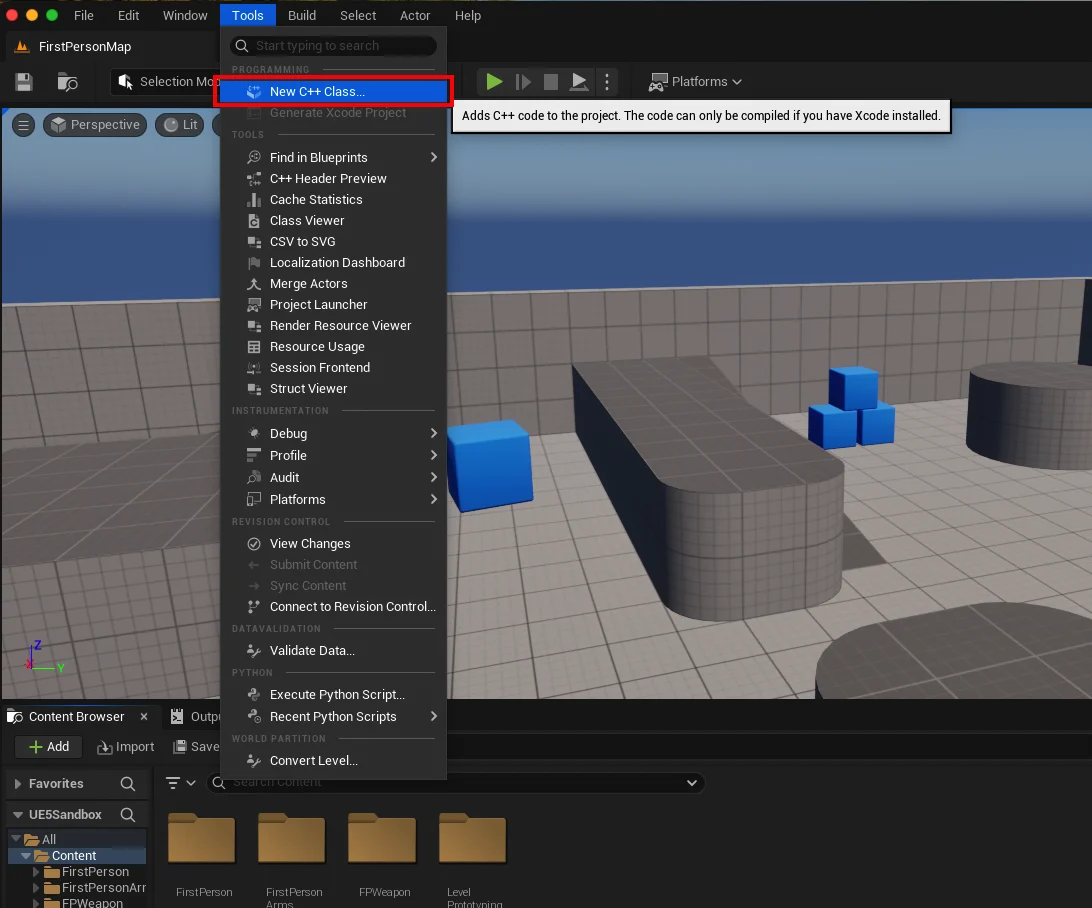
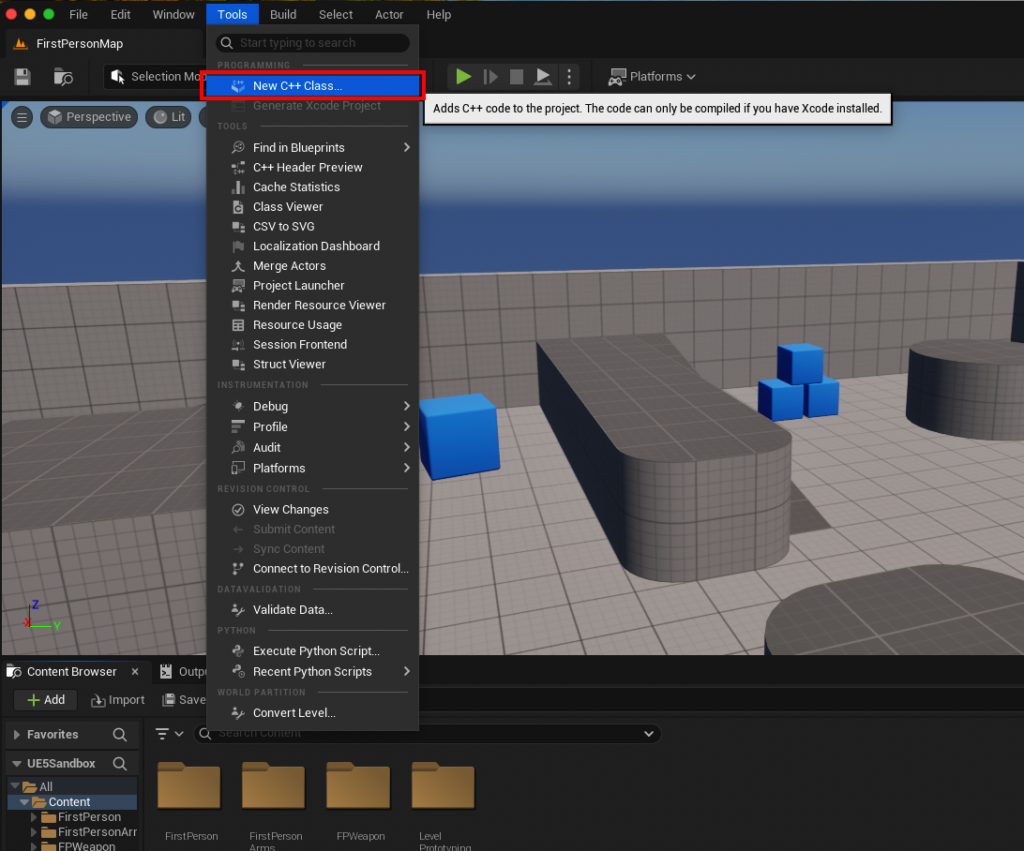
The first step involves verifying if the Unreal Engine project is C++ enabled. This is easily done within the Unreal Editor by navigating to the "Tools" dropdown menu and selecting "New C++ Class." If the project is Blueprint-only, the engine will guide the user through the process of adding C++ support, which typically involves creating an initial C++ class and allowing the engine to generate the necessary project files and compile the module.
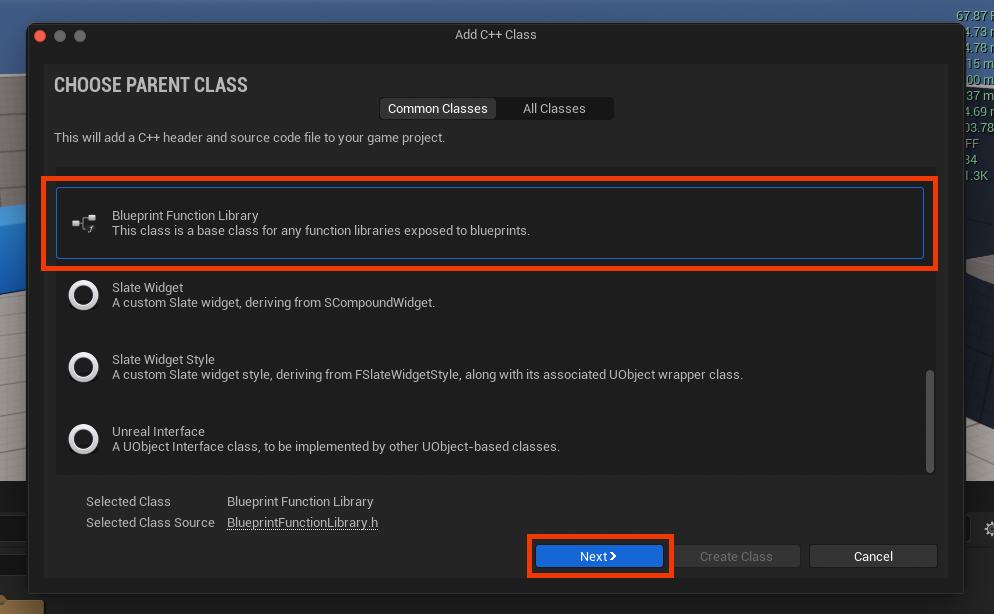
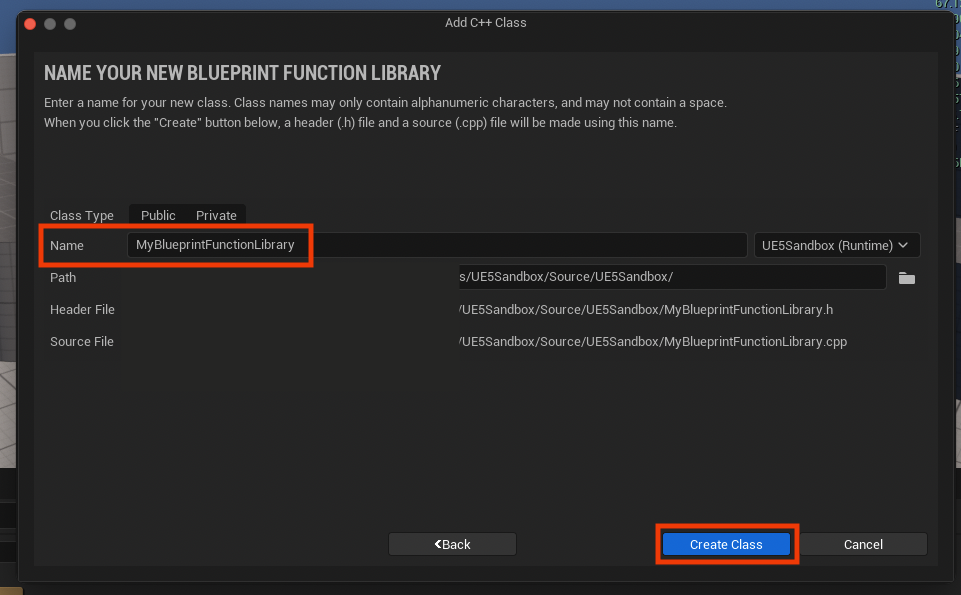
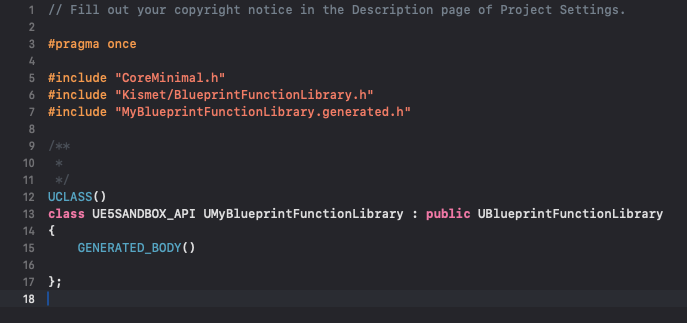
Upon successfully initiating a new C++ class, a dialog box will appear, prompting the developer to choose a "Parent Class." This is a crucial decision, as it dictates the base functionality and inheritance chain of the new class. For the purpose of creating a Blueprint Function Library, developers must scroll down and select "Blueprint Function Library" from the available options. This parent class, typically UBlueprintFunctionLibrary, is a built-in Unreal Engine class specifically designed to expose static C++ functions to the Blueprint system. After selecting the parent class, the next step involves assigning a clear and descriptive name to the new class. Adhering to Unreal Engine’s naming conventions, which typically involve camel case with capitalized words (e.g., MyBlueprintFunctionLibrary, GameUtilityFunctions), is highly recommended for maintaining code clarity and consistency across the project. Once named, clicking "Create Class" will trigger the engine to generate the necessary .h (header) and .cpp (source) files, and then compile these new files into the project. This compilation phase is critical and developers must wait for its successful completion before proceeding to modify the generated code.
Structuring C++ Functions for Blueprint Exposure:
Following the creation and compilation of the new class, the IDE can be opened to examine the generated files. For a class named MyBlueprintFunctionLibrary, two files will be present: MyBlueprintFunctionLibrary.h and MyBlueprintFunctionLibrary.cpp. The header file (.h) contains the class declaration and function prototypes, while the source file (.cpp) holds the actual implementation of these functions.
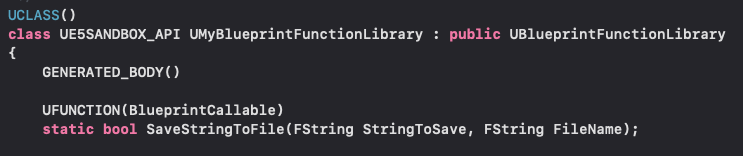
To expose a C++ function to Blueprints, specific keywords and macros are required. Each function intended for Blueprint use must be declared with the static keyword and the UFUNCTION macro. The static keyword is paramount, as it allows the function to be called directly without needing an instance of the MyBlueprintFunctionLibrary class. This means designers can simply search for the function by name in the Blueprint editor, rather than needing to drag an object reference into the graph.
The UFUNCTION macro serves as a vital annotation for the Unreal Header Tool (UHT), which parses C++ code to generate reflection data. This reflection data is what allows the Unreal Editor and Blueprint system to understand and interact with the C++ code. Within the UFUNCTION macro, properties like BlueprintCallable are typically used to mark the function as invokable from Blueprints. Other specifiers can further refine its behavior, such as Category for organizing functions in the Blueprint editor’s context menu, or BlueprintPure for functions that do not modify state.
Practical Application: File I/O Example:
To illustrate, consider the example of creating a simple string read and write system. This is a common requirement in games for saving player data, configuration files, or debugging logs. Implementing this in C++ ensures robustness and efficiency, especially for larger files or frequent operations.
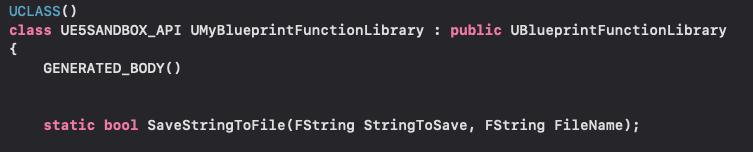
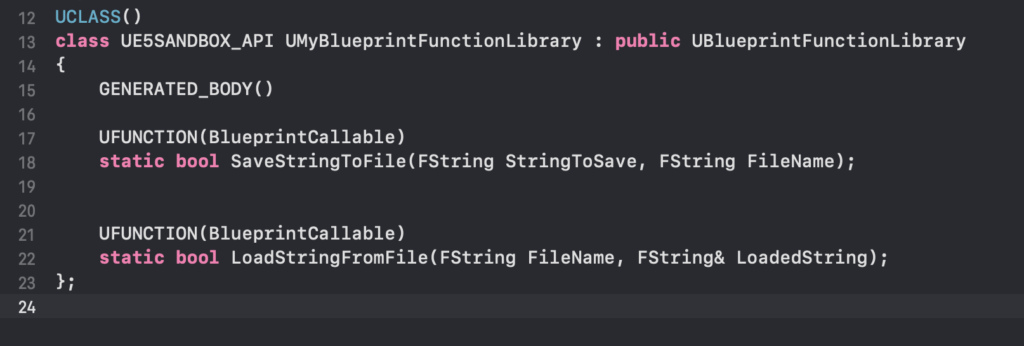
In the MyBlueprintFunctionLibrary.h file, the function declarations would look like this:
// MyBlueprintFunctionLibrary.h
#pragma once

#include "CoreMinimal.h"
#include "Kismet/BlueprintFunctionLibrary.h"
#include "MyBlueprintFunctionLibrary.generated.h"

UCLASS()
class MYPROJECT_API UMyBlueprintFunctionLibrary : public UBlueprintFunctionLibrary

    GENERATED_BODY()

public:
    UFUNCTION(BlueprintCallable, Category = "File I/O")
    static bool SaveStringToFile(const FString& InString, const FString& FileName);

    UFUNCTION(BlueprintCallable, Category = "File I/O")
    static FString LoadStringFromFile(const FString& FileName);
;
Here, SaveStringToFile takes a string and a filename, returning a boolean indicating success or failure. LoadStringFromFile takes a filename and returns the content as an FString. Both are static and BlueprintCallable, making them readily available in Blueprints.
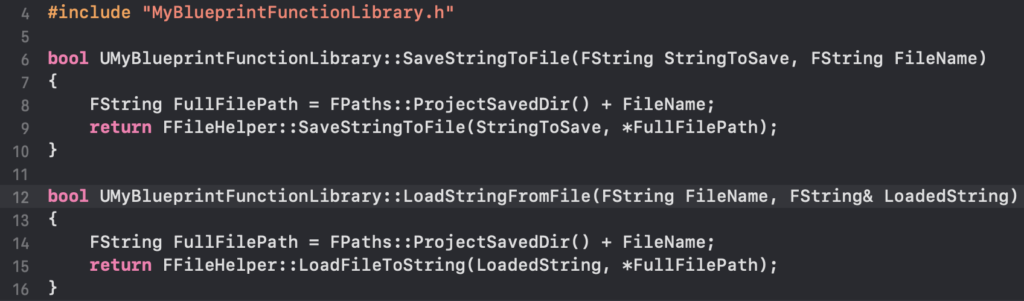
The implementation in MyBlueprintFunctionLibrary.cpp would leverage Unreal Engine’s FFileHelper class, which provides convenient static functions for file operations:
// MyBlueprintFunctionLibrary.cpp
#include "MyBlueprintFunctionLibrary.h"
#include "Misc/FileHelper.h"
#include "HAL/PlatformFileManager.h"

bool UMyBlueprintFunctionLibrary::SaveStringToFile(const FString& InString, const FString& FileName)

    FString AbsoluteFilePath = FPaths::ProjectSavedDir() + FileName; // Save to Project/Saved/
    return FFileHelper::SaveStringToFile(InString, *AbsoluteFilePath);


FString UMyBlueprintFunctionLibrary::LoadStringFromFile(const FString& FileName)

    FString ResultString;
    FString AbsoluteFilePath = FPaths::ProjectSavedDir() + FileName; // Load from Project/Saved/
    FFileHelper::LoadFileToString(ResultString, *AbsoluteFilePath);
    return ResultString;
This simple example demonstrates how powerful C++ libraries like FFileHelper can be exposed through a Blueprint Function Library. After adding these functions, the project must be compiled again. This can be done directly from the Unreal Editor (File -> Refresh Visual Studio Project / XCode Project, then Compile) or from within the IDE. A successful compilation integrates these new functions into the engine’s runtime and reflection system.

Seamless Integration into Blueprint Workflows
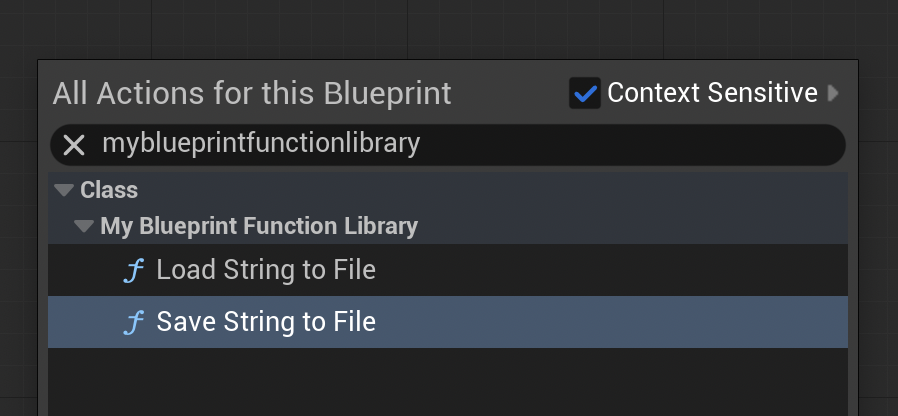
Once the C++ Blueprint Function Library has been created, populated with functions, and successfully compiled, its integration into the Blueprint environment is remarkably seamless. Developers can open any Blueprint asset – be it a Level Blueprint, an Actor Blueprint, a Widget Blueprint, or a Game Mode Blueprint – and simply right-click in the event graph to bring up the context-sensitive action menu. By typing the name of the newly created Blueprint Function Library (e.g., "MyBlueprintFunctionLibrary") or the name of a specific function (e.g., "Save String To File"), the custom C++ nodes will appear as callable actions. They function exactly like native Blueprint nodes, complete with input and output pins corresponding to the C++ function’s parameters and return types. This immediate accessibility means that designers and Blueprint developers can leverage high-performance C++ code without ever needing to write a single line of C++ themselves, maintaining their preferred visual scripting workflow.
Demonstrating Real-World Impact (The File I/O Use Case)
To concretely demonstrate the utility of these functions, consider a common game development scenario: saving and loading game state or user preferences. Using the SaveStringToFile and LoadStringFromFile functions created earlier, a developer can quickly implement persistent data storage within a Blueprint.
For instance, to save a string:
- In the Level Blueprint, add a "BeginPlay" event.
- Drag off the "Exec" pin and search for "Save String To File".
- Connect a literal string (e.g., "Save Test Data") to the "In String" input.
- Connect a literal string (e.g., "game_data.txt") to the "File Name" input.
- Compile and run the game.
Upon execution, the string "Save Test Data" will be written to a file named game_data.txt within the project’s /Saved directory. This immediate verification confirms the C++ function’s successful operation.
Similarly, to load a string:
- In the same Level Blueprint, after the save operation or on a separate event, search for "Load String From File".
- Connect the same "game_data.txt" to the "File Name" input.
- Drag off the "Return Value" (FString) pin and connect it to a "Print String" node.
- Compile and run the game.
The game will then load the content of game_data.txt and display "Save Test Data" on the screen, visually confirming the successful execution of the C++ loading function through Blueprint. This simple demonstration underscores how complex file operations, typically handled at a lower C++ level, become trivial and visually manageable within Blueprints, greatly enhancing development efficiency and robustness.
Broader Implications for Game Development
The strategic use of C++ Blueprint Function Libraries has far-reaching implications for game development, impacting project scalability, team collaboration, and long-term maintainability.
Scalability and Maintainability: For large-scale projects, segregating performance-critical logic into C++ libraries improves overall system architecture. It reduces the complexity of massive Blueprint graphs, making them easier to read, debug, and maintain. Core functionalities can be encapsulated and optimized once in C++, then reused across multiple Blueprints, ensuring consistency and reducing the likelihood of errors.
Team Collaboration: This hybrid approach fosters better collaboration between different development roles. Programmers can focus on writing high-performance, robust C++ modules, while designers and artists can integrate these functionalities using Blueprints, focusing on gameplay mechanics and user experience. This division of labor leverages each team member’s strengths, leading to a more efficient and harmonious development pipeline.
Future-Proofing Projects: As new engine features or external technologies emerge, C++ Blueprint Function Libraries provide a flexible mechanism to integrate them without disrupting existing Blueprint logic. Developers can wrap new APIs or SDKs in C++ functions and expose them to Blueprints, ensuring the project remains adaptable and can incorporate cutting-edge advancements.
Conclusion
C++ Blueprint Function Libraries are an indispensable tool within the Unreal Engine 5 ecosystem, representing a powerful bridge between the rapid iteration capabilities of Blueprints and the performance, control, and extensibility of C++. By strategically offloading computationally intensive tasks or integrating advanced system-level functionalities into C++ and exposing them as Blueprint-callable nodes, developers can overcome common performance bottlenecks, unlock a wider array of engine features, and significantly enhance their development workflow. This hybrid approach not only yields tangible performance improvements but also fosters a more scalable, maintainable, and collaborative environment, solidifying Unreal Engine’s position as a premier platform for creating high-quality, high-performance interactive experiences.
Further Resources:
- Official blueprint function library documentation from Epic Games
- Click here to read more of our C++ guides for Unreal Engine
About the Author








