The successful implementation of dedicated servers for Unreal Engine 5 (UE5) games marks a pivotal advancement for developers aiming to deliver scalable and high-performance multiplayer experiences. This crucial technical guide provides a detailed, step-by-step roadmap for building and configuring a dedicated server for UE5 projects, addressing the intricate requirements from initial project setup to local deployment and testing. The initiative underscores the growing demand for stable and secure online environments in an increasingly multiplayer-centric gaming landscape, offering a vital resource for creators of competitive shooters, cooperative survival titles, and expansive social sandboxes alike.
The Imperative of Dedicated Servers in Modern Gaming
In the realm of multiplayer gaming, the choice between a listen server (peer-to-peer hosting) and a dedicated server profoundly impacts game performance, security, and reliability. While listen servers, where one player’s device hosts the game, are often sufficient for smaller-scale experiences (typically 2-16 players) due to their cost-effectiveness and simplified development workflow, they present significant limitations for larger or more competitive titles. Issues such as host advantage, susceptibility to cheating, network latency inconsistencies, and performance bottlenecks on the host machine can severely degrade the player experience.
Dedicated servers, conversely, operate as independent, centralized game instances on specialized hardware, disconnected from any individual player’s device. This architecture provides a multitude of benefits: enhanced security through centralized anti-cheat measures, consistent performance regardless of client hardware, reduced latency, and greater scalability to accommodate larger player counts. Industry analysts frequently highlight the shift towards dedicated server models as a non-negotiable standard for AAA titles and a growing expectation for ambitious indie projects, driven by a global multiplayer gaming market projected to continue its robust growth. The guide explicitly states that a dedicated server "does not spawn a player character and does not count as a connected player," emphasizing its role purely as a game world and server code handler.
Essential Prerequisites for Server Deployment
Before embarking on the dedicated server build, developers must ensure their Unreal Engine 5 project meets several critical prerequisites. Firstly, a functional multiplayer UE5 project is indispensable, serving as the foundation upon which the dedicated server will operate. This project should ideally be configured for multiplayer sessions, a topic extensively covered in related guides that lay the groundwork for server-client communication and player management.
Secondly, and perhaps most crucially, developers are required to utilize a source build of Unreal Engine, rather than a version downloaded directly from the Epic Games Launcher. This distinction is paramount because building dedicated servers necessitates access to specific engine components and build configurations that are only available through a source-compiled version of the engine. Epic Games provides comprehensive documentation on how to acquire and build the engine from source, a process that grants developers granular control over the engine’s compilation.
Finally, the guide emphasizes the necessity of the AdvancedSessions plugin for the project. This third-party plugin is vital for ensuring the dedicated server correctly registers and displays in session browsers, enabling players to discover and join hosted games seamlessly. Its integration streamlines the session management process, which is often a complex aspect of multiplayer development.
Configuring the UE5 Project for Dedicated Server Functionality
The core of preparing an UE5 project for dedicated server deployment involves specific adjustments within the engine’s Blueprints and Project Settings. These modifications ensure the server initializes correctly without relying on client-side UI elements and manages the game world efficiently.
-
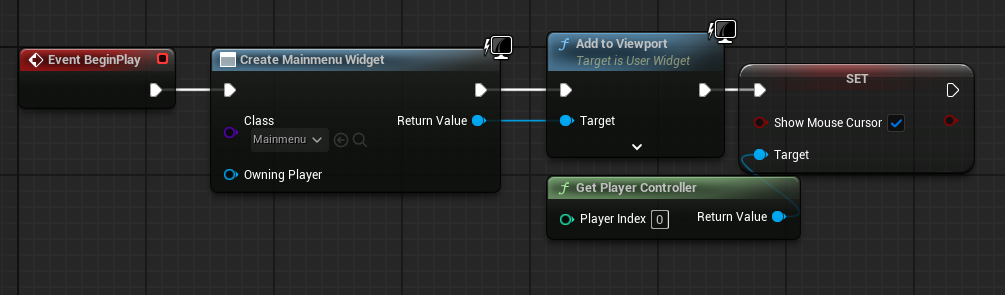
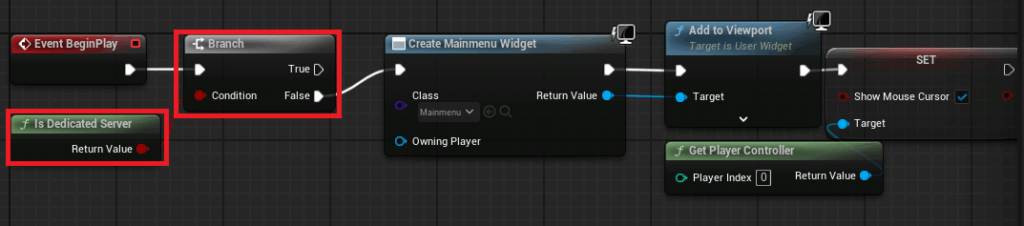
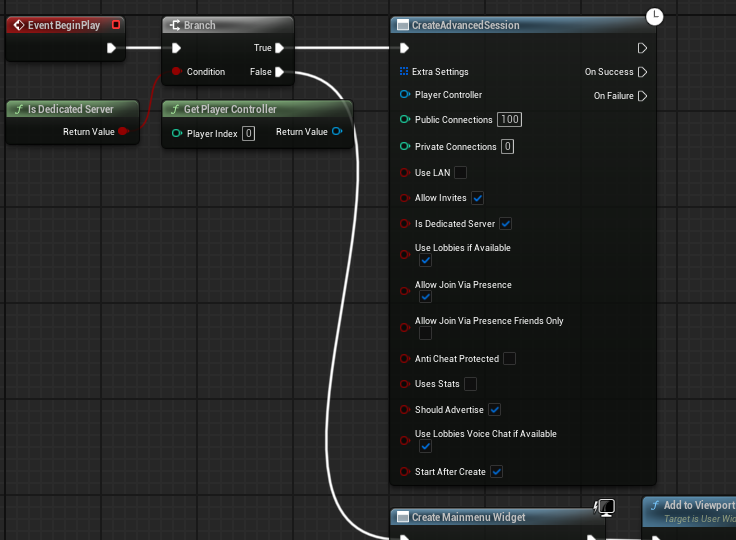
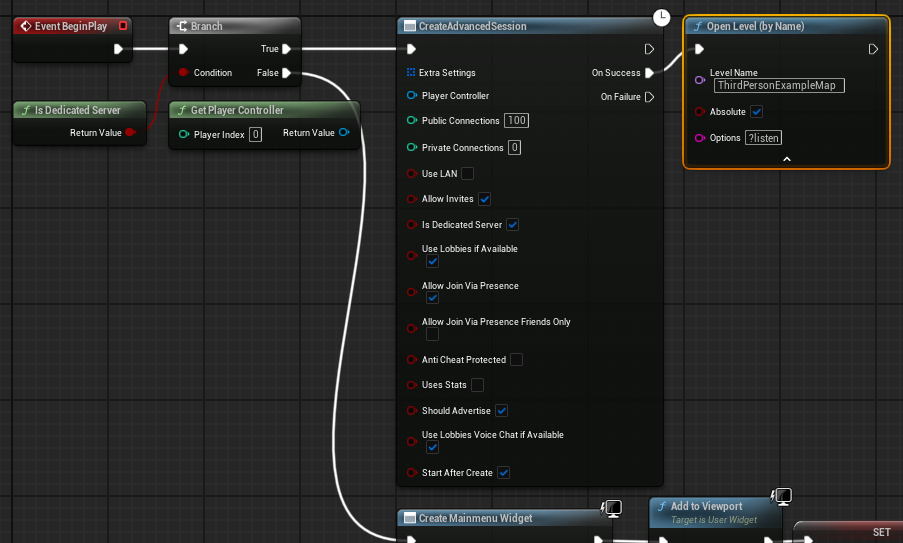
Automatic Session Creation: A dedicated server, by nature, should automatically create a game session and load the appropriate map upon launch, bypassing any main menu interfaces designed for player interaction. The guide illustrates this by modifying the main menu level blueprint. A conditional branch utilizing the "Is Dedicated Server" node is introduced. If the platform is identified as a dedicated server, the code responsible for creating the main menu widget is bypassed. Instead, a "Create Advanced Session" node is triggered, configured with the desired session settings (e.g., max players, public visibility). Upon successful session creation, the server then opens the designated game level with the "?listen" option, enabling it to accept incoming client connections. This logical flow ensures that the server is immediately operational for multiplayer gameplay upon startup, without unnecessary overhead.
-
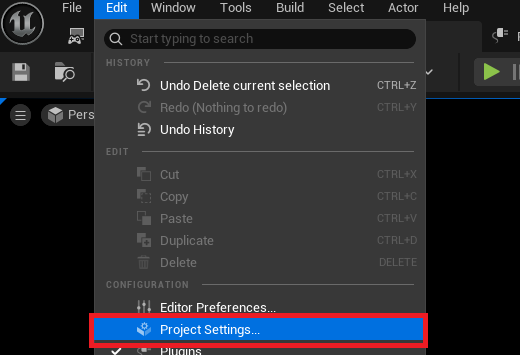
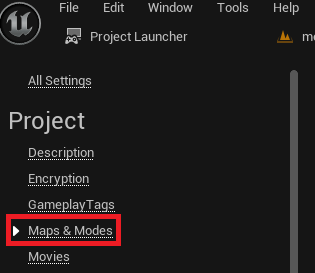
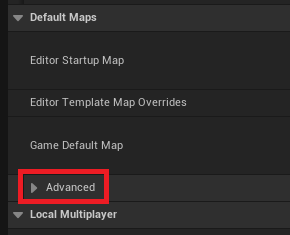
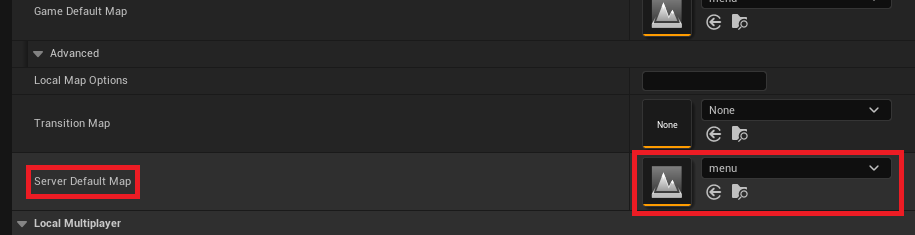
Choosing the Default Server Map: By default, Unreal Engine servers might load into a generic "Entry" engine map, which is unsuitable for game operations. Developers must explicitly set the "Server Default Map" within the Project Settings. This is achieved by navigating to "Edit" -> "Project Settings" -> "Maps & Modes," expanding the "Default Maps" advanced options, and selecting the intended game map. For instance, if a "menu" map is used as an initial entry point before players join a game, it would be set here, with further logic handling the transition to gameplay maps. This ensures the server always starts in a known and appropriate game state.
-
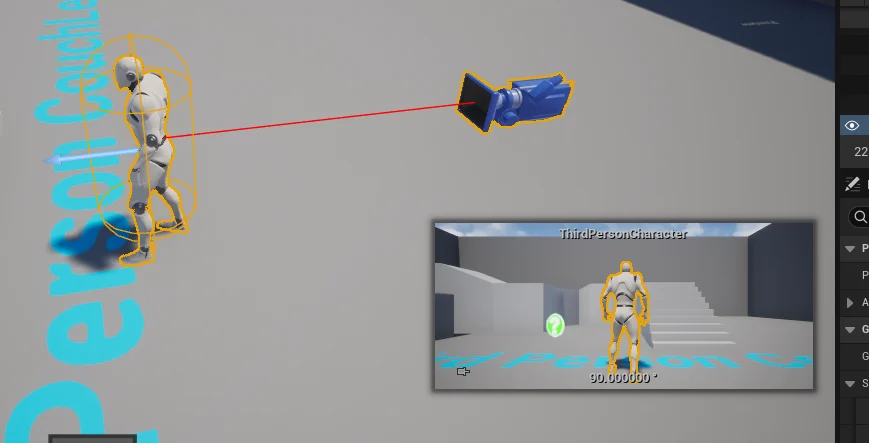
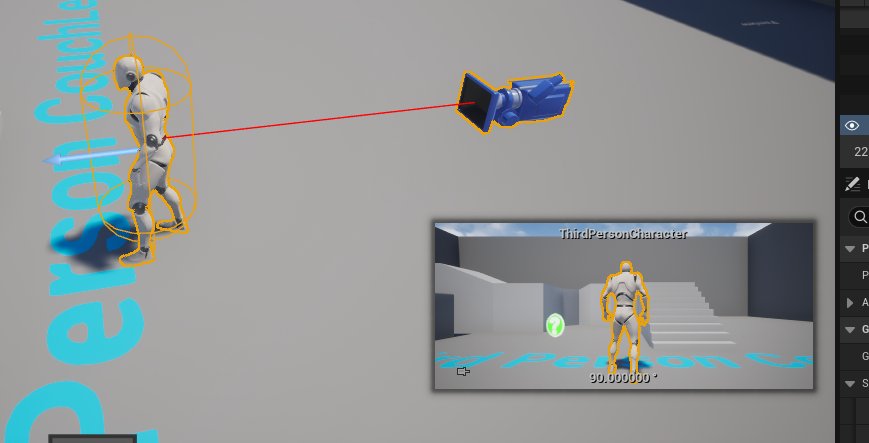
No Default Character in the Level: Optimizing for a dedicated server environment also involves removing unnecessary client-side elements. A common practice in many UE5 templates is to include a default player character blueprint directly within the level. For a dedicated server, which does not host a local player, this character is redundant and consumes resources without purpose. The guide instructs developers to delete any such default character instances from their levels, ensuring that the server only manages the game world and connected player characters, without simulating an unnecessary local player.
The Unreal Engine Project Launcher: A Developer’s Gateway
The Unreal Engine Project Launcher is an indispensable built-in tool that streamlines the process of building and deploying various versions of a game, including dedicated servers. It provides a robust interface for defining custom build profiles, offering granular control over compilation, packaging, and deployment options.
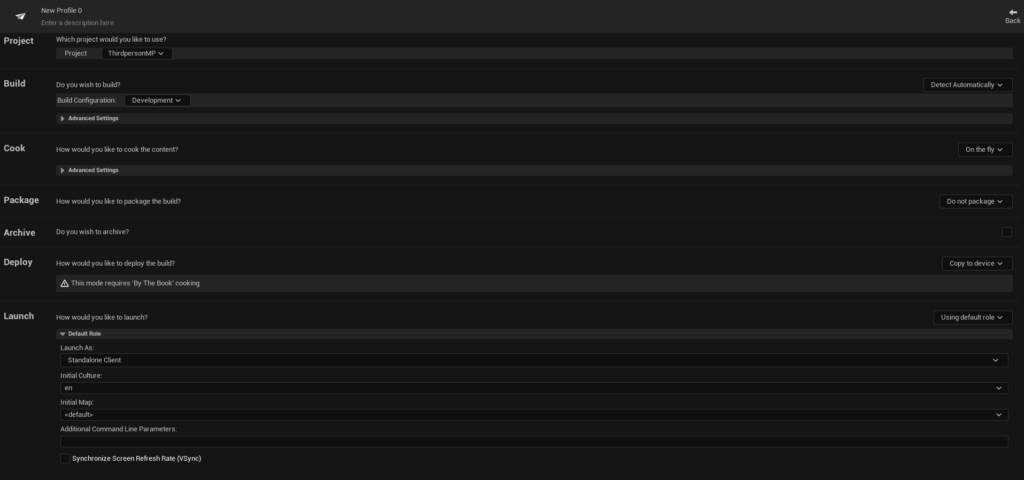
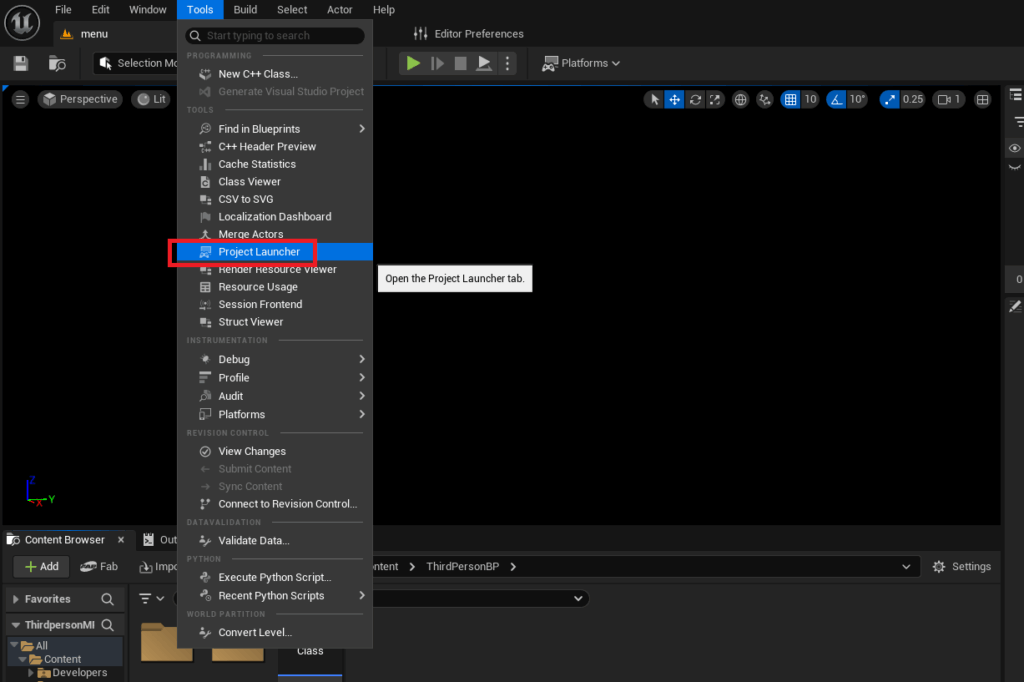
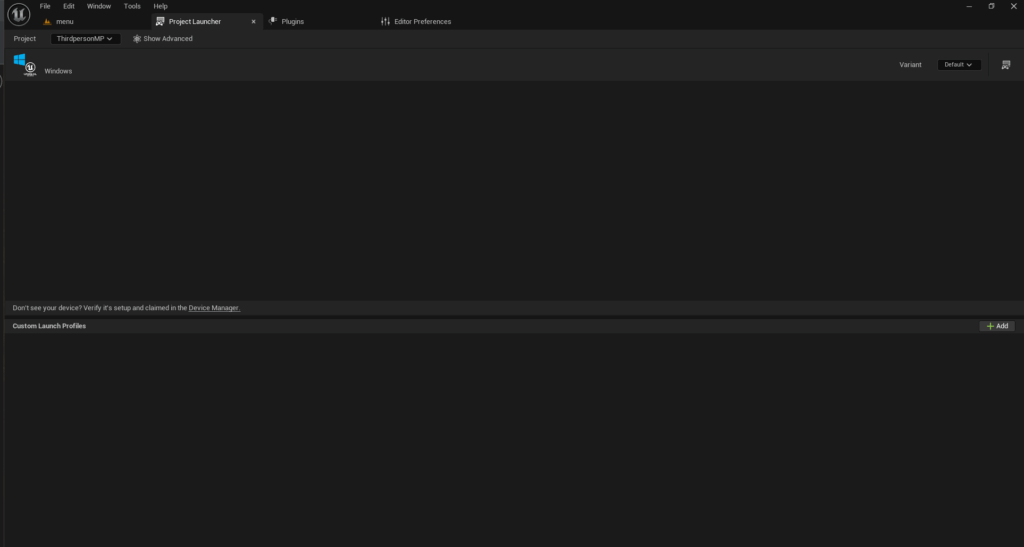
To access the Project Launcher, developers navigate to "Tools" -> "Project Launcher" within the Unreal Engine editor. The initial view presents an empty menu, prompting the creation of a custom profile tailored for dedicated server builds.

Creating the Custom Profile:
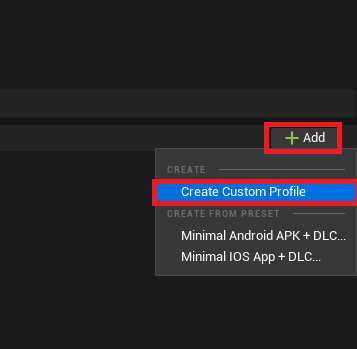
The process begins by clicking "Add" and then "Create Custom Profile." This opens an extensive menu of configuration options:
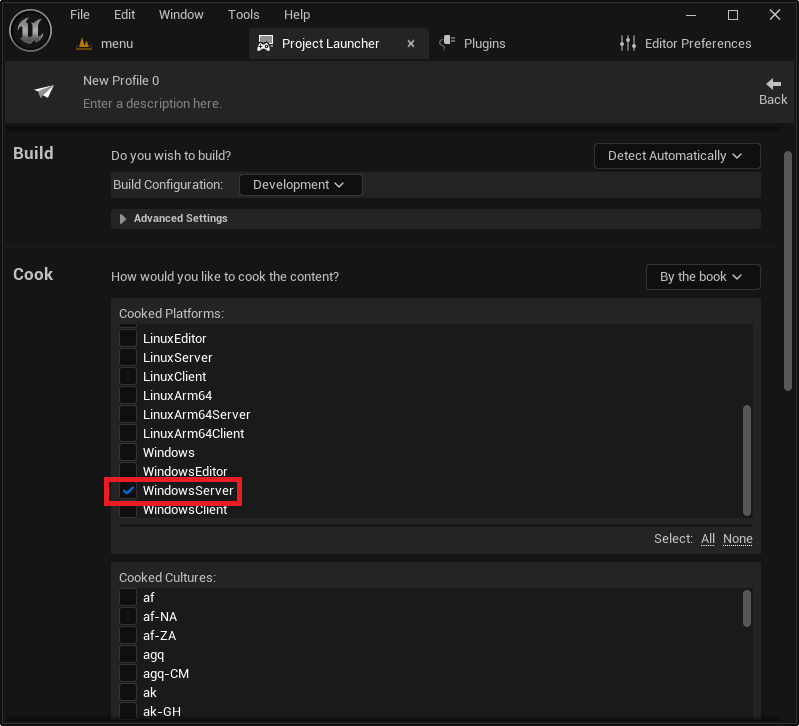
- Cook Section: The "Cook" setting, which determines how game content is processed, must be changed from "On the fly" to "By the book." This ensures all necessary content is pre-cooked and packaged efficiently for the server environment.
- Cooked Platforms: Developers must then select the target platform for their dedicated server. Options typically include "WindowsServer" for Windows-based hosting, "LinuxServer" for x86/64 Linux environments, or "LinuxArm64" for ARM-based Linux servers. The choice depends on the intended deployment infrastructure. For most developers, "WindowsServer" is the default and most straightforward option.
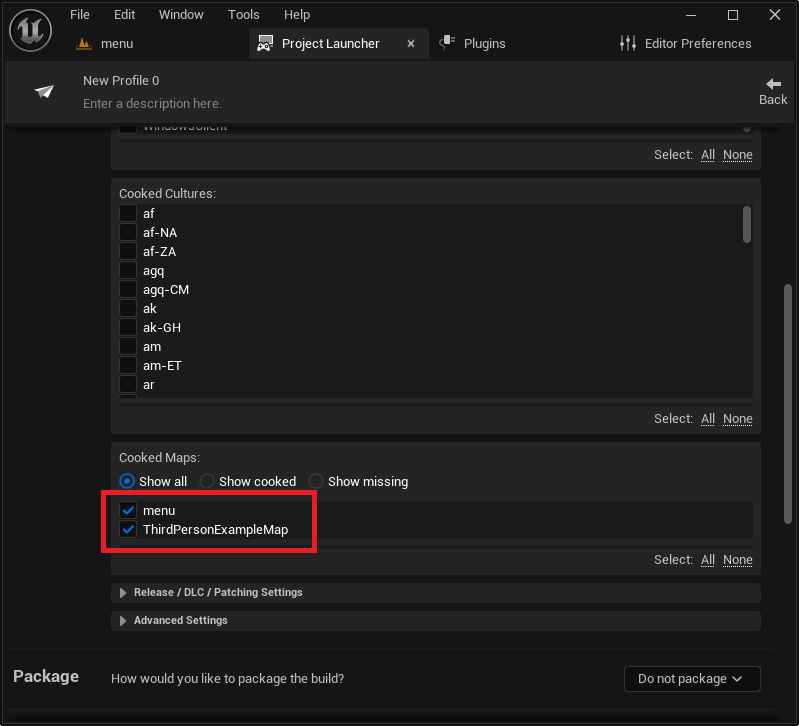
- Maps to Cook: All maps intended for use by the server must be explicitly added to the "Cooked Maps" list. This ensures that the server package includes all necessary level data for gameplay.
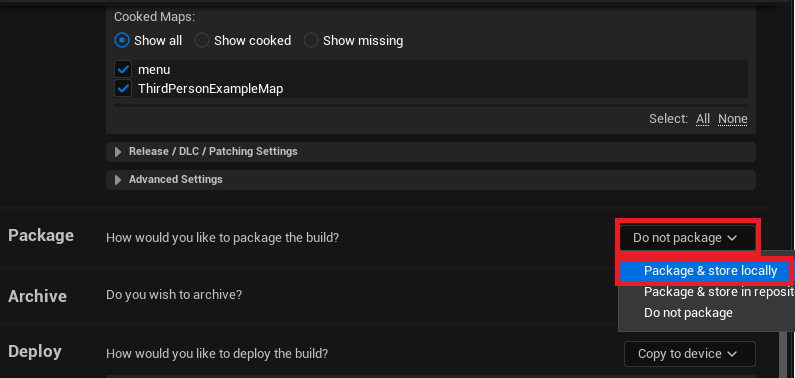
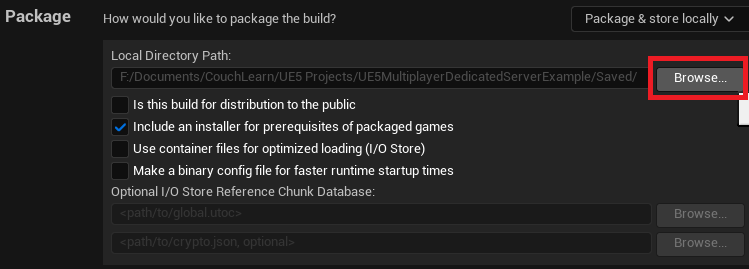
- Package Section: The packaging option needs to be set from "Do not package" to "Package & store locally." This instructs the Project Launcher to compile the server executable and its associated files into a local directory, which can be customized.
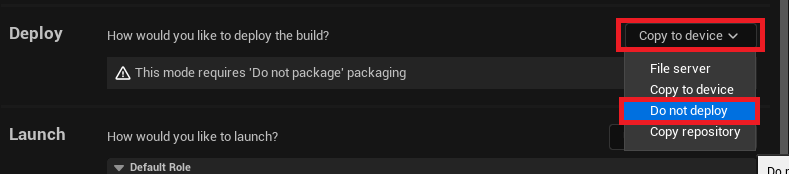
- Deploy Section: For dedicated servers, the "Deploy" option should be changed from "Copy to device" to "Do not deploy." This is because dedicated servers are typically deployed manually to specific hosting environments, not directly pushed to a local device in the same way a client build might be.
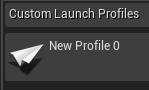
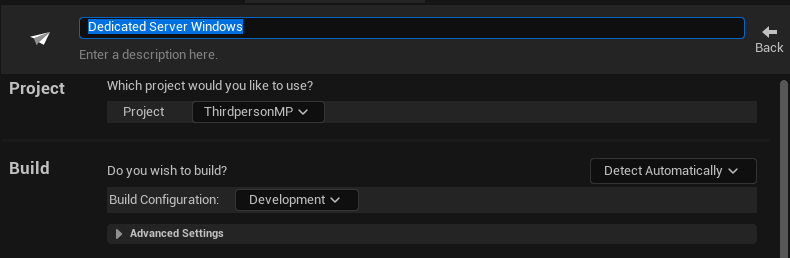
- Profile Naming: Finally, assigning a descriptive name to the custom profile (e.g., "MyGame_DedicatedServer") aids in organization and easy identification.
Creating the Dedicated Server Files
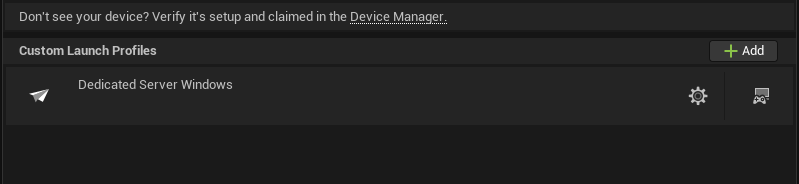
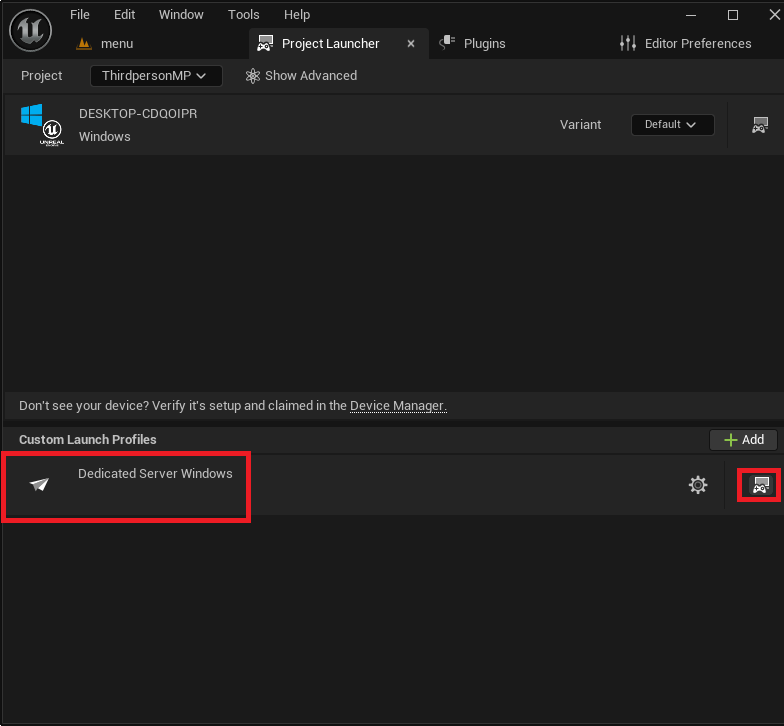
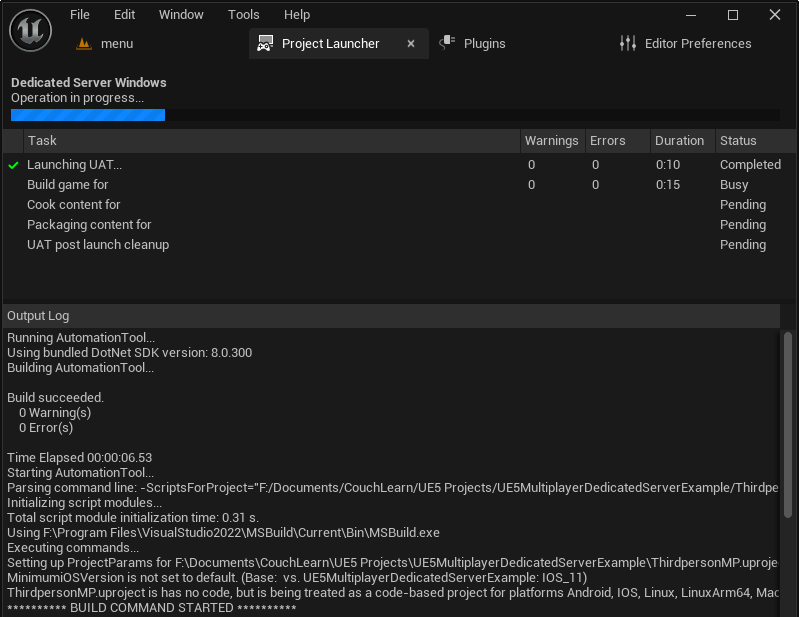
Once the custom profile is meticulously configured, the actual build process is initiated from the main Project Launcher menu by selecting the newly created profile and clicking the "Launch" button. This action triggers a series of automated tasks: compiling the game code, cooking content, and packaging the server executable and its dependencies.
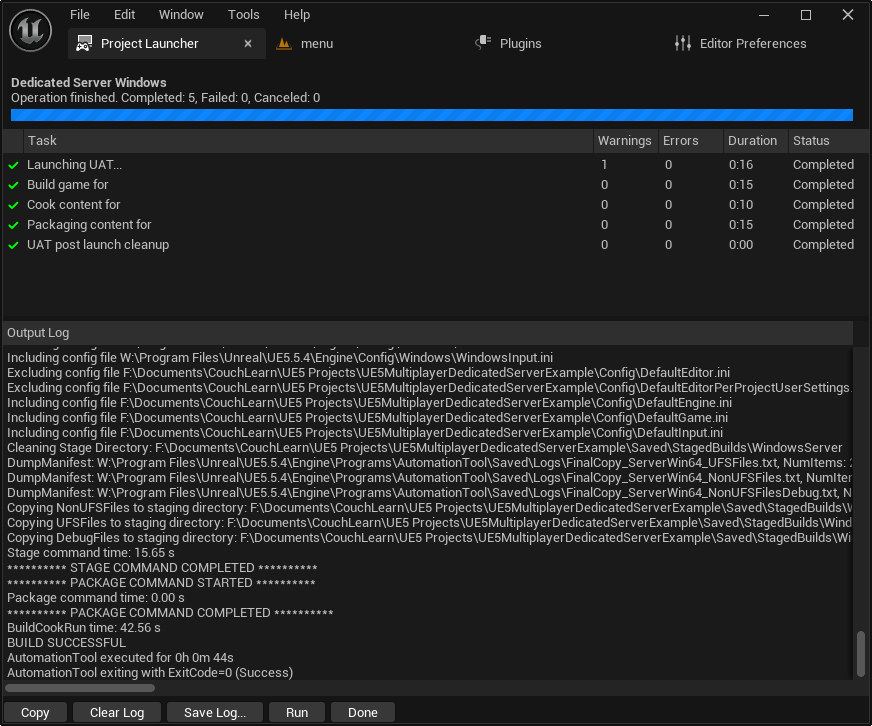
The initial build can be time-consuming, often taking a significant period depending on the project’s size and complexity, as well as the developer’s hardware specifications. The Project Launcher provides a real-time log of the build progress, allowing developers to monitor each stage until all tasks are successfully completed.
Testing the Dedicated Server
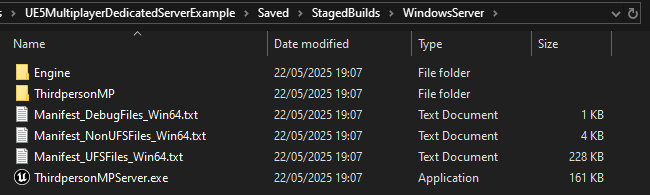
Upon successful completion of the build process, the dedicated server executable and its supporting files will be located in the specified output directory, typically [YourProjectFolder]/Saved/StagedBuilds/[PlatformName]/. For Windows, this would be WindowsServer.
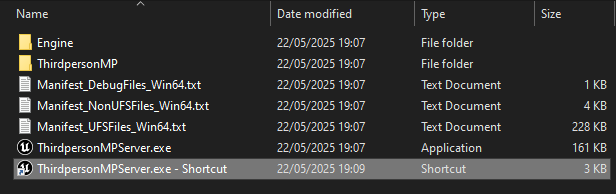
To facilitate easier testing and monitoring, the guide recommends creating a Windows shortcut to the server executable (e.g., MyGameServer.exe). By modifying the shortcut’s "Target" field and appending the launch option -log (e.g., ".../MyGameServer.exe" -log), the server will launch with a visible console window, displaying real-time logging messages. This provides invaluable feedback during testing, showing server initialization, session creation, and client connection attempts.
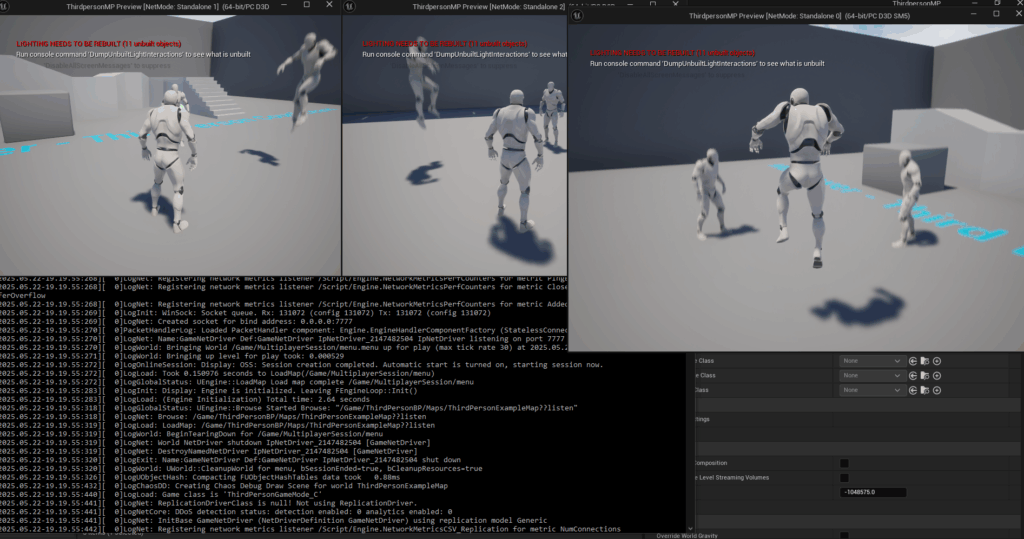
When the server shortcut is executed, the console window will fill with text indicating the server’s startup sequence and its readiness to accept connections. Concurrently, client applications (either launched from the editor or as separate builds) can then detect and connect to this dedicated server session. The demonstration provided shows multiple clients successfully connecting to the dedicated server, allowing players to interact within the game world without a player-hosted instance. This confirms the server’s operational status and its ability to manage concurrent client connections.
Broader Implications for Game Development
The accessibility of comprehensive guides for setting up Unreal Engine 5 dedicated servers has significant implications for the broader game development ecosystem. For independent developers and smaller studios, robust multiplayer infrastructure traditionally represented a formidable barrier to entry. By demystifying the process and providing clear, actionable steps, Epic Games, through resources like this guide, empowers a wider range of creators to develop high-quality online experiences.
This trend supports the increasing democratization of game development, enabling indie titles to compete more effectively with larger studios in terms of online play stability and fairness. For larger studios, these foundational guides complement their internal development pipelines, ensuring that best practices for server deployment are consistently understood and applied, which is critical for maintaining competitive integrity and player satisfaction in large-scale online games.
The ability to host a game on a dedicated server enhances the potential for competitive play, esports integration, and long-term community engagement. It provides a stable platform for implementing complex game mechanics, reliable physics synchronization, and sophisticated anti-cheat systems, all of which are crucial for a thriving multiplayer environment. As Unreal Engine 5 continues to evolve, the emphasis on robust networking tools and comprehensive documentation ensures that developers can leverage the engine’s power to create engaging and resilient online worlds.
Conclusion
The detailed process for building and configuring a dedicated server for Unreal Engine 5 outlined in this guide represents a critical resource for developers. By providing a clear pathway from project preparation to successful deployment and testing, it equips creators with the knowledge to establish robust, secure, and scalable multiplayer foundations. This expertise is indispensable for launching high-performance online games that deliver consistent and fair experiences, ultimately enriching the vibrant landscape of interactive entertainment. With dedicated servers becoming an industry benchmark for quality multiplayer, this guide solidifies the technical bedrock upon which the next generation of online games will be built.
About the Author