
The guide meticulously outlines the process of building and configuring a dedicated server from inception to local operation, covering essential aspects ranging from project settings preparation to server compilation. It underscores the fundamental advantages of dedicated server infrastructure over traditional peer-to-peer (P2P) hosting, primarily citing superior performance, enhanced security protocols, and unwavering reliability. By enabling players to connect to a centralized game instance that operates independently of any single player’s device, dedicated servers mitigate common issues such as host advantage, cheating, and performance degradation often associated with P2P models.
The Evolving Landscape of Multiplayer Gaming
The global video game market continues its upward trajectory, with multiplayer titles consistently dominating engagement metrics and revenue streams. Industry reports indicate that the multiplayer segment alone accounts for a substantial portion of the market, driven by persistent online worlds, esports phenomena, and the inherent social aspect of shared digital experiences. As of late 2023, the global gaming market was valued at over $240 billion, with multiplayer games contributing significantly to this figure. This growth, however, places immense pressure on developers to deliver technically sound and resilient online infrastructures.
Unreal Engine 5, Epic Games’ flagship development platform, stands at the forefront of this evolution, offering cutting-edge graphics, advanced physics, and powerful networking capabilities. However, translating these capabilities into a stable multiplayer experience, especially for games targeting a large concurrent player base, necessitates a deep understanding of server architecture. Historically, many independent developers and smaller studios have grappled with the complexities of server deployment, often relying on less robust P2P solutions due to perceived technical barriers or resource constraints. The availability of clear, step-by-step guides like the one from Couchlearn is thus invaluable, effectively democratizing access to best practices in server management for the wider UE5 developer community.
Understanding Server Architectures: Dedicated vs. Listen
At the heart of multiplayer game development lies the choice of server architecture. The Couchlearn guide provides crucial background by differentiating between listen servers and dedicated servers, a distinction critical for informed development decisions.
A listen server integrates the server functionality directly into one of the player clients. This client, acting as the host, simultaneously plays the game and manages the game world and network traffic for other connected players. Listen servers are often favored for games with smaller player counts (typically 2 to 16 players), such as casual co-op games or small-scale competitive matches, due to their ease of implementation and lower immediate costs. They facilitate faster testing and iteration during development. However, listen servers are susceptible to several drawbacks:
- Performance Bottlenecks: The host’s machine must bear the load of both playing the game and running the server, potentially leading to performance issues for all connected players, especially with high player counts or complex game logic.
- Security Vulnerabilities: The host’s client has authoritative control, making it more susceptible to cheating and exploitation.
- Reliability Issues: If the host disconnects, the game often experiences host migration (which can be disruptive) or terminates entirely.
- Latency Inconsistencies: Network performance can be heavily reliant on the host’s internet connection, leading to variable latency for other players.
In contrast, a dedicated server operates as a standalone application on a separate machine, solely responsible for managing the game world, processing game logic, and handling network communications. Crucially, it does not spawn a player character and does not consume resources rendering the game world visually. This separation offers significant benefits:
- Optimized Performance: By dedicating all resources to server operations, dedicated servers can handle larger player counts and more complex game states without impacting client-side performance.
- Enhanced Security: The server’s authority is centralized and less exposed to client-side manipulation, making it significantly harder for players to cheat.
- Increased Reliability: Dedicated servers can run 24/7, providing persistent game worlds and eliminating host migration issues.
- Consistent Experience: Network conditions are generally more stable and predictable, leading to a fairer and more enjoyable experience for all players.
Industry analysts and veteran developers consistently advocate for dedicated servers for any multiplayer game aiming for competitive integrity, high player counts, or a persistent online presence. The upfront effort and potential hosting costs are often outweighed by the long-term benefits in player satisfaction and game longevity.
Key Prerequisites for Robust Server Deployment
The Couchlearn guide outlines several critical prerequisites that developers must satisfy before embarking on the dedicated server build process. These foundational steps ensure compatibility and functionality, underscoring the methodical approach required for successful deployment.
- A Working Multiplayer Unreal Engine 5 Project: This is the most fundamental requirement. The guide assumes developers already have a project capable of basic multiplayer interaction, often referring to a preceding guide on "Multiplayer Sessions in Unreal Engine 5." This ensures that the core networking logic, such as player connections and data synchronization, is already established.
- A Source Build of Unreal Engine: This is a non-negotiable requirement. Unlike the version downloaded from the Epic Games Launcher, which is a pre-compiled binary, a source build allows developers to access and modify the engine’s underlying code. This is essential because building a dedicated server executable requires specific engine configurations and compilation targets that are only accessible through a source-built version of UE5. Epic Games provides comprehensive documentation on how to download and build the engine from source, a process that, while requiring some technical proficiency, is well-documented.
- AdvancedSessions Plugin: For the server to correctly appear in session browsers and facilitate player connections, the AdvancedSessions plugin is explicitly stated as a mandatory inclusion. This popular community-driven plugin extends Unreal Engine’s native session management capabilities, providing more robust and flexible options for creating, finding, and joining multiplayer sessions. Its integration is vital for the server to be discoverable and functional within the broader multiplayer ecosystem.
These prerequisites highlight that dedicated server deployment is an advanced topic that builds upon existing multiplayer development knowledge and requires specific tooling beyond the standard engine installation.
Streamlining Server Logic: Automated Session Management
A crucial aspect of dedicated server functionality is its ability to automatically initialize and make itself available to players without manual intervention. The guide details how to configure the server to automatically create a session and load the appropriate game map upon launch, bypassing the user interface elements designed for client players.
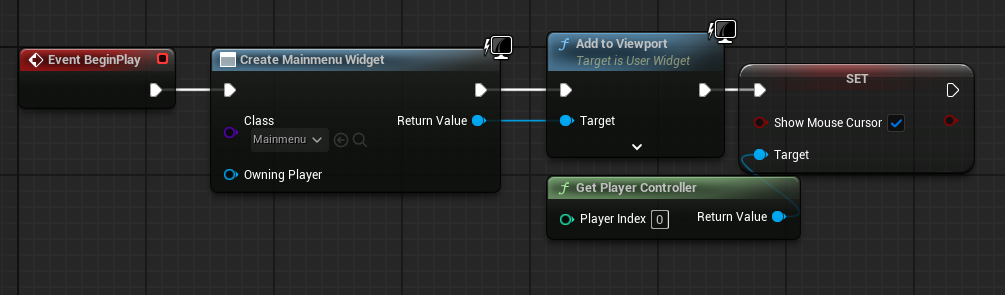
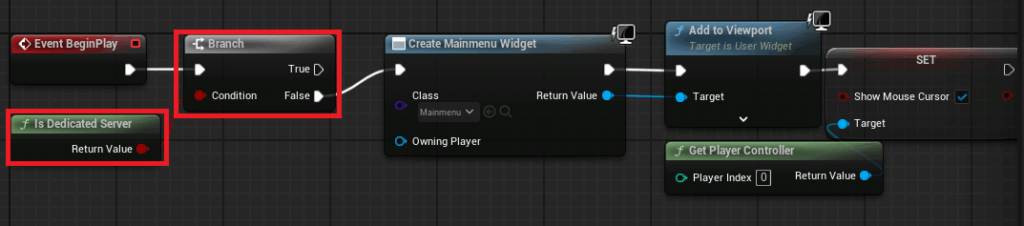
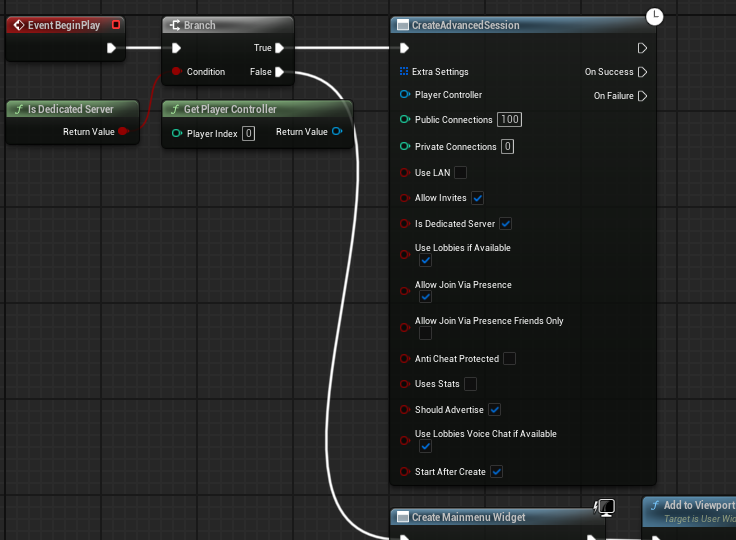
The process involves modifying the Main Menu Level Blueprint in the example project. By integrating an "Is Dedicated Server" node with a branch, developers can differentiate between a client instance and a dedicated server instance. If the platform is not a dedicated server (i.e., a client), the traditional MainMenu widget is created and displayed. Conversely, if it is a dedicated server, this UI creation logic is bypassed.
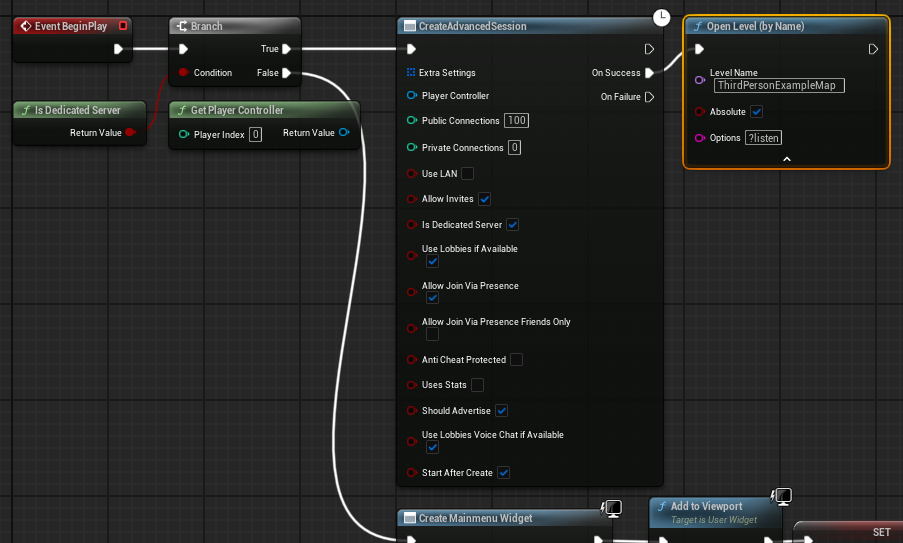
Instead, on the "True" pin of the "Is Dedicated Server" branch, a "Create Advanced Session" node is invoked. This node, provided by the AdvancedSessions plugin, is configured with the desired session settings (e.g., maximum players, public/private status). Upon successful session creation, the server then opens the main game level using the "?listen" option. This critical command instructs the server to load the specified map and begin listening for incoming client connections, effectively turning the game instance into a fully operational host for players. This automated sequence ensures that a dedicated server, once launched, immediately prepares itself for multiplayer engagement, eliminating any need for a "host" player to navigate menus.
Optimizing Game Flow: Default Map and Character Handling
Further optimization for dedicated server operation involves careful management of default game settings and in-world elements. The guide emphasizes two key adjustments:
-
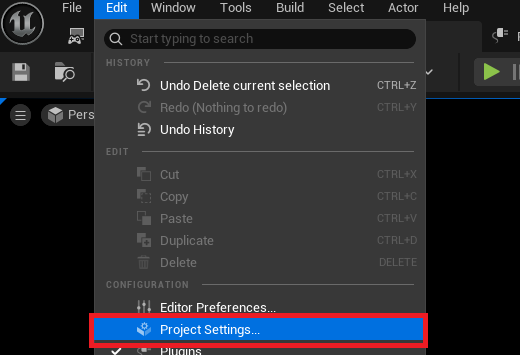
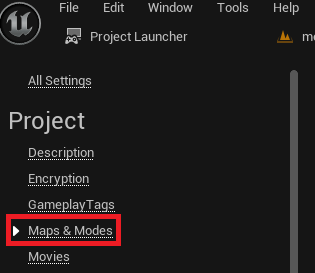
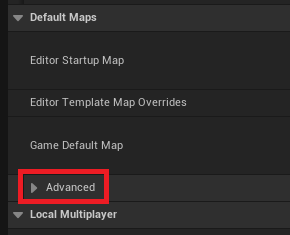
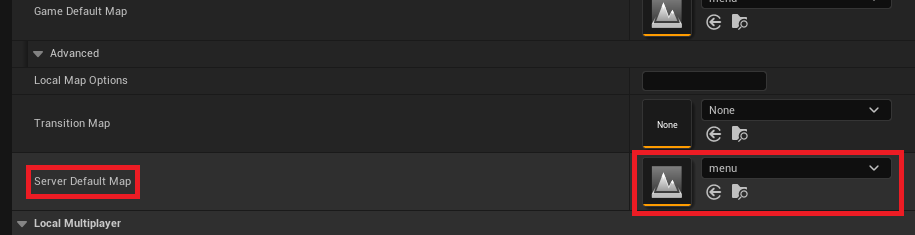
Choosing the Default Server Map: By default, Unreal Engine servers often load into a generic "Entry" map. For a dedicated server, this must be overridden to ensure players are loaded into the correct game environment. This is achieved within the Project Settings under the "Maps & Modes" section. By expanding the "Advanced" options, developers can specify a "Server Default Map." This setting dictates which map the dedicated server will load upon startup, ensuring that the game world is ready for players to join immediately after the server initializes its session. In the guide’s example, the "menu" map is chosen, with subsequent adjustments made to that map’s blueprint to handle dedicated server logic.
-
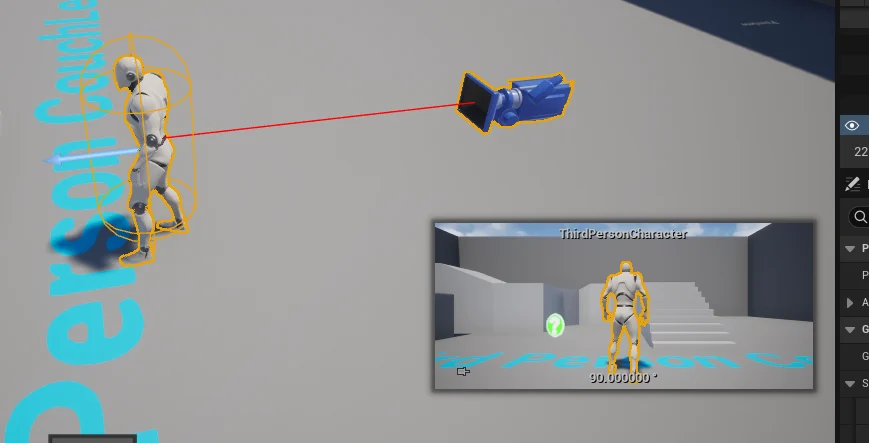
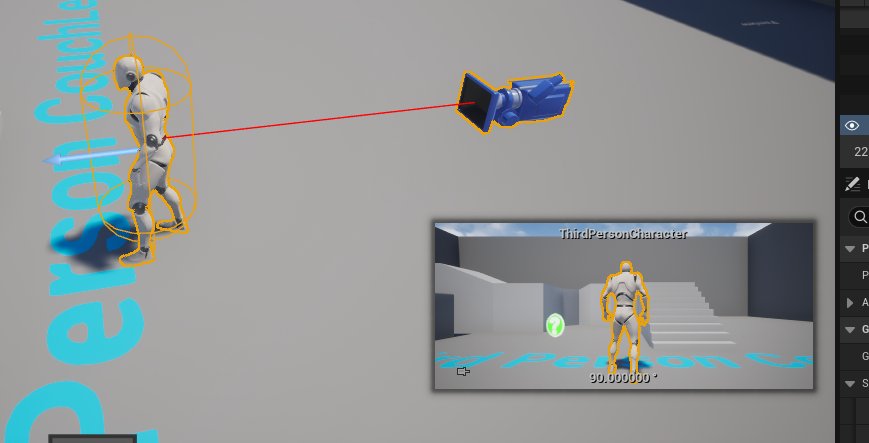
No Default Character in the Level: Unlike a listen server where the host is also a player, a dedicated server is a purely computational entity. It doesn’t need to render a player character or receive input. The guide instructs developers to remove any default character blueprints placed directly within the level that might otherwise be spawned for the server host. This prevents unnecessary resource allocation to a non-existent player, optimizing server performance and ensuring that only actual client players occupy character slots. This detail highlights the efficiency-driven philosophy behind dedicated server architecture.
Unreal Engine’s Project Launcher: A Developer’s Ally
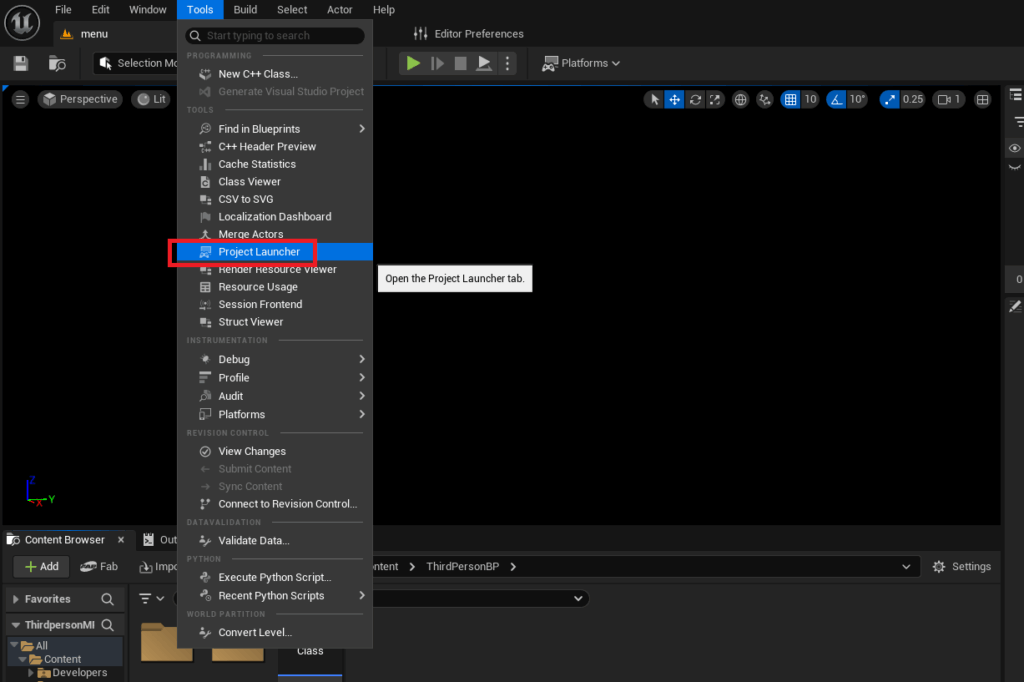
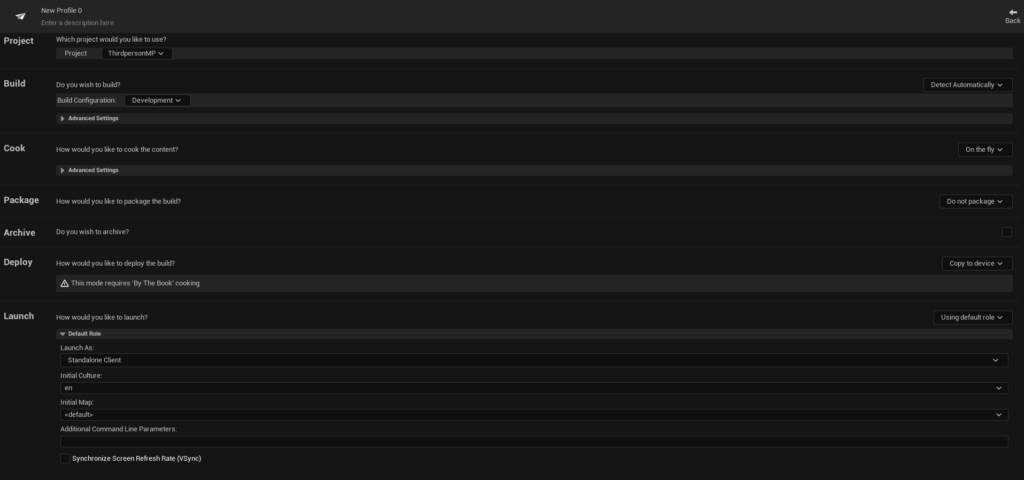
The process of packaging and compiling a dedicated server for deployment is streamlined through Unreal Engine’s built-in Project Launcher. This powerful tool allows developers to create and manage profiles for building various versions of their game, including dedicated server executables.
To access the Project Launcher, developers navigate to the "Tools" menu within the Unreal Engine editor. The subsequent steps involve:
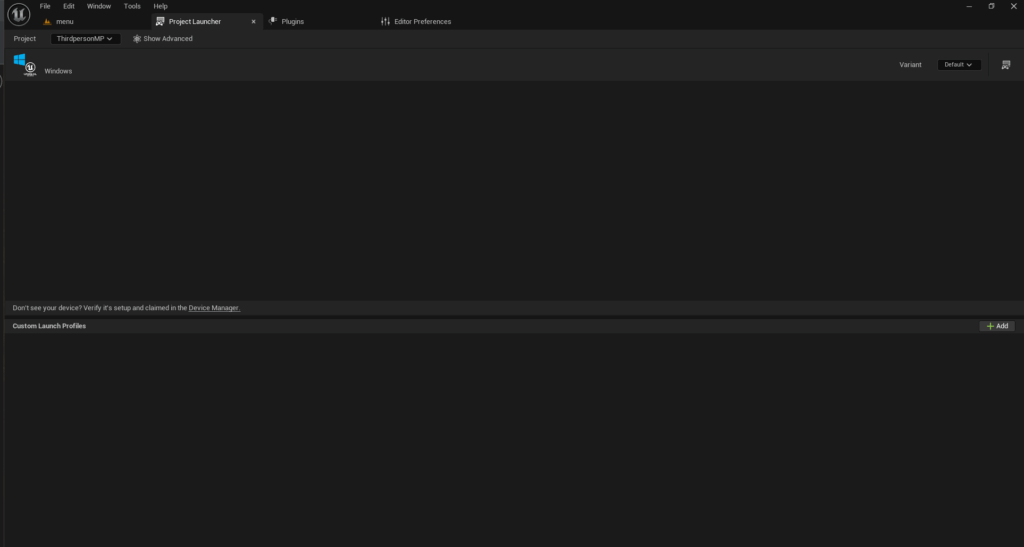
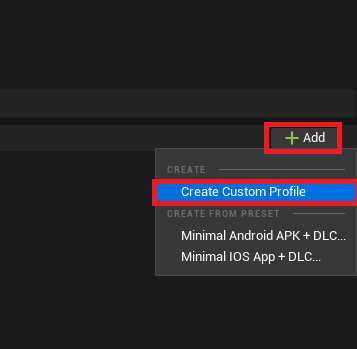
- Creating the Custom Build Profile: The Project Launcher initially presents an empty interface, necessitating the creation of a custom profile. This profile acts as a blueprint for the build process, specifying exactly what components to compile and how to package them.
- Cook Section: The "Cook" option, initially set to "On the fly," must be changed to "By the book." This signifies a comprehensive, pre-computed cook of all necessary game content, rather than cooking assets dynamically during runtime. This is crucial for creating a self-contained server build.
- Cooked Platforms: Developers must select the target platform for their dedicated server. The guide specifically focuses on "WindowsServer," which is suitable for standard Windows-based hosting environments. It also acknowledges "LinuxServer" (for x86/64 Linux systems) and "LinuxArm64" (for ARM-based Linux platforms), offering flexibility for different deployment scenarios.
- Maps to Cook: All maps intended to be used by the server must be explicitly included in the cook list. This ensures that the server executable has access to all necessary level data.
- Package Section: The packaging option, initially "Do not package," is changed to "Package & store locally." This instructs the Project Launcher to compile all cooked content and engine binaries into a deployable package, which is then stored in a specified local directory (defaulting to
[ProjectFolder]/Saved/StagedBuilds/[PlatformName]). Developers have the option to customize this output path. - Deploy Section: The "Deploy" option, typically set to "Copy to device," is changed to "Do not deploy" for a dedicated server build. Since dedicated servers are usually deployed to remote machines or cloud instances, the Project Launcher’s local deployment mechanisms are not relevant.
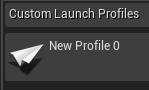
- Profile Naming: Finally, the profile is given a descriptive name, such as "DedicatedServerBuild," for easy identification and management.
This structured approach within the Project Launcher demystifies the build process, providing a guided pathway for developers to generate their server executables without deep command-line knowledge.
The Compilation Process
Once the custom profile is meticulously configured, initiating the build process is as simple as clicking the "Launch" button within the Project Launcher. This triggers a series of automated tasks:
- Cooking Content: All specified game assets and maps are "cooked" into a platform-specific format.
- Compiling Code: Any C++ code specific to the game or engine is compiled for the target server platform.
- Packaging: All necessary engine binaries, cooked content, and game executables are bundled into the final dedicated server package.
The Project Launcher provides a real-time log of the build progress, offering transparency into the various stages of compilation and packaging. Developers are advised that the initial build can be time-consuming, depending on the project’s size and the developer’s hardware specifications. Patience during this phase is key, as a complete and successful build is paramount for a functional server.
Validation and Deployment: Bringing the Server Online
Upon successful completion of the build process, the dedicated server executable and its associated files are located in the designated output directory (e.g., [ProjectFolder]/Saved/StagedBuilds/WindowsServer). The guide then focuses on local testing and ease of management.
Running the Server.exe directly typically launches the server silently in the background, making it challenging to monitor or terminate. To address this, the guide recommends creating a Windows shortcut to the executable. A crucial launch argument, -log, is then added to the shortcut’s "Target" field. This argument forces the server to open in a visible console window, displaying all logging messages and allowing developers to monitor its initialization, session creation, and any runtime events. This provides invaluable feedback during the testing phase, helping to diagnose potential issues.
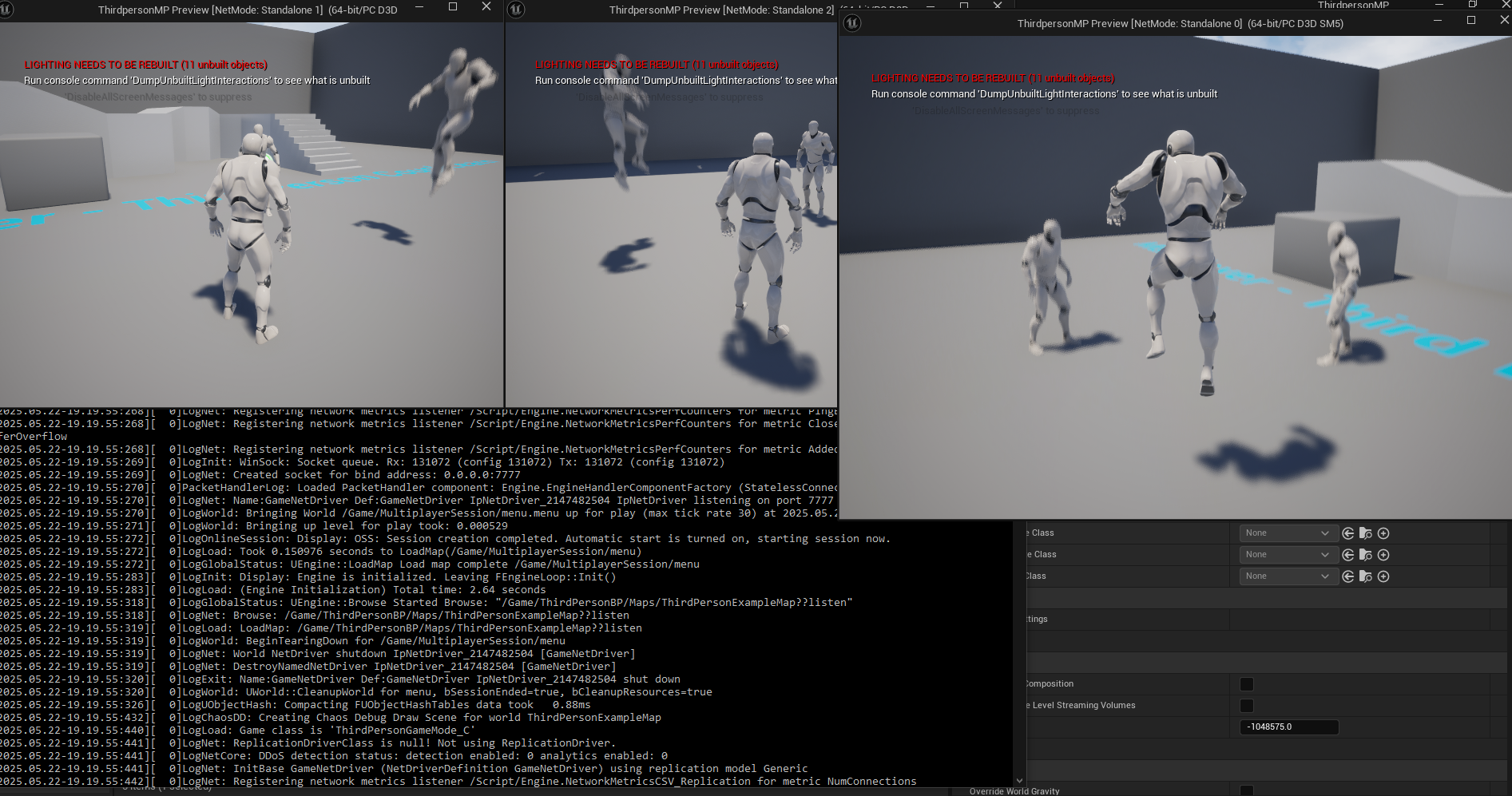
With the server launched and displaying its log output, it initializes, creates its session, and awaits client connections. The guide concludes with a demonstration of three client instances connecting to the dedicated server, showcasing a stable multiplayer environment where players can interact seamlessly, independent of any single player hosting the game. This visual confirmation underscores the successful implementation of the dedicated server.
Industry Implications and Developer Empowerment
The release of such a detailed guide by Couchlearn has significant implications for the Unreal Engine development community and the broader gaming industry.

- Democratization of Expertise: By breaking down a complex technical process into manageable steps, the guide makes dedicated server deployment more accessible to a wider range of developers, including smaller independent studios and hobbyists who might otherwise be deterred by the perceived difficulty.
- Elevated Game Quality: Easier access to robust server solutions means developers are better equipped to deliver higher quality, more stable, and more secure multiplayer experiences. This directly translates to improved player satisfaction and potentially longer game lifecycles.
- Competitive Advantage: For new multiplayer titles, having a dedicated server infrastructure is often a prerequisite for serious consideration in the competitive landscape. This guide provides a pathway for developers to meet these industry standards.
- Community Support: Resources like Couchlearn’s guide highlight the vital role of community-driven content and educational platforms in supporting and extending the capabilities of powerful game engines like Unreal Engine 5. They fill gaps that official documentation might not cover in such practical detail.
- Foundation for Scalability: While the guide focuses on local deployment, the principles and build process are directly transferable to cloud-based hosting solutions, preparing developers for true large-scale operations.
In essence, this guide equips Unreal Engine 5 developers with the essential knowledge and practical steps to implement a critical component of modern multiplayer gaming. By demystifying dedicated server deployment, it fosters innovation, enhances game quality, and contributes to a more robust and engaging online gaming ecosystem. With this newfound ability to build and configure a dedicated server, developers are better positioned to launch fully featured multiplayer games that perform exceptionally and deliver a consistent, high-quality experience to players worldwide.
About the Author








